How to Add Your Signature in Outlook: A Step-by-Step Guide
Despite their often-overlooked nature, email signatures hold immense potential for enhancing professional communication and branding. By adding a signature in
Sophie Grant
Email Signature Specialist, Scribe
Introduction
Despite their often-overlooked nature, email signatures hold immense potential for enhancing professional communication and branding. By adding a signature in Outlook, individuals can enhance their credibility, reinforce their brand identity, and even leverage promotional opportunities with every email sent. Yet, many professionals don’t realize just how much a well-crafted signature can influence their communication strategy.
How can professionals create and customize an email signature in Outlook that reflects their professional image while also engaging their audience and driving marketing results?
Understand Email Signatures in Outlook
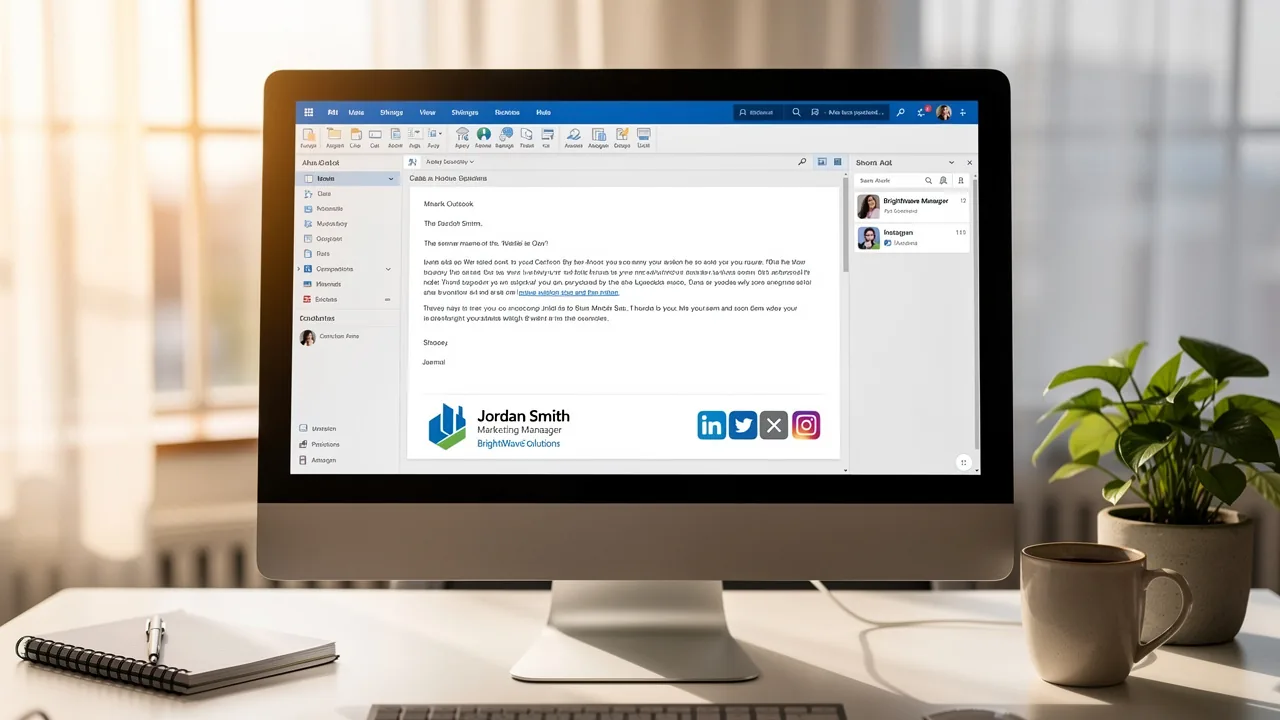
While email signatures are often overlooked, they play a pivotal role in professional communication, particularly when you add signature in Outlook. Outlook's identifiers function as crucial blocks of text and images that automatically display at the end of your messages. Typically, they include your name, job title, company name, contact information, and often a logo or promotional banner.
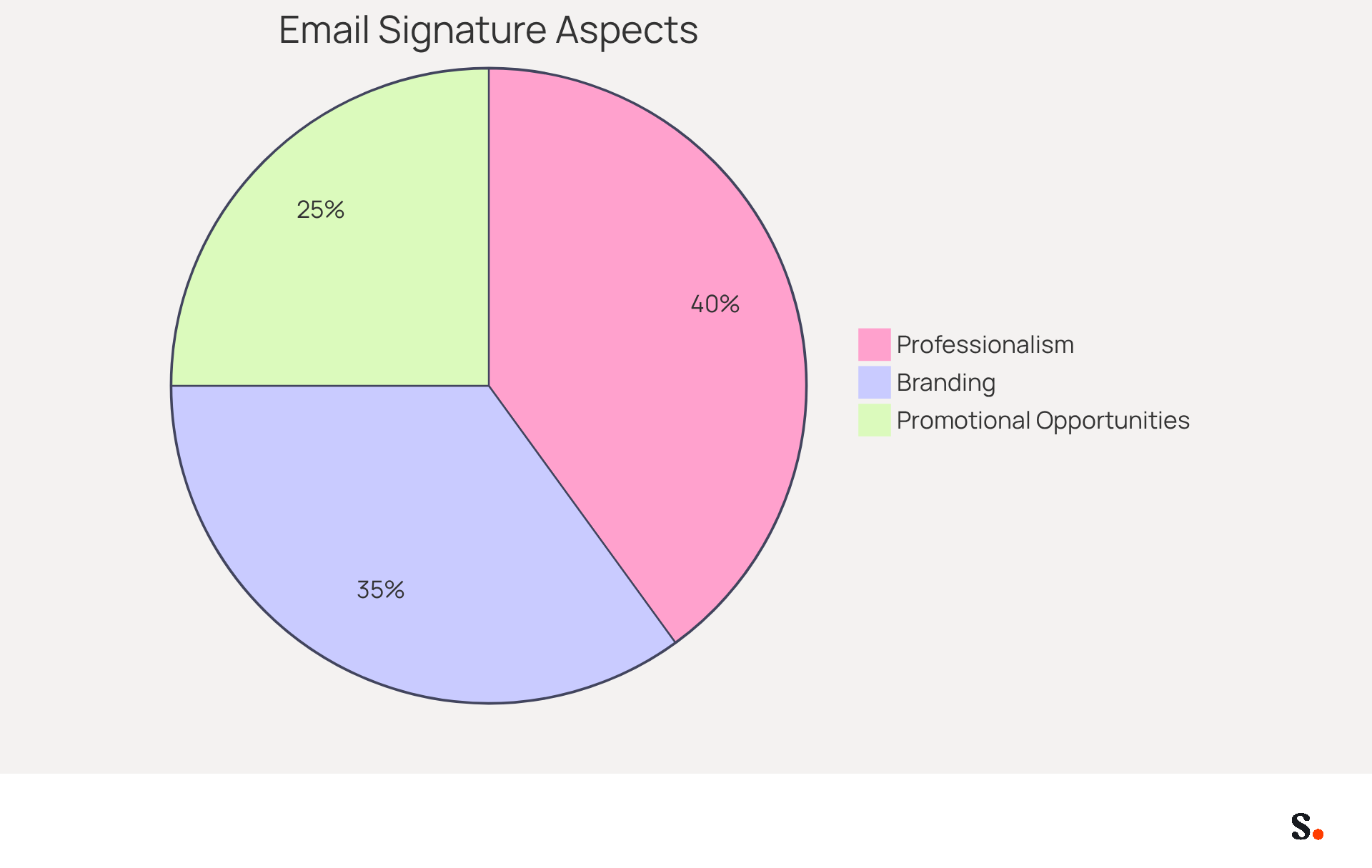
- Professionalism: A well-crafted signature enhances your professional image, providing recipients with vital contact information. Research shows that 80% of participants view a branded communication footer as a significant element of a company's identity, emphasizing the necessity for professionalism in communications.
- Branding: Consistent use of branding elements in your email strengthens your company's identity. It requires five to seven impressions for individuals to recall a brand, making digital identifiers a valuable tool for brand recognition.
- Promotional Opportunities: Signatures can include advertising banners or calls to action, converting every message into a potential promotional channel. Statistics indicate that 62% of businesses employ digital identifiers as a marketing tool, with campaigns achieving click rates 15 times higher than conventional display advertisements.
Many professionals underestimate the impact of their email signatures on their overall communication strategy. Failing to add signature in Outlook may result in lost chances to reinforce your brand identity and engage your audience effectively. Recognizing these factors highlights the need for an email signature that not only represents your brand but also engages your audience effectively.
Create Your Email Signature in Outlook
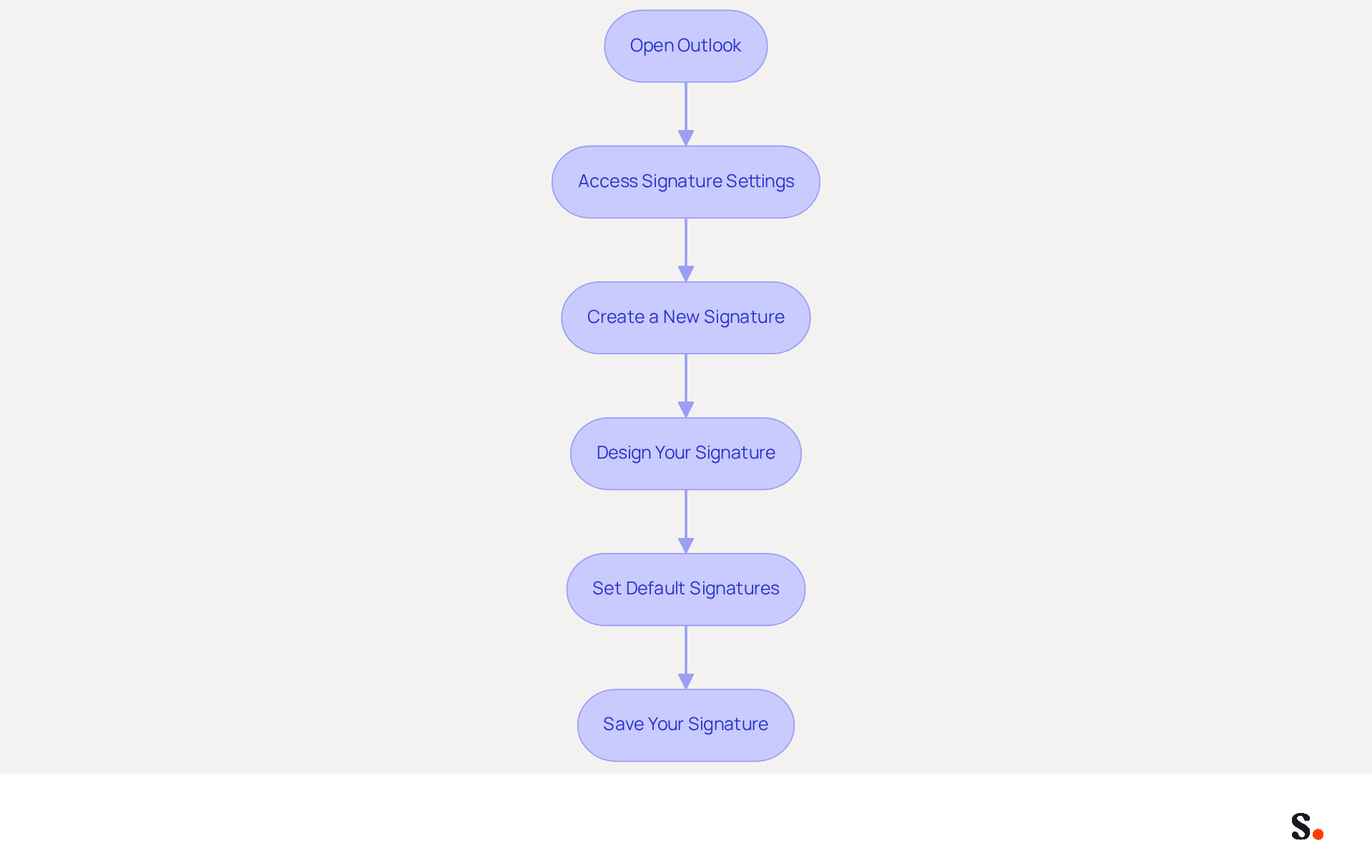
It is essential to add a signature in Outlook to enhance your communication credibility. To create your email signature in Outlook, follow these steps:
- Open Outlook: Launch the Outlook application on your computer.
- Access Signature Settings: Navigate to the 'File' menu, select 'Options', and then click on 'Mail'. In the 'Compose messages' section, click on 'Signatures'.
- Create a New Signature: In the Signatures and Stationery window, click 'New'. Enter a name for your signature and click 'OK'.
- Design Your Signature: In the editing box, type your signature details. Format the text using the available options (font, size, color) and add images or links as needed. For optimal performance, use PNG format for images and keep them under 0KB.
- Set Default Signatures: To set your new signature as the default for new messages and replies/forwards, ensure that your signature is selected as the default to avoid display issues.
- Save Your Signature: Click 'OK' to save your changes and exit the settings.
Once you complete these steps, your email signature will be ready to enhance your communications. Ultimately, a well-crafted email signature can significantly impact how your messages are perceived by recipients.
Customize Your Signature for Branding
Personalizing your message footer is essential for reinforcing your brand identity. Scribe ensures that every modification in your Aircall setup is automatically reflected in your correspondence. This guarantees seamless consistency in your identity. Here’s how to do it effectively:
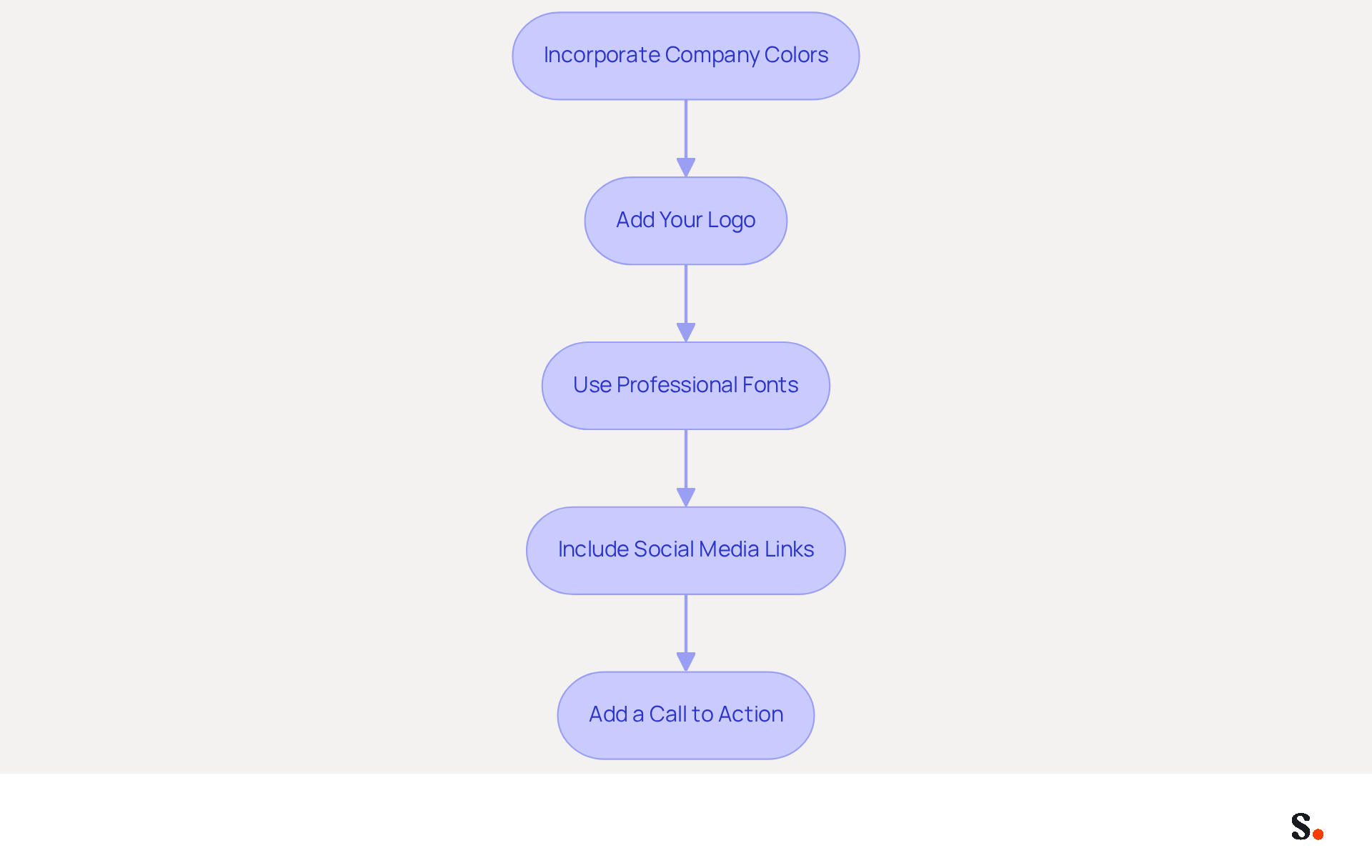
- Incorporate Company Colors: Utilize your organization’s color palette in both text and graphical elements to maintain consistency. This is supported by research indicating that 80% of participants view branded digital identifiers as crucial for brand identity.
- Add Your Logo: Including your company logo enhances recognition. To add an image, click on the image icon in the editor and upload your logo file. A well-placed logo can significantly enhance trust, with 57% of consumers indicating they trust communications from businesses with branded signatures.
- Use Professional Fonts: Select fonts that reflect your identity while ensuring they are easy to read and appear professional. Without proper formatting, establishing trust can be challenging, as 38% of consumers rely on quality formatting.
- Include Social Media Links: If applicable, add icons linked to your company’s social media profiles. This motivates recipients to interact with your company across various platforms, as 43% of consumers anticipate social media links in correspondence.
- Add a Call to Action: Consider including a promotional banner or a call to action, such as a link to your latest product or service. This can lead to higher engagement rates and better customer interaction.
By doing so, you not only enhance your professional image but also foster deeper connections with your audience.
Integrate Signatures with Marketing Tools
To maximize the impact of your email signatures, consider integrating them with various marketing tools:
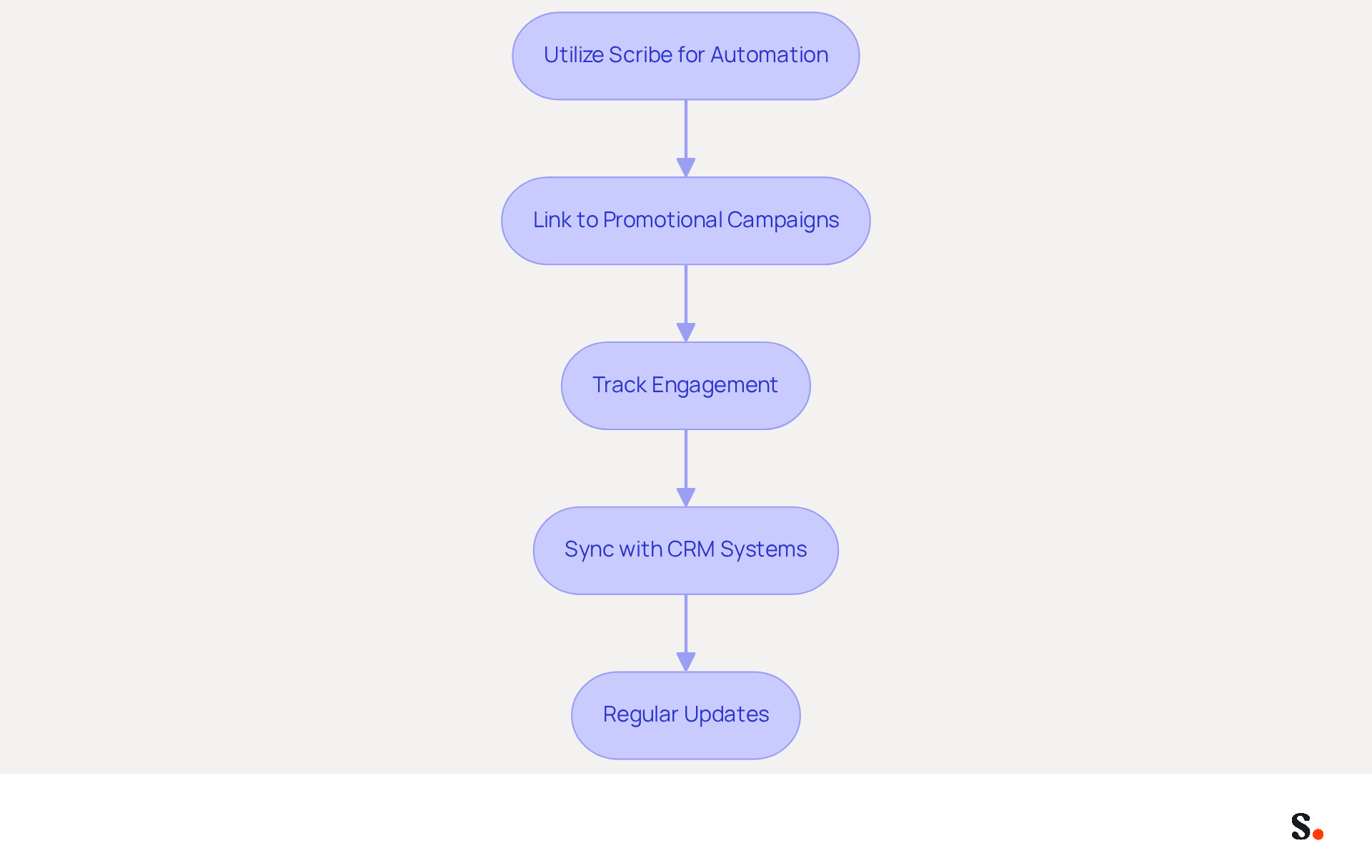
- Utilize Scribe for Automation: Scribe streamlines the management of your correspondence identifiers throughout your organization, ensuring uniformity and current information without manual effort. To avoid inconsistencies and outdated information, it is important to add signature in Outlook instead of managing email signatures manually. This allows Marketing teams to take charge of email identifiers after the IT setup, making the process smoother.
- Link to Promotional Campaigns: Embed links to current promotional campaigns or offers directly in your email footer to drive traffic to your website or landing pages.
- Track Engagement: Utilize tracking tools to monitor how often links in your email are clicked. According to research, teams utilizing structured programs can anticipate an average click-through rate of 12% on branded banners, which can lead to a notable increase in engagement rates.
- Sync with CRM Systems: Ensure that your contact details are integrated with your CRM. This maintains consistency in branding and messaging across all customer interactions, enhancing the overall effectiveness of your outreach. Scribe's integration capabilities with platforms like Google Workspace and Microsoft 365 ensure seamless data synchronization.
- Regular Updates: Regularly refresh your email footer to reflect new campaigns, promotions, or changes in branding. Indeed, 45% of businesses modify their communication formats two to four times annually, highlighting the significance of maintaining your messages fresh and pertinent. With Scribe's automated updates, you can be confident that your endorsements will always reflect the latest information.
By using Scribe's automation and integrating your email signatures with marketing tools, you can add signature in Outlook to boost your outreach, turning each email into a valuable marketing chance.
Conclusion
The integration of a well-designed email signature is a crucial element in professional communication. By understanding the importance of email signatures, professionals can leverage this often-overlooked aspect of their correspondence to create a lasting impression on recipients.
Throughout this guide, key steps have been outlined to create, customize, and integrate email signatures effectively. From accessing signature settings to incorporating branding elements and linking to marketing tools, each action contributes to a cohesive and professional image. Scribe empowers marketing teams to manage their email signatures independently, maintaining brand consistency and maximizing engagement through promotional opportunities.
A well-crafted email signature does more than look good; it plays a vital role in branding and communication, transforming every email into a potential touchpoint with clients and prospects. Organizations that prioritize their email signature strategy will not only enhance their communication but also unlock new avenues for engagement and growth.
Frequently Asked Questions
What is the purpose of an email signature in Outlook?
An email signature in Outlook serves as a crucial block of text and images that automatically displays at the end of your messages, typically including your name, job title, company name, contact information, and often a logo or promotional banner.
How does a well-crafted email signature enhance professionalism?
A well-crafted email signature enhances professionalism by providing recipients with vital contact information and contributing to a professional image. Research indicates that 80% of participants view a branded communication footer as a significant element of a company's identity.
What role does branding play in email signatures?
Consistent use of branding elements in email signatures strengthens a company's identity, as it takes five to seven impressions for individuals to recall a brand. This makes digital identifiers a valuable tool for brand recognition.
Can email signatures be used for promotional purposes?
Yes, email signatures can include advertising banners or calls to action, turning every message into a potential promotional channel. Statistics show that 62% of businesses use digital identifiers as a marketing tool, with campaigns achieving click rates 15 times higher than conventional display advertisements.
What are the consequences of not adding an email signature in Outlook?
Failing to add an email signature in Outlook may result in lost opportunities to reinforce brand identity and engage the audience effectively, as many professionals underestimate the impact of their email signatures on their overall communication strategy.
List of Sources
- Understand Email Signatures in Outlook
- 2026 Email Signature Trends: Centralized Control & Automation | SIGNandGO posted on the topic | LinkedIn (https://linkedin.com/posts/signngo_email-signature-trends-to-watch-in-2026-activity-7401523471786217473-zAVL)
- Why Email Signatures Must Be In Your 2026 Marketing Plan | Rocketseed (https://rocketseed.com/blog/2026-marketing-plan-email-signatures)
- Research Recap: Branded Email Signatures Increase Company Recognition, Trust - Demand Gen Report (https://demandgenreport.com/industry-news/research-recap-branded-email-signatures-increase-company-recognition-trust/47252)
- 10 Strategies for Increasing User Engagement with Business Email Signatures (https://exclaimer.com/blog/email-signatures-key-business-tool)
- 10 ideas for marketing campaigns in email signatures (https://signitic.com/en/resources/10-ideas-for-marketing-campaigns-in-email-signatures)
- Create Your Email Signature in Outlook
- Email Signature Statistics: A Closer Look at Email Signatures in 2026 (https://mysignature.io/blog/email-signature-statistics)
- 40+ Email Signature Statistics for 2026 (Data + Insights) (https://wavecnct.com/blogs/email-signature-statistics)
- How To Add An Email Signature in Outlook (2026) (https://hubspot.com/email-signature-generator/add-signature-outlook)
- Create a signature and automatic reply | Microsoft Support (https://support.microsoft.com/en-us/outlook/officeweb/create-a-signature-and-automatic-reply)
- Customize Your Signature for Branding
- Research Recap: Branded Email Signatures Increase Company Recognition, Trust - Demand Gen Report (https://demandgenreport.com/industry-news/research-recap-branded-email-signatures-increase-company-recognition-trust/47252)
- Why Email Signatures Must Be In Your 2026 Marketing Plan | Rocketseed (https://rocketseed.com/blog/what-are-the-biggest-email-trends-for-2026)
- 15 Ways Email Signatures Can Boost Your Brand | Rocketseed (https://rocketseed.com/blog/15-ways-email-signature-branding-can-boost-your-brand)
- The benefits of a branded email signature (https://bybrand.io/blog/branded-email-signature)
- Using Email Signatures for Marketing | CloudM (https://cloudm.io/resources/blog/using-email-signatures-for-marketing-how-every-email-can-boost-your-brand)
- Integrate Signatures with Marketing Tools
- Brands Turn To Email Signatures For Marketing: Study (https://mediapost.com/publications/article/350372/brands-turn-to-email-signatures-for-marketing-stu.html?edition=118089)
- What is email signature marketing? Complete B2B efinition (2026) (https://signitic.com/en/resources/what-is-email-signature-marketing-a-complete-definition-for-b2b-teams)
- 6 Ways to Use Email Signature to Support Marketing Campaigns (https://clearout.io/blog/use-email-signature-to-support-marketing-campaigns)
- Why Email Signatures Must Be In Your 2026 Marketing Plan | Rocketseed (https://rocketseed.com/blog/what-are-the-biggest-email-trends-for-2026)
- Email signature solution: why integrate them in the Marketing Stack? (https://letsignit.com/blog/tool-saas-email-signature)
Get started with Scribe
Create your signature in minutes
Free 14-day trial — no credit card.