How to Change Signature in Outlook: 4 Easy Steps for Marketers
In the competitive landscape of digital marketing, a well-crafted email signature is crucial for establishing brand identity and professionalism. This guide
Sophie Grant
Email Signature Specialist, Scribe
Introduction
In the competitive landscape of digital marketing, a well-crafted email signature is crucial for establishing brand identity and professionalism. This guide outlines essential steps for marketers to change and manage their email signatures in Outlook, ensuring each correspondence reflects their brand identity. To achieve this, marketers must focus on key elements that enhance visibility and engagement. An impactful signature can significantly increase response rates and brand recognition.
Access Signature Settings in Outlook
Effectively managing email signatures is crucial for maintaining a consistent brand identity, which includes knowing how to change signature in Outlook in today's digital landscape.
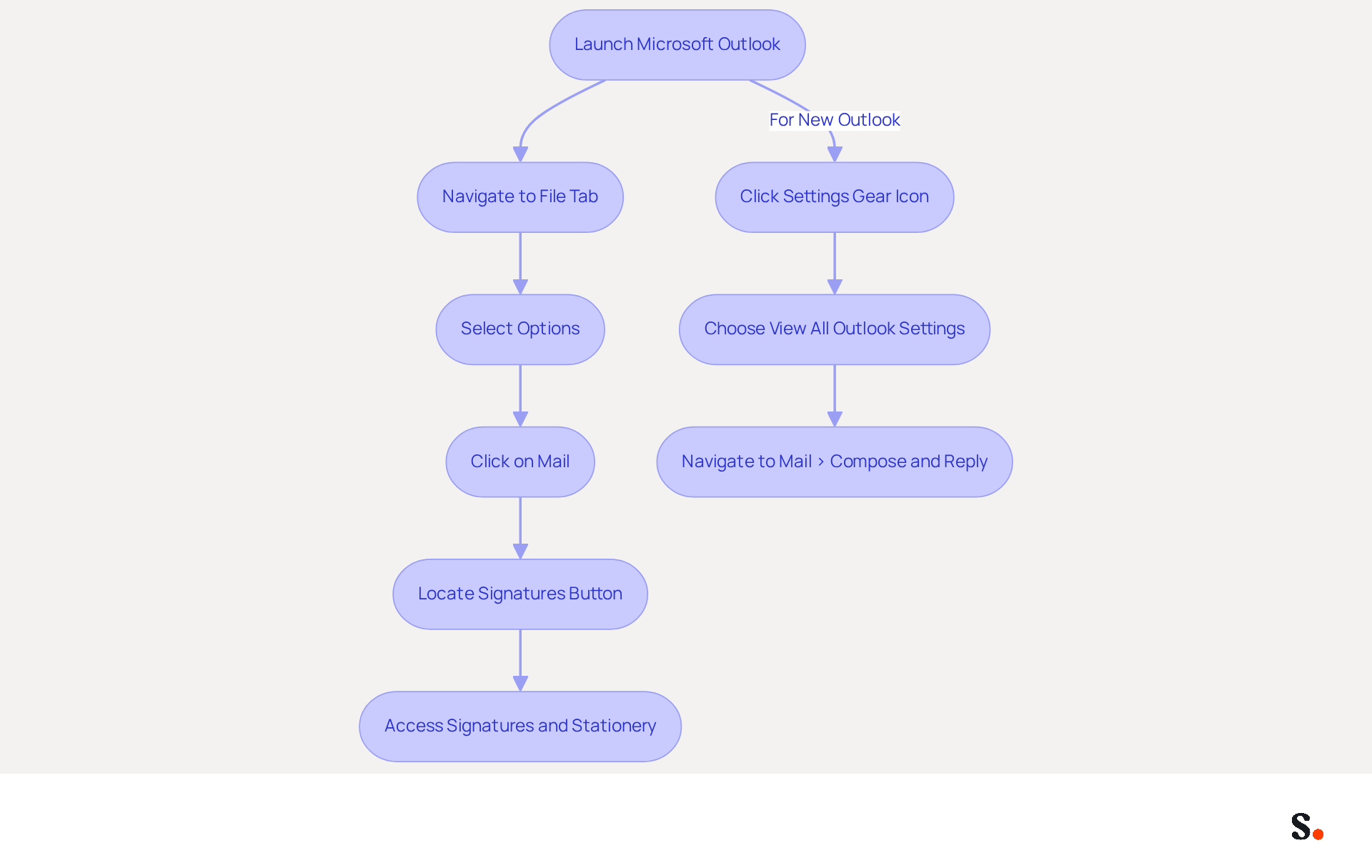
- Begin by launching Microsoft Outlook on your computer.
- Next, navigate to the File tab located in the top left corner of the window.
- From the menu, select Options to open the Outlook Options dialog box.
- In the left pane, click on Mail.
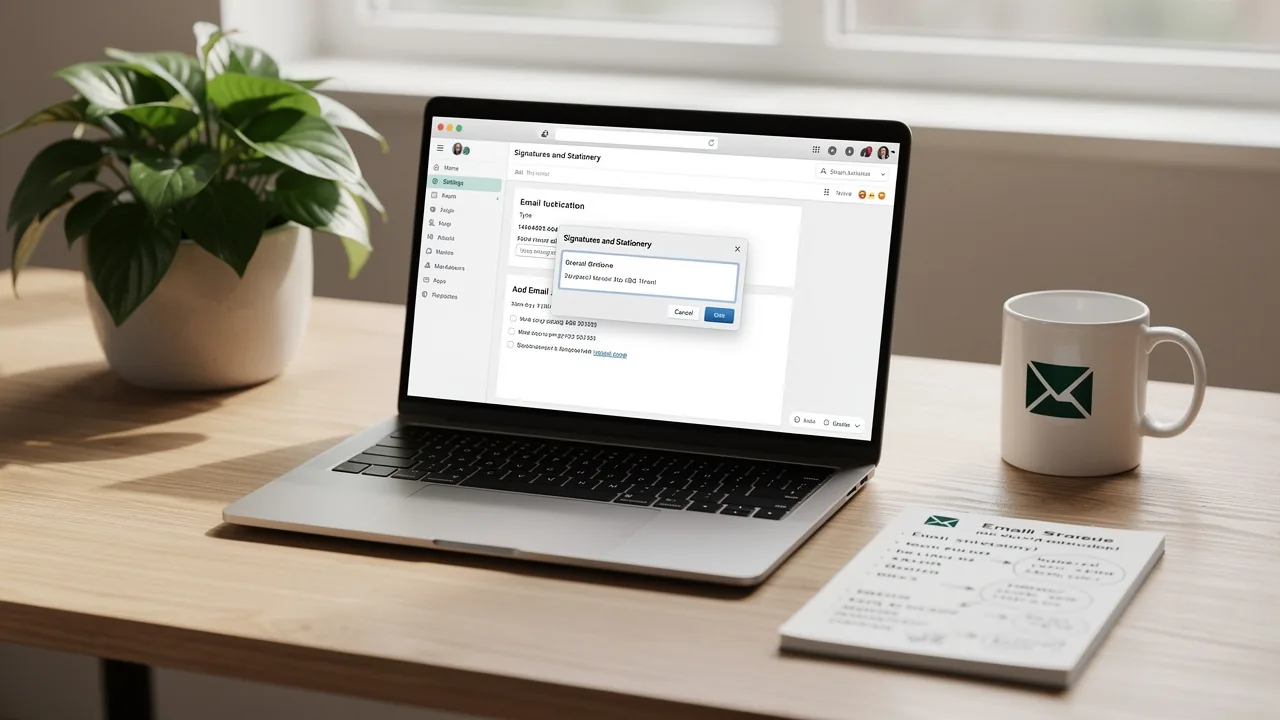
- Locate the Signatures button to access the Signatures and Stationery dialog box, which provides guidance on how to change signature in Outlook for effective management of your email correspondence.
- If you are using the new Outlook, click the Settings gear icon in the top right corner, then choose View all Outlook settings to proceed. Navigate to Mail > Compose and reply to find out how to change signature in Outlook for your email footer.
In 2026, 80% of participants confirm that a branded message footer is vital for a company's brand identity, making it essential for marketers to effectively manage their message footers. Moreover, 76% of marketers think branded digital identifiers boost sender trust, further highlighting their significance. With 89.9% of professionals utilizing just one digital identifier and 31.6% refreshing their identifiers only once every few years, the necessity for dynamic and current identifiers is more crucial than ever. To enable one-click synchronization, you must grant the application permission to connect with your service provider, requiring Super Admin access. By syncing your Google Workspace with Scribe, you can save time and ensure that any changes in your team’s information are automatically shown in their email. This streamlined one-click synchronization enables efficient management of sign-offs, enhancing branding and ensuring adherence to security standards, including SOC2 Type II compliance. As experts observe, "Email footers aren't merely 'nice to have' anymore"; they are a cost-effective marketing tool that can significantly improve brand visibility and professionalism. As branding becomes increasingly important, the management of email footers will play a pivotal role in shaping a company's professional image.
Create or Edit Your Email Signature
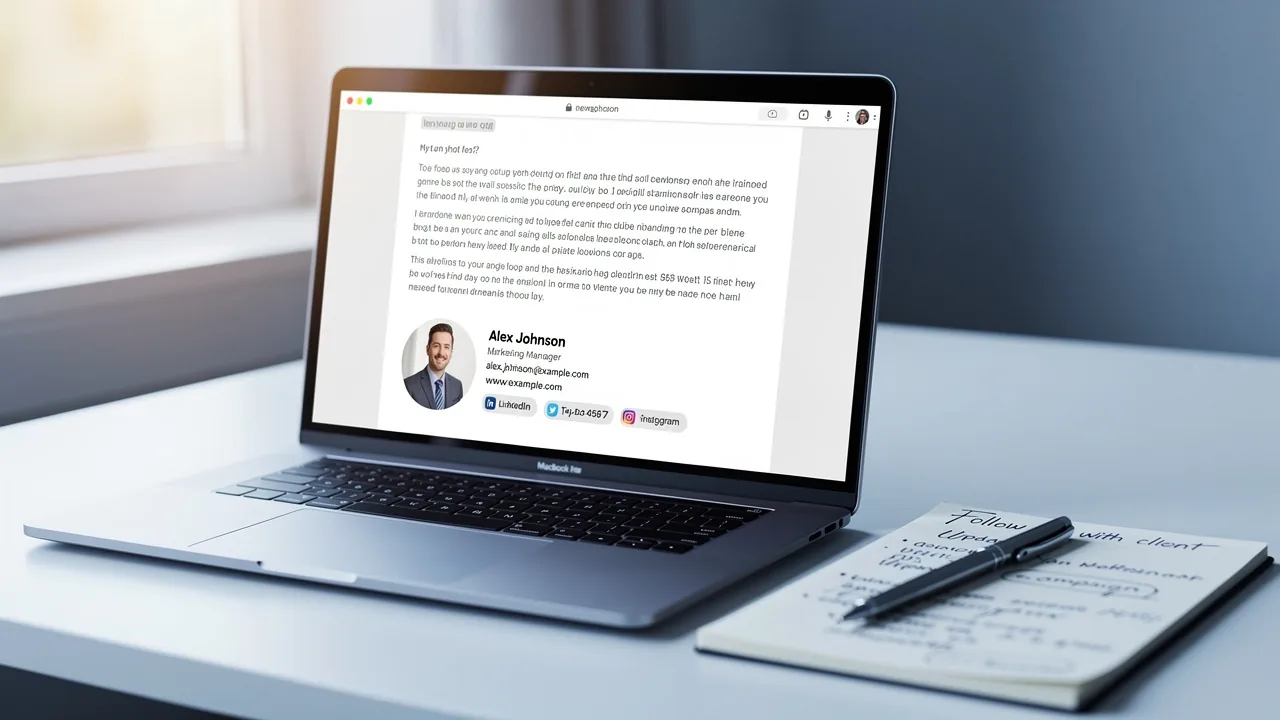
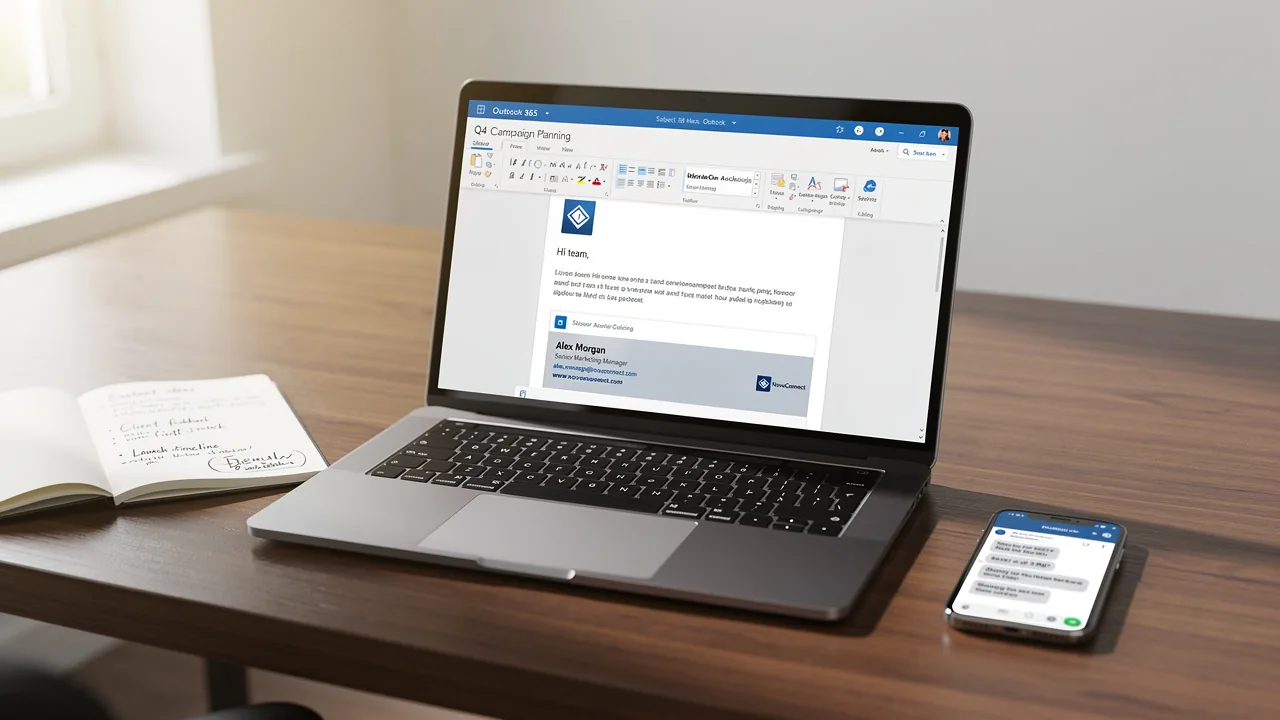
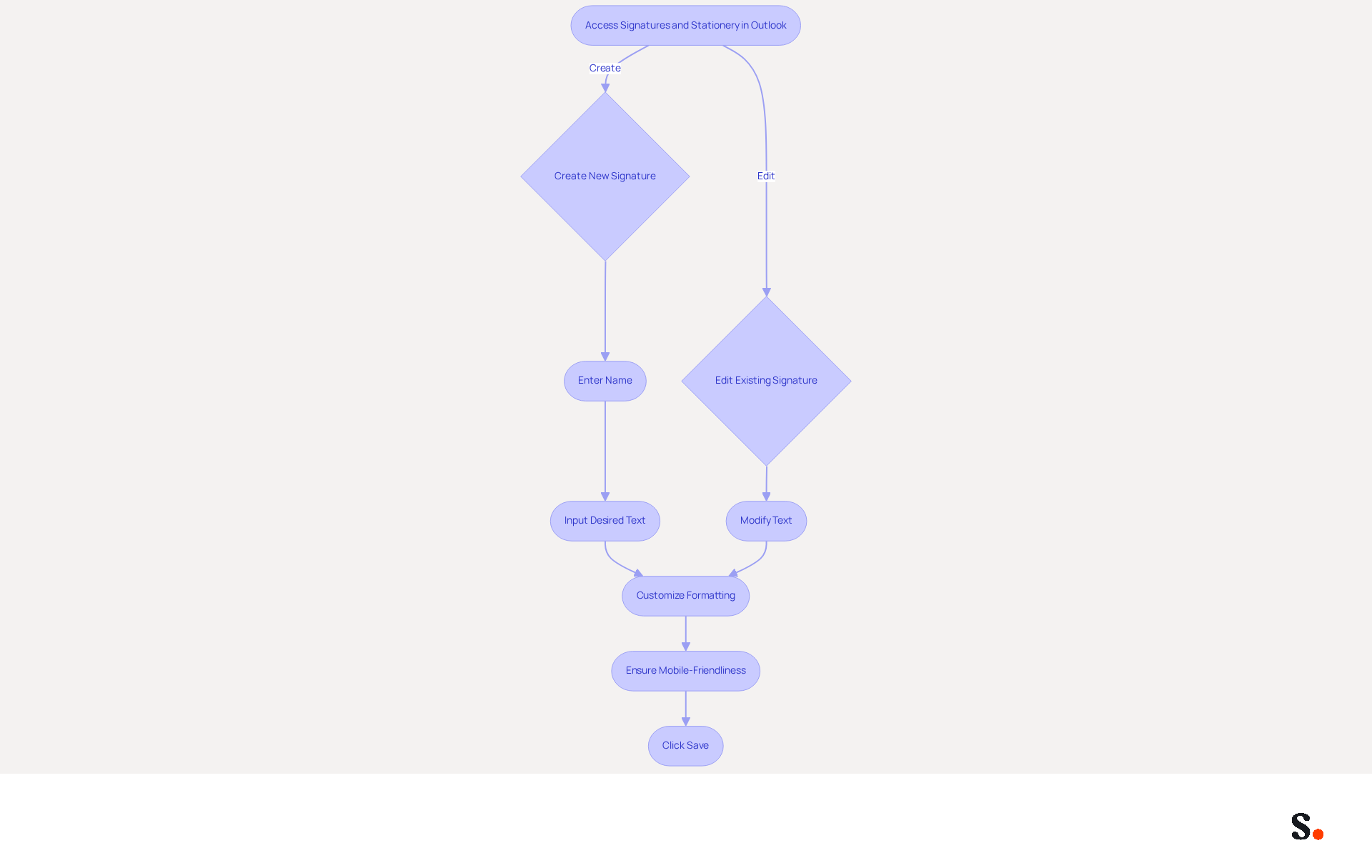
Creating a professional email signature is essential for effective communication and brand representation. To begin, access the Signatures and Stationery dialog box in Outlook to understand how to change signature in Outlook by either clicking on New to create a new item or choosing an existing one to modify. When creating a new sign-off, simply enter a name in the pop-up window and click OK to proceed. In the Edit signature box, input your desired text, which should include your name, title, company name, and contact details.
With so many email recipients utilizing sign-offs, ensuring yours is distinctive can be a challenge. Utilize the formatting options to customize the font, size, color, and alignment of your text, ensuring it aligns with your brand's style. Using Arial or Helvetica in a font size of 14-16px is recommended for optimal readability across various devices. Additionally, ensure your mark is mobile-friendly, as this is crucial for effective engagement.
With this tool, you can save time by automatically filling in your name using your Business phone system as a data source. Your identification details sync automatically with Aircall, ensuring brand consistency without manual updates. Scribe is also SOC 2 Type II compliant, ensuring that your data is handled securely. Once you're satisfied with your mark, click Save to apply the changes and understand how to change signature in Outlook.
Frequent updates are essential; businesses that improve their email branding for marketing objectives have experienced notable engagement boosts, as evidenced by a 180% increase in webinar registrations following branding updates. By prioritizing your email branding, you can significantly enhance your engagement and professional image.
Enhance Your Signature with Images and Links
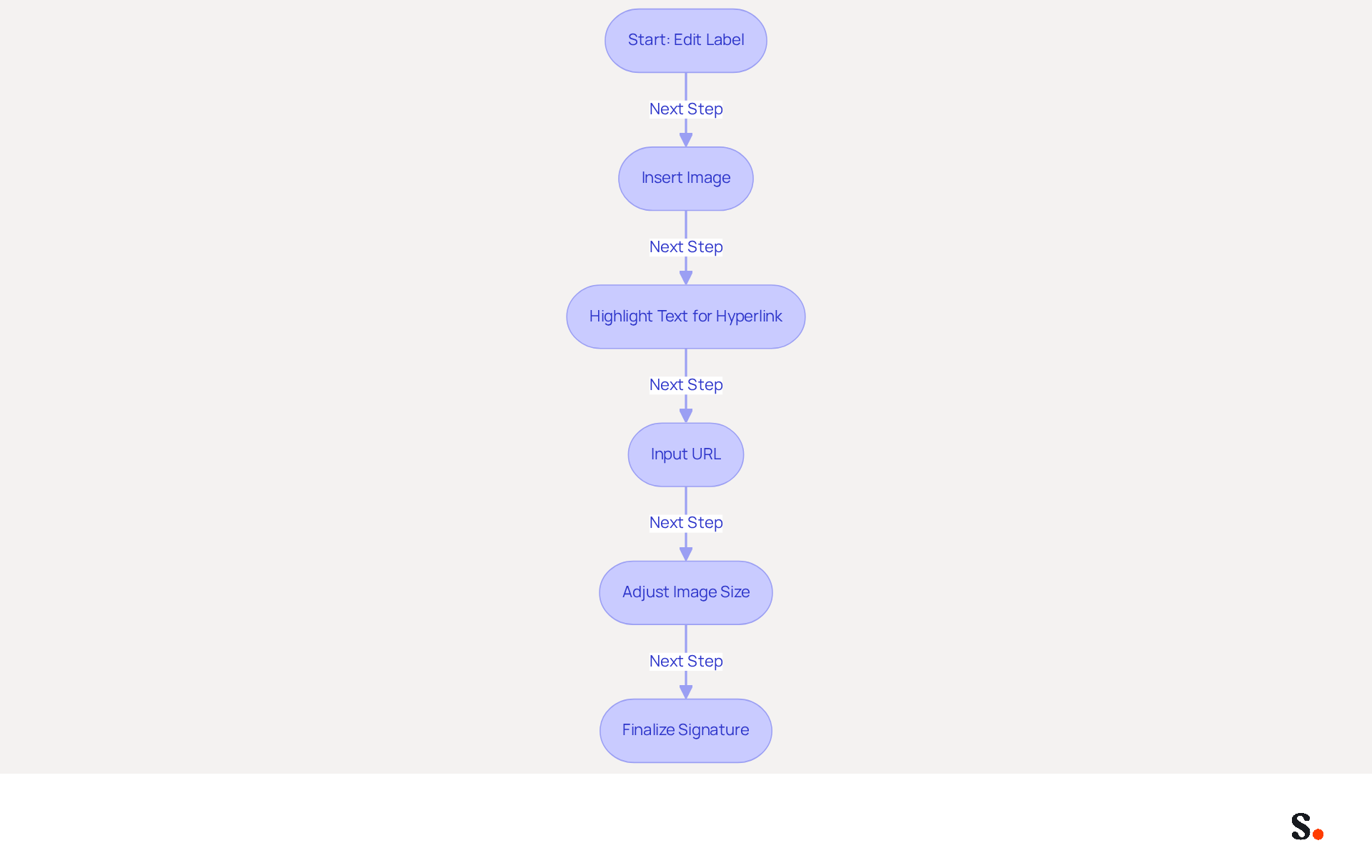
- In the Edit label box, position your cursor where you wish to insert an image.
- Click on the Insert Picture icon, typically represented by a picture symbol, to upload an image from your computer. Select a logo or any relevant graphic that embodies your brand.
- To incorporate a hyperlink, highlight the text you want to link, then click on the Hyperlink icon, often depicted as a globe or chain link.
- In the dialog box that appears, input the desired URL and click OK.
- If necessary, adjust the image size by clicking on it and dragging the corners to resize. Ensure the image maintains a professional appearance by not exceeding the maximum width of 600px, which is optimal for mobile devices.
Incorporating visuals and hyperlinks into your message footer is essential for enhancing engagement and professionalism. For example, sign-offs with strategic calls-to-action (CTAs) can significantly increase meeting bookings, as evidenced by industry studies. Additionally, incorporating visuals can improve click-through rates, with left-aligned, single-column designs achieving three times higher engagement than multi-column layouts. As you personalize your mark, keep in mind that consistent branding is essential; 78% of marketers view it as a vital aspect of digital correspondence. Utilizing these components allows you to transform your correspondence footer into a tool that enhances your brand identity and engages your audience.
Furthermore, every adjustment in your Aircall setup will automatically be shown in your Scribe identifiers, ensuring that your branding stays uniform across all communications. This automated synchronization streamlines the management process for your digital identifiers, enabling you to concentrate on your marketing strategies while ensuring adherence to SOC 2 Type II standards for secure data handling.
Set Default Signatures for Different Scenarios
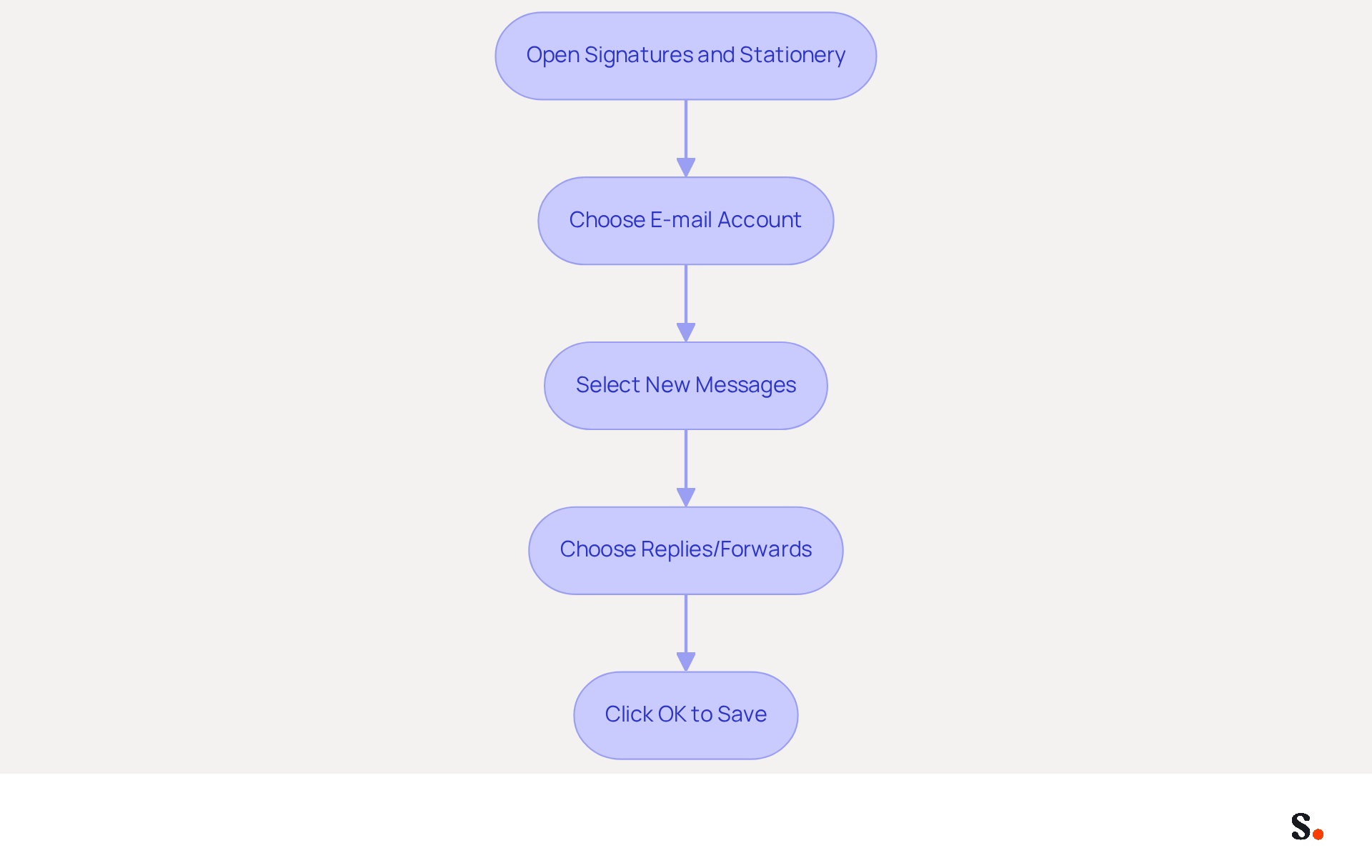
- Open the Signatures and Stationery dialog box and locate the section that explains how to change signature in outlook.
- Choose the account for which you want to establish a default sign-off under E-mail account, and this will guide you on how to change signature in outlook.
- From the New messages dropdown, select how to change signature in outlook for new communications.
- If you want to know how to change signature in outlook for replies and forwards, choose your preferred identifier from the Replies/forwards dropdown.
- Click OK to save your settings. The selected identifiers will now automatically show up in the pertinent messages, ensuring a uniform and professional image.
Establishing a consistent electronic communication identifier is crucial for enhancing brand recognition and fostering engagement. Many organizations overlook the potential of call-to-action buttons in their email signatures, which can significantly improve engagement rates. Organizations that efficiently manage their communication identifiers have reported enhanced identity consistency and greater lead generation through their correspondence. To make this easier, certain applications can automate how communication identifiers are managed, helping all team members maintain a consistent image in their interactions. By participating in the Affiliate Program, you can earn a 50% commission while promoting consistency and provide a $30 credit to those seeking to improve their email management. With Scribe's automated synchronization with Aircall, any changes made in your Aircall configuration will be reflected in your Scribe signatures, further enhancing brand consistency.
Conclusion
Effectively changing and managing email signatures in Outlook is crucial for marketers who want to project a consistent brand identity. By following the outlined steps, users can easily access signature settings, create or edit their signatures, and enhance them with images and links. This process ensures a professional appearance and turns email footers into effective marketing tools that boost engagement and brand visibility.
The article emphasizes that a well-designed email signature is essential for effective communication. From the necessity of frequent updates to the strategic use of visuals and hyperlinks, each element contributes to a cohesive brand image. The ability to set default signatures for different scenarios further streamlines communication, ensuring consistency across all interactions. As statistics show, a branded email signature can enhance trust and recognition. This shift in perception can lead to increased customer loyalty and engagement, making it a vital component of digital correspondence.
First impressions count, so taking the time to create a professional email signature is essential. Marketers are encouraged to embrace these practices, utilizing tools and strategies that enhance their email branding. By doing so, they can transform their email signatures into effective marketing assets that resonate with their audience and elevate their professional image.
Frequently Asked Questions
Why is managing email signatures important?
Managing email signatures is crucial for maintaining a consistent brand identity and enhancing professionalism in email correspondence.
How can I access the signature settings in Outlook?
To access signature settings in Outlook, launch Microsoft Outlook, go to the File tab, select Options, click on Mail in the left pane, and then locate the Signatures button. For the new Outlook, click the Settings gear icon, choose View all Outlook settings, and navigate to Mail > Compose and reply.
What is the significance of a branded message footer?
A branded message footer is vital for a company's brand identity, with 80% of participants in a 2026 survey confirming its importance. It also boosts sender trust, as noted by 76% of marketers.
How often do professionals refresh their digital identifiers?
31.6% of professionals refresh their digital identifiers only once every few years, highlighting the need for more dynamic and current identifiers.
What is one-click synchronization in email signature management?
One-click synchronization allows for automatic updates of team information in email signatures by granting the application permission to connect with the service provider, requiring Super Admin access.
How does syncing Google Workspace with Scribe benefit email signature management?
Syncing Google Workspace with Scribe saves time and ensures that any changes in team information are automatically reflected in their email signatures, enhancing branding and compliance with security standards.
Why are email footers considered a cost-effective marketing tool?
Email footers are seen as a cost-effective marketing tool because they can significantly improve brand visibility and professionalism, making them essential in today's branding landscape.
List of Sources
- Access Signature Settings in Outlook
- 40+ Email Signature Statistics for 2026 (Data + Insights) (https://wavecnct.com/blogs/email-signature-statistics)
- Release notes for Outlook for Windows (new) - Office release notes (https://learn.microsoft.com/en-us/officeupdates/release-notes-outlook-new)
- How To Add An Email Signature in Outlook (2026) (https://hubspot.com/email-signature-generator/add-signature-outlook)
- Signature settings not available in New Outlook? - Microsoft Q&A (https://learn.microsoft.com/en-us/answers/questions/4710706/signature-settings-not-available-in-new-outlook)
- Email signature statistics: Why every business should optimize their email signatures — Stripo.email (https://stripo.email/blog/email-signature-statistics-why-every-business-should-optimize-their-email-signatures)
- Create or Edit Your Email Signature
- Email Signature Best Practices - NEWOLDSTAMP (https://newoldstamp.com/blog/email-signature-best-practices-creative-ideas-beautiful-examples-design-hints-and-free-tools-to-use-now)
- Email Signature Best Practices for 2026 (+ 15 Pro Examples) (https://wavecnct.com/blogs/email-signature-best-practices-2026)
- 20 best email signature design examples for 2026 — Stripo.email (https://stripo.email/blog/10-best-email-signature-design-examples)
- Why Email Signatures Must Be In Your 2026 Marketing Plan | Rocketseed (https://rocketseed.com/blog/what-are-the-biggest-email-trends-for-2026)
- Enhance Your Signature with Images and Links
- Email Signature Best Practices for 2026 (+ 15 Pro Examples) (https://wavecnct.com/blogs/email-signature-best-practices-2026)
- Why Email Signatures Must Be In Your 2026 Marketing Plan | Rocketseed (https://rocketseed.com/blog/2026-marketing-plan-email-signatures)
- Do Email Signatures Actually Matter in 2026? (https://community.constantcontact.com/faqs/post/do-email-signatures-actually-matter-in-2026-Ka01TMi6sBKzXMl)
- The impact of email signatures on your branding (https://signitic.com/en/resources/the-impact-of-email-signatures-on-your-branding)
- "Email Signature Trends for 2026: What's In, What's Out" | Crossware posted on the topic | LinkedIn (https://linkedin.com/posts/crossware-ltd_new-year-new-trends-even-for-your-email-activity-7394554686046908416-vD_O)
- Set Default Signatures for Different Scenarios
- Automatic Signature in Outlook: Adding and Changing with Ease - NEWOLDSTAMP (https://newoldstamp.com/blog/automatic-signature-in-outlook)
- Email Signatures | University Communications and Marketing | USF (https://usf.edu/ucm/marketing/email-signatures.aspx)
- Tips for Adding a Default Signature to Your Microsoft Outlook Email (https://tech42llc.com/tips-for-adding-a-default-signature-to-your-microsoft-outlook-email)
- Set a default signature for one email address, and a different default signature for another - Microsoft Q&A (https://learn.microsoft.com/en-us/answers/questions/4691511/set-a-default-signature-for-one-email-address-and)
- Customize your Outlook Account: Signature, Fonts and Notifications (https://visory.net/customize-your-outlook-account-signature-fonts-and-notifications)
Get started with Scribe
Create your signature in minutes
Free 14-day trial — no credit card.