How to Change Your Email Signature in Outlook for Branding Success
In the realm of professional communication, email signatures play a crucial role in shaping brand perception and engagement. By utilizing this space
Sophie Grant
Email Signature Specialist, Scribe

Introduction
In the realm of professional communication, email signatures play a crucial role in shaping brand perception and engagement. By utilizing this space effectively, organizations can enhance their brand visibility, foster trust, and create marketing opportunities with every email sent. However, this oversight can lead to ineffective communication and lost branding opportunities.
How can one ensure their email signature not only reflects their brand identity but also stands out in a crowded inbox? Ultimately, a thoughtfully designed email signature can elevate your brand's presence and effectiveness in every interaction.
Understand the Importance of Email Signatures in Outlook
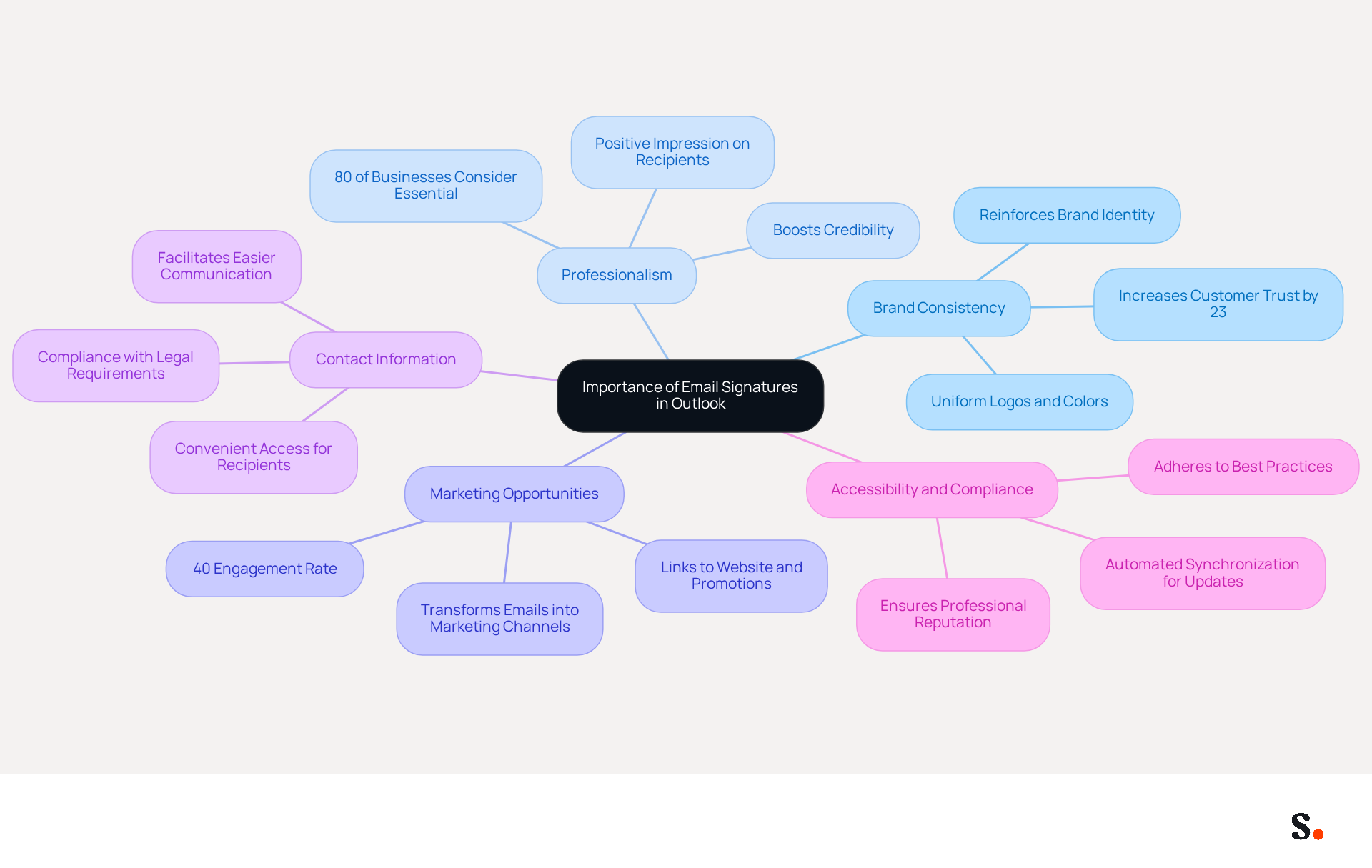
Email sign-offs play a pivotal role in shaping your branding strategy, often overlooked yet crucial for professional communication. A well-designed digital identifier enhances your professional image, promotes your brand, and provides essential contact information. Here are key reasons why email signatures are crucial:
- Brand Consistency: Incorporating your company logo, colors, and fonts in your signature reinforces brand identity across all communications. Studies show that consistent branding can increase customer trust by up to 23%.
- Professionalism: A well-crafted signature not only boosts your credibility but also leaves a positive impression on your recipients. Consistent digital identifiers enhance the professional image of a company and contribute to customer trust, with 80% of businesses considering a branded digital identifier essential.
- Marketing Opportunities: Signatures can include links to your website, social media, or current promotions, transforming every message into a marketing opportunity. Email footers have an engagement rate of 40%, significantly higher than traditional campaigns, demonstrating their effectiveness in lead generation.
- Contact Information: They provide a convenient way for recipients to find your contact details, facilitating easier communication. Incorporating required details in electronic correspondence, such as company name and registration number, is crucial for compliance and professionalism.
- Accessibility and Compliance: Ensuring that electronic communications are accessible and adhere to regulations is vital for maintaining a professional reputation and avoiding legal complications. This includes adhering to best practices for logo integration and providing alt text for images. Scribe's automated synchronization with platforms like Google Workspace and Aircall further streamlines this process, allowing for effortless updates and compliance.
By recognizing these elements, you can appreciate the importance of investing time in creating an effective message footer that aligns with your branding goals. Investing in a well-crafted email signature can significantly enhance your brand's visibility and credibility in the digital landscape.
Access and Modify Your Email Signature in Outlook
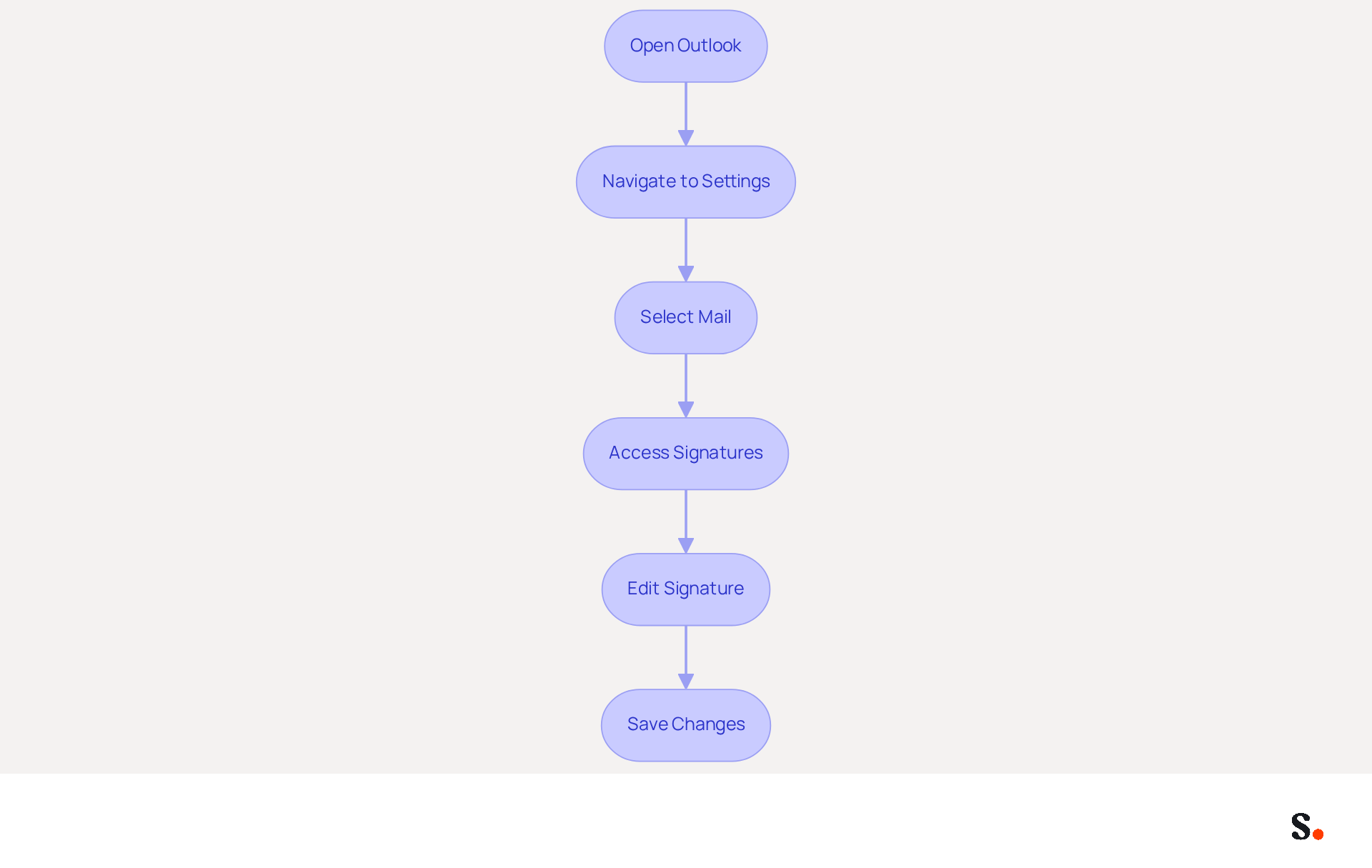
The process of making an Outlook change signature is straightforward and can significantly impact your professional image. To change your email signature in Outlook, follow these steps:
- Open Outlook: Launch the Outlook application on your computer.
- Navigate to Settings: Click on 'File' in the top left corner, then select 'Options'.
- Select Mail: In the Options window, click on 'Mail' from the left sidebar.
- Access Signatures: Click on the 'Signatures...' button located in the 'Compose messages' section.
- Edit Signature: In the Signatures and Stationery window, select the item you want to modify from the list. Click 'Edit' to make changes.
- Save Changes: After editing, click 'OK' to save your changes, then 'OK' again to exit the Options window.
Following these steps allows you to quickly update your outlook change signature, ensuring it accurately represents you.
In 2026, maintaining a professional digital format is essential, as 69% of consumers believe that a consistent, branded presentation enhances trust and credibility. Moreover, companies with 100 employees can generate between 60,000 to 80,000 branded impressions monthly, making it a vital branding channel.
For expert guidance, consider that 52% of users view a strong message footer as crucial for effective communication with clients. Additionally, including social media links, particularly LinkedIn, can significantly enhance engagement, as these links drive the strongest B2B interactions.
Scribe automates the synchronization of your communication identifiers with Google Workspace and Aircall. This ensures that any changes made to your teammates' details are automatically updated. This not only saves time by eliminating the need for manual updates but also enhances brand consistency across your organization. Scribe is compliant with SOC 2 Type II and GDPR/CCPA, ensuring secure data management in your correspondence handling. Research indicates that organizations that frequently refresh their electronic communication identifiers experience a 22% rise in response rates, emphasizing the significance of keeping your identifiers current and aligned with your branding strategy. Consistently testing your sign-off across various devices and messaging platforms guarantees that it displays correctly and retains its professional look. By ensuring your outlook change signature is consistently updated, you not only enhance your brand's credibility but also foster trust with your clients.
Enhance Your Signature with Branding Elements
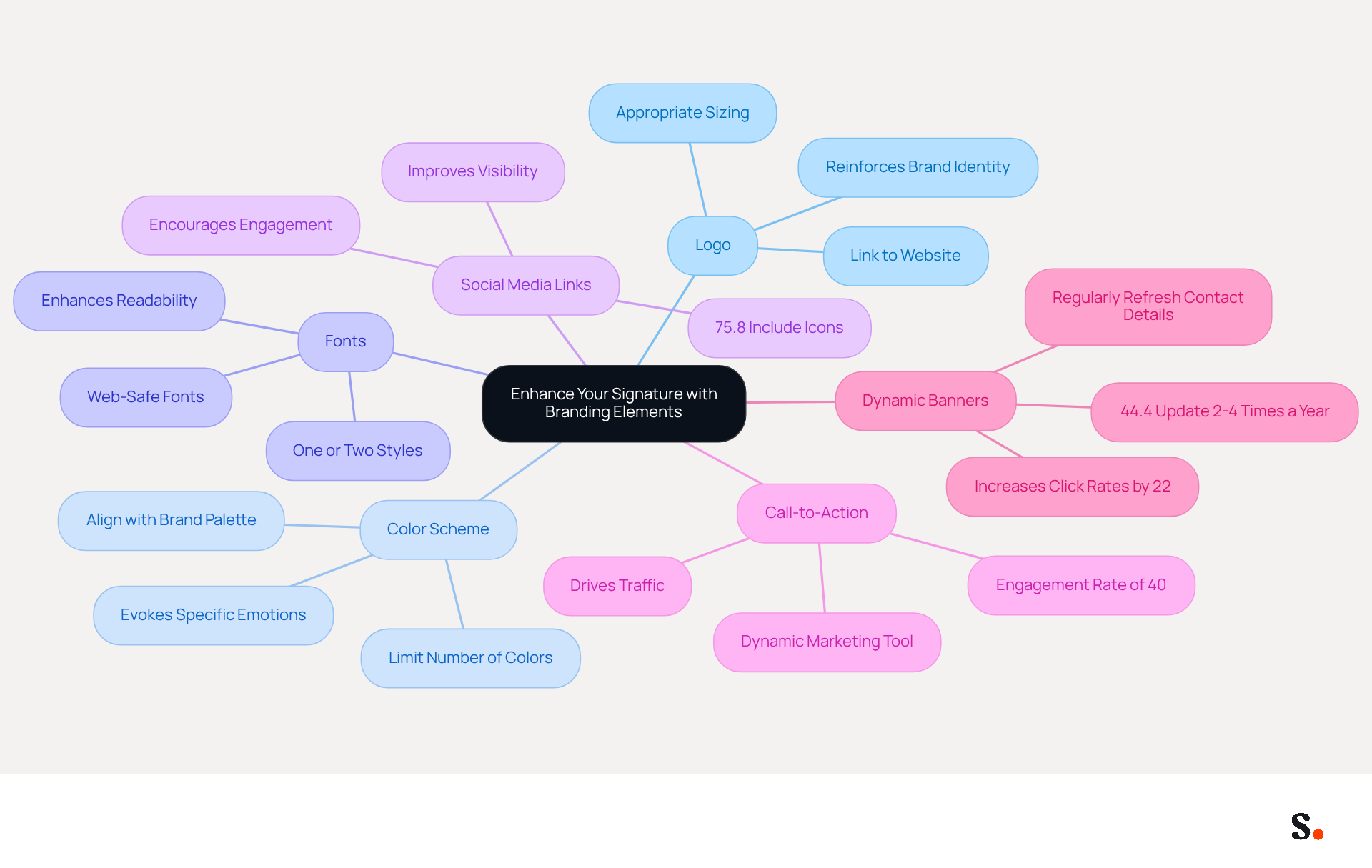
To effectively represent your brand and enhance engagement, it is crucial to incorporate specific elements into your email signature:
- Logo: Adding your company logo reinforces brand identity. Ensure it is appropriately sized and linked to your website for easy access.
- Color Scheme: Utilize colors that align with your brand palette to create a cohesive look. Limit the number of colors to maintain professionalism and avoid overwhelming the recipient.
- Fonts: Select web-safe fonts that are easy to read. Sticking to one or two font styles keeps the design clean and organized, enhancing readability.
- Social Media Links: Including icons that link to your social media profiles encourages engagement and helps connect with your audience. Interestingly, 75.8% of users incorporate social media icons in their correspondence, greatly improving visibility.
- Call-to-Action: Incorporate a call-to-action, such as a link to your latest blog post or a promotional offer, to drive traffic and engagement. This can convert your sign-off into a dynamic marketing tool, particularly given that digital sign-offs have an engagement rate of 40%, considerably higher than traditional campaigns.
Additionally, consider using dynamic banners in your email footers, as they can increase click rates by 22%. Regularly refreshing your contact details is also essential; 44.4% of organizations revise them 2-4 times a year to uphold current visual elements.
When you use Scribe, any changes you make in your Aircall setup will automatically update in your email signatures, keeping everything consistent. By carefully enhancing your personal mark with these promotional elements, you can create a powerful marketing tool that leaves a lasting impression. As digital communication evolves, prioritizing professionalism in your email signature can set your brand apart in a competitive landscape.
Troubleshoot Common Issues with Email Signatures
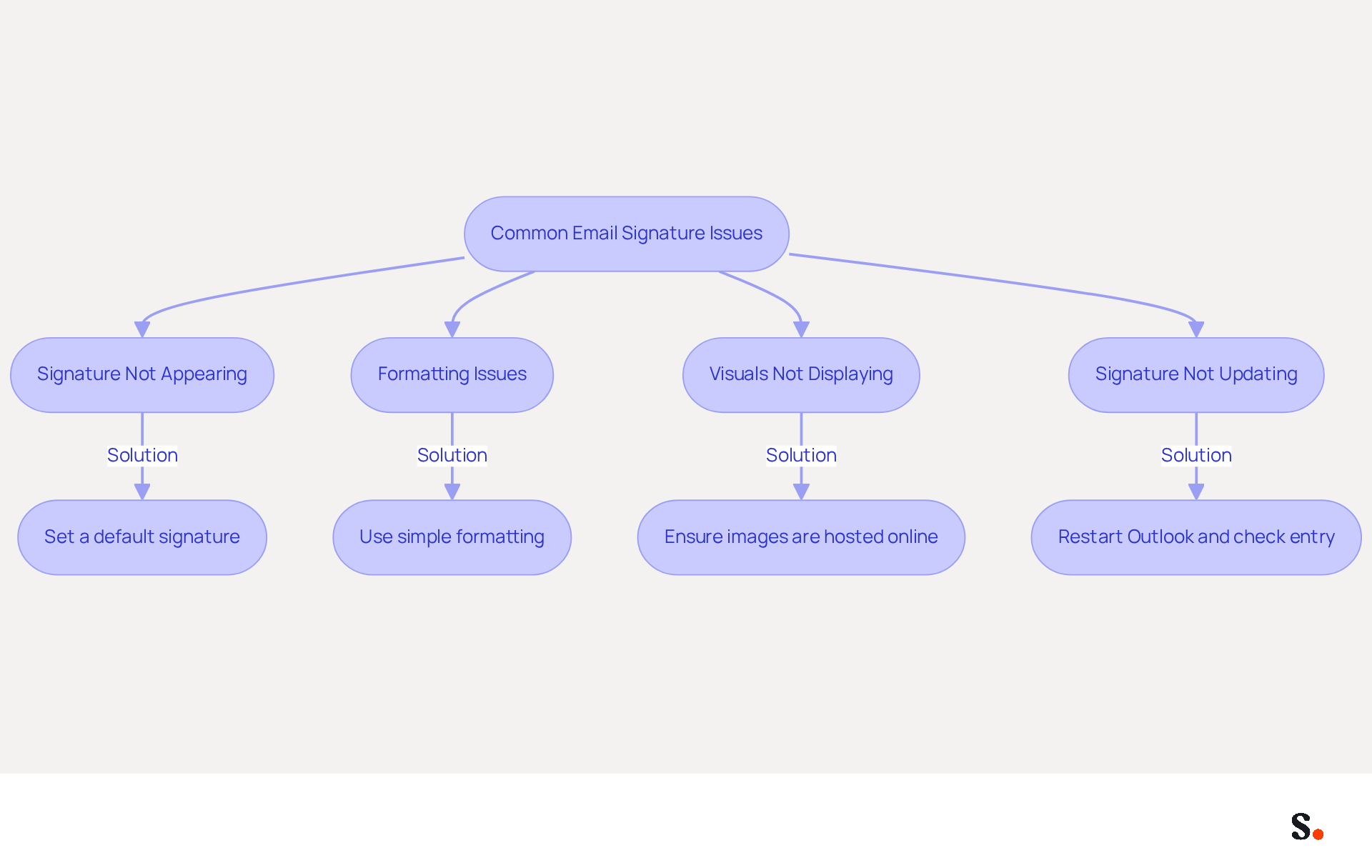
Encountering issues with the Outlook change signature can disrupt your professional communication and brand image. Here are some common problems and their solutions:
- Signature Not Appearing: Ensure that you have set a default signature for your email account. Navigate to 'File' > 'Options' > 'Mail' > 'Signatures' to verify your settings. Default assignments can be cleared after updates, so it's essential to check this regularly. According to research, 76% of marketers believe that branded sign-offs build trust with the sender, making it essential to maintain a professional sign-off. Furthermore, syncing your Google Workspace with Scribe can save time by automatically updating your teammates' contact details, ensuring consistency across your organization.
- Formatting Issues: If your mark appears differently when sent, it may be due to HTML formatting. To avoid this, use simple formatting and refrain from copying directly from Word or web pages, as this can introduce unwanted styles. It's concerning that 42% of organizations overlook the performance of their message footers, which can lead to missed opportunities.
- Visuals Not Displaying: If visuals in your signature are not showing, ensure they are hosted online and linked correctly. Check that the size of the picture is suitable for email, as oversized files can trigger spam filters. Many users face challenges with images not displaying because of hotlinking restrictions from the servers that host them.
- Signature Not Updating: If changes are not reflected, restart Outlook and confirm you are editing the correct entry. Syncing problems can lead to delays, particularly with Microsoft 365 roaming configurations, which may override local modifications or postpone updates across devices. By syncing your Google Workspace with Scribe, any changes made to your teammates' information will be automatically reflected in Scribe without any input on your part, streamlining the management process. Moreover, integrating your Aircall configuration ensures that any updates are consistently reflected in your Scribe branding, enhancing brand consistency.
Understanding these common triggers can assist you in managing your identifiers more effectively. By following these troubleshooting tips, you can resolve common issues and ensure your outlook change signature functions as intended, which enhances your brand's professionalism and credibility in communications. Additionally, consider reviewing specific case studies that illustrate successful troubleshooting of email signature issues to further inform your approach.
Conclusion
An effective email signature in Outlook serves as more than just a digital sign-off; it acts as a strategic branding tool that enhances professional image and communication. Recognizing the significance of email signatures allows organizations to utilize this crucial element of digital correspondence to its fullest potential.
This guide has provided practical insights on how to effectively modify and improve your email signature in Outlook. From straightforward steps to access and adjust your signature to essential branding elements like logos, color schemes, and social media links, each component plays a vital role in creating a cohesive and engaging digital presence. Additionally, troubleshooting common issues ensures that your signature remains functional and visually appealing, further solidifying your brand's credibility.
In a competitive landscape, neglecting a professional email signature may cause a brand to blend in, losing potential trust from clients. Taking action to refine your email signature could be the key to unlocking greater trust and engagement with your clients. Utilizing tools such as Scribe enables organizations to maintain brand consistency and compliance, simplifying the management of email signatures across teams. Embrace the potential of your email signature as a dynamic marketing tool and enhance your branding success in every communication.
Frequently Asked Questions
Why are email signatures important in Outlook?
Email signatures are crucial for professional communication as they enhance your professional image, promote your brand, and provide essential contact information.
How do email signatures contribute to brand consistency?
Incorporating your company logo, colors, and fonts in your signature reinforces brand identity across all communications, which can increase customer trust by up to 23%.
What impact do email signatures have on professionalism?
A well-crafted signature boosts credibility and leaves a positive impression on recipients, with 80% of businesses considering a branded digital identifier essential for enhancing their professional image.
How can email signatures serve as marketing opportunities?
Signatures can include links to your website, social media, or current promotions, turning every message into a marketing opportunity. Email footers have an engagement rate of 40%, which is significantly higher than traditional campaigns.
What contact information should be included in an email signature?
An email signature should provide convenient access to contact details, including the company name and registration number, which is crucial for compliance and professionalism.
Why is accessibility and compliance important for email signatures?
Ensuring that electronic communications are accessible and adhere to regulations is vital for maintaining a professional reputation and avoiding legal complications, including best practices for logo integration and providing alt text for images.
How does Scribe assist with email signature management?
Scribe's automated synchronization with platforms like Google Workspace and Aircall streamlines the process of updating email signatures, ensuring compliance and ease of use.
List of Sources
- Understand the Importance of Email Signatures in Outlook
- 2026 Marketing Trends: Email Signatures as a Marketing Tool (https://bluechiptt.com/blog/5-marketing-trends-for-2026-and-how-your-email-signature-fits-in)
- Master Email Signatures with Multiple Logos for Brand Consistency (https://scribe-mail.com/en-US/blog/master-email-signatures-with-multiple-logos-for-brand-consistency)
- Why Email Signatures Must Be In Your 2026 Marketing Plan | Rocketseed (https://rocketseed.com/blog/2026-marketing-plan-email-signatures)
- Elevate Your Brand with Professional Email Signatures (https://holickycorporation.com/blog/elevate-your-brand-with-professional-email-signatures)
- The impact of email signatures on your branding (https://signitic.com/en/resources/the-impact-of-email-signatures-on-your-branding)
- Access and Modify Your Email Signature in Outlook
- How to Update Your Outlook Signature (2026) (https://getinboxzero.com/blog/post/how-to-update-signature-in-outlook)
- Email Signature Statistics: A Closer Look at Email Signatures in 2026 (https://mysignature.io/blog/email-signature-statistics)
- 40+ Email Signature Statistics for 2026 (Data + Insights) (https://wavecnct.com/blogs/email-signature-statistics)
- How to add and change an email signature in Outlook | Microsoft Support (https://support.microsoft.com/en-us/outlook/mail/how-to-add-and-change-an-email-signature-in-outlook)
- How To Change An Email Signature In Outlook (https://forbes.com/sites/darreonnadavis/2023/07/15/how-to-change-an-email-signature-in-outlook)
- Enhance Your Signature with Branding Elements
- Top email signature trends for companies in 2026 (https://bybrand.io/blog/trends-email-signatures)
- 40+ Email Signature Statistics for 2026 (Data + Insights) (https://wavecnct.com/blogs/email-signature-statistics)
- The impact of email signatures on your branding (https://signitic.com/en/resources/the-impact-of-email-signatures-on-your-branding)
- Email Signature Statistics: A Closer Look at Email Signatures in 2026 (https://mysignature.io/blog/email-signature-statistics)
- Troubleshoot Common Issues with Email Signatures
- 40+ Email Signature Statistics for 2026 (Data + Insights) (https://wavecnct.com/blogs/email-signature-statistics)
- Email Signatures vanishing - New Outlook | Microsoft Community Hub (https://techcommunity.microsoft.com/discussions/outlookgeneral/email-signatures-vanishing---new-outlook/4418809)
- Outlook Signature Not Working in Office 365: Causes & Fixes (https://exclaimer.com/email-signature-handbook/outlook-signature-not-working-in-office-365)
- How to solve problems with email signatures in Microsoft 365? (https://mail-signatures.com/articles/problems-email-signatures-office-365)
- Email Signature Troubleshooting - Problems & Solutions - Gimmio (https://blog.gimm.io/email-signature-troubleshooting)
Get started with Scribe
Create your signature in minutes
Free 14-day trial — no credit card.