How to Change Your Yahoo Mail Signature in 5 Simple Steps
Creating a professional email signature in Yahoo Mail presents unique challenges that can impact personal branding and communication effectiveness. A
Sophie Grant
Email Signature Specialist, Scribe

Introduction
Creating a professional email signature in Yahoo Mail presents unique challenges that can impact personal branding and communication effectiveness. A well-crafted signature can elevate your professionalism and turn every email into a chance for meaningful engagement. This struggle often leads to missed opportunities for brand visibility and connection. Navigating these settings effectively can significantly enhance your professional presence and open doors to new opportunities.
Understand the Importance of Your Yahoo Mail Signature
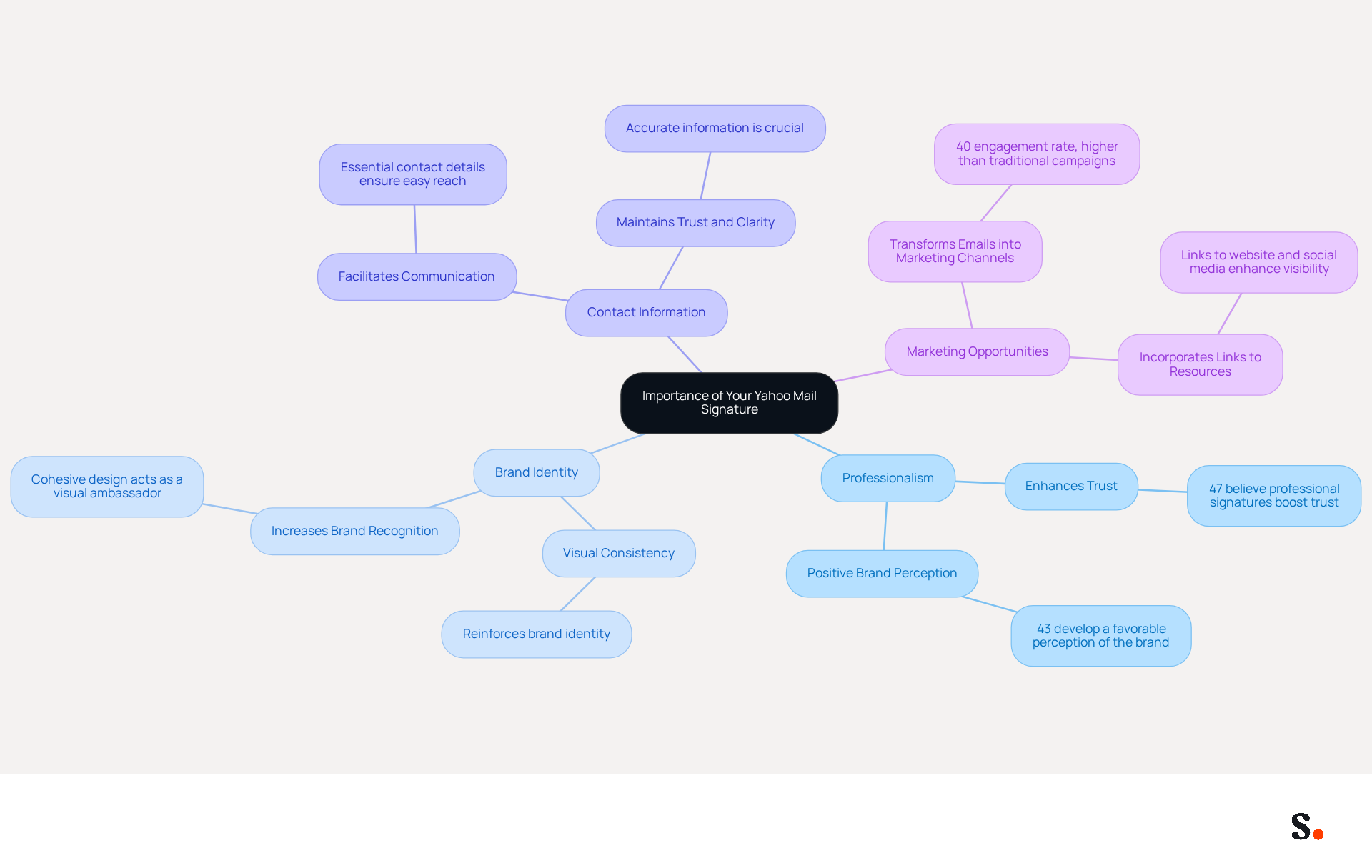
Your Yahoo Mail sign-off is not merely a formality; it serves as a crucial element of your professional identity with every email you send. Here’s why it is essential:
- Professionalism: A well-designed signature shows you care about the details, making a great impression on those who receive your emails. Studies indicate that 47% of individuals believe professional autographs enhance trust, while 43% develop a more favorable perception of the brand.
- Brand Identity: Incorporating your company logo and consistent branding elements reinforces your brand identity in every message. A cohesive design can lead to increased brand visibility and recognition, acting as a visual ambassador for your organization.
- Contact Information: Including essential contact details ensures that recipients can easily reach you, facilitating smoother communication. Precise details in electronic correspondence are essential for upholding trust and clarity.
- Marketing Opportunities: By integrating links to your website, social media profiles, or promotional campaigns, you transform each email into a potential marketing channel. Email footers boast an impressive engagement rate of 40%, significantly higher than traditional marketing campaigns, making them a valuable tool for driving traffic and generating leads.
Failing to invest in your email signature could lead to missed opportunities and diminished brand perception. By grasping these points, you can craft a signature that not only represents you but also strengthens your communication strategy and boosts your brand's professionalism.
Access Yahoo Mail Signature Settings
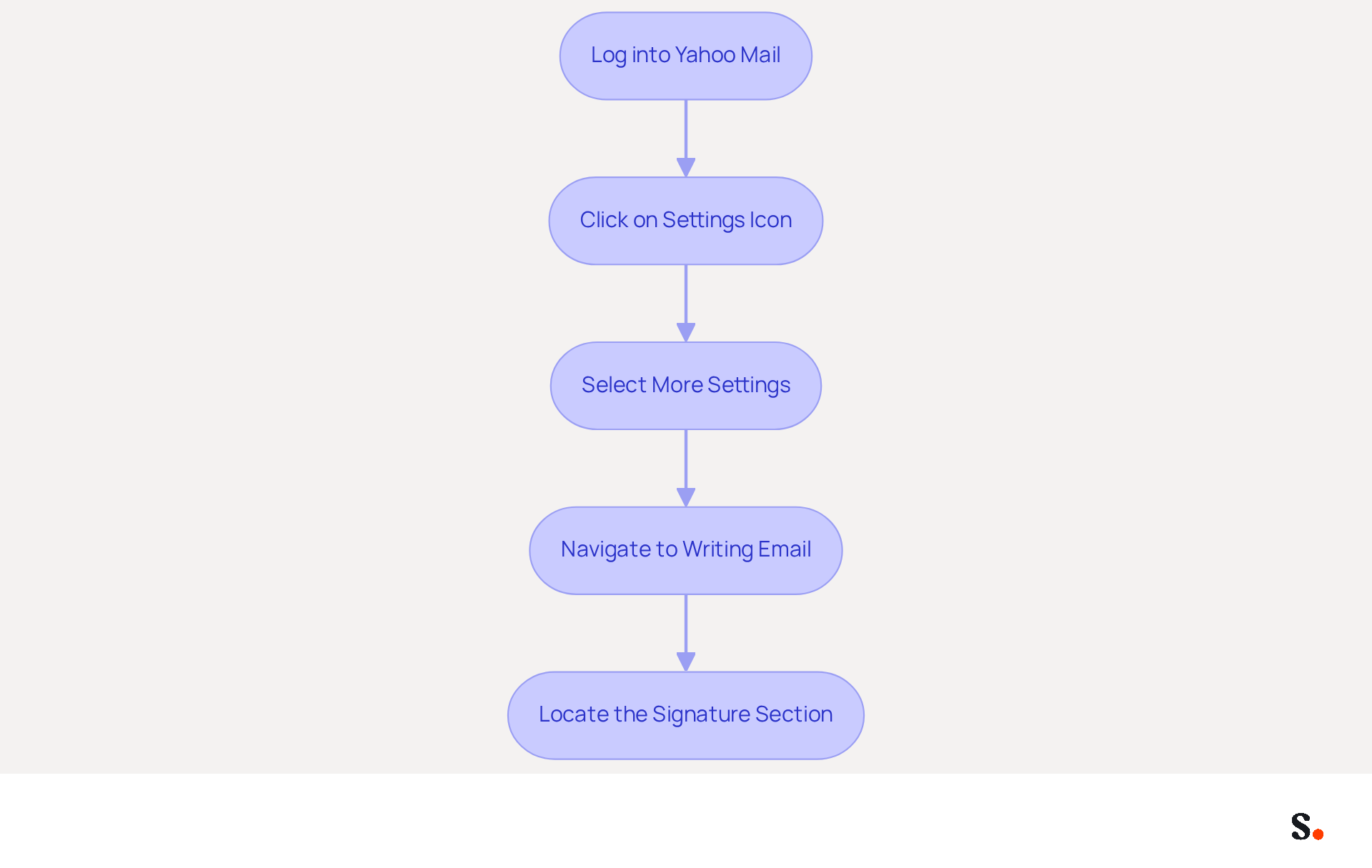
Knowing how to change Yahoo Mail signature can streamline your communication and enhance your professional image. To change your Yahoo Mail signature, follow these steps:
- Log into your Yahoo Mail account: Open your preferred web browser and navigate to the Yahoo Mail login page. Enter your credentials to access your inbox.
- Click on the Settings icon: Locate the gear icon in the upper right corner of the page and click on it.
- Select More Settings: From the dropdown menu, choose 'More Settings' to access additional options.
- Navigate to Writing Email: In the left sidebar, click on 'Writing email' to find the settings for your email footer.
- Locate the Signature section: Here, you will see the option to enable or disable your sign-off. Toggle it on to edit your signature.
By following these steps, you will understand how to change Yahoo Mail signature.
For a more efficient management experience of your Scribe integration with Google Workspace, consider utilizing it. Scribe automates the process of syncing your email identifiers, ensuring that any updates to your teammates' information are reflected in Mail without manual input. This not only saves time but also enhances brand consistency across all communications. With Scribe, you can create professional signatures that align with your brand, which has been shown to increase engagement by up to 30%.
Create or Edit Your Yahoo Mail Signature
Creating a professional email signature in Yahoo Mail is essential for enhancing your brand's visibility and ensuring effective communication. To create or edit your Yahoo Mail signature, follow these straightforward steps:
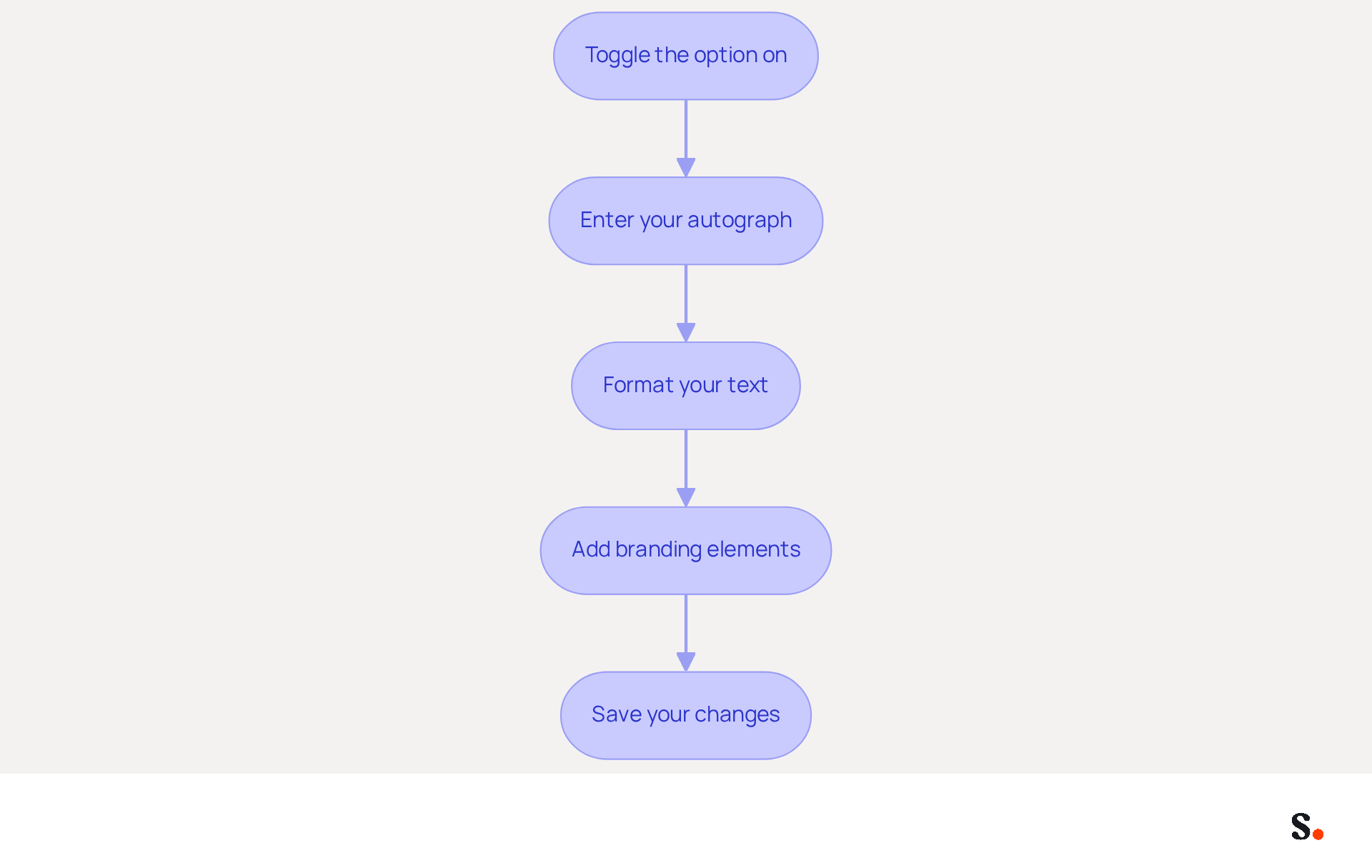
- Toggle the option on: Start by ensuring the switch is set to 'On' to activate the feature.
- Enter your autograph: In the designated text box, input your autograph details. This should include your full name, job title, company name, and any other pertinent information that reflects your professional identity.
- Format your text: Utilize the available formatting options, such as bold, italics, and font size adjustments, to enhance the visual appeal of your closing. A well-crafted signature significantly elevates the professionalism of your emails.
- Add branding elements: Incorporating your company logo and social media links reinforces your brand identity. Optimal logo dimensions are 300x100 pixels, while profile photos should ideally be 200x200 pixels for clarity. Note that to include images or logos, you will need to use a third-party generator, as Yahoo Mail's native editor does not support direct HTML image embedding.
- Save your changes: Once you have entered and formatted your name, scroll down and click 'Save' to apply your changes.
By following these steps, you will understand how to change Yahoo Mail signature to create a signature that effectively represents you and boosts your brand's visibility in every email. Regular updates to your email signature are crucial for maintaining its relevance and ensuring it reflects your current professional identity.
With Scribe, you can ensure that your email identifiers are automatically updated and consistent across your organization, thanks to seamless integrations with tools like Calendly and your business phone system. Scribe's SOC 2 Type II compliance guarantees that your data is handled securely, allowing you to focus on your marketing efforts with confidence.
Enhance Your Signature with Images and Links
To maximize the impact of your Yahoo Mail signature, consider incorporating images and links:
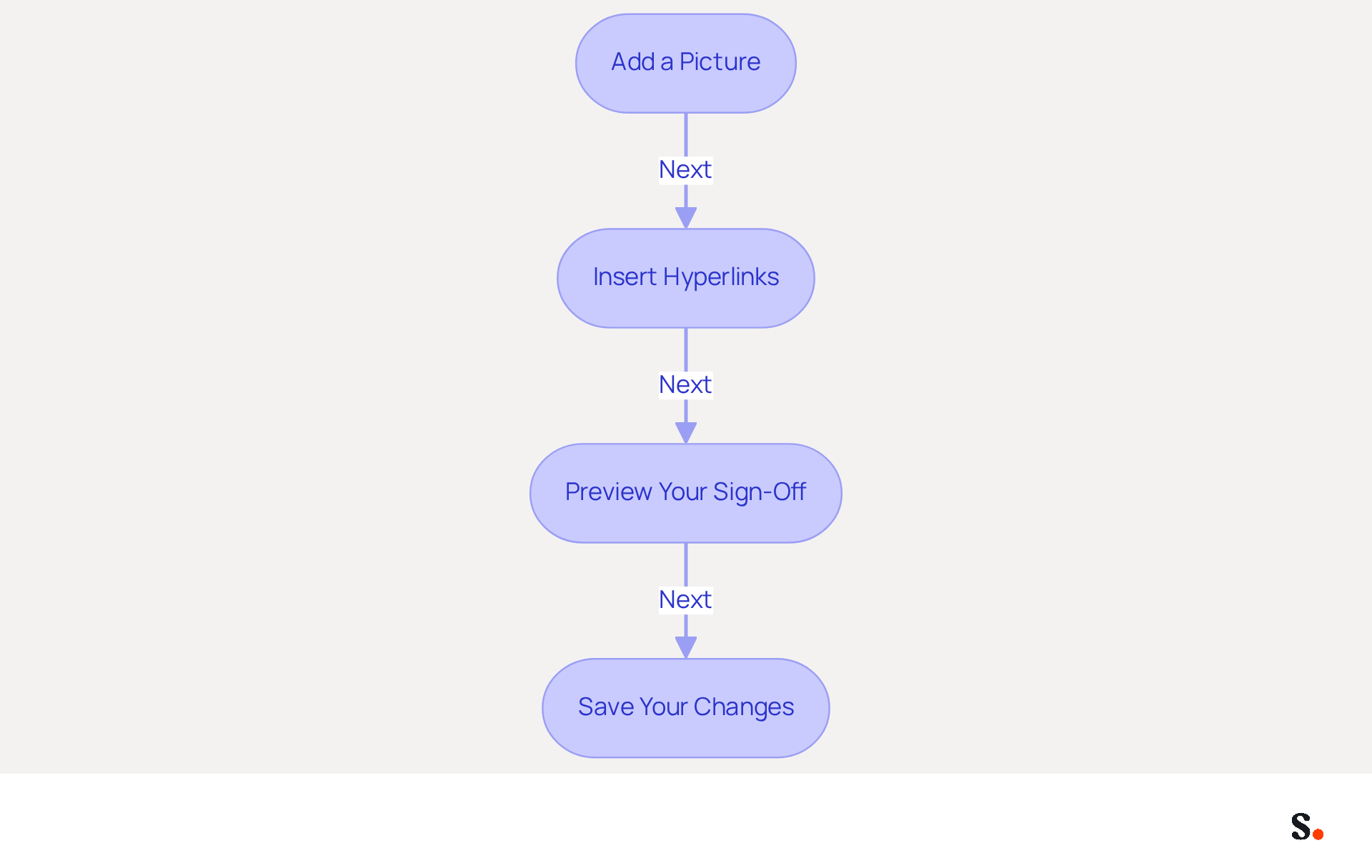
- Add a picture: To insert a picture, first upload it to an online hosting site like Imgur. Then, copy the URL of the picture and paste it into the box. Ensure the image is suitably sized for transmission to avoid display issues.
- Insert hyperlinks: Highlight the text you want to link, such as your website or social media profiles, and click the link icon. Enter the URL and click 'OK' to create the hyperlink, enhancing engagement with clickable elements.
- Preview your sign-off: Before saving, use the preview option to see how your sign-off will look in messages. This step is crucial for ensuring that all elements display correctly and are visually appealing.
- Save your changes: Once satisfied with the enhancements, click 'Save' to apply the changes. Knowing how to change Yahoo Mail signature can create an effective sign-off that boosts your credibility and encourages more replies.
Research shows that emails featuring images and links can increase engagement rates by up to 30%. Case studies highlight how businesses have successfully utilized clickable links in their email footers to drive traffic to their websites and increase social media engagement. This can significantly boost your chances of receiving timely responses and foster better business relationships, demonstrating the tangible benefits of a well-crafted email footer.
Troubleshoot Common Signature Issues
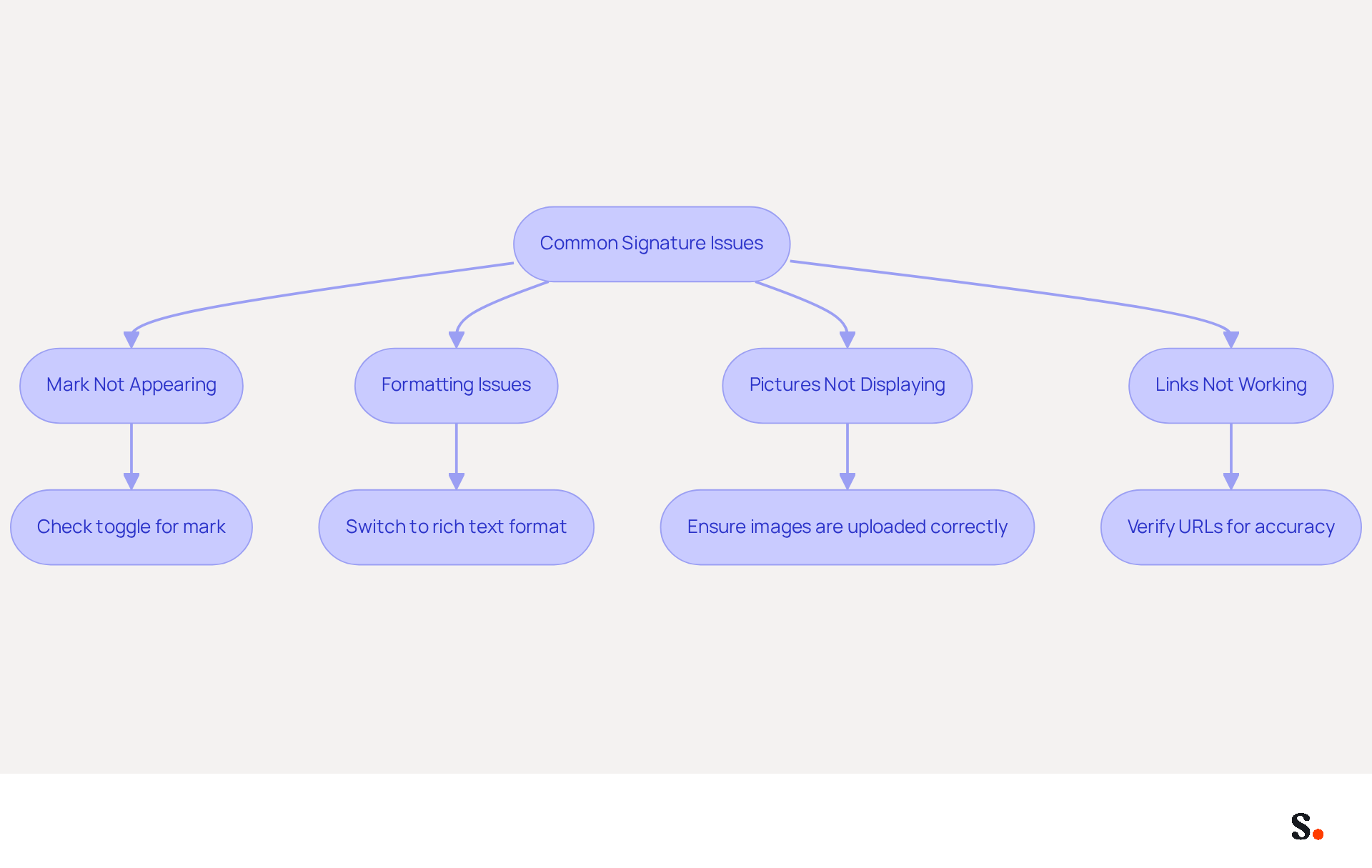
Many users face challenges when they want to know how to change Yahoo Mail signature. Here are some common problems and their solutions:
- Mark not appearing: Ensure that the toggle for the mark is set to 'On' in the settings. If it’s off, your mark won’t appear in outgoing messages.
- Formatting issues: If your signature looks different in emails than in the editor, check if you are using rich text format. Switch to rich text if necessary.
- Pictures not displaying: If pictures are not showing up, ensure they are uploaded correctly and that the links are accessible. Sometimes, images may not display due to privacy settings.
- Links not working: Double-check the URLs you entered for any typos. Ensure they start with 'http://' or 'https://'.
By implementing these troubleshooting strategies, you will learn how to change Yahoo Mail signature effectively to resolve common issues and enhance its functionality.
Conclusion
Many professionals underestimate the power of a well-crafted Yahoo Mail signature in shaping their communication strategy. A well-crafted Yahoo Mail signature is essential for professional communication, enhancing brand identity and building trust. Recognizing the importance of your email signature allows you to create a tool that effectively represents your brand and acts as a marketing asset, driving engagement and facilitating smoother communication.
Throughout this guide, essential steps have been outlined to help navigate the process of changing your Yahoo Mail signature. From accessing the settings to incorporating branding elements and troubleshooting common issues, each step is designed to empower users to create a signature that reflects their professional identity. The integration of images and links further enhances the signature's effectiveness, transforming it into a dynamic marketing channel.
Investing time in your email signature can lead to substantial benefits, including improved brand visibility and increased engagement rates. Embrace the opportunity to elevate your communication strategy by implementing these steps today. A thoughtfully designed signature can be the difference between being overlooked and making a lasting impression in your professional interactions.
Frequently Asked Questions
Why is a Yahoo Mail signature important?
A Yahoo Mail signature is important because it enhances professionalism, reinforces brand identity, provides essential contact information, and offers marketing opportunities. A well-designed signature can improve trust and perception among recipients.
How does a professional email signature impact trust and brand perception?
Studies show that 47% of individuals believe professional signatures enhance trust, while 43% develop a more favorable perception of the brand, making a well-crafted signature crucial for effective communication.
What elements should be included in a Yahoo Mail signature?
A Yahoo Mail signature should include your name, title, company logo, consistent branding elements, and essential contact details to facilitate communication and reinforce brand identity.
How can a Yahoo Mail signature serve as a marketing tool?
By integrating links to your website, social media profiles, or promotional campaigns, your email signature can act as a marketing channel, with an engagement rate of 40%, significantly higher than traditional marketing methods.
How can I change my Yahoo Mail signature?
To change your Yahoo Mail signature, log into your account, click on the Settings icon, select 'More Settings', navigate to 'Writing email', and locate the Signature section to enable or edit your signature.
What is Scribe and how does it relate to Yahoo Mail signatures?
Scribe is a tool that automates the process of syncing email identifiers with Google Workspace, ensuring that updates to teammates' information are reflected in Yahoo Mail without manual input, enhancing brand consistency and saving time.
How can Scribe improve engagement with email signatures?
Scribe helps create professional signatures that align with your brand, which has been shown to increase engagement by up to 30%.
List of Sources
- Understand the Importance of Your Yahoo Mail Signature
- The Importance Of Email Signatures | Email Marketing Blog | Mail Blaze (https://mailblaze.com/thinking/email-signatures-in-email-marketing)
- The Importance of Email Signatures - Ocreative (https://ocreative.com/importance-email-signatures)
- Why Professional Email Signatures Build Trust - Signite (https://signite.io/blog/why-professional-email-signatures-build-trust)
- The impact of email signatures on your branding (https://signitic.com/en/resources/the-impact-of-email-signatures-on-your-branding)
- Using Email Signatures for Marketing | CloudM (https://cloudm.io/resources/blog/using-email-signatures-for-marketing-how-every-email-can-boost-your-brand)
- Access Yahoo Mail Signature Settings
-
How to change your signature in Yahoo Mail and update your contact information for recipients (https://businessinsider.com/reference/how-to-change-signature-in-yahoo-mail)
-
yahoo-email-signature-new (https://wisestamp.com/yahoo-email-signature)
-
Email signature statistics: Why every business should optimize their email signatures — Stripo.email (https://stripo.email/blog/email-signature-statistics-why-every-business-should-optimize-their-email-signatures)
-
Add, edit, or disable your signature in Yahoo Mail |
Yahoo Help (https://help.yahoo.com/kb/SLN28060.html)
-
- Create or Edit Your Yahoo Mail Signature
- Enhance Your Yahoo Mail with a Custom Signature: A Step-by-Step Guide (https://exclaimer.com/email-signature-handbook/how-to-add-signature-in-yahoo-mail)
- 10 Do's & Don'ts for Email Signature Branding | Constant Contact (https://constantcontact.com/blog/email-signature-branding)
- yahoo-email-signature-new (https://wisestamp.com/yahoo-email-signature)
- How To Add A Signature In Yahoo Mail (2026) (https://hubspot.com/email-signature-generator/add-signature-yahoo-mail)
- Enhance Your Signature with Images and Links
- cmty_blog_detail (https://community.dynamics.com/blogs/post?postid=d059cb8c-384b-41ec-9af7-bd7753ff0f46)
- Add a Picture to Your Yahoo Mail Signature to Help it Stand Out (https://lifewire.com/insert-image-yahoo-signature-1174483)
- How to add image in Yahoo mail signature - MySignature (https://mysignature.io/add-signature-with-picture-yahoo-mail)
- How do I design a pretty, reliable & clickable email signature? (https://launchthedamnthing.com/blog/design-custom-clickable-pretty-reliable-branded-email-signature)
- Clickable Email Signature: A Complete Guide | Newoldstamp - NEWOLDSTAMP (https://newoldstamp.com/blog/clickable-email-signature)
- Troubleshoot Common Signature Issues
- 40+ Email Signature Statistics for 2026 (Data + Insights) (https://wavecnct.com/blogs/email-signature-statistics)
- Yahoo Mail faces widespread outage as users reports login failures and access issues (https://storyboard18.com/digital/yahoo-mail-faces-widespread-outage-as-users-reports-login-failures-and-access-issues-95769.htm)
- Why Yahoo and AOL users saw error messages today (https://cleveland.com/news/2026/01/why-yahoo-and-aol-users-saw-error-messages-today.html)
- New Yahoo Mail is riddled with issues, user feedback page catches fire (https://techradar.com/news/software/new-yahoo-mail-is-riddled-with-issues-and-user-the-feedback-page-is-on-fire-1189442)
- Email signature statistics: Why every business should optimize their email signatures — Stripo.email (https://stripo.email/blog/email-signature-statistics-why-every-business-should-optimize-their-email-signatures)
Get started with Scribe
Create your signature in minutes
Free 14-day trial — no credit card.