How to Create Email Signature on Gmail: A Step-by-Step Guide
A professional email signature is not merely a digital formality; it plays a crucial role in shaping brand identity and communication strategy. As
Sophie Grant
Email Signature Specialist, Scribe

Introduction
A professional email signature is not merely a digital formality; it plays a crucial role in shaping brand identity and communication strategy. As organizations increasingly recognize the importance of consistent branding, mastering the art of email signatures becomes essential for professionals looking to enhance their credibility and marketing efforts. Despite the importance of email signatures, many professionals struggle to implement them correctly. By addressing these challenges, professionals can transform their email signatures into effective marketing tools.
Understand the Importance of an Email Signature
A professional email signature is not merely a formality; it serves as a powerful tool for establishing your brand identity and enhancing communication. Here are key reasons why a professional email signature is vital:
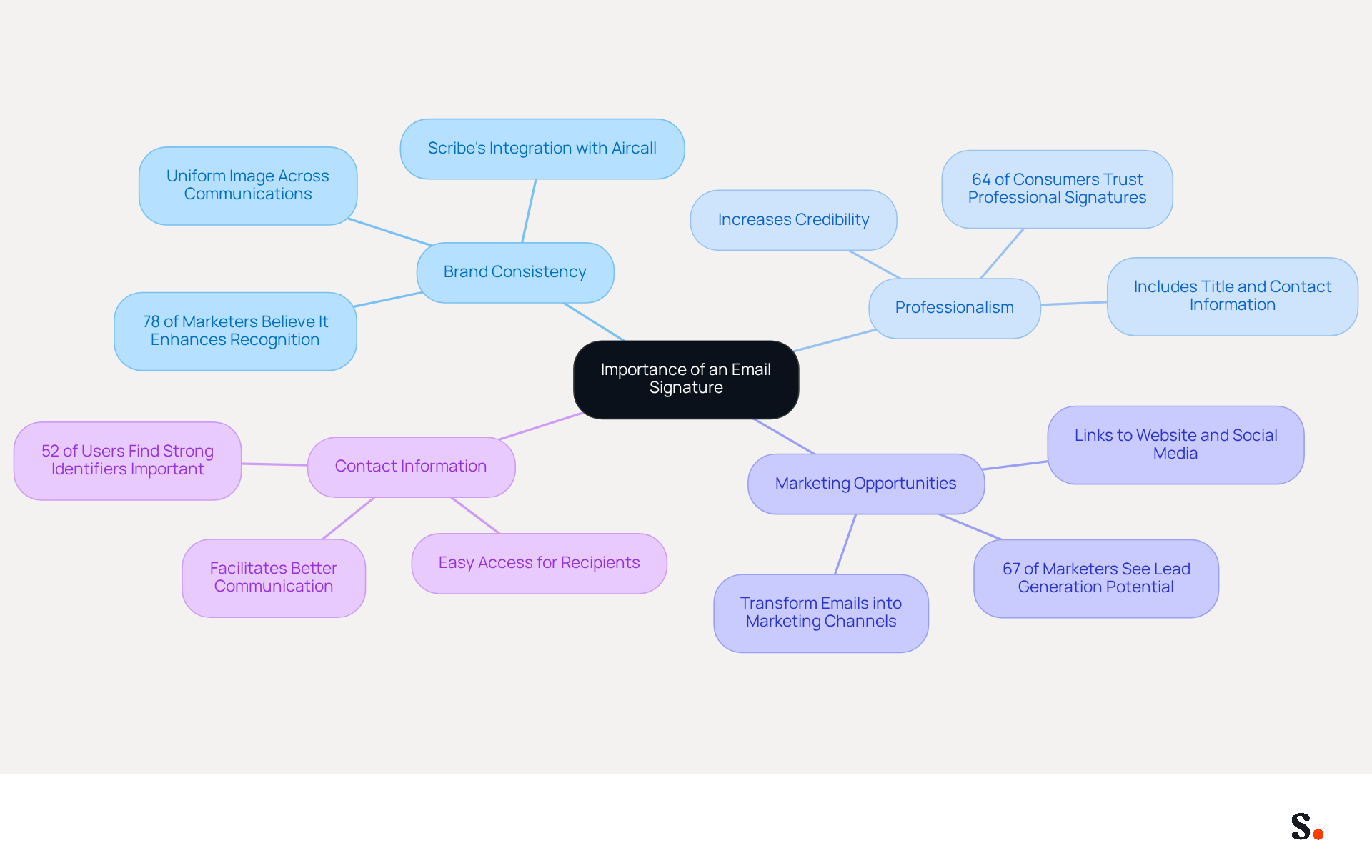
- Brand Consistency: A signature that incorporates your brand's colors, logo, and fonts ensures a uniform image across all communications. With Scribe's automated synchronization with Aircall, any modifications made in your Aircall configuration will automatically reflect in your Scribe signatures, enhancing consistency effortlessly. Consistent branding is crucial, as 78% of marketers believe it enhances brand recognition and trust.
- Professionalism: Including your title, company name, and contact information adds a layer of professionalism to your correspondence, making you appear more credible. Research shows that 64% of consumers believe a professional branded digital footer enhances their trust in the sender.
- Marketing Opportunities: Email footers can include links to your website, social media profiles, or promotional banners, transforming every message into a potential marketing channel. In fact, 67% of marketers anticipate that digital identifiers will aid in lead generation, showing how they can boost engagement.
- Contact Information: A well-organized closing ensures that recipients have easy access to your contact details, facilitating better communication. This highlights the challenge, as 52% of users believe that without a strong digital identifier, connecting with clients becomes difficult.
Recognizing these benefits, especially how Scribe integrates seamlessly with Aircall, underscores the need to invest time in understanding how to create email signature on gmail that enhances your brand's visibility and builds trust with your audience.
Create Your Email Signature in Gmail
To create your email signature in Gmail, follow these steps:
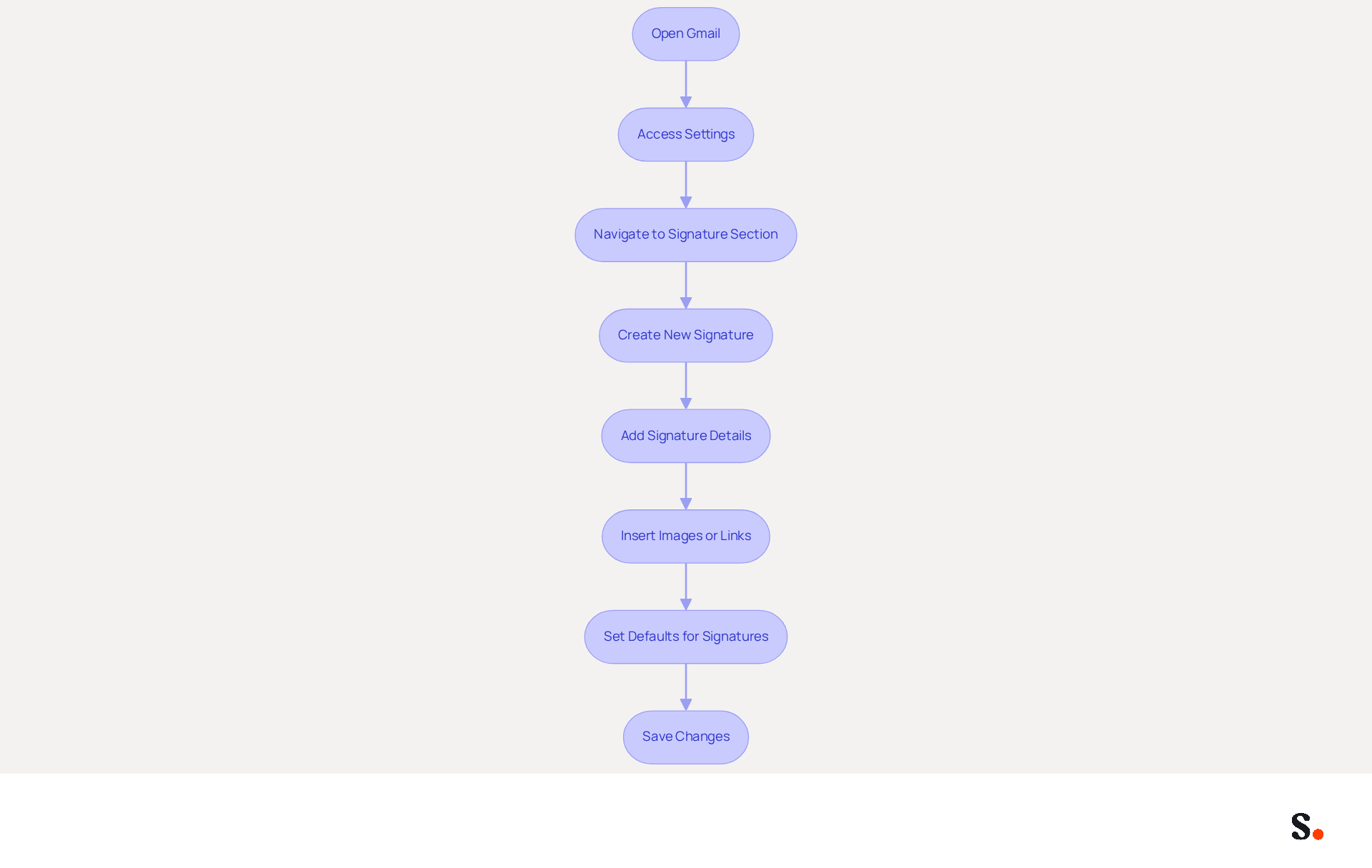
- Open Gmail: Log into your Gmail account.
- Access Settings: Click on the gear icon in the top right corner and select 'See all settings'.
- Navigate to Signature Section: In the 'General' tab, scroll down to the 'Signature' section.
- Create New Signature: Click on 'Create new' to initiate a new sign-off.
- Add Signature Details: Enter your desired text for your sign-off, including your name, title, company name, and any other relevant information. Utilize the formatting tools to adjust font size, color, and style as needed.
- Insert Images or Links: To include a logo or social media links, use the image icon to upload images or the link icon to add hyperlinks. Ensure that images are under 1MB for optimal loading.
- Set Defaults for Signatures: Select whether this identifier will show up in new messages, replies, or forwards, enabling customized communication. You can also create various identifiers for different situations, enhancing your marketing strategy.
- Save Changes: Scroll down and click 'Save Changes' to apply your new mark.
It is essential for effective communication and brand representation to understand how to create email signature on Gmail. A well-crafted Gmail signature enhances your professionalism and serves as a mini business card, showcasing your brand with every email you send. Research indicates that nearly half of users update their contact information multiple times a year, highlighting the need for an effective email signature. By following these steps, you will create a refined message footer that effectively conveys your identity and enhances your marketing efforts.
Troubleshoot Common Email Signature Issues
Despite understanding how to create email signature on gmail, users often encounter various challenges that can hinder effective communication. Here are some common problems and how to troubleshoot them:
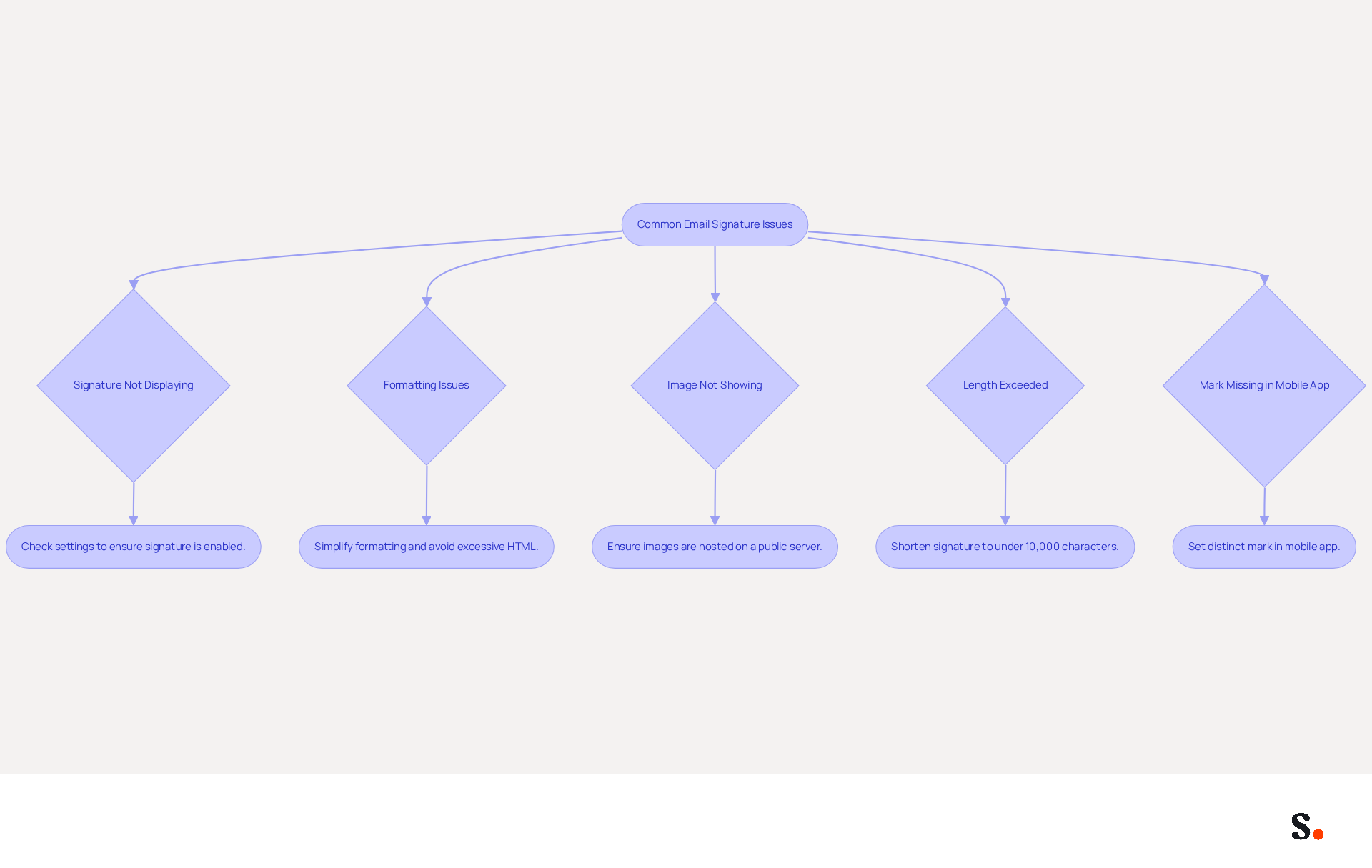
- Signature Not Displaying: Ensure that your signature is set to appear in new emails and replies. Check your settings to confirm how to create email signature on gmail is enabled.
- Formatting Issues: If your signature looks different when sent, it could be due to complicated formatting. Simplify your sign-off by using basic text formatting and avoid excessive HTML, as Gmail may strip out advanced styles.
- Image Not Showing: If images in your email do not appear, ensure they are hosted on a publicly accessible server. Images saved locally or on non-HTTPS servers will not appear in Gmail footers. Alternatively, upload them directly to Gmail using supported methods.
- Length Exceeded: Gmail has a character limit for personal identifiers, typically around 10,000 characters. If you encounter an error, try shortening your sign-off by removing unnecessary details or images to stay within this limit. Many users find it frustrating when learning how to create email signature on gmail because of the character limit.
- Mark Missing in Mobile App: Remember that marks set in the web version of Gmail do not automatically transfer to the mobile app. You may need to set a distinct mark in the app to ensure consistency across devices.
Addressing these common issues ensures your correspondence is effective and professional. Additionally, syncing your Google Workspace with the app can make this process much easier. By ensuring your email signature is properly configured, you enhance not just your correspondence but also your professional image.
Leverage Automation for Enhanced Email Signature Management
To improve the efficiency of your email communications, consider leveraging automation tools like Scribe. Here’s how automation can enhance your email signature management:
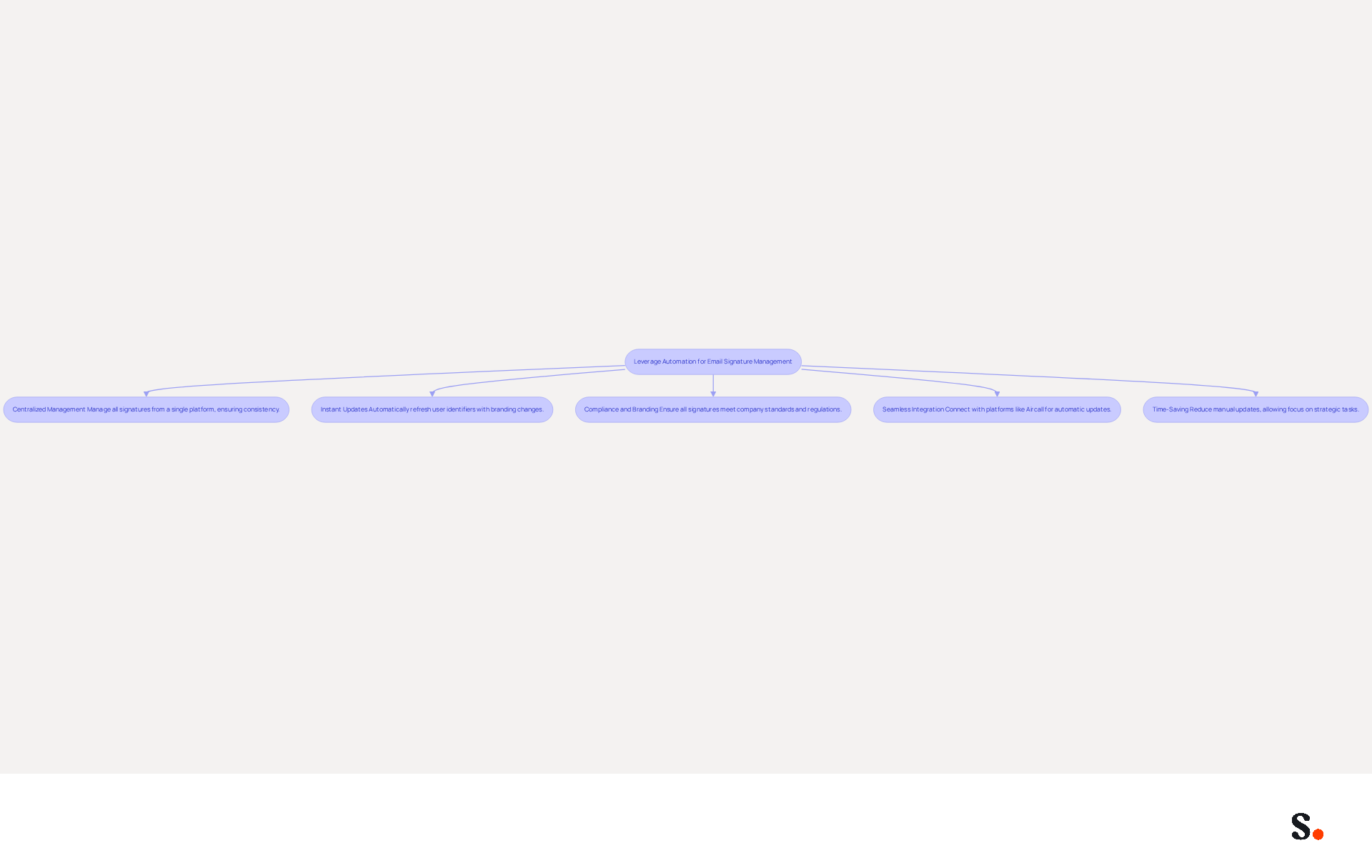
- Centralized Management: Automation allows for the management of all email signatures from a single platform, ensuring consistency across your organization. This centralized approach eliminates the errors that often arise from manual updates, helping marketing teams maintain consistent branding.
- Instant Updates: With Scribe, automated systems can promptly refresh user identifiers whenever modifications are made to branding or contact details. This significantly reduces the time and effort required for manual updates, allowing teams to focus on more strategic tasks. Manual updates often lead to errors and wasted time.
- Compliance and Branding: The platform ensures that all endorsements conform to company branding standards, reducing the likelihood of discrepancies that could compromise brand integrity. For instance, companies in healthcare must adhere to strict compliance standards, making consistent branding even more vital. This is particularly crucial for organizations operating in regulated industries where compliance is essential, as the platform is SOC 2 Type II certified and complies with GDPR and CCPA.
- Seamless Integration: Scribe's connection with Aircall ensures that any modifications made in your Aircall setup will automatically appear in your Scribe designs, simplifying the process of maintaining consistency across all communications.
- Time-Saving: By automating the management process, marketing and IT teams can save valuable time, allowing them to focus on more strategic tasks. Automation can save companies up to 200 hours annually by eliminating repetitive manual updates.
By adopting automation, organizations can ensure their email signatures not only reflect their brand accurately but also enhance overall operational efficiency.
Conclusion
A well-crafted email signature is more than just a digital sign-off; it serves as a strategic tool for enhancing brand identity and communication. By understanding the steps involved and recognizing the value of a well-crafted signature, professionals can truly enhance their email interactions and marketing efforts.
This article outlined the essential steps to create an email signature in Gmail, emphasizing the importance of brand consistency, professionalism, and marketing opportunities. It also highlighted common issues users face, such as formatting problems and signature visibility, noting that many users struggle with these challenges, which can hinder effective communication. Practical troubleshooting tips were provided to address these concerns. Furthermore, the discussion on leveraging automation tools like Scribe demonstrated how organizations can streamline email signature management, ensuring compliance and brand integrity while saving valuable time.
Incorporating a professional email signature is a vital aspect of modern communication. A professional email signature plays a crucial role in modern communication. It fosters increased trust and engagement with recipients. By utilizing tools like Scribe, organizations can maintain brand consistency and track marketing ROI effectively, as evidenced by numerous case studies. Embracing these practices leads to improved recipient trust and engagement, ultimately benefiting the organization. This integration of a professional email signature can transform how organizations are perceived, fostering stronger connections with their audience.
Frequently Asked Questions
Why is a professional email signature important?
A professional email signature is important because it helps establish brand identity, enhances communication, and adds professionalism to your correspondence.
How does a professional email signature contribute to brand consistency?
A professional email signature contributes to brand consistency by incorporating your brand's colors, logo, and fonts, ensuring a uniform image across all communications. Scribe's automated synchronization with Aircall allows any modifications in Aircall to automatically reflect in Scribe signatures.
What impact does a professional email signature have on professionalism?
Including your title, company name, and contact information in your email signature adds professionalism to your correspondence, making you appear more credible. Research indicates that 64% of consumers trust senders more when they have a professional branded digital footer.
How can email signatures serve as marketing opportunities?
Email signatures can include links to your website, social media profiles, or promotional banners, turning every message into a potential marketing channel. 67% of marketers believe that digital identifiers can aid in lead generation and boost engagement.
What role does contact information play in an email signature?
A well-organized email signature ensures that recipients have easy access to your contact details, facilitating better communication. 52% of users feel that without a strong digital identifier, connecting with clients becomes difficult.
How does Scribe enhance the creation of email signatures?
Scribe enhances the creation of email signatures by integrating seamlessly with Aircall, allowing for easy updates and ensuring that your email signatures reflect any changes made in your Aircall configuration.
List of Sources
- Understand the Importance of an Email Signature
- Email Signature Statistics: A Closer Look at Email Signatures in 2026 (https://mysignature.io/blog/email-signature-statistics)
- Exclaimer Research: 67% of Marketers Expect Email Signatures to Support With Lead Gen In 2023 (https://businesswire.com/news/home/20230612141095/en/Exclaimer-Research-67-of-Marketers-Expect-Email-Signatures-to-Support-With-Lead-Gen-In-2023)
- Why Are Email Signatures Key to Brand Awareness? | QuickMail (https://quickmail.com/role-of-email-signatures-in-brand-awareness)
- The Quantifiable Marketing Value of Email Signatures (https://ama.org/2022/06/20/the-quantifiable-marketing-value-of-email-signatures)
- Email signature statistics: Why every business should optimize their email signatures — Stripo.email (https://stripo.email/blog/email-signature-statistics-why-every-business-should-optimize-their-email-signatures)
- Create Your Email Signature in Gmail
- How to Add Signature in Gmail: Step by Step Guide (2026) (https://wpmanageninja.com/how-to-add-signature-in-gmail)
- How to Change Email Signature in Gmail (Desktop Guide + Tips) - NEWOLDSTAMP (https://newoldstamp.com/blog/change-email-signature-in-gmail)
- Ultimate Guide To Creating A Professional Gmail Email Signature In 2026 (https://staging.advance-he.org/gmail-professional-email-signature-evih.html)
- Gmail Signature Setup: Quick Guide to Professional Emails & Productivity (https://lemon8-app.com/@yagirlmely/7504344504330224174?region=us)
- Email Signature Essentials: Key Statistics to Know for 2023 (https://blog.hubspot.com/marketing/email-signature-statistics)
- Troubleshoot Common Email Signature Issues
- Email Signature Troubleshooting - Problems & Solutions - Gimmio (https://blog.gimm.io/email-signature-troubleshooting)
- Fix Your Missing Gmail Signature: 8 Troubleshooting Steps & Best Practices | Newoldstamp - NEWOLDSTAMP (https://newoldstamp.com/blog/gmail-signature-not-showing-up)
- How to solve problems with email signatures in Microsoft 365? (https://mail-signatures.com/articles/problems-email-signatures-office-365)
- Troubleshoot issues with Gmail signatures - Gmail Help (https://support.google.com/mail/answer/11468381?hl=en)
- Solving a Gmail signature problem (https://signitic.com/en/guides/solving-a-gmail-signature-problem)
- Leverage Automation for Enhanced Email Signature Management
- Email Signature Automation: How It Works and How to Set It Up (https://scribe-mail.com/en-US/blog/4-best-practices-for-effective-email-signature-automation)
- Automating Email Signatures: How IT Teams Streamline Processes & Reduce Risk (https://exclaimer.com/blog/streamlining-it-processes-automated-email-signatures)
- How to combine automation and email signatures (https://signitic.com/en/resources/how-to-combine-automation-and-email-signatures)
- 4 Best Practices for Your Work Email Signature Strategy (https://scribe-mail.com/en-US/blog/4-best-practices-for-your-work-email-signature-strategy)
Get started with Scribe
Create your signature in minutes
Free 14-day trial — no credit card.