How to Get to Email Signature in Outlook: A Step-by-Step Guide
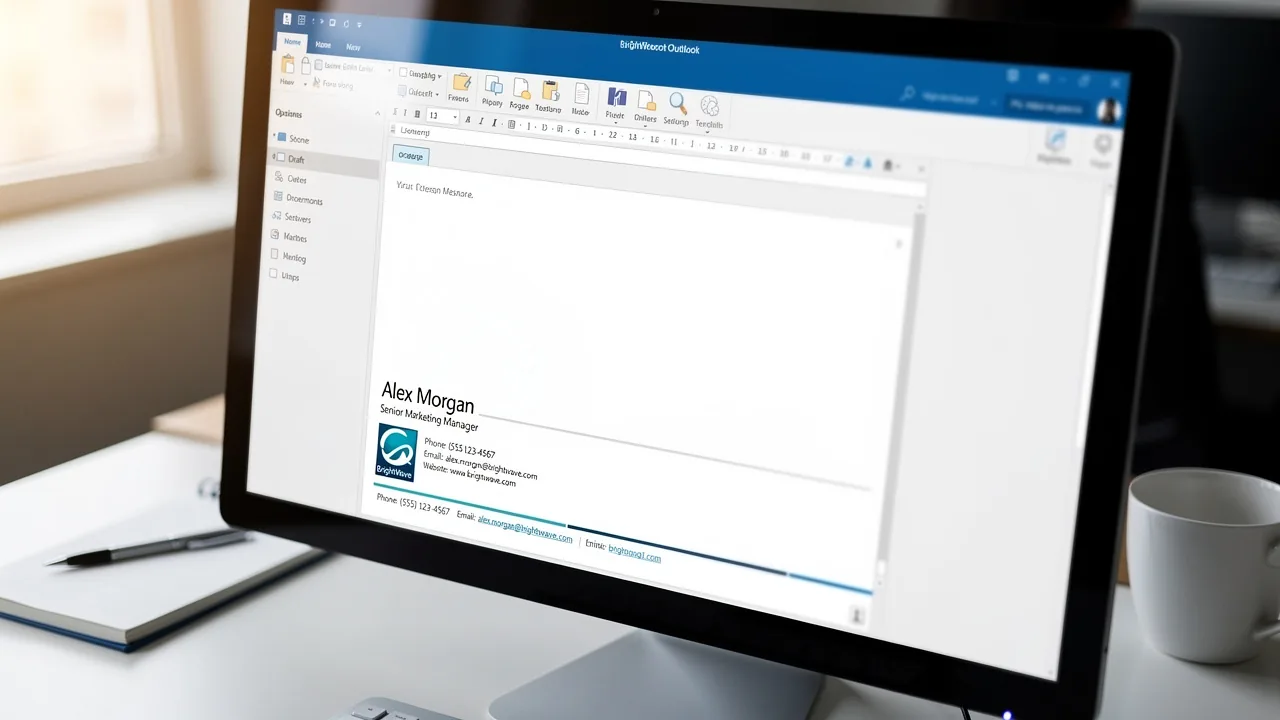
Managing email signatures in Outlook presents unique challenges that can impact professionalism and brand consistency in digital communications. In this guide
Sophie Grant
Email Signature Specialist, Scribe
Introduction
Managing email signatures in Outlook presents unique challenges that can impact professionalism and brand consistency in digital communications. In this guide, we'll walk you through a step-by-step approach to managing your email signatures effectively. Many users encounter challenges when trying to set up their email signatures effectively. Addressing these challenges is essential for ensuring that your email signature enhances rather than detracts from your professional image.
Understand the Importance of Email Signatures
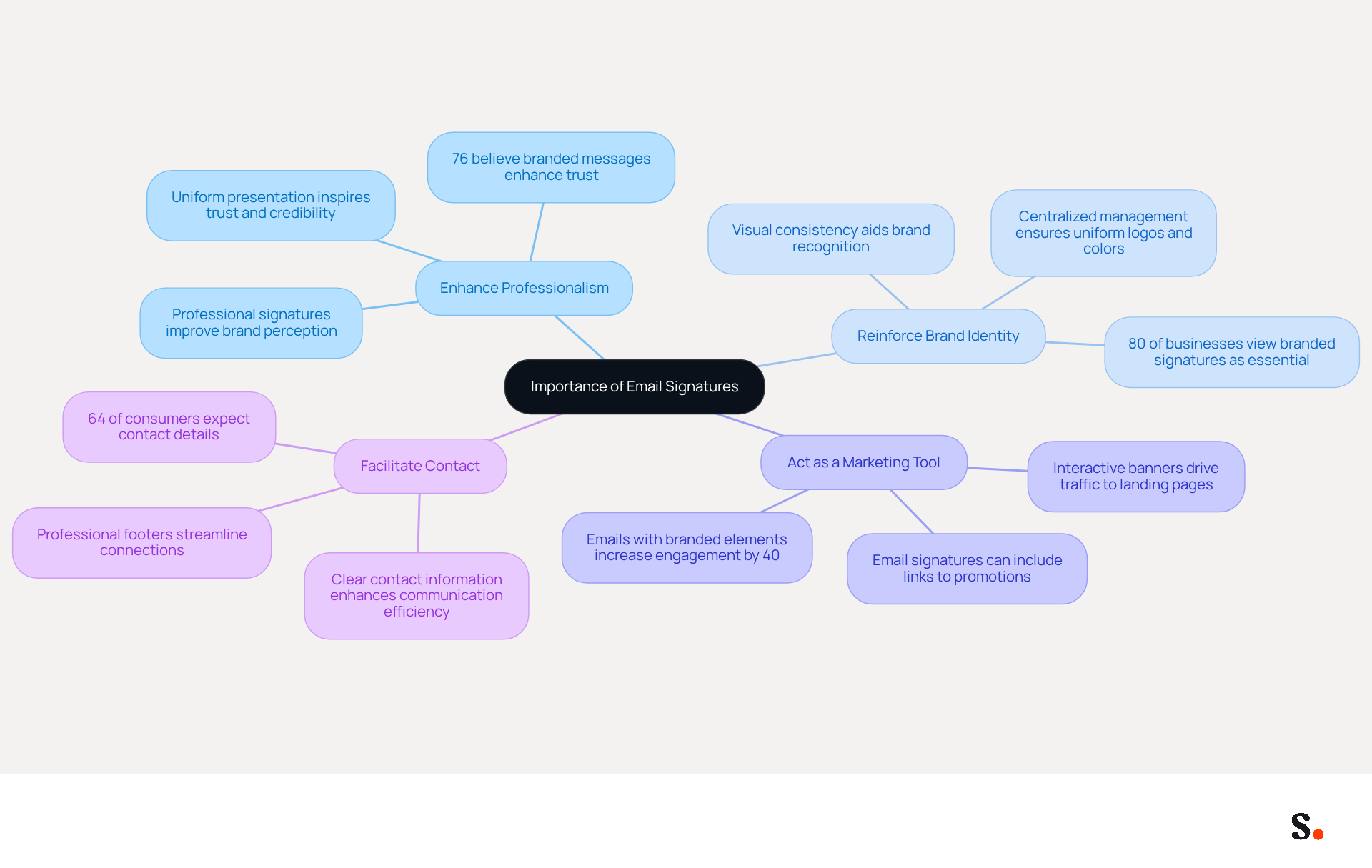
In the realm of professional communication, the significance of email identifiers cannot be overstated. A well-designed email signature can:
- Enhance Professionalism: A polished and consistent signature reflects your attention to detail and professionalism, fostering trust with recipients. Research shows that 76% of participants believe branded messages enhance trust in the sender.
- Reinforce Brand Identity: Incorporating your company logo, colors, and tagline ensures brand consistency across all communications. This visual consistency aids recipients in recognizing and recalling your brand, with 80% of businesses considering branded digital identifiers as essential for brand identity. Scribe automatically syncs your email signatures with your business phone system, like Aircall, so any updates are reflected in real-time, keeping your brand consistent. This distinctive characteristic enables marketing teams to manage their digital identifiers independently after the initial IT configuration.
- Act as a Marketing Tool: Email footers can incorporate links to your website, social media profiles, or promotional banners, turning every message into a marketing opportunity. Research shows that emails with branded elements can increase click-through rates significantly, with engagement levels reaching 40% compared to traditional campaigns. Scribe's automated synchronization capabilities enhance this by ensuring that your marketing messages are always up-to-date and consistent, contributing to an average click-through rate of 12% on branded banners.
- Facilitate Contact: Clear contact information enhances communication efficiency, making it easier for recipients to reach you. A professional communication footer offers extensive contact information, which 64% of consumers anticipate to see. With Scribe's SOC 2 Type II compliance, you can trust that your data is secure while managing employee approvals efficiently.
Understanding these benefits shows why it's essential to invest time in creating an engaging digital identifier; it not only enhances communication but also serves as a valuable asset in your marketing efforts.
Access Email Signature Settings in Outlook
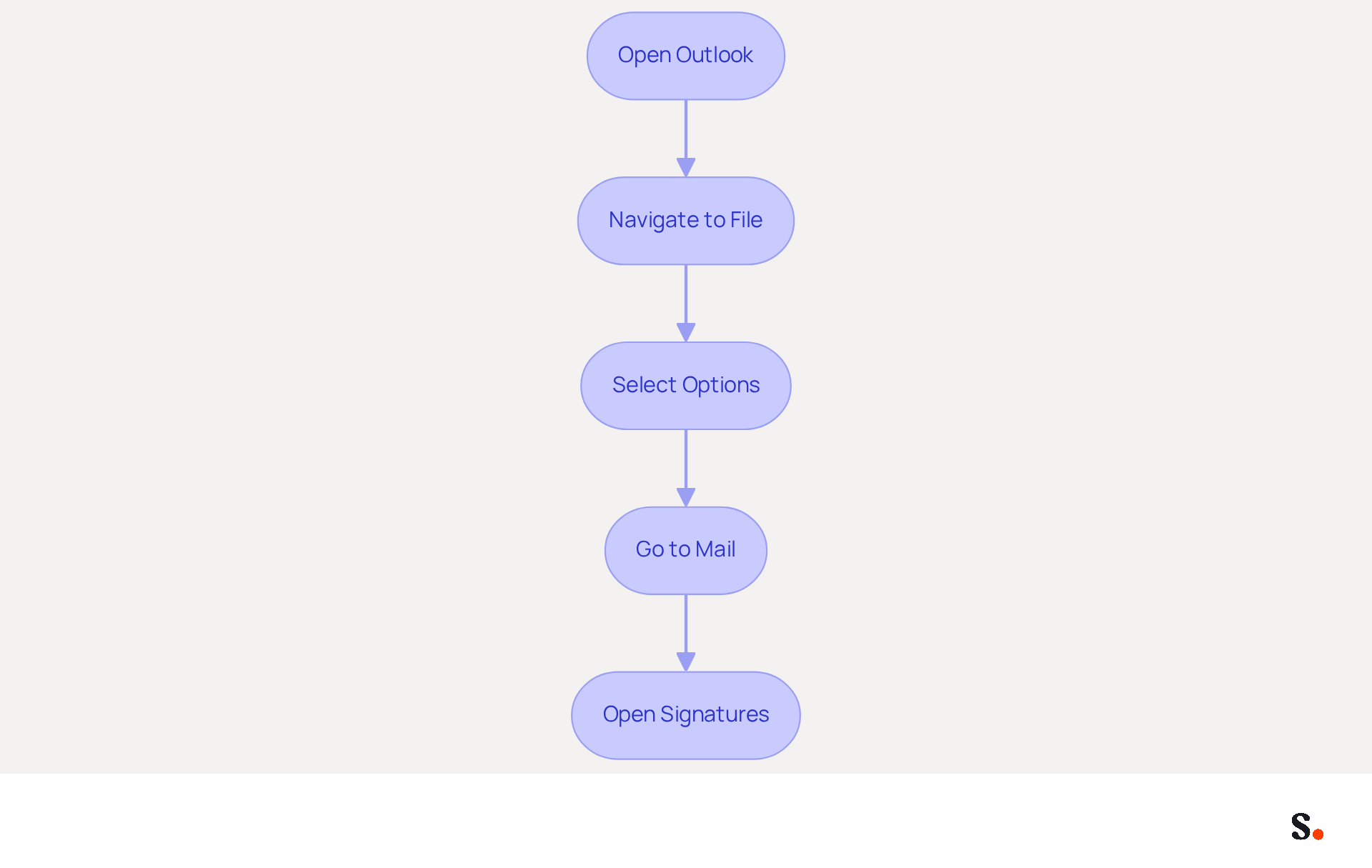
For many users, understanding how to get to email signature in Outlook can be a challenge. To access the email signature settings in Outlook, follow these steps:
- Open Outlook: Launch the Outlook application on your computer.
- Navigate to File: Click on the 'File' tab located in the top-left corner of the window.
- Select Options: From the menu that appears, select 'Options' to open the Outlook Options window.
- Go to Mail: In the left-hand menu, click on 'Mail'.
- Open Signatures: Click on the 'Signatures...' button located in the 'Compose messages' section. This will open the Signatures and Stationery window where you can create or modify your digital identifiers.
It's crucial to keep your digital identifiers updated, as 44.4% of users refresh their details 2-4 times annually, ensuring that the information stays accurate and pertinent. Furthermore, adding features such as call-to-action buttons can improve engagement, with 32.3% of users employing them in their email. With Scribe, any modifications made in your Google Workspace will automatically sync to your correspondence, saving you time and ensuring brand consistency across your organization. This automated management not only simplifies the process but also supports SOC 2 Type II compliance, as well as adherence to GDPR and CCPA for secure data handling, making this solution ideal for marketing teams aiming to maintain effective interaction while maximizing efficiency. By ensuring your email signatures are up-to-date, you enhance communication and maintain professionalism in your outreach.
Create and Customize Your Email Signature
Personalizing your email footer in Outlook enhances your professional image and ensures brand consistency. With Scribe, any modifications made in your Aircall configuration will automatically be reflected in your Scribe branding, ensuring brand consistency across all communications. Follow these steps to design a signature that reflects your brand identity:
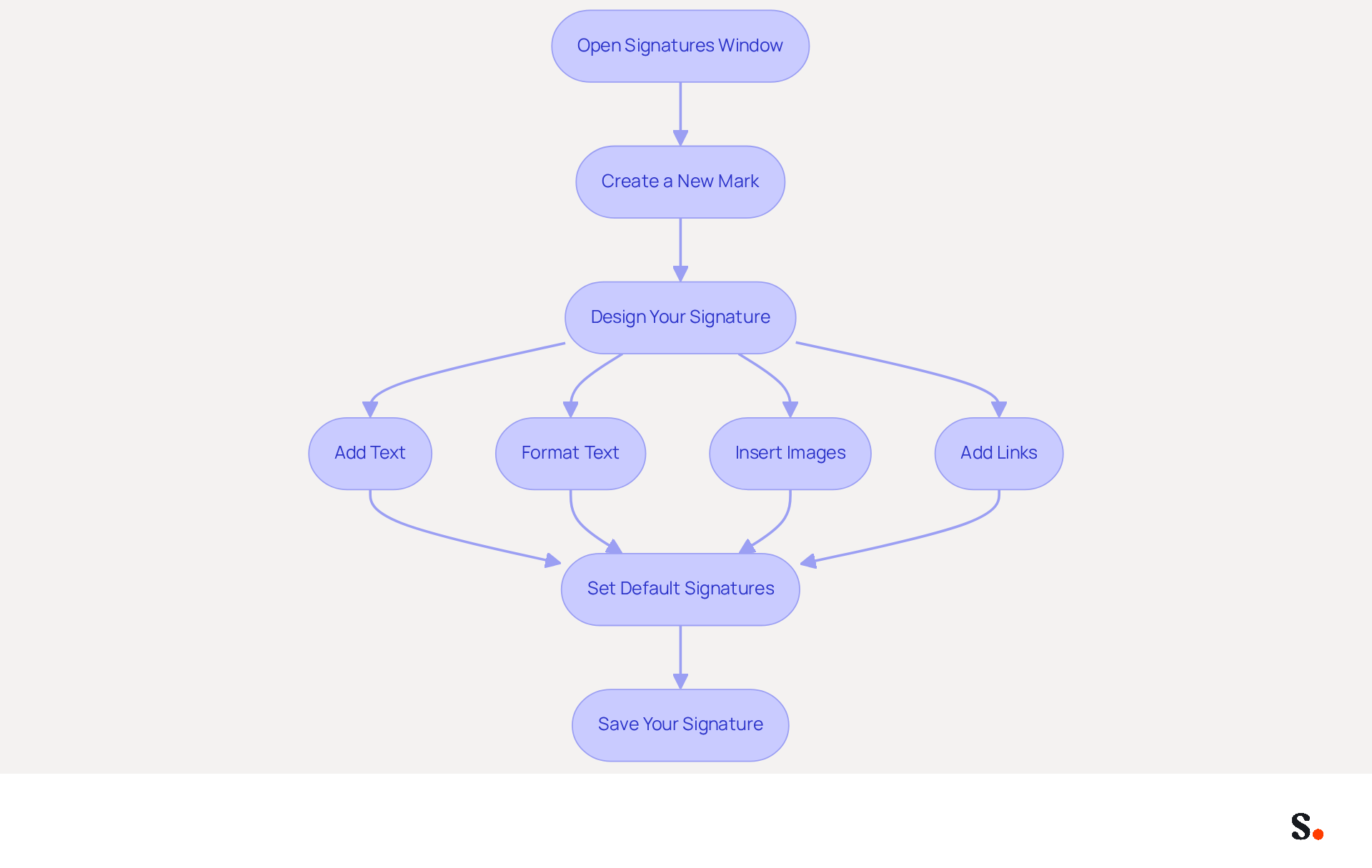
- To understand how to get to email signature in Outlook, open the Signatures Window by navigating to 'File' > 'Options' > 'Mail' > 'Signatures...'. This will open the Signatures and Stationery window.
- Create a New Mark: Click on 'New', enter a name for your mark, and click 'OK' to proceed.
- Design Your Signature: In the editing box, you can:
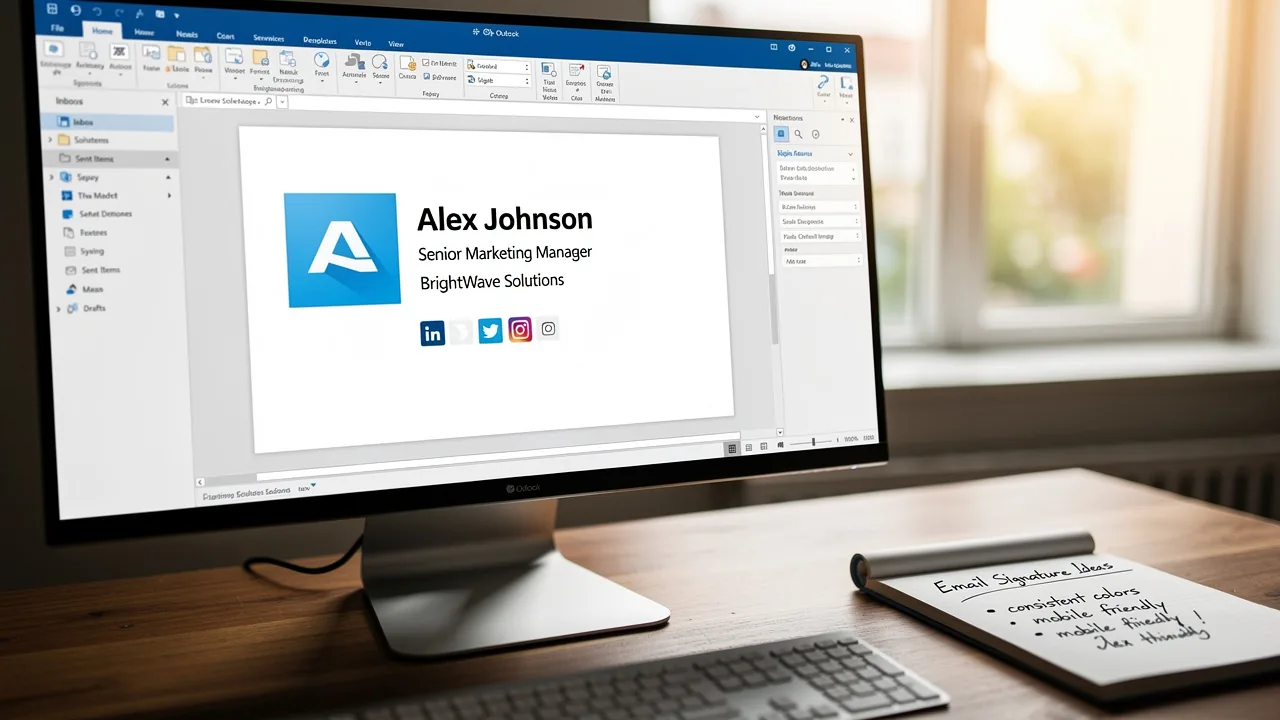
- Add Text: Include your name, title, and contact information.
- Format Text: Utilize formatting options to adjust font style, size, and color, ensuring readability and professionalism.
- Insert Images: Click the image icon to add your company logo or a personal photo, keeping the image size between 150px-300px for optimal display. Remember to add alt text to images to enhance accessibility for visually impaired recipients.
- Add Links: Highlight text and click the hyperlink icon to insert links to your website or social media profiles, enhancing connectivity. Use recognizable social media icons instead of text links for better visual appeal.
- Set Default Signatures: Select your new sign-off as the default for new messages and replies/forwards if desired, ensuring consistency in your interactions.
- Save Your Signature: Click 'OK' to save your changes and exit the Signatures window.
By following these steps, you will understand how to get to email signature in Outlook, allowing you to craft a signature that truly represents your brand. Remember, consistent digital identifiers can lead to a 22% increase in response rates, making this approach significantly boost your marketing effectiveness. Furthermore, ensure your sign-off file size is maintained below 100 KB for swift loading times and include an unsubscribe link in marketing communications to adhere to privacy regulations. With Scribe's automated management of digital identifiers, you can effortlessly update your marks while ensuring SOC 2 Type II compliance and adherence to GDPR and CCPA for secure data handling. This ensures your branding remains consistent while meeting essential compliance standards.
Troubleshoot Common Email Signature Issues
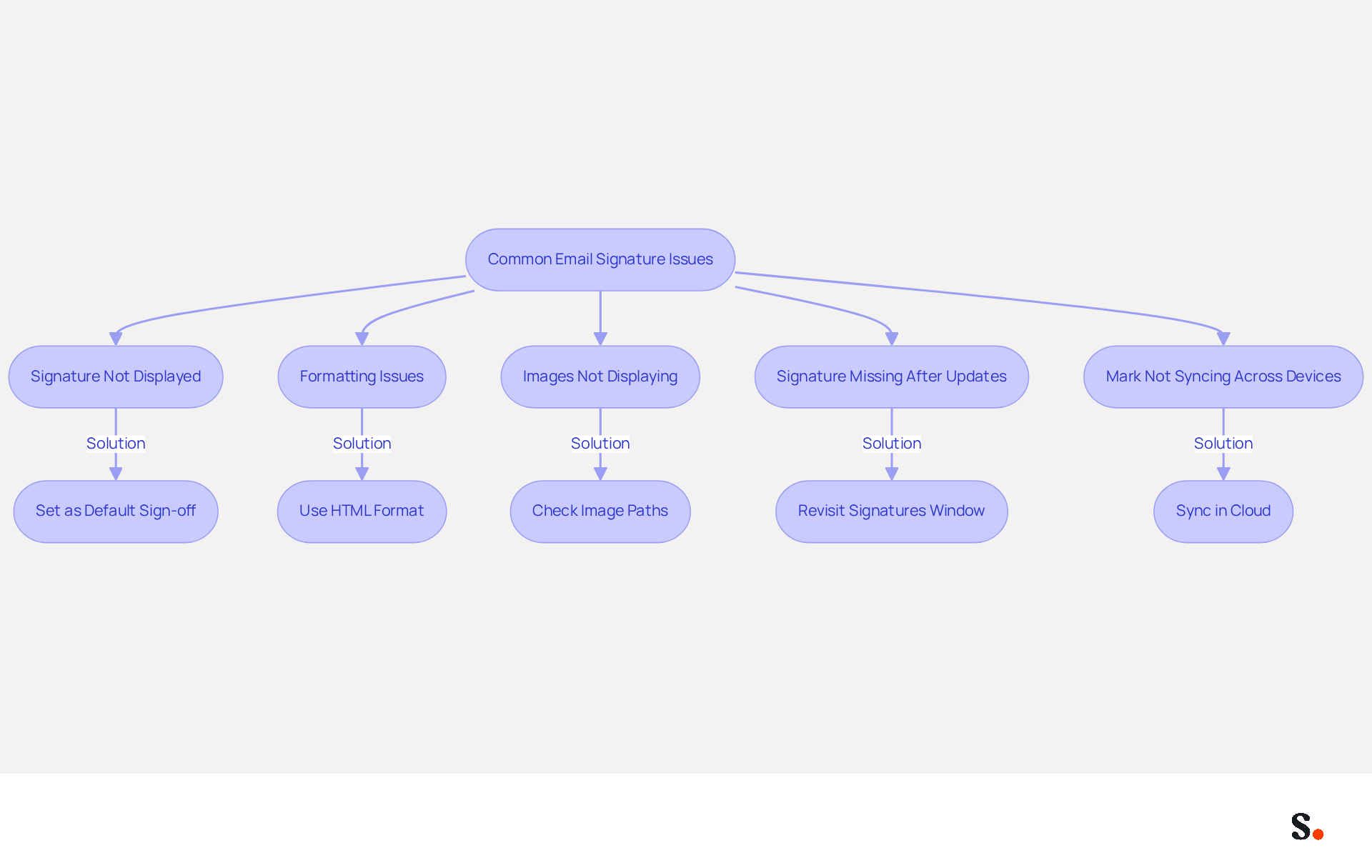
Despite configuring your message footer, many users encounter common issues that can disrupt email communication. Here are solutions to troubleshoot these problems:
- Signature Not Displayed: If your sign-off does not show in new messages, ensure you have set it as the default sign-off in the Signatures window. Many users struggle with signatures not appearing, often due to overlooked settings.
- Formatting Issues: If your sign-off appears different when sent, check if you are using HTML format for your messages. Navigate to 'File' > 'Options' > 'Mail' and ensure 'HTML' is selected under 'Compose messages'. This can prevent inconsistencies in how your mark is shown across various messaging platforms.
- Images Not Displaying: If images in your email are not showing up, ensure they are hosted online or embedded correctly. Check the image paths and try re-inserting them. Images from external sources might not display because of email client security settings.
- Signature Missing After Updates: Sometimes, updates to Outlook can reset settings. Revisit the Signatures window to understand how to get to email signature in Outlook and ensure your mark is still set up correctly. Regular audits of your signing settings can help maintain consistency, especially after software updates.
- Mark Not Syncing Across Devices: If you use Outlook on multiple devices, ensure that your marks are saved in the cloud and synced properly. You may need to recreate the mark on each device, as discrepancies can arise from different versions of Outlook or local settings.
This highlights the need for regular updates, as 44.4% of professionals refresh their contact information 2-4 times a year. Using Scribe can really streamline how you manage your electronic signatures. By syncing your Google Workspace with the application, you save time as your teammates' information is automatically updated, ensuring that any changes-such as job positions or group assignments-are reflected in their details without manual input. Furthermore, Scribe's integration with Aircall guarantees that your communication identifiers uphold brand consistency across all interactions. Organizations that employ branded messaging footers experience a 15% rise in click-through rates, highlighting the necessity for efficient footer management. By addressing these challenges, you not only enhance your email signature's functionality but also strengthen your brand's professional image.
Conclusion
An effective email signature serves as more than just a sign-off; it is a crucial element of professional communication that builds brand identity and trust. Navigating the Outlook interface for signature customization can empower users to create a tool that showcases their professionalism and enhances their brand.
Throughout this guide, key steps were outlined to help users navigate the Outlook interface, create personalized signatures, and troubleshoot common issues. Emphasizing the importance of keeping signatures updated, the article highlighted how Scribe's automated management capabilities ensure brand consistency and compliance with security standards like SOC 2 Type II, GDPR, and CCPA. Additionally, the potential for increased engagement through well-designed signatures was underscored, showcasing the significant impact they can have on marketing efforts.
In conclusion, investing time in developing a professional email signature is essential for anyone looking to enhance their communication and branding. Using tools like Scribe helps organizations manage their email signatures effectively, making sure every message is consistent and serves as a marketing opportunity. Harnessing the potential of email signatures can transform each correspondence into a strategic branding opportunity.
Frequently Asked Questions
Why are email signatures important in professional communication?
Email signatures enhance professionalism, reinforce brand identity, act as a marketing tool, and facilitate contact, making them essential for effective communication.
How do email signatures enhance professionalism?
A well-designed email signature reflects attention to detail and professionalism, fostering trust with recipients. Research indicates that 76% of participants believe branded messages enhance trust in the sender.
In what ways do email signatures reinforce brand identity?
Incorporating your company logo, colors, and tagline in email signatures ensures brand consistency across communications, aiding recipients in recognizing and recalling your brand. 80% of businesses consider branded digital identifiers essential for brand identity.
How can email signatures act as a marketing tool?
Email footers can include links to websites, social media profiles, or promotional banners, turning every message into a marketing opportunity. Emails with branded elements can significantly increase click-through rates, with engagement levels reaching 40% compared to traditional campaigns.
What role does Scribe play in managing email signatures?
Scribe automatically syncs email signatures with your business phone system, ensuring real-time updates and brand consistency. This allows marketing teams to manage digital identifiers independently after the initial IT configuration.
How does Scribe enhance the effectiveness of marketing messages in email signatures?
Scribe's automated synchronization capabilities ensure that marketing messages are always up-to-date and consistent, contributing to an average click-through rate of 12% on branded banners.
What contact information should be included in an email signature?
A professional email signature should include clear contact information, as 64% of consumers expect to see this to enhance communication efficiency.
How does Scribe ensure data security while managing email signatures?
Scribe is SOC 2 Type II compliant, ensuring that your data is secure while efficiently managing employee approvals for email signatures.
List of Sources
- Understand the Importance of Email Signatures
- Why Email Signatures Must Be In Your 2026 Marketing Plan | Rocketseed (https://rocketseed.com/blog/2026-marketing-plan-email-signatures)
- The Importance Of Email Signatures | Email Marketing Blog | Mail Blaze (https://mailblaze.com/thinking/email-signatures-in-email-marketing)
- The impact of email signatures on your branding (https://signitic.com/en/resources/the-impact-of-email-signatures-on-your-branding)
- What Should a Business Email Signature Look Like for Success? (https://scribe-mail.com/en-US/blog/what-should-a-business-email-signature-look-like-for-success)
- Research Recap: Branded Email Signatures Increase Company Recognition, Trust - Demand Gen Report (https://demandgenreport.com/industry-news/research-recap-branded-email-signatures-increase-company-recognition-trust/47252)
- Access Email Signature Settings in Outlook
- Email Signature Essentials: Key Statistics to Know for 2023 (https://blog.hubspot.com/marketing/email-signature-statistics)
- Email Signature Statistics: A Closer Look at Email Signatures in 2026 (https://mysignature.io/blog/email-signature-statistics)
- 40+ Email Signature Statistics for 2026 (Data + Insights) (https://wavecnct.com/blogs/email-signature-statistics)
- Email signature statistics: Why every business should optimize their email signatures — Stripo.email (https://stripo.email/blog/email-signature-statistics-why-every-business-should-optimize-their-email-signatures)
- Best Email Signature Quotes - Top 10 Inspirational Quotes (https://wisestamp.com/examples/email-signature-quotes)
- Create and Customize Your Email Signature
- Email Signature Best Practices Guide With Examples - MailerLite (https://mailerlite.com/blog/email-signature-best-practices)
- How to add and change an email signature in Outlook | Microsoft Support (https://support.microsoft.com/en-us/outlook/mail/how-to-add-and-change-an-email-signature-in-outlook)
- Create an email signature in Outlook - Microsoft Support (https://support.microsoft.com/en-us/topic/create-an-email-signature-in-outlook-0f6ec33a-94dc-c87b-ad05-3bd04e89f51c)
- The impact of email signatures on your branding (https://signitic.com/en/resources/the-impact-of-email-signatures-on-your-branding)
- Email signature statistics: Why every business should optimize their email signatures — Stripo.email (https://stripo.email/blog/email-signature-statistics-why-every-business-should-optimize-their-email-signatures)
- Troubleshoot Common Email Signature Issues
- Email Signature Troubleshooting - Problems & Solutions - Gimmio (https://blog.gimm.io/email-signature-troubleshooting)
- Email signature statistics: Why every business should optimize their email signatures — Stripo.email (https://stripo.email/blog/email-signature-statistics-why-every-business-should-optimize-their-email-signatures)
- Outlook Signature Not Working in Office 365: Causes & Fixes (https://exclaimer.com/email-signature-handbook/outlook-signature-not-working-in-office-365)
- How to solve problems with email signatures in Microsoft 365? (https://mail-signatures.com/articles/problems-email-signatures-office-365)
- 40+ Email Signature Statistics for 2026 (Data + Insights) (https://wavecnct.com/blogs/email-signature-statistics)
Get started with Scribe
Create your signature in minutes
Free 14-day trial — no credit card.