How to Make a Signature from Your Name Using Scribe
Many professionals underestimate the impact of their email signatures on their branding and communication. A signature serves not only as a personal identifier
Sophie Grant
Email Signature Specialist, Scribe

Introduction
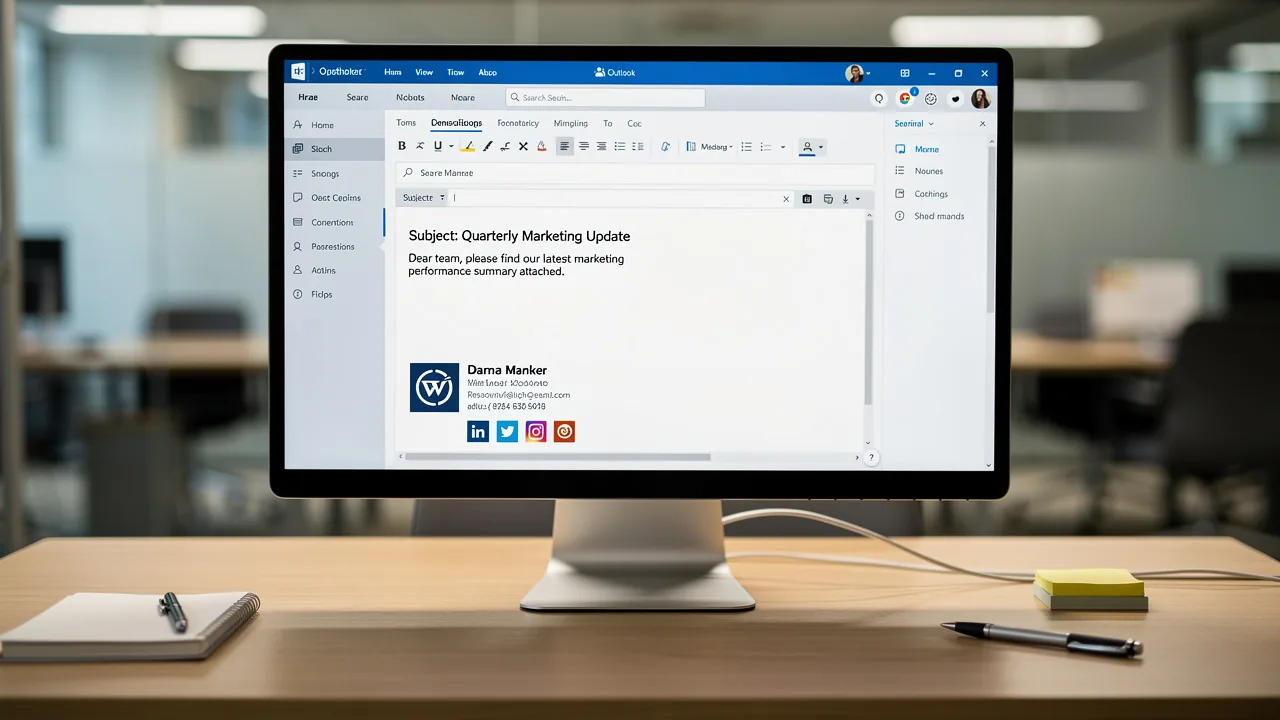
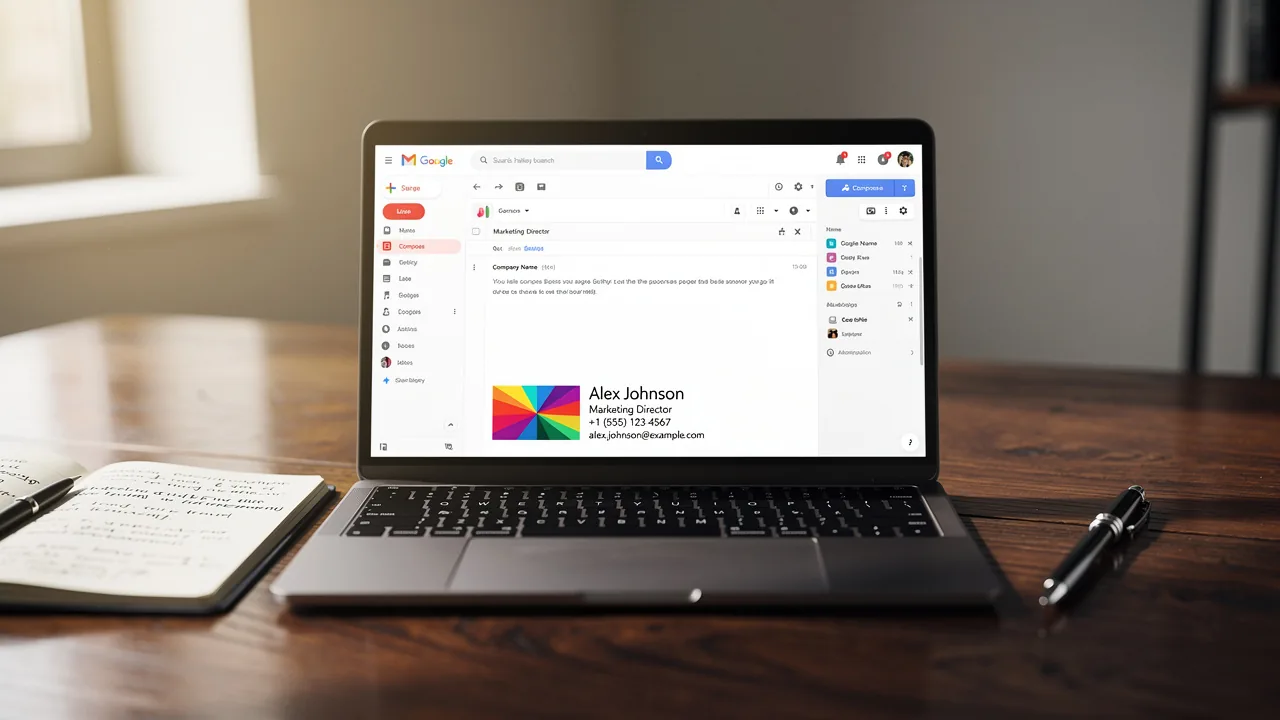
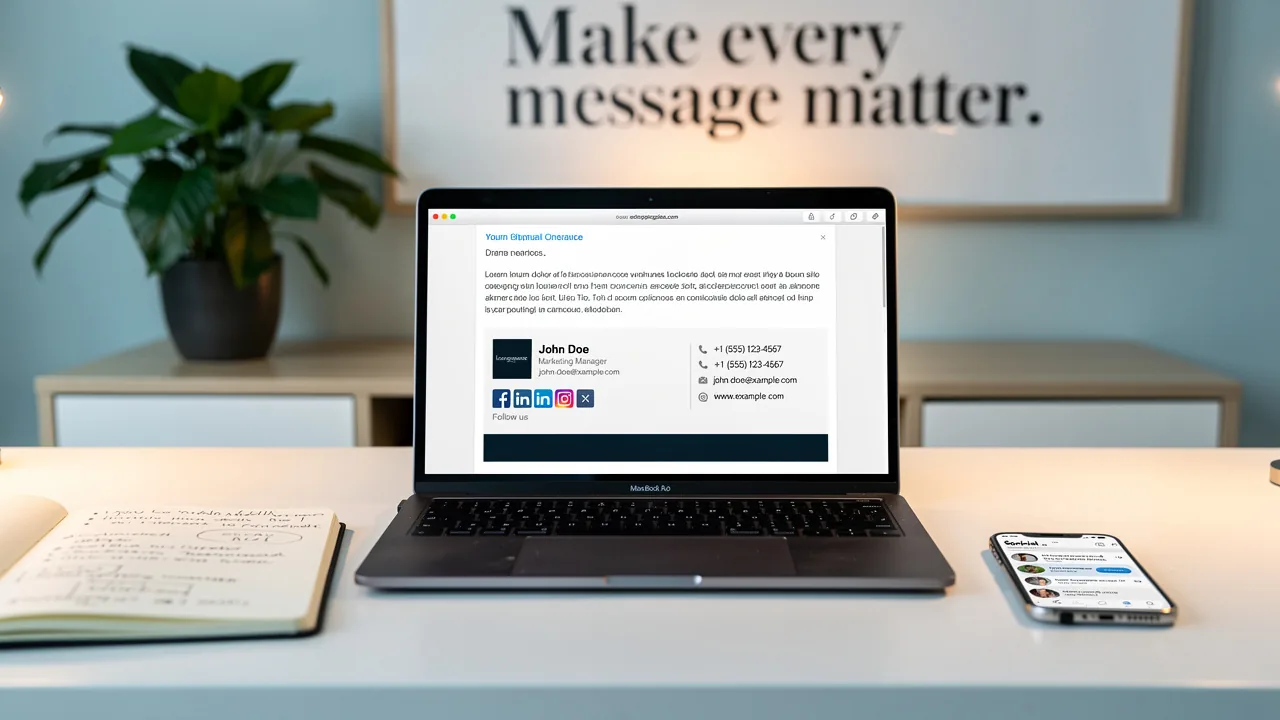
Many professionals underestimate the impact of their email signatures on their branding and communication. A signature serves not only as a personal identifier but also as a powerful branding tool that can enhance visibility and trust. This guide explores the step-by-step process of creating a signature using Scribe, highlighting the advantages of automated solutions over manual methods. Optimizing email signatures is essential for enhancing brand visibility and establishing trust in professional communications.
Understand the Importance of a Signature for Branding
In an era where digital communication shapes first impressions, the significance of a professional email signature cannot be overstated. A mark goes beyond simple identification; it acts as a visual representation of your identity. Here are essential considerations:
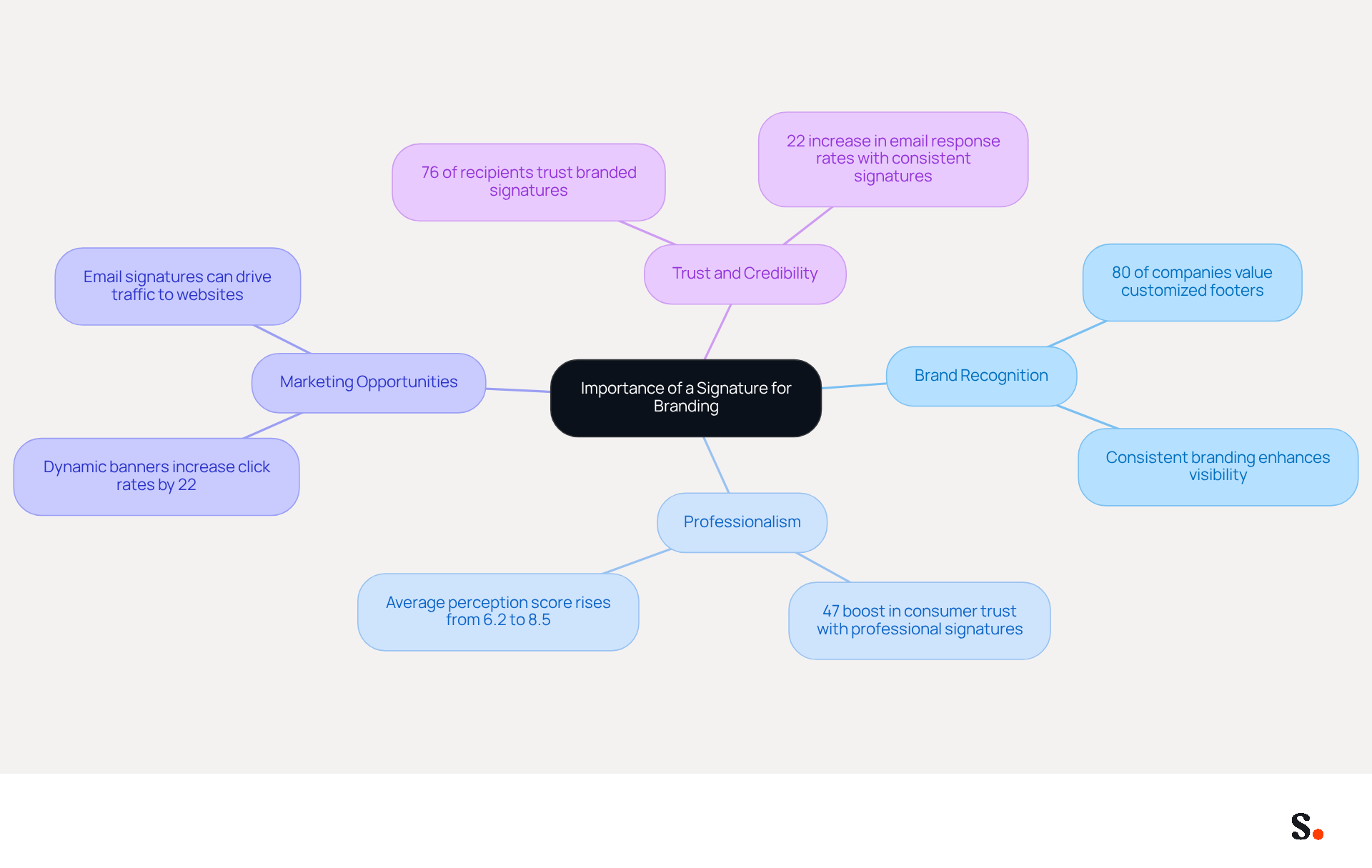
- Brand Recognition: Consistent use of a signature reinforces your brand's visual identity, making it easily recognizable to recipients. Studies indicate that a striking 80% of companies view customized digital footers as vital for establishing their corporate identity, with a direct link between professional footers and heightened trust from recipients.
- Professionalism: A well-crafted mark conveys professionalism and meticulous attention to detail, positively influencing how clients and partners perceive you. Research indicates that messages with professionally branded identifiers boost consumer trust by 47% and promote a more positive brand image by 43%.
- Marketing Opportunities: Signatures can incorporate promotional elements such as banners or call-to-action buttons, transforming every message into a marketing opportunity. Dynamic banners in digital communications can boost click rates by 22%, greatly improving engagement.
- Trust and Credibility: An emblem that accurately represents your identity fosters trust with your audience, demonstrating a commitment to quality communication. Consistent branding can lead to a 22% increase in email response rates, reinforcing the importance of a professional appearance.
Investing in a professional signature not only enhances your credibility but also opens up new marketing avenues. Ultimately, a well-designed signature is not just a formality; it is a strategic asset that can significantly influence your professional interactions.
Choose Your Signature Creation Method: Manual vs. Automated
Businesses often grapple with the choice between manual and automated methods for creating their brand marks, each presenting unique challenges and benefits.
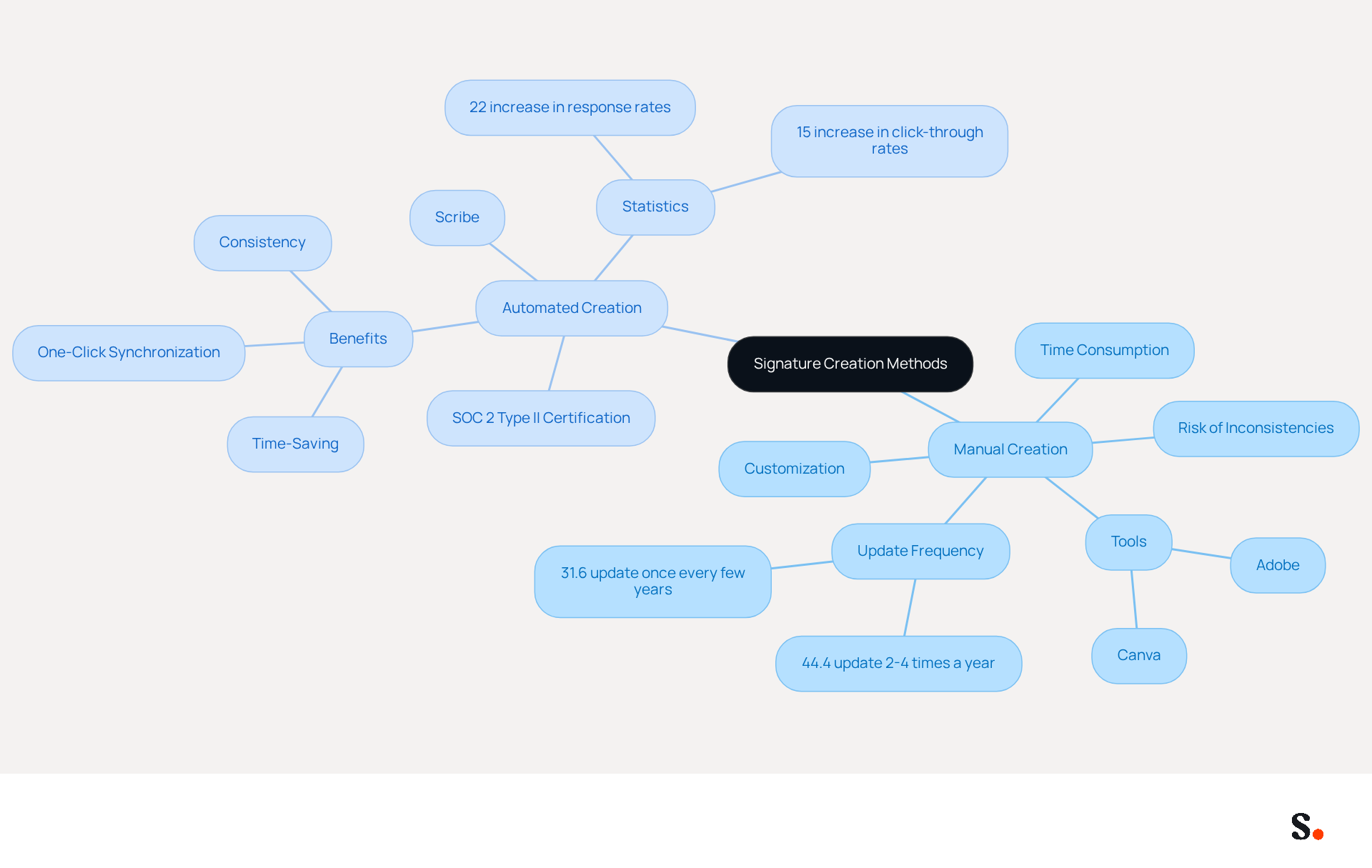
- Manual Creation of Your Mark: Creating your mark manually allows for complete customization, but it can be a time-consuming endeavor. While tools like Canva or Adobe facilitate this process, it often leads to inconsistencies if not managed properly. Research indicates that 44.4% of professionals update their email details only 2-4 times a year. However, without careful management, this method can result in branding inconsistencies that undermine professional image.
- Automated Signature Creation with Scribe: In contrast, Scribe provides an automated solution that simplifies the process of creating autographs. By granting Scribe permission to connect with your Google Workspace, you can enable one-click synchronization, allowing you to auto-fill your teammates' details. This guarantees consistency across your organization and saves time, as any updates in your Google Workspace-such as changes in job positions or group assignments-are automatically reflected in the application. Businesses that utilize automated email signatures have seen a [22% increase in response rates](https://click-through rates are 62%.) and a 15% rise in click-through rates to their websites, highlighting the effectiveness of this approach.
For businesses looking to improve brand consistency and efficiency, Scribe's automated creation of email footers is the best option. It removes the inconvenience of manual updates, ensuring that your team always has the most recent branding elements in their email footers. Additionally, the platform is SOC 2 Type II certified, ensuring that your data is managed with the highest level of care, offering peace of mind while enhancing your branding efforts. By choosing Scribe, businesses not only enhance their branding consistency but also position themselves for greater engagement and success.
Create Your Signature Using Scribe: A Step-by-Step Process
To enhance visibility and establish trust with your audience, it is essential to make a signature from your name in your professional emails. Follow these steps:
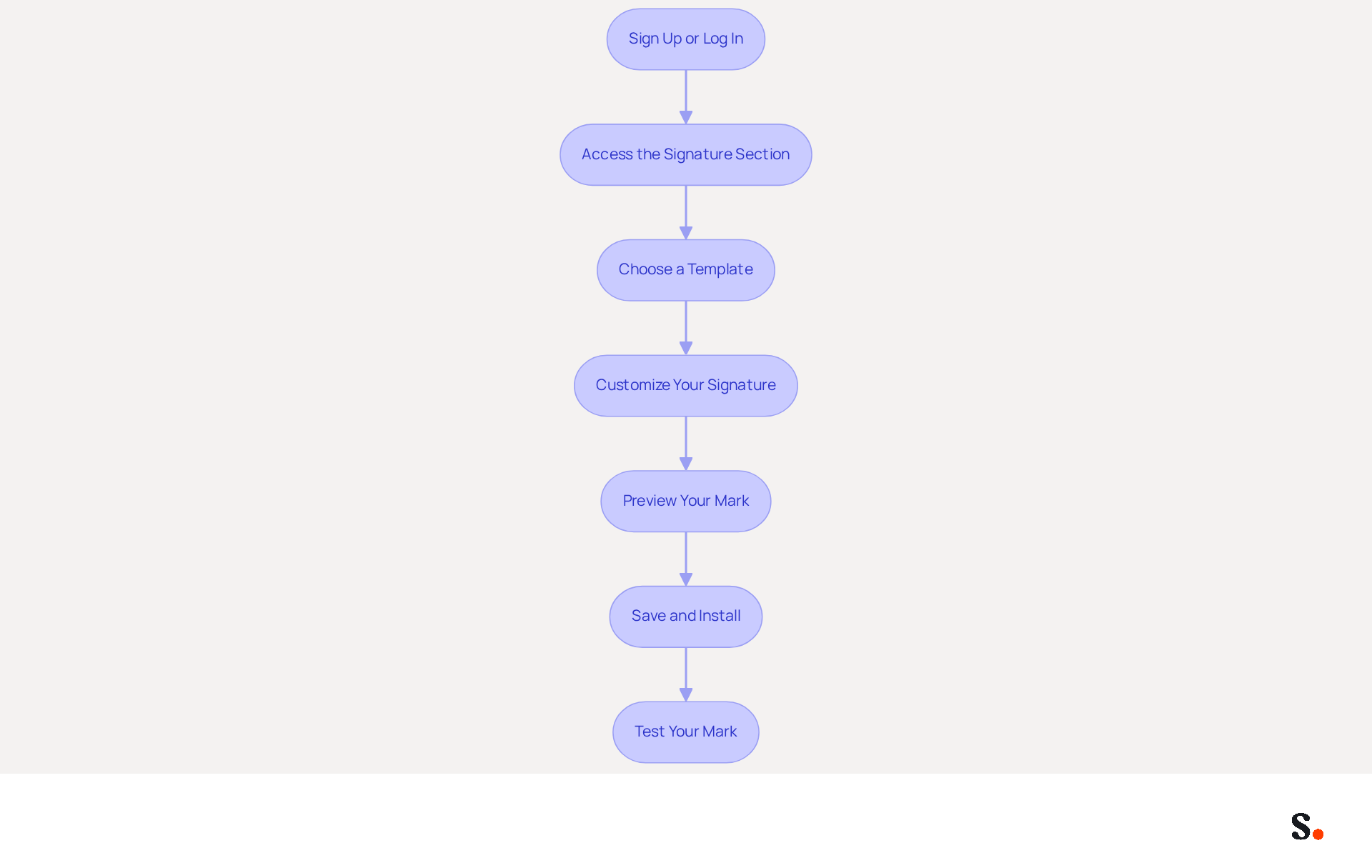
- Sign Up or Log In: Visit the Scribe website to sign up for a new account or log in if you already have one.
- Access the Signature Section: Navigate to the 'Signature' section of your dashboard after logging in.
- Choose a Template: Select from a variety of pre-designed templates that align with your brand’s visual identity. These templates can be customized to fit your style.
- Customize Your Signature: Enter your name, title, and any other relevant information. You can also add social media links, a logo, and promotional banners to enhance engagement. In fact, incorporating a call-to-action (CTA) in your contact details can significantly boost engagement, as evidenced by 52.6% of users who do so.
- Preview Your Mark: Before finalizing, preview your mark to ensure it looks professional and aligns with your branding.
- Save and Install: Once satisfied, save your mark and follow the prompts to install it across your email platforms, ensuring consistent application. With Scribe's one-click sync feature for Google Workspace, any updates to your teammates' details will automatically show up in their signatures, making it easier for everyone and ensuring accuracy. Additionally, Scribe can auto-fill initials using your Business phone system as a data source, further streamlining the process.
- Test Your Mark: Send a test message to yourself or a colleague to see how the mark appears in actual communications.
By following these steps, you can make a signature from your name that enhances your brand's visibility and builds trust with your audience. Frequent updates and evaluations of your identifier can further ensure consistency and effectiveness in your communications. By neglecting to implement a branded email footer, you risk losing potential trust and engagement from your audience. It's crucial to recognize that branded email footers can enhance trust by 76%, making them an essential element of your marketing strategy. Additionally, Scribe's SOC 2 Type II compliance guarantees that your data remains secure throughout this process.
Troubleshoot Common Issues in Signature Creation
While creating your personal mark with the tool can be straightforward, several common challenges may arise. Here are solutions to help you troubleshoot effectively:
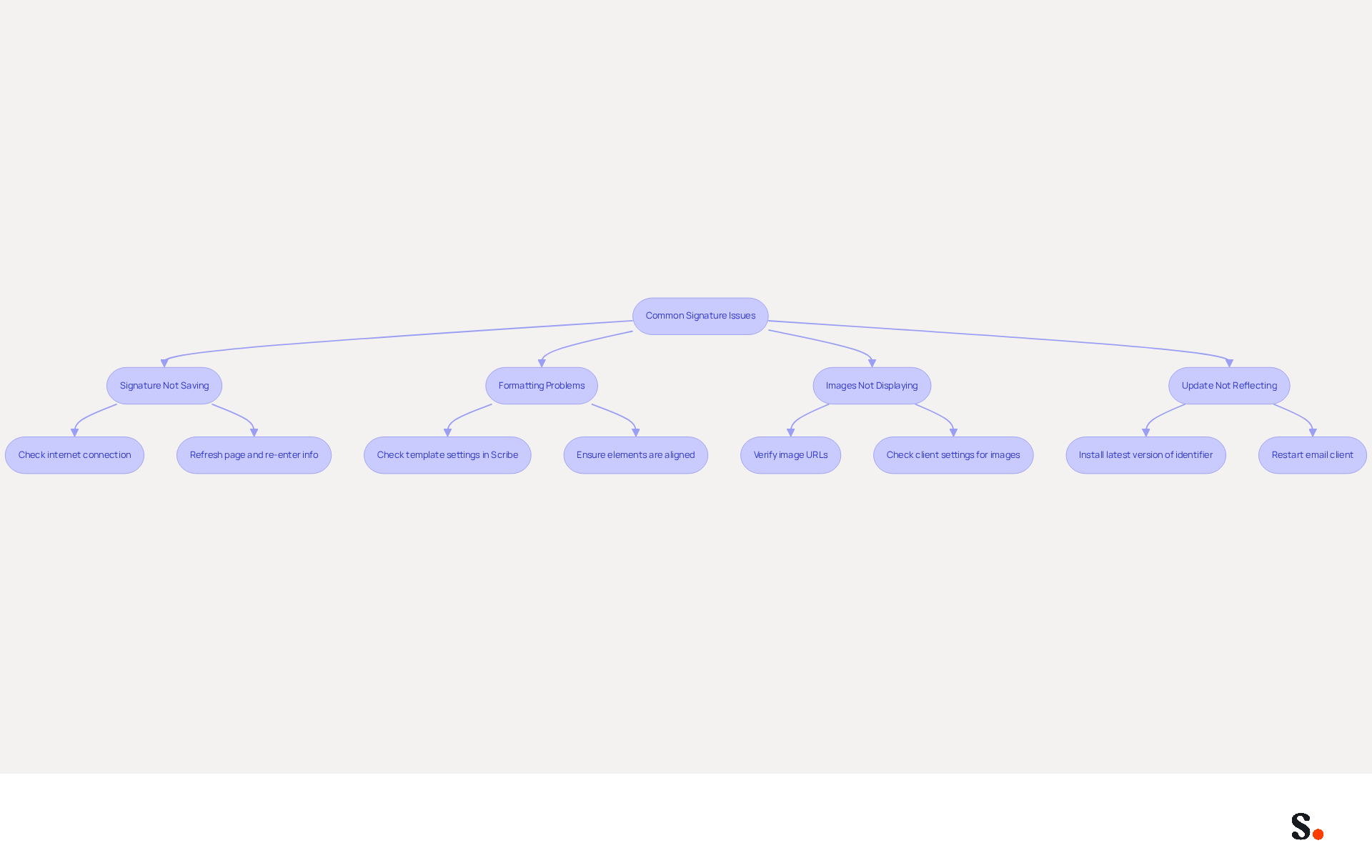
- Issue: Signature Not Saving: If your signature isn’t saving, check your internet connection for stability. Refresh the page and re-enter your information if necessary.
- Issue: Formatting Problems: If your mark appears incorrectly formatted in messages, check the template settings in Scribe. Ensure all elements are properly aligned and compatible with your messaging client.
- Issue: Images Not Displaying: If images in your email fail to show, verify that the image URLs are correct and that the images are hosted on a reliable server. Additionally, check your client’s settings regarding image display.
- Issue: Update Not Reflecting: If modifications to your identifier aren’t shown in messages, verify that you have installed the latest version of your identifier across all messaging platforms. A simple restart of the email client can often resolve this issue.
Syncing your Google Workspace with the application streamlines updates, ensuring that any changes to your teammates' information are automatically reflected in their signatures. This one-click synchronization process enhances efficiency and helps maintain brand consistency across all communications. Scribe's SOC 2 Type II compliance ensures that your data is managed securely. Interestingly, 31.6% of users update their email details only once every few years, underscoring the importance of regular upkeep. Furthermore, 42% of consumers feel negatively towards businesses that do not use branded signatures, making it crucial to resolve any signature-related problems promptly. Addressing these signature-related issues is essential for maintaining a professional image and ensuring effective communication.
Conclusion
Crafting a signature with Scribe is more than a mere task; it’s a pivotal step in shaping your professional image and brand visibility. Scribe’s automated signature creation ensures that businesses maintain consistency and professionalism in their communications, ultimately fostering trust and engagement with their audience.
Throughout this guide, we have highlighted the importance of a well-crafted signature, emphasizing its role in brand recognition, professionalism, and marketing opportunities. The comparison between manual and automated methods underscores the efficiency and effectiveness of using Scribe, particularly with its SOC 2 Type II certification ensuring data security and compliance. The step-by-step process provided offers a clear pathway for users to create and troubleshoot their signatures, reinforcing the ease of use that Scribe offers to non-technical users.
In a world where first impressions matter, taking the time to create a professional email signature can truly enhance your branding efforts. Embrace the power of Scribe to not only elevate your personal branding but also to transform every email into a marketing opportunity. By doing so, organizations can achieve 100% brand consistency and measurable marketing ROI, ensuring that their communications resonate with recipients and drive engagement.
Frequently Asked Questions
Why is a professional email signature important for branding?
A professional email signature is crucial for branding as it acts as a visual representation of your identity, reinforces brand recognition, and establishes a corporate identity that recipients can easily recognize.
How does a signature contribute to brand recognition?
Consistent use of a signature enhances brand recognition, with studies showing that 80% of companies consider customized digital footers essential for establishing their corporate identity.
What impact does a well-crafted signature have on professionalism?
A well-crafted signature conveys professionalism and attention to detail, positively influencing clients' and partners' perceptions, and can boost consumer trust by 47% and improve brand image by 43%.
Can email signatures be used for marketing purposes?
Yes, email signatures can incorporate promotional elements like banners or call-to-action buttons, turning every message into a marketing opportunity and potentially increasing click rates by 22%.
How does a professional signature affect trust and credibility?
A signature that accurately represents your identity fosters trust with your audience and demonstrates a commitment to quality communication, leading to a 22% increase in email response rates.
What are the overall benefits of investing in a professional email signature?
Investing in a professional signature enhances credibility, opens new marketing avenues, and serves as a strategic asset that can significantly influence professional interactions.
List of Sources
- Understand the Importance of a Signature for Branding
- Research Recap: Branded Email Signatures Increase Company Recognition, Trust - Demand Gen Report (https://demandgenreport.com/industry-news/research-recap-branded-email-signatures-increase-company-recognition-trust/47252)
- The impact of email signatures on your branding (https://signitic.com/en/resources/the-impact-of-email-signatures-on-your-branding)
- Why Email Signatures Must Be In Your 2026 Marketing Plan | Rocketseed (https://rocketseed.com/blog/what-are-the-biggest-email-trends-for-2026)
- Why Are Email Signatures Key to Brand Awareness? | QuickMail (https://quickmail.com/role-of-email-signatures-in-brand-awareness)
- The benefits of a branded email signature (https://bybrand.io/blog/branded-email-signature)
- Choose Your Signature Creation Method: Manual vs. Automated
- Email signature statistics: Why every business should optimize their email signatures — Stripo.email (https://stripo.email/blog/email-signature-statistics-why-every-business-should-optimize-their-email-signatures)
- 40+ Email Signature Statistics for 2026 (Data + Insights) (https://wavecnct.com/ar/blogs/email-signature-statistics)
- Automating Email Signatures: How IT Teams Streamline Processes & Reduce Risk (https://exclaimer.com/blog/streamlining-it-processes-automated-email-signatures)
- WiseStamp Sets a New Standard for Email Signature Creation (https://prnewswire.com/news-releases/wisestamp-sets-a-new-standard-for-email-signature-creation-302689811.html)
- Email Signature Trends 2026: Centralized Control & Automation | SIGNandGO posted on the topic | LinkedIn (https://linkedin.com/posts/signngo_email-signature-trends-to-watch-in-2026-activity-7401523471786217473-zAVL)
- Create Your Signature Using Scribe: A Step-by-Step Process
- Email Signature Statistics: A Closer Look at Email Signatures in 2026 (https://mysignature.io/blog/email-signature-statistics)
- Email signature statistics: Why every business should optimize their email signatures — Stripo.email (https://stripo.email/blog/email-signature-statistics-why-every-business-should-optimize-their-email-signatures)
- 45+ Clever and Professional Email Signature Quotes (https://bulksignature.com/blog/45-clever-and-professional-email-signature-quotes)
- Email signature statistics and trends in 2024 (https://wisestamp.com/blog/email-signature-statistics)
- 40+ Email Signature Statistics for 2026 (Data + Insights) (https://wavecnct.com/blogs/email-signature-statistics)
- Troubleshoot Common Issues in Signature Creation
- Email Signature Troubleshooting - Problems & Solutions - Gimmio (https://blog.gimm.io/email-signature-troubleshooting)
- Troubleshooting Email Signature Issues in Outlook (https://justanswer.com/email/lyeqn-email-signatures-no-longer-loading-automatically.html)
- How to solve problems with email signatures in Microsoft 365? (https://mail-signatures.com/articles/problems-email-signatures-office-365)
- Unable to send or receive emails – possible issue with new signature - Microsoft Q&A (https://learn.microsoft.com/en-us/answers/questions/5491301/unable-to-send-or-receive-emails-possible-issue-wi)
- 40+ Email Signature Statistics for 2026 (Data + Insights) (https://wavecnct.com/blogs/email-signature-statistics)
Get started with Scribe
Create your signature in minutes
Free 14-day trial — no credit card.