How to Manage Email Signature Centrally with Scribe: A Step-by-Step Guide
As organizations strive for brand consistency, the challenge of managing email signatures effectively becomes increasingly critical. By utilizing Scribe
Sophie Grant
Email Signature Specialist, Scribe

Introduction
As organizations strive for brand consistency, the challenge of managing email signatures effectively becomes increasingly critical. By utilizing Scribe, companies can streamline their email signature processes, ensuring that every message reflects their brand identity while transforming each email into a marketing opportunity. Organizations often struggle to maintain brand consistency across various email platforms.
How can they implement and sustain a centralized email signature system that meets branding needs and drives engagement? This guide provides a step-by-step approach to mastering email signature management with Scribe.
Without a robust email signature management system, organizations risk losing valuable engagement opportunities.
Understand Centralized Email Signature Management
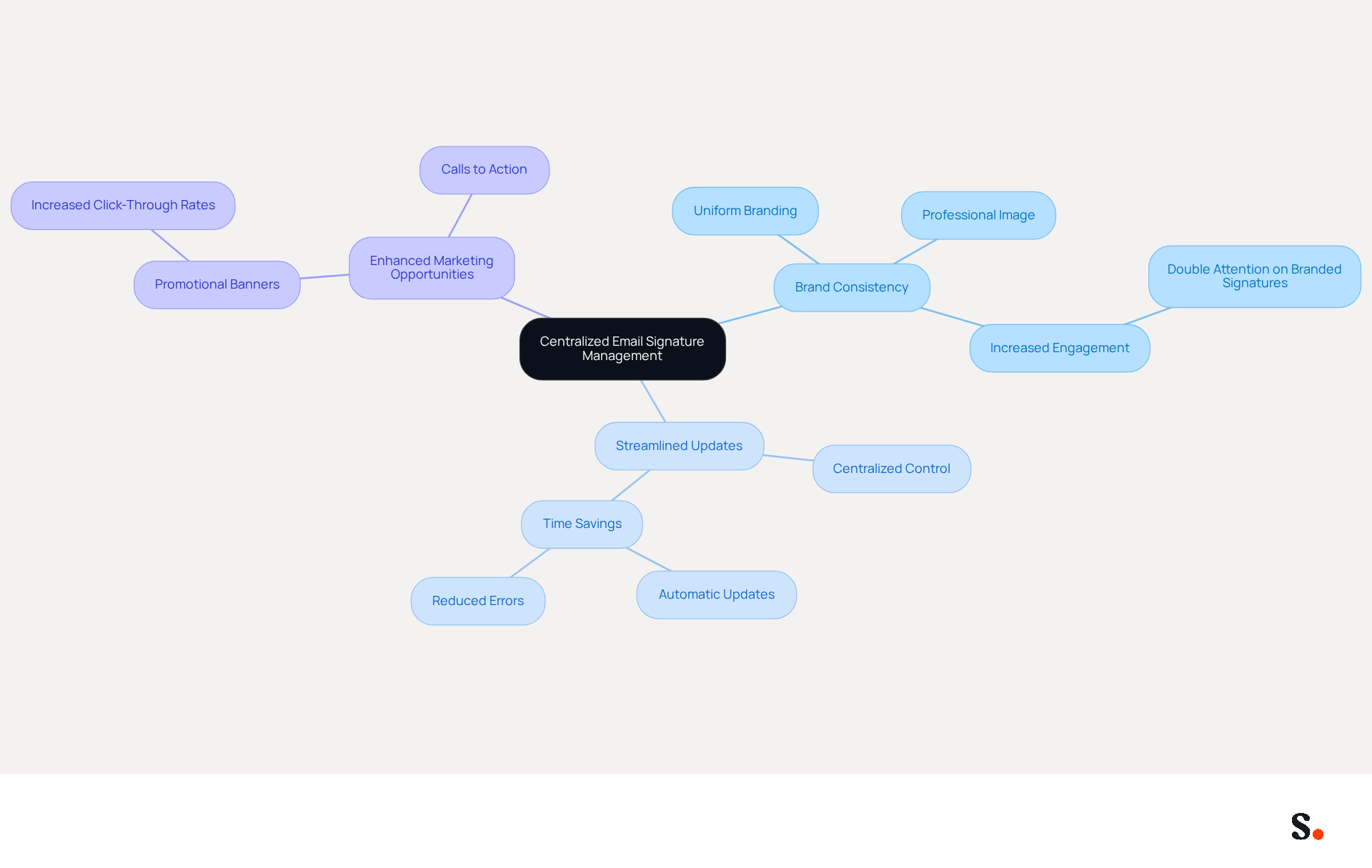
To address the challenges of inconsistent branding across employee communications, it is essential to manage email signature centrally. This method ensures that discrepancies often arise when users do not manage email signature centrally, leading to inconsistent branding. With Scribe, organizations can achieve several key benefits:
- Ensure Brand Consistency: All signatures uniformly reflect the company's branding, including logos, colors, and fonts, which is crucial for maintaining a professional image. Studies show that customized email footers grab twice the attention of generic ones, significantly boosting visibility.
- Streamline Updates: You can manage email signature centrally, allowing changes to be made in one centralized location and automatically applied to all users, saving time and reducing errors. By implementing a strategy to manage email signature centrally, this central management can lead to an impressive 85% increase in brand consistency and a 22% rise in response rates, illustrating how a unified approach can drive significant improvements in branding consistency. Scribe's integration with Google Workspace and Microsoft 365 further enhances this capability.
- Enhance Marketing Opportunities: Centralized management allows for the inclusion of promotional banners and calls to action, transforming every message into a marketing opportunity. Campaigns that incorporate promotional banners have seen click-through rates soar to 12%, far exceeding the average for standard footers.
Recent trends suggest that organizations are increasingly emphasizing centralized control and automated campaigns to manage email signature centrally and ensure compliance-driven updates for digital identifiers. By 2026, the emphasis on centralized management is anticipated to increase, with companies acknowledging digital identifiers as essential tools for everyday communication and marketing interaction. Implementing a centralized system like Scribe positions organizations to leverage every email as a strategic marketing tool.
Set Up Your Centralized Email Signature System with Scribe
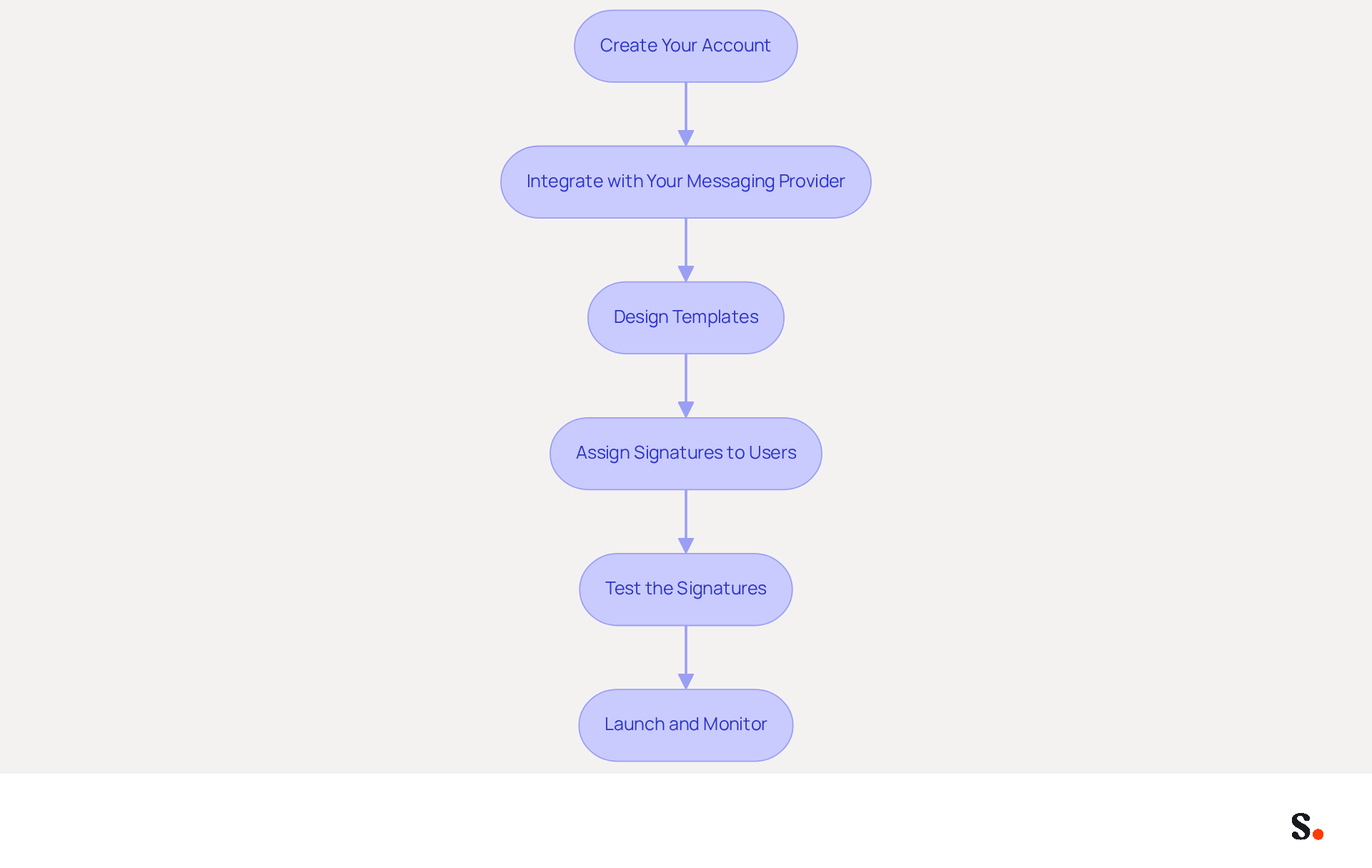
By using Scribe, you can manage email signature centrally, which can streamline your branding efforts and enhance communication consistency. To establish your centralized email signature system with Scribe, follow these steps:
- Create Your Account: Begin by visiting the website and signing up for an account. Ensure you have administrative access to manage approvals for your team.
- Integrate with Your Messaging Provider: Connect your platform to your communication service, such as Google Workspace or Microsoft 365. This integration allows the platform to manage signatures right in your email system.
- For Google Workspace, follow the prompts to authorize the application to access your account.
- For Microsoft 365, grant the necessary permissions for Scribe to handle sign-offs.
- Design Templates: Utilize Scribe’s template editor to create on-brand communication identifiers. Include essential elements such as:
- Employee name and title
- Company logo
- Contact information
- Social media links
- Promotional banners or CTAs
- Assign Signatures to Users: After designing your templates, assign them to your team members. This can be done individually or in bulk, depending on your organization’s size.
- Test the Signatures: Send test emails to ensure the signatures appear correctly across different email clients and devices, as compatibility can vary.
- Launch and Monitor: Once testing is complete, officially introduce the new identifiers. Use Scribe’s analytics features to monitor their performance and make adjustments as needed.
By following these steps, you will be able to manage email signature centrally, which will help create a branding system that boosts your brand’s visibility and consistency. Significantly, organizations that manage their electronic identifiers effectively see a significant increase in engagement, demonstrating the value of professional branding.
Maintain and Optimize Your Email Signatures
To maintain the effectiveness of your email signatures and ensure they reflect your brand accurately, consider implementing these maintenance and optimization strategies:
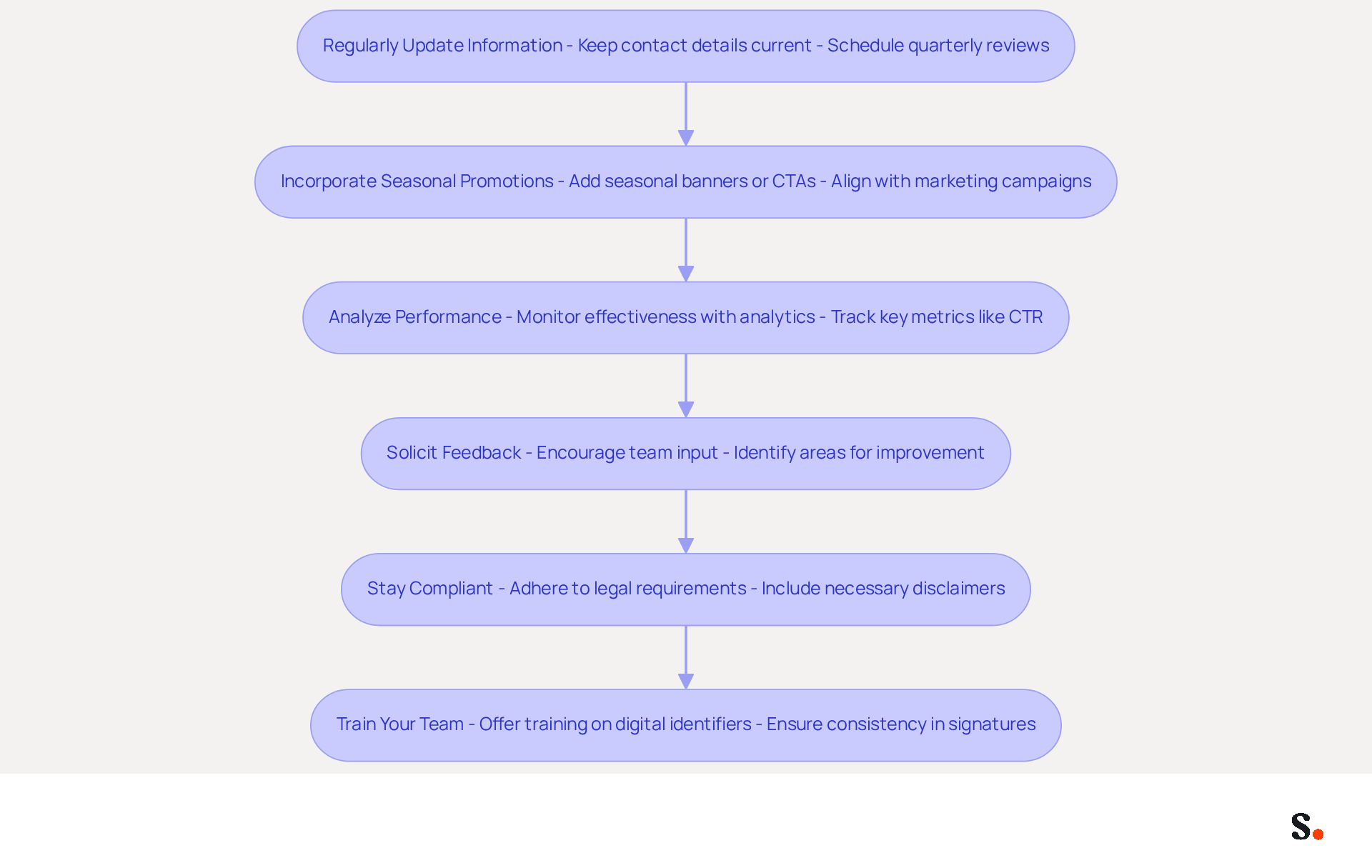
- Regularly Update Information: Keep all contact details, titles, and branding elements current. Schedule periodic reviews, ideally quarterly, to check for necessary updates. It's interesting to note that 44.4% of professionals update their contact details two to four times a year, which underscores how crucial regular audits are. Using Scribe to sync your Google Workspace automatically updates your teammates' details, such as job roles or group assignments, saving you time and effort.
- Incorporate Seasonal Promotions: Leverage Scribe’s features to add seasonal banners or calls to action (CTAs) that align with your marketing campaigns. This approach not only keeps your branding fresh but also helps engage your audience more effectively, as 43% of consumers value promotional materials in digital formats.
- Analyze Performance: Utilize Scribe’s analytics tools to monitor the effectiveness of your digital identifiers. Keep an eye on key metrics such as click-through rates on banners and overall engagement, which can significantly impact your marketing efforts. For example, messages with branded identifiers can experience a 22% rise in response rates. Scribe's average click-through rate on banners is 12%, demonstrating the effectiveness of your email footers in driving engagement.
- Solicit Feedback: Encourage team members to provide input on the documents. This collaborative approach can help identify areas for improvement and ensure that the endorsements resonate with recipients, ultimately enhancing brand perception.
- Stay Compliant: Ensure that your endorsements adhere to legal requirements, such as including necessary disclaimers or confidentiality notices, especially in regulated industries. Adhering to these standards not only enhances professionalism but also builds trust with clients. Scribe holds SOC 2 Type II certification and adheres to GDPR and CCPA, guaranteeing that your identifiers align with the highest security and compliance benchmarks.
- Train Your Team: Offer training sessions for new employees on the significance of digital identifiers and how to utilize Scribe effectively. This ensures that everyone understands the importance of maintaining consistency, which can enhance customer trust by as much as 76%. With Scribe's efficient one-click synchronization process, your team can easily manage email signature centrally after the initial IT setup.
Implementing these strategies not only enhances your brand's visibility but also fosters trust and engagement with your audience.
Troubleshoot Common Email Signature Management Issues
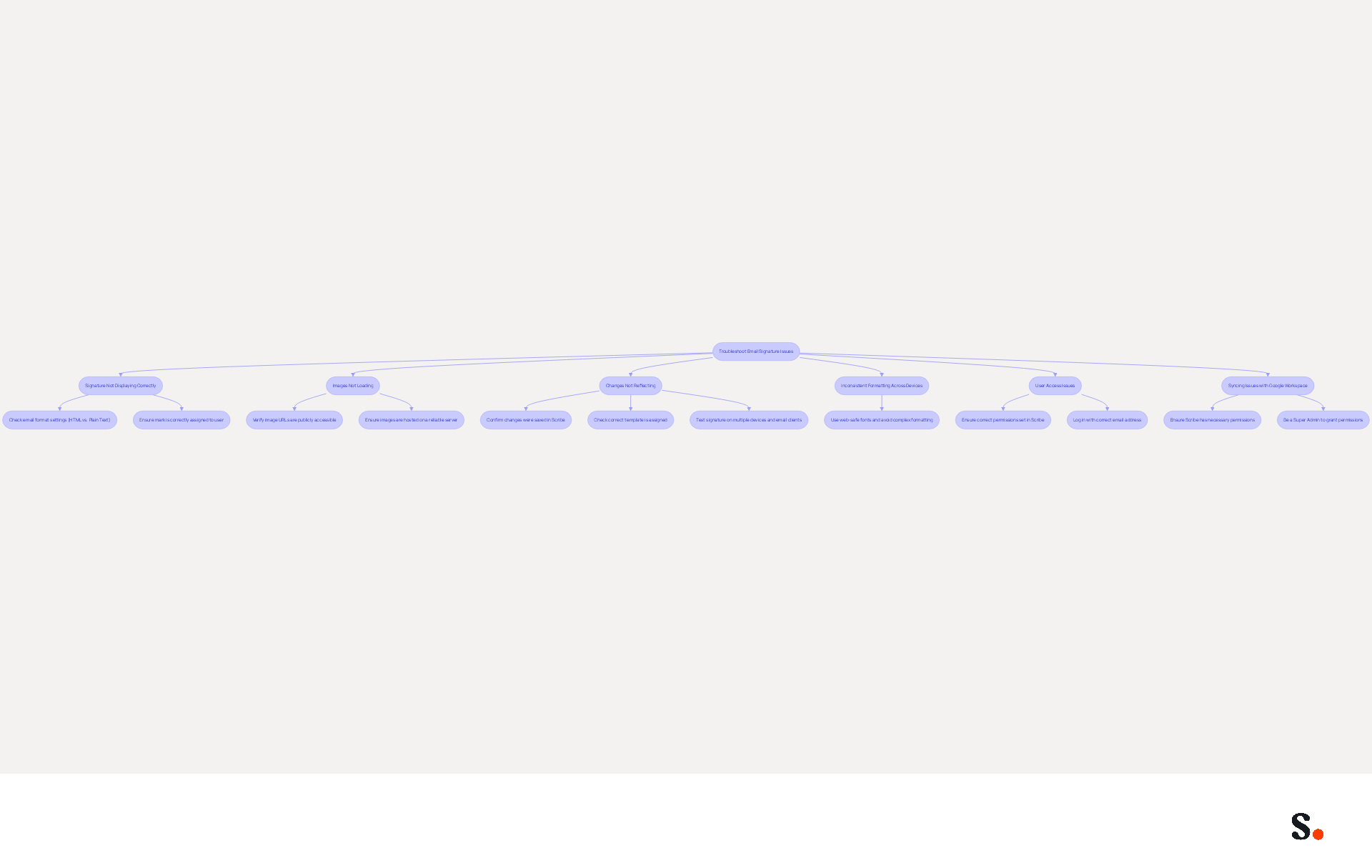
Managing Scribe's identifiers can present challenges that, if not addressed, may hinder effective communication. Here’s how to troubleshoot them effectively:
-
Signature Not Displaying Correctly: Users may find that their signatures do not display correctly, leading to confusion and potential miscommunication. To resolve this:
- Check the email format settings (HTML vs. Plain Text) in your email client.
- Ensure that the mark is correctly assigned to the user in the application.
-
Images Not Loading: If images in the signature are not displaying, verify that:
- The image URLs are publicly accessible.
- The images are hosted on a reliable server.
-
Changes Not Reflecting: If updates to signatures are not showing, confirm that:
- The changes were saved in Scribe.
- The correct template is assigned. Additionally, check if the messaging client requires a restart to reflect changes.
-
Inconsistent Formatting Across Devices: If signatures look different on various devices, it’s important to:
- Test the signature on multiple devices and email clients to identify discrepancies.
- Use web-safe fonts and avoid complex formatting to ensure consistency.
-
User Access Issues: If team members cannot access their signatures, ensure:
- They have the correct permissions set in Scribe.
- They are logging in with the correct email address linked to their account.
-
Syncing Issues with Google Workspace: If you experience problems with syncing, ensure that:
- Scribe has the necessary permissions to connect with your Google Workspace account. You must be a Super Admin to grant these permissions.
- Any changes made in your Google Workspace, such as moving teammates or updating their information, will automatically reflect in the application, saving you time and ensuring brand consistency.
By addressing these common issues, users can enhance their email communication and ensure brand consistency. This compliance underscores the platform's commitment to data security, providing peace of mind for users. Organizations that manage email signature centrally through a system like Scribe can expect a 22% increase in email response rates, highlighting the importance of effective management in enhancing communication and brand consistency.
Conclusion
Centralized email signature management is essential for organizations striving for brand consistency and effective communication. Scribe enables companies to manage email signatures efficiently, ensuring each employee's signature aligns with the brand and turns every email into a marketing opportunity.
This guide clearly outlines the significant benefits of centralized email signature management, including:
- Uniform branding
- Streamlined updates
- The ability to leverage marketing opportunities through promotional banners
The step-by-step setup process with Scribe emphasizes ease of integration with platforms like Google Workspace and Microsoft 365. Additionally, strategies for maintaining and optimizing email signatures, along with troubleshooting common issues, ensure ongoing effectiveness and compliance.
In conclusion, implementing Scribe's centralized management system not only enhances brand visibility but also positions organizations to leverage every email as a strategic marketing tool. Companies that embrace this approach are better equipped to thrive in a competitive landscape, turning each email into a valuable asset.
Frequently Asked Questions
What is centralized email signature management?
Centralized email signature management involves managing email signatures from a single location to ensure consistent branding across all employee communications.
Why is it important to manage email signatures centrally?
Managing email signatures centrally is important to avoid discrepancies that can lead to inconsistent branding, ensuring that all signatures reflect the company's branding uniformly.
What benefits does Scribe offer for email signature management?
Scribe offers several benefits, including ensuring brand consistency, streamlining updates, and enhancing marketing opportunities through centralized management of email signatures.
How does centralized email signature management improve brand consistency?
Centralized management ensures that all email signatures uniformly reflect the company's branding elements, such as logos, colors, and fonts, which helps maintain a professional image.
What impact can centralized email signature management have on response rates?
Implementing a centralized email signature management strategy can lead to an impressive 85% increase in brand consistency and a 22% rise in response rates.
How does Scribe integrate with other platforms?
Scribe integrates with Google Workspace and Microsoft 365, enhancing the capability to manage email signatures centrally.
What marketing opportunities does centralized email signature management provide?
Centralized management allows for the inclusion of promotional banners and calls to action in email signatures, turning every message into a marketing opportunity, with campaigns seeing click-through rates soar to 12%.
What trends are emerging regarding email signature management?
Recent trends indicate that organizations are increasingly focusing on centralized control and automated campaigns for email signature management, with an anticipated rise in the emphasis on digital identifiers by 2026.
List of Sources
- Understand Centralized Email Signature Management
- Why Email Signatures Must Be In Your 2026 Marketing Plan | Rocketseed (https://rocketseed.com/blog/what-are-the-biggest-email-trends-for-2026)
- 5 Benefits of Using Centrally Managed Email Signatures | Crossware365 (https://crossware365.com/blog/5-benefits-of-using-centrally-managed-email-signatures)
- WiseStamp Sets a New Standard for Email Signature Creation (https://prnewswire.com/news-releases/wisestamp-sets-a-new-standard-for-email-signature-creation-302689811.html)
- Email Signature Trends 2026: Centralized Control & Automation | SIGNandGO posted on the topic | LinkedIn (https://linkedin.com/posts/signngo_email-signature-trends-to-watch-in-2026-activity-7401523471786217473-zAVL)
- Best Practices for Company Email Signature Management to Boost ROI (https://scribe-mail.com/en-US/blog/best-practices-for-company-email-signature-management-to-boost-roi)
- Set Up Your Centralized Email Signature System with Scribe
- Email signature management for teams & AI agents (https://scribe-mail.com/en-US)
- 40+ Email Signature Statistics for 2026 (Data + Insights) (https://wavecnct.com/blogs/email-signature-statistics)
- Centralized Email Signature Management: A Guide for IT (https://exclaimer.com/email-signature-handbook/centralized-email-signature-management)
- Maximize Your Email Signature Program with These 4 Best Practices (https://scribe-mail.com/en-US/blog/maximize-your-email-signature-program-with-these-4-best-practices)
- Maintain and Optimize Your Email Signatures
- Email Signature Branding: Consistency and Impact | Crossware365 (https://crossware365.com/blog/mastering-email-signature-branding-market-presence)
- Master Corporate Email Signature Management for Brand Consistency (https://scribe-mail.com/en-US/blog/master-corporate-email-signature-management-for-brand-consistency)
- Research Recap: Branded Email Signatures Increase Company Recognition, Trust - Demand Gen Report (https://demandgenreport.com/industry-news/research-recap-branded-email-signatures-increase-company-recognition-trust/47252)
- The impact of email signatures on your branding (https://signitic.com/en/resources/the-impact-of-email-signatures-on-your-branding)
- Pro tips for optimizing your email signature (https://tbhcreative.com/blog/email-signature-marketing-design)
- Troubleshoot Common Email Signature Management Issues
- How to solve problems with email signatures in Microsoft 365? (https://mail-signatures.com/articles/problems-email-signatures-office-365)
- Master Company-Wide Email Signature Management for Brand Consistency (https://scribe-mail.com/en-US/blog/master-company-wide-email-signature-management-for-brand-consistency)
- Company-Wide Email Signature Management | CloudM (https://cloudm.io/blog/optimize-your-process-with-company-wide-email-signature-management)
- Email Signature Troubleshooting - Problems & Solutions - Gimmio (https://blog.gimm.io/email-signature-troubleshooting)
- Common email signature management challenges | Focus Group (https://focusgroup.co.uk/resources/blog/email-signature-management-challenges)
Get started with Scribe
Manage signatures across your whole team
Free 14-day trial — no credit card.