How to Set Email Signatures in Outlook for Effective Marketing
Many organizations overlook the marketing potential embedded in their email signatures, missing out on a valuable opportunity to engage their audience. Each
Sophie Grant
Email Signature Specialist, Scribe

Introduction
Many organizations overlook the marketing potential embedded in their email signatures, missing out on a valuable opportunity to engage their audience. Each email sent is not just a message; it’s a chance to reinforce brand identity and connect with recipients. Mastering the art of crafting effective email signatures allows organizations to transform these digital footers into powerful marketing assets that drive traffic and enhance brand recognition.
How can businesses ensure their email signatures are both professional in appearance and functional across various platforms?
Understand the Importance of Email Signatures in Marketing
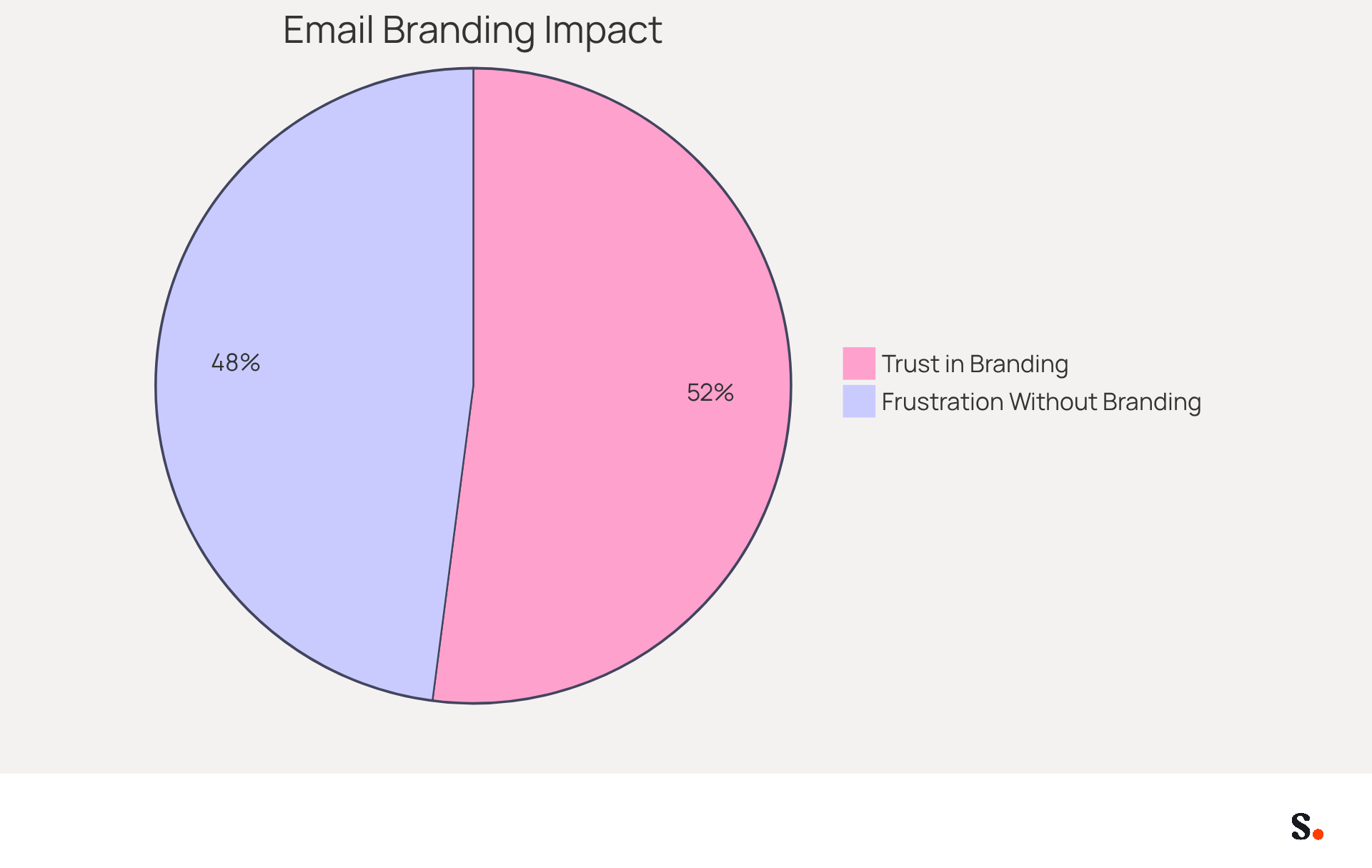
Email footers, often overlooked, present a critical opportunity for marketing effectiveness. Every message dispatched is a chance to reinforce your organization's identity and values, making a well-designed closing essential. Statistics indicate that 76% of recipients trust senders with branded marks, while 70% express frustration when no mark is present. This clearly shows how vital it is to maintain consistent branding in all communications.
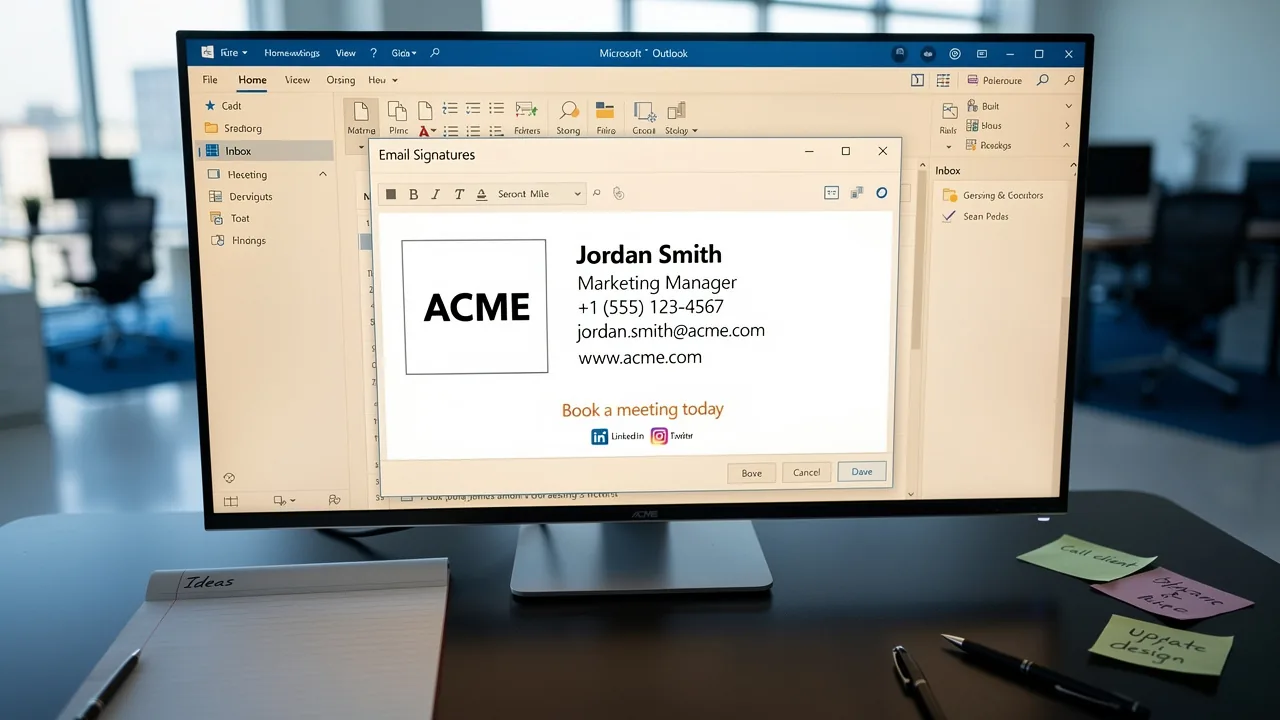
A well-designed digital identifier not only boosts brand awareness but also drives website traffic and generates valuable leads. Incorporating elements such as logos, social media links, and promotional banners can transform a simple sign-off into a dynamic marketing asset. For instance, businesses that employ consistent digital identifiers experience a 22% rise in response rates, demonstrating a clear increase in engagement metrics among recipients.
As we approach 2026, the role of digital identifiers in marketing will only grow. They are evolving into strategic tools that support campaigns and reinforce brand goals when aligned with marketing objectives. Case studies indicate that organizations utilizing digital identifiers effectively have significantly enhanced their engagement metrics, transforming every message into a potential marketing channel. By refining your email footers, you not only enhance communication but also strategically position your brand for future growth.
Create Your Email Signature in Outlook
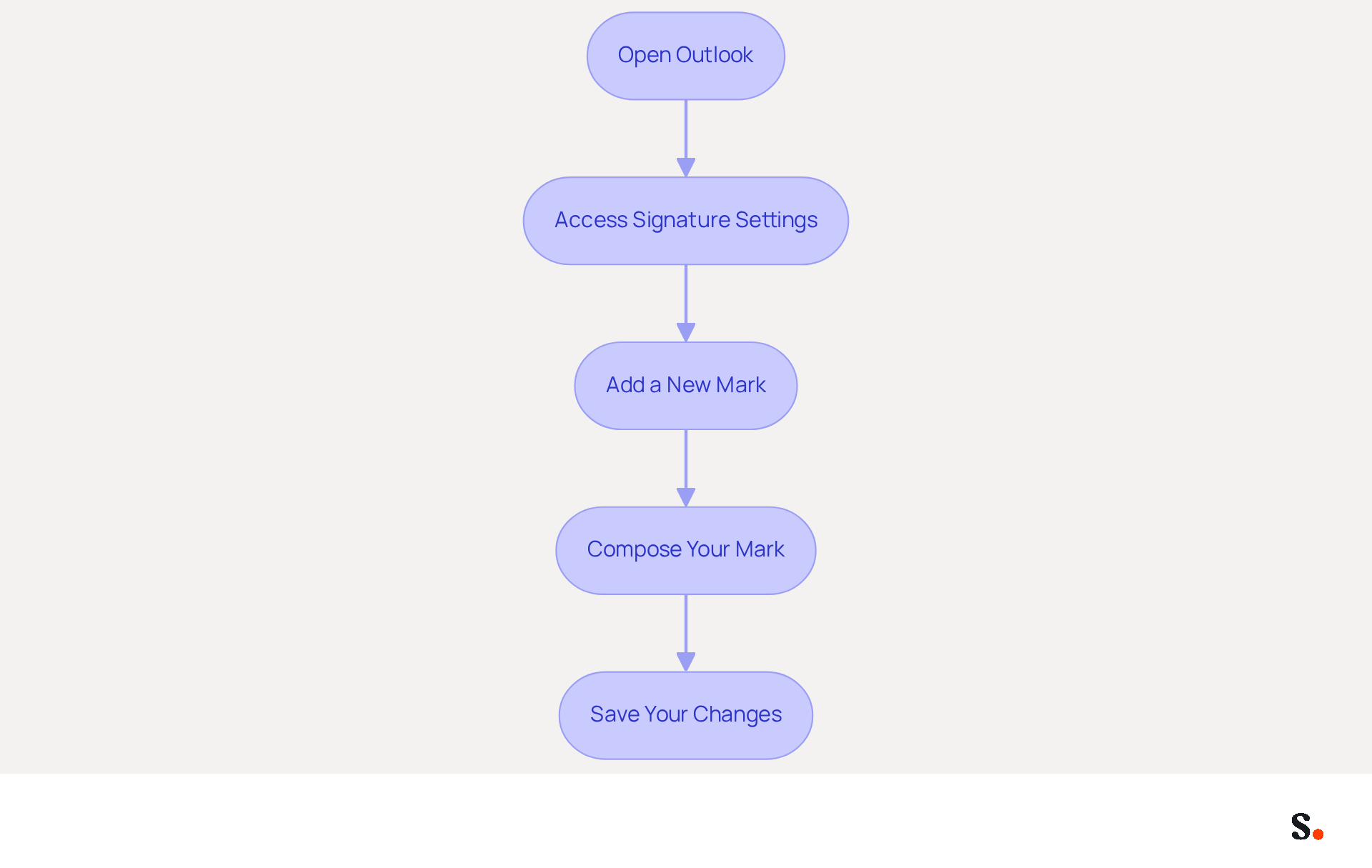
Creating a professional email signature in Outlook is essential for understanding how to set email signatures in Outlook for effective communication and brand representation. To create your email signature in Outlook, follow these steps:
- Open Outlook: Launch the Outlook application on your computer.
- Access Signature Settings: Click on 'File' in the top-left corner, then select 'Options'. In the Outlook Options window, choose 'Mail' from the left-hand menu to understand how to set email signatures in Outlook by clicking on 'Signatures'.
- Add a New Mark: In the Signatures and Stationery window, click 'New' to create a new mark. Give it a distinct name for easy identification.
- Compose Your Mark: In the editing box, type your desired mark. You can format it using various fonts, colors, and styles to match your brand's identity. Branded digital identifiers significantly influence how recipients view your messages, even more than writing quality or formatting. Studies show that using branded identifiers can boost response rates by 22% and increase click-through rates to company websites by 1%. Furthermore, 42% of consumers have a negative perception of businesses that send emails without a branded footer. To understand how to set email signatures in Outlook, choose your new mark as the default for new messages and replies/forwards if desired. This ensures that your mark is consistently applied, enhancing brand recognition. On average, employees send numerous business emails each day, creating ample opportunities for branding.
- Save Your Changes: Click 'OK' to preserve your settings. Your new identifier will now automatically show up in your messages according to your preferences.
By implementing these strategies, you not only enhance your email communication but also strengthen your brand's presence in every interaction. For organizations using Scribe, syncing your Google Workspace with Scribe allows for effortless updates and ensures that any changes made to your teammates' information are automatically reflected in their profiles. This not only saves time but also guarantees brand consistency across all communications. Scribe's SOC 2 Type II compliance and adherence to GDPR and CCPA ensure that your data handling is secure and compliant. For more intricate designs, consider using Word to format your text before pasting it into the box, and always keep your mark concise and professional.
Enhance Your Signature with Images and Links
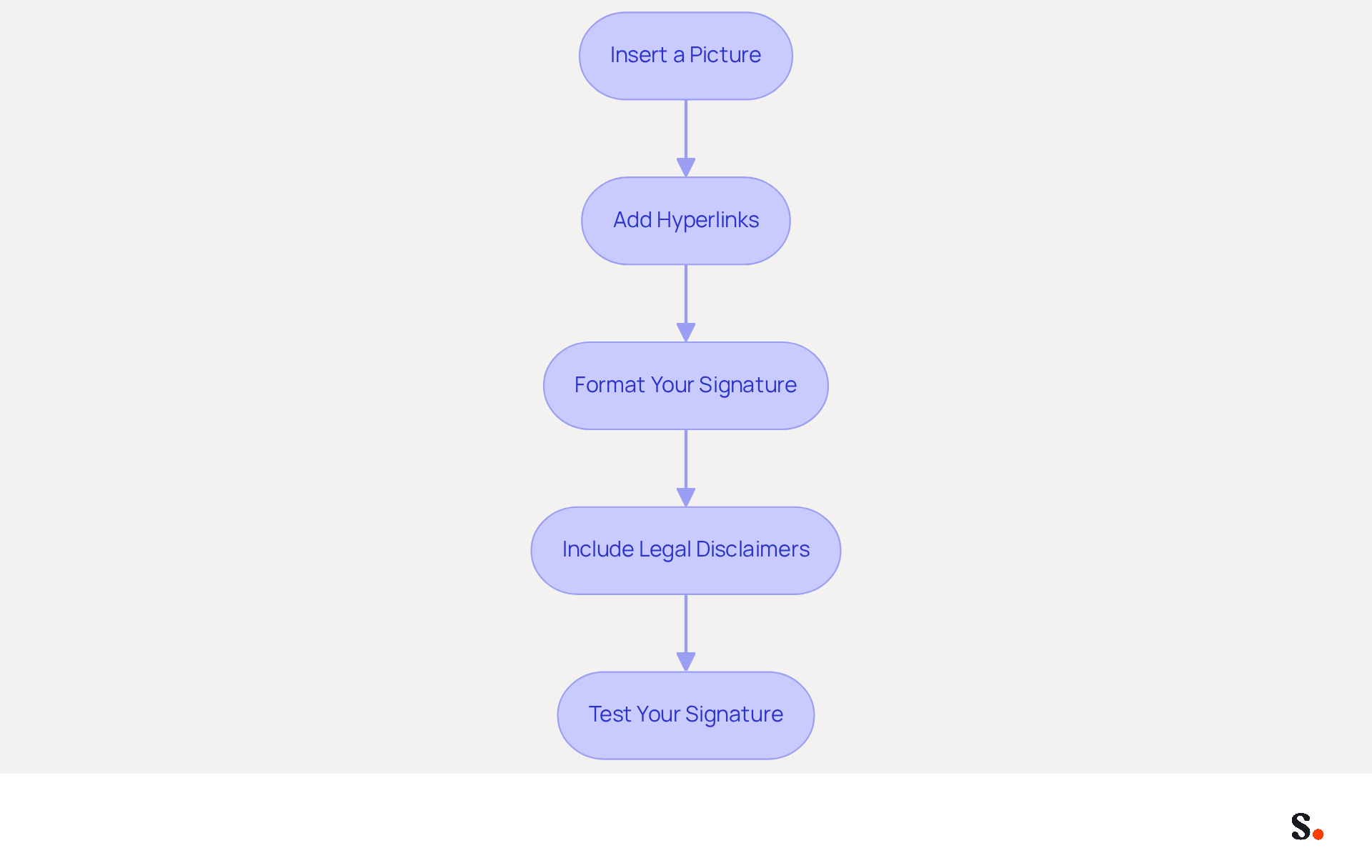
To create a polished email signature that effectively represents your brand, follow these essential steps:
- Insert a Picture: In the signature editing box, place your cursor where you want the picture. Click on the 'Insert Picture' icon and choose a file from your computer. Poorly optimized visuals can lead to loading issues, which may compromise the professionalism of your email signature.
- Add Hyperlinks: Highlight the text or graphic you want to link, then click on the 'Insert Hyperlink' icon (or right-click and select 'Hyperlink'). Enter the URL you want to link to, such as your website or social media profiles. Including clickable links can significantly enhance engagement, driving traffic to your online presence.
- Format Your Signature: Adjust the size and alignment of visuals and text to ensure a clean, professional appearance. Use consistent colors and fonts that align with your brand identity. Additionally, consider how your mark will appear in dark mode, ensuring that colors and images remain effective and visually appealing.
- Include Legal Disclaimers: Depending on your industry, it may be necessary to incorporate legal disclaimers in your correspondence to protect confidentiality and comply with regulations. This is particularly important for sectors like law and finance. Scribe's SOC 2 Type II certification and adherence to GDPR and CCPA guarantee that your digital identifiers comply with essential security and privacy standards.
- Test Your Signature: Testing your signature is crucial to ensure that it displays correctly and maintains a professional appearance. Send a test message to yourself to ensure that images display correctly and links function as intended. Regular updates to your digital identifiers are crucial for maintaining a strong professional presence. With Scribe, any modifications made in your Aircall configuration will automatically sync to your messages, ensuring brand consistency across all communications.
Troubleshoot Common Email Signature Issues
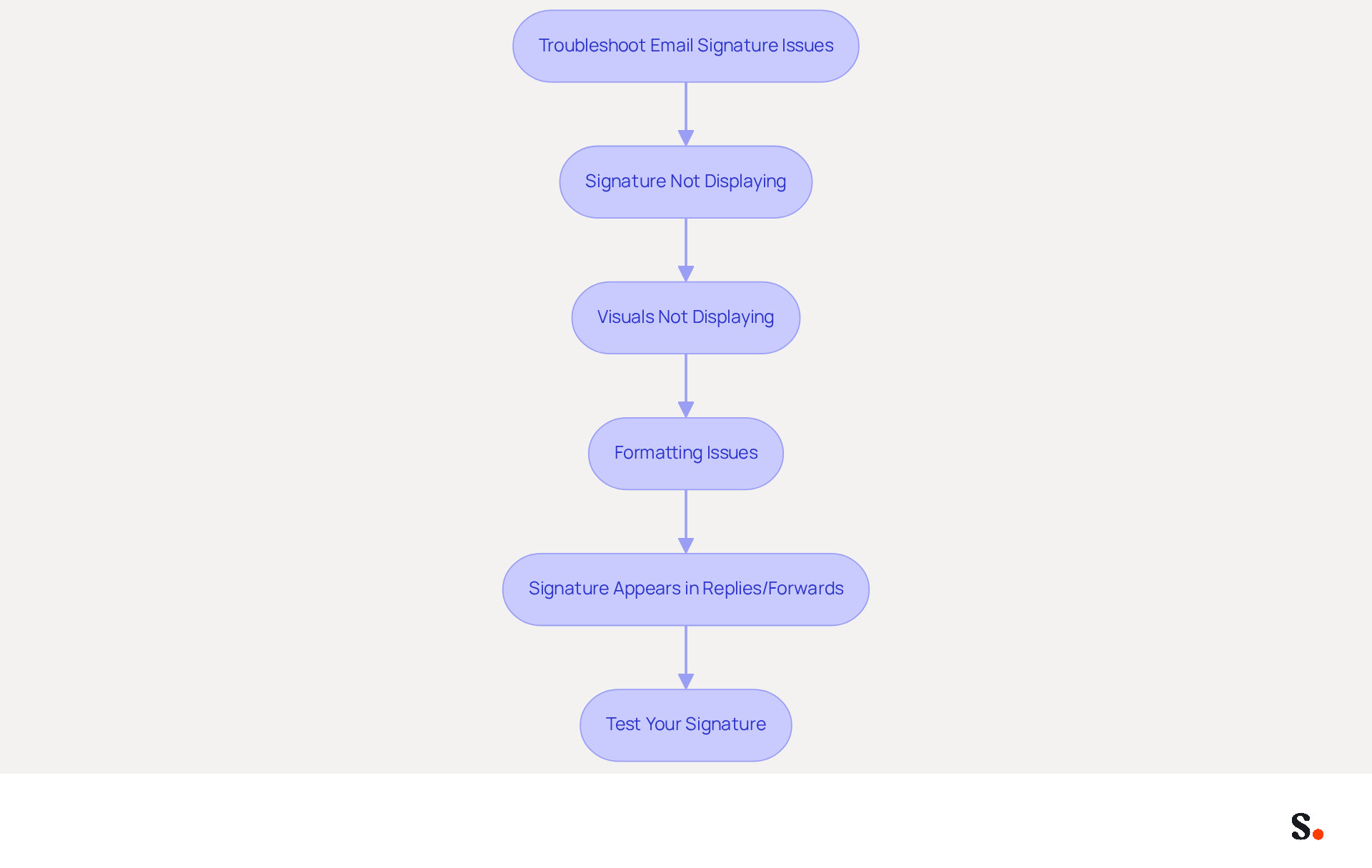
Encountering issues with your email signature can disrupt your professional communication. Consider the following troubleshooting steps:
- Signature Not Displaying: Make sure you understand how to set email signatures in Outlook. To understand how to set email signatures in Outlook, navigate to 'File' > 'Options' > 'Mail' > 'Signatures' and check your settings. Using Scribe allows you to sync with Google Workspace, which helps keep your signature settings updated and minimizes errors.
- Visuals Not Displaying: Ensure your visuals are properly linked and hosted on a reliable server to avoid display issues. Avoid using visuals from local files, as they may not be visible to recipients. With Scribe, you can ensure that your images are consistently displayed across all platforms, as they are managed centrally.
- Formatting Issues: If your signature looks different when sent, take a moment to check your message format settings. Ensure you are using HTML format for emails, as plain text may strip formatting. Scribe's integration with Google Workspace helps maintain formatting consistency, making it easier to manage your brand's image.
- Signature Appears in Replies/Forwards: If your sign-off doesn’t show in replies or forwards, check your sign-off settings to ensure they’re configured correctly. Syncing with Scribe ensures that any modifications made in Google Workspace are automatically reflected in your correspondence identifiers, minimizing manual adjustments.
- Test Your Signature: Make sure to send test emails to yourself and check how your email footer looks across different platforms. This helps identify any discrepancies and ensures a consistent brand image. Utilizing Scribe can streamline this process, as it allows for easy updates and management of signatures across your team. Addressing these issues promptly ensures your brand maintains a professional image across all communications.
Conclusion
Email signatures are often overlooked, yet they hold significant potential for enhancing marketing communications. By effectively using email footers, organizations can really boost their brand visibility, foster trust, and drive engagement with every message sent. A well-designed signature reflects professionalism and turns everyday emails into strategic marketing opportunities.
Throughout this guide, key strategies for setting up and optimizing email signatures in Outlook have been outlined. From understanding the importance of branding to creating visually appealing signatures with images and links, each step contributes to a cohesive brand identity. Additionally, troubleshooting common issues ensures that signatures display correctly and maintain their intended impact. Leveraging tools like Scribe can further streamline this process, allowing for easy updates and compliance with security standards such as SOC 2 Type II, GDPR, and CCPA.
In conclusion, the significance of email signatures in marketing cannot be overstated. They are not merely an afterthought but a vital component of effective business communication. Organizations are encouraged to invest time in refining their email signatures, ensuring they align with brand goals and resonate with recipients. Not investing in email signatures can undermine brand identity and communication effectiveness. Investing in well-designed email signatures can transform every email into a strategic touchpoint that fosters engagement and drives business growth.
Frequently Asked Questions
Why are email signatures important in marketing?
Email signatures are important because they provide a critical opportunity to reinforce an organization's identity and values with every message sent, enhancing brand awareness and driving website traffic.
What statistics highlight the importance of branded email signatures?
Statistics show that 76% of recipients trust senders with branded marks, while 70% feel frustrated when no mark is present, indicating the necessity of consistent branding in communications.
How can a well-designed email signature impact engagement?
A well-designed email signature can boost engagement metrics, with businesses that use consistent digital identifiers experiencing a 22% rise in response rates.
What elements should be included in an effective email signature?
Effective email signatures should include elements such as logos, social media links, and promotional banners to transform them into dynamic marketing assets.
How will the role of digital identifiers in marketing evolve by 2026?
By 2026, digital identifiers are expected to grow in importance as strategic tools that support marketing campaigns and reinforce brand goals when aligned with marketing objectives.
What benefits have organizations seen from using digital identifiers effectively?
Organizations that utilize digital identifiers effectively have significantly enhanced their engagement metrics, turning every email message into a potential marketing channel.
List of Sources
- Understand the Importance of Email Signatures in Marketing
- Why Email Signatures Must Be In Your 2026 Marketing Plan | Rocketseed (https://rocketseed.com/blog/2026-marketing-plan-email-signatures)
- The impact of email signatures on your branding (https://signitic.com/en/resources/the-impact-of-email-signatures-on-your-branding)
- The ultimate guide to email signatures in 2026 (https://signitic.com/en/resources/email-signature)
- 2026 Marketing Trends: Email Signatures as a Marketing Tool (https://bluechiptt.com/blog/5-marketing-trends-for-2026-and-how-your-email-signature-fits-in)
- Research Recap: Branded Email Signatures Increase Company Recognition, Trust - Demand Gen Report (https://demandgenreport.com/industry-news/research-recap-branded-email-signatures-increase-company-recognition-trust/47252)
- Create Your Email Signature in Outlook
- How to add and change an email signature in Outlook | Microsoft Support (https://support.microsoft.com/en-us/outlook/mail/how-to-add-and-change-an-email-signature-in-outlook)
- 40+ Email Signature Statistics for 2026 (Data + Insights) (https://wavecnct.com/blogs/email-signature-statistics)
- How to Update Your Outlook Signature (2026) (https://getinboxzero.com/blog/post/how-to-update-signature-in-outlook)
- Email Signature Statistics: A Closer Look at Email Signatures in 2026 (https://mysignature.io/blog/email-signature-statistics)
- Enhance Your Signature with Images and Links
- The ultimate guide to email signatures in 2026 (https://signitic.com/en/resources/email-signature)
- Best practices for business email signatures in 2026 (https://bybrand.io/blog/best-practices)
- Master Email Signature Templates for Outlook: Key Strategies for Success (https://scribe-mail.com/en-US/blog/master-email-signature-templates-for-outlook-key-strategies-for-success)
- Troubleshoot Common Email Signature Issues
- Email Signature Statistics: A Closer Look at Email Signatures in 2026 (https://mysignature.io/blog/email-signature-statistics)
- Troubleshooting Email Signature Issues in Outlook (https://justanswer.com/email/lyeqn-email-signatures-no-longer-loading-automatically.html)
- Email Signature Troubleshooting - Problems & Solutions - Gimmio (https://blog.gimm.io/email-signature-troubleshooting)
- 40+ Email Signature Statistics for 2026 (Data + Insights) (https://wavecnct.com/blogs/email-signature-statistics)
Get started with Scribe
Create your signature in minutes
Free 14-day trial — no credit card.