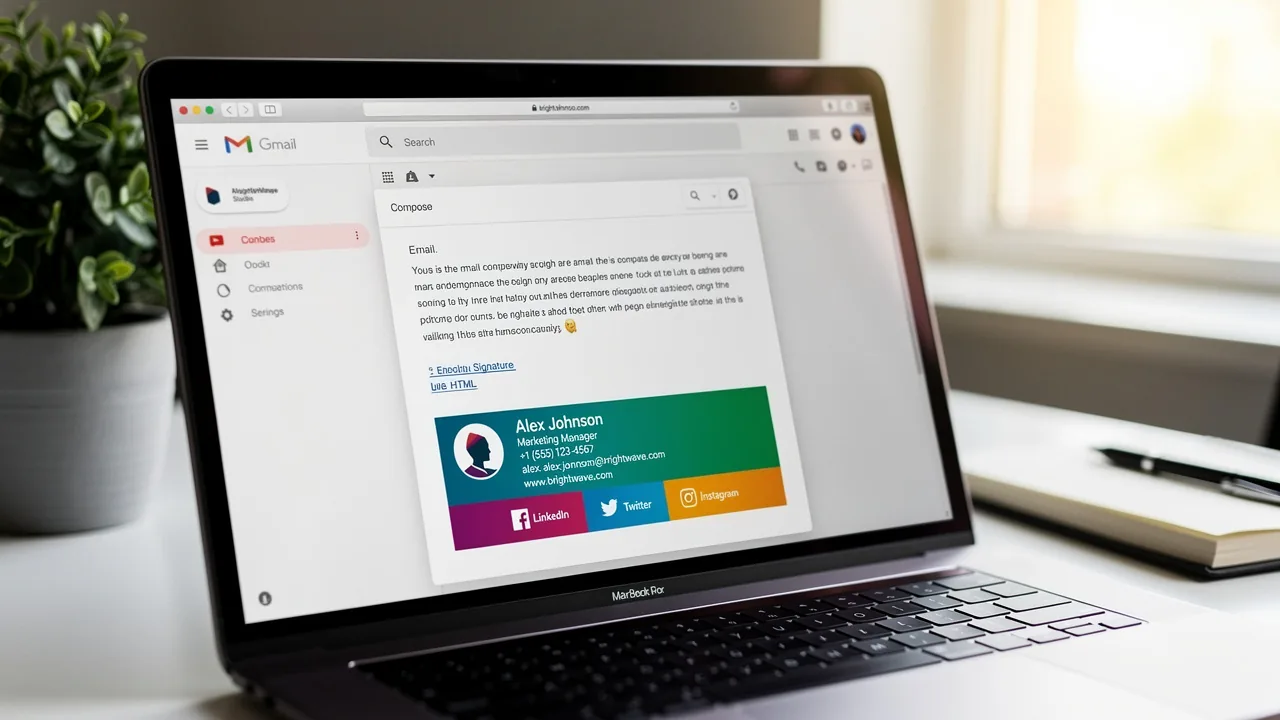
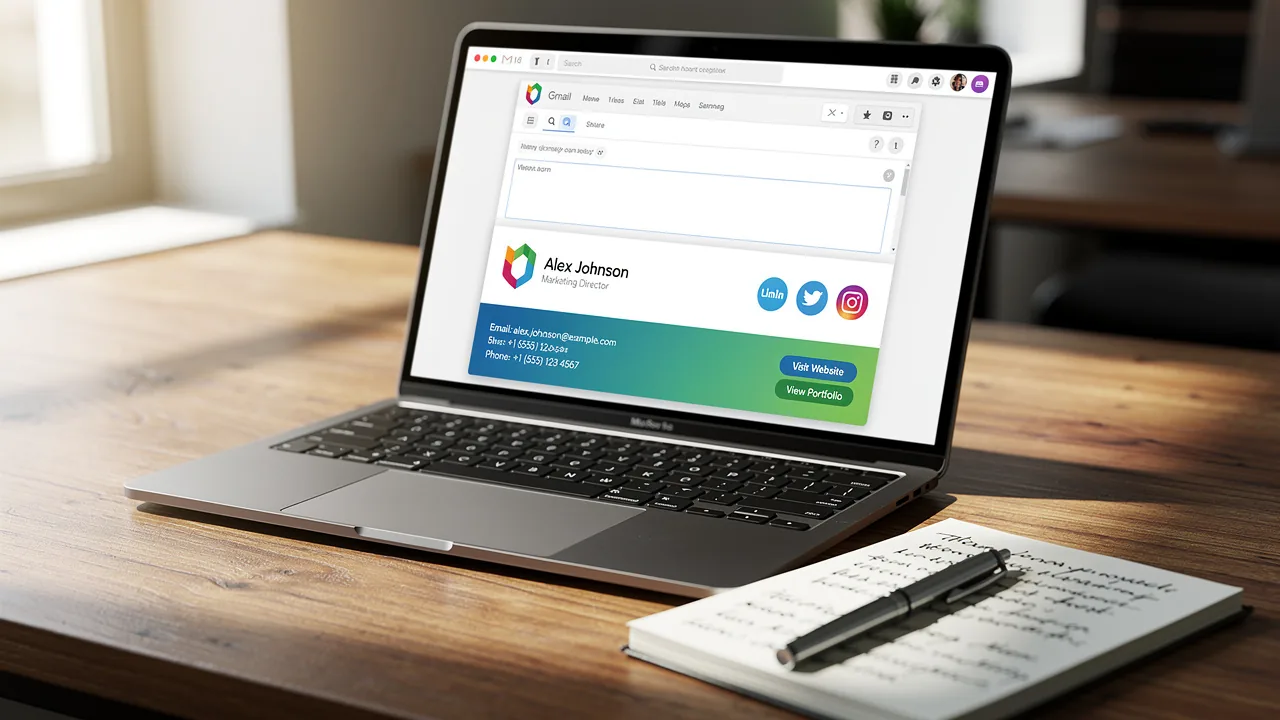
How to Set Up Gmail Signature: A Step-by-Step Guide for Marketers
Despite the importance of a well-crafted signature, many professionals find themselves confused by the setup process. Understanding how to set up a Gmail
Sophie Grant
Email Signature Specialist, Scribe
On this page
- Introduction
- Understand Gmail Signature Basics
- Key Components of a Gmail Signature
- Benefits of Using a Gmail Signature
- Create and Customize Your Gmail Signature
- Ensure Brand Consistency and Leverage Advanced Features
- Troubleshoot Common Gmail Signature Issues
- Conclusion
- Frequently Asked Questions
- List of Sources
Introduction
Despite the importance of a well-crafted signature, many professionals find themselves confused by the setup process. Understanding how to set up a Gmail signature is a vital component of professional communication that can significantly enhance brand identity and engagement.
For marketers, a well-crafted signature serves as a digital business card, providing essential contact information while reinforcing brand consistency. Many professionals face challenges with common issues and best practices.
Marketers must leverage Gmail signatures to maintain professionalism and drive engagement.
Understand Gmail Signature Basics
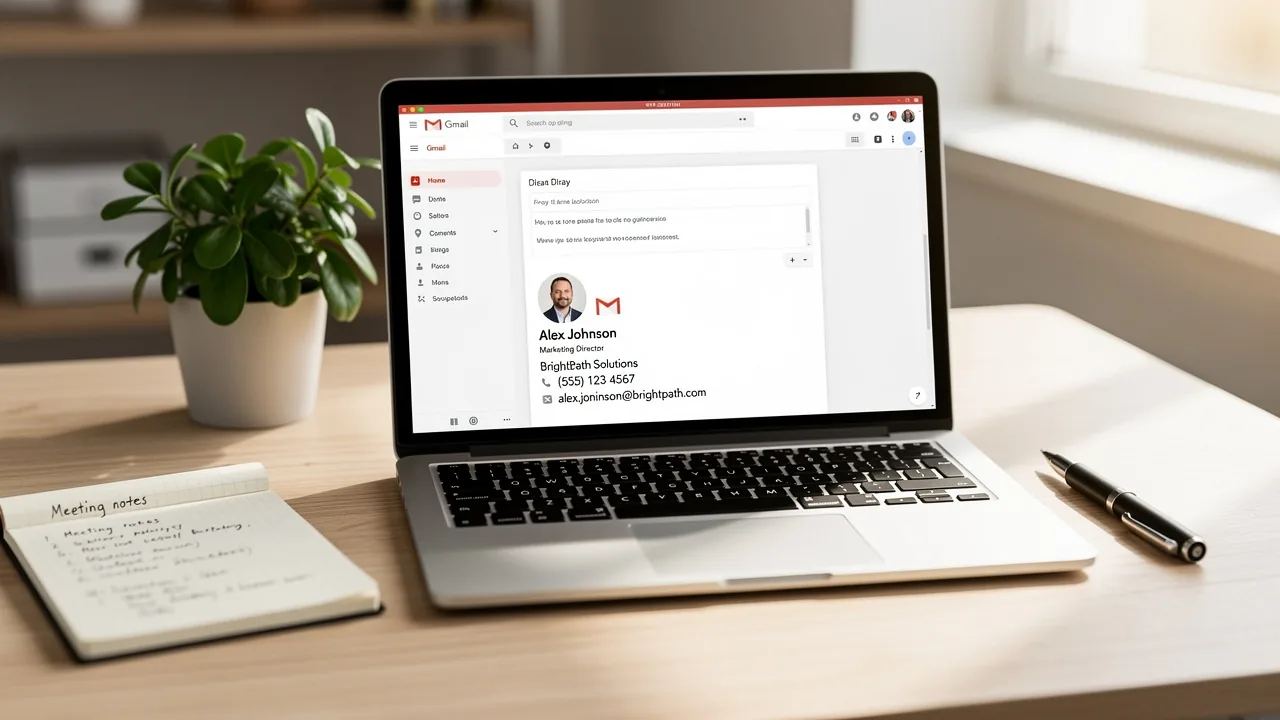
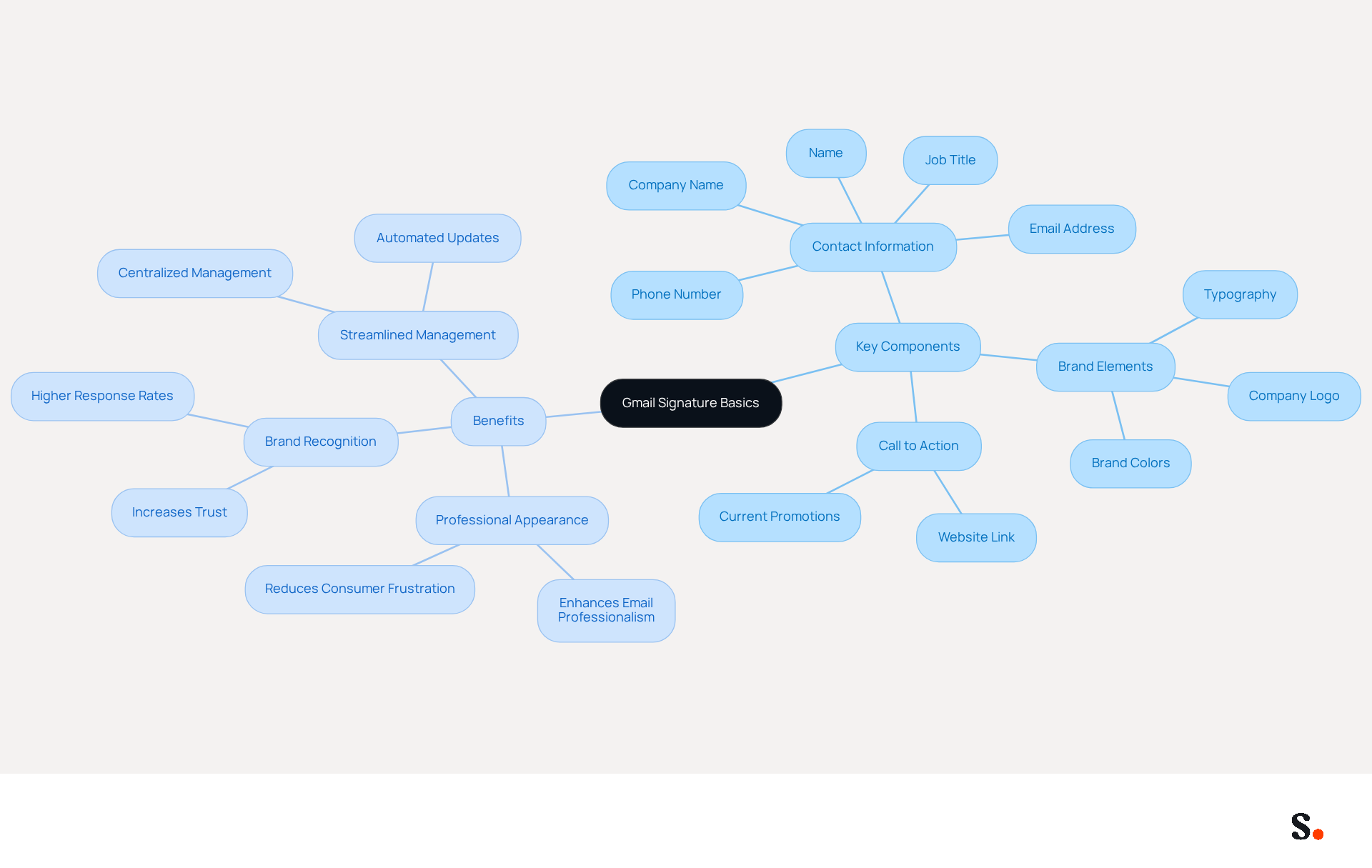
Understanding how to set up a Gmail signature is essential, as a Gmail footer serves as a crucial element in professional communication, acting as a digital business card that enhances brand identity and accessibility. It typically includes your name, title, company name, contact information, and can also feature logos or promotional banners. Understanding how to set up a Gmail signature is crucial, as it reinforces your brand identity and provides recipients with easy access to your contact details. For marketers, understanding how to set up a Gmail signature can improve brand awareness and boost engagement, making it a powerful asset in your marketing toolkit.
Key Components of a Gmail Signature
- Contact Information: Include your name, job title, company name, phone number, and email address.
- Brand Elements: Incorporate your company logo and colors to maintain brand consistency. Research shows that 80% of participants consider a branded footer essential for a company's brand identity, and 52% of professionals think a strong footer is crucial for establishing trust with clients.
- Call to Action: Consider adding a link to your website or a current promotion to encourage engagement. Incorporating promotional components can greatly improve customer engagement, as 18.8% of businesses use digital identifiers for lead generation.
Benefits of Using a Gmail Signature
- Professional Appearance: A well-crafted signature enhances the professionalism of your emails, and it's noteworthy that 70% of consumers feel frustrated when brands omit them.
- Brand Recognition: Consistent use of branding elements helps recipients remember your company. Messages with branded identifiers receive a 22% higher response rate than those without, and organizations that implement branded identifiers experience a 15% increase in website click-through rates compared to those that do not utilize them.
- Streamlined Management: By syncing your Google Workspace with Scribe, you can save time and ensure that any modifications made to your teammates' information are automatically reflected in their details. This automated synchronization not only enhances brand consistency but also allows for effortless updates, freeing your marketing team to focus on more strategic initiatives. Regular evaluations of digital identities are crucial to maintain uniformity and precision in branding, as 89.9% of individuals utilize one primary digital identity, while 8.6% possess up to 10 variations. Furthermore, Scribe's adherence to SOC 2 Type II, GDPR, and CCPA guarantees that your management of electronic correspondence is secure and reliable, further boosting your brand's credibility. With over 10,000 marketing and IT teams utilizing the platform globally, you can trust in the effectiveness of your email branding strategy.
Create and Customize Your Gmail Signature
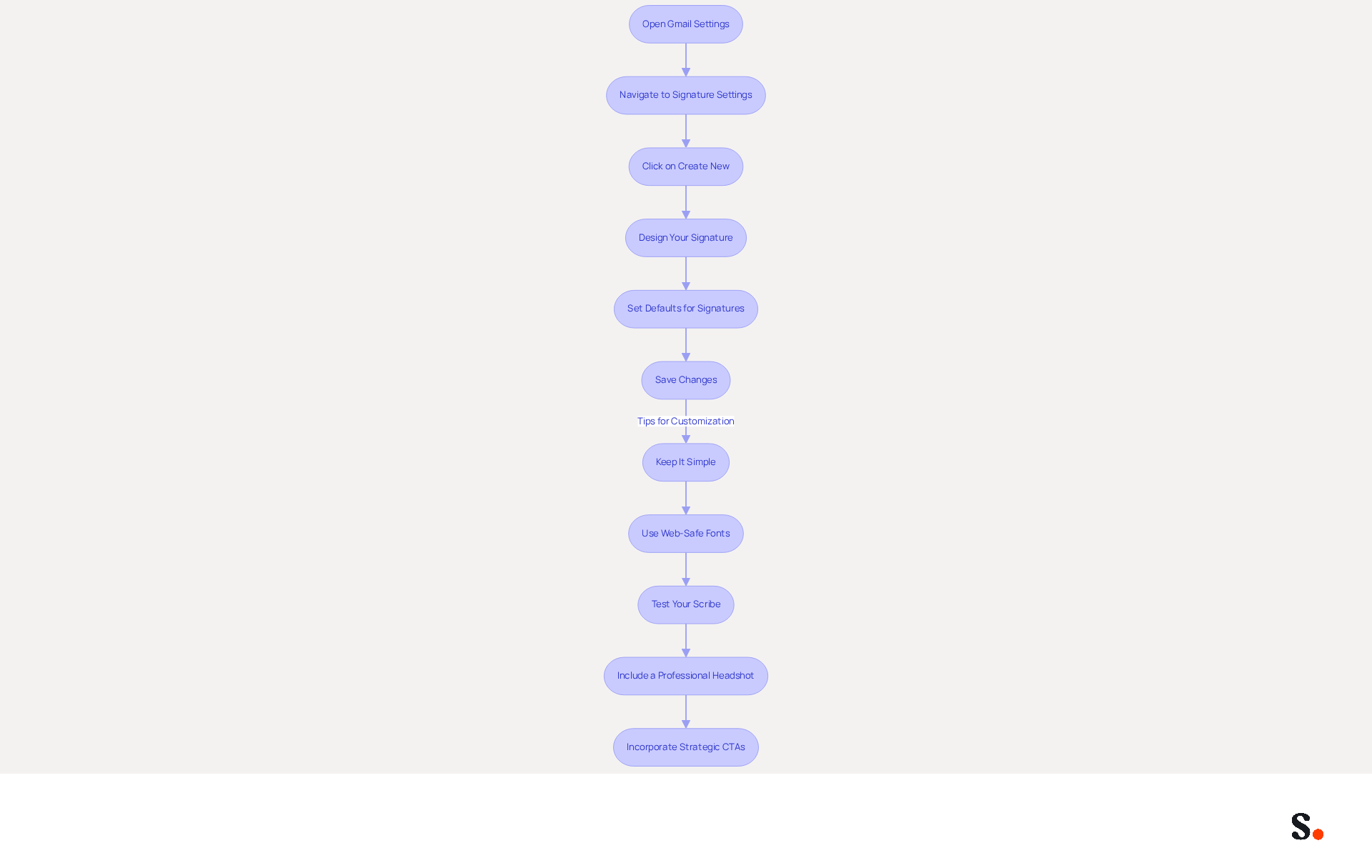
Learning how to set up gmail signature can significantly enhance your email communication and brand representation. To create and customize your Gmail signature using Scribe, follow these steps:
- Open Gmail Settings: Log into your Gmail account. Click on the gear icon in the top right corner and select 'See all settings'.
- To understand how to set up gmail signature, navigate to Signature Settings in the 'General' tab and scroll down to the 'Signature' section.
- To understand how to set up gmail signature, click on 'Create New'. Name your unique identifier (e.g., 'Marketing Identifier').
- To learn how to set up gmail signature, design your signature by using the text editor to add your contact information, logo, and any other elements you want to include. You can format the text, change fonts, and add images by clicking the 'Insert Image' icon.
- Set Defaults for Signatures: Decide how to set up gmail signature for automatically inserting this sign-off for new messages and replies/forwards.
- To learn how to set up gmail signature, scroll down and click 'Save Changes' at the bottom of the settings page.
Tips for Customization:
- Keep It Simple: A clean design is more effective; avoid clutter.
- Use Web-Safe Fonts: Ensure your identifier displays well across various messaging clients. Arial or Helvetica at 14-16px is recommended for readability.
- Test Your Scribe: Send trial messages to yourself to see how the Scribe appears on various devices.
- Include a Professional Headshot: Adding a high-quality headshot can increase response rates by 32%, making your messages more engaging.
- Incorporate Strategic CTAs: Effective digital identifiers can drive 40% higher engagement through well-placed calls to action, enhancing your marketing efforts.
By integrating Scribe with Google Workspace, you save time by automatically syncing your teammates' identification details, so you don’t have to worry about manual updates. This ensures that your email identifiers are always up to date and compliant with SOC 2 Type II standards, providing secure data handling for your organization. Ultimately, a well-crafted email signature can be a powerful tool in your marketing strategy, ensuring your messages leave a lasting impression.
Ensure Brand Consistency and Leverage Advanced Features
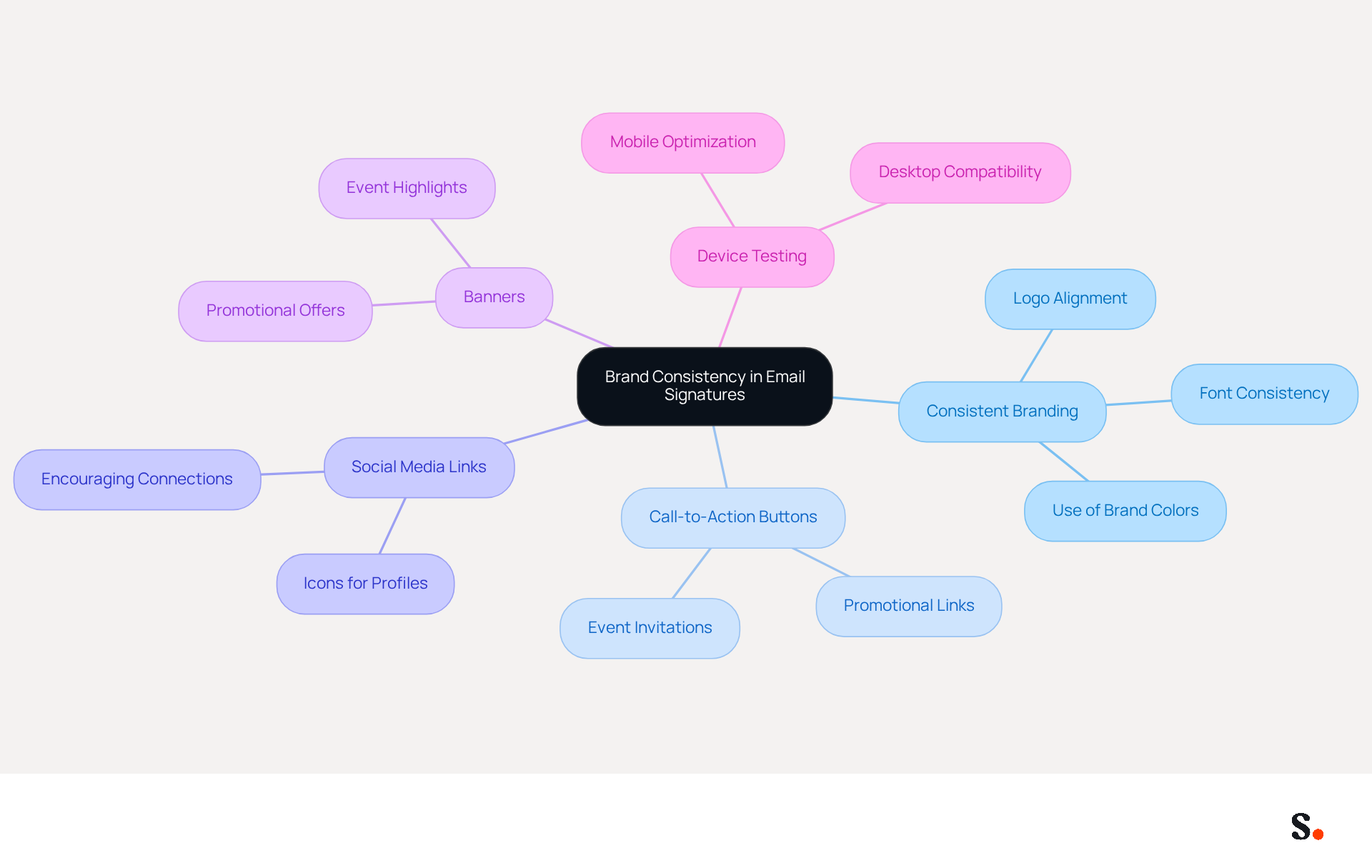
To enhance your email signature's effectiveness and maintain brand consistency, it's essential to understand how to set up Gmail signature using advanced features.
- Use Consistent Branding: Ensure that your mark aligns with your overall brand guidelines. Use the same colors, fonts, and logos as your other marketing materials.
- Incorporate Call-to-Action Buttons: Use buttons for promotions or links to your latest content. This approach can lead to a notable increase in click-through rates.
- Add Social Media Links: Include icons that link to your social media profiles to encourage recipients to connect with you on other platforms.
- Utilize Banners: Think about incorporating a promotional banner in your email footer to effectively highlight special offers or events. Many Scribe users have seen an impressive average click-through rate of 12% on their banner ads, showcasing their effectiveness.
- Test Across Devices: Designing for mobile can be challenging due to Gmail's app limitations, so simplicity is key. Ensure your mark appears well on both desktop and mobile devices.
Advanced Features to Consider
- HTML Signatures: For more customization, consider using HTML to create a signature that includes more complex designs.
- Signature Management Tools: Tools such as Scribe can assist in managing and updating marks throughout your organization, ensuring uniformity and conserving time. Utilizing Scribe's tools can significantly streamline your email signature management process, enhancing efficiency across your organization. With the application, your teammates' identification details are automatically synchronized with your business phone system, requiring no effort from them. This real-time synchronization guarantees that any modifications made in your Aircall configuration are reflected in your branding, enhancing brand consistency.
- Security and Compliance: Scribe is SOC 2 Type II compliant, ensuring that your data is protected while you manage digital identifiers efficiently.
- Join Scribe's Affiliate Program: If you know anyone looking to maintain brand consistency across their communication identifiers, consider promoting Scribe's affiliate program. You can earn a 50% commission and offer a $30 credit on their subscription, creating a win-win situation for both parties.
By implementing these strategies, you can create a more impactful brand presence that resonates with your audience.
Troubleshoot Common Gmail Signature Issues
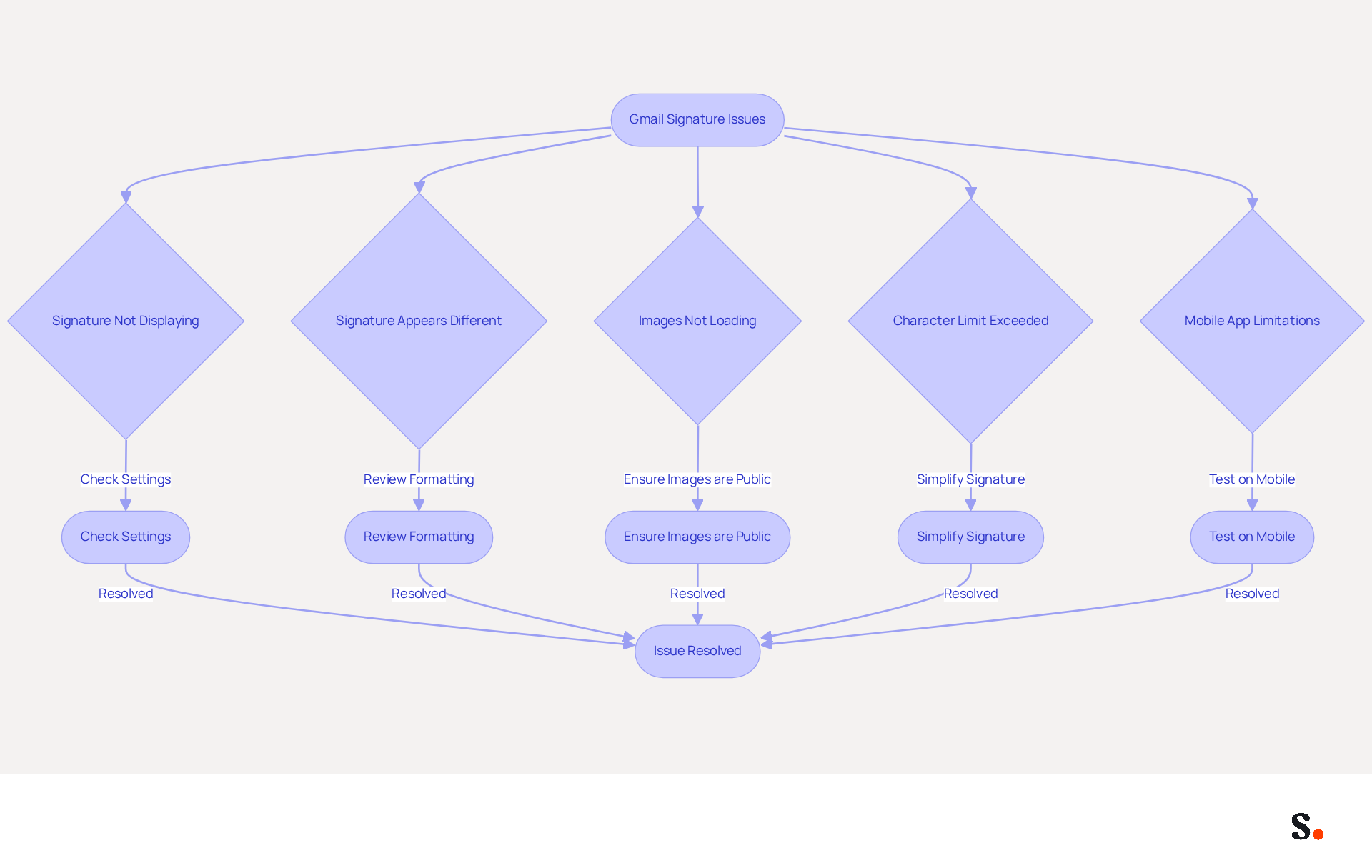
Encountering issues with how to set up gmail signature can disrupt your professional communication and branding efforts. If your signature is not displaying, make sure you have saved your changes in the settings for how to set up gmail signature. If it still doesn’t display, check whether the 'No indication' option is selected when composing a new email, as this can lead to confusion and hinder effective communication. If the issue persists, you may want to check how to set up gmail signature by refreshing your browser or clearing your cache. Technical issues can occasionally hinder displays from appearing correctly, so checking for updates or reaching out to support may also be essential.
If your signature appears different than expected, it may be helpful to review how to set up gmail signature to avoid unsupported formatting. Gmail may strip out certain styles or images, especially if complex formatting is used. Additionally, ensure that plain text mode is disabled when you are figuring out how to set up gmail signature, as this can lead to formatting problems. Regular audits can help you understand how to set up gmail signature to maintain consistency and accuracy in branding elements.
If images in your email footer are not loading, ensure that they are hosted on a publicly accessible server. Images hosted on insecure servers may not display correctly. Using reliable cloud hosting and ensuring the image URLs are public can resolve these issues. For optimal display, the recommended size for an image is 70-100 pixels high by 300-400 pixels wide.
Gmail has a character limit for email footers, which can lead to truncation if exceeded. If you encounter an error, you may need to learn how to set up gmail signature by simplifying it and removing unnecessary elements. This is especially significant as 44.4% of professionals update their email details only 2-4 times a year, allowing outdated information to persist. This can result in miscommunication and a lack of professionalism in your correspondence.
Remember that the Gmail mobile app only supports plain text formats. If you want to learn how to set up gmail signature that appears appealing on mobile, keep it simple. HTML elements may seem cut off on mobile devices, so testing how your email footer displays on various devices is crucial. Additionally, be aware that Gmail does not automatically reinsert personal identifiers in replies, which can lead to them being hidden or appearing as quoted text.
By integrating Scribe with your Google Workspace, you can simplify the management of your correspondence identifiers. This integration enables automatic updates, ensuring that any changes in your team’s information are reflected in the platform without manual input. This not only saves time but also helps maintain brand consistency across all communications. Additionally, think about joining the Scribe Affiliate Program to earn a 50% commission while promoting brand consistency in digital formats. By addressing these common issues, you can enhance your email signature's effectiveness and understand how to set up gmail signature to maintain a polished professional image.
Conclusion
For marketers, the setup of a Gmail signature is often underestimated, yet it holds significant potential for enhancing professional communication and brand identity. A well-crafted signature acts as a digital business card and reinforces brand consistency, making it essential for any marketing strategy.
Throughout this guide, key components of an effective Gmail signature have been highlighted, including the importance of incorporating contact information, brand elements, and calls to action. The benefits of using a Gmail signature extend beyond professionalism; they include improved brand recognition and streamlined management through tools like Scribe, which ensures that updates are automatically reflected across your organization. Additionally, leveraging advanced features such as social media links and promotional banners can lead to higher engagement rates, as evidenced by studies showing that personalized signatures increase response rates by up to 20%.
Incorporating these strategies can transform a simple email footer into a powerful marketing asset. Many marketers overlook the potential of their email signatures, missing out on a key opportunity for engagement. By prioritizing brand consistency and utilizing Scribe's capabilities, organizations can ensure their email signatures not only look professional but also drive measurable results. By neglecting this aspect, organizations risk losing valuable engagement and brand recognition. Consider how your Gmail signature can serve as a strategic marketing tool, and think about the steps you can take to optimize it for the best results.
Frequently Asked Questions
What is the purpose of a Gmail signature?
A Gmail signature serves as a digital business card that enhances brand identity and accessibility in professional communication. It typically includes your name, title, company name, contact information, and may feature logos or promotional banners.
What are the key components of a Gmail signature?
The key components of a Gmail signature include contact information (name, job title, company name, phone number, and email address), brand elements (company logo and colors), and a call to action (such as a link to your website or current promotion).
How does a Gmail signature improve brand recognition?
Consistent use of branding elements in a Gmail signature helps recipients remember your company. Messages with branded identifiers receive a 22% higher response rate, and organizations that implement them see a 15% increase in website click-through rates.
What are the benefits of using a Gmail signature?
Benefits of using a Gmail signature include a professional appearance, improved brand recognition, and streamlined management of contact information. A well-crafted signature enhances professionalism and can lead to better engagement with recipients.
How can syncing Google Workspace with Scribe help manage Gmail signatures?
Syncing Google Workspace with Scribe allows for automatic updates to teammates' information in their signatures, enhancing brand consistency and saving time for the marketing team to focus on strategic initiatives.
What security measures does Scribe implement for managing email branding?
Scribe adheres to SOC 2 Type II, GDPR, and CCPA standards, ensuring that the management of electronic correspondence is secure and reliable, which boosts the brand's credibility.
Why is it important to regularly evaluate digital identities in email branding?
Regular evaluations of digital identities are crucial to maintain uniformity and precision in branding, as many individuals utilize one primary digital identity, while others may have multiple variations.
List of Sources
- Understand Gmail Signature Basics
- Email signature statistics: Why every business should optimize their email signatures — Stripo.email (https://stripo.email/blog/email-signature-statistics-why-every-business-should-optimize-their-email-signatures)
- Email signature: impact on a company's image in B2B (https://signitic.com/en/resources/email-signature-what-is-the-impact-on-brand-image-in-b2b)
- Research Recap: Branded Email Signatures Increase Company Recognition, Trust - Demand Gen Report (https://demandgenreport.com/industry-news/research-recap-branded-email-signatures-increase-company-recognition-trust/47252)
- Why Email Signatures Must Be In Your 2026 Marketing Plan | Rocketseed (https://rocketseed.com/blog/what-are-the-biggest-email-trends-for-2026)
- Create and Customize Your Gmail Signature
- How to create custom Gmail signature (https://foxnews.com/tech/how-to-create-custom-gmail-signature)
- 2026 Marketing Trends for Business Emails Outreach | Rocketseed (https://rocketseed.com/blog/2024-marketing-trends-for-business-emails)
- Email Signature Best Practices for 2026 (+ 15 Pro Examples) (https://wavecnct.com/blogs/email-signature-best-practices-2026)
- Ensure Brand Consistency and Leverage Advanced Features
- Why and how to add an effective CTA to your email signature? (https://signitic.com/en/resources/why-and-how-to-add-an-effective-cta-to-your-email-signature)
- 2026 Email Signature Trends for Companies | Bybrand posted on the topic | LinkedIn (https://linkedin.com/posts/bybrand_top-email-signature-trends-for-companies-activity-7458274214513483776-q9NB)
- Why Email Signatures Must Be In Your 2026 Marketing Plan | Rocketseed (https://rocketseed.com/blog/2026-marketing-plan-email-signatures)
- Why Team Email Signatures Matter More Than You Think: The Hidden Impact on Brand Trust and Customer Experience (https://getmailbird.com/why-team-email-signatures-matter-brand-trust)
- Research Recap: Branded Email Signatures Increase Company Recognition, Trust - Demand Gen Report (https://demandgenreport.com/industry-news/research-recap-branded-email-signatures-increase-company-recognition-trust/47252)
- Troubleshoot Common Gmail Signature Issues
- Email signature statistics: Why every business should optimize their email signatures — Stripo.email (https://stripo.email/blog/email-signature-statistics-why-every-business-should-optimize-their-email-signatures)
- Fix Your Missing Gmail Signature: 8 Troubleshooting Steps & Best Practices | Newoldstamp - NEWOLDSTAMP (https://newoldstamp.com/blog/gmail-signature-not-showing-up)
- Troubleshoot issues with Gmail signatures - Gmail Help (https://support.google.com/mail/answer/11468381?hl=en)
- Solving a Gmail signature problem (https://signitic.com/en/guides/solving-a-gmail-signature-problem)
Get started with Scribe
Create your signature in minutes
Free 14-day trial — no credit card.