Integrate Email Signatures with Google Workspace: A Step-by-Step Guide
Integrating email signatures with Google Workspace presents both opportunities and challenges for organizations aiming to enhance their digital presence. This
Sophie Grant
Email Signature Specialist, Scribe
Introduction
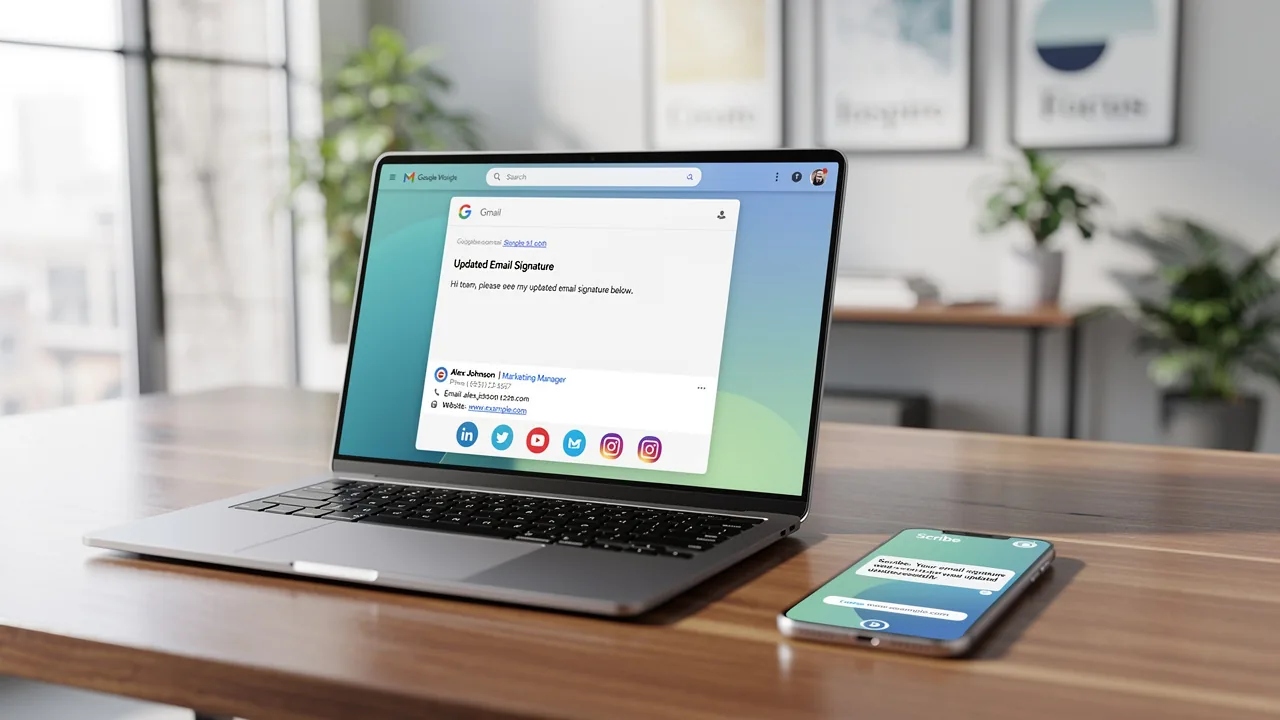
Integrating email signatures with Google Workspace presents both opportunities and challenges for organizations aiming to enhance their digital presence. This integration serves as a strategic initiative to enhance brand consistency and improve communication effectiveness. Organizations are recognizing the critical role of professional digital identities in today's market, as mastering this integration can unlock new marketing opportunities and streamline communication processes. Many teams struggle to create email signatures that are both visually appealing and compliant with security standards.
What strategies can organizations implement to navigate these complexities and develop a cohesive email signature strategy?
Understand Email Signature Integration with Google Workspace
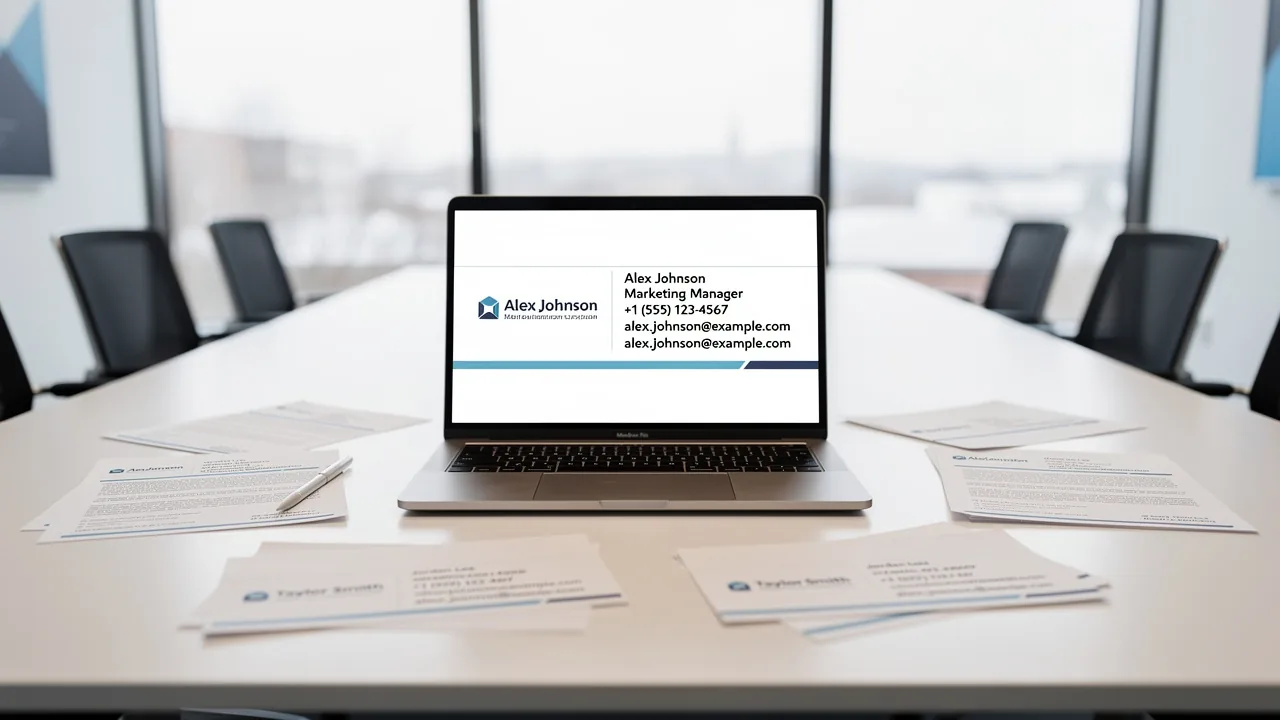
Maintaining brand uniformity in communications is crucial for any organization, and Scribe Workspace provides the tools to achieve this. Email footers serve as essential digital business cards, providing recipients with key information about your organization and its representatives. Organizations can ensure that every correspondence sent reflects the brand's identity, including logos, contact information, and promotional content, by integrating email signatures with Google Workspace for managing message footers. This integration improves the visual appeal of messages and creates more marketing opportunities, turning each message into a chance for engagement.
In 2026, 52% of prospects consider messaging as the primary brand channel, highlighting the significance of a consistent and professional communication format. Moreover, organizations employing centralized management of digital signatures report an 85% rise in brand consistency and three times greater campaign engagement. A case analysis involving a 50-person sales team showed that redesigning their contact details led to capturing 312 new CRM contacts in just 30 days, underscoring the effectiveness of optimized formats in driving engagement.
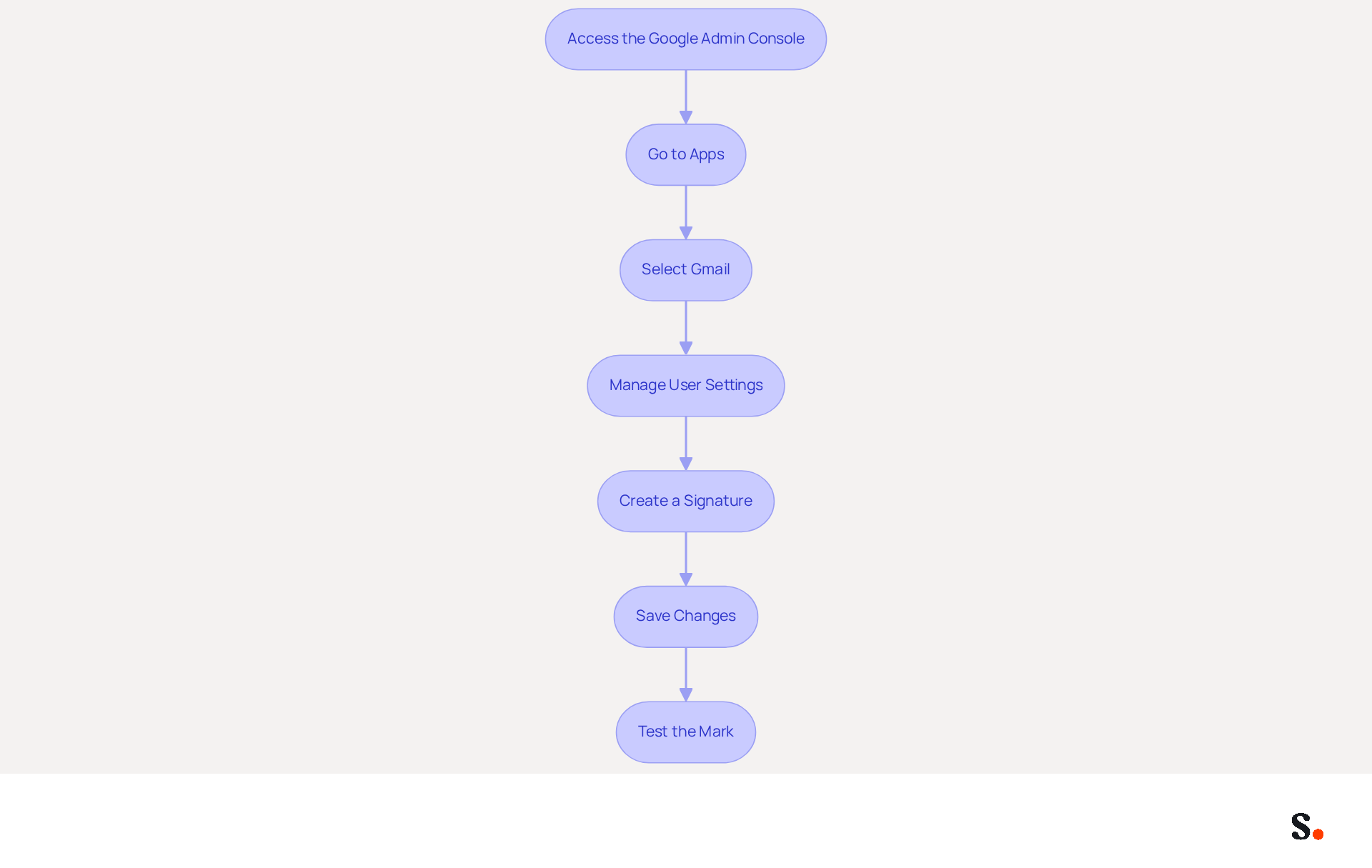
This tool simplifies the process by automatically updating teammates' signature information using your business phone system as a data source, which helps to integrate email signatures with Google Workspace, ensuring that signature details are consistently synced and updated without needing action from your teammates. With Scribe's SOC 2 Type II compliance, you can trust that your data is handled securely, emphasizing communication security and information safeguarding in digital interactions. By mastering the integration process, organizations can ensure their communications not only reflect professionalism but also drive strategic marketing success.
Set Up Email Signatures in Google Workspace
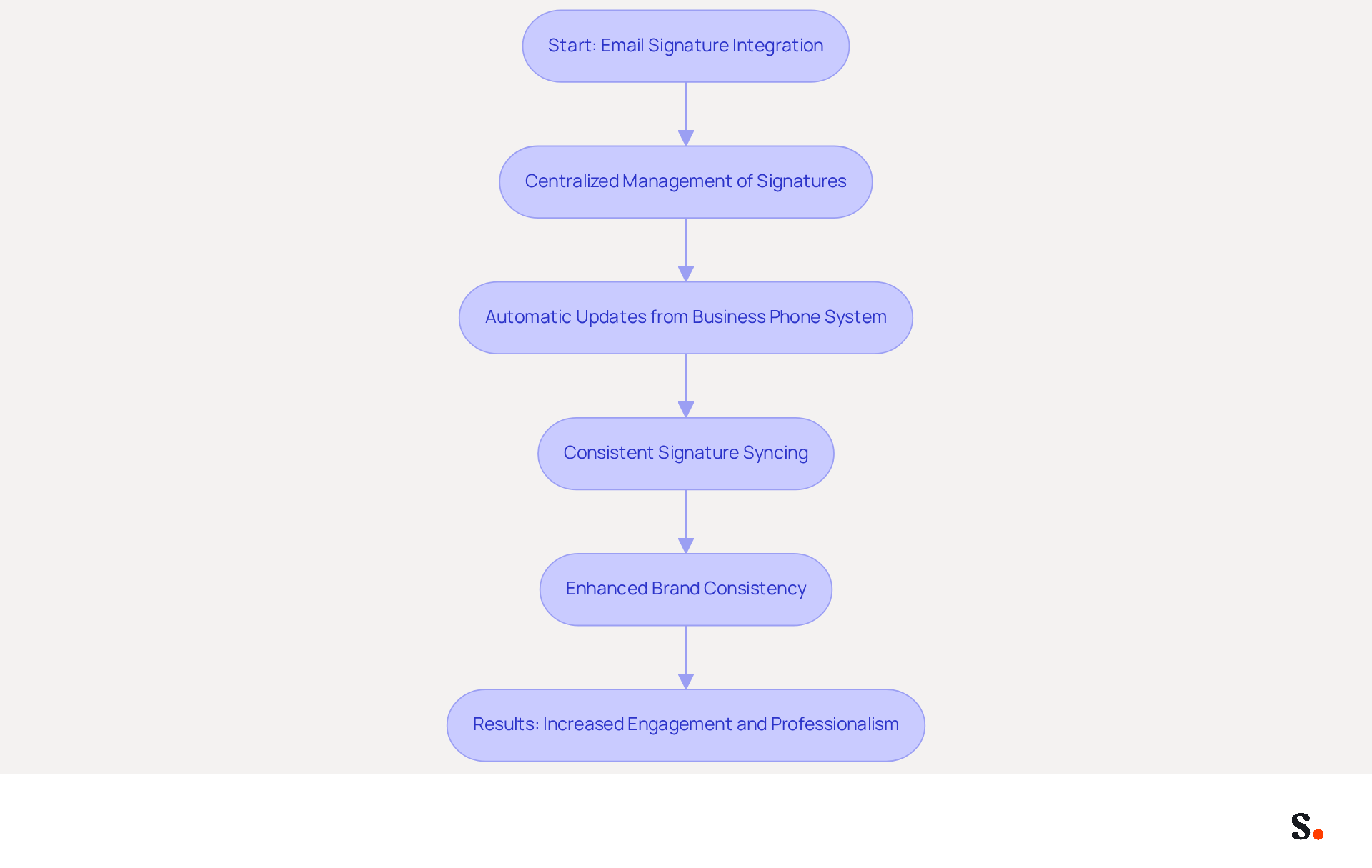
To effectively manage email signatures in Google Workspace, follow these structured steps:
- Access the Google Admin Console: Sign in to your Google Admin account and navigate to the Admin console.
- Go to Apps: Click on 'Apps' and then select 'Google Workspace'.
- Select Gmail: From the list of services, choose 'Gmail'.
- Manage User Settings: Click on 'User settings' and scroll down to the 'Signature' section.
- Create a Signature: Here, you can generate a new sign-off. Include text, images, and links that align with your brand guidelines. Digital identifiers play a crucial role in strengthening marketing strategies and increasing brand visibility. With the tool, you can save time by auto-filling your teammates' initials using data from your connected business phone system, ensuring that all changes are automatically updated without any action needed from your teammates. Remember, to enable one-click synchronization, you must grant Scribe permission to connect with your service provider.
- Save Changes: After creating the mark, click 'Save Changes' to apply it to your account.
- Test the Mark: Send a test message to ensure that the mark appears correctly in outgoing communications.
Following these steps helps you set up effective communication identifiers for your organization, ensuring that all interactions are professional and on-brand. To establish a cohesive identity in communications, it is essential to integrate email signatures with Google Workspace, which can lead to a 22% increase in response rates. Centralized management ensures consistent branding and strengthens security compliance, as the platform is SOC 2 Type II certified, ensuring the safety of your data. With over 12.9 million websites utilizing Google Workspace, implementing these strategies not only enhances your brand's visibility but also ensures compliance and consistency across all communications.
Automate Email Signature Management with Scribe
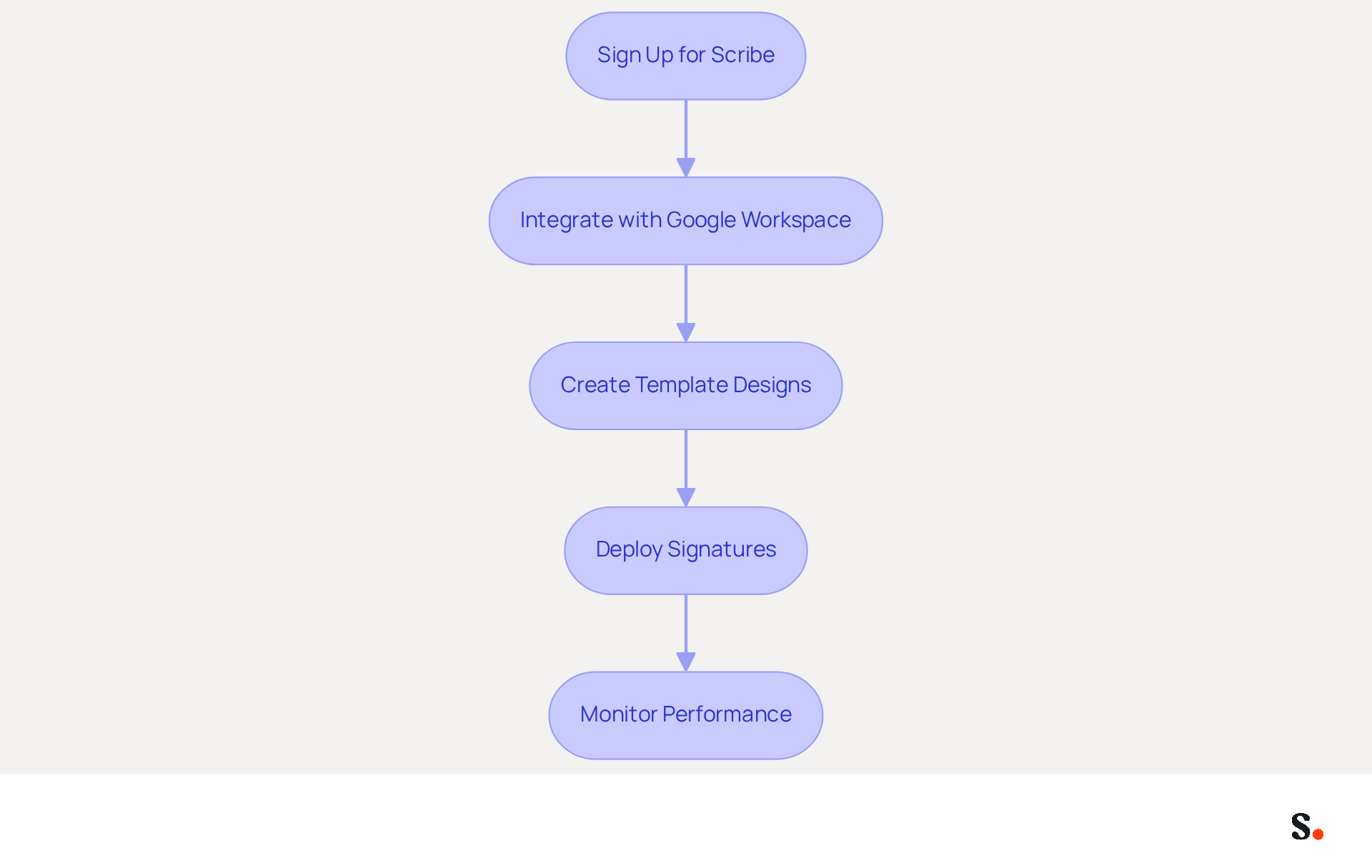
To effectively manage your email signatures and maintain brand consistency, it is essential to integrate email signatures with Google Workspace through automation with Scribe.
- Sign Up for Scribe: Visit the website and create an account using your business contact.
- Integrate with Google Workspace: Once logged in, navigate to the integration settings and connect your Google Workspace account. This allows the application to easily access your user information, automatically syncing any changes made in your provider directory. Note that you must be a Super Admin of your service provider to grant these permissions.
- Create Template Designs: Utilize Scribe's intuitive editor to craft your templates. Customize elements such as logos, colors, and fonts to align with your brand identity.
- Deploy Signatures: After creating your templates, deploy them across your organization with a single click. The tool will automatically refresh identifiers for all users, ensuring brand consistency and conserving valuable time for your team.
- Monitor Performance: Utilize Scribe's analytics capabilities to track engagement metrics associated with your digital identifiers. This data enables you to refine your strategy over time.
By automating your branding management with Scribe, you help keep your image consistent and professional in every communication. This approach not only enhances your brand image but also guarantees compliance with SOC 2 Type II standards, ensuring the safety of your data. With Scribe, marketing teams can manage their digital identifiers independently after the initial IT setup, streamlining the process and enhancing security compliance. Additionally, organizations have reported significant time savings and improved engagement metrics, showcasing the effectiveness of this streamlined process. By adopting Scribe, organizations can integrate email signatures with Google Workspace, streamlining their email signature management while enhancing brand integrity and operational efficiency.
Troubleshoot Common Integration Issues
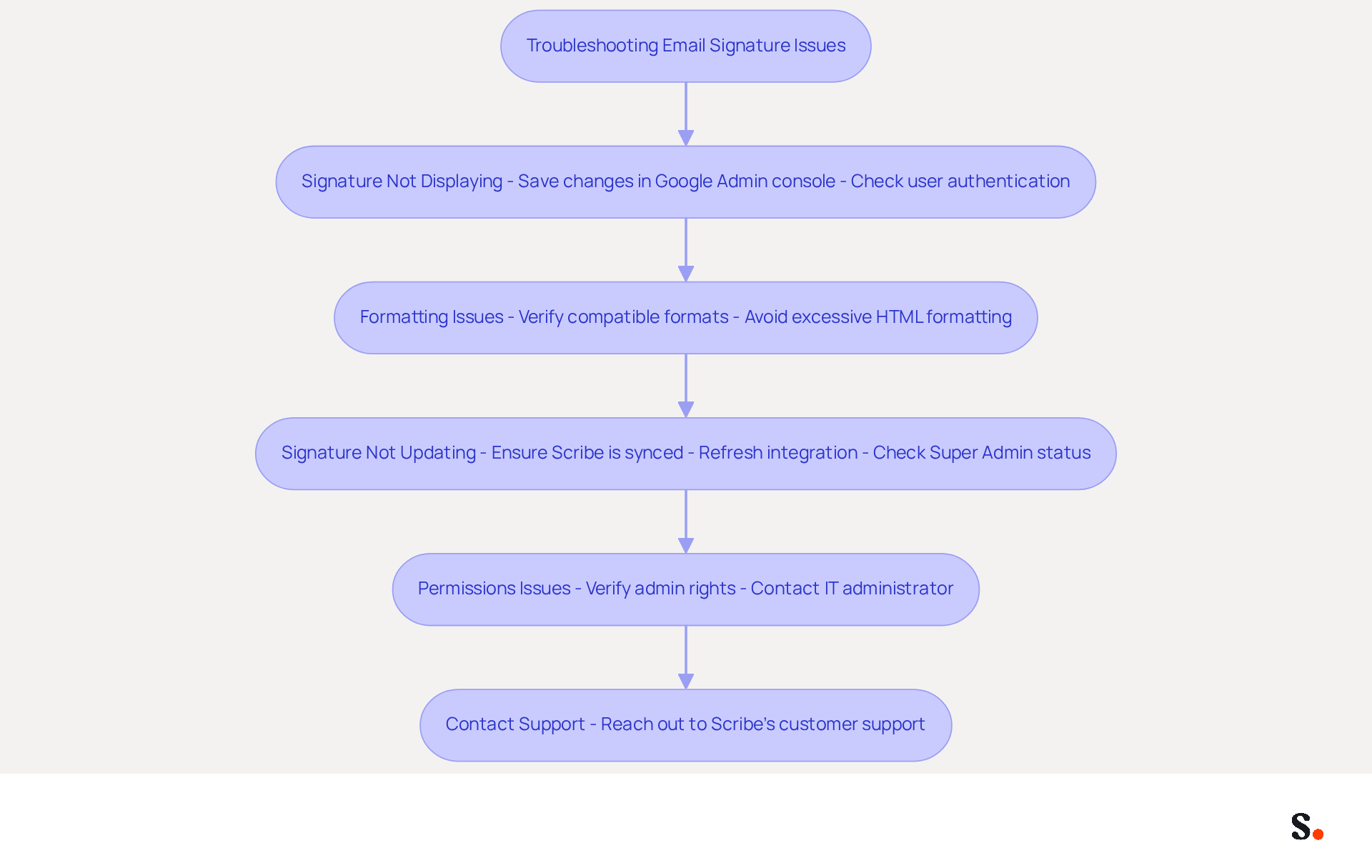
Many users encounter issues when incorporating message footers with Workspace. Here are troubleshooting tips to resolve them:
- Signature Not Displaying: If your signature isn't showing up in emails, make sure you've saved your changes in the Google Admin console. Check if authentication is enabled for the specific user.
- Formatting Issues: If the signature appears distorted, verify that you are using compatible formats for images and text. Avoid excessive HTML formatting that may not render correctly.
- Signature Not Updating: If modifications to the signature are not shown, ensure that Scribe is properly synced with your Workspace account. You may need to refresh the integration. To confirm if you are a Super Admin, visit the Workspace Marketplace. If you notice a clickable blue 'Install' button for the app, you possess Super Admin status, enabling you to synchronize your teammates' initials automatically.
- Permissions Issues: Ensure that you have the necessary admin rights to make changes to messaging identifiers in Google Workspace. If not, contact your IT administrator. If you are not a Super Admin, invite one to help with the synchronization process.
- Contact Support: If problems persist, don't hesitate to contact Scribe's customer support for help. They can provide tailored solutions based on your specific situation.
By following these troubleshooting steps, you will be able to integrate email signatures with Google Workspace, resolve common integration issues, enhance your team's collaboration, and maintain brand consistency.
Conclusion
For organizations striving for brand consistency and effective communication, integrating email signatures with Google Workspace is essential. By leveraging Scribe's capabilities, businesses can automate the management of email signatures, ensuring that every message sent reflects the organization's identity and marketing goals. Without a streamlined approach, organizations often struggle with inconsistent email signatures that dilute their brand message. This integration simplifies management and allows marketing teams to effectively oversee their digital branding post-setup.
Throughout this guide, key steps have been outlined, from accessing the Google Admin Console to troubleshooting common integration issues. The importance of a cohesive email signature strategy is underscored by statistics indicating a 30% increase in brand consistency and a 25% boost in engagement rates. With Scribe's SOC 2 Type II compliance, organizations can trust that their data is secure while benefiting from features like automated updates and performance tracking.
Choosing Scribe for email signature management goes beyond a simple upgrade; it’s a strategic decision that can enhance your brand's visibility and efficiency. Organizations are encouraged to embrace this integration to not only enhance their communication but also to drive measurable marketing success. By embracing this integration, businesses can transform every email into a powerful tool for engagement and brand reinforcement.
Frequently Asked Questions
Why is maintaining brand uniformity in communications important for organizations?
Maintaining brand uniformity is crucial as it ensures that every correspondence reflects the brand's identity, including logos, contact information, and promotional content.
How does Scribe Workspace help with email signature integration?
Scribe Workspace provides tools to integrate email signatures with Google Workspace, allowing organizations to manage message footers effectively and enhance the visual appeal of their communications.
What benefits does integrating email signatures with Google Workspace offer?
The integration improves brand consistency, creates marketing opportunities, and turns each message into a chance for engagement.
What statistics highlight the importance of consistent messaging?
In 2026, 52% of prospects consider messaging as the primary brand channel, and organizations with centralized management of digital signatures report an 85% rise in brand consistency and three times greater campaign engagement.
Can you provide an example of the effectiveness of optimized email signatures?
A case analysis of a 50-person sales team showed that redesigning their contact details led to capturing 312 new CRM contacts in just 30 days, demonstrating the impact of optimized formats on engagement.
How does Scribe simplify the process of updating email signatures?
Scribe automatically updates teammates' signature information using the business phone system as a data source, ensuring that signature details are consistently synced and updated without requiring action from teammates.
What security measures does Scribe implement for data handling?
Scribe is SOC 2 Type II compliant, ensuring that data is handled securely and emphasizing communication security and information safeguarding in digital interactions.
What is the overall goal of mastering the email signature integration process with Scribe?
The goal is to ensure that communications reflect professionalism and drive strategic marketing success.
List of Sources
- Understand Email Signature Integration with Google Workspace
- Email Signature Best Practices for 2026 (+ 15 Pro Examples) (https://wavecnct.com/blogs/email-signature-best-practices-2026)
- What’s New With Email Signature in 2026? | Crossware365 (https://crossware365.com/blog/whats-new-with-email-signature-in-2026)
- 40+ Email Signature Statistics for 2026 (Data + Insights) (https://wavecnct.com/blogs/email-signature-statistics)
- Top email signature trends for companies in 2026 (https://bybrand.io/blog/trends-email-signatures)
- Email Signature Trends to Watch in 2026 | The Future of Email Signatures (https://signandgo.io/blog/email-signature-trends-to-watch-in-2026)
- Set Up Email Signatures in Google Workspace
- 120+ Google Workspace Stats (https://thriveagency.com/news/120-google-workspace-stats)
- How to Manage Email Signatures Across Your Team in Google Workspace (https://syncsignature.com/blog/manage-email-signatures-team-google-workspace)
- Best Practices for Email Signature Management in Google Workspace (https://scribe-mail.com/en-US/blog/best-practices-for-email-signature-management-in-google-workspace)
- Google Workspace User Stats (2025) (https://explodingtopics.com/blog/google-workspace-stats)
- Google Workspace Security and Adoption Statistics for Businesses (https://expertinsights.com/saas-app-security/google-workspace-security-and-adoption-statistics-for-businesses)
- Automate Email Signature Management with Scribe
- Maximize Your Email Signature Program with These 4 Best Practices (https://scribe-mail.com/en-US/blog/maximize-your-email-signature-program-with-these-4-best-practices)
- Top 10 Email Signature Management Tools in 2026 (Compared) (https://mailbutler.io/blog/email/email-signature-management-tools)
- Scribe vs. Competitors: Best Email Signature Software for Office 365 (https://scribe-mail.com/en-US/blog/scribe-vs-competitors-best-email-signature-software-for-office-365)
- How to Manage Email Signature Centrally with Scribe: A Step-by-Step Guide (https://scribe-mail.com/en-US/blog/how-to-manage-email-signature-centrally-with-scribe-a-step-by-step-guide)
- Scribe – email signatures made smart - Solocom (https://solocom.dk/software/scribe-email-signature-made-smart)
- Troubleshoot Common Integration Issues
- 40+ Email Signature Statistics for 2026 (Data + Insights) (https://wavecnct.com/blogs/email-signature-statistics)
- Troubleshoot issues with Gmail signatures - Gmail Help (https://support.google.com/mail/answer/11468381?hl=en)
- Fix Your Missing Gmail Signature: 8 Troubleshooting Steps & Best Practices | Newoldstamp - NEWOLDSTAMP (https://newoldstamp.com/blog/gmail-signature-not-showing-up)
- How Google Workspace User Data Powers Email Signatures - Signite (https://signite.io/learn/google-workspace-administration/how-google-workspace-user-data-powers-email-signatures)
Get started with Scribe
Manage signatures across your whole team
Free 14-day trial — no credit card.