Is There a Way to Unsend an Email? Step-by-Step Guide
In an era where digital communication is paramount, the ability to retract a sent email can significantly impact professional interactions. With billions of
Sophie Grant
Email Signature Specialist, Scribe
Introduction
In an era where digital communication is paramount, the ability to retract a sent email can significantly impact professional interactions. With billions of messages exchanged daily, professionals often face challenges in ensuring their messages convey the intended meaning. This guide will explore how users can effectively use features in platforms like Gmail and Outlook to unsend emails and prevent miscommunications. However, understanding what occurs when the opportunity to retract an email has passed is equally important. Recognizing the boundaries of this feature is essential for safeguarding one's professional image.
Understand the Concept of Unsending Emails
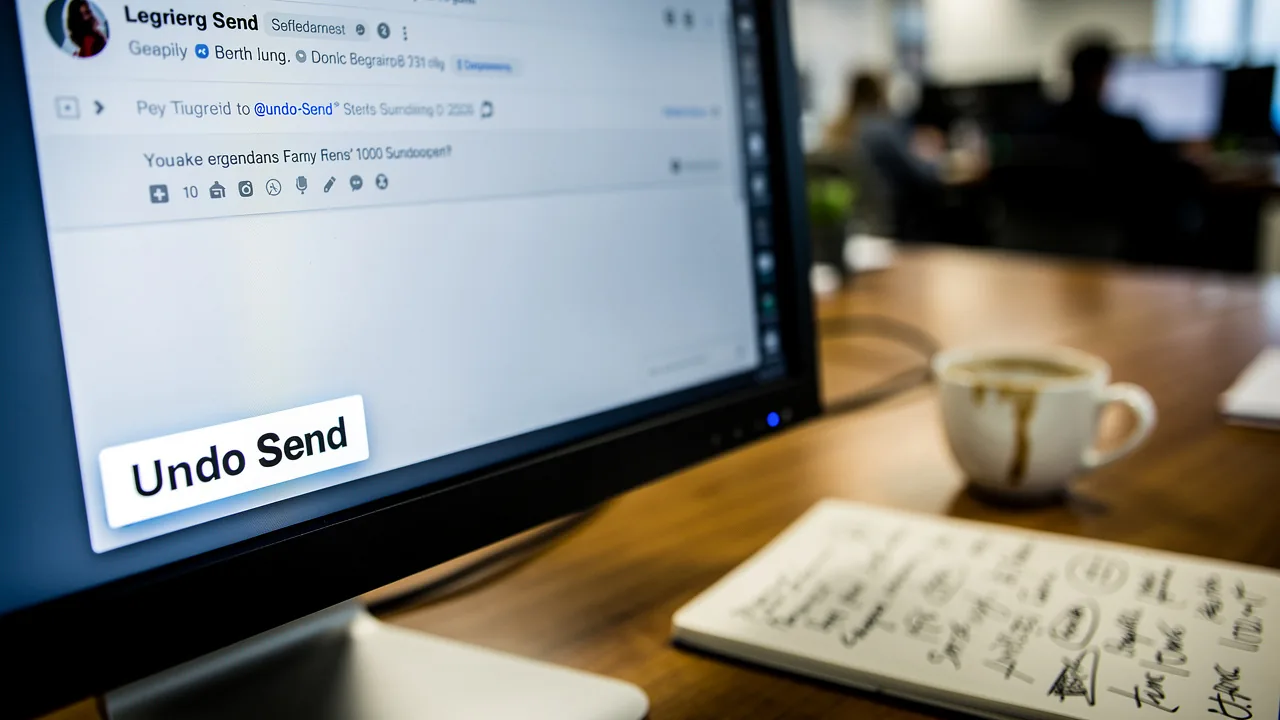
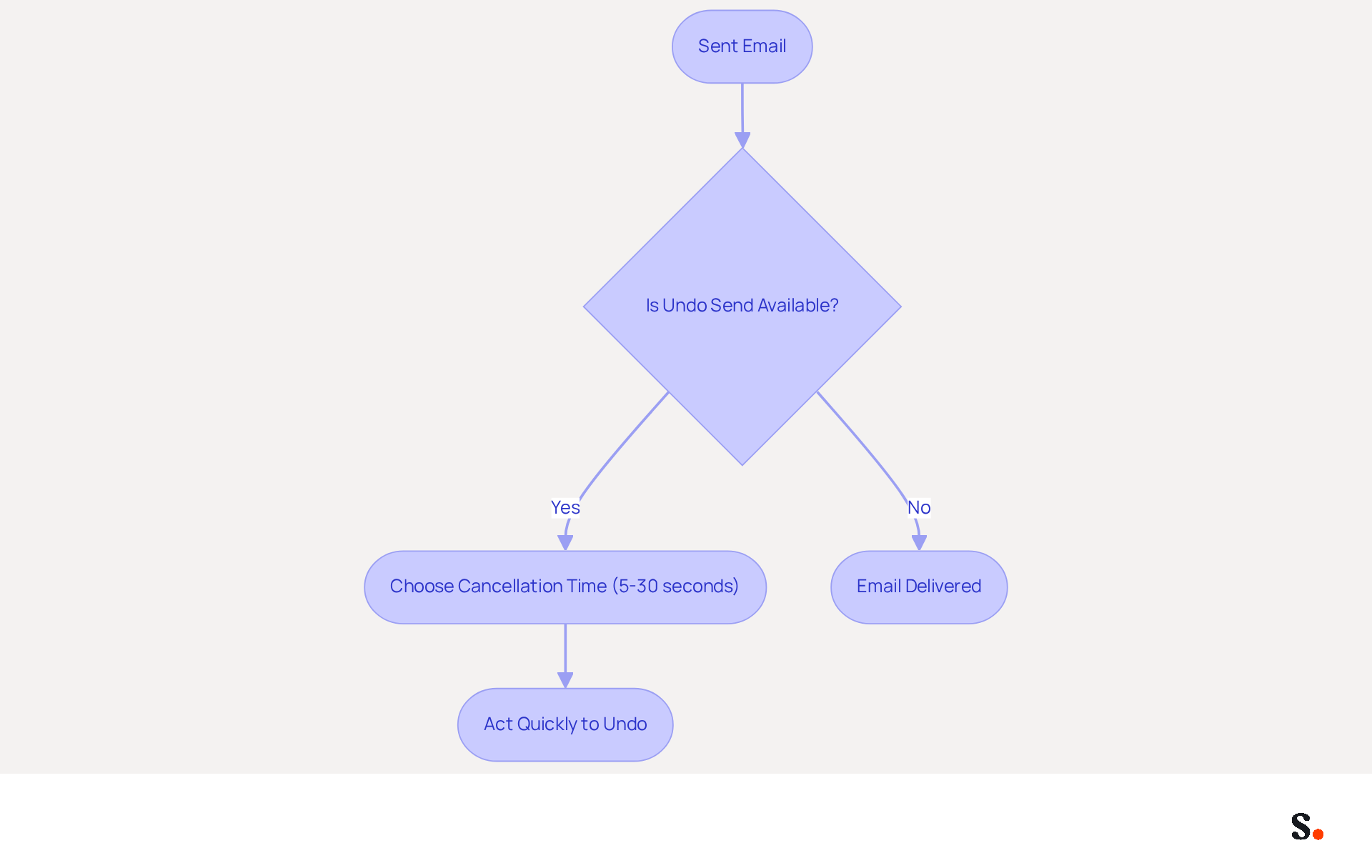
The ability to retract a sent message is a critical feature in modern communication. The concept of unsending a message raises the question: is there a way to unsend an email after it has been sent, typically within a brief time frame? Major messaging platforms, including Gmail and Outlook, provide an 'Undo Send' option that allows users to cancel the transmission of a message before it reaches the recipient's inbox. This creates a pressing need for users to act swiftly. Once this window closes, the message is delivered, and you might wonder, is there a way to unsend an email?
How effective this function is can depend on the recipient's mail client and if they’ve already opened the message. For example, Gmail's 'Undo Send' option allows individuals to set a cancellation period of 5 to 30 seconds, providing a crucial buffer for them to reconsider their messages. Given that 99% of users check their messages daily, this capability can lead to more polished and professional interactions in business communications.
Furthermore, with an estimated 376.4 billion messages sent and received daily worldwide, the ability to retract a message can significantly influence communication efficiency and professionalism. Grasping this concept is essential for anyone involved in digital marketing or business communication, as it aids in reducing the risks linked to sending unintended or incorrect messages.
By integrating Scribe with Google Workspace, marketing teams can further optimize their signature management. This integration saves time by automatically syncing teammates' data, ensuring that any changes in Google Workspace-such as updates to job positions or group assignments-are reflected in Scribe without manual input. This not only improves efficiency but also ensures that signatures are always current, reinforcing brand consistency across all communications.
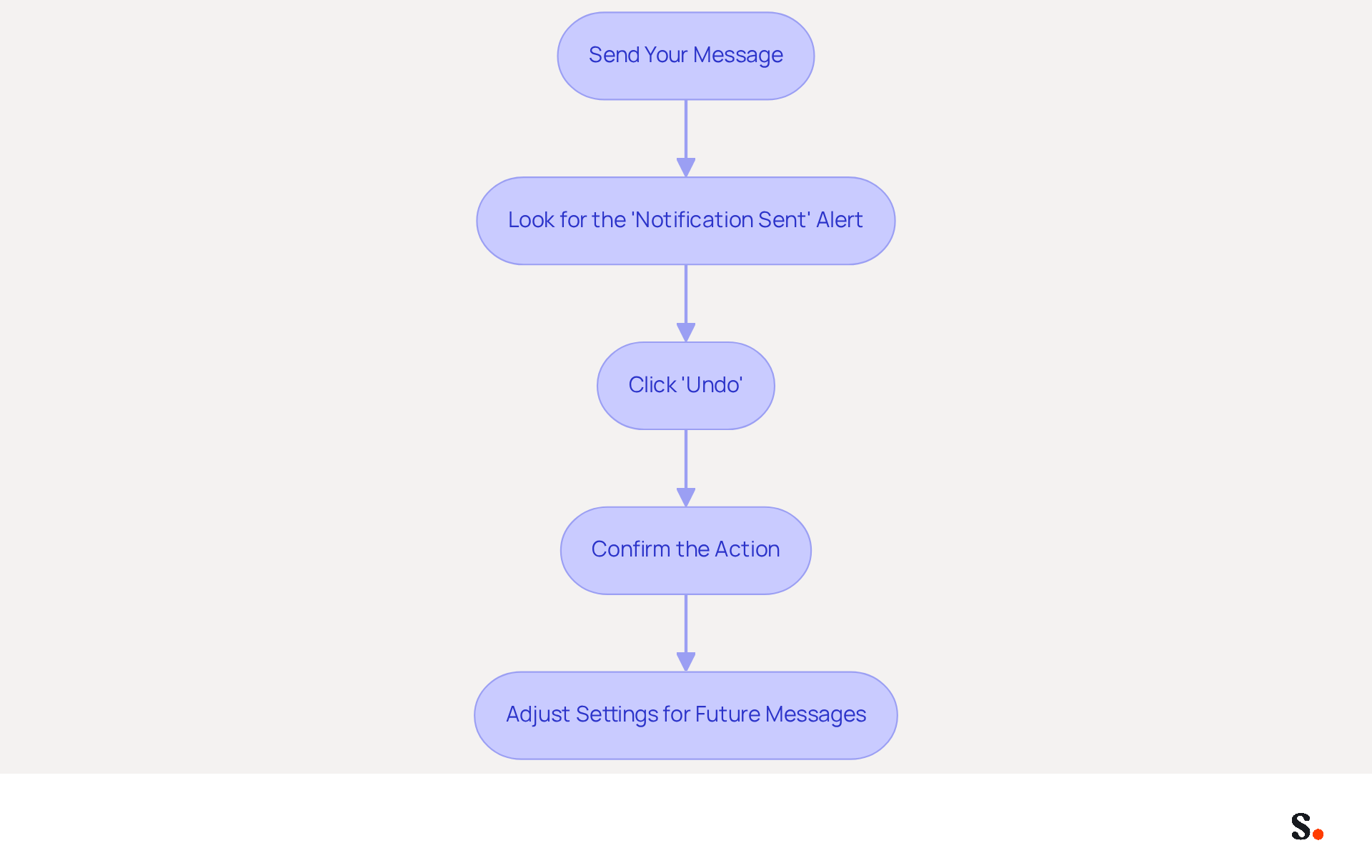
Unsending an Email in Gmail: Step-by-Step Instructions
- Send Your Message: Begin by composing your message and clicking 'Send'.
- Look for the 'Notification Sent' Alert: After sending, a notification will appear at the bottom left of your screen, confirming that the communication has been sent.
- Click 'Undo': Within this notification, you will find an 'Undo' option. Click on it within the cancellation period, which can be set to 5, 10, 20, or 30 seconds based on your preferences. This flexibility allows you to choose a timeframe that best suits your needs.
- Confirm the Action: By clicking 'Undo', the message will be retracted, giving you a moment to rethink your message and helping you avoid any potential embarrassment.
- Adjust Settings for Future Messages: To modify the cancellation period for upcoming messages, navigate to Settings > General > Undo Send, and select your desired time frame. This proactive adjustment can help you avoid future mishaps.
Many users have experienced the regret of sending a message too soon. The 'Undo Send' option has been a game changer for countless users, prompting the question: is there a way to unsend an email to retract messages before they reach recipients and avoid the embarrassment of premature sends? As John Brandon, a technologist and product tester, noted, "Undo Send saved me many times." By enabling this feature and selecting a cancellation period of up to 30 seconds, users can enhance their communication strategy and minimize the risk of miscommunication.
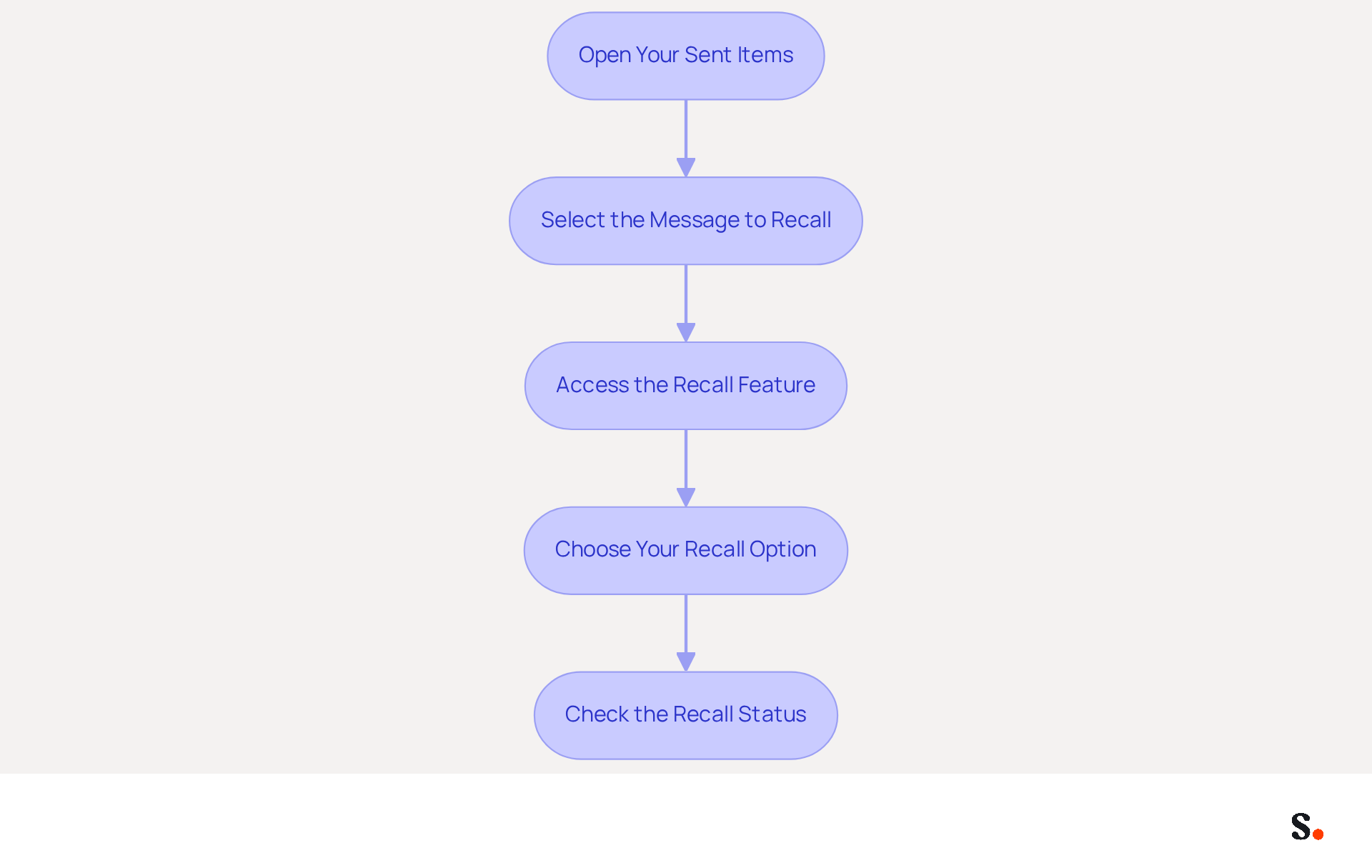
Unsending an Email in Outlook: Step-by-Step Instructions
While recalling an email in Outlook can be a straightforward process, it is important to ask, is there a way to unsend an email and understand its limitations for effective communication?
- Open Your Sent Items: Navigate to the 'Sent Items' folder in Outlook.
- Select the Message to Recall: Find the message you wish to unsend and double-click to open it.
- Access the Recall Feature: Go to the 'Message' tab in the ribbon, click on 'Actions', and select 'Recall This Message'.
- Choose Your Recall Option: You will have the option to delete unread copies of the message or replace it with a new message. Select your preferred option and click 'OK'.
- Check the Recall Status: You will receive a notification indicating whether the recall was successful or not, depending on whether the recipient has opened the message.
Recent updates have significantly improved the recall capability in Outlook, increasing its success rate from 40% to over 90%. This improvement means that users can now feel more confident in their ability to manage sent messages effectively. However, users may find it frustrating that emails sent outside their organization cannot be recalled, which raises the question: is there a way to unsend an email to correct mistakes?
Administrators can also set organization-wide recall time limits, ranging from 5 minutes to 10 years, providing flexibility in managing this feature. Additionally, the Maximum Recallable Message Age setting allows tenant admins to restrict recalls for messages older than a specified time, with a default of 365 days. This enhancement ensures that users can manage their sent messages effectively across various platforms, including Outlook for Windows, web, Mac, and mobile.
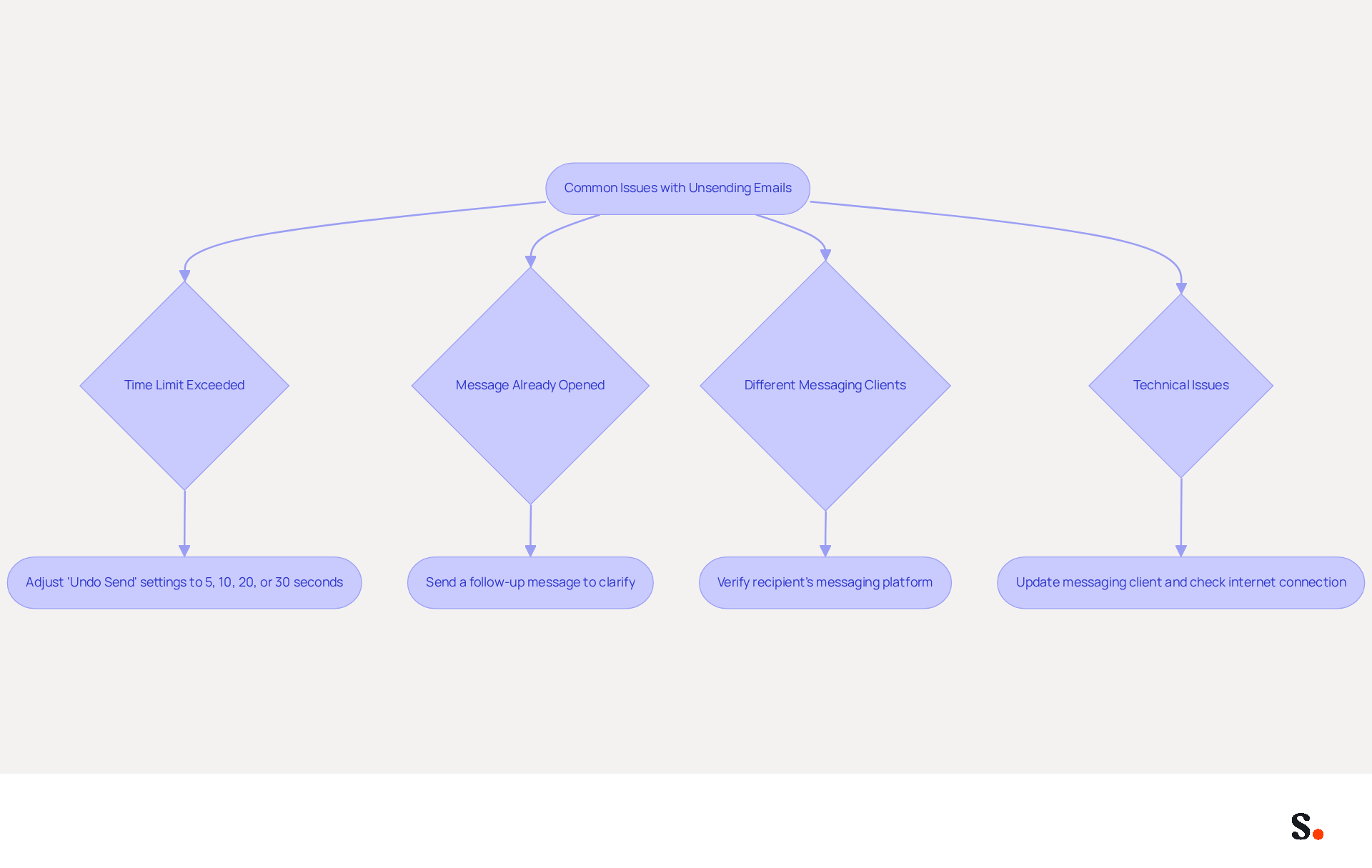
Troubleshoot Common Issues with Unsending Emails
Understanding the limitations of message recall features is crucial for effective communication.
- Time Limit Exceeded: If you miss the 'Undo' window, the message cannot be unsent. To prevent this, adjust your 'Undo Send' settings to a longer time frame, such as 5, 10, 20, or 30 seconds, which is recommended to give you ample time to react.
- Message Already Opened: Once the recipient has accessed the message, the recall feature will not function. In such situations, consider sending a follow-up message to clarify any mistakes or miscommunications.
- Different Messaging Clients: If the recipient utilizes a different messaging client, the recall may not be honored. This limitation can lead to significant communication challenges. It's essential to verify the recipient's messaging platform before relying on the recall feature, as this can lead to complications.
- Technical Issues: If you run into technical issues, make sure your messaging client is up to date. Restarting the application or checking your internet connection may resolve the issue. If problems persist, consult the help section of your service provider for further assistance.
In the UK, the phrase 'how to unsend message outlook' is searched 4,200 times each month, highlighting how urgently people want to fix messaging mistakes. Users often feel frustrated upon discovering that there is no way to unsend an email because of these common limitations. Addressing these common pitfalls can significantly enhance your email management strategy.
Conclusion
The ability to retract an email can transform how professionals communicate. By utilizing the 'Undo Send' options available in platforms like Gmail and Outlook, users can retract messages within a brief window, allowing for corrections before the email reaches its intended recipient. This capability helps prevent misunderstandings and enhances communication professionalism.
Throughout the article, key steps for unsending emails in both Gmail and Outlook were outlined, emphasizing the importance of acting quickly and understanding the limitations of these features. Users learned how to adjust their settings for optimal recall timeframes and troubleshoot common issues that may arise during the process. The insights provided highlight the significance of being proactive in email management, particularly in a digital landscape where effective communication is crucial.
Ultimately, mastering the art of unsending emails can significantly improve communication practices, reducing the likelihood of errors and enhancing overall professionalism. Using these features allows individuals to handle their emails better and highlights the need for clear communication in all areas of life.
Frequently Asked Questions
What does the concept of unsending emails refer to?
The concept of unsending emails refers to the ability to retract a sent message within a brief time frame before it reaches the recipient's inbox.
Which major messaging platforms offer an 'Undo Send' option?
Major messaging platforms like Gmail and Outlook provide an 'Undo Send' option that allows users to cancel the transmission of a message.
How long can users set the cancellation period for Gmail's 'Undo Send' feature?
Users can set the cancellation period for Gmail's 'Undo Send' feature between 5 to 30 seconds.
Why is the ability to unsend emails important for business communications?
The ability to unsend emails is important for business communications as it allows for more polished and professional interactions, reducing the risks associated with sending unintended or incorrect messages.
How does the effectiveness of the 'Undo Send' function depend on the recipient?
The effectiveness of the 'Undo Send' function can depend on the recipient's mail client and whether they have already opened the message.
What is the significance of the estimated 376.4 billion messages sent and received daily?
The significance of the estimated 376.4 billion messages sent and received daily highlights the importance of communication efficiency and professionalism, making the ability to retract messages particularly impactful.
How can integrating Scribe with Google Workspace benefit marketing teams?
Integrating Scribe with Google Workspace benefits marketing teams by automatically syncing teammates' data, ensuring that any changes in Google Workspace are reflected in Scribe without manual input, thus improving efficiency and maintaining brand consistency.
List of Sources
- Understand the Concept of Unsending Emails
- 100 Compelling Email Statistics for 2026 | PGM Solutions (https://porchgroupmedia.com/blog/100-compelling-email-statistics-to-inform-your-strategy-in-2023)
- Google's 'undo-send' can recall that email you didn't really want to send (https://csmonitor.com/Technology/2015/0623/Google-s-undo-send-can-recall-that-email-you-didn-t-really-want-to-send)
- Will being able to 'unsend' email save the day? (https://bbc.com/news/magazine-33256934)
- Unsending an Email in Gmail: Step-by-Step Instructions
- Send or unsend Gmail messages - Computer - Gmail Help (https://support.google.com/mail/answer/2819488?hl=en&co=GENIE.Platform%3DDesktop)
- How to undo send in Gmail for up to 30 seconds (https://blog.google/products-and-platforms/products/gmail/how-to-unsend-email-gmail)
- Why the Gmail ‘Undo Send’ feature spent six years in beta hell (https://computerworld.com/article/1635536/why-the-gmail-undo-send-feature-spent-six-years-in-beta-hell.html)
- This Gmail Recall Stops Sent Messages From Being Delivered (https://forbes.com/sites/daveywinder/2025/10/18/how-to-destroy-your-sent-gmail-email---you-have-30-seconds-to-act)
- Unsending an Email in Outlook: Step-by-Step Instructions
- Exchange Online Message Recall Updates | Microsoft Community Hub (https://techcommunity.microsoft.com/blog/exchange/exchange-online-message-recall-updates/4226568)
- How does the new message recall work in Microsoft 365 (https://codetwo.com/admins-blog/cloud-based-message-recall)
- neowin.net (https://neowin.net/news/microsoft-is-bringing-a-much-needed-feature-to-outlook)
- Troubleshoot Common Issues with Unsending Emails
- Will being able to 'unsend' email save the day? (https://bbc.com/news/magazine-33256934)
- This Gmail Recall Stops Sent Messages From Being Delivered (https://forbes.com/sites/daveywinder/2025/10/18/how-to-destroy-your-sent-gmail-email---you-have-30-seconds-to-act)
- Outlook users most worried about retrieving sent emails (https://digitaljournal.com/article/outlook-users-most-worried-about-retrieving-sent-emails)
- The bad news about email message recall: It doesn't work! - Slaw (https://slaw.ca/2010/03/23/email-message-recall-doesnt-work)
Get started with Scribe
Manage signatures across your whole team
Free 14-day trial — no credit card.