Master Changing Outlook Signature: A Step-by-Step Guide
Despite their significance, many professionals overlook the complexities involved in crafting effective email signatures in Outlook. A well-crafted signature
Sophie Grant
Email Signature Specialist, Scribe
Introduction
Despite their significance, many professionals overlook the complexities involved in crafting effective email signatures in Outlook. A well-crafted signature conveys essential contact information and acts as a branding tool that enhances trust and engagement.
However, despite the importance of email signatures, many professionals struggle to create and manage them effectively. This guide provides a comprehensive approach to overcoming these challenges and ensuring brand consistency.
We will explore the step-by-step process for:
- Changing Outlook signatures
- Troubleshooting common issues
- Leveraging automation for seamless management
All while emphasizing the importance of maintaining brand consistency in today's digital landscape.
Understand Email Signatures in Outlook
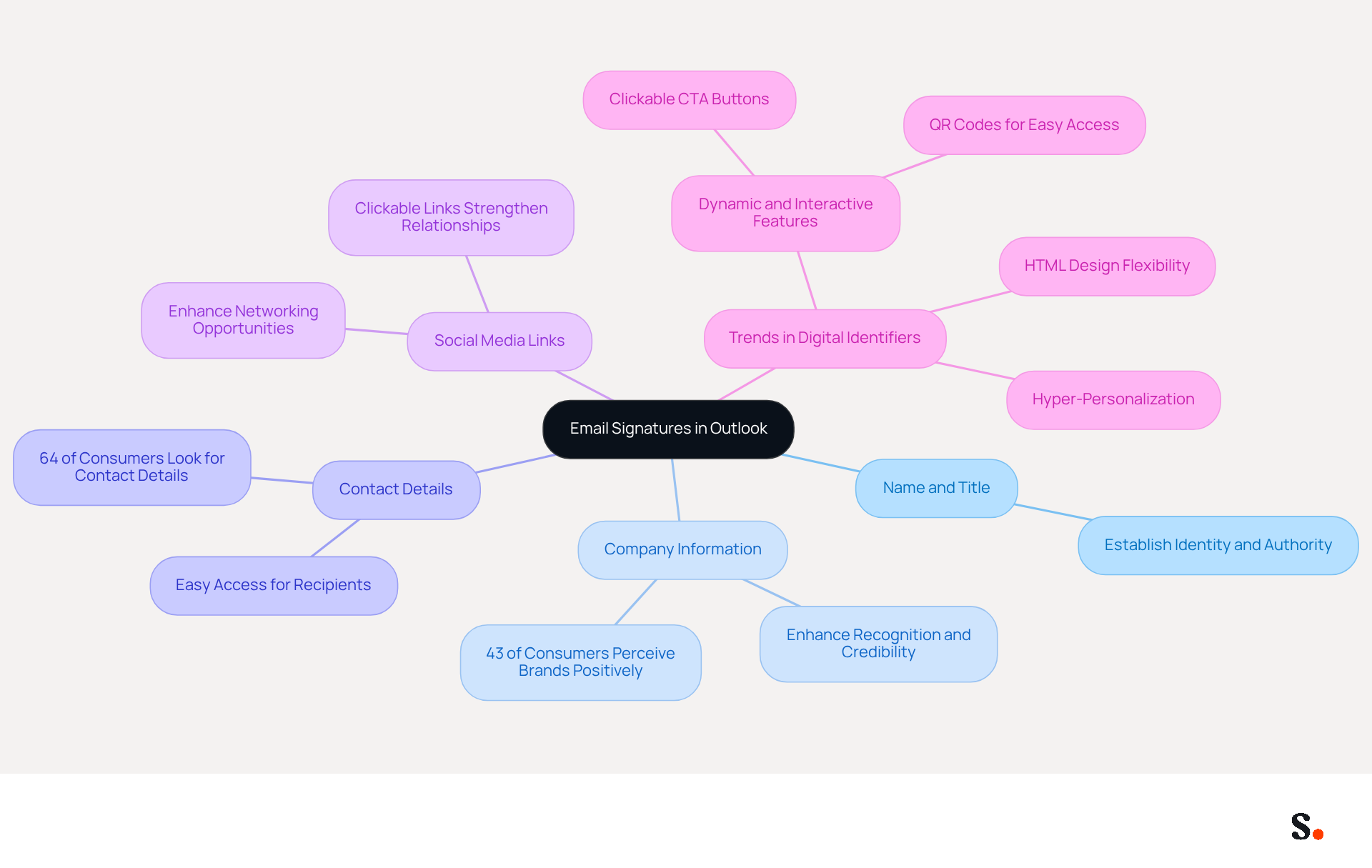
Understanding the components of digital identifiers is crucial for establishing a professional image in communications. Changing the Outlook signature allows identifiers to serve as vital branding tools, which are automatically added to the end of your messages. They typically include your name, title, company name, contact information, and often a logo or promotional message. Here are the key elements:
- Name and Title: Clearly state your name and job title to establish your identity and authority.
- Company Information: Include your company name and logo to enhance recognition and credibility. A well-branded signature, especially when changing the Outlook signature, can enhance trust among recipients, with 43% of consumers perceiving brands with branded signatures more positively.
- Contact Details: Provide your phone number, contact address, and website link for easy access, ensuring that recipients can reach you effortlessly.
- Social Media Links: Consider adding links to your professional social media profiles to enhance your networking opportunities.
By 2026, trends will favor more dynamic and interactive digital identifiers. Businesses are increasingly incorporating elements such as clickable social media links, interactive call-to-action buttons, and even QR codes for easy access to websites or digital business cards. However, many businesses struggle to adapt to these evolving standards. These features not only enhance engagement but also convert every message into a potential marketing opportunity.
Furthermore, the implementation of HTML designs provides enhanced creative flexibility, guaranteeing a uniform look across different messaging clients. This is crucial, as a mark that appears flawless on a desktop may look distorted on a mobile device, potentially damaging your image.
To demonstrate the effect of electronic identifiers on brand awareness, note that 70% of consumers show annoyance when brands do not incorporate any type of electronic identifier. This highlights the critical need for a professional, branded email footer, particularly when changing the Outlook signature across all platforms. By enhancing your message footer design and adopting contemporary trends, you can greatly increase professionalism, engage your audience, and effectively generate leads.
With Scribe, every modification made in your Aircall setup will automatically be reflected in your correspondence identifiers, ensuring seamless synchronization and improved consistency of your identity. Incorporating these elements into your correspondence not only conveys essential information but also reinforces your brand identity, making it a subtle yet powerful marketing tool. Neglecting to modernize your email signatures could mean missing out on valuable connections and opportunities.
Create and Manage Your Signature in Outlook
Creating a professional email signature is essential for effective communication and branding, which can be achieved by changing the Outlook signature. To create and manage your email signature in Outlook, follow these steps:
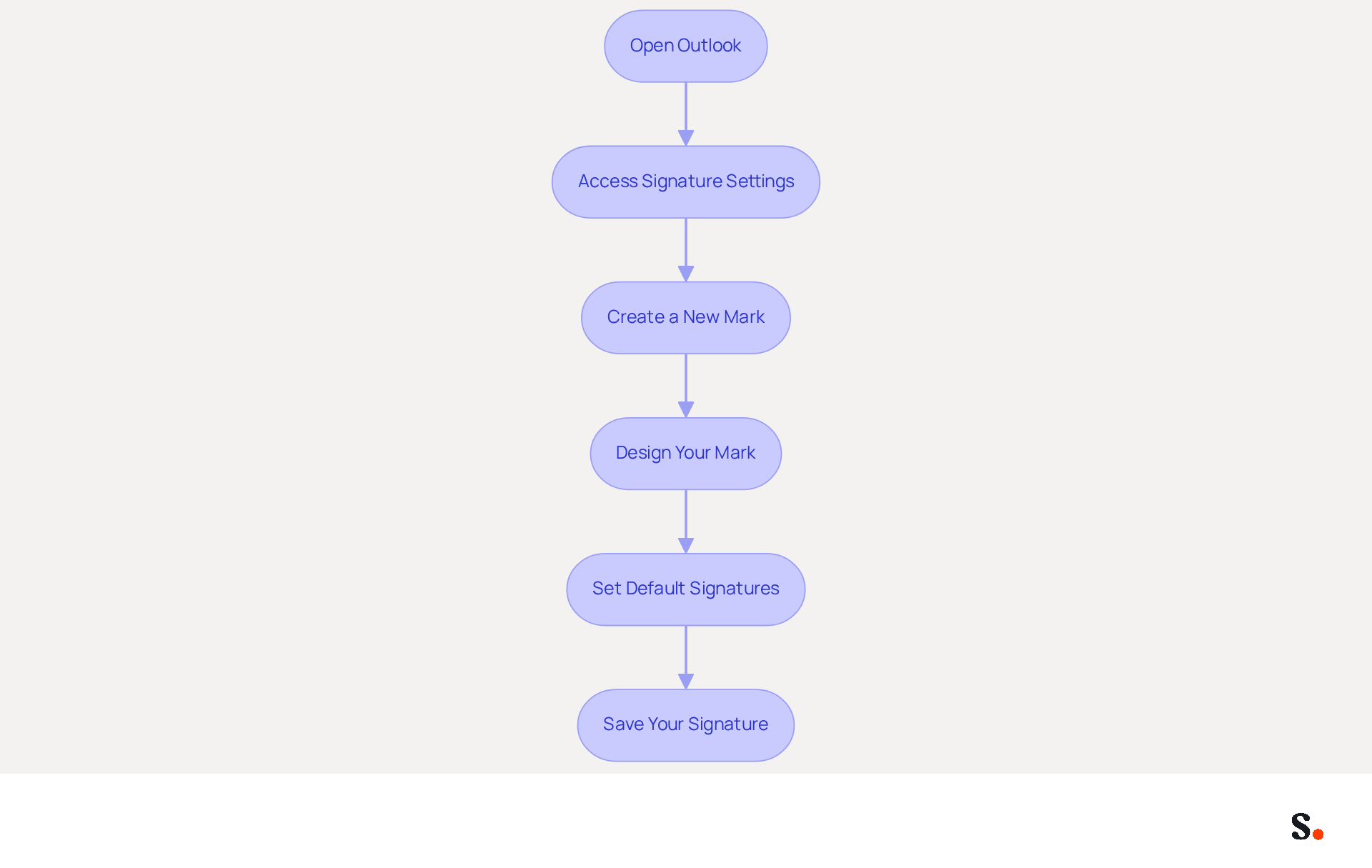
- Open Outlook: Launch the Outlook application on your computer.
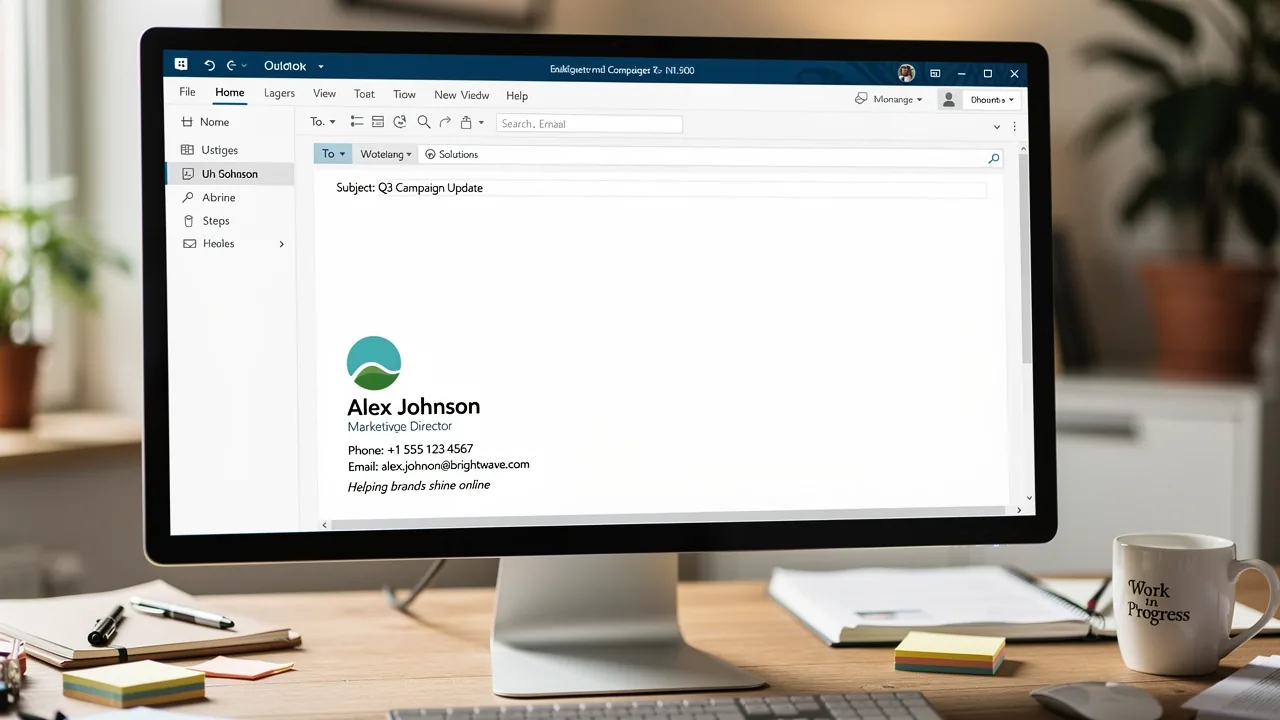
- Access Signature Settings: Click on the 'File' tab in the top left corner, then select 'Options'. In the Outlook Options window, choose 'Mail' from the left sidebar, and click on 'Signatures'.
- Create a New Mark: In the Signatures and Stationery window, click 'New' to create a new mark. Enter a name for your mark and click 'OK'.
- Design Your Mark: In the editing box, type your mark details. Use the formatting options to customize the font, size, and color. Additionally, you can incorporate images or hyperlinks using the designated options.
- Set Default Signatures: Select your default sign-off for new messages and replies/forwards from the dropdown menus.
- Save Your Signature: Click 'OK' to save your changes and exit the settings.
By following these steps, you can create a professional message footer that reflects your brand and provides essential contact details, including changing your Outlook signature. Recent data indicates that 28.7% of organizations leverage electronic identifiers to strengthen their branding efforts, while 25.1% utilize them to maintain consistency in corporate communication. Furthermore, messages with branded logos attain a 22% greater response rate. This highlights the significance of maintaining a consistent and impactful electronic communication footer. As productivity expert Steve Jobs noted, 'The only way to do great work is to love what you do.' This underscores the importance of a well-crafted email signature in establishing professional connections. Moreover, 52% of professionals believe a robust electronic identifier is essential for establishing trust, and 18.8% of businesses utilize electronic identifiers for lead generation. Changing Outlook signature regularly can significantly enhance your professional image and communication effectiveness.
With Scribe, you can automate the synchronization of your messaging identifiers with Aircall and Google Workspace, ensuring that any modifications made in your team’s information are automatically reflected in your identifiers. This not only saves time by eliminating the need for manual updates but also enhances brand consistency across all communications. Scribe's SOC 2 Type II compliance ensures secure data management, making it a trustworthy option for organizations aiming to optimize their communication management. By utilizing Scribe, marketing and IT teams can effectively manage electronic correspondence identifiers, ensuring that they are always up-to-date and aligned with the organization's branding objectives.
Troubleshoot Common Signature Issues
Despite configuring your messaging footer, many users encounter persistent issues that can hinder effective communication. Here are troubleshooting tips to resolve them:
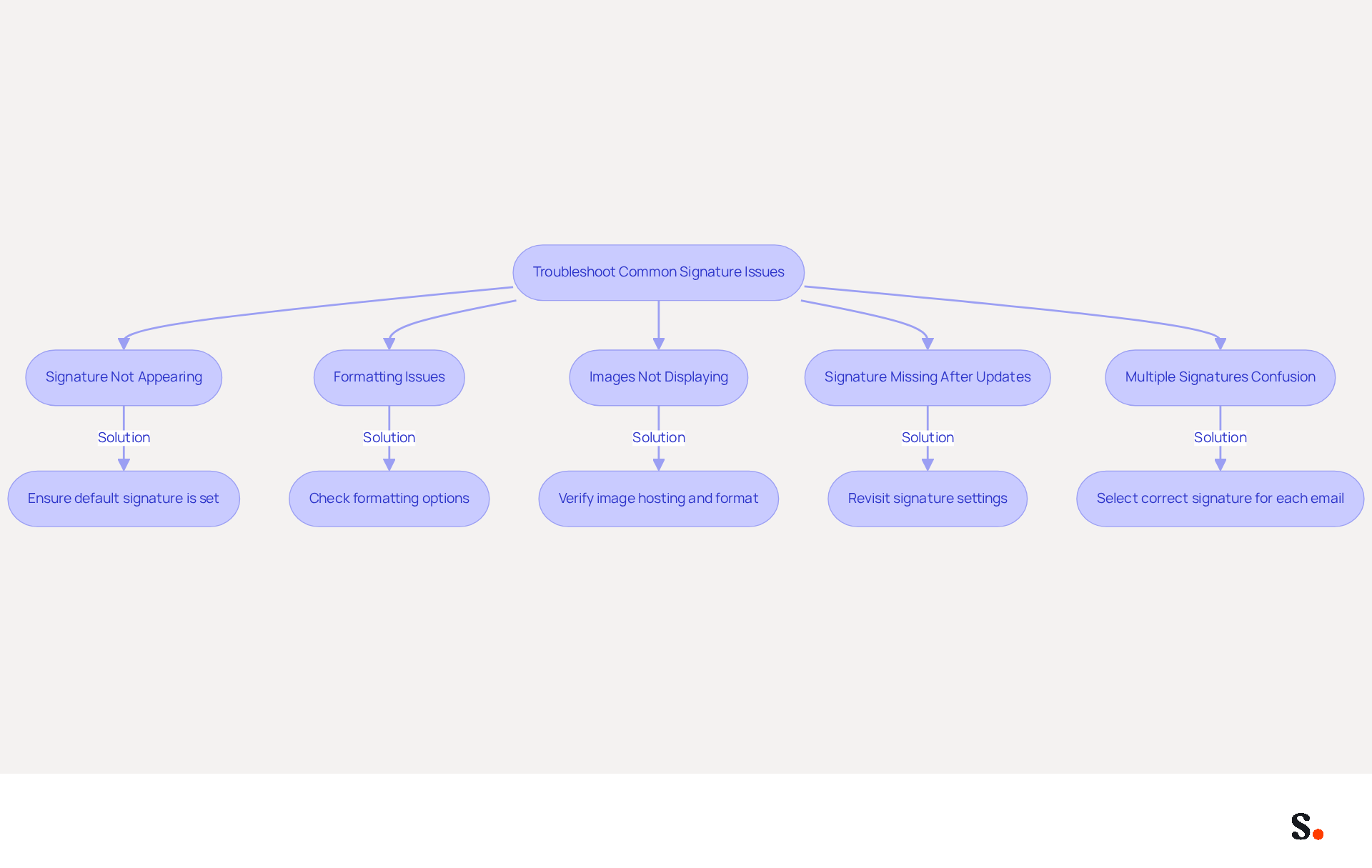
- Signature Not Appearing: If your mark is not showing up in new emails, ensure that you have set it as the default mark in the settings. This is essential, as 44.4% of users indicate updating their identifiers only a few times a year, which can lead to oversight in settings. Syncing Google Workspace with Scribe ensures that updates to your teammates' information are automatically reflected in their email details, minimizing errors.
- Formatting Issues: If your mark appears differently than expected, check the formatting options. Avoid copying and pasting from Word or web pages, as this can introduce unwanted formatting. Instead, use the built-in editor in Outlook to maintain consistency. Additionally, ensure that HTML is chosen as the email format for your identification to appear correctly.
- Images Not Displaying: If images in your email are not showing, ensure they are hosted online or embedded correctly. Verify the image file format and size, as improper formats can prevent images from displaying.
- Signature Missing After Updates: Sometimes, updates to Outlook can reset settings. Revisit the settings for your sign-off to ensure it is still configured correctly. This is a frequent problem, as many users encounter loss of their marks after updates. Additionally, verify that your name is set to appear in replies and forwards in Outlook settings. By syncing with Google Workspace, you can ensure that any updates to your team’s information are automatically managed, reducing the risk of losing configuration settings.
- Multiple Signatures Confusion: If you have several signings, make sure you select the correct one for each email. You can do this by clicking on 'Signature' in the message window and selecting the suitable option. With 89.9% of individuals utilizing a single mark and only 8.6% employing multiple marks, managing various versions can result in confusion. With Scribe’s integration, managing approvals across your team becomes much simpler.
By following these troubleshooting steps, you can resolve common issues quickly. Syncing Google Workspace with Scribe, especially for auto-filling contact information, helps maintain professional correspondence and enhances your brand's visibility.
Leverage Automation for Efficient Signature Management
Managing electronic correspondence identifiers can be challenging, but automation offers a solution that enhances efficiency and consistency. Here’s how:
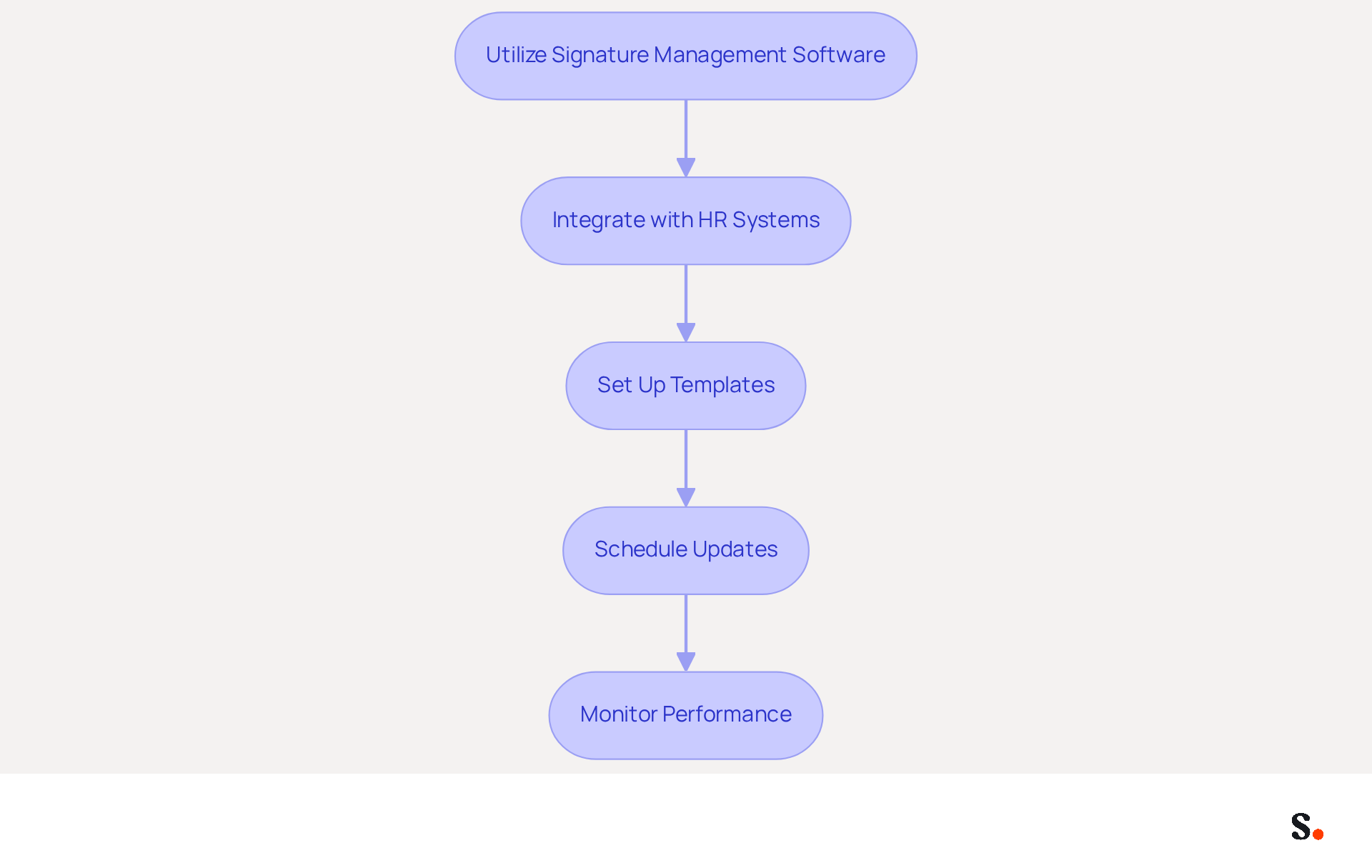
- Utilize Signature Management Software: Platforms like Scribe automate the process of changing outlook signature across your organization, ensuring consistent branding for all team members without the need for manual updates.
- Integrate with HR Systems: Automate data synchronization with your HR or identity management systems to keep approvals current with the latest employee information, reducing the risk of outdated details.
- Set Up Templates: Create standardized formats for electronic correspondence that allow for easy customization by team members. This approach maintains brand consistency while enabling personalization.
- Schedule Updates: Plan regular revisions for your messaging to reflect new marketing campaigns or branding changes. Automation tools can facilitate the scheduling of these updates across all users, ensuring timely implementation.
- Monitor Performance: Utilize analytics to track the effectiveness of your messages in driving engagement. This data can guide future updates and enhancements, ensuring your communications remain impactful.
By adopting automation, organizations can streamline their communication processes and enhance brand integrity by changing their outlook signature. Embracing automation not only simplifies management but also strengthens your brand's presence in every interaction.
Conclusion
Optimizing your Outlook signature is essential for projecting a professional image and maximizing brand visibility. By effectively managing your email signatures, organizations can ensure that their branding remains consistent and impactful, transforming every email into a potential marketing touchpoint.
Throughout this guide, key steps have been outlined for creating, managing, and troubleshooting email signatures in Outlook. From understanding the essential components of a signature to leveraging automation tools like Scribe for seamless updates, the importance of a well-crafted email signature has been emphasized. Notably, Scribe's capabilities allow for easy synchronization with platforms like Google Workspace, ensuring that branding remains consistent across all communications while saving valuable time for marketing and IT teams.
In a world where digital communication is paramount, failing to optimize email signatures risks losing potential clients and undermining brand credibility. Embracing automation and best practices in email signature management not only enhances professionalism but also drives engagement and trust among recipients. Without these strategies, organizations may find themselves at a disadvantage against competitors. It’s time for organizations to implement these strategies and use tools like Scribe to enhance their email communications and see real marketing results.
Frequently Asked Questions
What is the purpose of an email signature in Outlook?
An email signature in Outlook serves as a digital identifier that establishes a professional image in communications. It typically includes your name, title, company name, contact information, and often a logo or promotional message.
What key elements should be included in an Outlook email signature?
Key elements to include in an Outlook email signature are your name and title, company information (name and logo), contact details (phone number, address, website link), and social media links.
How can a branded email signature impact consumer perception?
A well-branded email signature can enhance trust among recipients, with 43% of consumers perceiving brands with branded signatures more positively.
What trends are expected for email signatures by 2026?
By 2026, trends will favor more dynamic and interactive digital identifiers, incorporating elements such as clickable social media links, interactive call-to-action buttons, and QR codes for easy access to websites or digital business cards.
Why is it important to have a uniform look for email signatures across different devices?
A uniform look across different messaging clients is crucial because a signature that appears flawless on a desktop may look distorted on a mobile device, potentially damaging your professional image.
What percentage of consumers are annoyed when brands do not use electronic identifiers?
70% of consumers show annoyance when brands do not incorporate any type of electronic identifier, highlighting the need for a professional, branded email footer.
How does Scribe enhance the management of email signatures?
With Scribe, every modification made in your Aircall setup will automatically be reflected in your correspondence identifiers, ensuring seamless synchronization and improved consistency of your identity.
What are the benefits of modernizing email signatures?
Modernizing email signatures can increase professionalism, engage your audience, and effectively generate leads, while neglecting to do so could mean missing out on valuable connections and opportunities.
List of Sources
- Understand Email Signatures in Outlook
- Top email signature trends for companies in 2026 (https://bybrand.io/blog/trends-email-signatures)
- Email Signature Trends in Numbers: Infographic [2026] (https://mailtrap.io/blog/email-signature-trends)
- Research Recap: Branded Email Signatures Increase Company Recognition, Trust - Demand Gen Report (https://demandgenreport.com/industry-news/research-recap-branded-email-signatures-increase-company-recognition-trust/47252)
- Why Email Signatures Must Be In Your 2026 Marketing Plan | Rocketseed (https://rocketseed.com/blog/2026-marketing-plan-email-signatures)
- Create and Manage Your Signature in Outlook
- Email Signature Trends in Numbers: Infographic [2026] (https://mailtrap.io/blog/email-signature-trends)
- Email signature statistics: Why every business should optimize their email signatures — Stripo.email (https://stripo.email/blog/email-signature-statistics-why-every-business-should-optimize-their-email-signatures)
- Best Email Signature Quotes (2026) - HubSpot (https://hubspot.com/email-signature-generator/best-signature-quotes)
- How to choose the perfect email signature quote: tips and examples — Stripo.email (https://stripo.email/blog/how-to-choose-the-perfect-email-signature-quote-tips-and-examples)
- Troubleshoot Common Signature Issues
- 40+ Email Signature Statistics for 2026 (Data + Insights) (https://wavecnct.com/blogs/email-signature-statistics)
- Troubleshooting Email Signature Issues in Outlook (https://justanswer.com/email/lyeqn-email-signatures-no-longer-loading-automatically.html)
- Email signature statistics: Why every business should optimize their email signatures — Stripo.email (https://stripo.email/blog/email-signature-statistics-why-every-business-should-optimize-their-email-signatures)
- Read our guide for troubleshooting Outlook signatures issues (https://wisestamp.com/guides/how-to-fix-outlook-signature-not-showing)
- Leverage Automation for Efficient Signature Management
- Email Signature Trends 2026: Centralized Control & Automation | SIGNandGO posted on the topic | LinkedIn (https://linkedin.com/posts/signngo_email-signature-trends-to-watch-in-2026-activity-7401523471786217473-zAVL)
- Email Signature Management: What It Is and Why Companies Need It in 2026 (https://signandgo.io/blog/email-signature-management-what-it-is-and-why-companies-need-it-in-2026)
- Company-Wide Email Signature Management | CloudM (https://cloudm.io/resources/blog/optimize-your-process-with-company-wide-email-signature-management)
- Why Email Signatures Must Be In Your 2026 Marketing Plan | Rocketseed (https://rocketseed.com/blog/2026-marketing-plan-email-signatures)
Get started with Scribe
Create your signature in minutes
Free 14-day trial — no credit card.