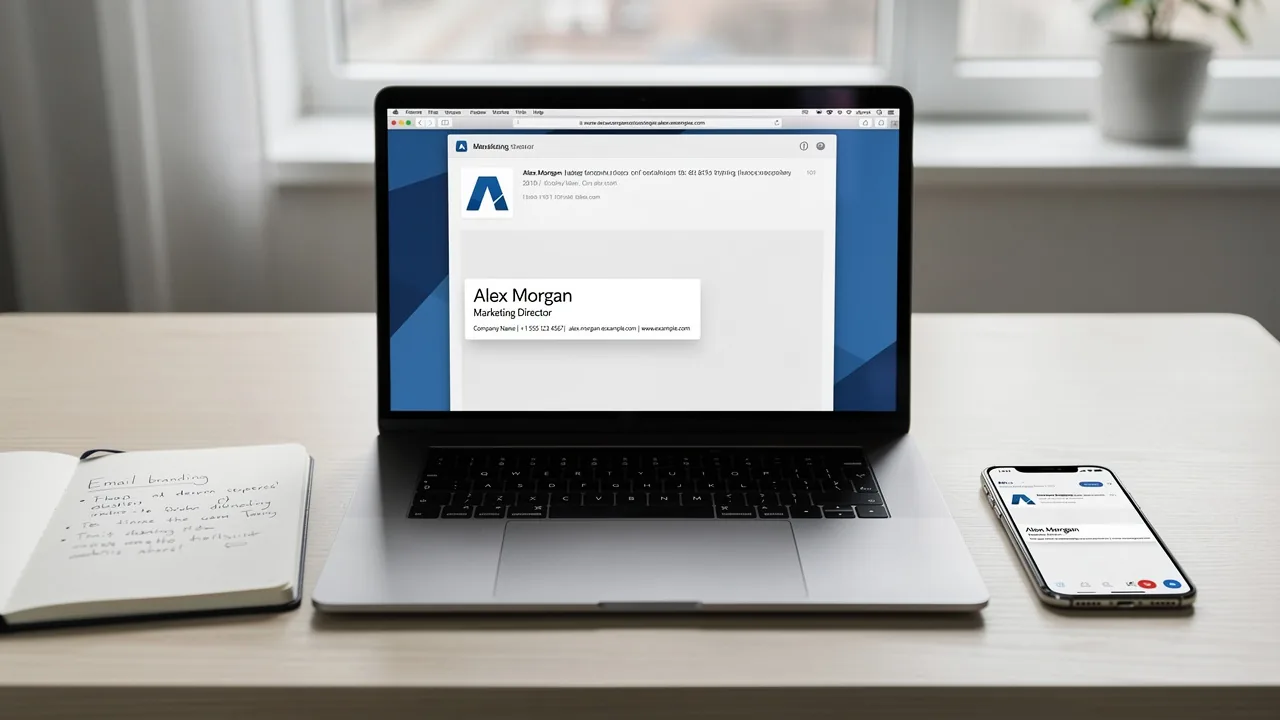
Master Dimensions for Gmail Signature: Best Practices for Impact
Crafting an effective Gmail signature presents a challenge that extends beyond mere aesthetics; it plays a crucial role in shaping brand identity and
Sophie Grant
Email Signature Specialist, Scribe

On this page
Introduction
Crafting an effective Gmail signature presents a challenge that extends beyond mere aesthetics; it plays a crucial role in shaping brand identity and communication strategy. With the majority of emails now accessed on mobile devices, understanding the ideal dimensions and design principles for email signatures is crucial for ensuring clarity and impact. Organizations often find it challenging to create signatures that are both visually appealing and compliant with branding guidelines. This article will explore effective strategies for optimizing Gmail signature dimensions that enhance brand consistency and engagement.
Determine Ideal Dimensions for Desktop and Mobile Signatures
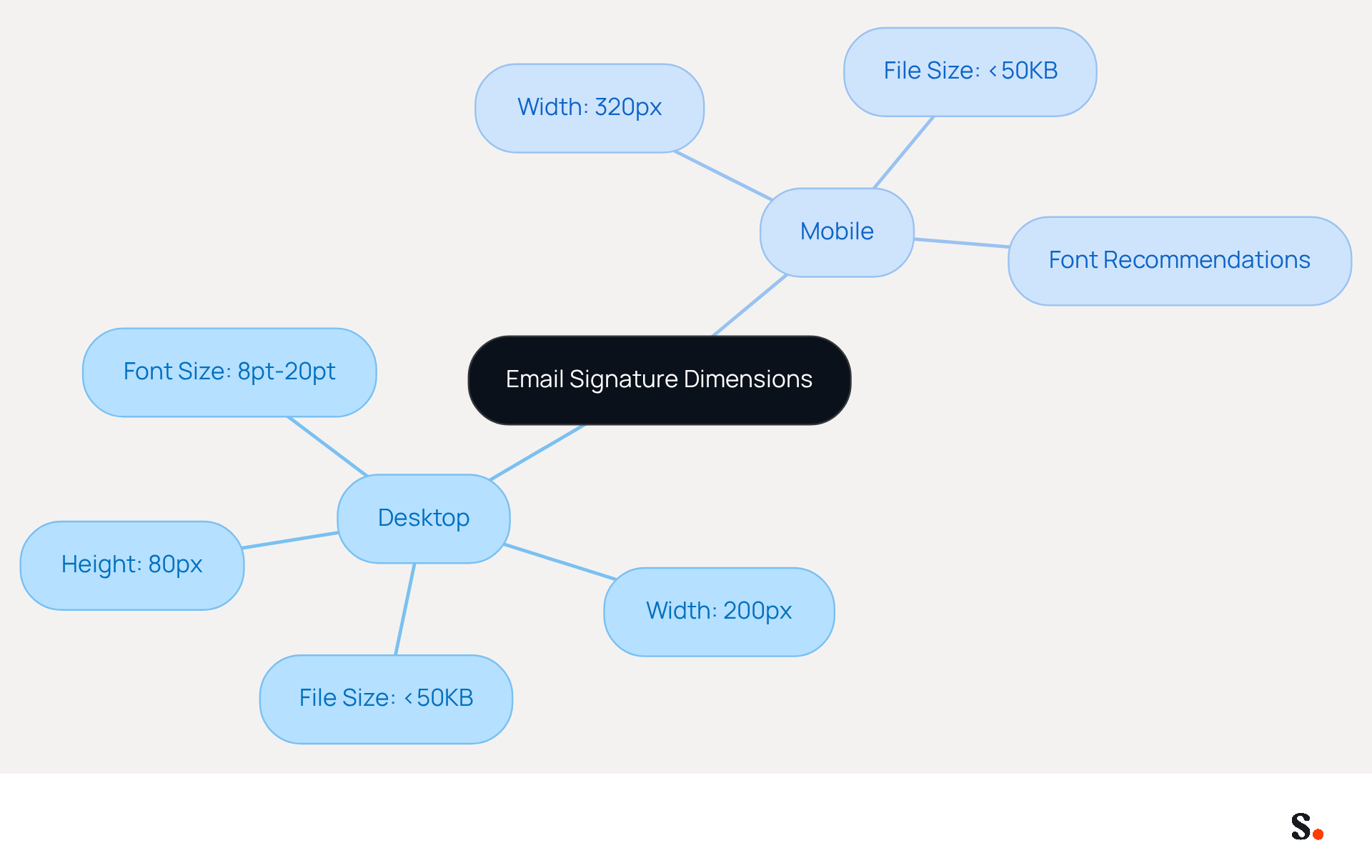
To ensure your email signatures are both visually appealing and functional, adhering to specific dimensions is crucial. To achieve optimal display in Gmail, the dimensions for Gmail signature should ideally measure around 80 pixels in height and up to 200 pixels in width. These dimensions allow the mark to complement the message content effectively, ensuring it does not overshadow the text.
Additionally, for mobile devices, signatures must fit within a width of 320 pixels, as 81% of users access emails on smaller screens. Moreover, maintaining a total file weight of images under 50KB is vital for quick loading times and a polished appearance.
Using .PNG files with transparent backgrounds is advisable to maintain design integrity, particularly in dark mode. Additionally, employing web-safe fonts and maintaining a font size between 8pt (11px) and 20pt (26px) enhances readability.
By adhering to these dimensions and guidelines, you enhance the visual appeal of your signatures while ensuring compliance with best practices for effective communication.
Optimize File Size and Format for Quick Loading and Clarity
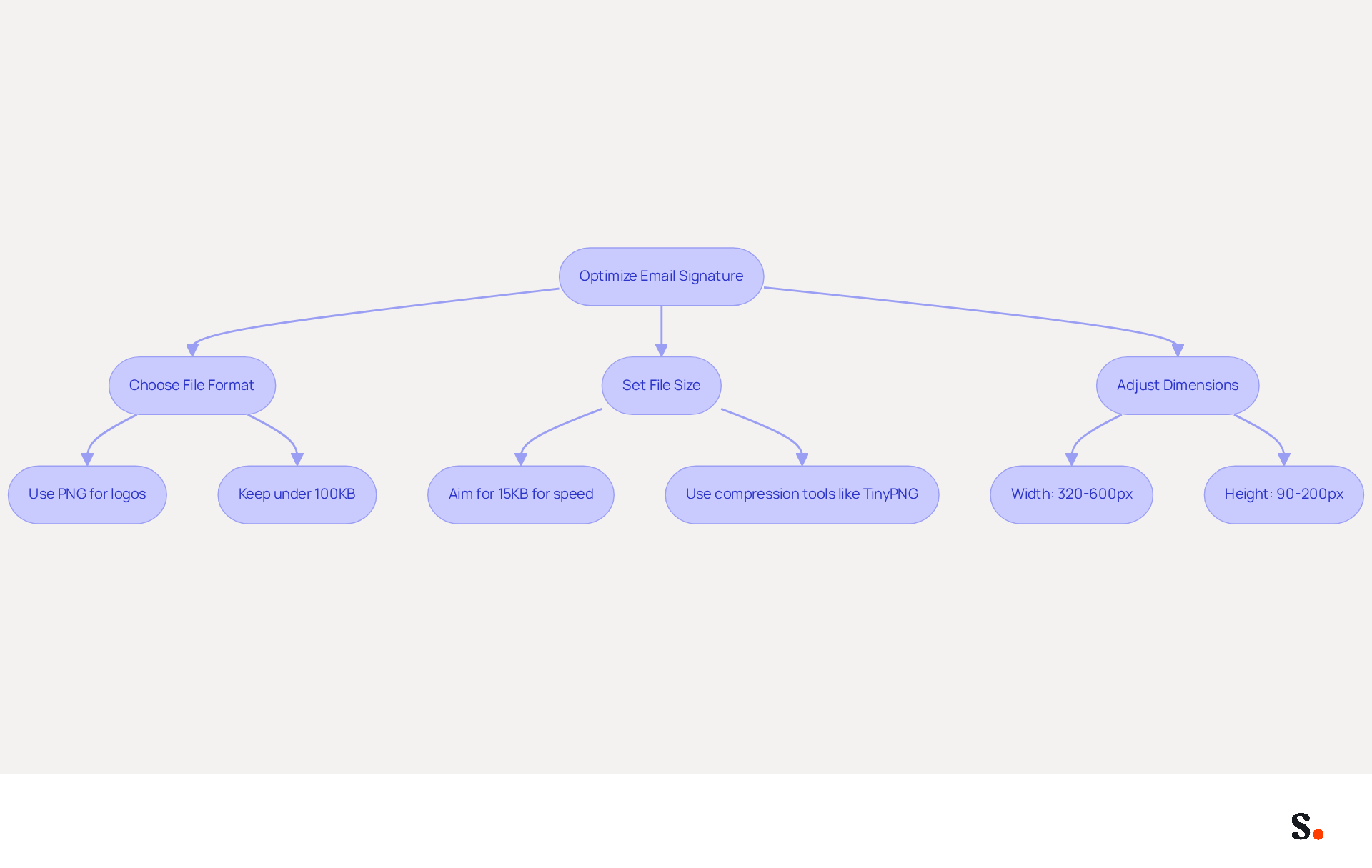
To ensure that email signatures are both visually appealing and efficient, it is crucial to optimize the dimensions for Gmail signature and formats. Utilize PNG format for visuals, as it offers high quality with transparency, making it ideal for logos. Aim for a file weight of under 100KB, ideally keeping it around 15KB to significantly enhance loading speed. Compress visuals using tools like TinyPNG or ImageOptim to decrease file size without sacrificing quality. According to Amotz Harari, "Keep all file types under 100KB in JPG or PNG format." Optimizing images ensures a seamless user experience and maintains a professional appearance across different messaging platforms. Furthermore, keeping images under 100KB helps prevent loading issues and ensures that the branding remains visually appealing, even in scenarios where images may not load.
The suggested dimensions for Gmail signature are:
By following these guidelines, you not only enhance your branding but also ensure effective communication in a digital landscape where first impressions matter.
Implement Best Practices for Creating Compliant Email Signatures
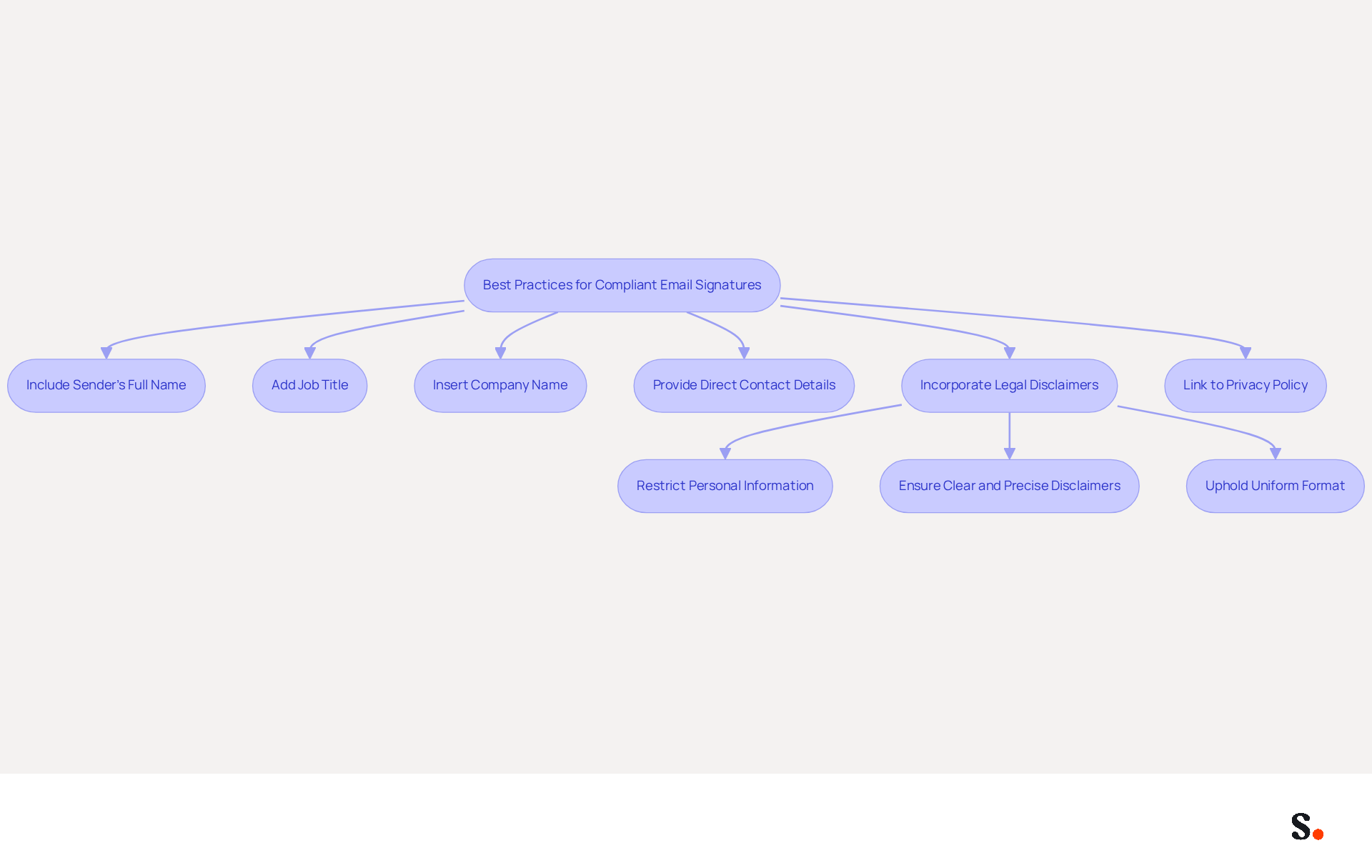
To ensure compliance and build trust, organizations must carefully manage their digital identifiers. It is essential to include key information such as the sender's full name, job title, company name, and direct contact details. Depending on your jurisdiction, you may also need to incorporate legal disclaimers or company registration information. Adhering to GDPR and CCPA, as well as obtaining SOC 2 Type II certification, is crucial; therefore, including a link to your privacy policy is recommended if necessary. Failing to regularly update digital identifiers can lead to compliance issues and potential legal repercussions. This proactive approach protects the organization legally and builds credibility with recipients.
Optimal approaches for compliant digital identifiers involve:
- Restricting personal information to only what is essential
- Ensuring that disclaimers are clear and precise
- Upholding a uniform format throughout the organization
Take Nike and Headspace, for instance; they’ve seen better compliance and engagement rates by regularly updating their communication footers. By considering digital communication identifiers as part of broader data processing activities, businesses can better manage compliance risks and build trust with their audience.
By syncing your Google Workspace with Scribe, you can streamline management of your identifiers considerably. This integration saves time by automatically updating your teammates' information, ensuring that any changes in Google Workspace are reflected in Scribe without manual input. This not only simplifies the process but also maintains brand consistency across all communications.
Ensure Brand Consistency Across Team Email Signatures
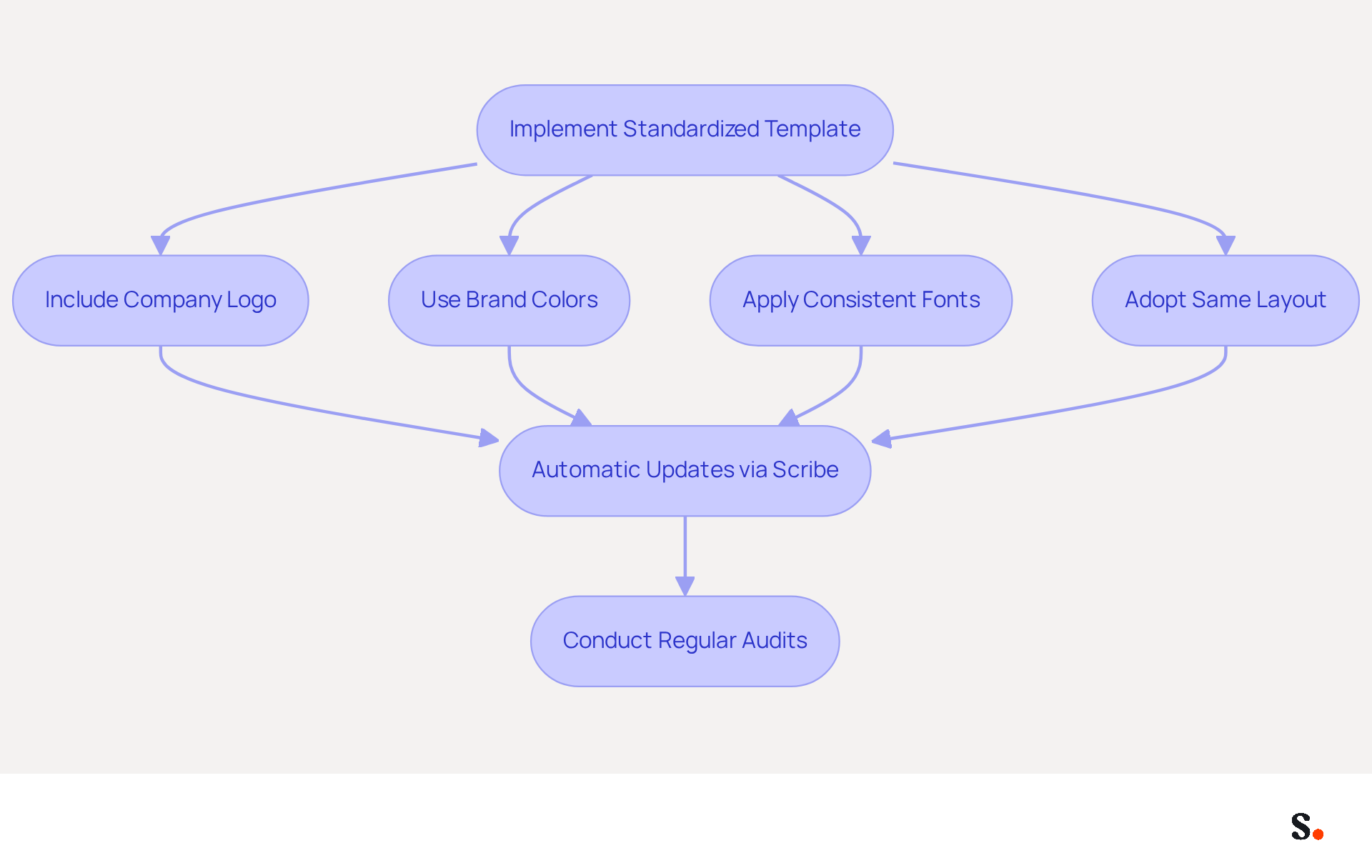
To maintain a strong brand identity, it is crucial to implement a standardized template for electronic correspondence that all team members must utilize. This template should include the company logo, brand colors, and fonts that align with your overall branding strategy.
With Scribe, any modifications made in your Aircall configuration will automatically be reflected in your communication identifiers, ensuring that your branding remains consistent across all interactions.
It's important for team members to adopt the same layout and design elements to ensure a cohesive look. Regular audits of email signatures can help ensure compliance with branding guidelines.
Ultimately, a consistent brand image can significantly influence client perceptions and strengthen business relationships.
Conclusion
Creating effective Gmail signatures is a challenge that many organizations face, yet it is crucial for effective communication and brand representation. Organizations can create visually appealing signatures by following recommended dimensions and best practices, which enhances their professional image and ensures legal compliance.
Optimizing file sizes and formats is crucial for ensuring quick loading times and clarity in email signatures. To achieve this, organizations should:
- Utilize PNG files
- Keep file sizes under 50KB
- Adhere to specific height and width guidelines
Moreover, including necessary information and legal disclaimers in email signatures fosters trust and credibility with recipients.
In today's digital landscape, where first impressions are crucial, maintaining brand consistency in email signatures can significantly influence client perceptions and strengthen business relationships. Organizations should adopt these best practices to enhance their branding and ensure effective communication with their audience. Neglecting these best practices could result in missed opportunities to make a positive impression on clients and partners.
Frequently Asked Questions
What are the ideal dimensions for email signatures in Gmail?
The ideal dimensions for a Gmail signature are around 80 pixels in height and up to 200 pixels in width.
Why is it important to adhere to specific dimensions for email signatures?
Adhering to specific dimensions ensures that the signature is visually appealing and functional, complementing the message content without overshadowing the text.
What are the recommended dimensions for email signatures on mobile devices?
For mobile devices, email signatures should fit within a width of 320 pixels.
What percentage of users access emails on smaller screens?
81% of users access emails on smaller screens.
What is the maximum file weight for images in email signatures?
The total file weight of images in email signatures should be under 50KB for quick loading times and a polished appearance.
What type of image files is advisable for maintaining design integrity in email signatures?
It is advisable to use .PNG files with transparent backgrounds to maintain design integrity, especially in dark mode.
What font considerations should be made for email signatures?
Using web-safe fonts and maintaining a font size between 8pt (11px) and 20pt (26px) enhances readability in email signatures.
How do these guidelines improve email signatures?
By adhering to these dimensions and guidelines, you enhance the visual appeal of your signatures while ensuring compliance with best practices for effective communication.
List of Sources
- Determine Ideal Dimensions for Desktop and Mobile Signatures
- What Is The Best Email Signature Size? | Rocketseed (https://rocketseed.com/resources/email-design-guidelines)
- What is the Best Email Signature Design Size? Expert Guide (https://publicate.it/blog/email-signature-design-size)
- Email Signature Best Practices - NEWOLDSTAMP (https://newoldstamp.com/blog/email-signature-best-practices)
- Using the Right Email Signature Size | Exclaimer (https://exclaimer.com/email-signature-handbook/using-the-right-email-signature-size)
- Optimize File Size and Format for Quick Loading and Clarity
- Email Signature Size and Image Best Practices (https://maileditor.net/blog/email-signature-size-and-image-best-practices)
- Correct Email Signature Dimensions: Width, Height & File Size (https://wisestamp.com/guides/what-are-correct-email-signature-dimensions)
- What Is the Ideal Email Signature Size? (https://oppora.ai/blog/email-signature-size)
- Optimize Your Email Banner Signature Size for Maximum Impact (https://scribe-mail.com/en-US/blog/optimize-your-email-banner-signature-size-for-maximum-impact)
- Implement Best Practices for Creating Compliant Email Signatures
- Email Signature Mandatory Information 2026: Rules for GmbH & Co. (https://conbool.com/blog/e-mail-signatur-pflichtangaben-unternehmen-dsgvo-en)
- Ensuring Compliance: Best Practices for Email Signatures and Disclaimer Under GDPR (https://adsigner.com/en/blog/how-to-create-regulation-compliant-email-signatures)
- GDPR Email Compliance Checklist for Signatures and Disclaimers (https://bulksignature.com/blog/gdpr-email-compliance-checklist-for-signatures-and-disclaimers)
- 10 GDPR Email Signature Examples to Boost Compliance and Engagement (https://scribe-mail.com/en-US/blog/10-gdpr-email-signature-examples-to-boost-compliance-and-engagement)
- GDPR-compliant Email Signatures: Data Protection Guide (https://gsignature.com/blog-post/email-signatures-and-gdpr---what-you-need-to-remember-when-creating-a-footer-that-complies-with-regulations)
- Ensure Brand Consistency Across Team Email Signatures
- Maximize Marketing Impact with Automated Email Signatures Best Practices (https://scribe-mail.com/en-US/blog/maximize-marketing-impact-with-automated-email-signatures-best-practices)
- The impact of email signatures on your branding (https://signitic.com/en/resources/the-impact-of-email-signatures-on-your-branding)
- Research Recap: Branded Email Signatures Increase Company Recognition, Trust - Demand Gen Report (https://demandgenreport.com/industry-news/research-recap-branded-email-signatures-increase-company-recognition-trust/47252)
- Why Email Signatures Must Be In Your 2026 Marketing Plan | Rocketseed (https://rocketseed.com/blog/2026-marketing-plan-email-signatures)
- 2026 Email Signature Trends for Companies | Bybrand posted on the topic | LinkedIn (https://linkedin.com/posts/bybrand_top-email-signature-trends-for-companies-activity-7458274214513483776-q9NB)
Get started with Scribe
Create your signature in minutes
Free 14-day trial — no credit card.