Master Email Signature Dimensions for Outlook: Best Practices
Professionals must navigate the complexities of email signature dimensions to enhance communication and maintain brand consistency. With the right dimensions
Sophie Grant
Email Signature Specialist, Scribe
Introduction
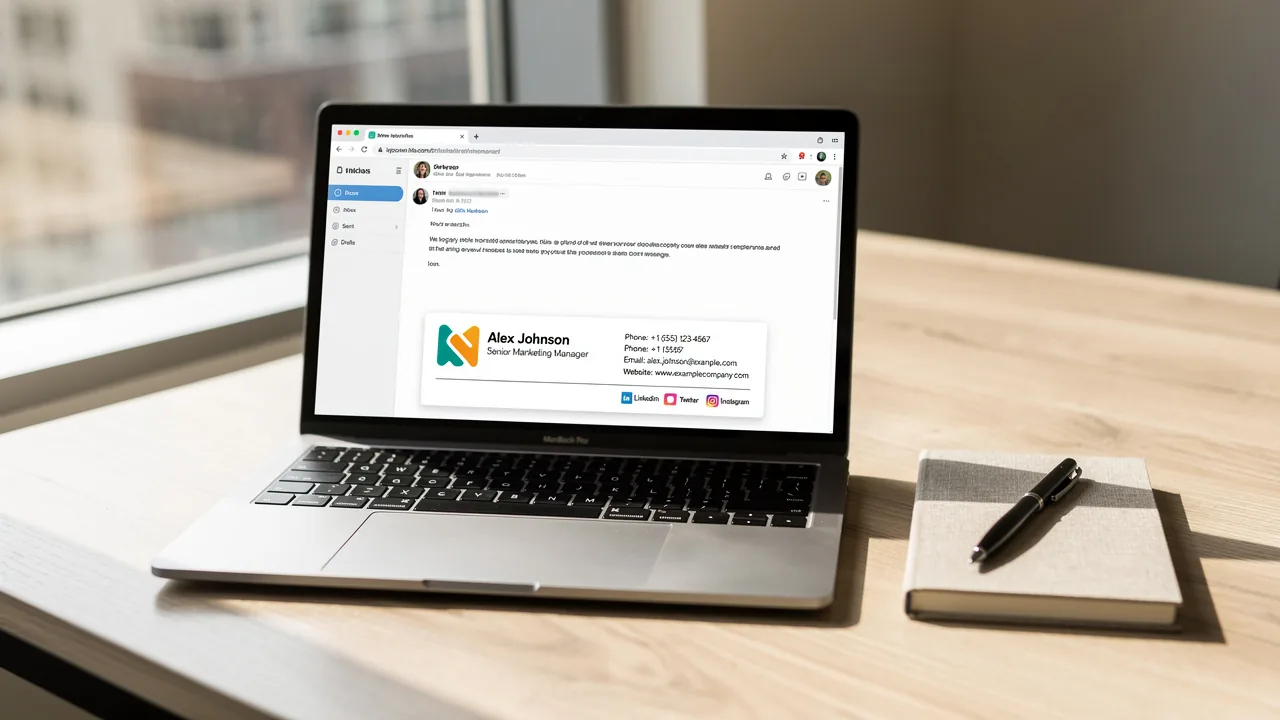
Professionals must navigate the complexities of email signature dimensions to enhance communication and maintain brand consistency. With the right dimensions, organizations can ensure their signatures not only look professional but also function seamlessly across various devices and email clients. Many professionals struggle to create signatures that are both visually appealing and functional across desktop and mobile platforms. Identifying best practices is essential for achieving this balance and reinforcing brand identity.
Understand Ideal Email Signature Dimensions
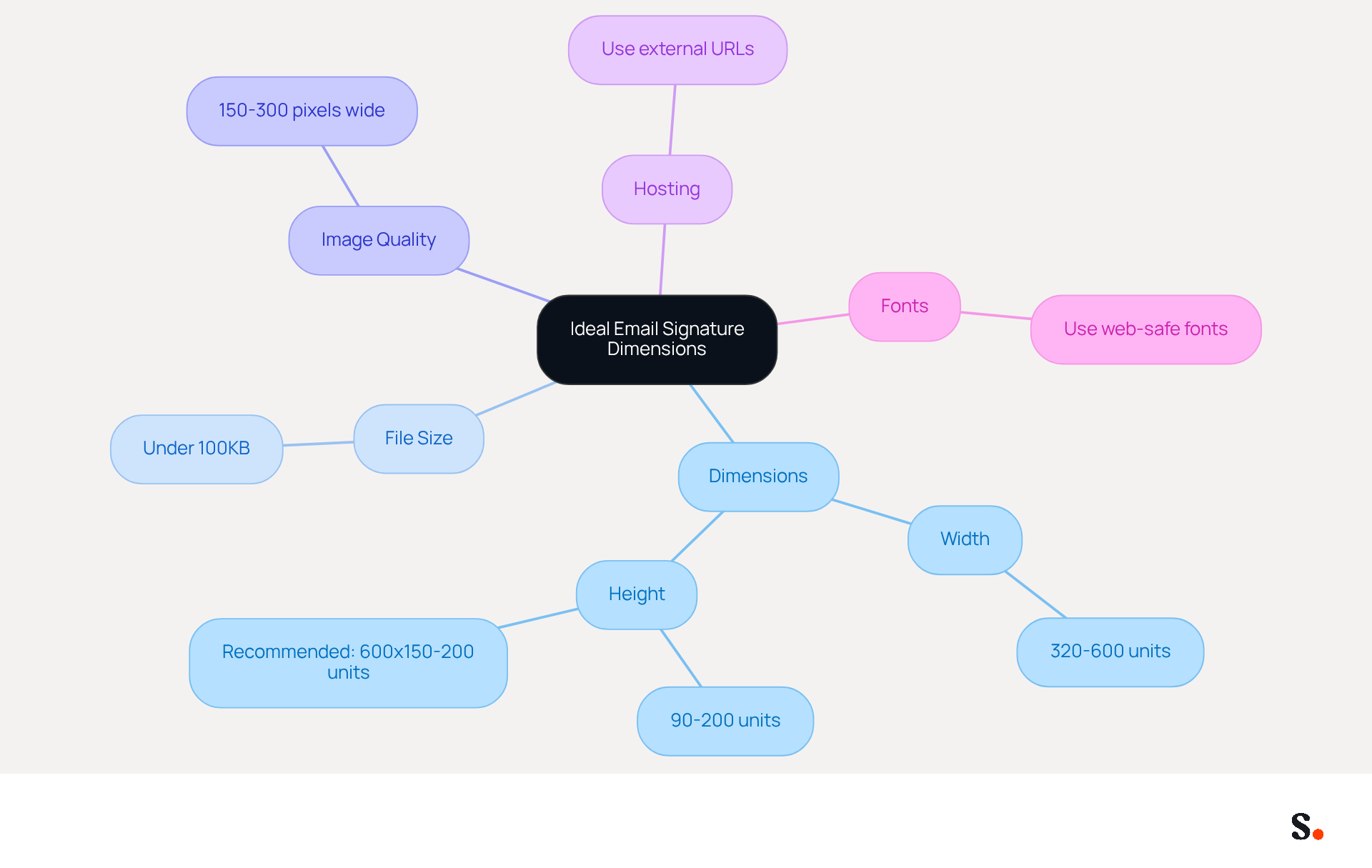
Adhering to the email signature dimensions Outlook is essential for maintaining a professional appearance and ensuring effective communication. The email signature dimensions for Outlook are recommended to have:
- A width ranging from 320 to 600 units
- A height between 90 and 200 units
Specifically, the email signature dimensions for Outlook should have a width of around 600 units and a height between 150 to 200 units. Following these guidelines helps avoid horizontal scrolling, ensuring your signature looks great in every message.
Additionally, keeping the total file size under 100KB is crucial for quick loading times and minimizing the risk of triggering spam filters. High-resolution images, such as logos sized between 150 and 300 pixels wide, contribute to a professional appearance while maintaining optimal performance.
It is also crucial to host images externally by URL rather than embedding them, as this reduces HTML weight and ensures adherence to client limits. Regular audits and updates of digital identifiers are vital to ensure compliance with these standards, as a single non-compliant mark can undermine extensive brand-building efforts.
Moreover, neglecting to use web-safe fonts may lead to inconsistent rendering, which can detract from a professional image. Steering clear of oversized dimensions or small fonts can assist in preserving a professional appearance. Ultimately, attention to these details can significantly enhance brand perception and communication effectiveness.
Recognize the Impact of Signature Size on Email Display
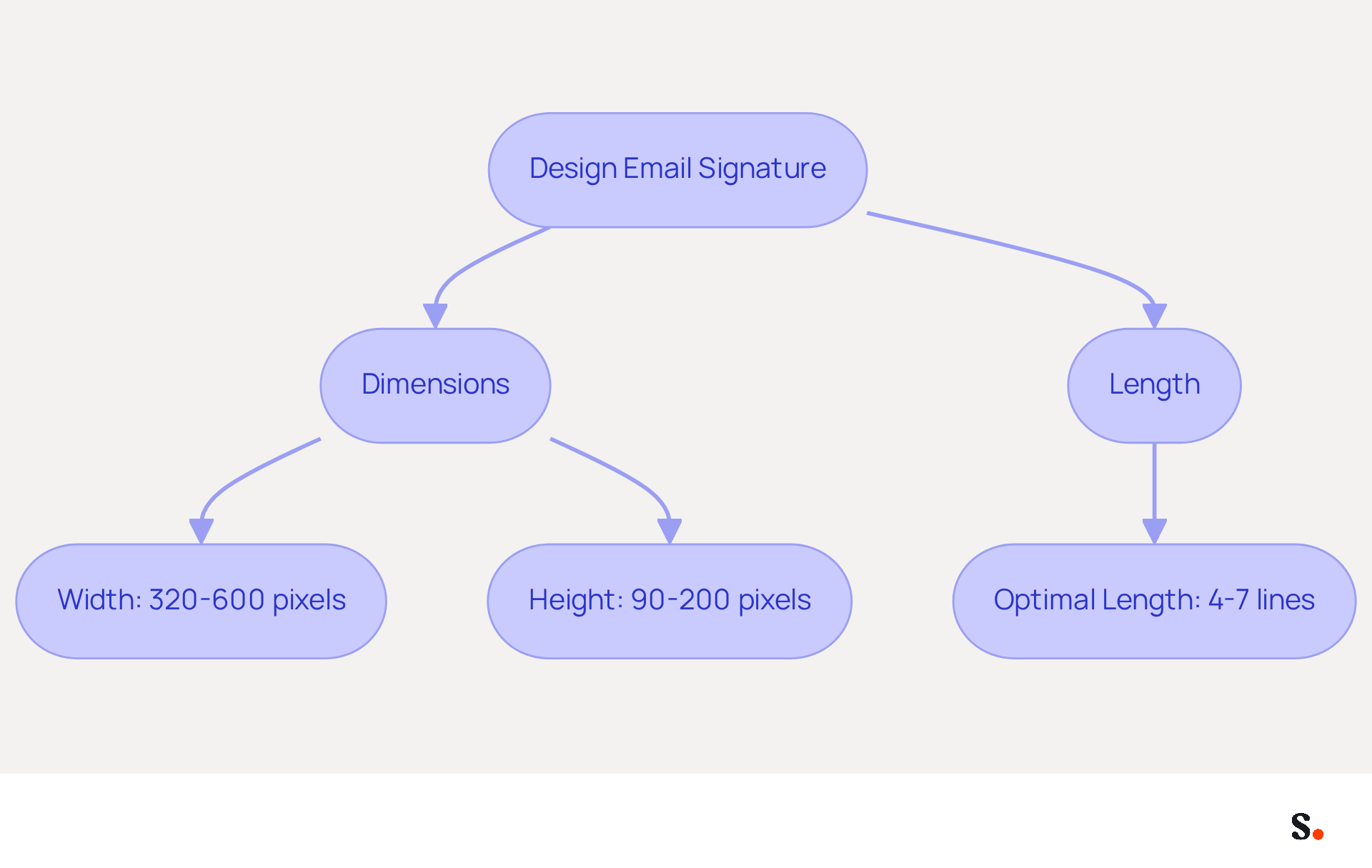
The dimensions of a message footer significantly impact its effectiveness across various devices and mail clients. For optimal results, aim for a width between 320 and 600 pixels and a height of 90 to 200 pixels. Signatures that exceed 600 units in width can lead to truncation or horizontal scrolling, undermining the professional appearance of your emails. Conversely, signatures that are too small may fail to effectively convey essential information.
Research indicates that maintaining an optimal length of 4-7 lines enhances readability and engagement. This optimal length not only improves readability but also ensures that recipients can easily access important information without feeling overwhelmed. Make sure to test your email signature dimensions in Outlook and on platforms like Gmail to catch any display issues before you finalize it. A well-organized closing not only improves the overall communication experience but also reinforces your brand's professionalism and identity.
Ensure Brand Consistency with Standardized Signature Sizes
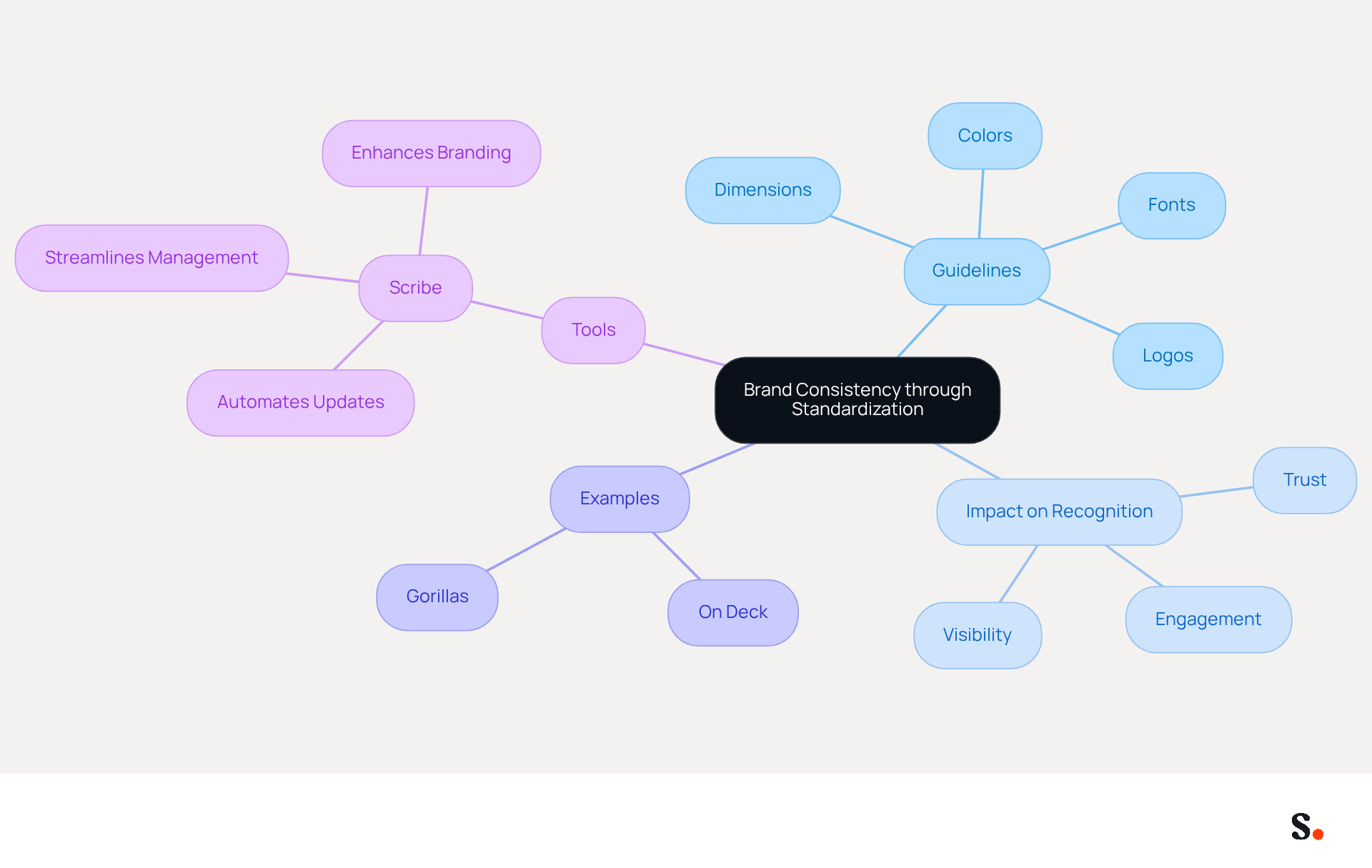
To ensure effective communication, organizations must prioritize the standardization of digital communication footers. Establishing clear guidelines for dimensions, fonts, colors, and logos ensures that every message reflects the brand identity, reinforcing recognition and trust among recipients.
For instance, adhering to the email signature dimensions in Outlook, which include a width of 600 pixels and a height between 150 and 200 pixels for all signatures, ensures a uniform look. Incorporating brand colors and logos in a standardized manner enhances visibility and professionalism.
A striking 78% of marketers recognize that consistent branding is crucial for effective digital communication, highlighting its necessity for engagement. Companies such as On Deck and Gorillas have effectively adopted standardized digital communication formats, leading to enhanced brand consistency and recognition.
Scribe simplifies this process by automating updates and approvals, which means you won’t have to worry about manual checks, making management smoother and more efficient.
As companies develop their marketing plans for 2026, integrating standardized electronic identifiers should be a crucial factor to enhance the effectiveness of each message. Additionally, by joining Scribe's Affiliate Program, you can promote brand consistency while earning a 50% commission and providing a $30 credit to new subscribers, further enhancing your marketing efforts.
By prioritizing standardization, companies can significantly improve their brand's impact and recognition in the digital landscape.
Optimize Email Signatures for Mobile Compatibility
With the increasing reliance on smartphones for communication, businesses must adapt their email signatures for mobile compatibility. As of 2021, approximately 42% of email openings occur on handheld devices, highlighting the need for designs that are both practical and visually appealing on smaller screens.
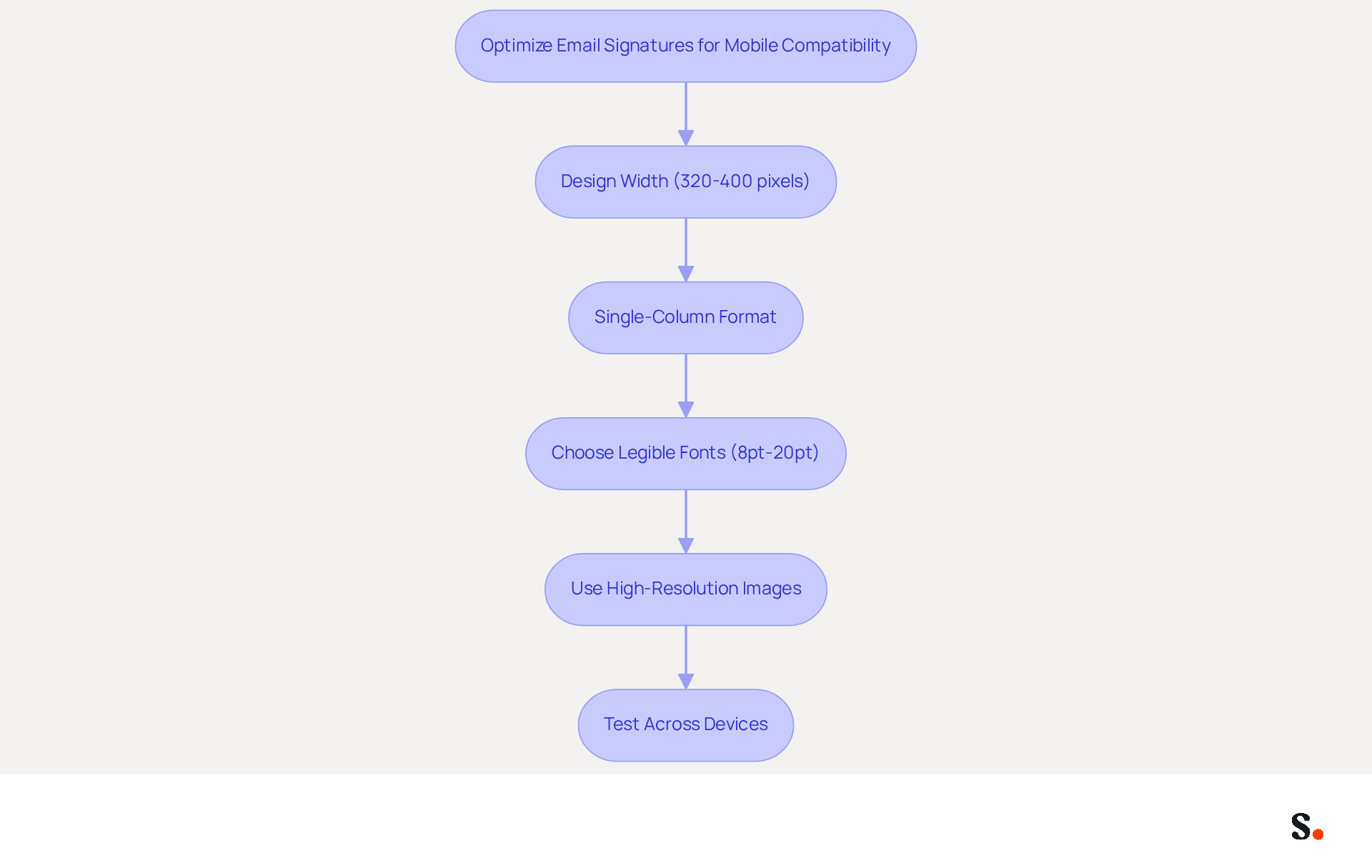
To achieve this, designs should ideally fit within a width of 320 to 400 pixels, with a best practice of keeping them below 400 pixels to ensure readability without requiring horizontal scrolling. A single-column format is recommended to enhance the appearance of the signature, making it easier to navigate on portable devices.
Choosing legible fonts and maintaining a clean, uncluttered design is crucial. Large font sizes can be distracting, so it is advisable to keep them between 8pt (11px) and 20pt (26px) for optimal readability. As noted, "We recommend a font size for email that ranges from 8pt (11px) to 20pt (26px) for easy readability when your information is displayed on portable devices."
Furthermore, utilizing high-resolution images is essential to avoid blurriness on handheld displays. Testing the signature across various handheld devices is also vital to identify any display issues, allowing for necessary adjustments before implementation. Neglecting mobile optimization not only hampers communication but also diminishes potential marketing impact.
Conclusion
Adhering to the ideal email signature dimensions is essential for maintaining professionalism and ensuring effective communication. By following the recommended width of 600 pixels and a height between 150 to 200 pixels, organizations can avoid display issues and enhance the overall appearance of their emails. This attention to detail improves readability and reinforces brand identity, leaving a lasting impression on recipients.
Key insights from the article emphasize the importance of standardizing email signature sizes to ensure brand consistency across all communications. By utilizing web-safe fonts, optimizing for mobile devices, and keeping file sizes manageable, businesses can enhance their digital presence. The integration of tools like Scribe further simplifies this process, allowing marketing teams to manage email signatures independently while ensuring compliance with security standards such as SOC 2 Type II, GDPR, and CCPA.
Prioritizing the optimization of email signatures can significantly enhance brand recognition and engagement. Organizations are encouraged to adopt these best practices to not only enhance their professional image but also to leverage email signatures as a powerful marketing tool. By embracing these practices, organizations can transform their email signatures into a strategic asset that enhances their marketing efforts.
Frequently Asked Questions
What are the recommended dimensions for an email signature in Outlook?
The recommended dimensions for an email signature in Outlook are a width ranging from 320 to 600 units and a height between 90 and 200 units. Ideally, the width should be around 600 units and the height between 150 to 200 units.
Why is it important to adhere to these email signature dimensions?
Adhering to the recommended email signature dimensions helps maintain a professional appearance and ensures effective communication by avoiding horizontal scrolling in messages.
What is the maximum file size for an email signature in Outlook?
The total file size for an email signature in Outlook should be kept under 100KB to ensure quick loading times and minimize the risk of triggering spam filters.
What image sizes are recommended for logos in email signatures?
High-resolution images, such as logos, should be sized between 150 and 300 pixels wide to contribute to a professional appearance while maintaining optimal performance.
How should images be hosted in an email signature?
Images should be hosted externally by URL rather than embedded in the email signature. This reduces HTML weight and ensures adherence to client limits.
Why is it important to regularly audit and update digital identifiers in email signatures?
Regular audits and updates of digital identifiers are vital to ensure compliance with email signature standards, as a single non-compliant mark can undermine extensive brand-building efforts.
What font considerations should be made for email signatures?
It is crucial to use web-safe fonts in email signatures to avoid inconsistent rendering, which can detract from a professional image.
What should be avoided to maintain a professional appearance in email signatures?
Oversized dimensions and small fonts should be avoided to help preserve a professional appearance in email signatures.
List of Sources
- Understand Ideal Email Signature Dimensions
- Email Signature Size and Image Best Practices (https://maileditor.net/blog/email-signature-size-and-image-best-practices)
- Email Signature Size and Layout Tips (https://linkedin.com/pulse/email-signature-size-layout-tips-bulksignature-nuy7f)
- What is the Best Email Signature Design Size? Expert Guide (https://publicate.it/blog/email-signature-design-size)
- Correct Email Signature Dimensions: Width, Height & File Size (https://wisestamp.com/guides/what-are-correct-email-signature-dimensions)
- Email Signature Best Practices - NEWOLDSTAMP (https://newoldstamp.com/blog/email-signature-best-practices)
- Recognize the Impact of Signature Size on Email Display
- What Size Should Email Signature Be? Key Insights for Marketers (https://scribe-mail.com/en-US/blog/what-size-should-email-signature-be-key-insights-for-marketers)
- What Is the Ideal Email Signature Size? (https://oppora.ai/blog/email-signature-size)
- Email Signature Size and Image Best Practices (https://maileditor.net/blog/email-signature-size-and-image-best-practices)
- Email Signature Size and Layout Tips (https://linkedin.com/pulse/email-signature-size-layout-tips-bulksignature-nuy7f)
- Ensure Brand Consistency with Standardized Signature Sizes
- Optimize Your Email Signatures with Office 365 for Brand Consistency (https://scribe-mail.com/en-US/blog/optimize-your-email-signatures-with-office-365-for-brand-consistency)
- Why Email Signatures Must Be In Your 2026 Marketing Plan | Rocketseed (https://rocketseed.com/blog/2026-marketing-plan-email-signatures)
- Elevate Your Brand with Professional Email Signatures (https://holickycorporation.com/blog/elevate-your-brand-with-professional-email-signatures)
- Email Signature Branding: Consistency and Impact | Crossware365 (https://crossware365.com/blog/mastering-email-signature-branding-market-presence)
- The impact of email signatures on your branding (https://signitic.com/en/resources/the-impact-of-email-signatures-on-your-branding)
- Optimize Email Signatures for Mobile Compatibility
- Optimise Your Email Signature for Mobile Devices (https://globalbankingandfinance.com/why-optimising-brand-email-signatures-for-mobile-devices-is-essential-for-hybrid-working)
- How to make a mobile email signature (https://signature.email/guides/how-to-make-mobile-email-signature)
- All you need to know about mobile email signatures (https://mail-signatures.com/articles/mobile-email-signatures)
- How to Optimize Your Email Signature for Mobile Devices - Gimmio (https://blog.gimm.io/how-to-optimize-your-email-signature-for-mobile-devices)
- Make Your Email Signature Mobile-Friendly | Rocketseed (https://rocketseed.com/blog/mobile-friendly-email-signature)
Get started with Scribe
Create your signature in minutes
Free 14-day trial — no credit card.