Master Email Signature Graphic Size for Brand Consistency and Impact
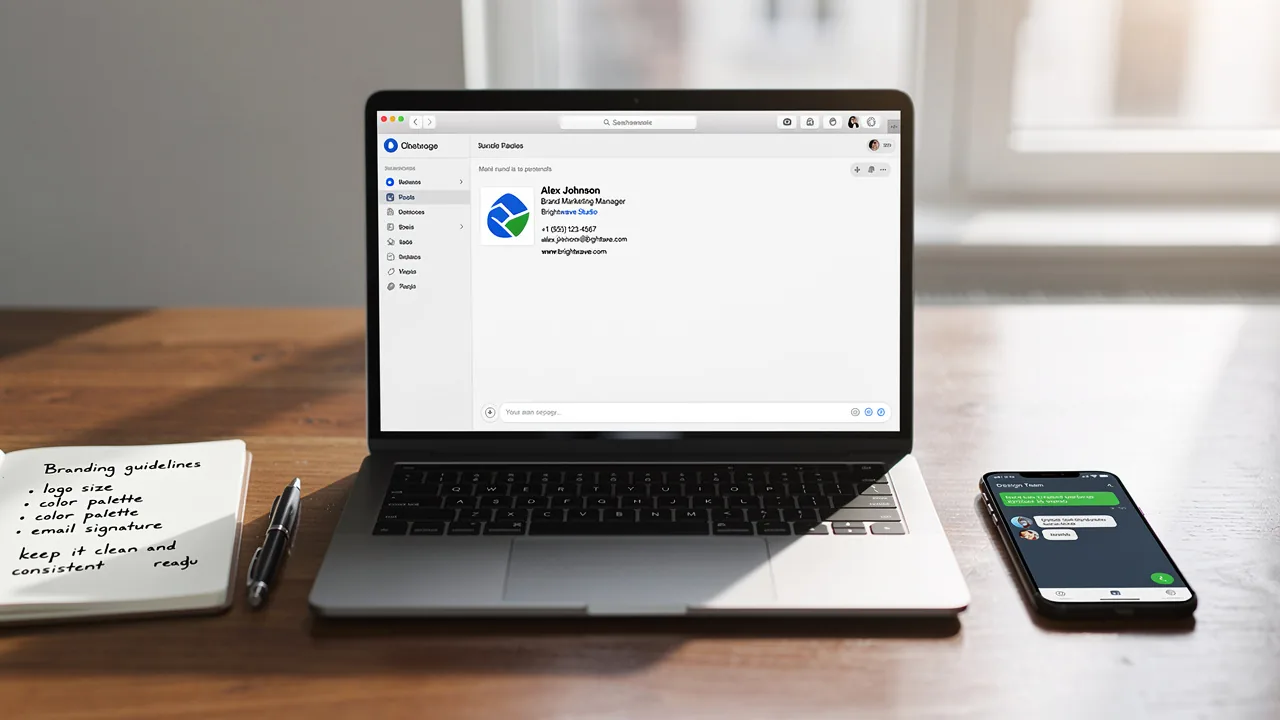
To project a consistent and professional brand image, organizations must master the art of email signature graphics. With the right dimensions and file sizes
Sophie Grant
Email Signature Specialist, Scribe
On this page
- Introduction
- Determine Optimal Dimensions and File Sizes for Email Signatures
- Ensure Brand Consistency with Standardized Graphic Sizes
- Optimize Graphics for Compatibility Across Email Clients and Devices
- Leverage Automation Tools for Efficient Email Signature Management
- Conclusion
- Frequently Asked Questions
- List of Sources
Introduction
To project a consistent and professional brand image, organizations must master the art of email signature graphics. With the right dimensions and file sizes, businesses can enhance their visibility and engagement, leading to improved recognition and response rates. This inconsistency can lead to confusion among customers and dilute brand identity. Consequently, organizations may fail to leverage email signatures as a powerful branding tool. Companies must ensure their email signatures comply with best practices while effectively representing their brand across various platforms.
Determine Optimal Dimensions and File Sizes for Email Signatures
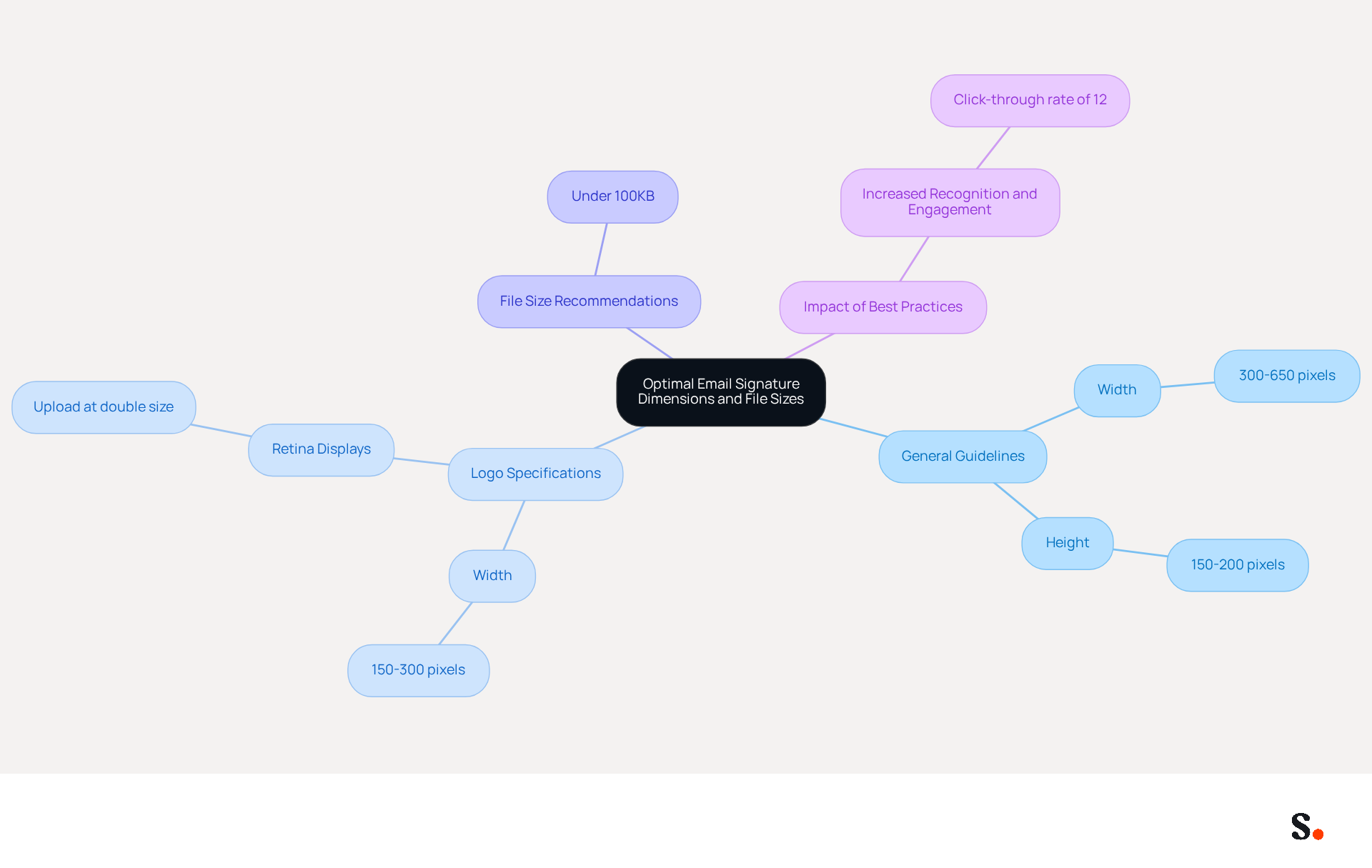
To optimize digital communication footers, adhering to specific dimensions and file weights is essential. The recommended email signature graphic size typically ranges from 300 to 650 pixels in width, while the height should be between 150 and 200 pixels. Keeping the total file size under 100KB is vital for ensuring quick loading times and compatibility across various email clients.
For logos, a width of 150 to 300 pixels is ideal, with images uploaded at double their intended display size to maintain clarity on Retina displays. For example, an email signature graphic size of 600 pixels in width and 150 pixels in height is considered a standard for achieving both visibility and professionalism.
Studies show that organizations implementing these best practices see a notable increase in recognition and engagement, with click-through rates averaging 12% on distinctive banners. Furthermore, it is important to note that Gmail restricts HTML formats to 10,000 characters, while Outlook limits it to 8,000 characters.
Consistently updating and adhering to these measurement standards can greatly improve consistency in messaging and marketing effectiveness, resulting in enhanced engagement and response rates. Plus, with Scribe, any changes you make in your Aircall setup will automatically update your correspondence identifiers, ensuring seamless synchronization and consistent branding across all communications.
Ensure Brand Consistency with Standardized Graphic Sizes
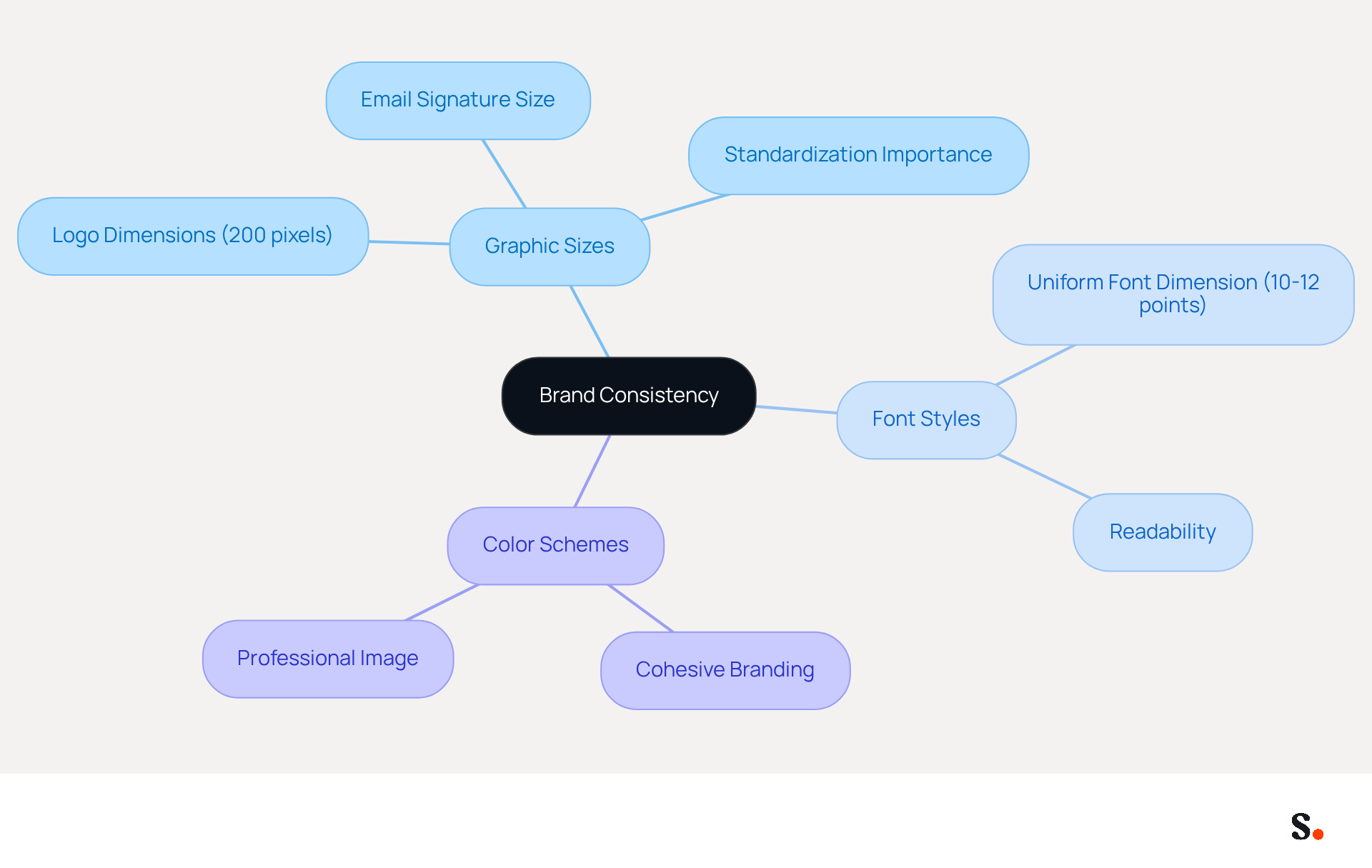
Standardized email signature graphic size across email signatures is essential for maintaining a cohesive brand image. This includes consistent logo dimensions, font styles, and color schemes. For instance, if your logo measures 200 pixels in width, all team members should adhere to this dimension to avoid discrepancies. Using a uniform font dimension of 10-12 points enhances both readability and professionalism.
Establishing these standards fosters a recognizable presence, which in turn boosts customer trust and loyalty. Organizations that adopt specific logo dimensions and color schemes throughout employee identifiers illustrate this method, strengthening their identity with each message sent. This consistency can lead to a 22% increase in response rates, highlighting the importance of a cohesive visual strategy.
Moreover, organizations that prioritize the email signature graphic size report enhanced recognition and a more professional image. With Scribe's seamless integration with tools like Calendly, your messages stay updated automatically, ensuring your brand identity remains consistent. Additionally, Scribe's compliance with GDPR and CCPA, along with its SOC 2 Type II certification, reinforces the security and professionalism of your communications.
By managing digital identifiers effectively, companies can enhance engagement and trust among recipients, ultimately improving their brand perception and customer engagement.
Optimize Graphics for Compatibility Across Email Clients and Devices
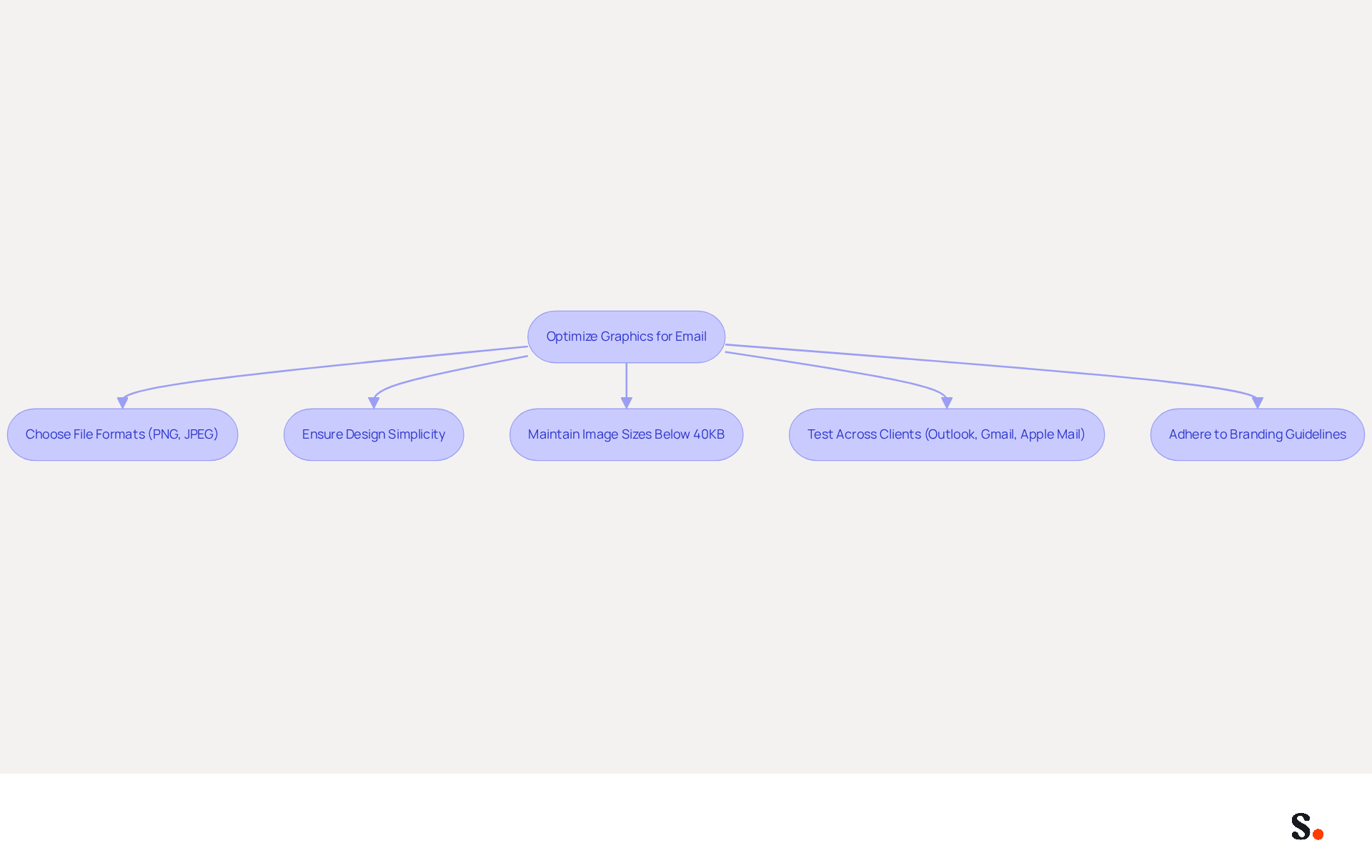
To ensure effective communication, optimizing graphics for various clients and devices is crucial. Employing widely accepted file formats like PNG and JPEG is essential, as these formats are compatible with most messaging platforms. PNG is preferred for its ability to compress images without losing quality and for supporting transparency, making it suitable for logos and icons. JPEG, on the other hand, excels with photographs due to its effective compression while maintaining quality.
Design simplicity is also key; overly complex graphics may not render well on all devices. For instance, a straightforward logo without excessive detail ensures clarity and recognizability, even on smaller screens. Maintain individual image file sizes below 40KB and keep the total message weight under 100KB to prevent slow loading times and possible spam filter activations. Many organizations face challenges with employees disregarding branding guidelines, resulting in inconsistencies in branding.
Testing identifiers across various messaging clients, including Outlook, Gmail, and Apple Mail, is essential to detect any rendering problems prior to deployment. This testing ensures that branding remains consistent and effective across all platforms. An expert once noted, 'The golden rule for electronic correspondence is prioritizing compatibility over cutting-edge technology.' By adhering to these guidelines, businesses can significantly enhance their brand consistency and communication effectiveness.
Leverage Automation Tools for Efficient Email Signature Management
Managing digital identifiers without automation can lead to inefficiencies and inconsistencies that hinder organizational performance. Employing automation tools for managing digital identifiers greatly improves efficiency and consistency throughout organizations. Scribe enables businesses to create, update, and manage email branding centrally, ensuring that all employees utilize the latest branding elements without manual intervention. This method saves time and reduces the chances of errors from manual updates. For instance, when a company undergoes a rebranding or updates its logo, an automated system can promptly implement these changes to all employee identifiers, preserving corporate integrity.
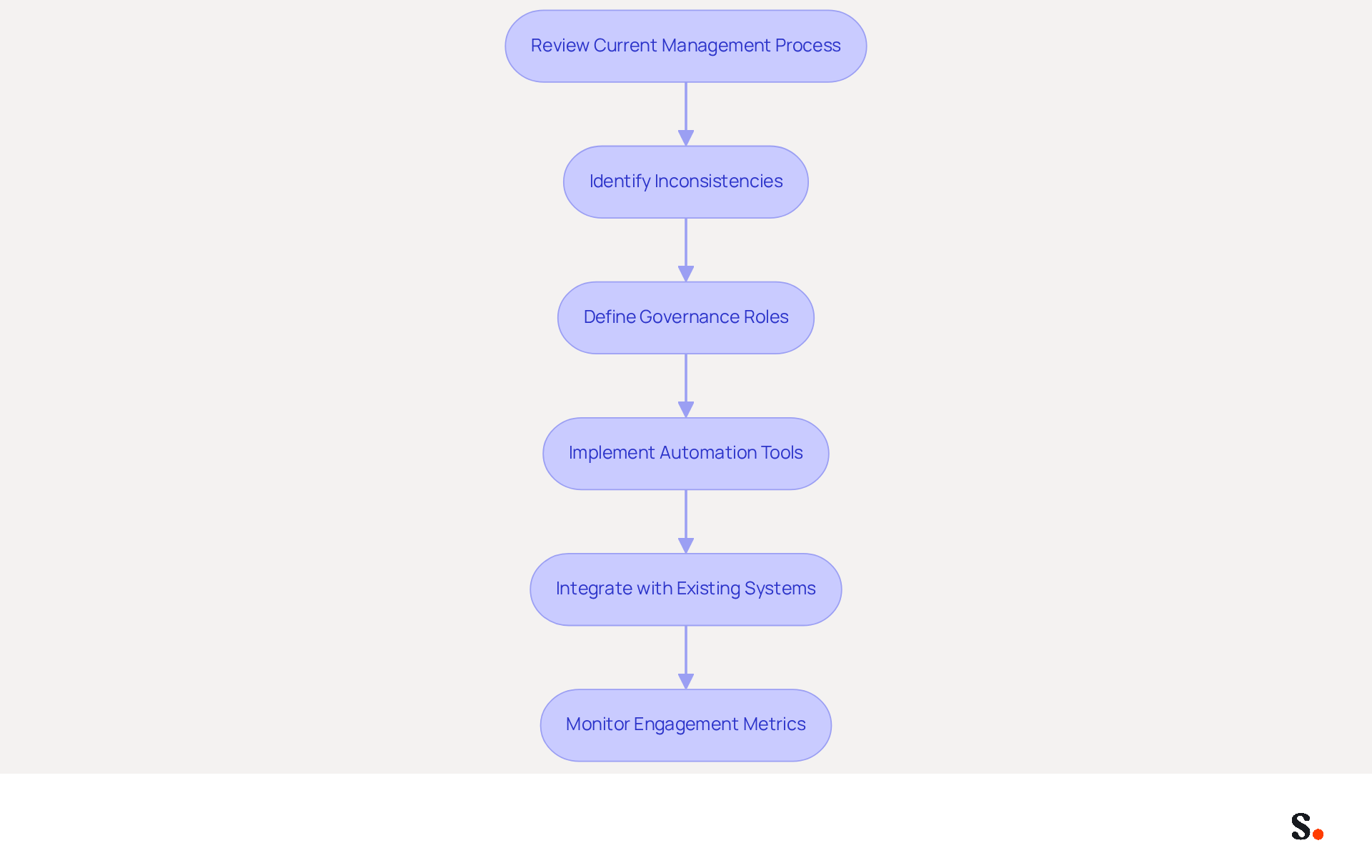
Scribe's integration with Aircall guarantees that any modifications made in your Aircall setup are automatically reflected in your Scribe branding, enhancing brand consistency across all communications. Before implementing automation, it is essential to review the current management process for digital identifiers to identify inconsistencies and define governance roles. Furthermore, automation tools frequently incorporate role-based access controls, enabling marketing and compliance teams to modify their content without IT involvement, improving organizational agility.
Additionally, automation tools frequently incorporate analytics features that enable businesses to monitor engagement metrics associated with their digital footers. This feature provides insights into how effective email signatures, including their graphic size, can be as marketing tools. This consistency has been linked to a 22% increase in response rates, demonstrating the impact of a unified corporate image. Neglecting best practices in electronic correspondence can result in lost marketing opportunities and compliance challenges that differ by region or sector.
By adopting technologies like Scribe, companies can streamline their messaging processes, ensuring that every communication sent reinforces their brand identity and maximizes marketing opportunities. The transition to automated email signatures, which includes optimizing the email signature graphic size, can typically be completed in less than an hour, allowing organizations to quickly realize the benefits of centralized management and enhanced compliance, all while adhering to SOC 2 Type II standards for secure data handling. Organizations that embrace automation not only enhance their brand integrity but also position themselves for greater market responsiveness and compliance assurance.
Conclusion
Mastering the graphic size of email signatures is essential for organizations striving to maintain brand consistency and maximize their impact in digital communications. When organizations stick to the right dimensions and file sizes, their email signatures not only appear professional but also work well on different platforms. This careful attention helps create a strong brand image that connects with recipients and boosts engagement.
Key insights from the article highlight the importance of:
- Standardized graphic sizes
- Compatibility across email clients
- Benefits of automation in managing email signatures
Implementing best practices, such as maintaining specific dimensions and utilizing appropriate file formats, can significantly improve recognition and response rates. Moreover, leveraging tools like Scribe allows for seamless updates and compliance with security standards, ensuring that branding remains consistent and effective.
In the end, when organizations focus on optimizing their email signature graphics, they set themselves up for greater success in their marketing. By embracing automation and adhering to best practices, businesses can enhance their brand integrity, improve customer trust, and capitalize on marketing opportunities. Taking these steps not only streamlines communication but also solidifies their reputation in a competitive market.
Frequently Asked Questions
What are the recommended dimensions for email signature graphics?
The recommended email signature graphic size typically ranges from 300 to 650 pixels in width and between 150 and 200 pixels in height.
What is the ideal file size for email signatures?
It is vital to keep the total file size under 100KB to ensure quick loading times and compatibility across various email clients.
What dimensions are ideal for logos in email signatures?
For logos, a width of 150 to 300 pixels is ideal, and images should be uploaded at double their intended display size for clarity on Retina displays.
What is a standard email signature graphic size for visibility and professionalism?
An email signature graphic size of 600 pixels in width and 150 pixels in height is considered standard for achieving both visibility and professionalism.
How do best practices for email signatures impact engagement?
Organizations implementing these best practices see a notable increase in recognition and engagement, with click-through rates averaging 12% on distinctive banners.
Are there any character limits for HTML formats in email clients?
Yes, Gmail restricts HTML formats to 10,000 characters, while Outlook limits it to 8,000 characters.
How can Scribe assist with email signature updates?
With Scribe, any changes made in your Aircall setup will automatically update your correspondence identifiers, ensuring seamless synchronization and consistent branding across all communications.
List of Sources
- Determine Optimal Dimensions and File Sizes for Email Signatures
- Correct Email Signature Dimensions: Width, Height & File Size (https://wisestamp.com/guides/what-are-correct-email-signature-dimensions)
- What Size Should Email Signature Be? Key Insights for Marketers (https://scribe-mail.com/en-US/blog/what-size-should-email-signature-be-key-insights-for-marketers)
- What is the best email signature size - Mail-Signatures.com (https://mail-signatures.com/articles/what-is-the-best-email-signature-size)
- Ensure Brand Consistency with Standardized Graphic Sizes
- The impact of email signatures on your branding (https://signitic.com/en/resources/the-impact-of-email-signatures-on-your-branding)
- Email Signatures and Brand Consistency: A Guide for Small Businesses (https://designhill.com/design-blog/email-signature-brand-consistency-guide)
- Best Practices for Professional Email Signature Templates (https://scribe-mail.com/en-US/blog/best-practices-for-professional-email-signature-templates)
- Elevate Your Brand with Professional Email Signatures (https://holickycorporation.com/blog/elevate-your-brand-with-professional-email-signatures)
- How Consistent Email Signatures Strengthen Company Identity - Signite (https://signite.io/blog/how-consistent-email-signatures-strengthen-company-identity)
- Optimize Graphics for Compatibility Across Email Clients and Devices
- Best Image Formats for Email Signatures - Gimmio (https://blog.gimm.io/best-image-formats-for-email-signatures)
- Best Email Signature Size - Guide to Email Signatures Size - MySignature (https://mysignature.io/email-signature-size)
- Image Requirements for Email Signatures | Email Signature Support & Knowledge Base I Crossware (https://support.crossware365.com/microsoft-365/features/managing-images-in-the-image-library/image-requirements-for-email-signatures)
- Best image formats for email signatures: Compatibility guide (https://set-outlooksignatures.com/blog/2026/03/05/image-formats)
- Email Signature Format: Best Practices & Examples | Exclaimer (https://exclaimer.com/email-signature-handbook/email-signature-format)
- Leverage Automation Tools for Efficient Email Signature Management
- Automating Email Signatures: How IT Teams Streamline Processes & Reduce Risk (https://exclaimer.com/blog/streamlining-it-processes-automated-email-signatures)
- Email signature statistics: Why every business should optimize their email signatures — Stripo.email (https://stripo.email/blog/email-signature-statistics-why-every-business-should-optimize-their-email-signatures)
- Boost Engagement with Effective Reply Email Signature Examples (https://scribe-mail.com/en-US/blog/boost-engagement-with-effective-reply-email-signature-examples)
- 40+ Email Signature Statistics for 2026 (Data + Insights) (https://wavecnct.com/blogs/email-signature-statistics)
Get started with Scribe
Manage signatures across your whole team
Free 14-day trial — no credit card.