Master Email Signature Template Text for Maximum Engagement
Many professionals underestimate the impact of email signatures on brand perception, yet these digital footers can significantly enhance engagement and trust
Sophie Grant
Email Signature Specialist, Scribe

Introduction
Many professionals underestimate the impact of email signatures on brand perception, yet these digital footers can significantly enhance engagement and trust. By mastering the essential elements of an effective email signature, organizations can transform this digital footer into a powerful marketing tool that fosters trust and drives interaction.
In this article, we’ll explore some best practices for designing email signature templates that truly engage recipients and maintain brand integrity across all platforms.
Incorporate Essential Elements for Engagement
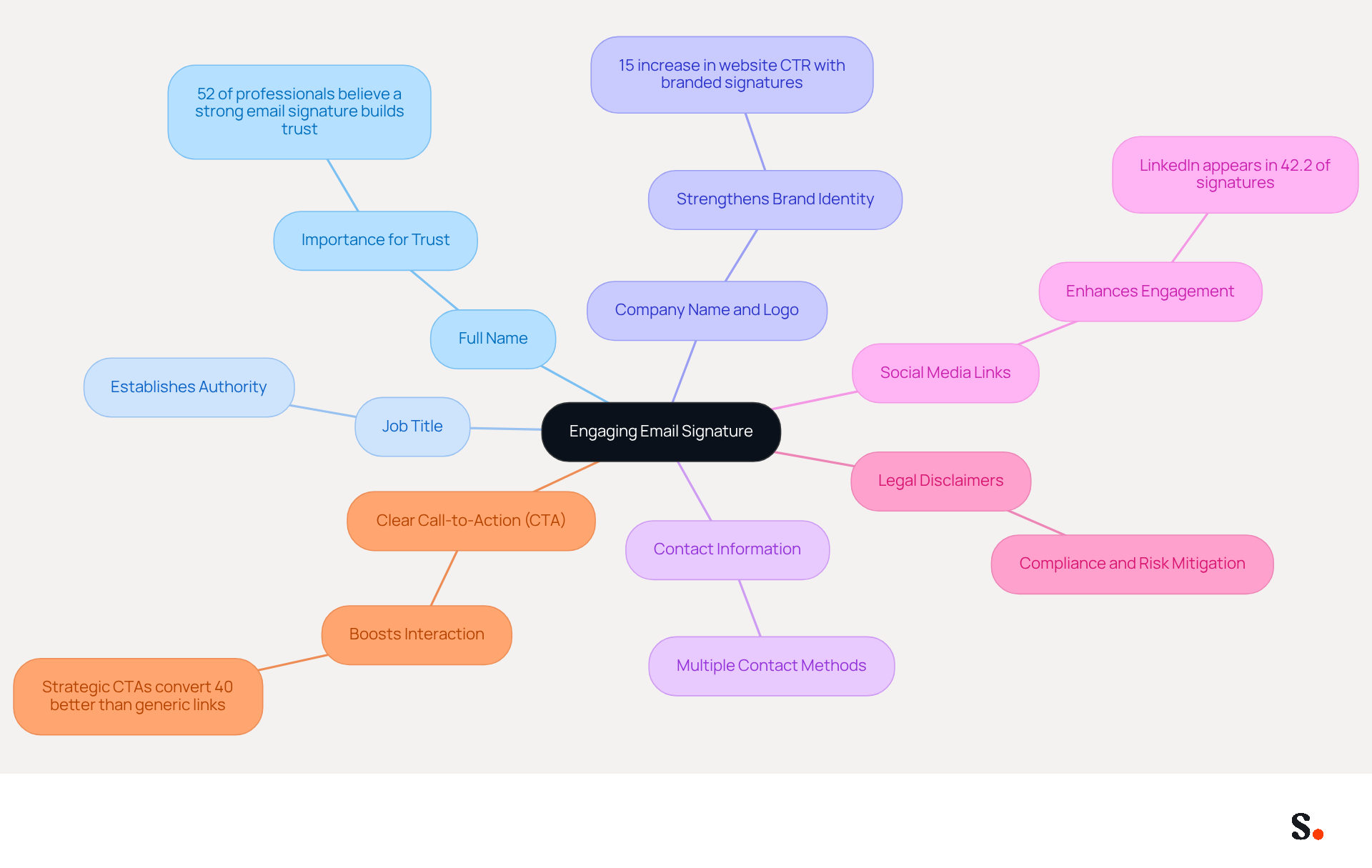
An effective email signature template text is not just a formality; it serves as a vital tool for establishing trust and enhancing professional identity. To create an engaging email signature, it is crucial to include the following essential elements:
- Full Name: Clearly state your first and last name to personalize communication and foster trust. Research indicates that 52% of professionals believe a strong digital footer is vital for building trust in communications.
- Job Title: Including your position establishes authority and context, helping recipients understand your role within the organization.
- Company Name and Logo: Strengthening brand identity and recognition is crucial; businesses utilizing branded digital identifiers experience a 15% increase in website click-through rates compared to those that do not. According to Yuliia Savchuk, companies utilizing branded signatures experience a 15% increase in website click-through rates compared to those that do not.
- Contact Information: Provide multiple ways to reach you, such as phone number and contact address, ensuring recipients can easily connect with you.
- Social Media Links: Including links to professional social media profiles, particularly LinkedIn, which appears in 42.2% of digital correspondences, enhances interaction and engagement.
- Legal Disclaimers: If necessary, include any required legal disclaimers to maintain compliance, especially for organizations handling sensitive information.
- Clear Call-to-Action (CTA): Positioning a strategic CTA as the final component in your message can significantly boost interaction. Effective CTAs are specific, action-oriented, and context-dependent.
Incorporating these elements ensures your email signature template text effectively introduces your professional identity to recipients. This method not only increases the chances of recipient involvement but also aligns with the trend of transforming digital identifiers into effective lead generation tools. Ultimately, neglecting these elements can hinder your professional image and limit opportunities for meaningful connections.
Ensure Brand Consistency Across Signatures
To ensure brand consistency in email signatures, organizations must adopt a systematic approach:
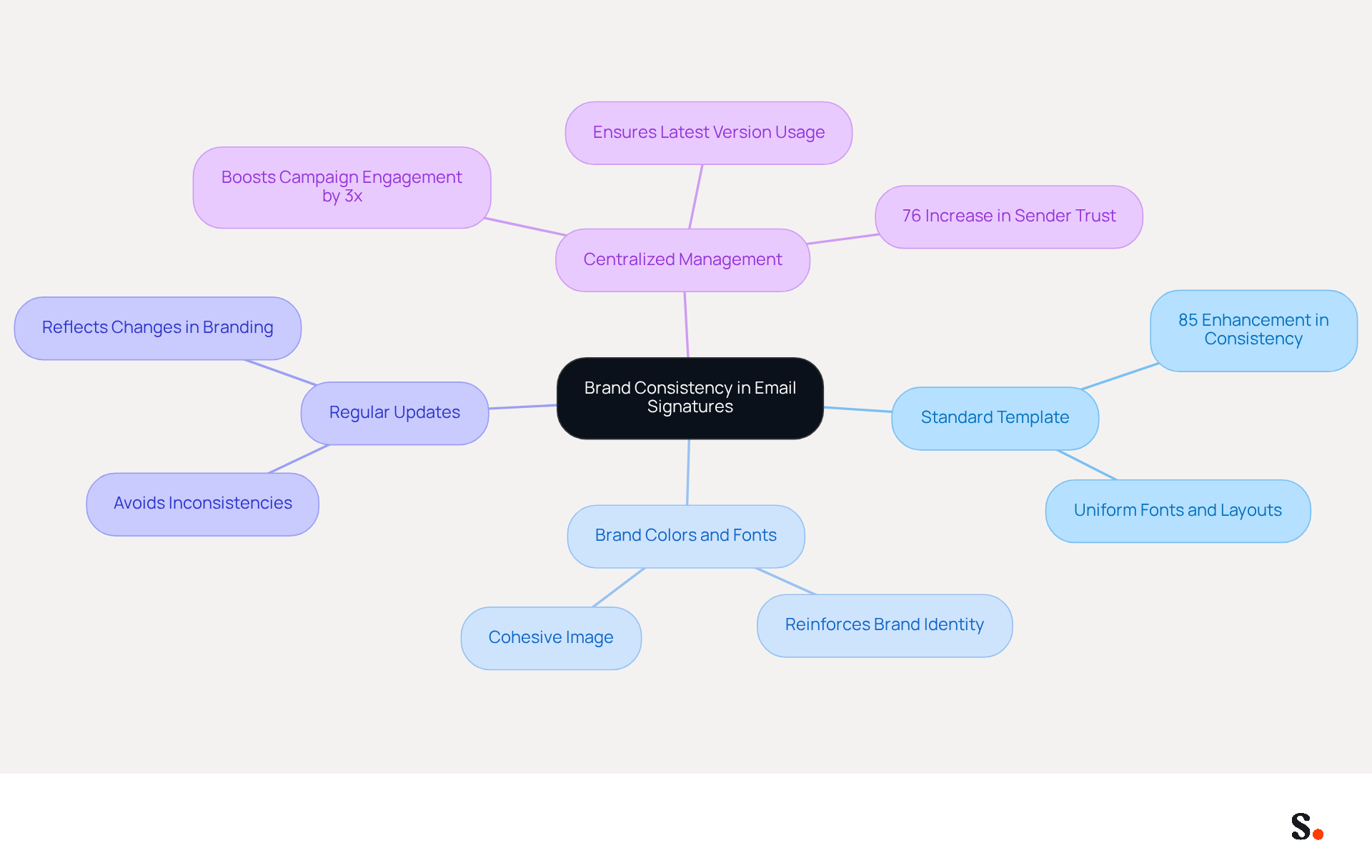
- Use a Standard Template: Implementing a standard template that all employees must utilize can enhance brand consistency by as much as 85%, reinforcing the organization's identity. This uniformity ensures consistent fonts, colors, and layouts across the organization.
- Incorporate Brand Colors and Fonts: Leverage your company's official color palette and fonts to reinforce brand identity. Consistent branding elements contribute to a cohesive image that resonates with audiences.
- Regular Updates: Schedule periodic reviews of email branding to ensure they reflect any changes in branding or company information. This practice helps avoid the gradual accumulation of inconsistencies that can confuse recipients.
- Centralized Management: Utilize tools like Scribe to manage and update signatures organization-wide, ensuring that everyone uses the latest version. Research indicates that centralized management can boost campaign engagement by up to three times, demonstrating its effectiveness in maintaining a unified brand image.
By implementing these strategies, every message sent will reflect your brand's identity, enhancing recognition and professionalism. Professionally branded email signatures can increase sender trust among recipients by 76%, emphasizing the essential role of consistent messaging in effective communication.
Utilize Call-to-Action Elements Effectively
To maximize the impact of call-to-action elements in your email signature, especially with Scribe's automated synchronization with Aircall, consider these strategic tips:
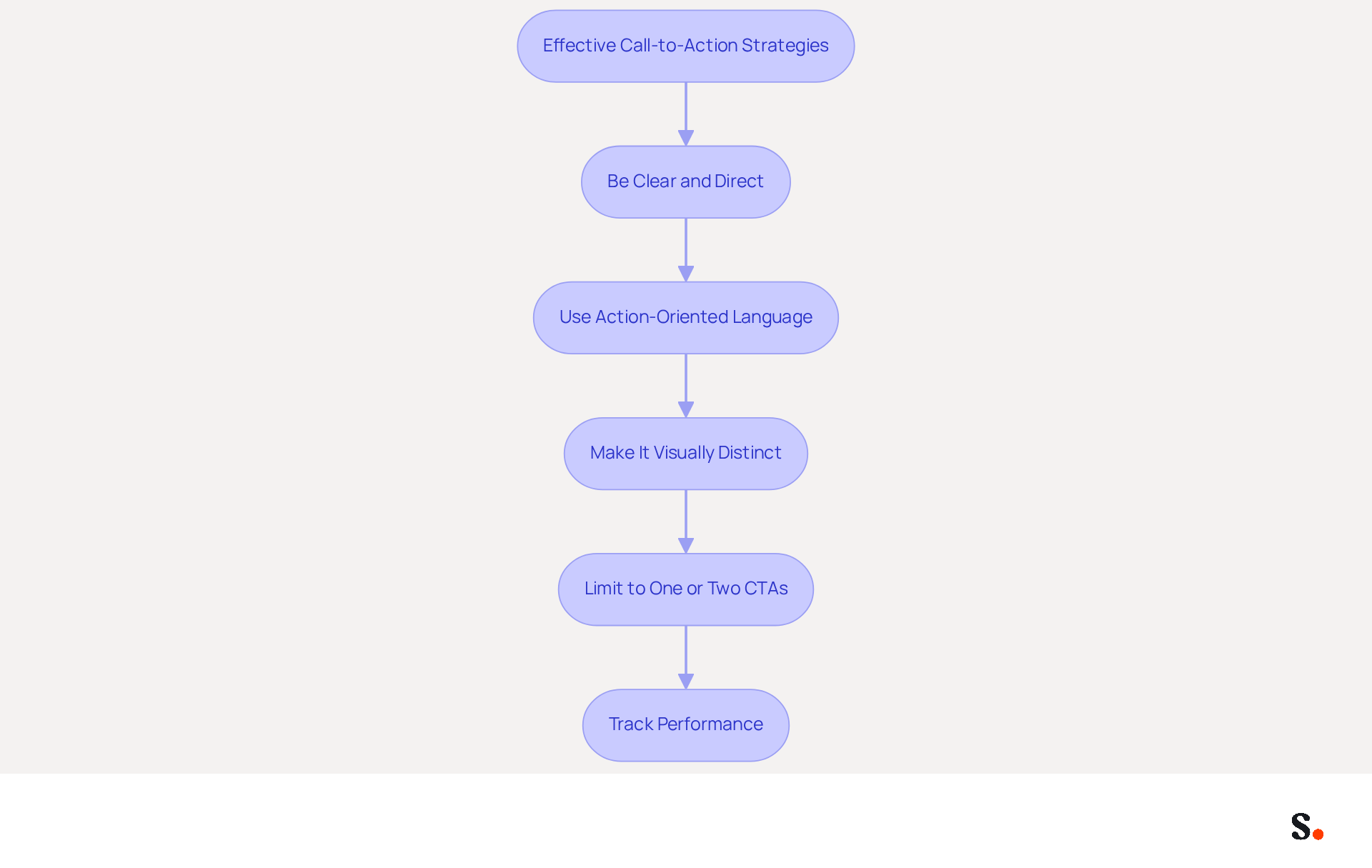
- Be Clear and Direct: Use simple language to specify the action you want your audience to take, such as 'Schedule a Meeting' or 'Download Our Brochure.' This clarity helps recipients understand what is expected of them.
- Use Action-Oriented Language: Incorporate verbs that encourage action, such as 'Get Started' or 'Join Now.' This approach can significantly enhance engagement by prompting immediate responses.
- Make It Visually Distinct: Use buttons or bold text to make your CTAs stand out within the email footer. A well-designed button can boost conversion rates by 28% compared to standard links, making it essential for your signature design.
- Limit to One or Two CTAs: Avoid overwhelming recipients with multiple options; too many choices can confuse recipients, leading to inaction. Focusing on one or two key actions can lead to significantly higher engagement rates. Research indicates that messages with a single, clear CTA can increase clicks by 371% and sales by 1617%.
- Track Performance: Use analytics to monitor the effectiveness of your CTAs and adjust them based on performance data. By utilizing Scribe's integration with Aircall, you can ensure that any modifications made in your Aircall setup are automatically reflected in your communication identifiers, enhancing brand consistency and effectiveness.
Implementing these strategies can transform your email signature template text into a vital asset for boosting engagement and conversions.
Optimize for Cross-Platform Compatibility
To maintain professionalism in your email communications, optimizing signatures for cross-platform compatibility is crucial:
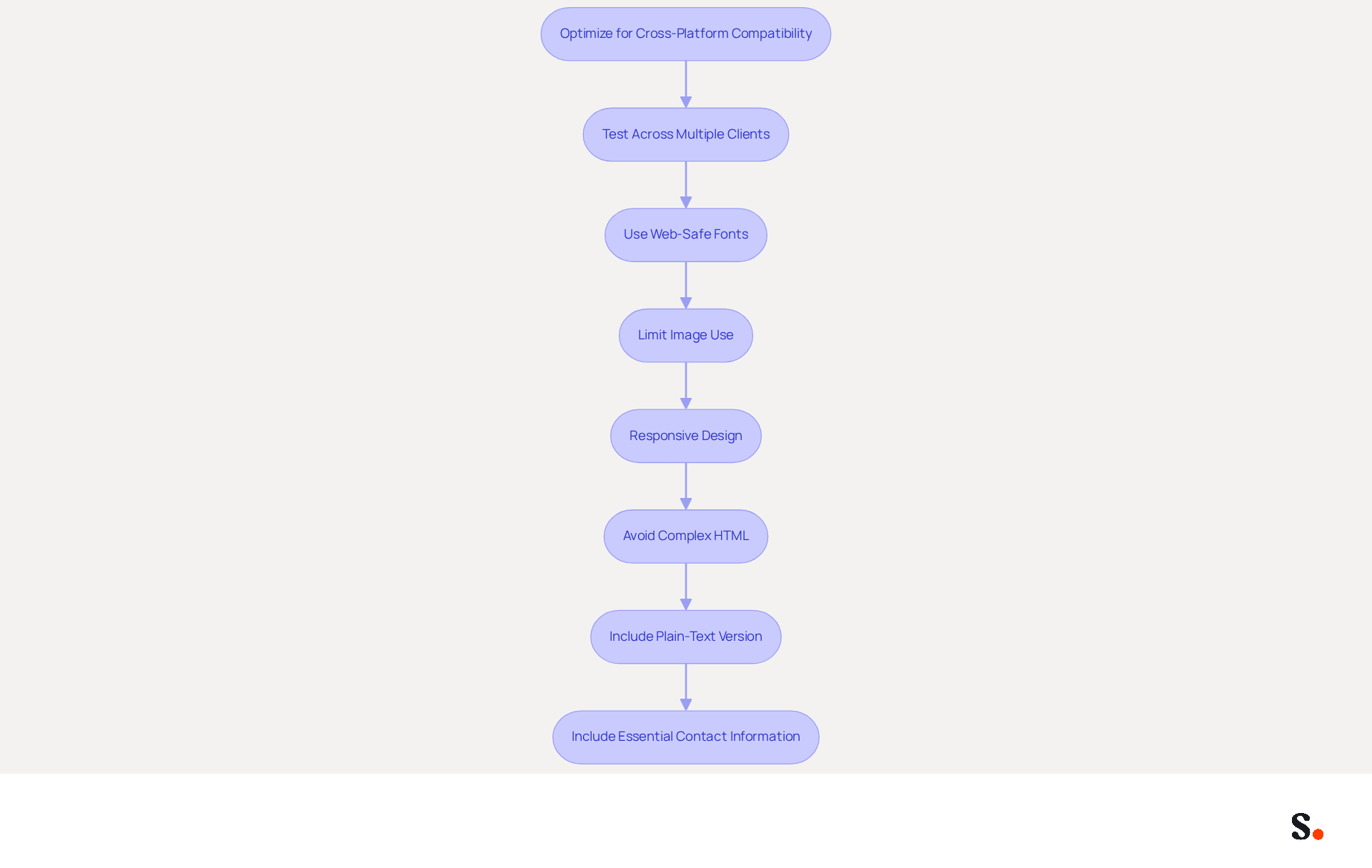
- Test Across Multiple Clients: Regularly test your message identifiers in various messaging clients, such as Outlook, Gmail, and Apple Mail, to identify any display issues. This is crucial because more than 40% of digital correspondences have at least one significant mistake that can affect engagement, highlighting the need for thorough testing.
- Use Web-Safe Fonts: Stick to standard fonts like Arial, Helvetica, or Times New Roman, which are widely supported across different platforms. This prevents formatting issues and ensures readability, as recommended font sizes range from 10-12pt for optimal clarity.
- Limit Image Use: Minimize the use of images, as they may not display correctly in all messaging clients. If images are included, ensure they are properly sized and compressed to avoid slow loading times and broken visuals.
- Responsive Design: Since more than half of all messages are opened on mobile devices, ensuring your design is mobile-friendly is essential for maintaining professionalism and engagement. Additionally, sales emails with calendar links experience 3x higher meeting bookings, demonstrating how mobile optimization can drive engagement.
- Avoid Complex HTML: Keep the HTML code straightforward, utilizing HTML tables with inline CSS only, as modern CSS and JavaScript are not supported in most messaging clients. This approach helps prevent rendering issues and ensures compatibility across various platforms.
- Always include a plain-text version of your email footer to ensure visibility across different email clients that may block HTML. This practice enhances accessibility and ensures that your essential contact information is always available.
- Include Essential Contact Information: Be selective about the contact details included in your email footer. Presenting only the most critical details streamlines communication and helps recipients focus on key contacts.
By prioritizing these practices, you can ensure that your email signature template text consistently reflects your professionalism, regardless of the platform used.
Conclusion
A well-crafted email signature is not just a digital formality; it is a vital component of professional communication that can influence perceptions and foster trust. Incorporating key elements like your full name, job title, company branding, and a clear call-to-action can turn email signatures into effective tools for engagement and lead generation. This approach can enhance brand consistency and, according to studies, increase interaction rates by up to 20%.
The article highlights several best practices for creating effective email signatures. These include:
- Using a standardized template to ensure uniformity
- Regularly updating branding elements
- Optimizing signatures for cross-platform compatibility
Additionally, the importance of a well-placed call-to-action cannot be overstated, as it can dramatically increase engagement and conversion rates. By leveraging tools like Scribe, organizations can manage their email signatures efficiently, ensuring that all communications reflect a cohesive brand image.
In the end, a well-crafted email signature is essential for maintaining brand identity and boosting professional credibility. Organizations are encouraged to adopt these best practices and utilize Scribe's capabilities to achieve 100% brand consistency and measurable marketing ROI. By neglecting the potential of email signatures, organizations risk losing valuable opportunities to strengthen their brand in every interaction.
Frequently Asked Questions
What is the purpose of an email signature?
An email signature serves as a vital tool for establishing trust and enhancing professional identity in communications.
What essential elements should be included in an engaging email signature?
An engaging email signature should include your full name, job title, company name and logo, contact information, social media links, legal disclaimers (if necessary), and a clear call-to-action (CTA).
Why is it important to include your full name in an email signature?
Including your full name personalizes communication and fosters trust, as 52% of professionals believe a strong digital footer is vital for building trust in communications.
How does including a job title in an email signature benefit communication?
Including your job title establishes authority and context, helping recipients understand your role within the organization.
What impact does a company name and logo have in an email signature?
A company name and logo strengthen brand identity and recognition, leading to a 15% increase in website click-through rates for businesses that utilize branded digital identifiers.
Why should contact information be included in an email signature?
Providing multiple ways to reach you, such as a phone number and contact address, ensures recipients can easily connect with you.
How do social media links enhance an email signature?
Including links to professional social media profiles, particularly LinkedIn, enhances interaction and engagement, as LinkedIn appears in 42.2% of digital correspondences.
When should legal disclaimers be included in an email signature?
Legal disclaimers should be included if necessary to maintain compliance, especially for organizations handling sensitive information.
What is the role of a clear call-to-action (CTA) in an email signature?
A clear CTA positioned as the final component in your message can significantly boost interaction, as effective CTAs are specific, action-oriented, and context-dependent.
What are the consequences of neglecting essential elements in an email signature?
Neglecting these elements can hinder your professional image and limit opportunities for meaningful connections.
List of Sources
- Incorporate Essential Elements for Engagement
- Email Signature Best Practices for 2026 (+ 15 Pro Examples) (https://wavecnct.com/blogs/email-signature-best-practices-2026)
- Not Using Email Signatures? 5 Reasons You Should Reconsider (https://opensense.com/blog/not-using-email-signatures-5-reasons-you-should-reconsider)
- Email signature statistics: Why every business should optimize their email signatures — Stripo.email (https://stripo.email/blog/email-signature-statistics-why-every-business-should-optimize-their-email-signatures)
- Research Recap: Branded Email Signatures Increase Company Recognition, Trust - Demand Gen Report (https://demandgenreport.com/industry-news/research-recap-branded-email-signatures-increase-company-recognition-trust/47252)
- Ensure Brand Consistency Across Signatures
- Research Recap: Branded Email Signatures Increase Company Recognition, Trust - Demand Gen Report (https://demandgenreport.com/industry-news/research-recap-branded-email-signatures-increase-company-recognition-trust/47252)
- Why Consistent Email Signatures Matter More Than You Think - Signite (https://signite.io/blog/consistent-email-signatures-matter-more-than-you-think)
- Best Practices for a Correct Email Signature That Boosts Branding (https://scribe-mail.com/en-US/blog/best-practices-for-a-correct-email-signature-that-boosts-branding)
- Is Your Customer Rebrand Stuck on Email Signatures? (https://wisestamp.com/blog/rebrand-email-signatures)
- Why email signature is important in corporate world ? (https://linkedin.com/pulse/why-email-signature-important-corporate-world-vibhuti-chauhan-fprzc)
- Utilize Call-to-Action Elements Effectively
- A Strategic Guide to Calls-to-Action (CTAs) in Email Marketing: Best Practices for Success (https://litmus.com/blog/click-tap-and-touch-a-guide-to-cta-best-practices)
- Why and how to add an effective CTA to your email signature? (https://signitic.com/en/resources/why-and-how-to-add-an-effective-cta-to-your-email-signature)
- Create Effective CTA Email Signatures (Examples & Templates) (https://wisestamp.com/examples/cta-email-signature)
- Effective calls-to-action for reader engagement - BlueLena (https://bluelena.io/2023/08/01/best-practices-for-calls-to-action-or-ctas)
- The Ultimate Guide to Email Signature Call-to-Action - NEWOLDSTAMP (https://newoldstamp.com/blog/the-ultimate-guide-to-email-signature-call-to-action)
- Optimize for Cross-Platform Compatibility
- Email Signature Best Practices for 2026 (+ 15 Pro Examples) (https://wavecnct.com/blogs/email-signature-best-practices-2026)
- 8 Best Practices Email Signature Strategies for 2025 — Salesloop (https://salesloop.io/blog/best-practices-email-signature)
- How to standardize email signatures in your company (https://mail-signatures.com/articles/standardize-email-signatures-in-your-business)
- Best practices for business email signatures in 2026 (https://bybrand.io/blog/best-practices)
- 4 Best Practices for a Modern Email Signature That Engages (https://scribe-mail.com/en-US/blog/4-best-practices-for-a-modern-email-signature-that-engages)
Get started with Scribe
Build a professional email signature
Free 14-day trial — no credit card.