Master Email Signatures on iPhone to Boost Brand Visibility
Crafting an effective email signature on an iPhone presents unique challenges that can hinder brand visibility and professionalism. With the rise of mobile
Sophie Grant
Email Signature Specialist, Scribe
On this page
- Introduction
- Understand Key Design Principles for Email Signatures
- Implement Effective Techniques for Signature Creation on iPhone
- Leverage Email Signatures as Marketing Tools to Enhance Brand Visibility
- Troubleshoot Common Issues and Optimize Your Email Signatures
- Conclusion
- Frequently Asked Questions
- List of Sources
Introduction
Crafting an effective email signature on an iPhone presents unique challenges that can hinder brand visibility and professionalism. With the rise of mobile communication, ensuring that email signatures are not only visually appealing but also functional is crucial for marketing success. This struggle often results in ineffective signatures that fail to engage recipients.
How can organizations leverage their email signatures to not only reflect their brand identity but also drive measurable results? By addressing these challenges, organizations can transform their email signatures into strategic assets that enhance engagement and drive results.
Understand Key Design Principles for Email Signatures
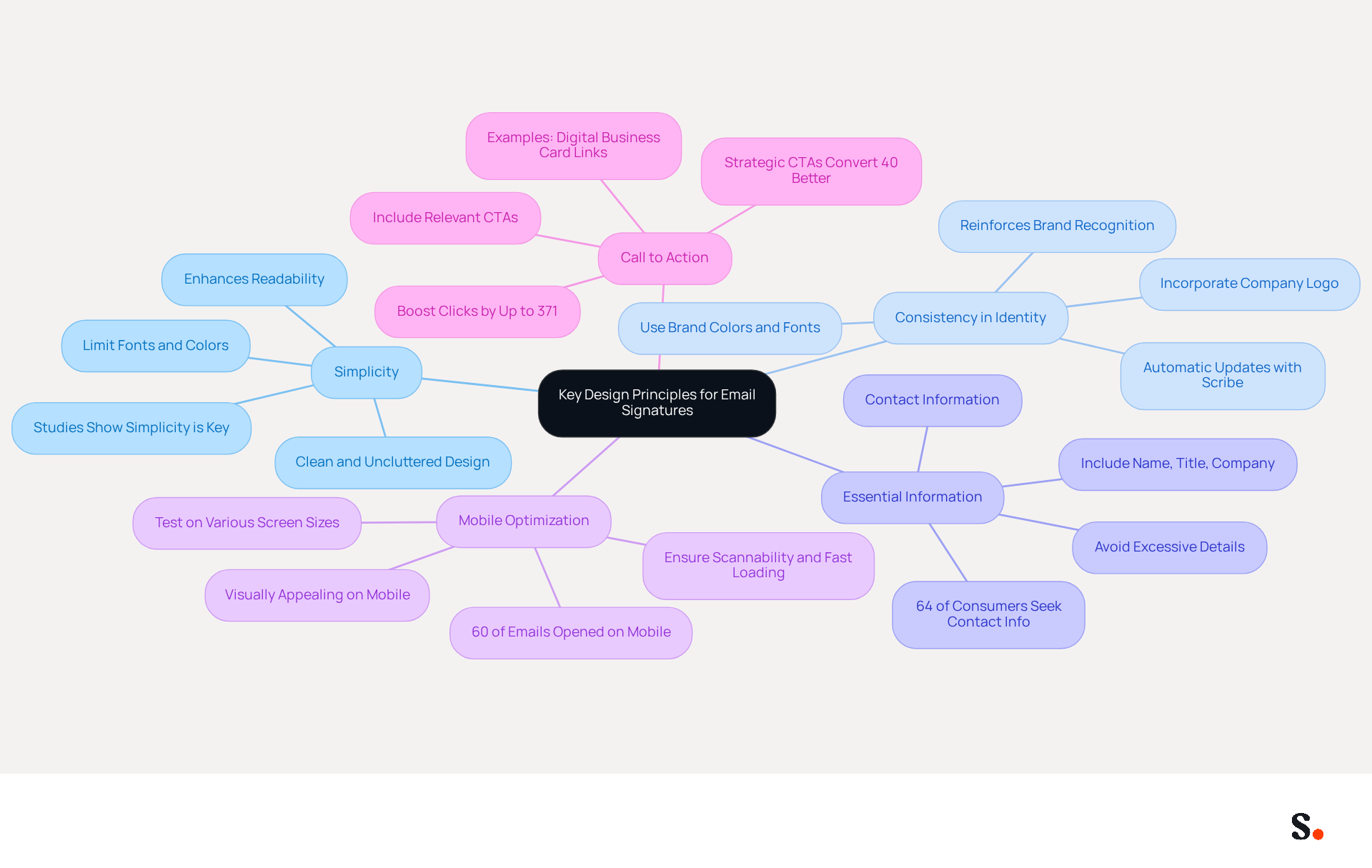
To create an effective email signature, it is essential to adhere to key design principles that enhance professionalism and engagement:
- Simplicity: A clean and uncluttered mark is essential. Limiting the number of fonts and colors maintains a professional appearance, ensuring readability across all devices. However, many struggle with creating a simple yet effective design, as studies indicate that simplicity is key to effective email signatures.
- Consistency in Identity: Incorporate your company’s logo, colors, and fonts to reinforce identity. Consistency across communications helps recipients identify your identity instantly. With Scribe, any changes you make in your Aircall settings will automatically update your email signatures, ensuring your brand stays consistent and recognizable.
- Essential Information: Include only the most important details such as your name, job title, company name, and contact information. Avoid excessive information that can overwhelm the reader. Research shows that a well-organized sign-off can significantly boost engagement rates, as 64% of consumers look for contact information in email signatures.
- Mobile Optimization: Ensure that your signature mail iPhone footer is visually appealing on mobile devices. Testing it on various screen sizes is crucial to confirm correct display. With 60% of business emails opened on mobile devices, signatures must be scannable and fast-loading.
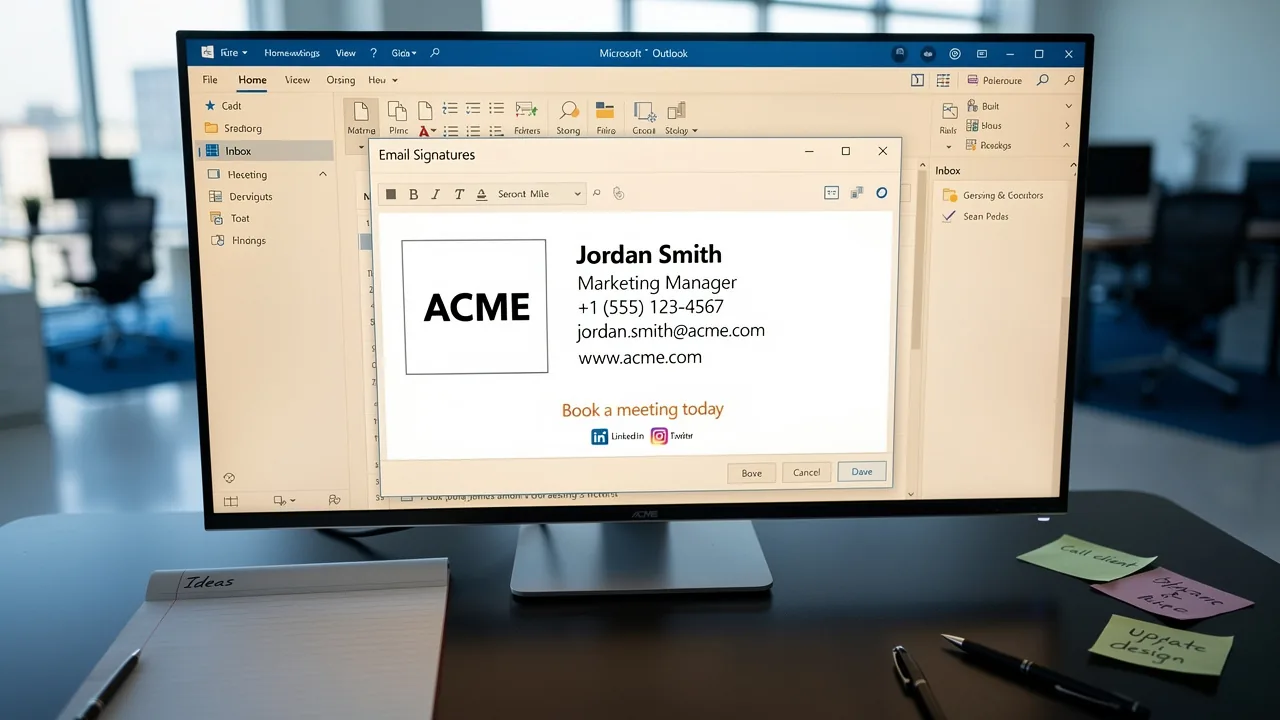
- Call to Action: If suitable, include a call to action (CTA) such as a reference to your website or a promotional banner. Effective CTAs can boost clicks by up to 371%, driving engagement and lead generation. For instance, including a digital business card link can increase click-through rates significantly.
By implementing these principles, you not only enhance your professional image but also significantly improve your communication effectiveness.
Implement Effective Techniques for Signature Creation on iPhone
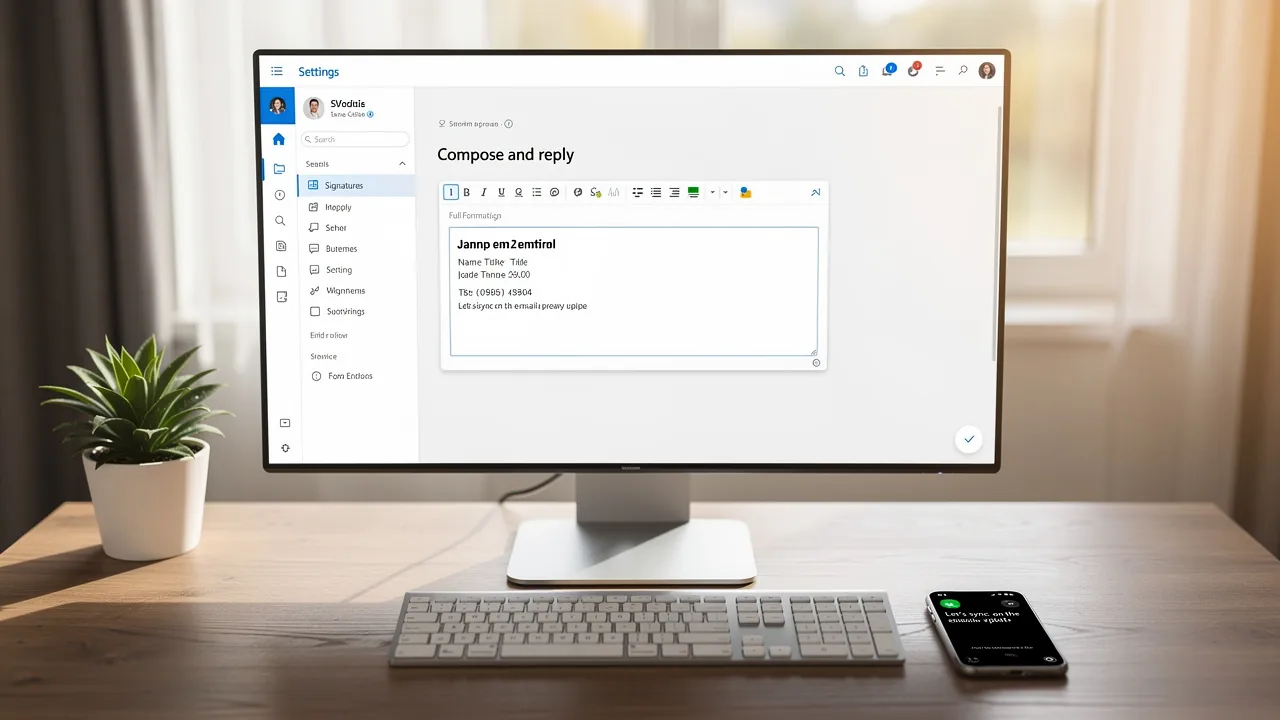
Establishing a professional signature mail iPhone is crucial for enhancing brand visibility and credibility. Scribe automatically syncs your email identifiers with your business phone system, like Aircall, ensuring seamless updates without requiring your teammates' action. Follow these steps to set up a professional signature:
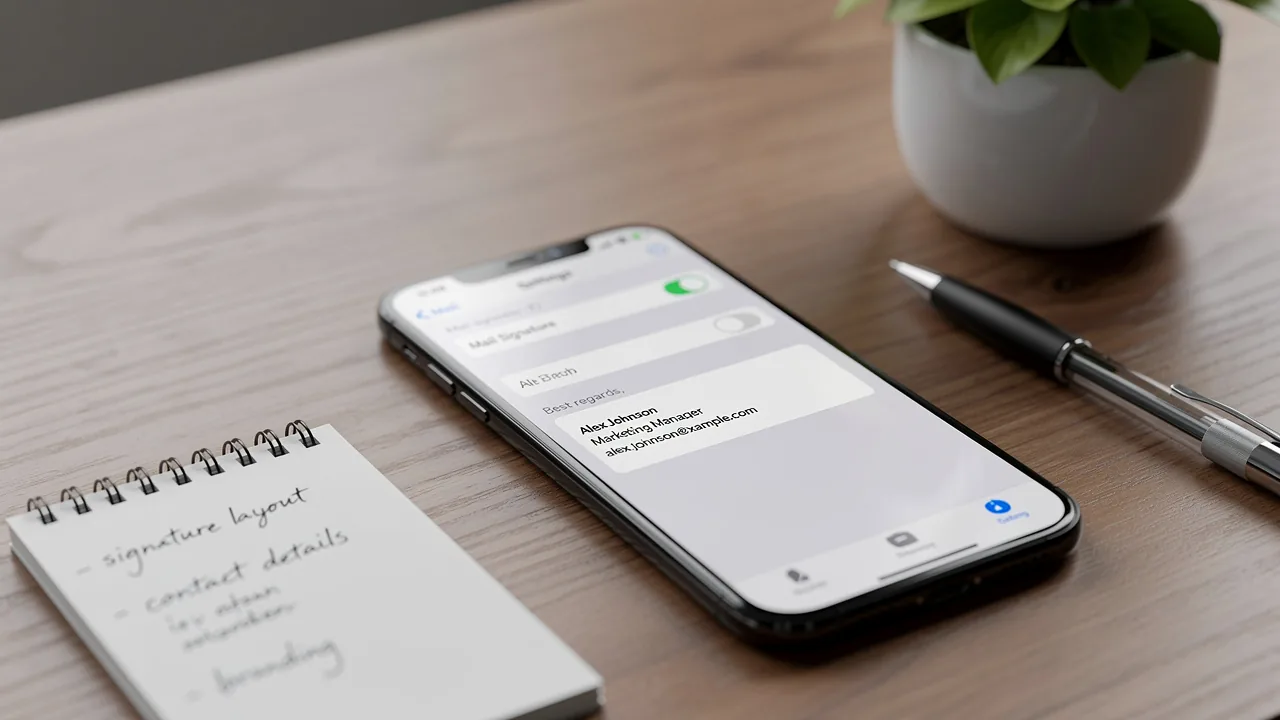
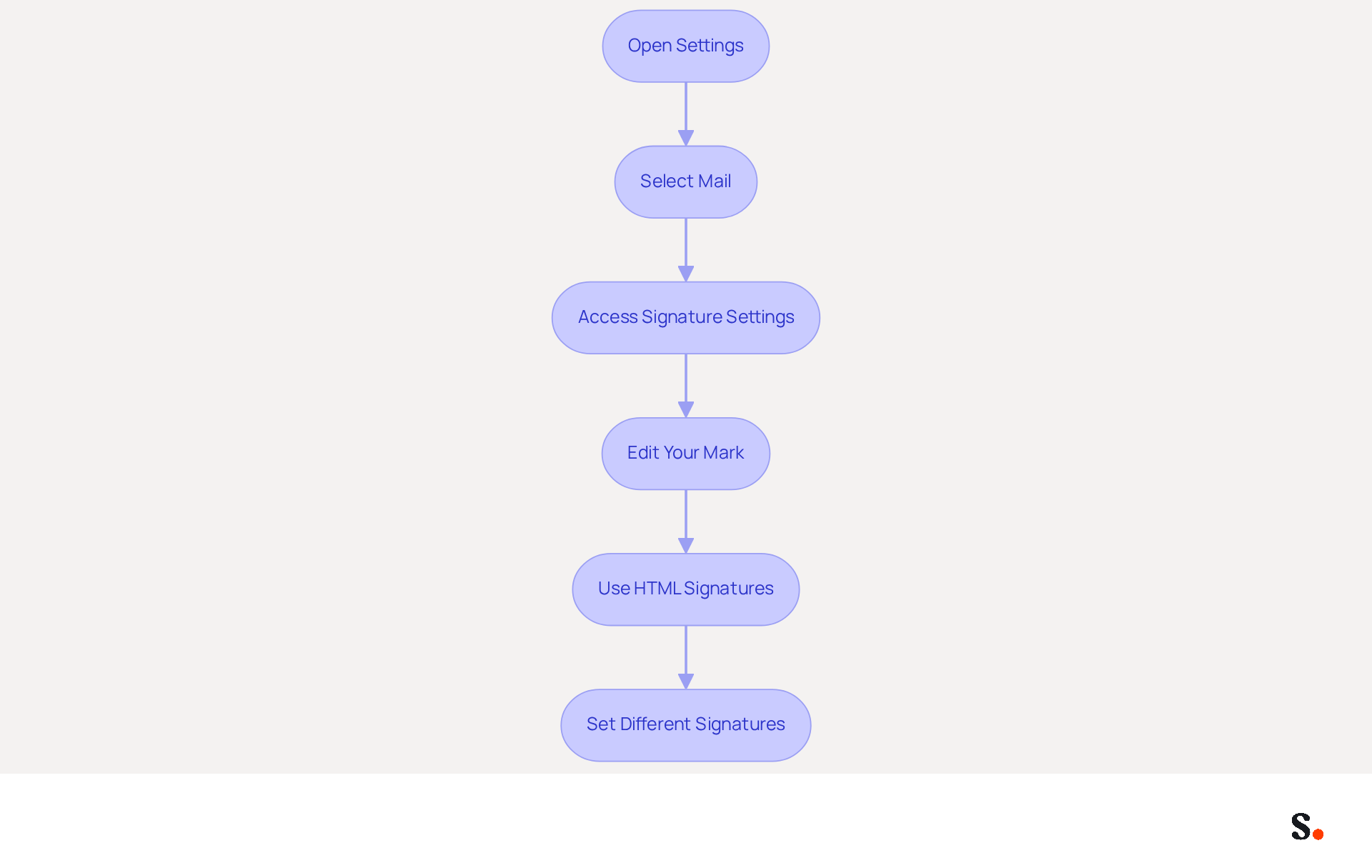
- Open Settings: Launch the Settings app on your iPhone.
- Select Mail: Scroll down and tap on 'Mail'.
- Access Signature Settings: Locate the 'Signature' option under the 'Composing' section.
- Edit Your Mark: Tap the text field to enter your desired mark. Customize it with your full name, job title, and contact information to ensure clarity and professionalism.
- Use HTML Signatures: For enhanced functionality, create your signature using an HTML editor. This allows for the inclusion of dynamic content, which can significantly boost user interaction and response rates. Copy and paste it into the field for your sign-off, but be aware that the iPhone's Mail app has formatting limitations, so it's wise to test how it displays.
- Set Different Signatures: If you manage multiple accounts, you can assign distinct sign-offs for each account by selecting 'Per Account' in the settings.
Research shows that 76% of recipients trust senders who use branded communications, making it essential to uphold a consistent and professional image. Furthermore, branded digital identifiers lead to a 22% boost in response rates and a 15% rise in click-through rates to company websites. Regular updates to your personal identifier are also important; 44.4% of users modify their identifiers 2-4 times a year, reflecting a commitment to keeping communications relevant and engaging. With Scribe's automated synchronization and SOC 2 Type II compliance, you can ensure that your email communications are not only consistent but also secure and aligned with your identity. With Scribe, you not only streamline your email signature management but also reinforce your brand's professionalism and trustworthiness.
Leverage Email Signatures as Marketing Tools to Enhance Brand Visibility
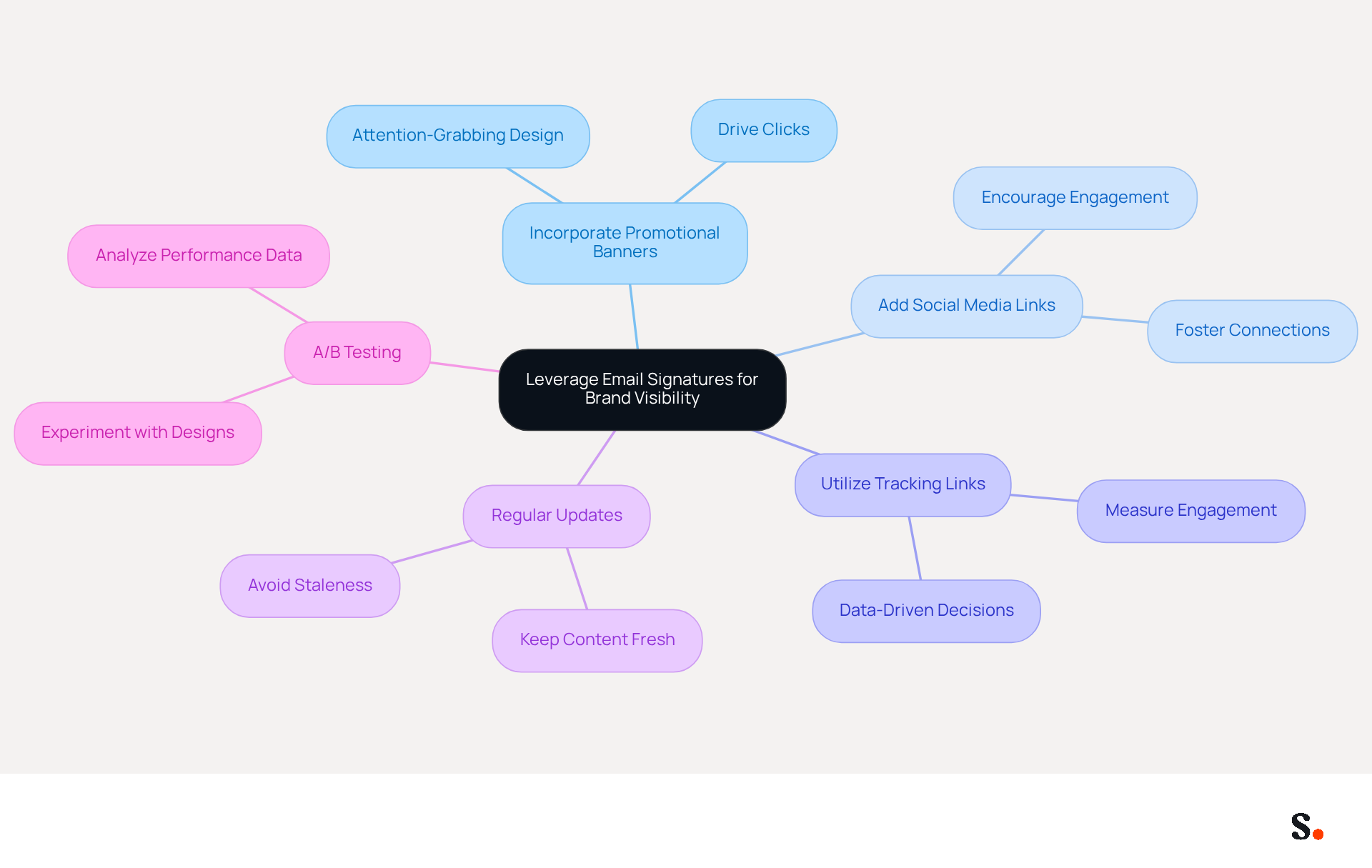
Email identifiers serve as underutilized marketing assets that can significantly enhance brand visibility when leveraged correctly. Here are several strategies to enhance brand visibility:
- Incorporate Promotional Banners: A well-crafted banner captures attention and drives clicks, turning each email into a promotional chance.
- Add Social Media Links: Including icons that direct to your company’s social media profiles encourages recipients to engage with your brand across multiple platforms, fostering a more connected relationship.
- Utilize Tracking Links: Implement tracking parameters for any links included in your email footer. This data allows you to measure engagement and understand which elements resonate most with your audience, enabling data-driven marketing decisions.
- Regular Updates: Without regular updates, your communications risk becoming stale and overlooked. Keep your identifier dynamic by refreshing it with new promotions, events, or changes in contact information. With the average worker sending around 40 business messages daily, totaling 10,400 communications annually, the potential reach of well-crafted identifiers is significant.
- A/B Testing: Experiment with various designs and messages in your correspondence to identify which versions yield the best results. Instead of complete overhauls, consider making small, measurable changes as suggested by case studies. Analyzing performance data from these tests can refine your approach and enhance overall effectiveness.
By implementing these strategies, you not only enhance your brand's visibility but also create lasting connections with your audience.
Troubleshoot Common Issues and Optimize Your Email Signatures
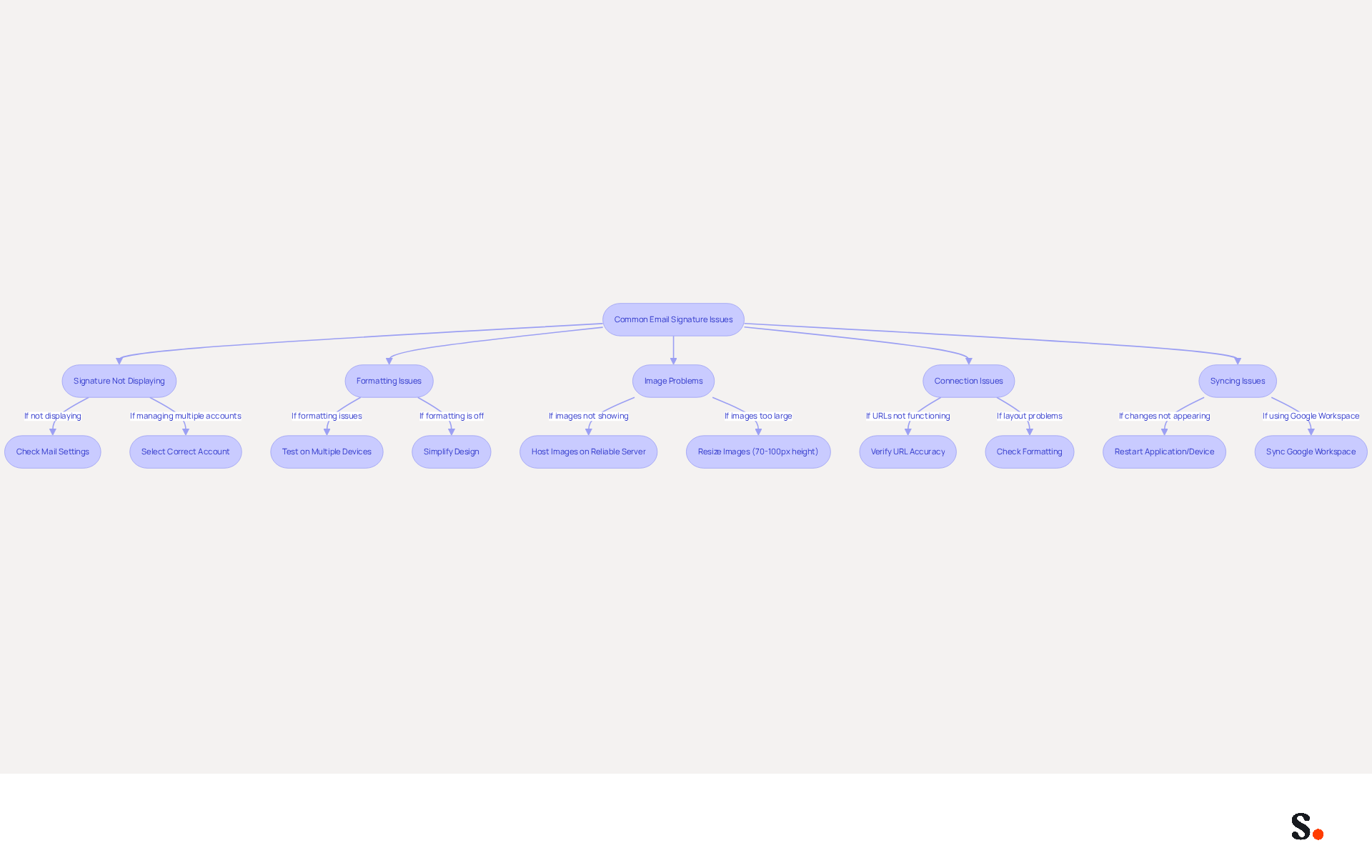
Despite meticulous design efforts, digital identifiers often encounter issues that require immediate attention. Here are common problems and how to troubleshoot them:
- Signature Mail iPhone Not Displaying: Many users struggle with visibility issues when their signature mail iPhone fails to display; check your Mail settings to ensure proper configuration. If you manage multiple email addresses, confirm that you’ve selected the correct account. In 2026, 42% of consumers have a negative perception of a business lacking a branded identity, making this a critical issue to address.
- Formatting Issues: Signatures may appear differently on various devices, particularly when sent from Outlook to Gmail, where large vertical spacing can occur. Test your mark on multiple devices to ensure consistency. If formatting is off, consider simplifying the design. Adding a
<p>element inside each<td>can help control spacing in Gmail. - Image Problems: If your email footer images aren’t showing up, make sure they’re hosted on a reliable server. Images should ideally be between 70-100 pixels high and 300-400 pixels wide. Avoid using images that are too large, as they may not load properly. This underscores the importance of clear visuals, as 76-80% of marketers affirm that branded identifiers significantly boost sender trust.
- Connection Issues: If URLs in your email aren’t functioning, verify their accuracy. Ensure that they are correctly formatted and lead to the intended destination. Common errors in creating electronic correspondences can lead to layout problems, so checking links is crucial for upholding professionalism.
- Syncing Issues: If your changes aren’t appearing, try restarting your application or device. Sometimes, syncing issues can prevent updates from showing. With Scribe, syncing your Google Workspace ensures that any changes, such as relocating teammates or updating their details, are automatically reflected in your correspondence identifiers. This not only saves time but also maintains brand consistency across your communications.
By addressing these challenges, you not only enhance your communication but also reinforce your brand's credibility with signature mail iPhone. Remember, 93% of professionals check email daily, ensuring consistent reach for email signatures.
Conclusion
Email signatures are often underestimated, yet they hold significant potential for enhancing brand visibility and professionalism. Organizations can enhance their email communications by implementing effective design principles and utilizing tools like Scribe for consistency and impact.
This article emphasizes that simplicity, consistency, and mobile optimization are crucial for effective email signature design. Incorporating essential information and effective calls to action can significantly boost engagement rates. Regular updates and troubleshooting common issues ensure that signatures remain functional and relevant. With Scribe's automated synchronization and compliance with security standards like SOC 2 Type II, businesses can confidently manage their email signatures, reinforcing their brand identity across all communications.
In the end, email signatures are a powerful marketing tool that many organizations tend to overlook. By treating them as dynamic assets that can drive engagement and brand recognition, organizations can unlock their full potential. Embracing these best practices can significantly enhance engagement and foster brand loyalty.
Frequently Asked Questions
What are the key design principles for creating effective email signatures?
The key design principles include simplicity, consistency in identity, essential information, mobile optimization, and including a call to action.
Why is simplicity important in email signatures?
Simplicity is important because a clean and uncluttered design enhances professionalism and ensures readability across all devices.
How can consistency in identity be achieved in email signatures?
Consistency can be achieved by incorporating your company’s logo, colors, and fonts, which helps recipients instantly recognize your brand.
What essential information should be included in an email signature?
Essential information includes your name, job title, company name, and contact information, while avoiding excessive details that may overwhelm the reader.
Why is mobile optimization crucial for email signatures?
Mobile optimization is crucial because 60% of business emails are opened on mobile devices, so signatures must be visually appealing, scannable, and fast-loading on various screen sizes.
How can a call to action (CTA) enhance an email signature?
Including a CTA, such as a link to your website or a promotional banner, can significantly boost engagement and lead generation, with effective CTAs increasing clicks by up to 371%.
List of Sources
- Understand Key Design Principles for Email Signatures
- The impact of email signatures on your branding (https://signitic.com/en/resources/the-impact-of-email-signatures-on-your-branding)
- 4 Best Practices for a Professional Looking Email Signature (https://scribe-mail.com/en-US/blog/4-best-practices-for-a-professional-looking-email-signature)
- Email Signature Best Practices for 2026 (+ 15 Pro Examples) (https://wavecnct.com/blogs/email-signature-best-practices-2026)
- Why Email Signatures Must Be In Your 2026 Marketing Plan | Rocketseed (https://rocketseed.com/blog/what-are-the-biggest-email-trends-for-2026)
- Research Recap: Branded Email Signatures Increase Company Recognition, Trust - Demand Gen Report (https://demandgenreport.com/industry-news/research-recap-branded-email-signatures-increase-company-recognition-trust/47252)
- Implement Effective Techniques for Signature Creation on iPhone
- 40+ Email Signature Statistics for 2026 (Data + Insights) (https://wavecnct.com/blogs/email-signature-statistics)
- Email Signature Statistics: A Closer Look at Email Signatures in 2026 (https://mysignature.io/blog/email-signature-statistics)
- Email signature statistics and trends in 2024 (https://wisestamp.com/blog/email-signature-statistics)
- Email Signature Trends in Numbers: Infographic [2026] (https://mailtrap.io/blog/email-signature-trends)
- Email signature statistics: Why every business should optimize their email signatures — Stripo.email (https://stripo.email/blog/email-signature-statistics-why-every-business-should-optimize-their-email-signatures)
- Leverage Email Signatures as Marketing Tools to Enhance Brand Visibility
- Why Email Signatures Must Be In Your 2026 Marketing Plan | Rocketseed (https://rocketseed.com/blog/what-are-the-biggest-email-trends-for-2026)
- 2026 Marketing Trends: Email Signatures as a Marketing Tool (https://bluechiptt.com/blog/5-marketing-trends-for-2026-and-how-your-email-signature-fits-in)
- 6 Ways to Use Email Signature to Support Marketing Campaigns (https://clearout.io/blog/use-email-signature-to-support-marketing-campaigns)
- Why Are Email Signatures Key to Brand Awareness? | QuickMail (https://quickmail.com/role-of-email-signatures-in-brand-awareness)
- How email signatures can drive brand awareness and organic traffic - NEWOLDSTAMP (https://newoldstamp.com/blog/email-signature-brand-awareness)
- Troubleshoot Common Issues and Optimize Your Email Signatures
- Email Signature Troubleshooting - Problems & Solutions - Gimmio (https://blog.gimm.io/email-signature-troubleshooting)
- Troubleshoot issues with Gmail signatures - Gmail Help (https://support.google.com/mail/answer/11468381?hl=en)
- How to solve problems with email signatures in Microsoft 365? (https://mail-signatures.com/articles/problems-email-signatures-office-365)
- Troubleshooting Email Signature Issues in Outlook (https://justanswer.com/email/lyeqn-email-signatures-no-longer-loading-automatically.html)
- 40+ Email Signature Statistics for 2026 (Data + Insights) (https://wavecnct.com/blogs/email-signature-statistics)
Get started with Scribe
Create your signature in minutes
Free 14-day trial — no credit card.