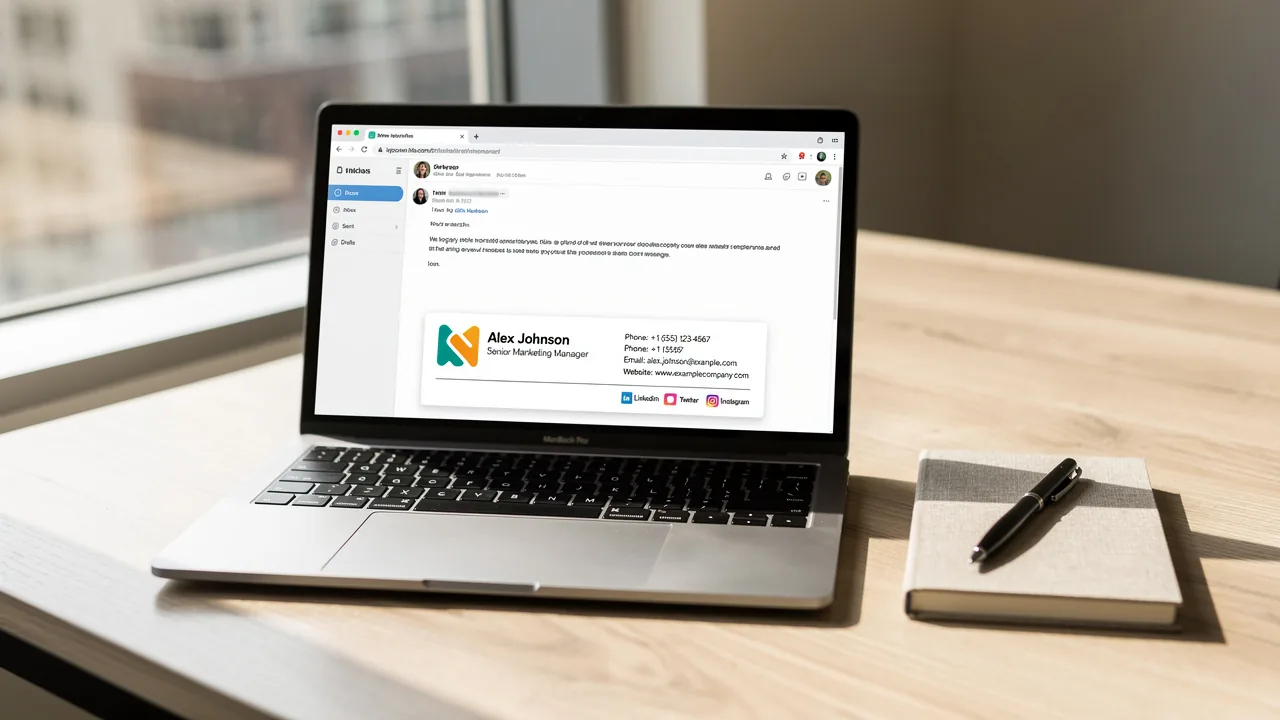
Master Gmail Email Signature Dimensions for Effective Branding
Many organizations overlook the critical role that email signature dimensions play in establishing a strong brand presence in communication. With the right
Sophie Grant
Email Signature Specialist, Scribe
On this page
- Introduction
- Establish Ideal Email Signature Dimensions for Different Platforms
- Optimize File Size and Format for Enhanced Performance
- Incorporate Design Best Practices for Visual Appeal and Branding
- Ensure Consistency Across Team Signatures for Brand Integrity
- Conclusion
- Frequently Asked Questions
- List of Sources
Introduction
Many organizations overlook the critical role that email signature dimensions play in establishing a strong brand presence in communication. With the right dimensions, organizations can ensure their messages are not only visually appealing but also professional across various platforms like Gmail and Outlook.
We will explore best practices for optimizing email signature sizes, file formats, and design elements, highlighting how these factors enhance branding and client engagement.
With numerous variables at play, how can businesses maintain consistency and integrity in their email signatures to maximize marketing impact?
Establish Ideal Email Signature Dimensions for Different Platforms
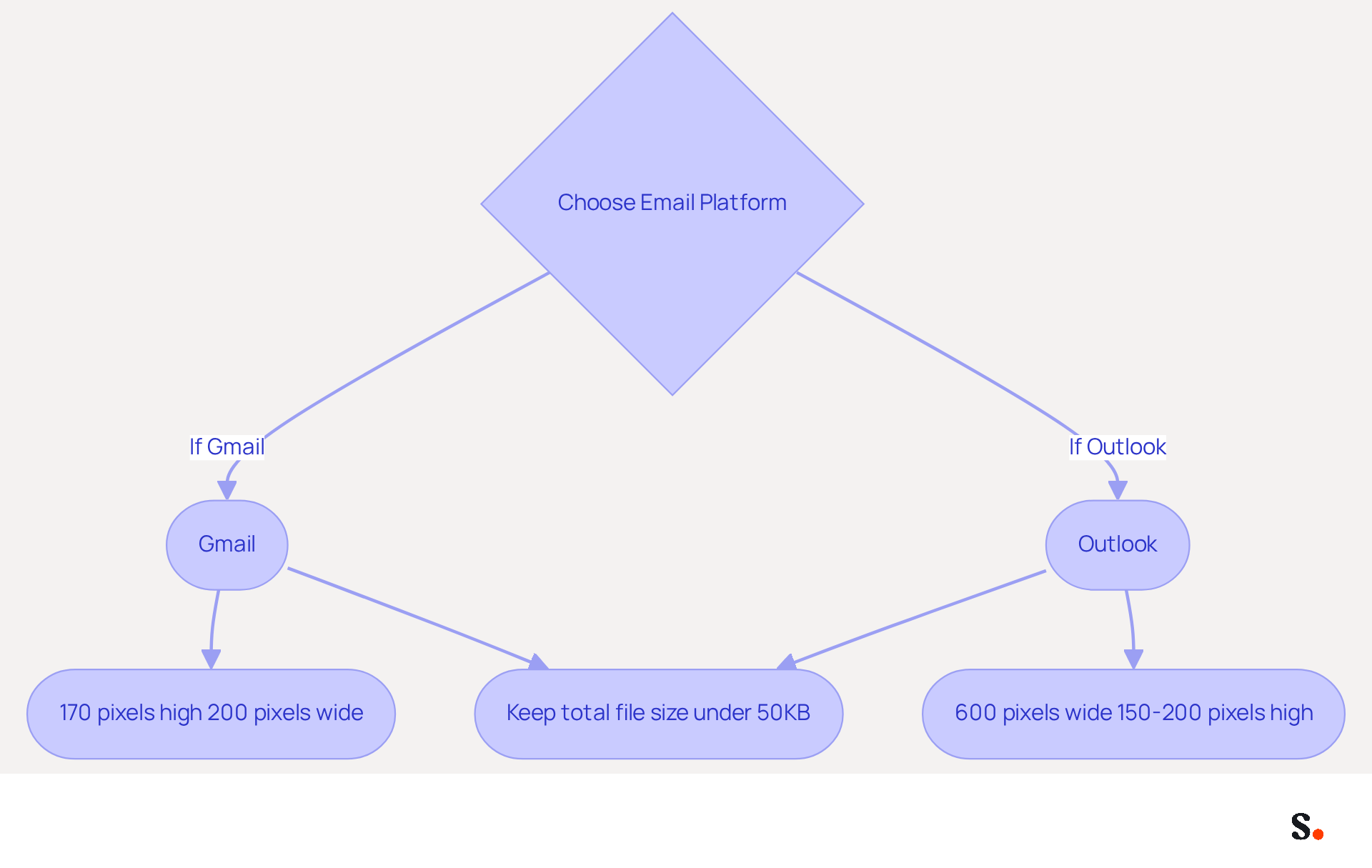
To maintain a professional image in email correspondence, it is essential to adhere to recommended dimensions for email footers across various platforms. The ideal dimensions for a Gmail email signature are:
- 170 pixels high
- 200 pixels wide
This sizing prevents visuals from appearing oversized or distorted across different devices. In contrast, Outlook email footers should be:
- 600 pixels wide
- Between 150-200 pixels high
Additionally, keeping the total file size under 50KB is essential for quick loading times and to avoid display issues. This attention to detail not only improves communication but also reinforces your brand's reputation.
Real-World Example: A marketing team at a tech startup implemented these dimensions and observed a significant reduction in complaints regarding display issues, leading to improved communication clarity and professionalism in their correspondence.
Optimize File Size and Format for Enhanced Performance
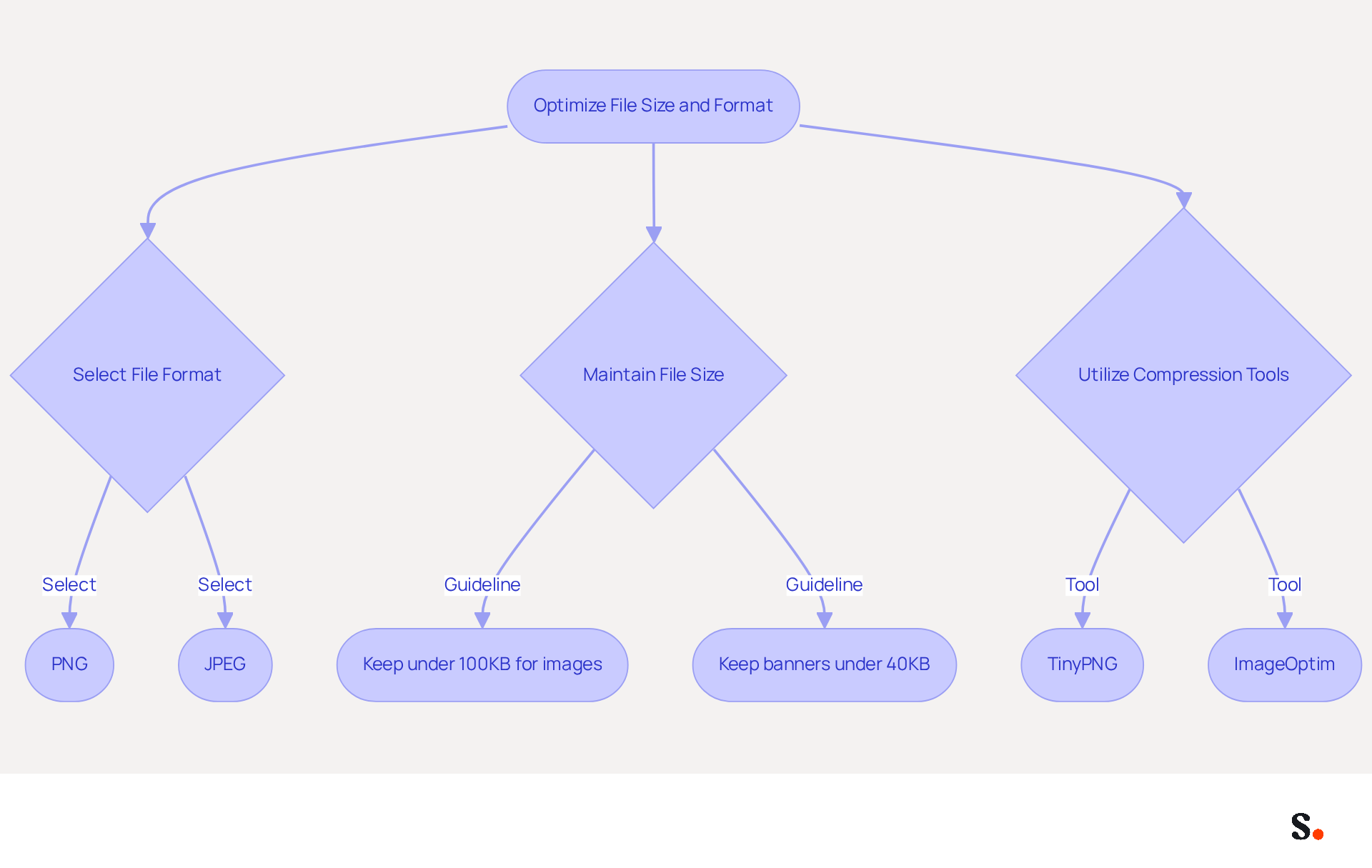
Selecting the right file formats and sizes is essential for optimizing email signature performance. Utilize PNG or JPEG formats for visuals, as they strike a balance between quality and file size. Keep individual file sizes under 100KB to ensure fast loading times, which is crucial for user engagement. Compress visuals using tools like TinyPNG or ImageOptim to decrease file size without sacrificing quality. This optimization enhances loading speed and improves user experience.
In 2026, statistics suggest that maintaining image files in correspondence under 100KB is crucial, as larger files slow down loading times and increase the risk of being flagged as spam. Additionally, maintaining a total file size for banners under 40KB is recommended to avoid loading delays. By following these guidelines, you enhance the effectiveness of your communications.
Moreover, syncing your Google Workspace with Scribe saves time and simplifies managing your correspondence identifiers. This integration allows for automatic updates, ensuring that any changes in your team’s information are reflected in Scribe without manual input. The attribute feature enables auto-filling of identification information, further enhancing efficiency. Scribe also complies with security standards such as SOC 2 Type II, GDPR, and CCPA, providing peace of mind regarding data protection. By utilizing these features, you can enhance your management of correspondence identifiers efficiently.
Incorporate Design Best Practices for Visual Appeal and Branding
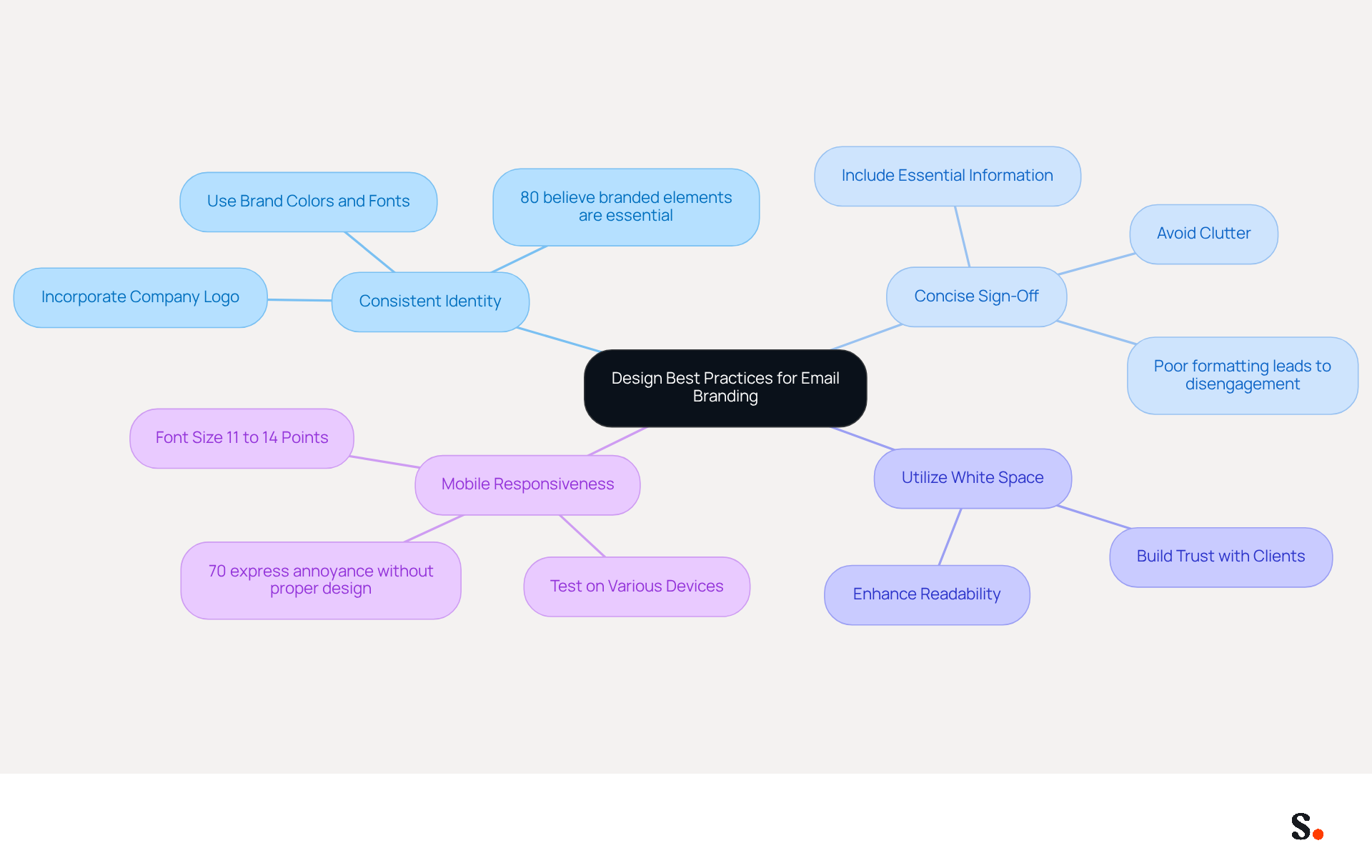
Design is a critical factor in establishing effective email branding, as it directly influences recipient engagement and perception of professionalism. To create visually appealing signatures, follow these best practices:
- Use Consistent Identity: Incorporate your company logo, colors, and fonts to ensure consistency. This strengthens your brand identity in every email, as 80% of respondents believe branded email elements are essential for brand identity.
- Keep Sign-Off Concise: Maintaining a concise sign-off is essential for clarity and engagement. Include only essential information such as your name, title, and contact details. Avoid cluttering the sign-off with excessive images or text, as poor formatting is a leading cause of disengagement.
- Utilize White Space: Effective use of white space is crucial for enhancing readability and professionalism. Ensure that elements are well-spaced and not cramped together, as this contributes to a clean design that builds trust with clients.
- Design for Mobile Responsiveness: In today’s digital landscape, creating designs that are responsive and visually appealing on both desktop and mobile devices is vital. For mobile optimization, use a font size between 11 to 14 points for better usability. Testing your design on various devices is crucial to ensure it appears correctly, as 70% of consumers express annoyance when companies do not include marks in their communications.
A case in point is a financial services firm that revamped their electronic correspondences by adhering to these design principles, leading to a 20% rise in client engagement due to enhanced visual appeal and clarity. By following these design best practices, companies can significantly enhance their brand image and client interactions.
Ensure Consistency Across Team Signatures for Brand Integrity
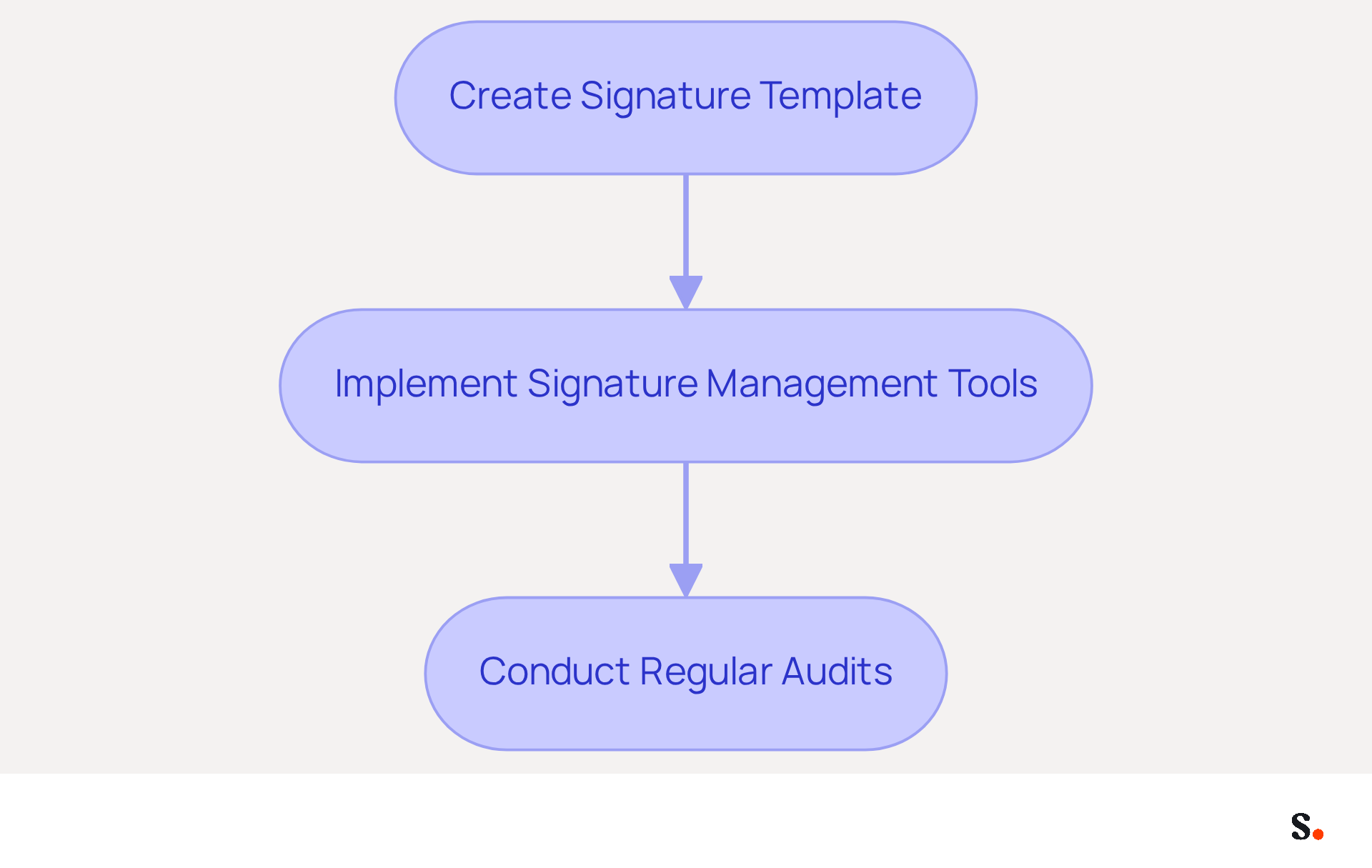
Inconsistent communication formats can undermine a brand's integrity and confuse clients. To achieve uniformity in communication, consider the following effective steps:
- Create a signature template that adheres to Gmail email signature dimensions and incorporates essential elements such as logos, colors, and fonts. Make sure this template is readily available to all team members to help maintain consistent branding.
- Implement Signature Management Tools: Utilize tools like Scribe to automate the management of email identifiers across your organization. This guarantees that any modifications to the identity are shown in real-time across all identifiers, improving consistency.
- Conduct Regular Audits: Periodically review team approvals to ensure compliance with branding guidelines. Regular audits assist in identifying inconsistencies and preserving a cohesive corporate image, which is vital as 80% of businesses consider branded digital identifiers essential for marketing.
Case Study: A large corporation implemented a standardized messaging policy using Scribe, resulting in a 30% increase in recognition among clients due to consistent identity across all communications. This highlights the significant impact that well-managed Gmail email signature dimensions can have on brand perception and integrity. Ultimately, a cohesive identity fosters trust and enhances client relationships.
Conclusion
Effective branding hinges on mastering the dimensions and design of Gmail email signatures. Organizations can enhance user engagement and present a professional image by following recommended sizes and optimizing file formats. Such attention to detail demonstrates a strong commitment to maintaining brand integrity and can significantly impact how clients perceive a business.
Key insights from the article emphasize the importance of maintaining consistent branding across all team signatures. Utilizing tools like Scribe allows for seamless management of email identifiers, ensuring that any updates are automatically reflected across the organization. Additionally, implementing design best practices - such as using consistent colors, logos, and mobile-responsive layouts - can lead to improved client engagement and trust.
Investing time and resources in optimizing email signatures pays off by boosting brand recognition and strengthening client relationships. Organizations should adopt these best practices and utilize tools like Scribe to ensure complete brand consistency and measurable marketing ROI from their email communications. This strategic investment not only enhances brand recognition but also strengthens client relationships, ultimately driving business success.
Frequently Asked Questions
What are the ideal dimensions for a Gmail email signature?
The ideal dimensions for a Gmail email signature are 170 pixels high and 200 pixels wide.
What are the recommended dimensions for an Outlook email footer?
Outlook email footers should be 600 pixels wide and between 150-200 pixels high.
Why is it important to adhere to these dimensions for email signatures?
Adhering to these dimensions prevents visuals from appearing oversized or distorted across different devices, maintaining a professional image in email correspondence.
What is the maximum file size recommended for email signatures?
The total file size for email signatures should be kept under 50KB to ensure quick loading times and avoid display issues.
How does following these guidelines impact communication?
Following these guidelines improves communication clarity and reinforces your brand's reputation, as demonstrated by a marketing team at a tech startup that saw a reduction in complaints regarding display issues.
List of Sources
- Establish Ideal Email Signature Dimensions for Different Platforms
- Email Signature Size and Layout Tips (https://linkedin.com/pulse/email-signature-size-layout-tips-bulksignature-nuy7f)
- What Is The Best Email Signature Size? | Rocketseed (https://rocketseed.com/resources/email-design-guidelines)
- Email Signature Size and Image Best Practices (https://maileditor.net/blog/email-signature-size-and-image-best-practices)
- Correct Email Signature Dimensions: Width, Height & File Size (https://wisestamp.com/guides/what-are-correct-email-signature-dimensions)
- Optimize File Size and Format for Enhanced Performance
- Email Signature Size and Image Best Practices (https://maileditor.net/blog/email-signature-size-and-image-best-practices)
- Optimize Your Email Banner Signature Size for Maximum Impact (https://scribe-mail.com/en-US/blog/optimize-your-email-banner-signature-size-for-maximum-impact)
- Correct Email Signature Dimensions: Width, Height & File Size (https://wisestamp.com/guides/what-are-correct-email-signature-dimensions)
- What Is the Best Image Format for the Email Signature? - NEWOLDSTAMP (https://newoldstamp.com/blog/best-image-format-for-email-signature)
- What Is the Ideal Email Signature Size? (https://oppora.ai/blog/email-signature-size)
- Incorporate Design Best Practices for Visual Appeal and Branding
- Email signature branding: importance, tips & best practices (https://exclaimer.com/email-signature-handbook/email-signature-branding-importance)
- Research Recap: Branded Email Signatures Increase Company Recognition, Trust - Demand Gen Report (https://demandgenreport.com/industry-news/research-recap-branded-email-signatures-increase-company-recognition-trust/47252)
- The benefits of a branded email signature (https://bybrand.io/blog/branded-email-signature)
- The impact of email signatures on your branding (https://signitic.com/en/resources/the-impact-of-email-signatures-on-your-branding)
- Ensure Consistency Across Team Signatures for Brand Integrity
- Research Recap: Branded Email Signatures Increase Company Recognition, Trust - Demand Gen Report (https://demandgenreport.com/industry-news/research-recap-branded-email-signatures-increase-company-recognition-trust/47252)
- Why Team Email Signatures Matter More Than You Think: The Hidden Impact on Brand Trust and Customer Experience (https://getmailbird.com/why-team-email-signatures-matter-brand-trust)
- Why Email Signatures Must Be In Your 2026 Marketing Plan | Rocketseed (https://rocketseed.com/blog/2026-marketing-plan-email-signatures)
- Why Consistent Email Signatures Matter More Than You Think - Signite (https://signite.io/blog/consistent-email-signatures-matter-more-than-you-think)
- The impact of email signatures on your branding (https://signitic.com/en/resources/the-impact-of-email-signatures-on-your-branding)
Get started with Scribe
Create your signature in minutes
Free 14-day trial — no credit card.