Master How to Add Automatic Signature in Gmail for Marketing Success
An email signature is not merely a digital farewell; it represents a significant opportunity for branding that many professionals fail to capitalize on. When
Sophie Grant
Email Signature Specialist, Scribe
Introduction
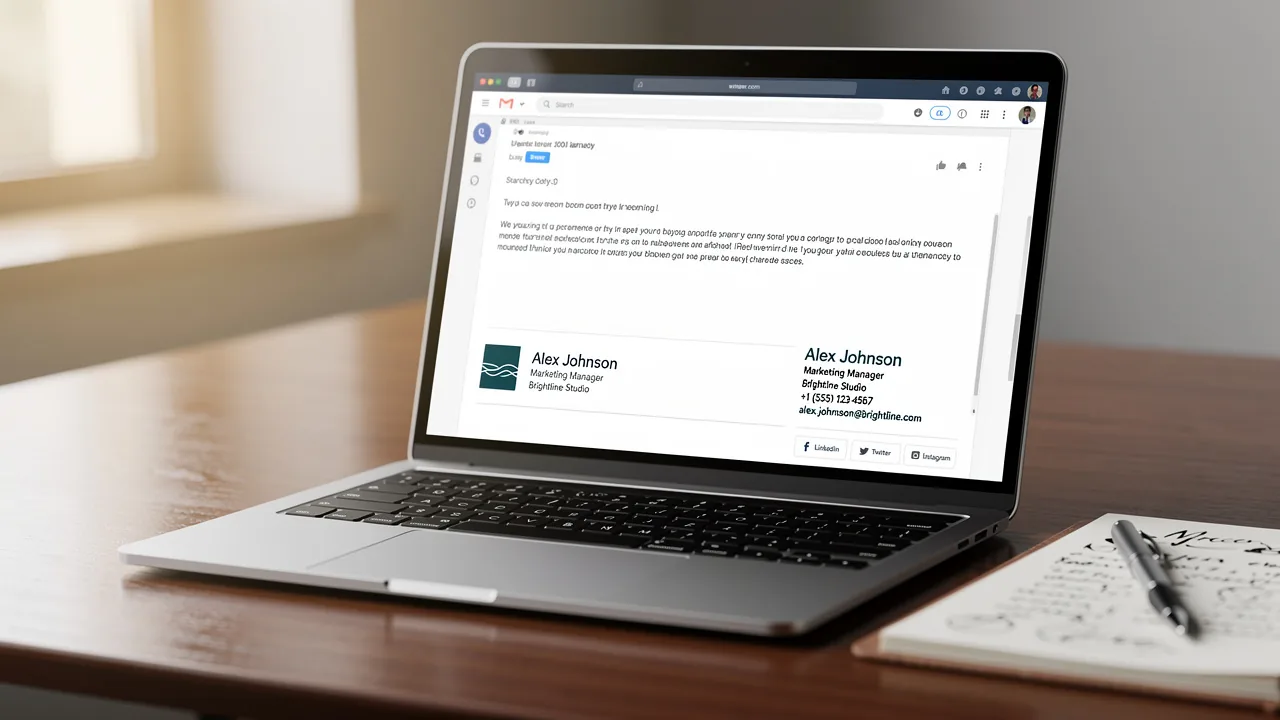
An email signature is not merely a digital farewell; it represents a significant opportunity for branding that many professionals fail to capitalize on. When professionals learn to effectively add an automatic signature in Gmail, they can boost their brand consistency, credibility, and marketing impact with every email they send. Yet, many professionals miss out on the strategic benefits of a well-crafted signature, which can result in lost chances for engagement and trust-building.
How can organizations leverage this often-underestimated element to not only streamline communication but also drive marketing success?
Understand the Importance of an Email Signature
An email signature is not merely a farewell; it functions as a digital business card that embodies your brand in every correspondence. Here are key reasons why an email signature is essential:
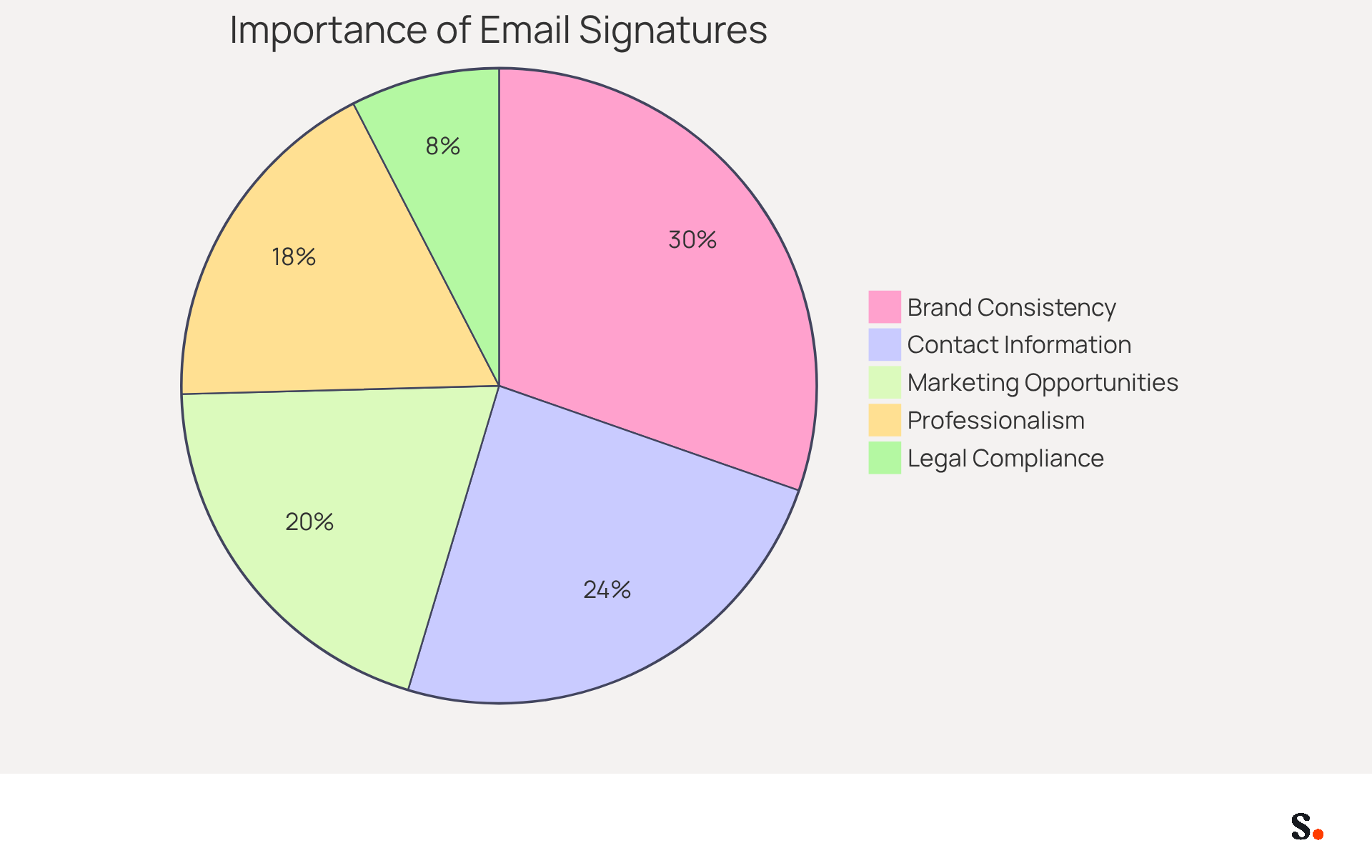
- Brand Consistency: A well-crafted signature reinforces your brand identity, ensuring that every email reflects your company's image. In fact, 80% of respondents believe a branded electronic identifier is crucial for a company's brand identity, while 76% feel that such marks enhance trust in the sender.
- Professionalism: Including your contact information and a polished layout adds credibility to your communications. Emails with professionally branded footers make 47% of prospects feel more confident, and 43% have a more favorable view of the brand.
- Marketing Opportunities: Signatures can incorporate promotional banners, links to social media, or calls to action, transforming every message into a marketing opportunity. Over half of users (52.6%) incorporate a call to action in their contact information, suggesting that promotional elements are both anticipated and effective.
- Contact Information: It provides recipients with easy access to your contact details, facilitating seamless communication. 64% of consumers seek contact information in correspondence details, making it a crucial element of professional communication.
- Legal Compliance: In certain industries, including disclaimers or legal information in your email is necessary to comply with regulations, ensuring that your communications meet industry standards.
Many professionals overlook the strategic value of their email signatures, missing out on opportunities to enhance their brand and credibility. By neglecting this aspect, businesses risk losing potential engagement and trust from their audience. Harnessing the power of your email signature can significantly elevate your professional image and strengthen connections with your audience.
Add Your Automatic Signature in Gmail: Step-by-Step Instructions
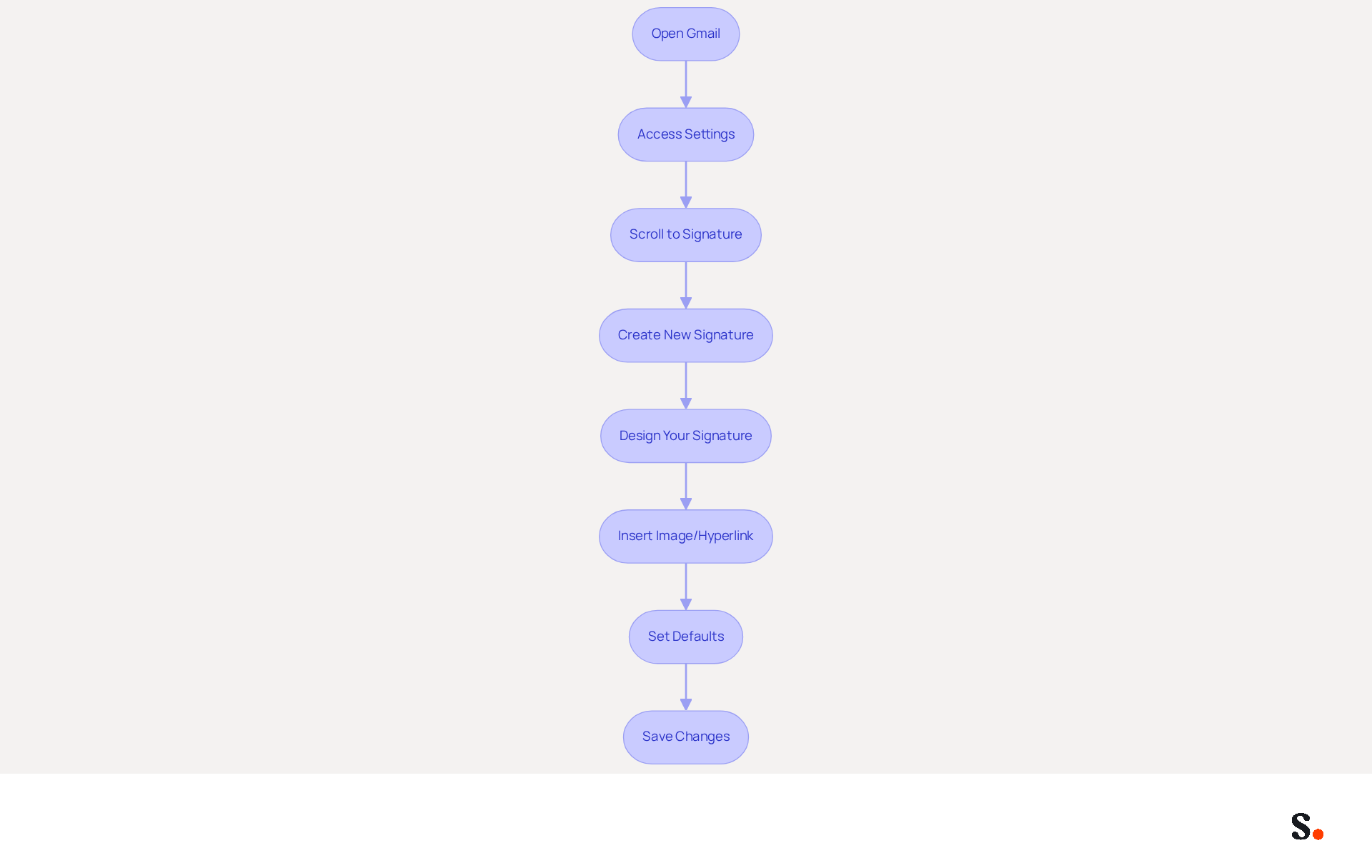
Learning how to add automatic signature in Gmail is a straightforward process that enhances your professional communication. To do this, follow these steps:
- Open Gmail: Log into your Gmail account on your computer.
- Access Settings: Click on the gear icon in the top right corner and select 'See all settings'.
- In the 'General' tab, scroll down to the 'Signature' section to understand how to add automatic signature in Gmail.
- Click on 'Create new' and enter a name for your mark.
- Design Your Mark: In the text box, you will find instructions on how to add automatic signature in Gmail. You can format it using the available tools (font, size, color, etc.).
- Click on the 'Insert image' icon if you want to add a logo or other images. You can also hyperlink text by selecting it and clicking the link icon.
- Set Defaults for Signatures: Choose whether you want this sign-off to appear on new messages and replies/forwards by selecting the appropriate options.
- Scroll down and click 'Save Changes' to apply your new signature.
To facilitate one-click synchronization with Scribe, it is essential to grant the necessary permissions for connection with your service provider. Ensure you are a Super Admin of your service provider to provide these permissions. Implementing a branded communication footer can significantly enhance your effectiveness in correspondence. Statistics indicate that branded identifiers can lead to a 22% increase in response rates and enhance trust. Furthermore, businesses employing automated message formats can create between 10,000 to 100,000 branded impressions each month, highlighting the significant impact this tool can have on your communication strategy.
Using Scribe simplifies this process, allowing for automatic updates to your signatures whenever changes are made in your directory. This not only saves time but also enhances brand consistency across your communications. Scribe's automated updates and SOC 2 Type II compliance ensure that your data is handled securely, allowing you to focus on your marketing efforts with peace of mind. By implementing these steps, you not only streamline your email management but also reinforce your brand's professional image.
Troubleshoot Common Issues with Gmail Signatures
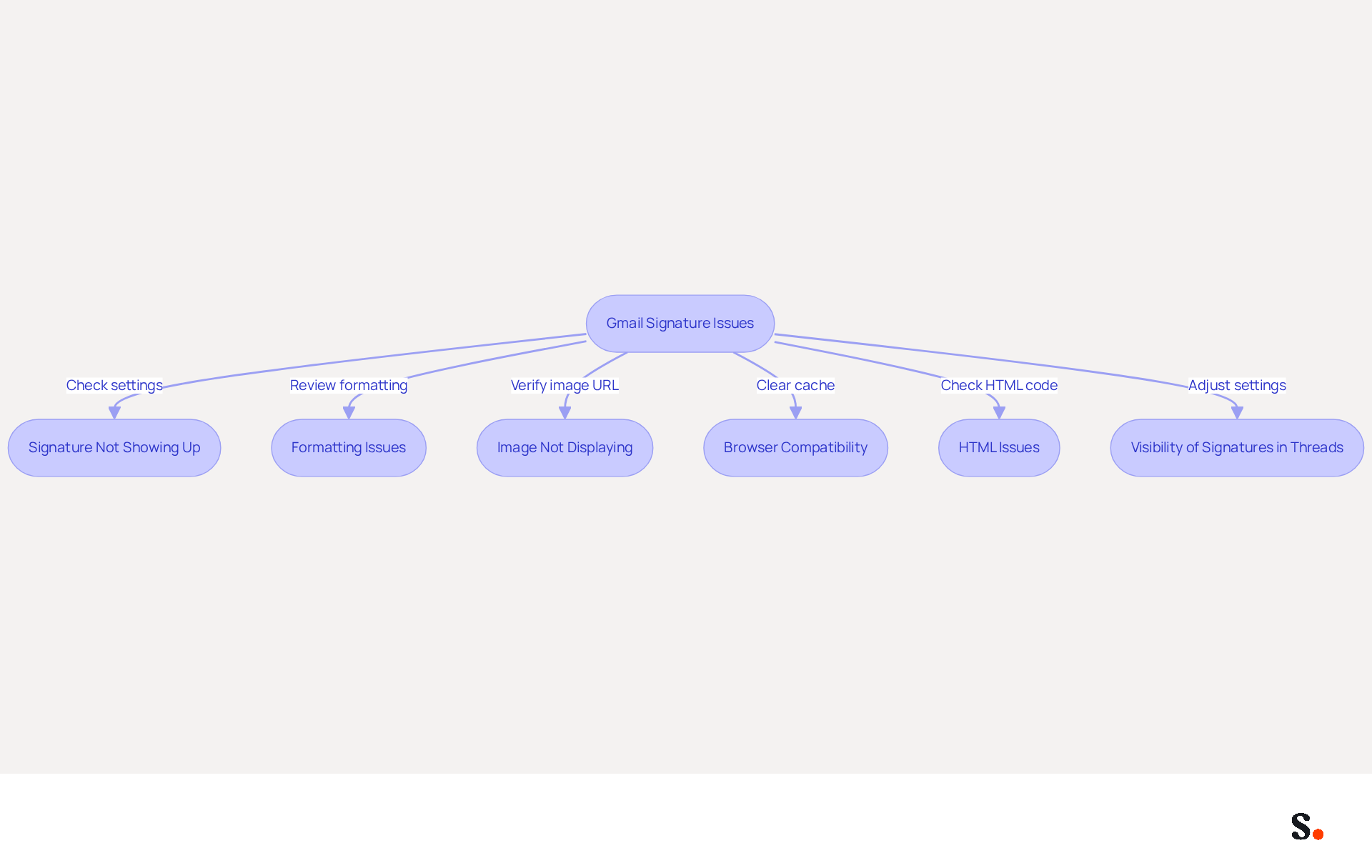
Encountering issues with your Gmail signature can undermine your professional communication. Consider the following troubleshooting tips:
- Signature Not Showing Up: Verify that you have selected the correct signature in the settings and that it is set to appear on new emails and replies. Linking Scribe with your Google Workspace ensures your teammates' email details are always up to date.
- Formatting Issues: Formatting issues can lead to confusion and misrepresentation in professional communications. If your signature looks off, try removing all formatting and reapplying it. Avoid excessive fonts or colors that may not render well, as complex HTML can lead to display problems. With Scribe, any modifications made in Google Workspace will automatically reflect in your identifiers, making it easier to manage email signatures.
- Image Not Displaying: Ensure that the image is hosted on a publicly accessible URL. If the image fails to show, re-upload it or use a different image. Images must be hosted on a reliable HTTPS server to be displayed correctly; images stored locally or on non-HTTPS servers will not appear in Gmail email footers.
- Browser Compatibility: Your browser settings can actually affect how your signature looks. Clear your browser cache and cookies, or try accessing Gmail from a different browser. This step is essential, as an outdated cache can interfere with Gmail's ability to display email identifiers accurately.
- HTML Issues: If using HTML for your email footer, ensure the code is clean and free of errors. Complex HTML can cause rendering issues, resulting in parts of the content being stripped out or displayed incorrectly. Scribe's integration with Google Workspace helps maintain the integrity of documents by syncing data seamlessly.
- Visibility of Signatures in Threads: Ensure your sign-off appears above quoted text in correspondence threads to prevent it from being overlooked. Gmail may conceal personal identifiers by default in message threads, requiring users to check settings to ensure their identifier is visible.
By addressing these common issues, you can significantly enhance your email signature's effectiveness and your overall professional presence.
Leverage Automation for Efficient Email Signature Management
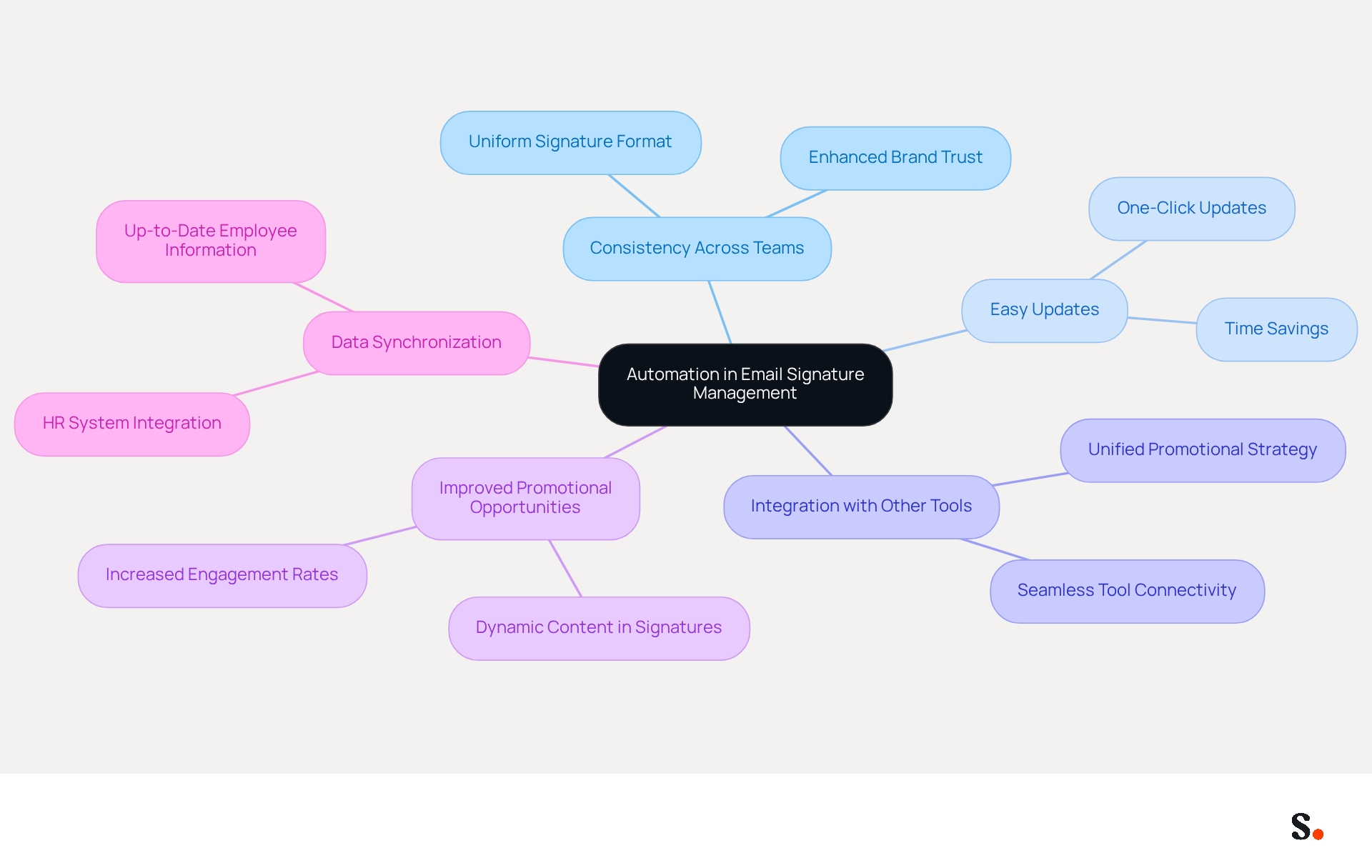
Inconsistent email signatures can undermine brand trust and operational efficiency. To enhance the efficiency of your digital identifiers, consider utilizing automation tools such as Scribe. Here’s how automation can benefit your email signature management:
- Consistency Across Teams: Automated tools ensure that all team members use the same signature format, maintaining brand consistency across all communications. Many companies struggle with inconsistent communication identifiers, leading to diminished brand trust.
- Easy Updates: Automation allows you to update identifiers across your organization with just one click, saving time and minimizing the risk of outdated information. Updates that once took days can now happen in minutes, applied automatically across every user, device, and platform.
- Integration with Other Tools: Numerous automation platforms connect effortlessly with communication clients and additional promotional tools, enabling a unified promotional strategy. This integration improves operational efficiency and ensures that digital identifiers are consistently aligned with current promotional campaigns.
- Improved Promotional Opportunities: Automated identifiers can incorporate dynamic content such as promotional banners or calls to action, transforming every message into a promotional chance. Research shows that adding promotional elements can boost campaign engagement significantly.
- Data Synchronization: Automation tools can sync with HR systems to ensure that approvals are always up-to-date with the latest employee information. This capability not only enhances branding but also streamlines operational processes, reducing the risk of errors by 30%.
When businesses understand how to add automatic signature in gmail, they not only enhance their branding efforts but also improve efficiency and drive better marketing results. Embracing automation in email signature management could be the key to unlocking your brand's full potential.
Conclusion
For marketing professionals, mastering the addition of an automatic signature in Gmail is essential for maximizing brand visibility and credibility. By implementing a well-designed email signature, businesses ensure that every email not only shows off their brand but also acts as a strong marketing tool. This guide has outlined the importance of email signatures, provided step-by-step instructions for setting them up in Gmail, and highlighted the benefits of automation in managing these signatures effectively.
Key insights discussed include:
- The role of email signatures in maintaining brand consistency
- Enhancing professionalism
- Creating marketing opportunities through promotional elements
Additionally, troubleshooting common issues ensures that signatures display correctly and maintain their intended impact. Without proper troubleshooting, email signatures may not display as intended, leading to potential miscommunication. Utilizing automation tools like Scribe can streamline the management of email signatures, allowing for quick updates and ensuring that all team members present a unified brand image.
Incorporating an automatic signature in Gmail is not just a technical task; it’s a strategic step that can greatly impact marketing success. By embracing the power of email signatures and automation, organizations can improve their communication efficiency and drive engagement and trust with their audience. Implementing these practices can open doors to new opportunities for brand visibility and engagement. Organizations that overlook the strategic value of email signatures risk falling behind in a competitive market.
Frequently Asked Questions
What is the purpose of an email signature?
An email signature serves as a digital business card that embodies your brand in every correspondence, providing essential information and enhancing your professional image.
How does an email signature contribute to brand consistency?
A well-crafted email signature reinforces your brand identity, ensuring that every email reflects your company's image, which is crucial for brand recognition and trust.
What impact does a professional email signature have on credibility?
Including contact information and a polished layout in your email signature adds credibility to your communications, making prospects feel more confident and favorable towards the brand.
How can email signatures be used for marketing?
Email signatures can incorporate promotional banners, links to social media, or calls to action, turning every message into a marketing opportunity.
Why is contact information important in an email signature?
Contact information in an email signature provides recipients with easy access to your details, facilitating seamless communication, which is a key expectation for consumers.
Are there legal requirements for email signatures?
Yes, in certain industries, including disclaimers or legal information in your email signature is necessary to comply with regulations and ensure that communications meet industry standards.
What are the risks of neglecting email signatures?
Overlooking the strategic value of email signatures can lead to missed opportunities for enhancing brand credibility and engagement, potentially resulting in lost trust from the audience.
List of Sources
- Understand the Importance of an Email Signature
- Research Recap: Branded Email Signatures Increase Company Recognition, Trust - Demand Gen Report (https://demandgenreport.com/industry-news/research-recap-branded-email-signatures-increase-company-recognition-trust/47252)
- 40+ Email Signature Statistics for 2026 (Data + Insights) (https://wavecnct.com/blogs/email-signature-statistics)
- The impact of email signatures on your branding (https://signitic.com/en/resources/the-impact-of-email-signatures-on-your-branding)
- Why Email Signatures Must Be In Your 2026 Marketing Plan | Rocketseed (https://rocketseed.com/blog/2026-marketing-plan-email-signatures)
- Add Your Automatic Signature in Gmail: Step-by-Step Instructions
- 14 Key Email Signature Statistics to Know in 2026 (https://mailmodo.com/guides/email-signature-statistics)
- Email signature statistics and trends in 2024 (https://wisestamp.com/blog/email-signature-statistics)
- 40+ Email Signature Statistics for 2026 (Data + Insights) (https://wavecnct.com/blogs/email-signature-statistics)
- Email Signature Statistics: A Closer Look at Email Signatures in 2026 (https://mysignature.io/blog/email-signature-statistics)
- Email Signature Essentials: Key Statistics to Know for 2023 (https://blog.hubspot.com/marketing/email-signature-statistics)
- Troubleshoot Common Issues with Gmail Signatures
- Solving a Gmail signature problem (https://signitic.com/en/guides/solving-a-gmail-signature-problem)
- Gmail Signature Not Showing? Here’s How to Fix It (https://linkedin.com/pulse/gmail-signature-showing-heres-how-fix-newoldstamp-f3ckf)
- Email Signature Statistics: A Closer Look at Email Signatures in 2026 (https://mysignature.io/blog/email-signature-statistics)
- Fix Your Missing Gmail Signature: 8 Troubleshooting Steps & Best Practices | Newoldstamp - NEWOLDSTAMP (https://newoldstamp.com/blog/gmail-signature-not-showing-up)
- Why Is My Gmail Signature Not Showing Up? Common Causes Explained (https://scribe-mail.com/en-US/blog/why-is-my-gmail-signature-not-showing-up-common-causes-explained)
- Leverage Automation for Efficient Email Signature Management
- Master Automatic Email Signatures: Boost Branding and Efficiency (https://scribe-mail.com/en-US/blog/master-automatic-email-signatures-boost-branding-and-efficiency)
- Why Automated Email Signatures Are a Smart Move for Your Business (https://aabyss.uk/blog/why-automated-email-signatures-are-a-smart-move-for-your-business)
- How to Automate Email Signatures for Effective Marketing Campaigns (https://scribe-mail.com/en-US/blog/how-to-automate-email-signatures-for-effective-marketing-campaigns)
- Automating Email Signatures: How IT Teams Streamline Processes & Reduce Risk (https://exclaimer.com/blog/streamlining-it-processes-automated-email-signatures)
- Email Signature Trends 2026: Centralized Control & Automation | SIGNandGO posted on the topic | LinkedIn (https://linkedin.com/posts/signngo_email-signature-trends-to-watch-in-2026-activity-7401523471786217473-zAVL)
Get started with Scribe
Signatures for every role on your team
Free 14-day trial — no credit card.