Master Online Signature Designers: Create and Integrate Yours Today
Navigating the vast array of online signature designers can be daunting for professionals seeking the perfect fit for their brand. These platforms make it easy
Sophie Grant
Email Signature Specialist, Scribe
Introduction
Navigating the vast array of online signature designers can be daunting for professionals seeking the perfect fit for their brand. These platforms make it easy to create personalized signatures while boosting the professionalism of your emails and documents. This guide aims to clarify the selection process, ensuring that professionals can confidently choose a designer that aligns with their branding needs. By understanding the essential features and best practices, professionals can ensure their digital signatures effectively represent their brand identity.
Understand Online Signature Designers
The online signature designer tools are revolutionizing the way users create digital marks, offering speed and efficiency. These platforms provide essential features that significantly improve user experience:
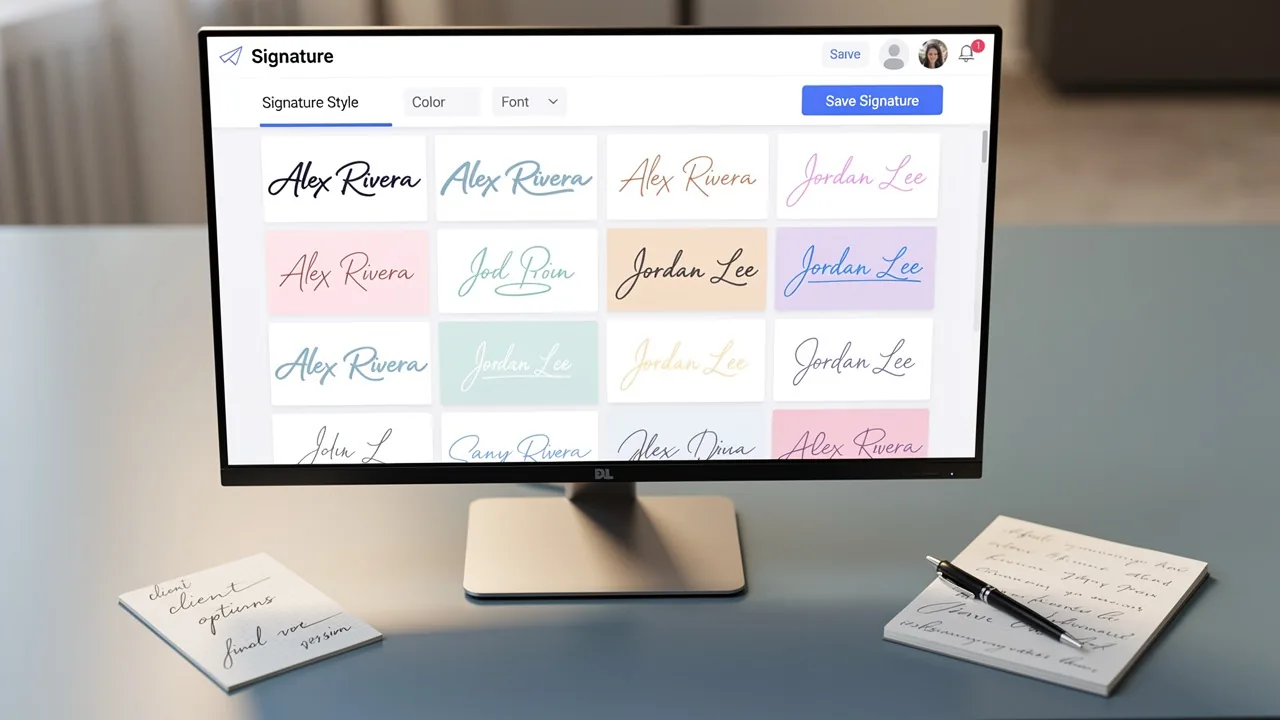
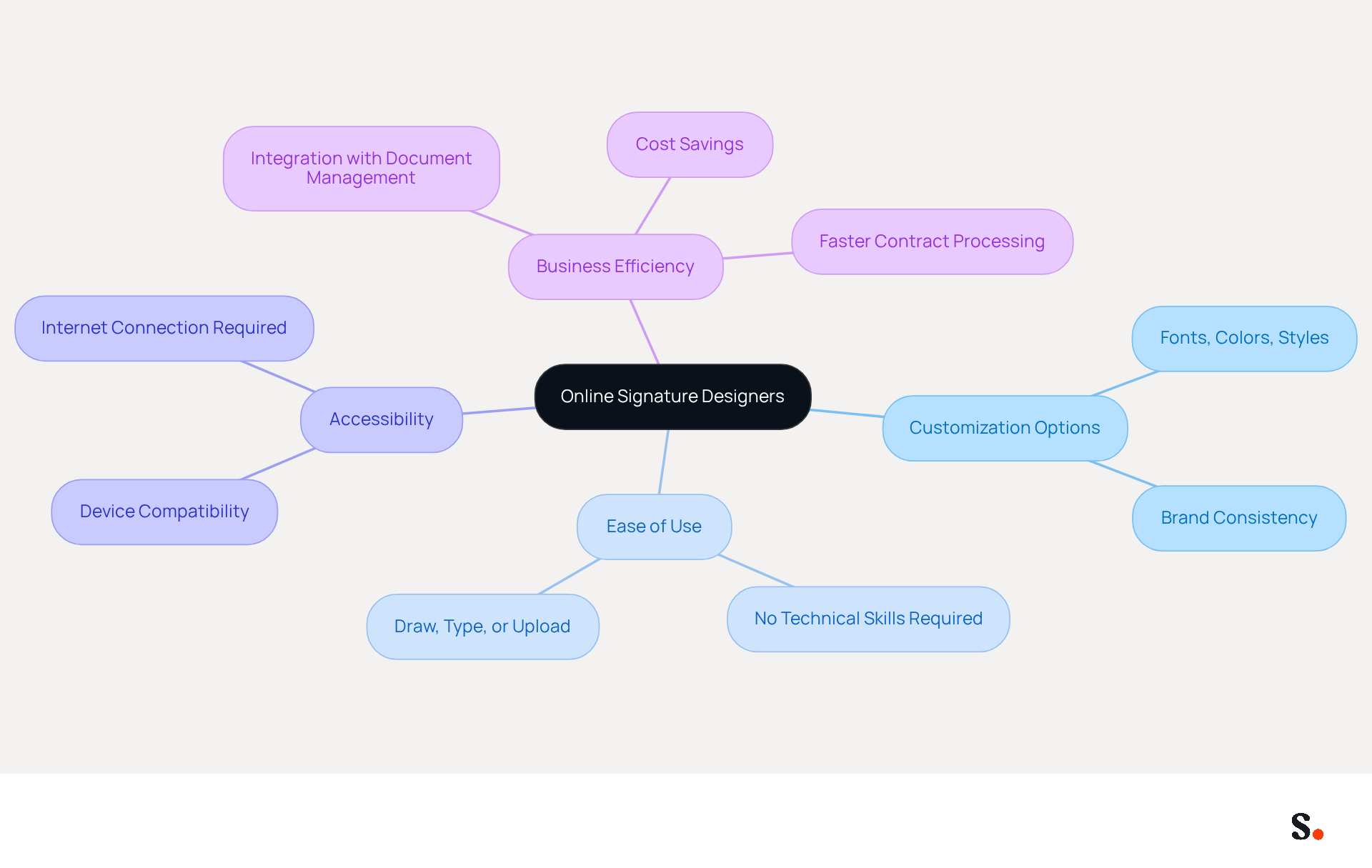
- Customization Options: Users can select from various fonts, colors, and styles, allowing them to craft a signature that accurately reflects their personal or brand identity. This flexibility is crucial for maintaining brand consistency across digital communications.
- Ease of Use: Most online signature designers are created with user-friendliness in mind, requiring no technical skills. Using an online signature designer, users can easily draw, type, or upload an image of their mark, making the process accessible to everyone.
- Accessibility: You can access these tools from any device with an internet connection, making it easy to create and use digital marks wherever you are, which is increasingly important in today's mobile-centric world.
Numerous electronic document signing tools, such as an online signature designer, offer integration with email clients and document management systems, streamlining the signing process and enhancing workflow efficiency.
Recent studies show a 40% increase in the adoption of digital authentication methods across various sectors. In 2026, the demand for digital signing creators is anticipated to increase, fueled by the necessity for quicker, more secure signing options. Expert opinions highlight the importance of using an online signature designer for branding, as it allows businesses to present a professional image in all digital communications.
Current statistics indicate that businesses using digital document signers can save an average of $28 per signed file compared to traditional paper methods, significantly decreasing contract processing times. Choosing the right tool can be challenging without understanding the key features and benefits. Understanding these features is essential for making informed decisions about online signature designer tools that can enhance your business operations.
Create Your Signature Using an Online Designer
Creating a digital signature that reflects your professional identity is crucial in today's digital landscape. Follow these steps to ensure a professional outcome:
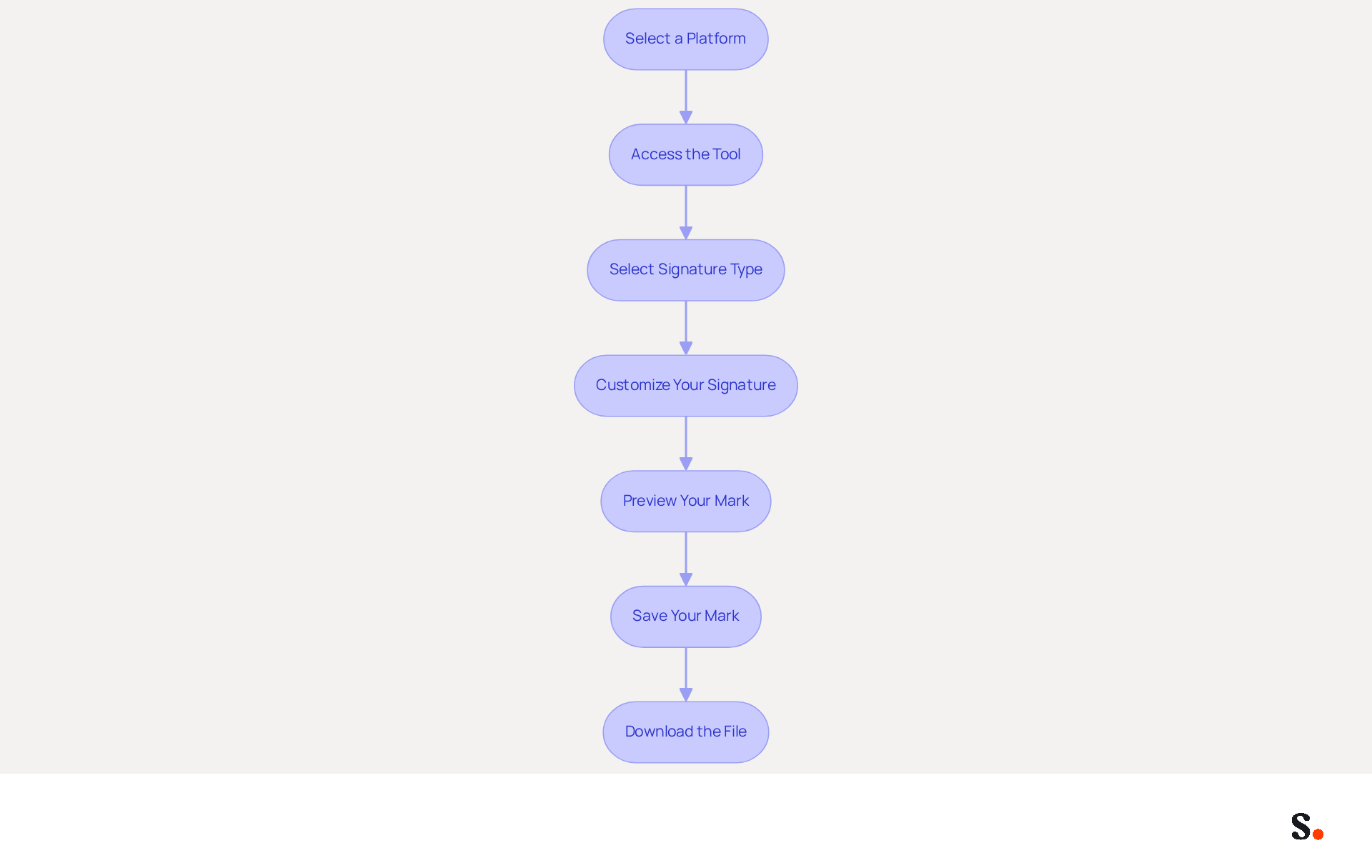
- Select a platform that meets your needs by choosing an online signature designer. Popular options include Canva, CocoSign, and MySignature.
- Access the Tool: Navigate to the website of your selected designer.
- Select Signature Type: Decide whether you want to draw your mark, type it, or upload an image of a handwritten mark.
- Customize Your Signature: Use the available tools to adjust the font, size, color, and style. Ensure it aligns with your personal or brand identity.
- Preview Your Mark: Most tools will allow you to see a preview of your mark. Make any necessary adjustments to ensure it looks just right.
- Save Your Mark: Once satisfied, store your mark in the desired format (e.g., PNG, JPG, or SVG) for easy use in files and emails.
- Download the file: Save the file to your device for future use.
Following these steps will help you create a digital mark that enhances your email communications and files. As more businesses recognize the importance of digital signatures, adopting one will become essential. An online signature designer simplifies the signing process and ensures your mark meets legal standards, such as those established by the ESIGN Act and UETA.
Integrate Your Signature into Email and Documents
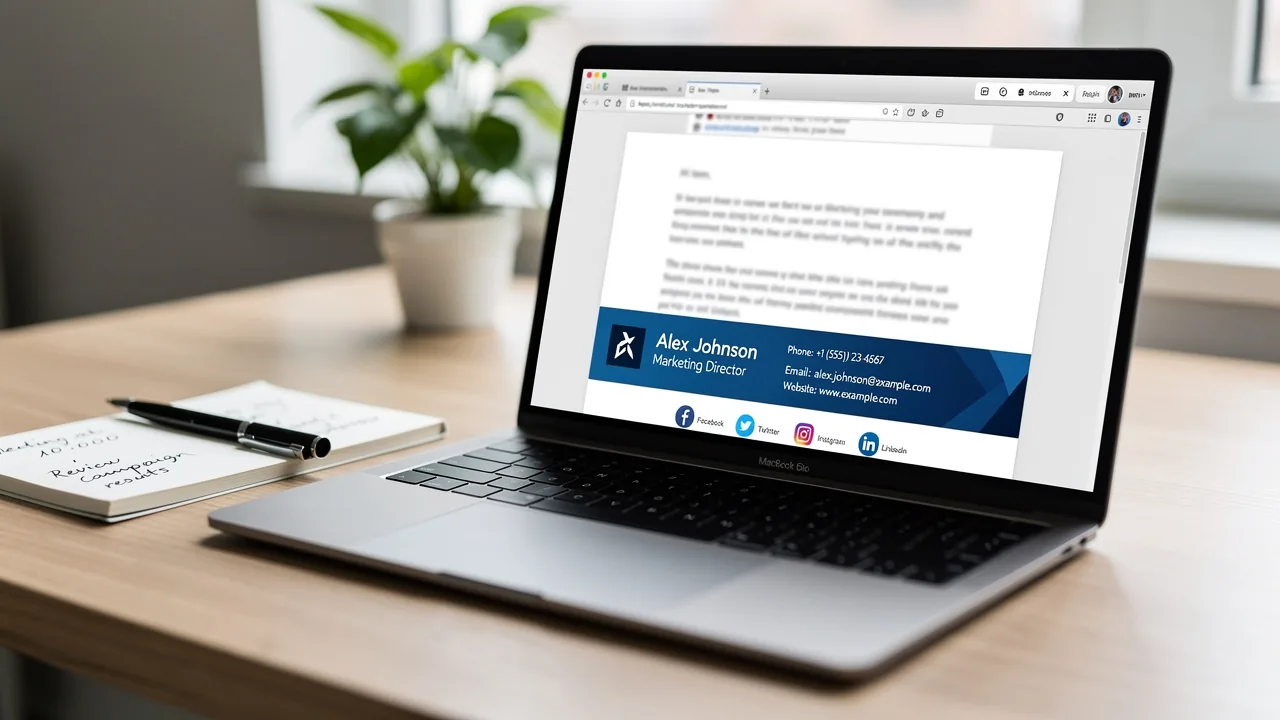
Integrating your signature into emails and documents is crucial for maintaining a professional image, and Scribe's automated management features simplify this process.
For Email (Gmail):
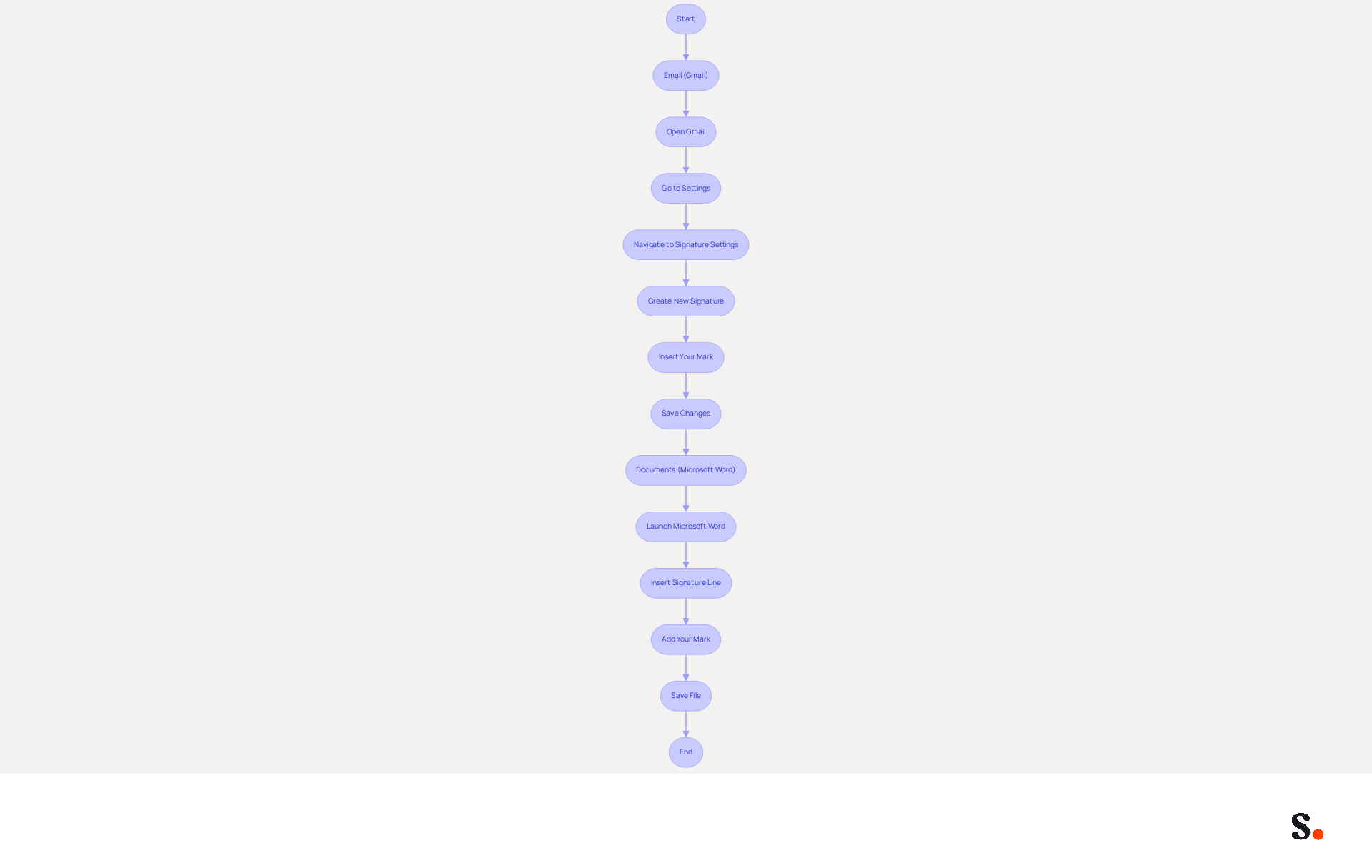
- Open Gmail: Log into your Gmail account.
- Go to Settings: Click on the gear icon in the top right corner and select 'See all settings'.
- Navigate to Signature Settings: In the 'General' tab, scroll down to the 'Signature' section.
- Create New Signature: Click on 'Create new' and name your new mark.
- Insert Your Mark: Use the formatting tools to paste your mark image or type your mark text.
- Save Changes: Scroll down and click 'Save Changes' to apply your new mark.
For Documents (Microsoft Word):
- Launch Microsoft Word and open the document where you want to add your mark.
- Insert Signature Line: Go to the 'Insert' tab, click on 'Signature Line', and fill in the details.
- Add Your Mark: Click on the line for your mark and select 'Sign'. You can either draw your mark or insert an image of your mark.
- Save File: Store your file to keep the mark intact.
Following these steps helps you integrate your mark into emails and documents, boosting your professional image. With Scribe's streamlined one-click synchronization, all changes made in your email provider directory will be automatically reflected in your branding, ensuring brand consistency and compliance with SOC 2 Type II standards. Branded email identifiers can drive a 22% lift in response rates and a 15% increase in click-through rates, making them a vital component of effective communication.
Explore the Benefits of Online Signature Designers
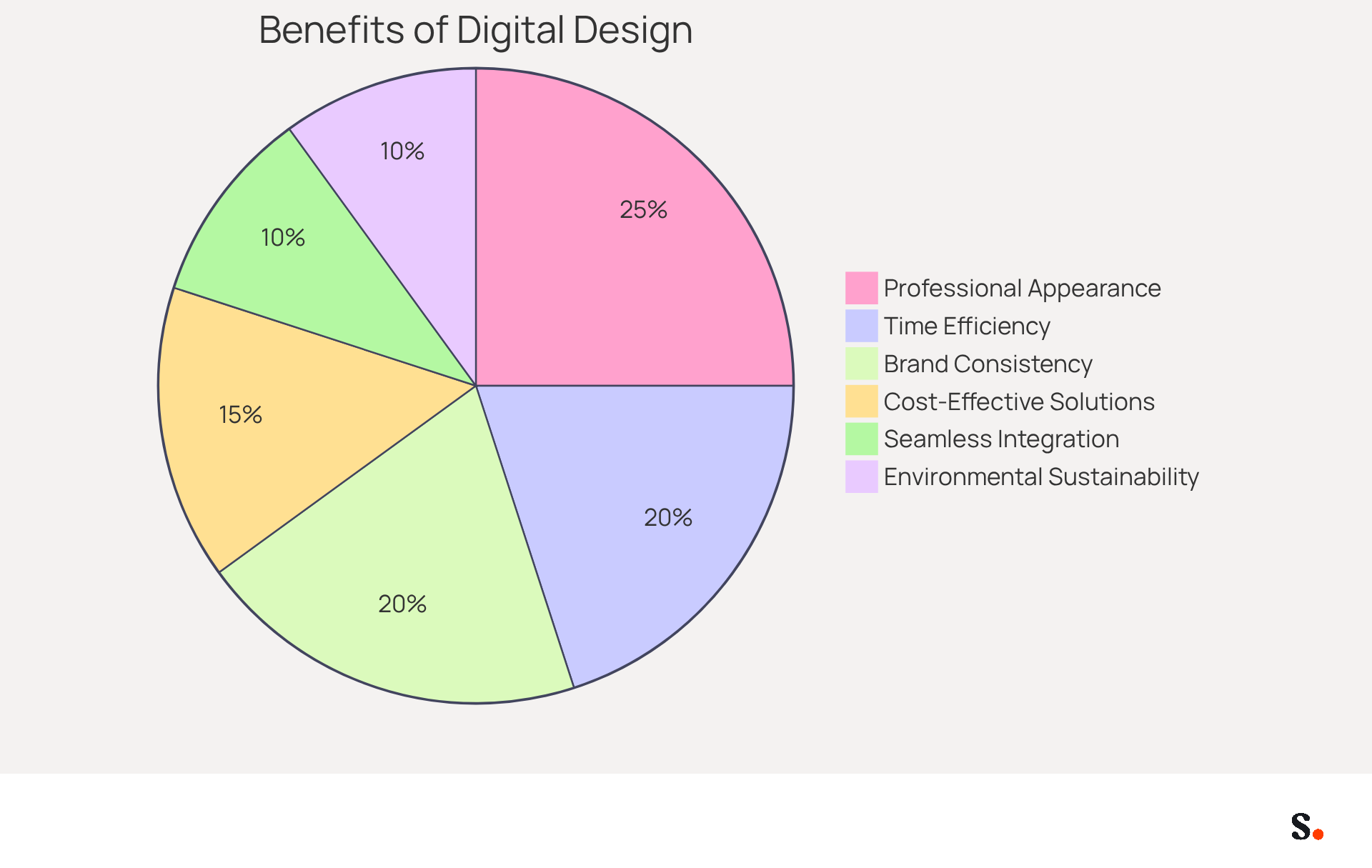
Employing digital design tools can significantly enhance business communication and marketing strategies, yet many organizations overlook their potential benefits. The key benefits of employing digital design tools are as follows:
- Time Efficiency: Users can swiftly create and customize signatures without requiring graphic design expertise. This allows for rapid deployment across teams, although many individuals struggle with design tools, leading to delays in signature creation.
- Cost-Effective Solutions: Many online document signing tools are available at little to no cost, making them accessible for both individuals and organizations, thus optimizing budget allocations.
- Professional Appearance: A well-crafted sign-off significantly elevates the professional image of emails and documents, instilling credibility and trust among recipients.
- Brand Consistency: Standardizing identifiers across an organization ensures uniformity in branding, reinforcing brand identity in every communication. With Scribe, every modification made in your Aircall configuration will automatically be reflected in your branding, ensuring that your brand remains consistent across all platforms.
- Seamless Integration: Most online document designers facilitate easy integration with popular email clients and document management systems, streamlining workflows and enhancing productivity. This includes automatic updates to identifiers when changes are made in connected applications, further simplifying the management process.
- Environmental Sustainability: Digital endorsements contribute to sustainability efforts by minimizing paper usage, aligning with modern eco-friendly practices. This not only supports eco-friendly practices but also enhances the company's reputation among environmentally conscious consumers.
These benefits help businesses enhance their communication and boost their professional presence in the digital space. Research shows that messages featuring branded elements, such as those created by an online signature designer, achieve a 22% higher response rate. This statistic highlights the significant impact these tools can have on marketing outcomes. Case studies reveal that organizations leveraging these tools have successfully transformed standard communications into compelling marketing messages, significantly enhancing engagement metrics and brand visibility.
Conclusion
Many professionals find it challenging to create signatures that accurately represent their brand identity. Online signature designers help users create personalized signatures that maintain brand consistency. These tools allow businesses to streamline signing processes and enhance their professional image.
Throughout this guide, we have explored key aspects of online signature designers, including their customization options, ease of use, and accessibility. The step-by-step instructions provided demonstrate how simple it is to create and integrate a signature into emails and documents. Additionally, the benefits of adopting these tools, such as time efficiency, cost-effectiveness, and enhanced professional appearance, highlight their importance in modern business practices.
Adopting online signature designers can transform communication strategies and marketing efforts. As organizations increasingly recognize the value of digital signatures, this adoption not only enhances efficiency but also strengthens brand perception. The integration of a well-crafted signature can redefine how businesses engage with their audience, leading to enhanced trust and improved marketing outcomes.
Frequently Asked Questions
What are online signature designer tools?
Online signature designer tools are platforms that allow users to create digital marks quickly and efficiently, offering customization options, ease of use, and accessibility.
What customization options do online signature designers provide?
Users can select from various fonts, colors, and styles to craft a signature that reflects their personal or brand identity, which is crucial for maintaining brand consistency.
How user-friendly are online signature designers?
Most online signature designers are designed to be user-friendly, requiring no technical skills. Users can easily draw, type, or upload an image of their signature.
Can I access online signature designers from any device?
Yes, online signature designers can be accessed from any device with an internet connection, making it convenient to create and use digital marks anywhere.
How do online signature designers integrate with other tools?
Many online signature designers offer integration with email clients and document management systems, streamlining the signing process and enhancing workflow efficiency.
What is the trend in the adoption of digital authentication methods?
Recent studies show a 40% increase in the adoption of digital authentication methods across various sectors, indicating a growing reliance on digital signing solutions.
What is the anticipated demand for digital signing creators by 2026?
The demand for digital signing creators is expected to increase due to the necessity for quicker and more secure signing options.
How do online signature designers benefit businesses?
Using an online signature designer allows businesses to present a professional image in digital communications and can save an average of $28 per signed file compared to traditional paper methods, significantly reducing contract processing times.
Why is it important to understand the features of online signature designers?
Understanding the key features and benefits of online signature designers is essential for making informed decisions that can enhance business operations.
List of Sources
- Understand Online Signature Designers
- Digital Signature Providers 2026: Top 8 Solutions (https://signeasy.com/blog/business/digital-signature-providers)
- 8 best electronic signature software in 2026 (Tested & Compared) (https://getaccept.com/blog/best-electronic-signature-software)
- 7 Predictions for Electronic Signature Growth (https://docusign.com/blog/electronic-signature-trends)
- Best E-Signature Platform in 2026 | Secured Signing (https://securedsigning.com/blog/best-e-signature-platforms-in-2026)
- E-Signature Trends in 2026: What U.S. Businesses Need to Know | WeSignature (https://wesignature.com/guides/e-signature-trends-2026)
- Create Your Signature Using an Online Designer
- 4 Smart Ways to Create a Digital Signature in 2026 | Fill (https://fillhq.com/blog/ways-to-create-digital-signature)
- How to Create an Electronic Signature (https://docusign.com/en-gb/blog/how-to-create-electronic-signature)
- How to Create a Handwritten Signature Online in 2026 | WeSignature (https://wesignature.com/blog/how-to-create-handwritten-signature-online)
- How to Create a Secure and Legally Valid Digital Signature (https://tecalis.com/blog/how-to-create-a-secure-digital-signature)
- Integrate Your Signature into Email and Documents
- Why Email Signatures Must Be In Your 2026 Marketing Plan | Rocketseed (https://rocketseed.com/blog/what-are-the-biggest-email-trends-for-2026)
- 40+ Email Signature Statistics for 2026 (Data + Insights) (https://wavecnct.com/blogs/email-signature-statistics)
- WiseStamp Sets a New Standard for Email Signature Creation (https://prnewswire.com/news-releases/wisestamp-sets-a-new-standard-for-email-signature-creation-302689811.html)
- Email signature statistics: Why every business should optimize their email signatures — Stripo.email (https://stripo.email/blog/email-signature-statistics-why-every-business-should-optimize-their-email-signatures)
- "Email Signature Trends for 2026: What's In, What's Out" | Crossware posted on the topic | LinkedIn (https://linkedin.com/posts/crossware-ltd_new-year-new-trends-even-for-your-email-activity-7394554686046908416-vD_O)
- Explore the Benefits of Online Signature Designers
- Maximize Marketing Impact with an Online Email Signature Builder (https://scribe-mail.com/en-US/blog/maximize-marketing-impact-with-an-online-email-signature-builder)
- The advantages of using a signature for your email (https://signitic.com/en/resources/advantages-of-using-a-signature-for-your-email)
- 2026 Marketing Trends for Business Emails Outreach | Rocketseed (https://rocketseed.com/blog/2024-marketing-trends-for-business-emails)
- 2026 Email Signature Trends for Companies | Bybrand posted on the topic | LinkedIn (https://linkedin.com/posts/bybrand_top-email-signature-trends-for-companies-activity-7458274214513483776-q9NB)
Get started with Scribe
See why teams switch to Scribe
Free 14-day trial — no credit card.