Master Sending Email Later in Outlook: Best Practices for Marketers
Marketers often grapple with the challenge of timing their communications effectively, and the scheduling feature in Outlook offers a strategic advantage
Sophie Grant
Email Signature Specialist, Scribe
Introduction
Marketers often grapple with the challenge of timing their communications effectively, and the scheduling feature in Outlook offers a strategic advantage. Mastering this tool enables professionals to time their emails for optimal delivery, thereby enhancing engagement and response rates. However, marketers must be aware of common pitfalls that can undermine the effectiveness of scheduled emails and take proactive steps to avoid them.
Understand the Scheduling Feature in Outlook
Marketers often face challenges in ensuring their messages reach recipients at the right time for maximum impact. The scheduling feature in Outlook addresses this need by allowing users to draft emails for sending later in Outlook and set a specific date. This feature is a game-changer for marketers looking to time their communications effectively.
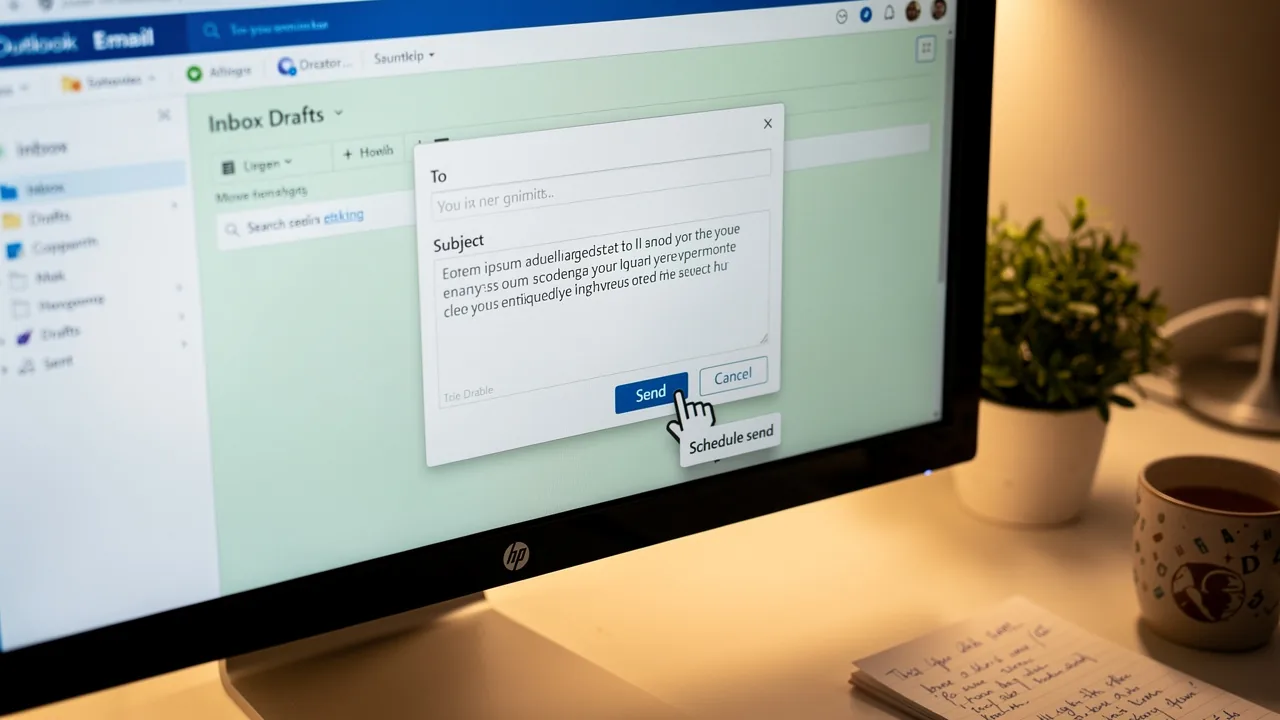
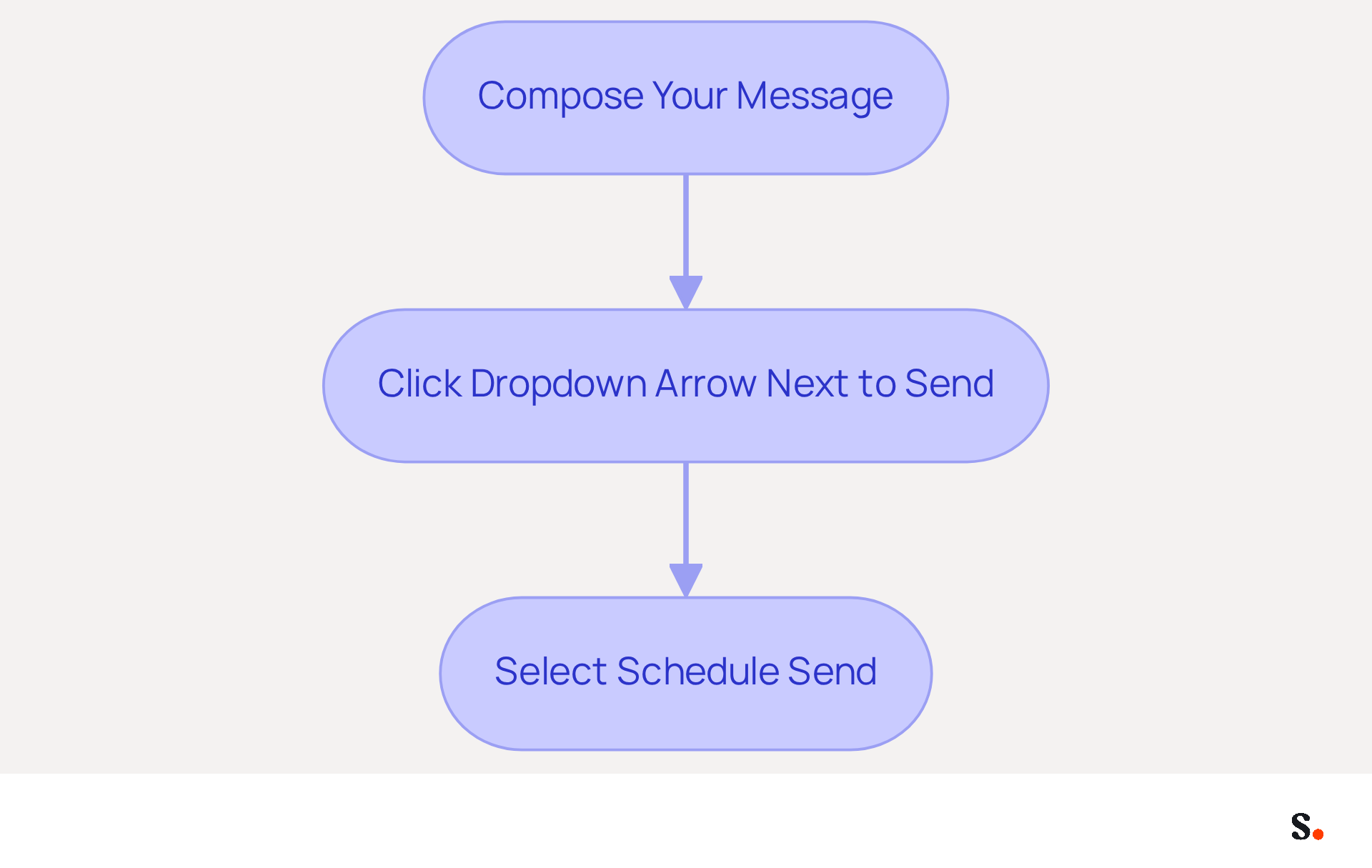
By understanding how to access this feature, users can ensure that their messages reach recipients at the most opportune moments, enhancing engagement and response rates. To access the scheduling feature:
- Compose your message.
- Click the dropdown arrow next to 'Send'.
- Select 'Schedule Send'.
This feature also permits adjustments based on time zones, ensuring that your messages arrive at the right moment for recipients in various locations. Leveraging this feature can significantly enhance communication strategies and improve overall effectiveness in reaching target audiences.
Implement Step-by-Step Scheduling Techniques
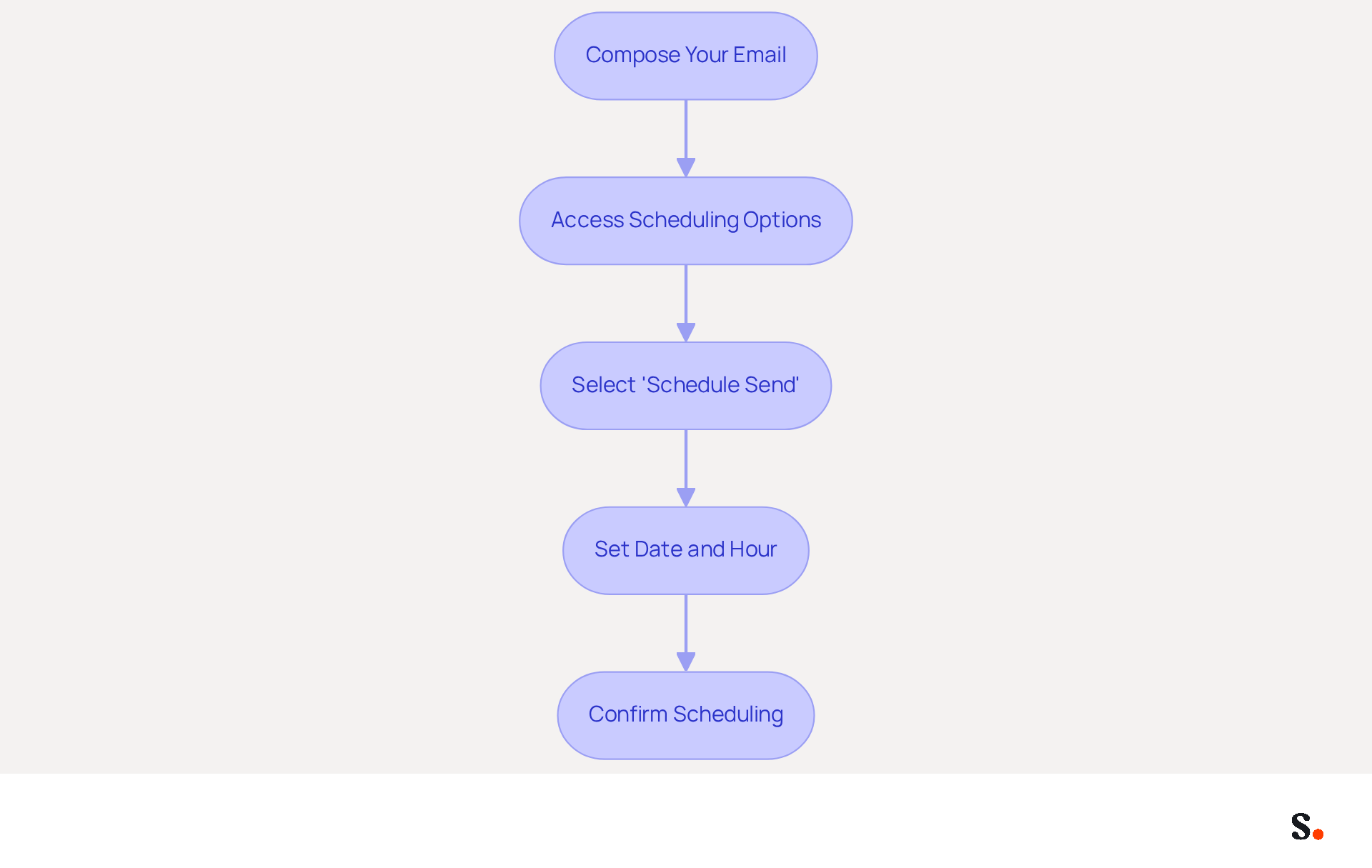
Effectively scheduling emails in Outlook, including sending email later Outlook, can significantly enhance engagement rates, yet many marketers overlook the nuances involved. To effectively schedule an email in Outlook, follow these step-by-step techniques:
- Compose Your Email: Start by clicking 'New Email' and drafting your message as you normally would.
- Access Scheduling Options: Click on the dropdown arrow next to the 'Send' button.
- Select 'Schedule Send': Choose this option to open the scheduling interface.
- Set Date and Hour: Use the calendar and picker to select when you'd like your message to go out. Be mindful of different time zones if your recipients are in various locations.
- Confirm Scheduling: After selecting the preferred moment, click 'Send' to arrange your message. It will be kept in your Outbox until the designated moment.
Following these steps helps marketers with sending email later outlook to ensure their messages are sent at optimal times. This increases the likelihood of engagement. Studies indicate that messages sent on Tuesdays have an open rate of 18%, while Wednesdays typically have the highest open and click-through rates. Furthermore, sending messages in the evening, especially around 8 PM, can result in a 59% open rate, as Moosend's analysis of 10 billion messages revealed that click-through rates peak between 8-9 PM. Regularly reviewing and optimizing send times based on audience behavior is crucial. Finding the right frequency for messages is important; too many communications can lead to unsubscribes, while too few may not engage the audience. Ultimately, understanding audience behavior and optimizing send times can transform email marketing strategies.
Leverage Scheduling for Enhanced Communication and Productivity
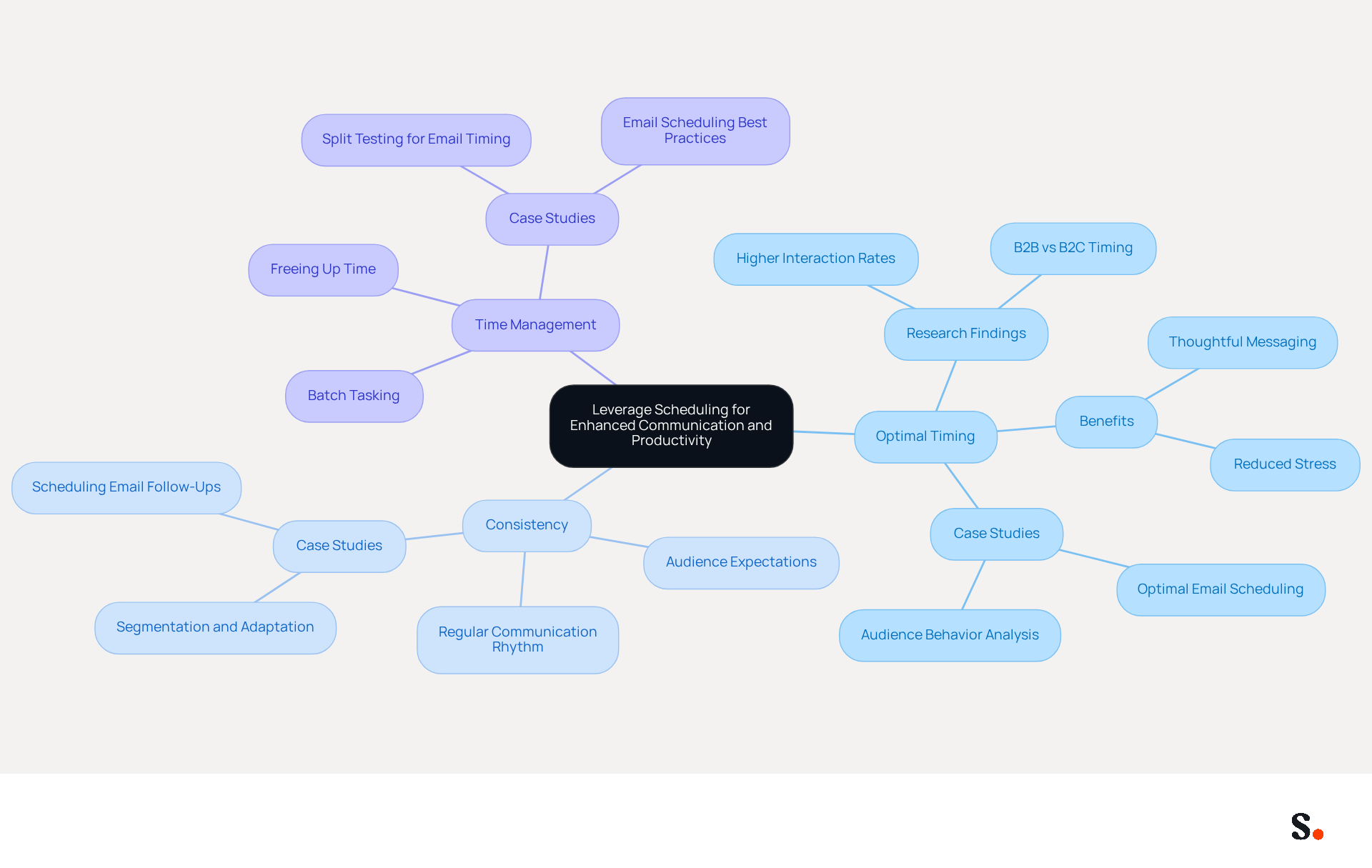
Marketers face challenges in optimizing communication and productivity, but sending email later using Outlook's scheduling feature can provide significant advantages. Here are some key benefits:
- Optimal Timing: Research indicates that emails sent between 10 AM and 2 PM generally see higher interaction rates during peak productivity hours. According to Salesforce, B2B communications tend to perform better during business hours, while B2C messages for leisure or entertainment often see more engagement in the evenings or weekends. Reduced stress can be achieved by sending email later in Outlook, as marketers can plan messages in advance, which eases the pressure of last-minute communications and allows for more thoughtful and strategic messaging. This approach not only enhances the quality of the content but also contributes to a healthier work-life balance. Deb Tennen, a senior managing editor, emphasizes that sending email later in Outlook can help alleviate the stress associated with needing to respond immediately.
- Consistency: Regularly scheduled messages can help maintain a consistent communication rhythm with clients and prospects, reinforcing brand presence. Creating a routine can result in improved audience expectations and involvement over the long run. Research, including the 'Optimal Email Timing' case analysis, indicates that organizations adopting message timing strategies have seen notable enhancements in interaction metrics.
- Time Management: Scheduling allows marketers to batch their tasks, freeing up time for other critical activities, such as campaign analysis or content creation. This efficiency is vital; data shows that marketers frequently manage numerous responsibilities and deadlines. The 'Audience Behavior Analysis' case study emphasizes the significance of examining when readers engage with messages to identify patterns in interaction, further reinforcing the necessity for effective timing.
Utilizing these benefits helps marketers create a more efficient workflow, maximizing the impact of their communications. However, marketers often struggle with timing their messages correctly, leading to missed opportunities for engagement. Poor scheduling can lead to ineffective communication, resulting in lower engagement rates and diminished brand presence.
Avoid Common Mistakes in Email Scheduling
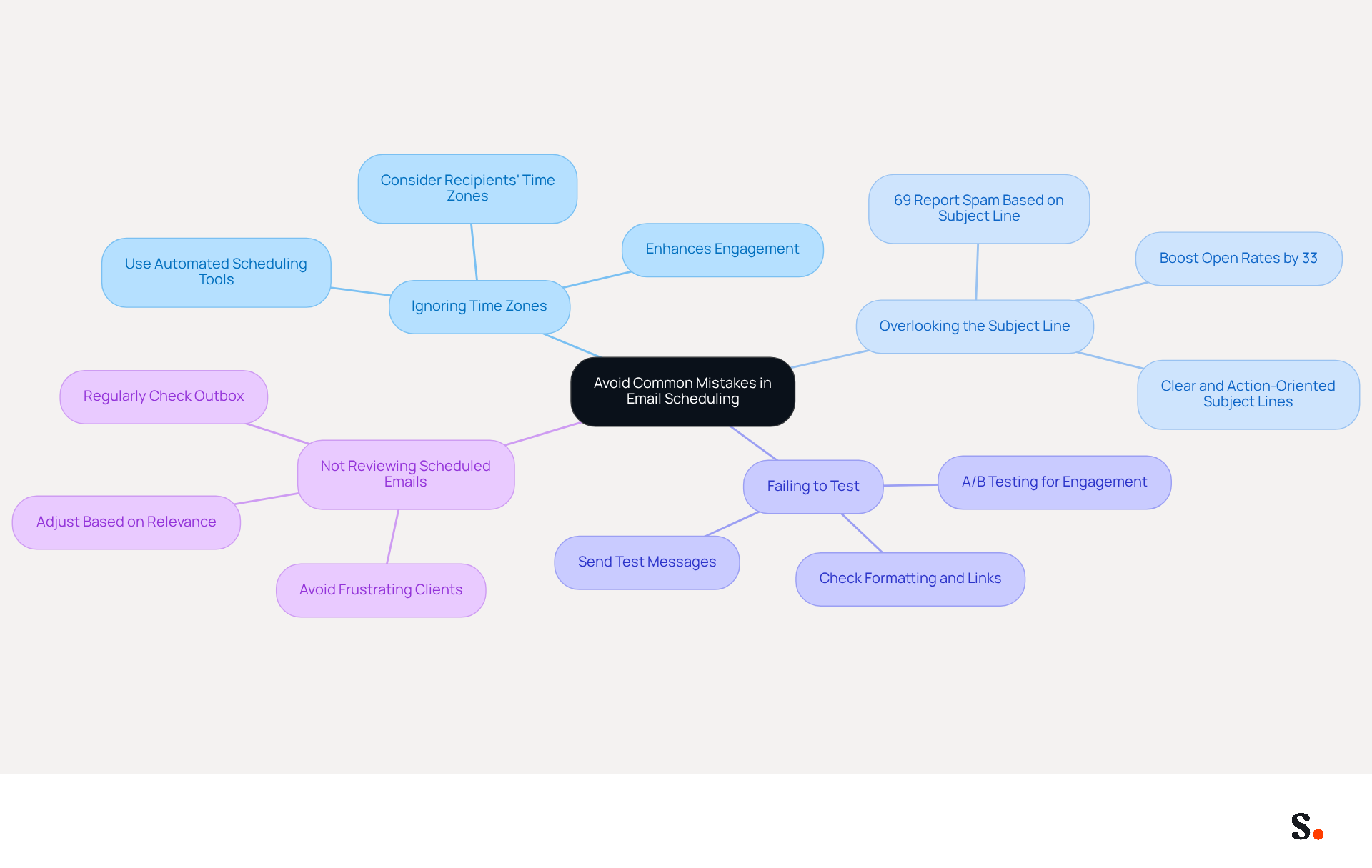
To ensure your scheduled emails achieve their intended impact, it's crucial to recognize and avoid common pitfalls:
- Ignoring Time Zones: Always consider the time zones of your recipients. Scheduling a message to send at 9 AM in your region may mean it arrives at an inconvenient hour for someone in a different region. Utilizing automated scheduling tools that account for time zone differences can significantly enhance engagement, especially when sending email later outlook.
- Overlooking the Subject Line: Ensure your subject line is clear and action-oriented. An unclear topic can result in lower open rates; indeed, 69% of recipients report spam based on the subject line alone. When you craft concise and compelling subject lines, you can boost your open rates by as much as 33%. This highlights how crucial a well-organized subject line is for getting your messages opened and engaged with.
- Failing to Test: Before scheduling important messages, send test messages to yourself to check formatting and links. This helps catch any issues before they reach your audience. A/B testing can also reveal which formats resonate best with your recipients, ensuring higher engagement.
Not reviewing scheduled emails can be problematic, so regularly check your Outbox for sending email later Outlook to ensure they are still relevant and timely. Adjust as necessary based on changing circumstances. Clients may feel frustrated when they receive poorly timed or irrelevant emails, which can lead them to consider alternatives. For example, poorly crafted subject lines can result in lower open rates, as shown in case studies where ambiguous subject lines led to significant declines in interaction.
Ultimately, effective email scheduling not only enhances communication but also strengthens client relationships.
Conclusion
Mastering email scheduling in Outlook is crucial for marketers seeking to optimize their communication strategies. By utilizing the scheduling feature effectively, marketers can ensure their messages reach recipients at the most opportune times, thereby maximizing engagement and response rates. This capability streamlines communication and helps marketers manage their outreach with precision.
Throughout the article, key techniques for scheduling emails were outlined, including:
- Understanding the scheduling feature
- Implementing step-by-step techniques
- Leveraging the benefits of optimal timing and consistency
Marketers often struggle with common pitfalls like time zone discrepancies and ineffective subject lines, emphasizing the importance of careful planning and testing to avoid missteps that could hinder engagement.
Effective communication is vital for marketing success, and embracing the scheduling feature in Outlook is a strategic move. By prioritizing thoughtful timing and maintaining a consistent communication rhythm, marketers can foster stronger relationships with their audience. Ultimately, neglecting email scheduling can lead to missed opportunities and diminished audience engagement.
Frequently Asked Questions
What is the scheduling feature in Outlook?
The scheduling feature in Outlook allows users to draft emails for sending at a later time and set a specific date for delivery, helping marketers ensure their messages reach recipients at the right moment.
How can the scheduling feature benefit marketers?
It helps marketers time their communications effectively, enhancing engagement and response rates by ensuring messages are sent at the most opportune moments.
How do I access the scheduling feature in Outlook?
To access the scheduling feature, compose your message, click the dropdown arrow next to 'Send', and select 'Schedule Send'.
Can the scheduling feature adjust for different time zones?
Yes, the scheduling feature allows adjustments based on time zones, ensuring messages arrive at the right moment for recipients in various locations.
How does leveraging the scheduling feature improve communication strategies?
By using the scheduling feature, marketers can enhance their communication strategies and improve overall effectiveness in reaching target audiences.
List of Sources
- Understand the Scheduling Feature in Outlook
- How to Schedule an Email in Outlook in 2026 | Boomerang (https://boomerangoutlook.com/l/schedule-email-outlook)
- What's new in new Outlook for Windows | Microsoft Support (https://support.microsoft.com/en-us/outlook/getstarted/what-s-new-in-new-outlook-for-windows)
- The Ultimate Guide to Email Marketing using Microsoft Outlook in 2024 (https://blog.standss.com/email-marketing-using-microsoft-outlook)
- Outlook Scheduling Emails: The Ultimate Guide for 2024 (https://kejoola.com/blog/outlook-scheduling-emails)
- Scheduled email - Microsoft Q&A (https://learn.microsoft.com/en-us/answers/questions/5772916/scheduled-email)
- Implement Step-by-Step Scheduling Techniques
- Step by step guide on how to schedule Email in Outlook (https://m.economictimes.com/news/international/us/step-by-step-guide-on-how-to-schedule-email-in-outlook/articleshow/97065304.cms)
- The surprisingly best times to send your email marketing campaigns (https://verticalresponse.com/blog/best-time-send-email-marketing-campaign)
- Best day and time to send marketing emails | Customer.io (https://customer.io/learn/lifecycle-marketing/email-sending-schedule)
- The Best Time To Send Marketing Emails (2026) (https://salesforce.com/marketing/email/best-time-to-send-emails)
- 5 Actionable Email Marketing Statistics You Should Know (https://gmass.co/blog/5-actionable-email-marketing-statistics-know)
- Leverage Scheduling for Enhanced Communication and Productivity
- Why I schedule all my emails | Zapier (https://zapier.com/blog/schedule-your-emails)
- The Best Time To Send Marketing Emails (2026) (https://salesforce.com/marketing/email/best-time-to-send-emails)
- Email Scheduling Best Practices: Maximize Open Rates (https://xobee.com/2025/05/email-scheduling-best-practices-maximize-open-rates-and-engagement)
- How to Schedule Emails to Increase Open Rates - Klaviyo (https://klaviyo.com/blog/how-to-schedule-marketing-emails)
- Scheduling Emails for Optimal Timing (https://linkedin.com/top-content/communication/email-etiquette-in-professional-settings/scheduling-emails-for-optimal-timing)
- Avoid Common Mistakes in Email Scheduling
- Salesgenie® | Business & Consumer Data to Reach Your Audience (https://salesgenie.com/blog/subject-line-statistics)
- Email Marketing Mistakes to Avoid | Mailchimp (https://mailchimp.com/resources/email-marketing-mistakes)
- Common Email Marketing Mistakes to Avoid | iContact (https://icontact.com/blog/common-email-marketing-mistakes-to-avoid-2)
- 10 Scheduling Mistakes That Cost You Clients (https://oncehub.com/blog/10-scheduling-mistakes-that-cost-you-clients)
- Top 10 Email Marketing Mistakes in 2024 (https://ama.org/marketing-news/email-marketing-mistakes)
Get started with Scribe
Create your signature in minutes
Free 14-day trial — no credit card.