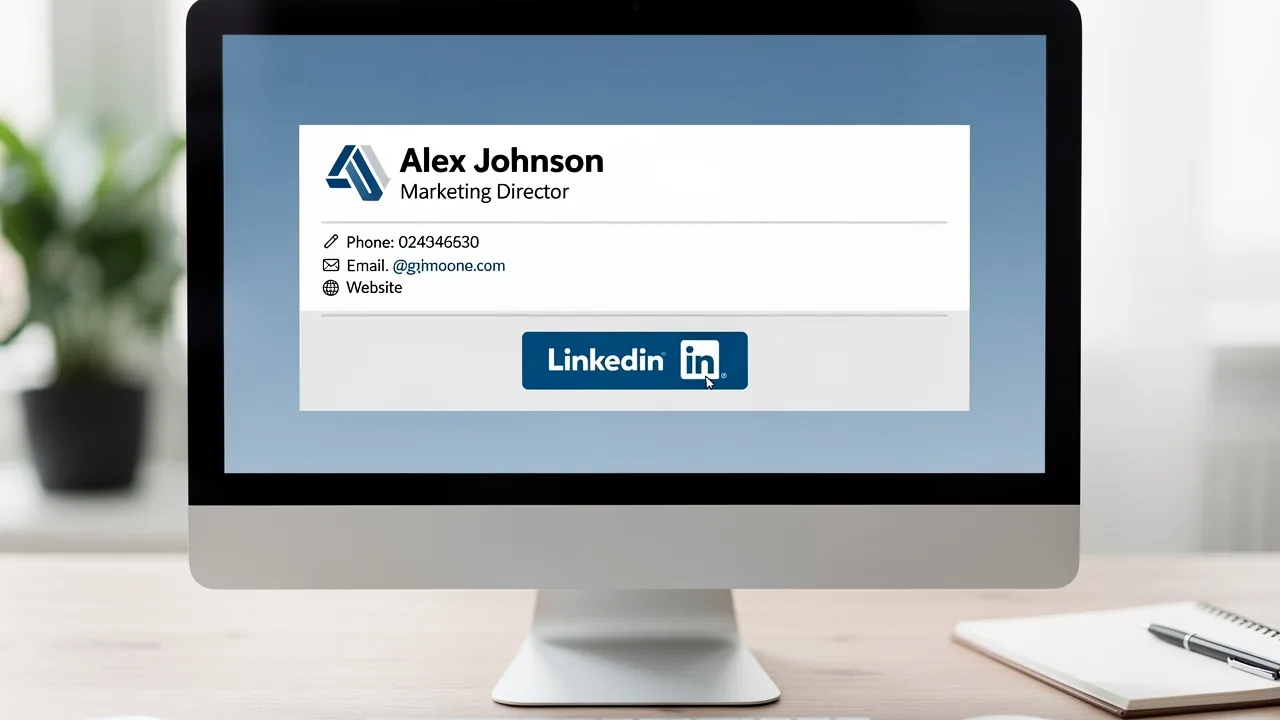
Maximize Your Brand with a ChatGPT Email Signature Generator
In a competitive marketplace, establishing a strong brand presence in every communication is essential for businesses aiming to stand out. Email signatures
Sophie Grant
Email Signature Specialist, Scribe
On this page
- Introduction
- Establish Brand Consistency with Effective Email Signatures
- Create Customized Signature Templates for Brand Alignment
- Leverage Automation and Integration for Efficient Signature Management
- Utilize Email Signatures as Marketing Channels for Lead Generation
- Conclusion
- Frequently Asked Questions
- List of Sources
Introduction
In a competitive marketplace, establishing a strong brand presence in every communication is essential for businesses aiming to stand out. Email signatures, often overlooked, serve as a powerful tool for reinforcing brand identity and driving engagement. Organizations often find it challenging to create email signatures that are both consistent with their brand and effective in engaging recipients.
This article explores best practices for using a ChatGPT email signature generator, highlighting its features and benefits while addressing the challenges of creating impactful, compliant, and visually appealing signatures that resonate with recipients.
A strategic approach to email signatures can transform them into powerful tools for engagement and brand reinforcement.
Establish Brand Consistency with Effective Email Signatures
To maintain a professional image, businesses must ensure consistency in their email signatures.
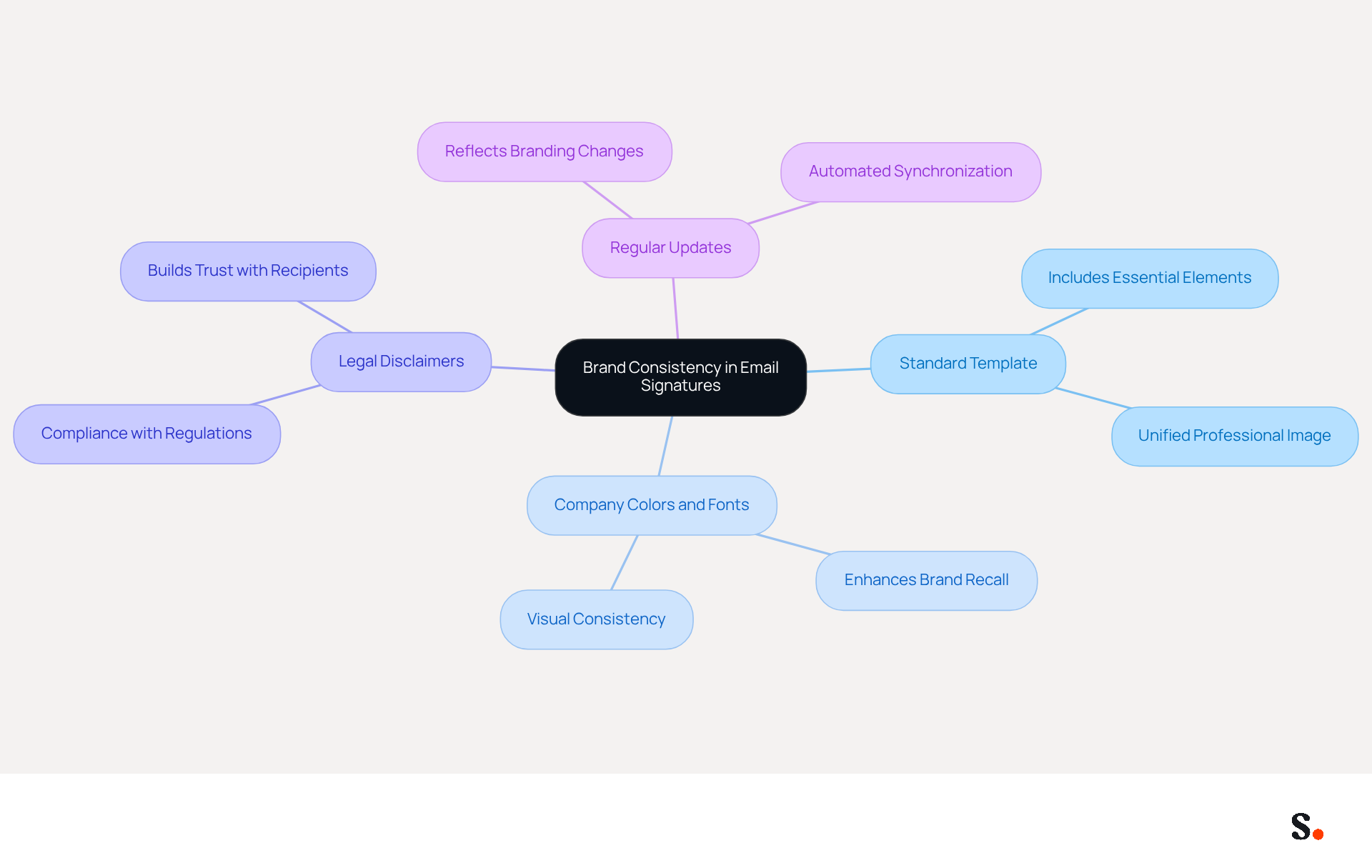
- Use a Standard Template: Create a standardized email format that includes essential elements such as the company logo, employee name, job title, and contact information. This consistency helps every employee present a professional and unified image.
- Incorporate Company Colors and Fonts: Utilize Scribe's colors and fonts in the design. This visual consistency aids recipients in quickly recognizing the brand, thereby enhancing brand recall. Studies show that consistent branding can enhance customer recognition significantly.
- Include Legal Disclaimers: If applicable, add legal disclaimers to the closing to protect Scribe and comply with regulations. Adding legal disclaimers not only maintains professionalism but also builds trust with recipients, as 76% of individuals indicate that branded digital identifiers enhance their confidence in the sender.
- Regular Updates: Ensure that the emblem is updated regularly to reflect any changes in branding or personnel. To enable one-click synchronization, grant the application permission to connect with your email provider, which requires Super Admin access. Automated tools such as Scribe can streamline this process, ensuring that all approvals remain up to date without manual intervention. The one-click synchronization feature allows for seamless updates, automatically reflecting changes made in connected sources like Aircall and Google Workspace. Organizations that implement consistent messaging formats experience a 22% rise in response rates, emphasizing the significance of keeping branding current. Furthermore, Scribe is SOC 2 Type II compliant, guaranteeing the security of your data while managing digital identifiers effectively.
By implementing these practices, companies can project a unified and professional image, reinforcing their brand identity with every message sent. Ultimately, effective management of digital identifiers can significantly enhance brand visibility and engagement.
Create Customized Signature Templates for Brand Alignment
Creating customized email signature templates requires a strategic approach to ensure effectiveness and professionalism.
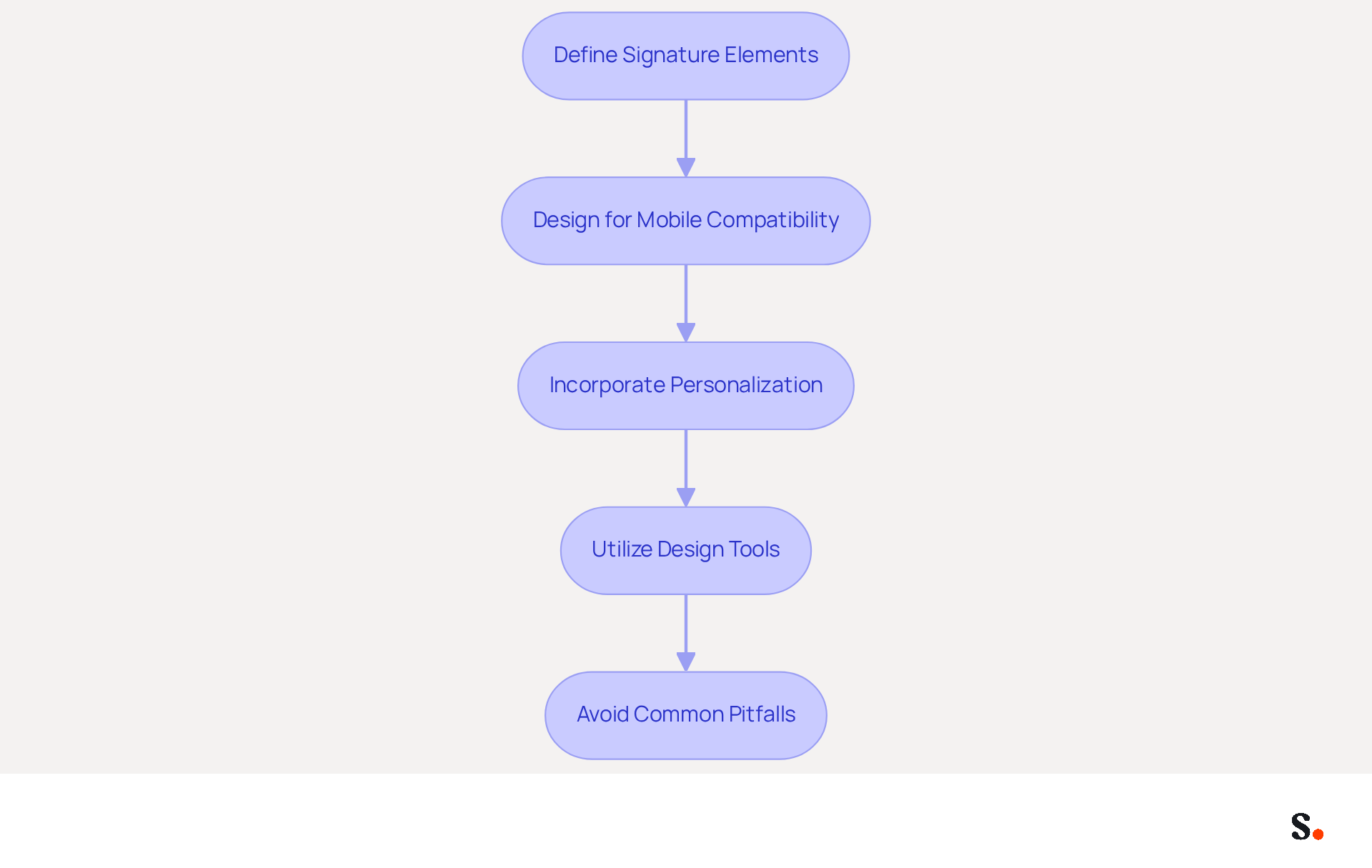
- Define Signature Elements: Identify key components to include, such as the employee's name, title, company logo, and social media links. This guarantees that recipients receive all essential information promptly.
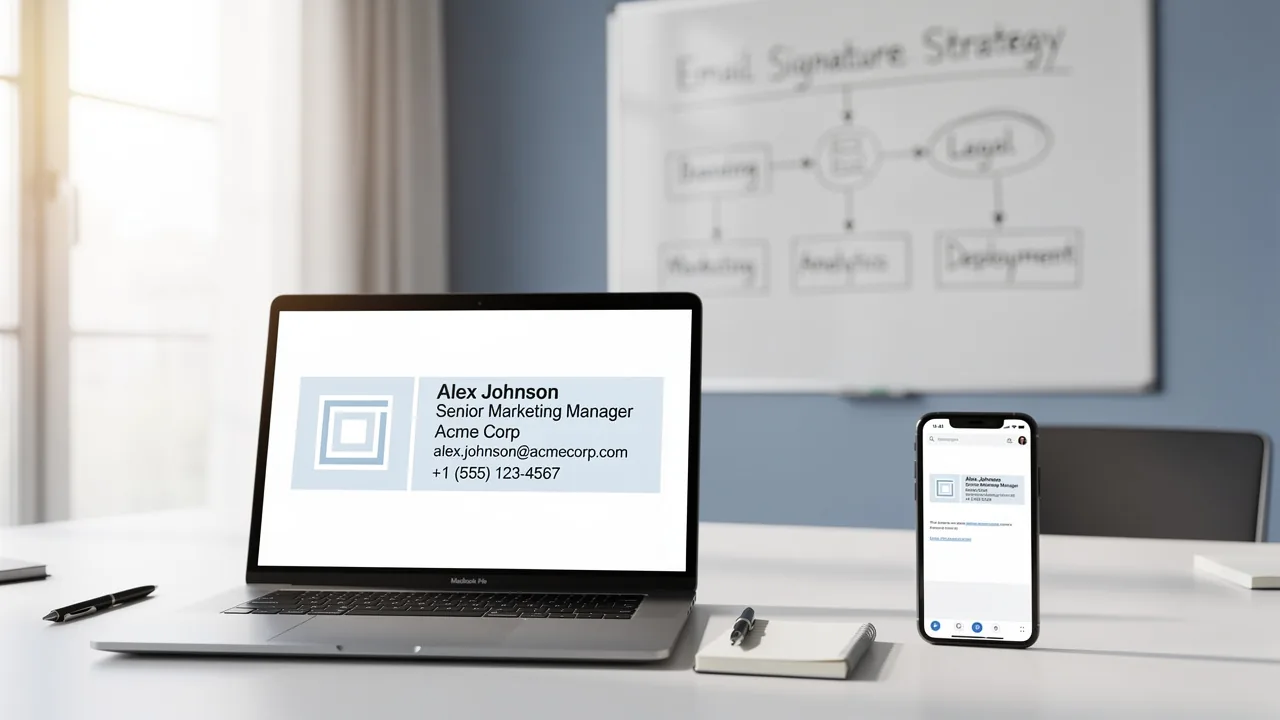
- Design for Mobile Compatibility: With 60% of business emails now opened on mobile devices, it is crucial to ensure that signatures are responsive and visually appealing across all screen sizes. Simple layouts and avoiding complex designs can enhance readability and engagement. Keep the maximum width to 600px and use font sizes between 14-16px for optimal display.
- Incorporate Personalization: Allow for personalization by including elements like a professional photo or a meaningful quote. This humanizes the organization and fosters a connection with recipients, making communications more relatable.
- Utilize Design Tools: Leverage platforms to create visually appealing templates that align with your brand's aesthetic. These tools provide intuitive drag-and-drop features that simplify the design process. This platform offers automated management of digital signatures with real-time synchronization from your business phone system, ensuring that teammate details are consistently current without needing manual input. To enable one-click synchronization, grant Scribe permission to connect with your service provider, and ensure you have Super Admin access. Centralized management of digital identifiers can also ensure uniformity across teams, minimizing the risk of outdated information or information overload.
- Avoid Common Pitfalls: Frequent errors in electronic correspondences can undermine professionalism and clarity. Be mindful of issues such as excessive legal disclaimers, outdated information, and cluttered designs. Keeping them brief and pertinent will enhance their effectiveness.
By implementing these strategies, businesses can significantly improve their communication effectiveness and brand perception, ultimately serving as effective marketing tools while ensuring compliance with SOC 2 Type II standards.
Leverage Automation and Integration for Efficient Signature Management
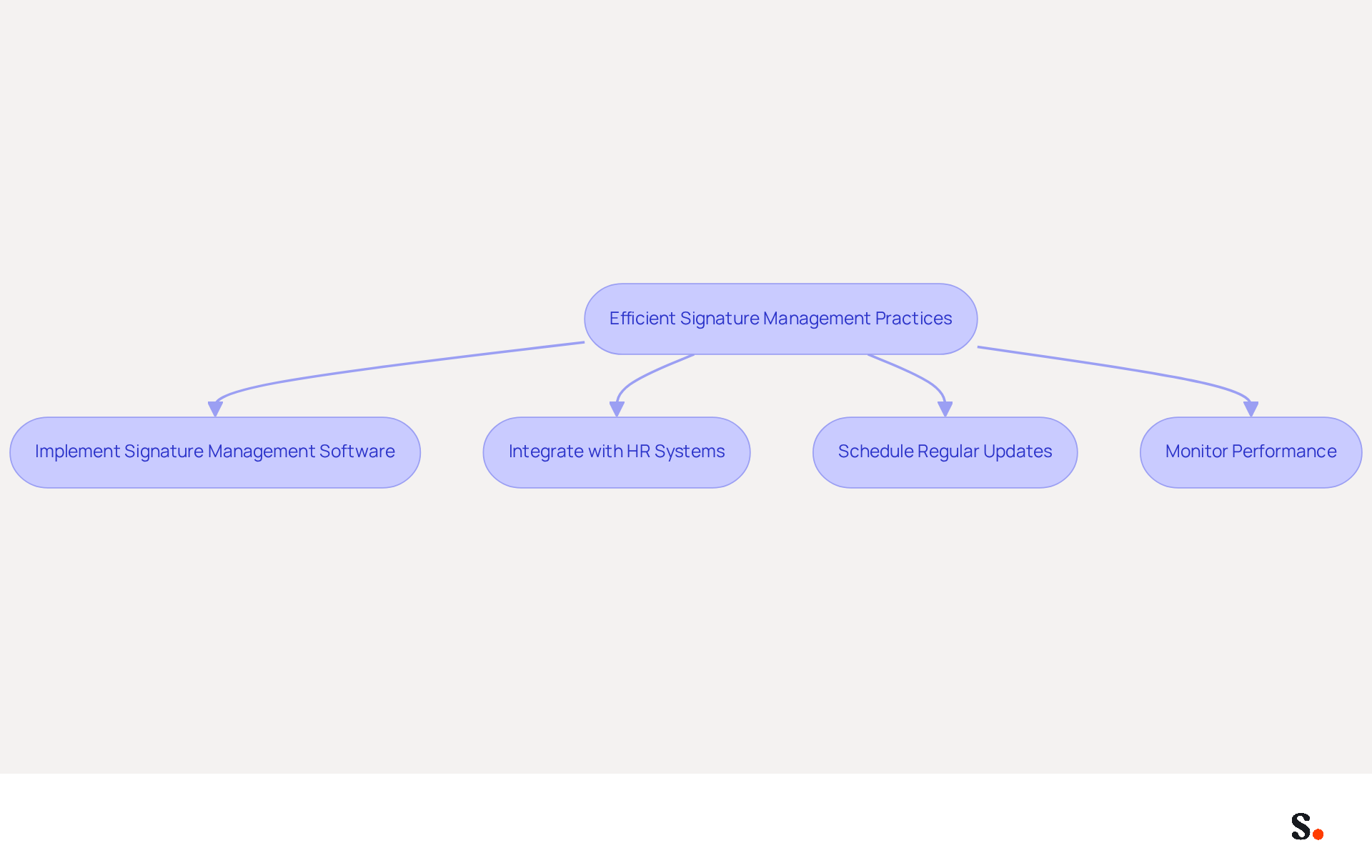
To maximize the effectiveness of email signature management, businesses must adopt strategic automation and integration practices:
- Implement Signature Management Software: Utilize Scribe to automate the creation and administration of email labels across your organization. This guarantees consistent endorsements that align with brand guidelines, minimizing confusion and boosting brand recognition.
- Integrate with HR Systems: Connect Scribe with your HR systems to automatically update credentials when employees join or leave the company. This integration minimizes the chances of outdated information being sent in emails, which can lead to miscommunication and damage professional relationships, thereby maintaining professionalism and trust in communications.
- Schedule Regular Updates: Establish a routine for refreshing template designs to reflect any changes in branding or marketing campaigns. Automation tools such as Scribe streamline this process, ensuring that updates are applied smoothly across all identifiers, which is essential for preserving a unified brand identity.
- Monitor Performance: Utilize the analytics features within Scribe to track engagement metrics, such as click-through rates on links within the email footers. According to recent studies, organizations using communication analytics have seen a 73% increase in campaign performance, allowing for data-driven adjustments that enhance effectiveness.
When businesses adopt these practices, they streamline communication management, save valuable time, and ensure their branding remains consistent across all interactions. Ultimately, these strategies not only enhance operational efficiency but also position your brand as a leader in effective communication.
Utilize Email Signatures as Marketing Channels for Lead Generation
To maximize the potential of email signatures as marketing channels, businesses must adopt strategic approaches:
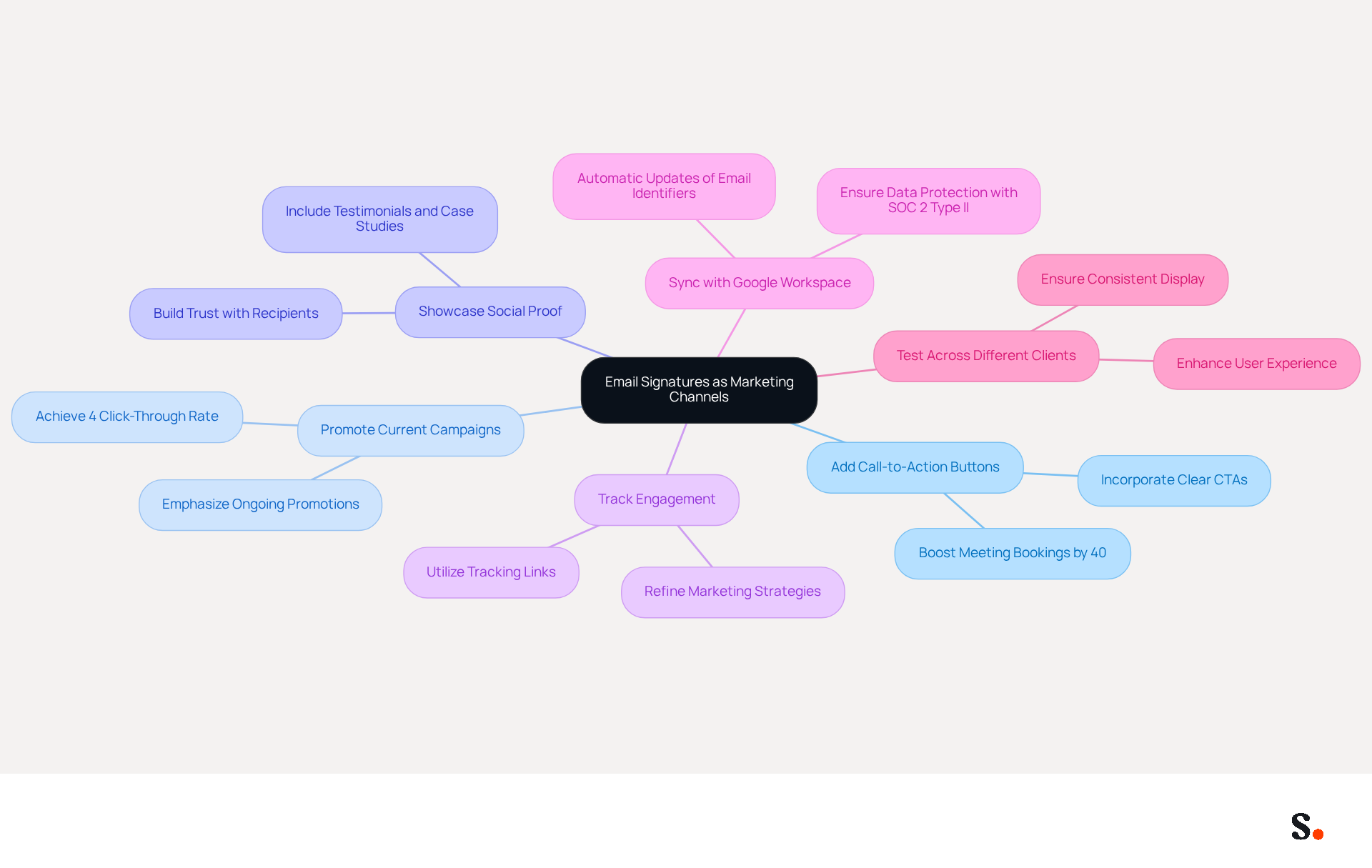
- Add Call-to-Action (CTA) Buttons: Incorporate clear and compelling CTAs in the message footer, such as links to download a whitepaper, sign up for a webinar, or visit a product page. Research shows that effective CTAs can boost meeting bookings by 40%, prompting recipients to take action.
- Promote Current Campaigns: Utilize the emblem to emphasize ongoing marketing campaigns or promotions. This can include banners or links that direct recipients to special offers or new product launches. Email branding marketing can yield a 4% click-through rate, nearly double that of bulk email campaigns, making it an effective channel for driving traffic.
- Showcase Social Proof: Include links to recent testimonials, case studies, or media mentions in the footer. This builds trust and encourages recipients to connect more with Scribe. For instance, Cognism has seen a notable increase in engagement through their marketing campaigns, demonstrating the channel's effectiveness in enhancing brand trust.
- Track Engagement: Utilize tracking links to assess the effectiveness of the CTAs in the message footers. Without proper tracking, businesses may struggle to understand the impact of their email signatures on engagement. Analyzing this data can help refine future marketing strategies and improve lead generation efforts. This understanding can lead to more targeted marketing efforts and increased lead generation.
- Sync with Google Workspace: By connecting your Google Workspace with the application, you can save time and ensure that your email identifiers are always current. This integration allows for automatic updates of your teammates' information, such as job positions or group changes, without manual input. Scribe's SOC 2 Type II certification and adherence to GDPR and CCPA guarantee that your data is protected. Furthermore, Scribe boasts an average click-through rate of 12% on branded banners, making it a powerful tool for marketing.
- Test Across Different Clients: Ensure that the CTA displays correctly across various messaging platforms and devices. Testing how digital identifiers appear can enhance professionalism and user experience, ensuring that your marketing messages are effectively communicated.
By implementing these strategies, businesses can transform their email signatures into powerful marketing tools that drive engagement and generate leads. Ultimately, the right strategies can turn email signatures into a vital component of your marketing arsenal.
Conclusion
Many organizations struggle to maintain a consistent brand image, particularly in their email communications. By using standardized templates, along with company colors and fonts, businesses can create a unified identity that truly connects with recipients. The strategic use of email signatures not only enhances brand recognition but also builds trust, as evidenced by the significant impact of consistent branding on customer perception.
Key strategies discussed include:
- The importance of creating customized signature templates that align with brand aesthetics
- Leveraging automation for efficient management
- Utilizing email signatures as powerful marketing channels
By integrating tools like Scribe, organizations can automate updates, maintain compliance with security standards such as SOC 2 Type II, and track engagement metrics to refine their marketing efforts. These practices not only streamline communication but also enhance operational efficiency, ultimately positioning brands as leaders in effective engagement.
In a world where every interaction counts, transforming email signatures into dynamic marketing tools can significantly boost lead generation and brand visibility. By adopting these best practices, organizations can ensure that their email communications are not just functional but also serve as a strategic asset in their marketing arsenal. By neglecting to optimize email signatures, businesses risk losing valuable opportunities for engagement and brand loyalty.
Frequently Asked Questions
Why is brand consistency important in email signatures?
Brand consistency in email signatures helps maintain a professional image and ensures that every employee presents a unified representation of the company.
What elements should be included in a standardized email signature template?
A standardized email signature template should include essential elements such as the company logo, employee name, job title, and contact information.
How can company colors and fonts enhance brand recognition?
Utilizing Scribe's colors and fonts in email signatures aids recipients in quickly recognizing the brand, thereby enhancing brand recall and customer recognition.
Why should legal disclaimers be included in email signatures?
Legal disclaimers should be included to protect Scribe and comply with regulations, as they help maintain professionalism and build trust with recipients.
How can regular updates to email signatures benefit a company?
Regular updates ensure that the email signatures reflect any changes in branding or personnel, which can lead to a 22% rise in response rates due to consistent messaging formats.
What is the benefit of using automated tools like Scribe for email signature management?
Automated tools like Scribe streamline the process of updating email signatures, allowing for one-click synchronization with email providers and ensuring that all approvals remain up to date without manual intervention.
What compliance standard does Scribe meet regarding data security?
Scribe is SOC 2 Type II compliant, which guarantees the security of your data while managing digital identifiers effectively.
List of Sources
- Establish Brand Consistency with Effective Email Signatures
- Research Recap: Branded Email Signatures Increase Company Recognition, Trust - B2BMX INSIGHTS (https://demandgenreport.com/industry-news/research-recap-branded-email-signatures-increase-company-recognition-trust/47252)
- Why Email Signatures Must Be In Your 2026 Marketing Plan | Rocketseed (https://rocketseed.com/blog/what-are-the-biggest-email-trends-for-2026)
- The impact of email signatures on your branding (https://signitic.com/en/resources/the-impact-of-email-signatures-on-your-branding)
- 4 Best Practices for Brand Consistency in Email Signatures (https://scribe-mail.com/en-US/blog/4-best-practices-for-brand-consistency-in-email-signatures)
- Top 10+ best practices for email signatures design in 2026 (https://mysignature.io/blog/email-signature-best-practices)
- Create Customized Signature Templates for Brand Alignment
- Email Signature Best Practices - NEWOLDSTAMP (https://newoldstamp.com/blog/email-signature-best-practices)
- Email Signature Best Practices for 2026 (+ 15 Pro Examples) (https://wavecnct.com/blogs/email-signature-best-practices-2026)
- Email Signature Statistics: A Closer Look at Email Signatures in 2026 (https://mysignature.io/blog/email-signature-statistics)
- Email Signature Trends 2026: What Designers Are Actually Using (https://markaplugin.com/blog/email-signature-trends-2026)
- Leverage Automation and Integration for Efficient Signature Management
- 4 Best Practices for Using Email Signature Software for Marketing (https://scribe-mail.com/en-US/blog/4-best-practices-for-using-email-signature-software-for-marketing)
- 40+ Email Signature Statistics for 2026 (Data + Insights) (https://wavecnct.com/blogs/email-signature-statistics)
- Email Signature Statistics: A Closer Look at Email Signatures in 2026 (https://mysignature.io/blog/email-signature-statistics)
- Exclaimer launches Workday integration to reduce risk and manual effort in high-volume digital communications (https://uk.finance.yahoo.com/news/exclaimer-launches-workday-integration-reduce-100000558.html)
- Utilize Email Signatures as Marketing Channels for Lead Generation
- Signature marketing: Triple your conversions with your signatures (https://mailbutler.io/blog/email/signature-marketing)
- What is email signature marketing? Complete B2B definition (2026) (https://signitic.com/en/resources/what-is-email-signature-marketing-a-complete-definition-for-b2b-teams)
- The Ultimate Guide to Email Signature Call-to-Action - NEWOLDSTAMP (https://newoldstamp.com/blog/the-ultimate-guide-to-email-signature-call-to-action)
- Create Effective CTA Email Signatures (Examples & Templates) (https://wisestamp.com/examples/cta-email-signature)
- 4 Best Practices Using Email Signature Tools for Lead Generation (https://scribe-mail.com/en-US/blog/4-best-practices-using-email-signature-tools-for-lead-generation)
Get started with Scribe
Create your signature in minutes
Free 14-day trial — no credit card.