Optimize Email Signature Size for Better Marketing Impact
Despite their often-overlooked role, email signatures hold significant potential for enhancing brand visibility and marketing effectiveness. By optimizing the
Sophie Grant
Email Signature Specialist, Scribe

Introduction
Despite their often-overlooked role, email signatures hold significant potential for enhancing brand visibility and marketing effectiveness. By optimizing the size and design of these digital footers, organizations can turn them into powerful tools that convey professionalism and drive engagement. Yet, many companies find themselves facing display issues and technical constraints that limit their effectiveness.
What strategies can companies employ to leverage email signatures for maximum marketing impact while ensuring consistency and compliance?
Establish Optimal Email Signature Dimensions
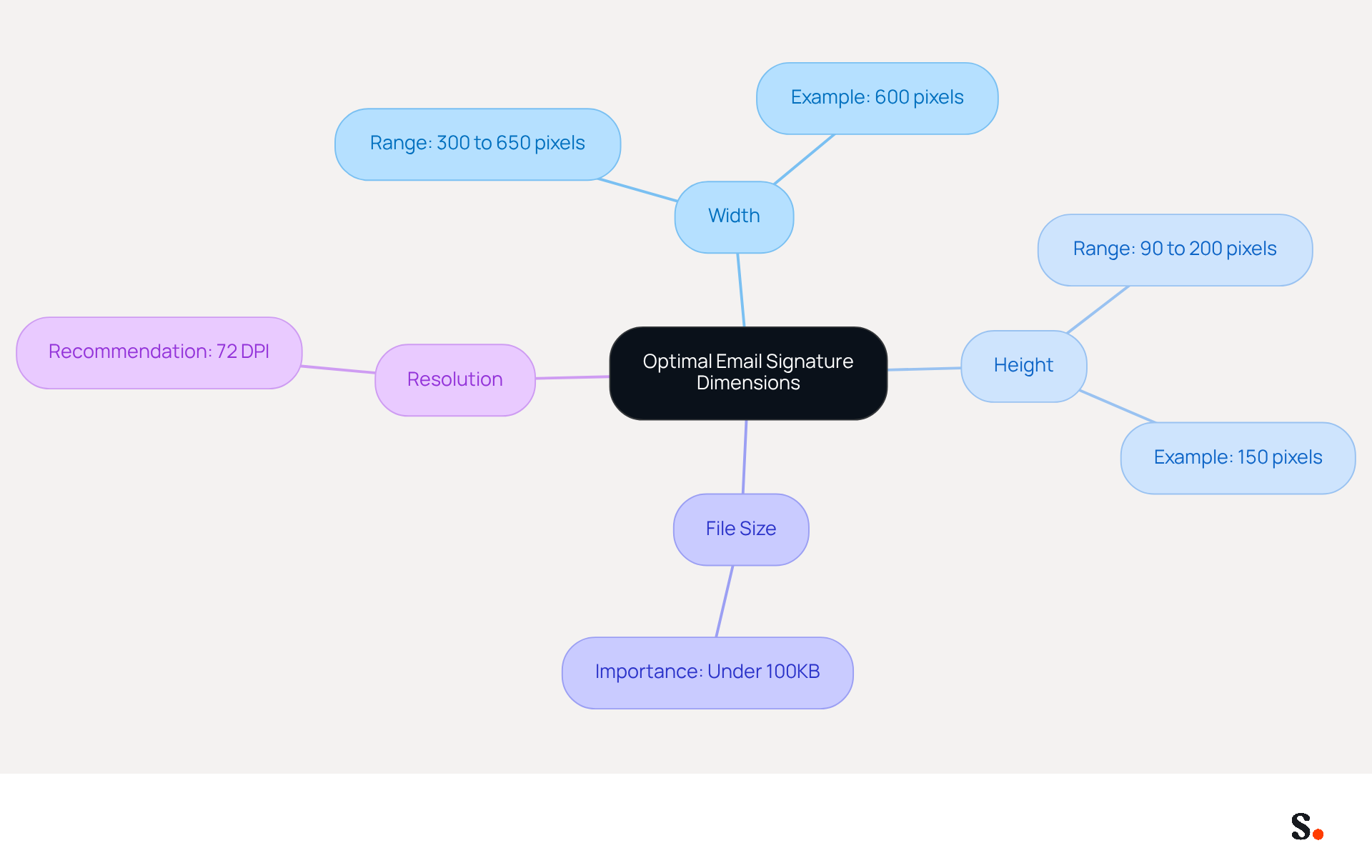
Optimal dimensions are essential for creating an effective message footer that enhances professionalism. The suggested width for digital identifiers typically ranges from 300 to 650 pixels, while the height should be between 90 and 200 pixels. Maintaining a file size under 100KB ensures quick loading times and compatibility with various messaging clients.
For instance, an image measuring 600 pixels wide and 150 pixels high strikes a balance between visibility and aesthetics, fitting well on both desktop and mobile screens. Additionally, using high-resolution images (72 DPI) can enhance the clarity of logos and graphics, contributing to a more professional appearance.
Neglecting these guidelines can lead to unprofessional electronic correspondences that fail to engage recipients effectively.
Address Common Display Issues and Technical Constraints
Email footers often present significant challenges that can undermine effective communication. Display problems arise from the various configurations of mail clients and inherent coding constraints. Common issues include images failing to display correctly, excessive spacing, and discrepancies in appearance across mobile devices. These problems can lead to miscommunication and a lack of professionalism in digital correspondence. For instance, a study found that 89.9% of professionals use just one digital identifier, which often leads to outdated designs that fail to reflect current branding.
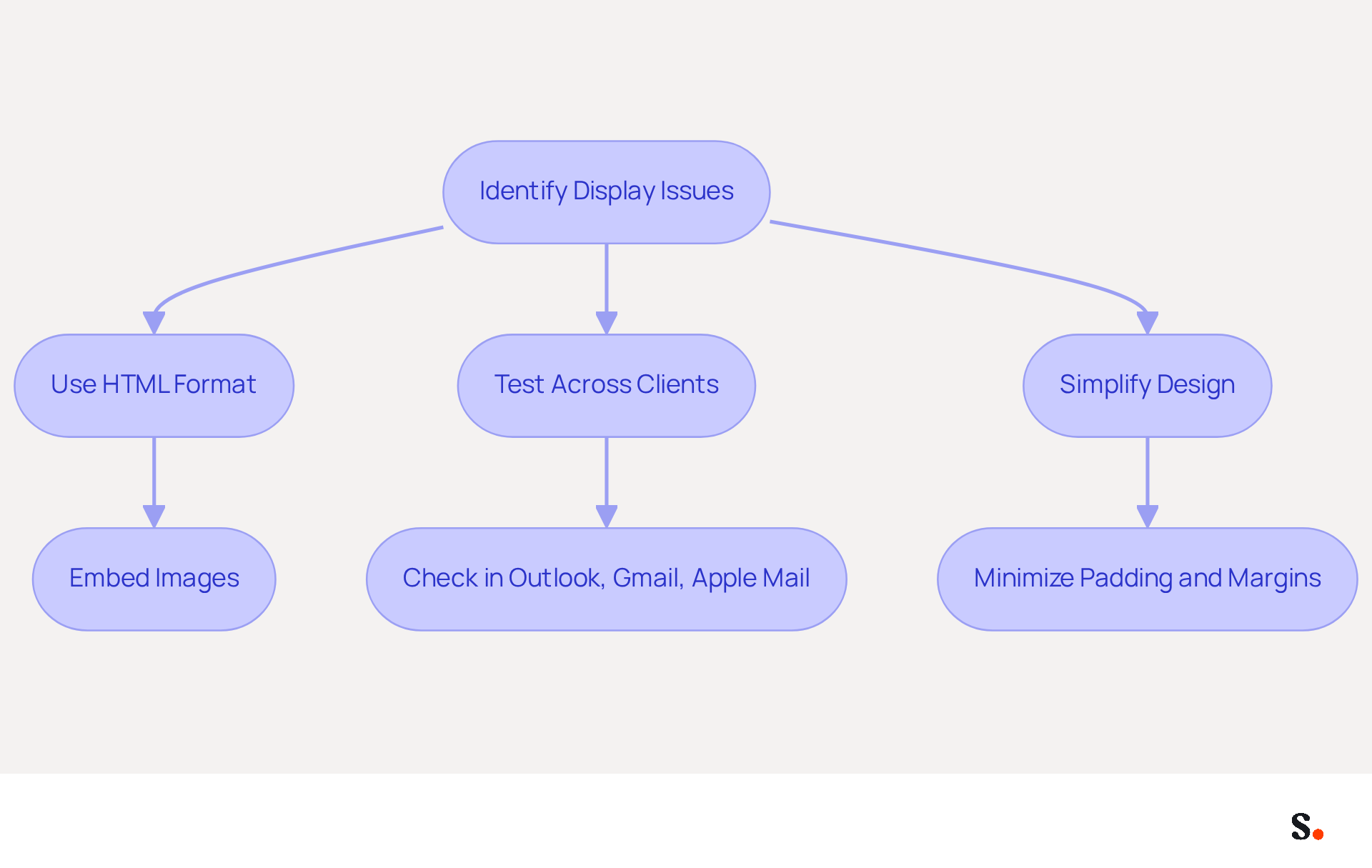
To alleviate these issues, utilizing HTML format for email footers is crucial, as it improves compatibility across different platforms. Testing identifiers in various messaging clients - such as Outlook, Gmail, and Apple Mail - can assist in recognizing and correcting display inconsistencies. For example, embedding images instead of linking them can prevent mail clients from blocking them, ensuring they appear as intended.
Keeping the design simple is key; avoiding overly intricate HTML or CSS can really boost compatibility. A case study highlighted that users who minimized padding and margins between elements were able to reduce excessive spacing issues related to email signature size in Outlook, which often misinterprets HTML line breaks. Furthermore, ensuring that images have specified height and width attributes can prevent resizing problems, which are frequent across various messaging clients.
As the digital communication landscape evolves, those who fail to adapt may miss out on valuable opportunities and weaken their brand presence. By implementing these strategies, businesses can enhance their digital identifiers, turning them into effective marketing tools that accurately reflect their brand identity. Syncing your Google Workspace with Scribe not only saves time but also guarantees that updates to your teammates' information are automatically reflected, enhancing efficiency. This integration allows for seamless updates, eliminating the need for manual adjustments and ensuring brand consistency across all communications. Moreover, Scribe's distinct positioning allows Marketing teams to handle digital identifiers autonomously after the initial IT configuration, improving operational efficiency. Scribe is also SOC 2 Type II certified and compliant with GDPR and CCPA, ensuring that your management of correspondence is secure and adheres to regulations.
Leverage Email Signatures for Enhanced Marketing Impact
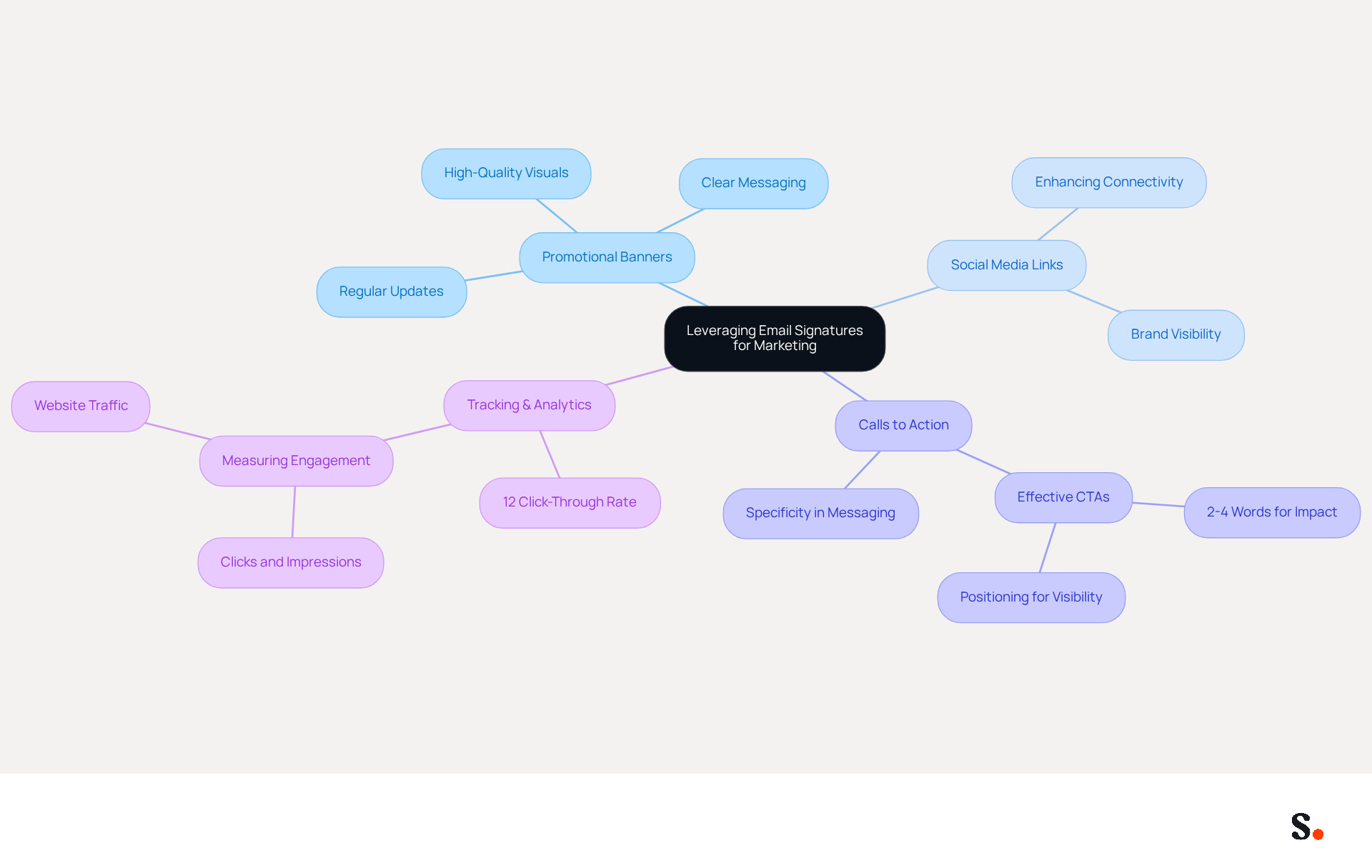
Email footers, often overlooked, can be transformed into powerful marketing tools when designed with intention. By incorporating promotional banners, social media links, and clear calls to action (CTAs), businesses can significantly boost engagement. For instance, banners advertising ongoing promotions or events can generate direct traffic from communications.
Research shows that digital identifiers with promotional content can achieve click-through rates of 12%, far exceeding those of traditional display ads. Additionally, trackable links enable companies to evaluate how their marketing efforts resonate with their audience.
With Scribe's automated synchronization with Aircall, any modifications made in your configuration will be reflected instantly, ensuring brand consistency across all communications. Regularly updating these elements to align with ongoing campaigns ensures that communications remain fresh and relevant, maximizing their impact.
However, many organizations struggle to leverage email footers effectively, as demonstrated by companies like Nike and Headspace, which have successfully engaged audiences through their correspondence campaigns. By adopting this strategic approach, organizations can unlock significant marketing advantages and strengthen their brand identity.
Implement Automated Solutions for Consistent Management
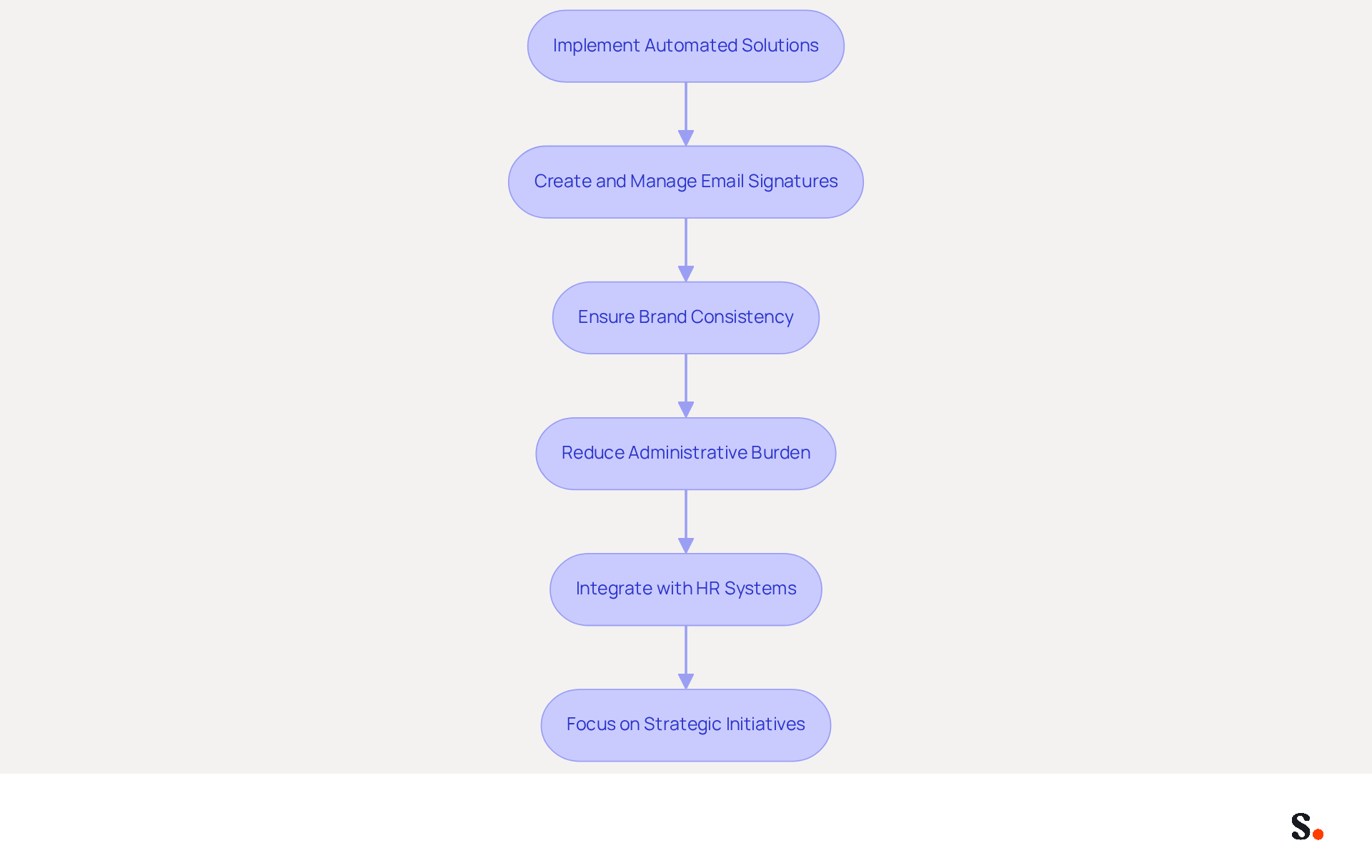
To maintain brand consistency and streamline the management of digital identifiers, businesses must consider automated solutions like Scribe. The platform enables organizations to create, manage, and update email signatures for all employees with a single click, ensuring uniformity and compliance with branding guidelines, including considerations for email signature size outlook. This automation allows for quick updates when promotional campaigns or personnel change, reducing the administrative burden on teams.
By integrating seamlessly with HR systems, this platform guarantees that employee information stays up to date, enabling marketing managers to concentrate on strategic initiatives instead of manual updates. Scribe's compliance with SOC 2 Type II, GDPR, and CCPA addresses security and compliance concerns, making it a trustworthy choice for organizations.
Studies indicate that branded message footers significantly influence message perception, with 57% of recipients viewing them as essential for brand identity. Furthermore, automated digital footers can lead to a 22% increase in response rates, making them an essential tool for effective communication and promotional strategies.
Adopting automated solutions like Scribe not only mitigates compliance risks but also empowers teams to focus on strategic marketing efforts.
Conclusion
Optimizing email signature size is essential for maximizing marketing impact and ensuring effective professional communication. Organizations can create visually appealing signatures that load quickly and display correctly by following recommended dimensions and file sizes. This meticulous attention to detail enhances professionalism and significantly boosts recipient engagement, reinforcing brand identity.
Key strategies discussed include:
- Establishing optimal dimensions
- Addressing common display issues
- Leveraging email signatures as marketing tools
Implementing HTML formatting and testing across different email clients can mitigate display problems, while incorporating promotional elements can significantly boost engagement rates. The use of automated solutions like Scribe further streamlines management, ensuring brand consistency and compliance with security regulations.
In today's digital world, where every interaction matters, organizations must recognize the potential of email signatures as powerful marketing assets. By investing in best practices and automated management tools, businesses can enhance their communication strategies, drive engagement, and ultimately strengthen their brand presence. Recognizing email signatures as strategic marketing tools can transform how organizations engage with their audience.
Frequently Asked Questions
What are the optimal dimensions for an email signature?
The suggested width for digital identifiers typically ranges from 300 to 650 pixels, while the height should be between 90 and 200 pixels.
What is the recommended file size for an email signature?
It is recommended to maintain a file size under 100KB to ensure quick loading times and compatibility with various messaging clients.
Can you provide an example of ideal email signature dimensions?
An example of ideal dimensions is an image measuring 600 pixels wide and 150 pixels high, which balances visibility and aesthetics for both desktop and mobile screens.
Why is it important to use high-resolution images in email signatures?
Using high-resolution images (72 DPI) enhances the clarity of logos and graphics, contributing to a more professional appearance.
What are the consequences of neglecting email signature guidelines?
Neglecting these guidelines can lead to unprofessional electronic correspondences that fail to engage recipients effectively.
List of Sources
- Establish Optimal Email Signature Dimensions
- What is the Best Email Signature Design Size? Expert Guide (https://publicate.it/blog/email-signature-design-size)
- What is the Best Size for Email Signature Images and Why It Matters (https://scribe-mail.com/en-US/blog/what-is-the-best-size-for-email-signature-images-and-why-it-matters)
- What Is The Best Email Signature Size? | Rocketseed (https://rocketseed.com/resources/email-design-guidelines)
- Email Signature Best Practices Guide With Examples - MailerLite (https://mailerlite.com/blog/email-signature-best-practices)
- Correct Email Signature Dimensions: Width, Height & File Size (https://wisestamp.com/guides/what-are-correct-email-signature-dimensions)
- Address Common Display Issues and Technical Constraints
- Email Signature Troubleshooting - Problems & Solutions - Gimmio (https://blog.gimm.io/email-signature-troubleshooting)
- How to solve problems with email signatures in Microsoft 365? (https://mail-signatures.com/articles/problems-email-signatures-office-365)
- Email Signature Rendering Failures Across Devices: The 2025-2026 Crisis and Solutions (https://getmailbird.com/email-signature-rendering-failures-mobile-fix)
- 4 Steps to Fix Your Outlook Signature Not Showing Issues (https://scribe-mail.com/en-US/blog/4-steps-to-fix-your-outlook-signature-not-showing-issues)
- 40+ Email Signature Statistics for 2026 (Data + Insights) (https://wavecnct.com/blogs/email-signature-statistics)
- Leverage Email Signatures for Enhanced Marketing Impact
- Email Signature Banners: Turn Every Email Into a Marketing Channel (https://bulksignature.com/blog/email-signature-banners-turn-every-email-into-a-marketing-channel)
- Why Email Signatures Must Be In Your 2026 Marketing Plan | Rocketseed (https://rocketseed.com/blog/what-are-the-biggest-email-trends-for-2026)
- What is email signature marketing? Complete B2B definition (2026) (https://signitic.com/en/resources/what-is-email-signature-marketing-a-complete-definition-for-b2b-teams)
- Brands Turn To Email Signatures For Marketing: Study (https://mediapost.com/publications/article/350372/brands-turn-to-email-signatures-for-marketing-stu.html?OpenView=)
- Maximize Marketing Impact with Effective Email Signature Banners (https://scribe-mail.com/en-US/blog/maximize-marketing-impact-with-effective-email-signature-banners)
- Implement Automated Solutions for Consistent Management
- 40+ Email Signature Statistics for 2026 (Data + Insights) (https://wavecnct.com/blogs/email-signature-statistics)
- Automating Email Signatures: How IT Teams Streamline Processes & Reduce Risk (https://exclaimer.com/blog/streamlining-it-processes-automated-email-signatures)
- Master Automatic Email Signatures: Boost Branding and Efficiency (https://scribe-mail.com/en-US/blog/master-automatic-email-signatures-boost-branding-and-efficiency)
- Email Signature Management: What It Is and Why Companies Need It in 2026 (https://signandgo.io/blog/email-signature-management-what-it-is-and-why-companies-need-it-in-2026)
- Email signature statistics: Why every business should optimize their email signatures — Stripo.email (https://stripo.email/blog/email-signature-statistics-why-every-business-should-optimize-their-email-signatures)
Get started with Scribe
Manage signatures across your whole team
Free 14-day trial — no credit card.