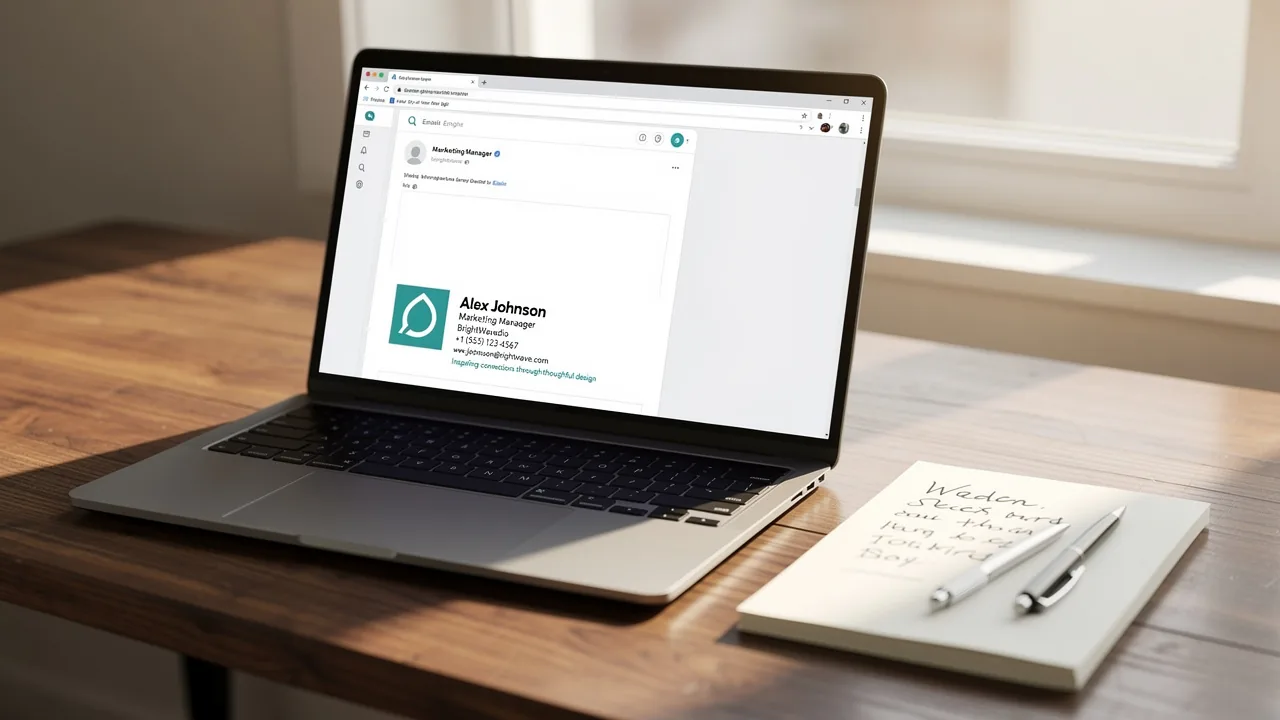
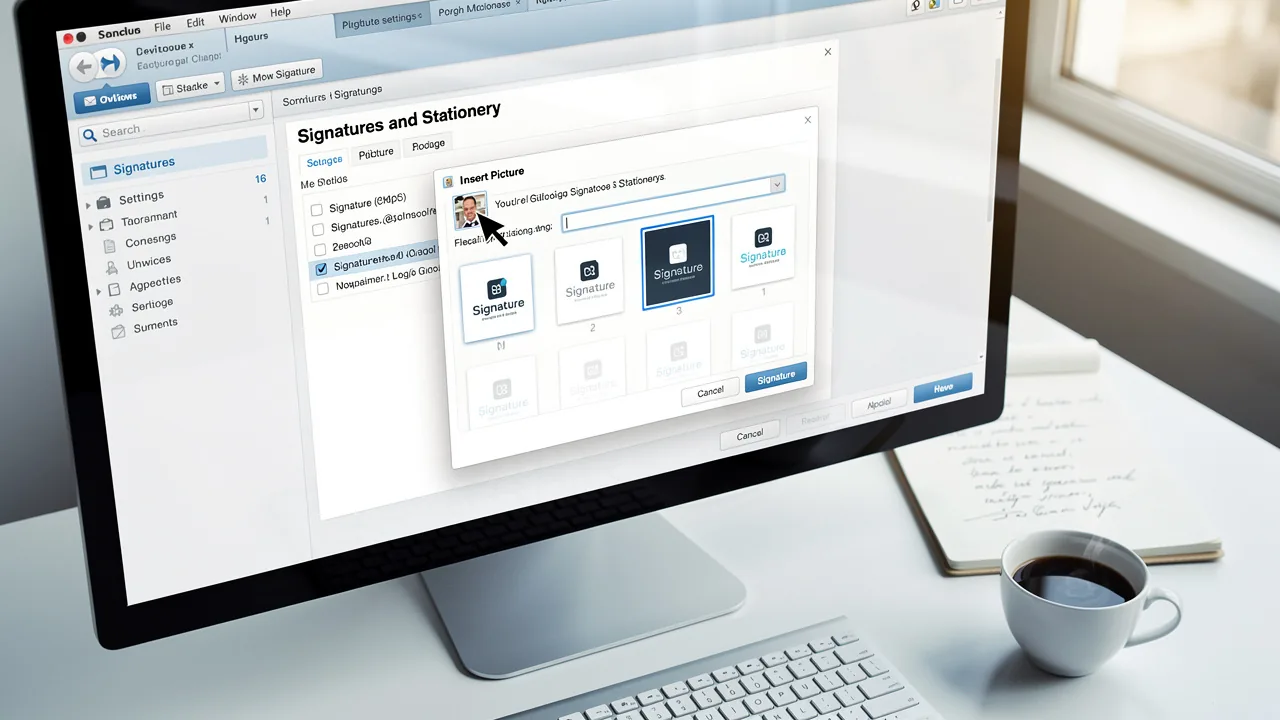
Optimize Email Signature Size for Outlook: Best Practices for Marketers
Organizations often struggle to balance aesthetics with functionality in their email signatures, yet this balance is crucial for effective communication and
Sophie Grant
Email Signature Specialist, Scribe

On this page
- Introduction
- Define Ideal Email Signature Dimensions and File Sizes
- Analyze the Impact of Signature Size on Performance and User Experience
- Implement Strategies for Optimizing Email Signature Design and Layout
- Utilize Automated Solutions for Consistent and Professional Email Signatures
- Conclusion
- Frequently Asked Questions
- List of Sources
Introduction
Organizations often struggle to balance aesthetics with functionality in their email signatures, yet this balance is crucial for effective communication and brand representation. Marketers can significantly enhance user engagement and deliverability by adhering to specific size guidelines and design principles. However, with the myriad of options available, how can organizations ensure their email signatures are both professional and impactful? In this article, we’ll explore best practices for email signature size, focusing on strategies that enhance performance while ensuring brand consistency across all communications.
Define Ideal Email Signature Dimensions and File Sizes
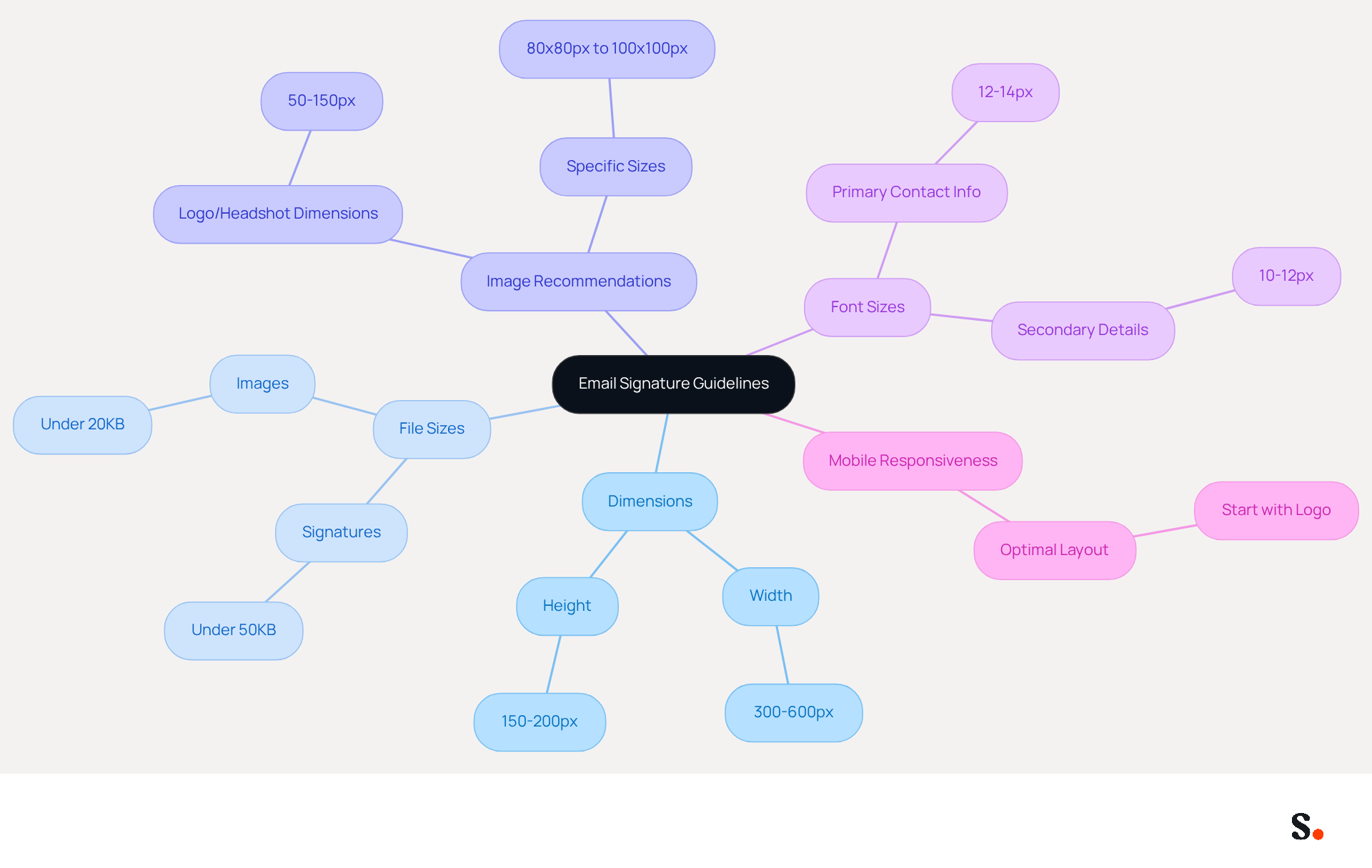
To ensure effective communication through Outlook identifiers, adhering to the email signature size for Outlook, including specific dimensions and file sizes, is essential. The optimal width for digital identifiers should range from 300 to 600 pixels, with a height of 150 to 200 pixels. This prevents sign-offs from being too wide, which may lead to cropping in various email clients.
It is important to keep the email signature size for Outlook under 50KB to ensure quick loading times and to help prevent spam filters from flagging your emails. For images, such as logos or headshots, dimensions of 50 to 150 pixels are recommended, with professional headshots ideally measuring between 80x80px to 100x100px and under 20KB. These images should be saved in formats like JPG or PNG for optimal quality.
It's also important to maintain a minimum font size of 12-14 pixels for primary contact information and 10-12 pixels for secondary details to enhance readability. Considering that mobile users represent 46% of opens, ensuring mobile responsiveness is essential; the optimal mobile layout should begin with the Scribe logo at the top, followed by the name, job title, and contact information.
By following these guidelines, you can enhance the professionalism of your email signatures and improve user engagement across platforms.
Analyze the Impact of Signature Size on Performance and User Experience
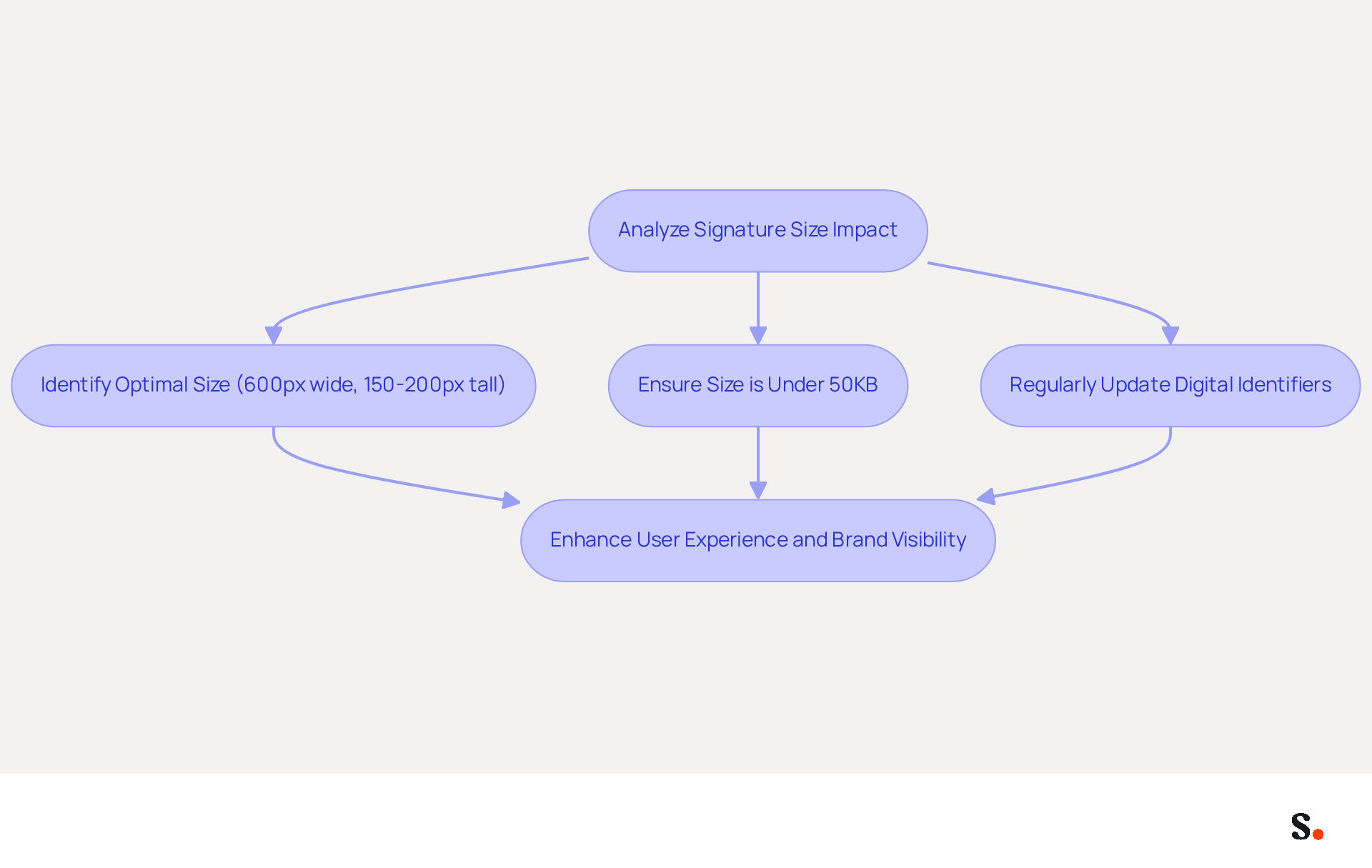
The dimensions of a message footer significantly impact both performance and user engagement. Large sign-offs can considerably delay loading times for messages, which can frustrate recipients, leading to disengagement. Research indicates that attachments over 50KB often trigger spam filters, blocking message delivery. Furthermore, excessively large or intricate sign-offs can divert attention from the primary content of the message, weakening overall communication.
To improve user experience, it is crucial to keep the email signature size for Outlook concise and focused, ensuring it enhances rather than overwhelms the content of the message. Marketers should aim for an optimal email size, ideally under 50KB, to enhance deliverability rates and promote better communication effectiveness. Regular updates to digital identifiers demonstrate a commitment to keeping branding effective and relevant, as seen in various case studies. Organizations adopting optimal practices in managing their identifiers experience a significant rise in response rates, emphasizing the necessity of maintaining an efficient and effective design. By optimizing the email signature size for Outlook to the recommended dimensions of 600 pixels wide and 150 to 200 pixels tall, marketers can enhance user experience and strengthen their brand's visibility in every message sent.
Scribe makes it easy to integrate digital identifiers, automatically updating them to keep your brand consistent and secure. Moreover, all modifications made to your Calendly setup automatically synchronize with your Scribe configurations, improving the overall efficiency of managing your signatures.
Implement Strategies for Optimizing Email Signature Design and Layout
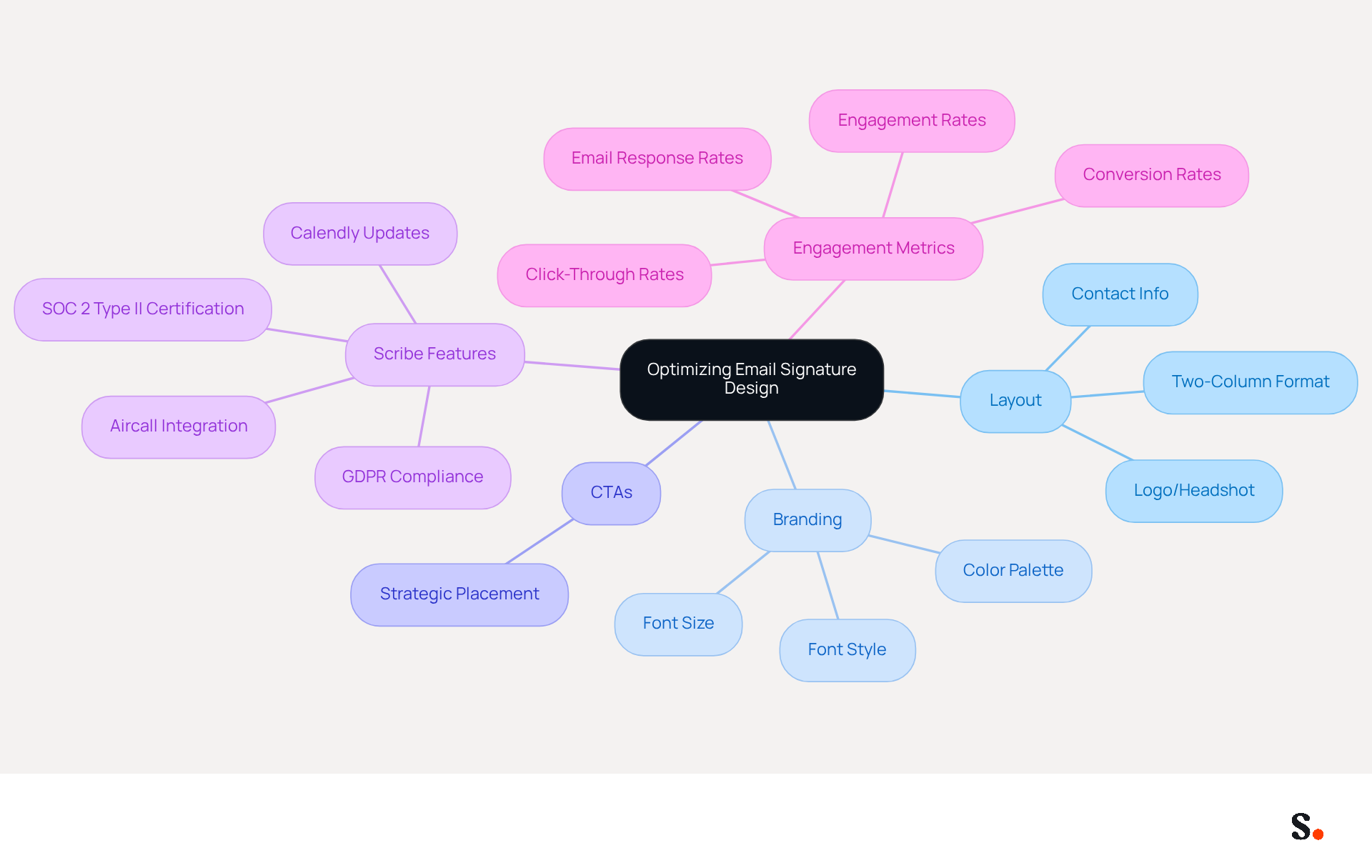
To maximize the effectiveness of digital identifiers, marketers must focus on a structured and visually appealing layout. A two-column format is recommended, with one side featuring the logo or headshot and the other side containing contact information and social media links. This design enhances readability and ensures that essential information is easily accessible.
It's essential to keep a consistent color palette and font style that matches your brand's visual identity; the font size should be at least 14px for optimal legibility. However, marketers often struggle to integrate CTAs without overwhelming the recipient. In 2026, optimized digital identifiers featuring strategic CTAs are projected to achieve up to 40% higher engagement compared to generic sign-offs. Furthermore, adding a professional headshot can enhance response rates by roughly 32%.
By adhering to these principles, marketers can expect a measurable increase in engagement rates. Leveraging Scribe's features, including its SOC 2 Type II certification and adherence to GDPR and CCPA, allows marketers to create email footers that not only appear professional but also effectively enhance engagement and aid lead generation efforts.
Additionally, utilizing Scribe's automated synchronization with Aircall ensures that any modifications made in your configuration will be automatically reflected, maintaining brand consistency across all communications. The smooth integration with Calendly enables automatic updates to contact details, enhancing the overall professionalism and effectiveness of your marketing efforts. Ultimately, leveraging Scribe's features can transform email signatures into powerful tools for engagement and lead generation.
Utilize Automated Solutions for Consistent and Professional Email Signatures
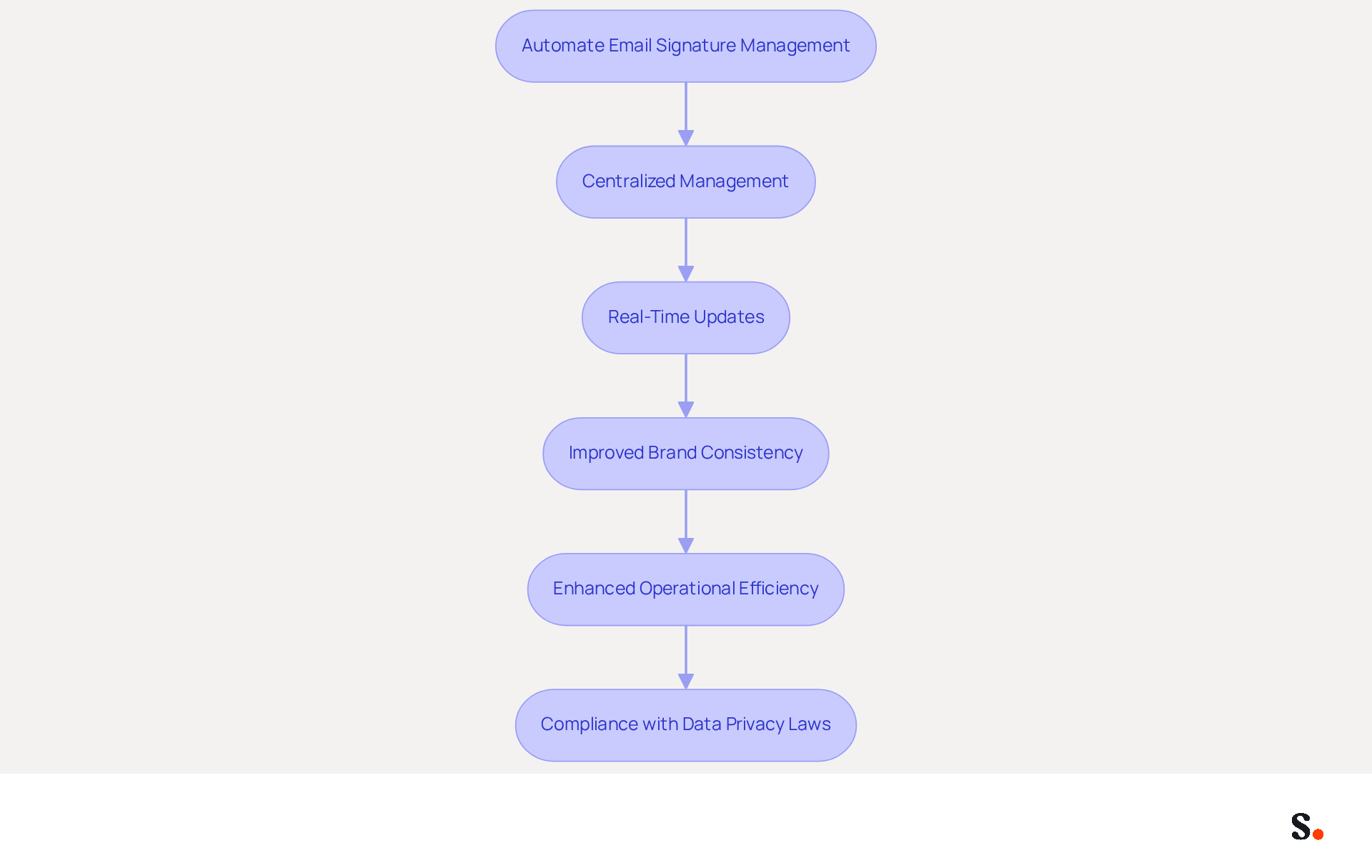
Managing digital identifiers manually can lead to inconsistencies and wasted time, but automating this process offers a solution. Automating management of digital identifiers significantly improves brand consistency while conserving valuable time for marketing teams. Scribe allows organizations to create and manage digital identifiers centrally, ensuring that all team members use the same branding elements without the necessity for manual updates. This automation eliminates outdated approvals and simplifies onboarding, allowing new employees to receive their approvals based on their roles. Significantly, Scribe's distinct positioning enables marketing teams to manage their identifiers independently after the initial IT setup, allowing them to make updates as necessary.
Integrating automated solutions with existing tools like Google Workspace or Microsoft 365 ensures that signatures are updated in real-time, reflecting any changes in branding or contact information. Organizations that maintain consistent communication formats see a 22% increase in response rates, highlighting the importance of cohesive branding. This level of automation not only enhances operational efficiency but also strengthens brand identity across all communication channels. Those using centralized management tools report 85% better brand consistency and higher engagement rates, demonstrating the tangible benefits of cohesive branding.
Furthermore, automated digital identifiers assist IT teams in adhering to changing data privacy laws, such as GDPR and CCPA, minimizing the chance of mistakes and improving overall security. Scribe's SOC 2 Type II certification shows just how serious they are about protecting your data. By centralizing management of digital identifiers, businesses can concentrate on higher-priority tasks while ensuring that their branding remains consistent and professional across all digital touchpoints. As a best practice, implementing consistent branding across all digital correspondences enhances professional image and credibility. This strategic method for managing digital identifiers is crucial for enhancing marketing efficiency and building trust with clients. Regular monitoring and updating of the email signature size for Outlook are also crucial to maintain compliance with brand guidelines and legal standards.
Conclusion
For marketers, optimizing email signature size in Outlook is not just a technical requirement; it’s a strategic necessity for effective communication. By adhering to recommended dimensions and file sizes, organizations can ensure that their digital identifiers not only look professional but also function seamlessly across various platforms. Focusing on size and design is key to ensuring brand consistency and enhancing email deliverability.
Key insights from the article highlight the importance of keeping email signatures under 50KB to avoid spam filters and ensure quick loading times. Additionally, employing a structured layout, maintaining a consistent color palette, and utilizing automated solutions like Scribe can significantly enhance the professionalism of email signatures. The integration of automated tools allows marketing teams to manage their signatures independently, ensuring that branding remains cohesive and up-to-date without the need for constant IT intervention.
In a world where first impressions matter, the effectiveness of email signatures should not be underestimated. Implementing these best practices empowers marketers to turn their email signatures into effective tools for engagement and lead generation. Embracing automation and adhering to size guidelines will not only streamline processes but also reinforce brand identity, ultimately leading to improved communication and higher response rates.
Frequently Asked Questions
What are the ideal dimensions for an email signature in Outlook?
The optimal width for an email signature should range from 300 to 600 pixels, with a height of 150 to 200 pixels.
What is the recommended file size for an email signature in Outlook?
The email signature size for Outlook should be kept under 50KB to ensure quick loading times and to help prevent spam filters from flagging your emails.
What are the recommended dimensions for images in an email signature?
For images like logos or headshots, dimensions of 50 to 150 pixels are recommended, with professional headshots ideally measuring between 80x80px to 100x100px and under 20KB.
What file formats are best for images in email signatures?
Images should be saved in formats like JPG or PNG for optimal quality.
What is the minimum font size recommended for contact information in an email signature?
The minimum font size for primary contact information should be 12-14 pixels, and for secondary details, it should be 10-12 pixels to enhance readability.
Why is mobile responsiveness important for email signatures?
Mobile responsiveness is essential because mobile users represent 46% of email opens, so ensuring the layout is optimized for mobile devices improves user engagement.
What is the recommended layout for a mobile-friendly email signature?
The optimal mobile layout should begin with the Scribe logo at the top, followed by the name, job title, and contact information.
List of Sources
- Define Ideal Email Signature Dimensions and File Sizes
- Email Signature Size and Layout Tips (https://linkedin.com/pulse/email-signature-size-layout-tips-bulksignature-nuy7f)
- Email Signature Size and Layout Tips (https://bulksignature.com/blog/email-signature-size-and-layout-tips)
- Correct Email Signature Dimensions: Width, Height & File Size (https://wisestamp.com/guides/what-are-correct-email-signature-dimensions)
- Best Dimensions for Email Signature: Optimize Your Marketing Strategy (https://scribe-mail.com/en-US/blog/best-dimensions-for-email-signature-optimize-your-marketing-strategy)
- Email Signature Size and Image Best Practices (https://maileditor.net/blog/email-signature-size-and-image-best-practices)
- Analyze the Impact of Signature Size on Performance and User Experience
- What Is the Ideal Email Signature Size? (https://oppora.ai/blog/email-signature-size)
- 40+ Email Signature Statistics for 2026 (Data + Insights) (https://wavecnct.com/blogs/email-signature-statistics)
- What Size Should Email Signature Be? Key Insights for Marketers (https://scribe-mail.com/en-US/blog/what-size-should-email-signature-be-key-insights-for-marketers)
- Email Signature Size - How to Keep It Small, and Why - Gimmio (https://blog.gimm.io/email-signature-size)
- Implement Strategies for Optimizing Email Signature Design and Layout
- Email Signature Best Practices for 2026 (+ 15 Pro Examples) (https://wavecnct.com/blogs/email-signature-best-practices-2026)
- Email signature statistics: Why every business should optimize their email signatures — Stripo.email (https://stripo.email/blog/email-signature-statistics-why-every-business-should-optimize-their-email-signatures)
- Email Signature Design Trends in 2026: What Works and What to Drop (https://bulksignature.com/blog/email-signature-design-trends)
- Email Signature Best Practices - NEWOLDSTAMP (https://newoldstamp.com/blog/email-signature-best-practices)
- "Email Signature Trends for 2026: What's In, What's Out" | Crossware posted on the topic | LinkedIn (https://linkedin.com/posts/crossware-ltd_new-year-new-trends-even-for-your-email-activity-7394554686046908416-vD_O)
- Utilize Automated Solutions for Consistent and Professional Email Signatures
- Maximize Marketing Impact with Automated Email Signatures Best Practices (https://scribe-mail.com/en-US/blog/maximize-marketing-impact-with-automated-email-signatures-best-practices)
- Best Email Signature Management Software: Top 12 Tools (2026)
- NEWOLDSTAMP (https://newoldstamp.com/blog/email-signature-software)
- Automating Email Signatures: How IT Teams Streamline Processes & Reduce Risk (https://exclaimer.com/blog/streamlining-it-processes-automated-email-signatures)
- Email Signature Branding: Consistency and Impact | Crossware365 (https://crossware365.com/blog/mastering-email-signature-branding-market-presence)
- Email Signature Trends 2026: Centralized Control & Automation | SIGNandGO posted on the topic | LinkedIn (https://linkedin.com/posts/signngo_email-signature-trends-to-watch-in-2026-activity-7401523471786217473-zAVL)
Get started with Scribe
Create your signature in minutes
Free 14-day trial — no credit card.