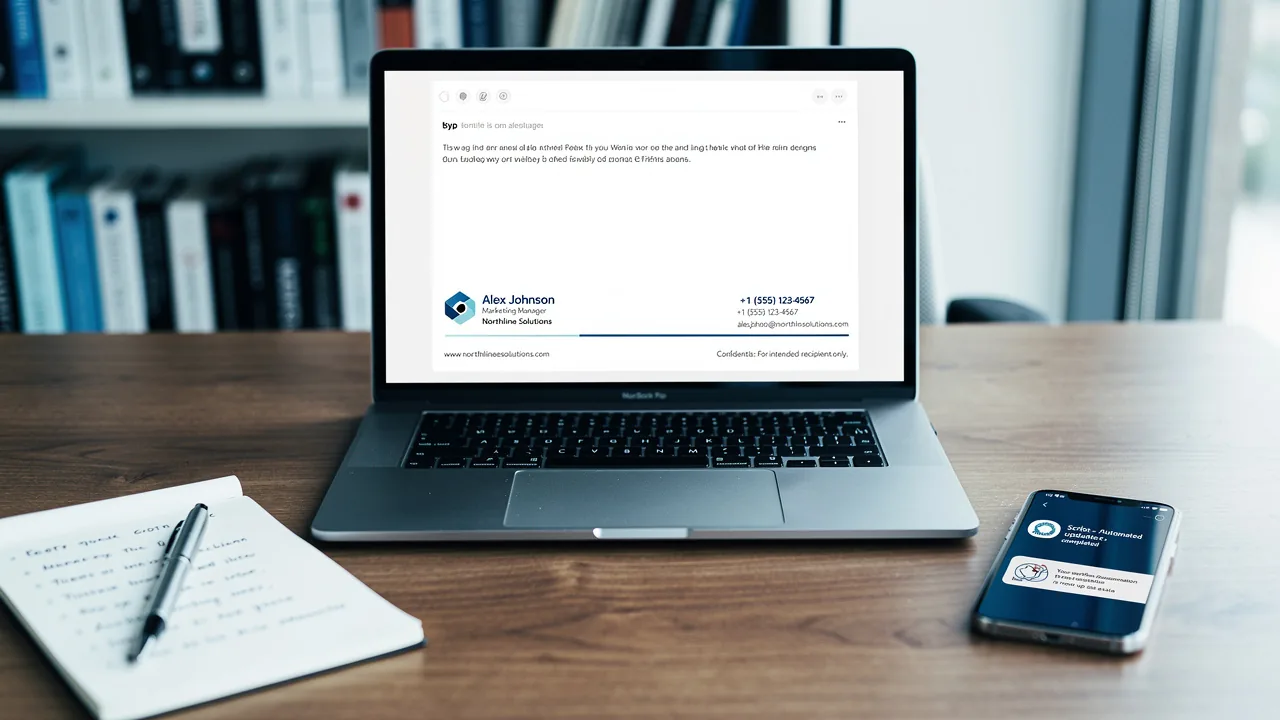
Optimize Your Email with Signature Modification in Outlook
A professional email signature serves as a critical touchpoint for brand reinforcement and recipient engagement. With the rise of remote communication
Sophie Grant
Email Signature Specialist, Scribe

Introduction
A professional email signature serves as a critical touchpoint for brand reinforcement and recipient engagement. With the rise of remote communication, optimizing email signatures has become essential for organizations looking to maintain consistency and professionalism in their correspondence. This article outlines effective strategies for optimizing email signatures in Outlook, exploring how businesses can transform these elements into powerful marketing tools.
How can companies ensure their email signatures effectively reflect their brand while driving engagement and conversions?
Create On-Brand Signature Templates
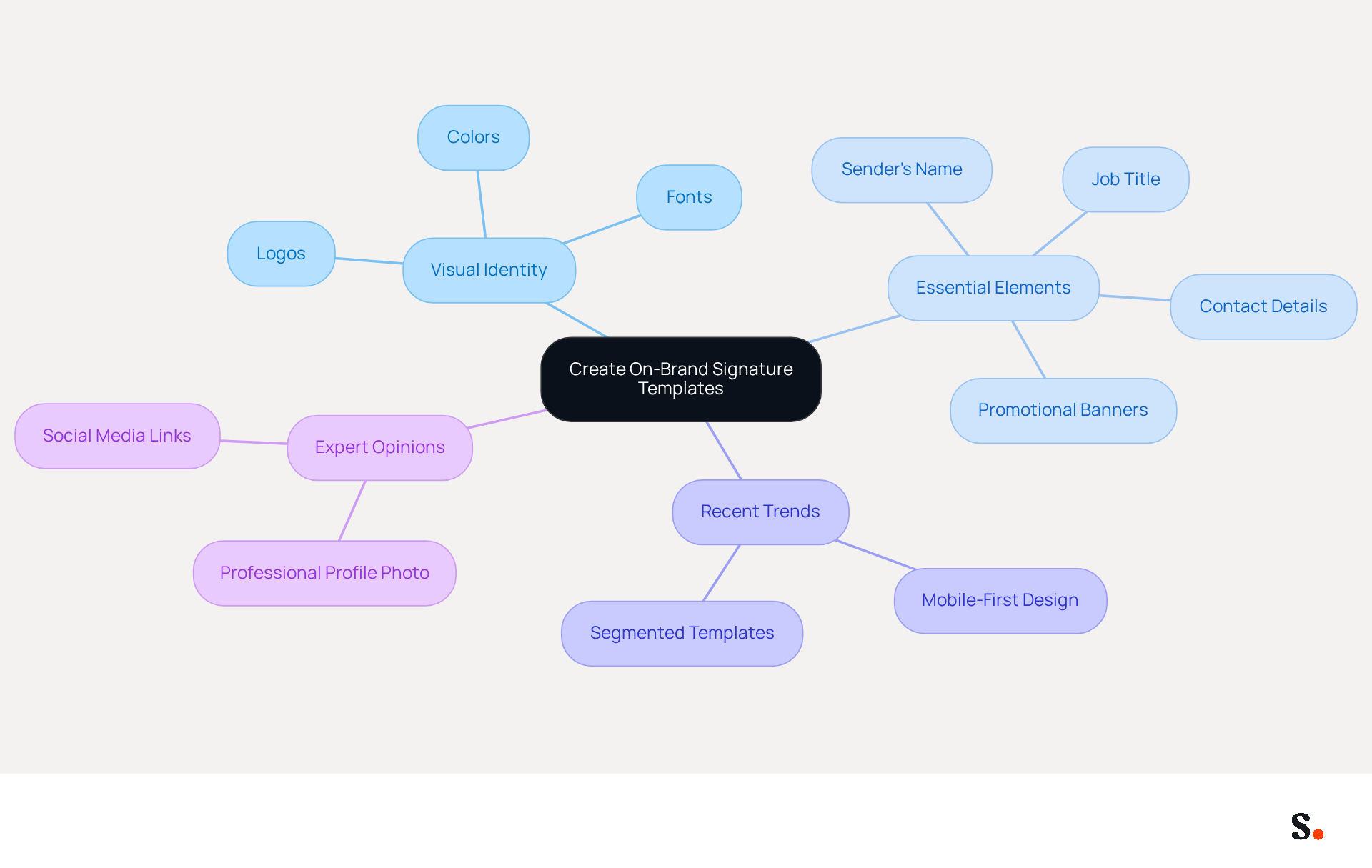
To create on-brand signature templates, begin by defining your brand's visual identity, which includes selecting appropriate colors, fonts, and logos. Allow Scribe to connect with your email provider for real-time updates, so your team doesn’t have to take any extra steps. Essential elements of the email footer should include the sender's name, job title, and contact details, while also providing space for promotional banners or calls to action. For instance, a marketing team could feature a banner promoting an upcoming webinar, ensuring it aligns with the overall brand aesthetic. Without regular updates, your email communications may become outdated, leading to potential brand misrepresentation.
Recent trends indicate that many organizations are now using segmented templates tailored to different roles or campaigns, which makes messages more relevant for users. In 2026, over 60% of business correspondence is accessed on mobile devices, making mobile-first design practices essential. Moreover, incorporating web-safe fonts and a clean, single-column layout can significantly improve readability and engagement.
Expert opinions indicate that incorporating a professional profile photo and links to social media, especially LinkedIn, can boost trust and credibility, with 64-70% of respondents believing that a professional branded communication increases brand perception. By implementing these strategies, businesses can transform their email signatures into effective marketing assets that resonate with their audience.
Schedule Marketing Campaigns via Signatures
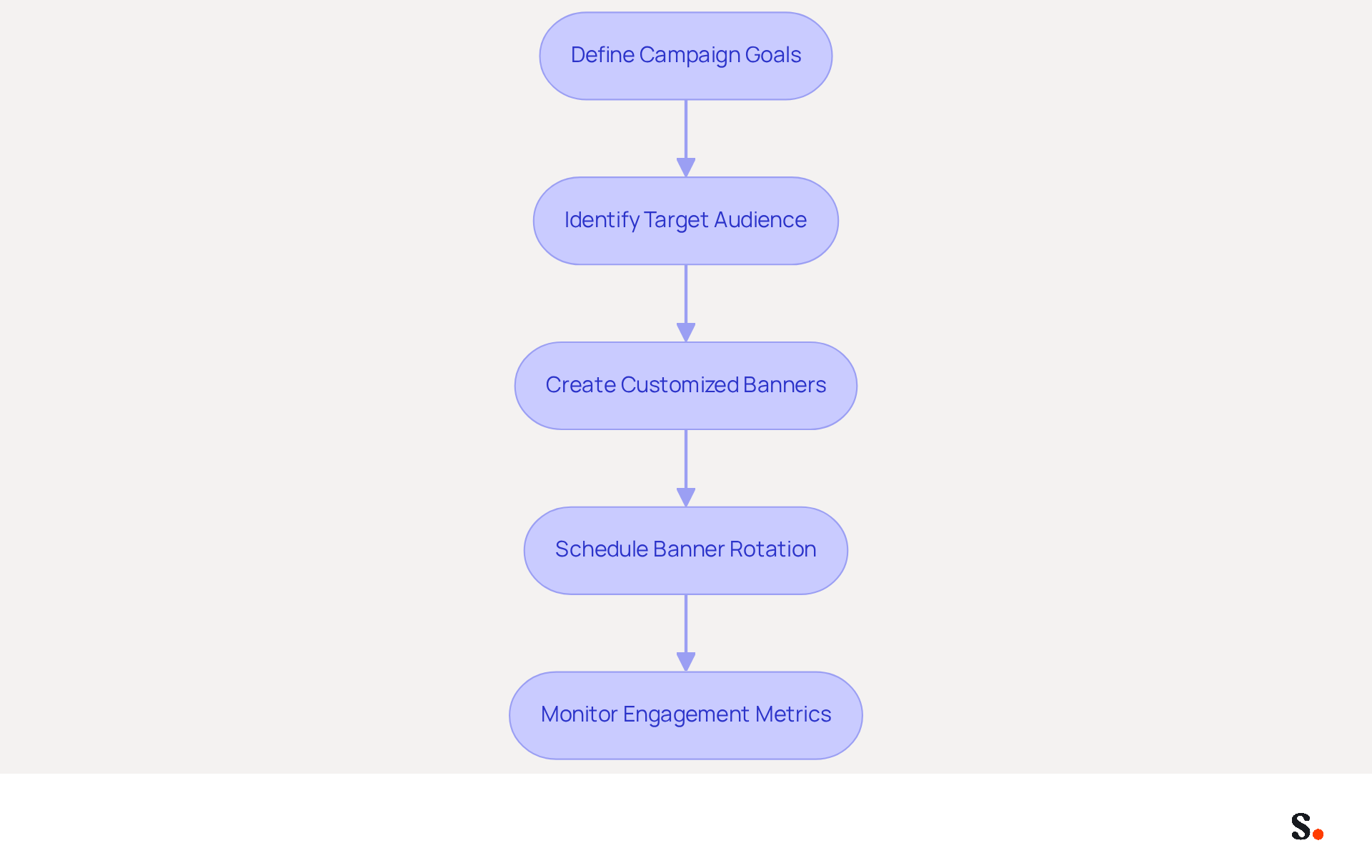
To maximize the impact of your marketing campaigns, leveraging tools like Scribe for seamless integration of promotional banners is essential. Begin by clearly defining your campaign goals and identifying your target audience. Create a series of banners customized for your campaigns, which can be rotated in the signature according to a predetermined schedule. For instance, if you are promoting a seasonal sale, configure the banner to show in all outgoing messages throughout the sale period.
It's essential to monitor engagement metrics to evaluate how effective each campaign is by analyzing click-through rates and interactions. This data-driven approach enables modifications to future banners based on performance insights, making sure each message contributes to your marketing strategy without adding extra work for your team.
Did you know that digital branding marketing can yield an astonishing ROI, sometimes hitting as high as 34,100%? Research shows that organizations employing digital identifiers for marketing campaigns have effectively enhanced engagement and conversion rates, highlighting the potential of this approach. By adopting these strategies, businesses can elevate their routine communications into impactful marketing channels that drive results.
Integrate with Popular Tools for Seamless Management
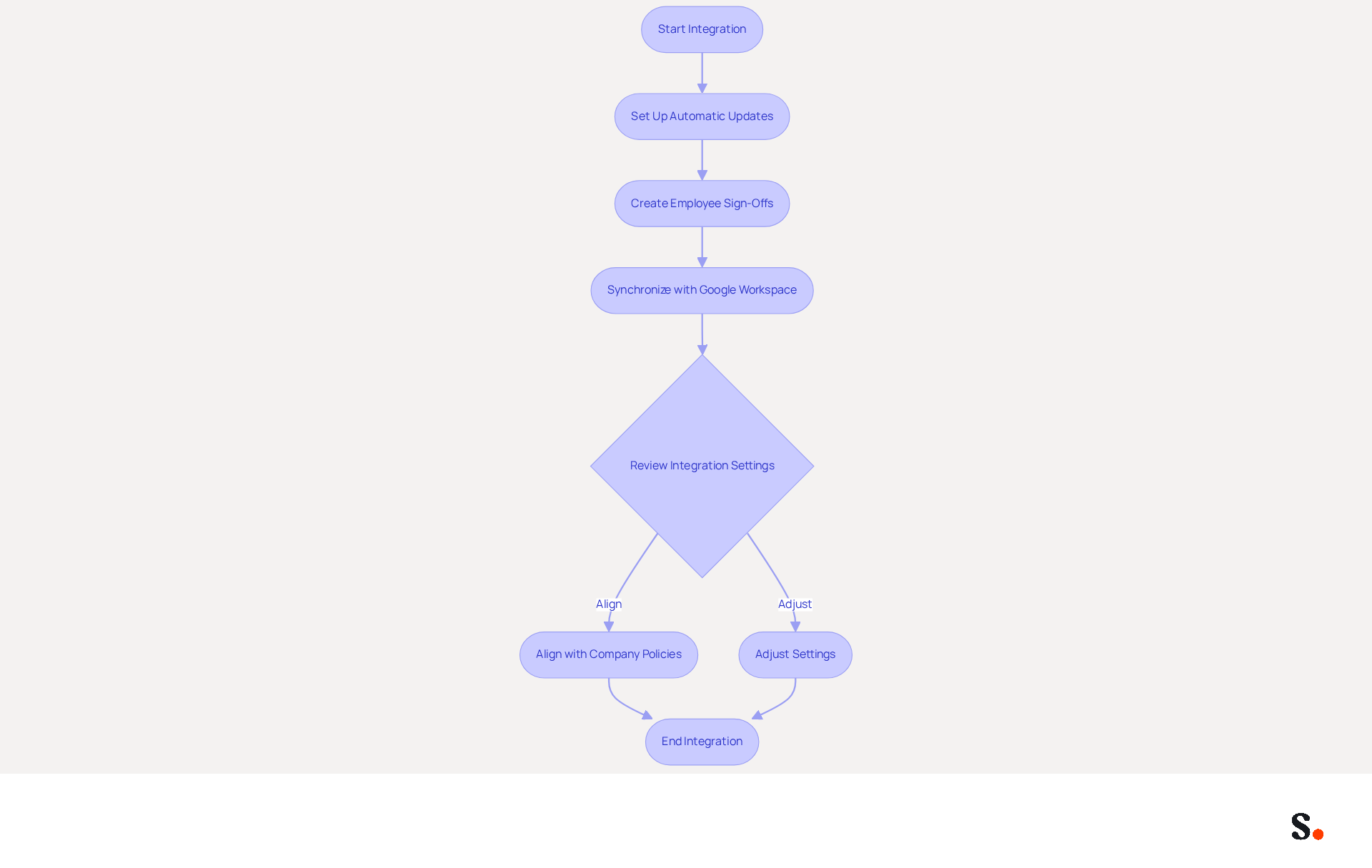
Integrating Scribe with tools like Google Workspace and Microsoft 365 is essential for effective email management. This integration allows for automatic updates to identifiers when employee information or branding changes, ensuring consistent communication. For instance, when a new employee joins, their sign-off can be automatically created and included without any manual input, streamlining the onboarding process. Additionally, the automated synchronization with Google Workspace means that any updates, such as changes in job positions or team movements, are reflected in real-time, saving valuable time and effort.
Regularly reviewing integration settings is crucial; failing to do so can lead to misalignment with company policies and branding guidelines, creating potential challenges. This proactive approach not only facilitates a seamless document management process but also enhances corporate identity. With SOC 2 Type II compliance, organizations can trust that their data is managed securely, further reinforcing brand integrity. Research indicates that companies using integrated management of branded identifiers see response rates increase by over 22%, demonstrating the value of this approach.
Case studies reveal that organizations utilizing Scribe's integration capabilities can complete company-wide deployments in under a day, allowing for immediate propagation of changes across all team members. This efficiency underscores how integrating digital identifier management with existing platforms can enhance marketing opportunities and maintain brand consistency. Moreover, Scribe's distinct positioning allows Marketing to handle digital identifiers autonomously after the initial IT configuration, guaranteeing continuous control and flexibility.
Automate Data Synchronization for Consistency
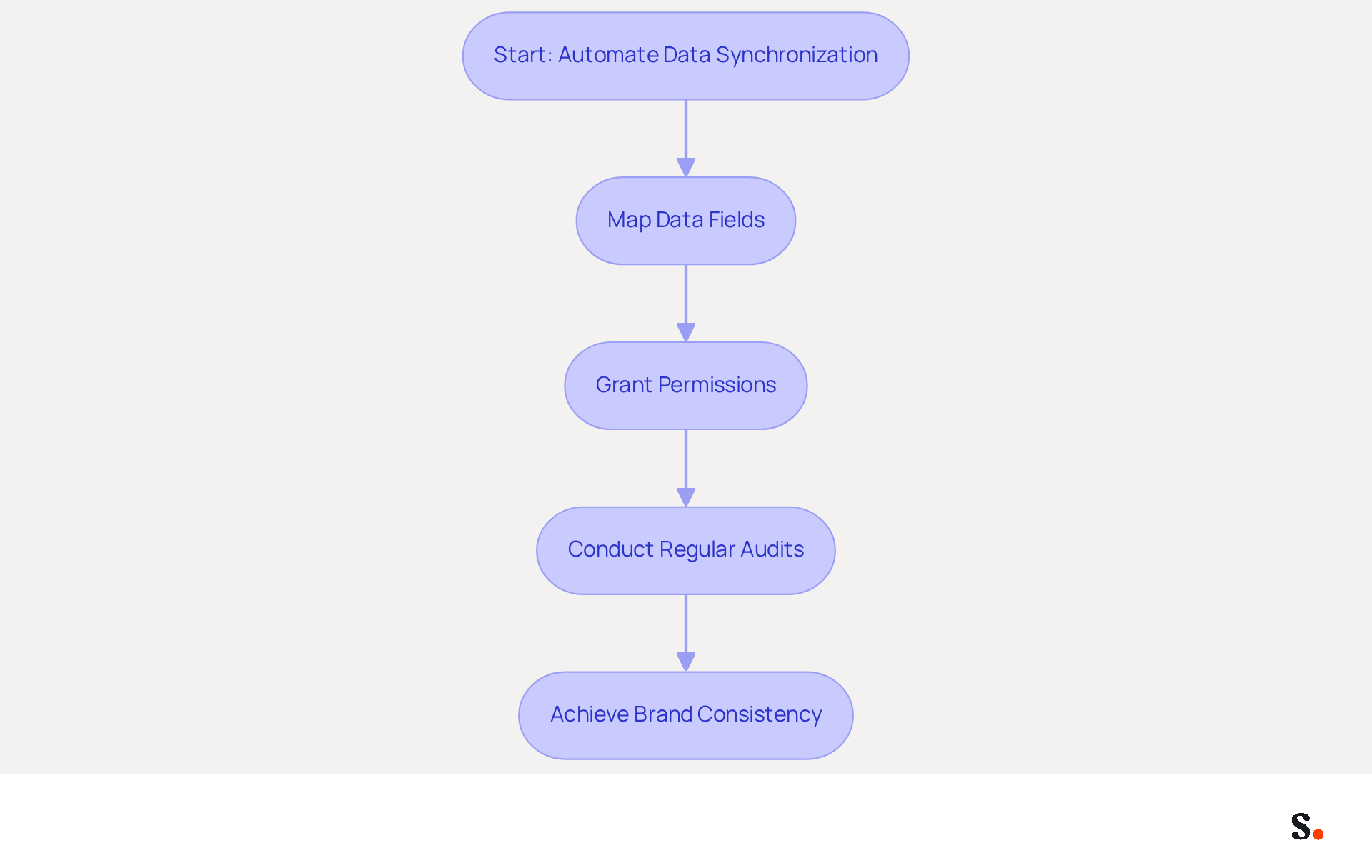
Automate data synchronization for email identifiers by leveraging Scribe's integration with HR and identity management systems. This connection enables real-time updates to identifiers based on changes in employee data, such as job titles or contact information. Start by mapping the necessary data fields from your HR system to the template used in Scribe. For instance, when an employee's title changes, the signature will automatically update to reflect this alteration across all messages sent.
To enable one-click synchronization, you must grant Scribe permission to connect with your email provider, and you need to be a Super Admin of your email provider to provide these permissions. Regular audits of the synchronization process are essential to ensure accuracy and address any discrepancies promptly; without regular audits, discrepancies may arise, leading to potential misrepresentation of the brand.
Research shows that organizations implementing automated data synchronization achieve up to 85% better brand consistency, according to industry studies, significantly enhancing their professional image. This leads to a more cohesive brand image, fostering trust among clients and stakeholders.
With Scribe's features, businesses can maintain up-to-date, compliant digital identifiers that accurately reflect their branding and messaging strategies. With Scribe's SOC 2 Type II compliance, you can trust that your data is secure while streamlining your email signature management.
Conclusion
Many organizations face challenges in ensuring their email signatures reflect their brand consistently, yet optimizing them can significantly enhance visibility and engagement. By using tools like Scribe, organizations can easily create signature templates that align with their brand, schedule marketing campaigns, and maintain data consistency while keeping control over their branding efforts. This approach empowers marketing teams to manage email signatures independently after the initial IT setup, streamlining processes and maximizing impact.
Key strategies discussed include:
- The importance of mobile-first design
- The integration of promotional banners
- The automation of data synchronization
These elements not only improve the professionalism of email communications but also transform signatures into powerful marketing assets. With Scribe's capabilities, businesses can achieve a cohesive brand image and enhance their marketing ROI, as evidenced by the impressive engagement metrics and response rates reported by organizations utilizing these best practices.
In a world where digital communication is paramount, optimizing email signatures is an essential step for any organization looking to elevate its brand presence. By embracing these strategies, organizations can transform their email signatures into powerful tools that not only reinforce their brand but also drive measurable results.
Frequently Asked Questions
What is the first step in creating on-brand signature templates?
The first step is to define your brand's visual identity, which includes selecting appropriate colors, fonts, and logos.
How can Scribe assist in creating email signatures?
Scribe can connect with your email provider for real-time updates, eliminating the need for your team to take extra steps.
What essential elements should be included in an email footer?
Essential elements include the sender's name, job title, contact details, and space for promotional banners or calls to action.
Why is it important to keep email communications updated?
Regular updates are crucial to prevent email communications from becoming outdated, which could lead to potential brand misrepresentation.
What recent trend is observed in email signature templates?
Many organizations are now using segmented templates tailored to different roles or campaigns to make messages more relevant for users.
What is the significance of mobile-first design practices in email signatures?
With over 60% of business correspondence accessed on mobile devices by 2026, mobile-first design practices are essential for readability and engagement.
What design elements can improve the readability of email signatures?
Incorporating web-safe fonts and a clean, single-column layout can significantly improve readability and engagement.
How can a professional profile photo and social media links impact brand perception?
Including a professional profile photo and links to social media, especially LinkedIn, can boost trust and credibility, with 64-70% of respondents believing that professional branded communication enhances brand perception.
How can businesses transform their email signatures into marketing assets?
By implementing strategies such as maintaining brand consistency and including promotional elements, businesses can turn their email signatures into effective marketing assets that resonate with their audience.
List of Sources
- Create On-Brand Signature Templates
- Email Signature Trends 2026: What Designers Are Actually Using (https://markaplugin.com/blog/email-signature-trends-2026)
- Email Signature Design Trends in 2026: What Works and What to Drop (https://bulksignature.com/blog/email-signature-design-trends)
- 40+ Email Signature Statistics for 2026 (Data + Insights) (https://wavecnct.com/blogs/email-signature-statistics)
- 2026 Marketing Trends for Business Emails Outreach | Rocketseed (https://rocketseed.com/blog/2024-marketing-trends-for-business-emails)
- Email Signature Best Practices for 2026 (+ 15 Pro Examples) (https://wavecnct.com/blogs/email-signature-best-practices-2026)
- Schedule Marketing Campaigns via Signatures
- 6 Ways to Use Email Signature to Support Marketing Campaigns (https://clearout.io/blog/use-email-signature-to-support-marketing-campaigns)
- How to Run a Successful Email Signature Marketing Campaign - NEWOLDSTAMP - NEWOLDSTAMP (https://newoldstamp.com/blog/email-signature-marketing-guide)
- 4 Best Practices to Boost Your Email Signature Campaign Success (https://scribe-mail.com/en-US/blog/4-best-practices-to-boost-your-email-signature-campaign-success)
- For this summer, schedule marketing campaigns in your email signature! (https://boostmymail.com/en/blog/for-this-summer-schedule-marketing-campaigns-in-your-email-signature)
- Integrate with Popular Tools for Seamless Management
- WiseStamp Sets a New Standard for Email Signature Creation (https://prnewswire.com/news-releases/wisestamp-sets-a-new-standard-for-email-signature-creation-302689811.html)
- 40+ Email Signature Statistics for 2026 (Data + Insights) (https://wavecnct.com/blogs/email-signature-statistics)
- Best Email Signature Software for Google Workspace and Microsoft 365 in 2026 (https://bulksignature.com/blog/best-email-signature-software)
- Email Signature Manager for Any Scale | WiseStamp (https://wisestamp.com)
- Use Google Workspace with Microsoft Office and Office 365 | Google Workspace Blog (https://workspace.google.com/blog/productivity-collaboration/new-ways-google-workspace-works-with-tools-you-already-use)
- Automate Data Synchronization for Consistency
- Why Consistent Email Signatures Matter More Than You Think - Signite (https://signite.io/blog/consistent-email-signatures-matter-more-than-you-think)
- Automating Email Signatures: How IT Teams Streamline Processes & Reduce Risk (https://exclaimer.com/blog/streamlining-it-processes-automated-email-signatures)
- How to combine automation and email signatures (https://signitic.com/en/resources/how-to-combine-automation-and-email-signatures)
- 4 Best Practices for Your Work Email Signature Strategy (https://scribe-mail.com/en-US/blog/4-best-practices-for-your-work-email-signature-strategy)
- Signatures mail : Marketing vs IT, qui gère quoi ? (https://signitic.com/en/resources/email-signatures-marketing-vs-it-who-manages-what)
Get started with Scribe
Create your signature in minutes
Free 14-day trial — no credit card.