What Is an Outlook Signature and Where to Find It?
In an age where digital communication defines professional interactions, the role of email signatures emerges as a critical factor in branding and credibility
Sophie Grant
Email Signature Specialist, Scribe
On this page
- Introduction
- Define Outlook Signature: Purpose and Functionality
- Contextualize the Importance of Email Signatures in Professional Communication
- Locate Your Outlook Signature: Step-by-Step Guide
- Explore Customization and Automation Options for Outlook Signatures
- Conclusion
- Frequently Asked Questions
- List of Sources
Introduction
In an age where digital communication defines professional interactions, the role of email signatures emerges as a critical factor in branding and credibility. These seemingly simple elements serve as vital tools for branding, providing essential contact information while enhancing professional credibility. This raises the question of how one can effectively locate and customize their Outlook signature to maximize its impact? This article delves into the purpose and functionality of Outlook signatures, offering a comprehensive guide to finding and optimizing them for professional communication.
Define Outlook Signature: Purpose and Functionality
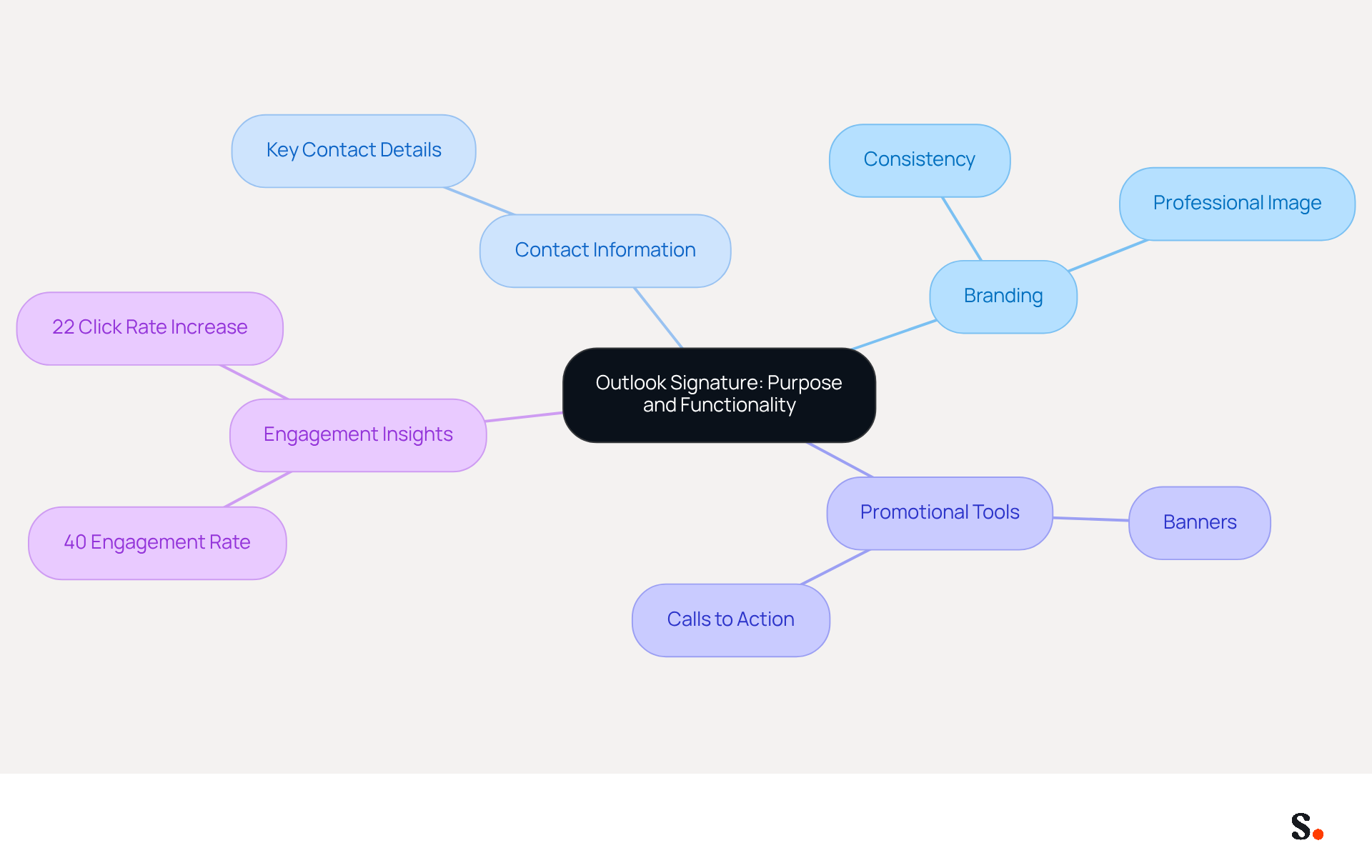
Inconsistent branding can undermine an organization's professional image, highlighting the importance of knowing where is Outlook signature for a standardized sign-off. An Outlook sign-off primarily serves to give recipients key contact details while also answering the question of where is Outlook signature to project a professional image. By standardizing the information included in digital communications, organizations can ensure consistency and enhance their branding efforts.
These elements can also act as effective promotional tools, highlighting company values or upcoming events through the inclusion of banners or calls to action. Recent insights suggest that electronic identifiers have transformed into strategic promotional tools, with engagement rates reaching 40%, considerably higher than conventional campaigns. Moreover, incorporating dynamic elements, such as personalized banners, can increase click rates by 22%, further enhancing the effectiveness of communications.
This recognition is prompting companies to integrate digital identifiers into their communication strategies for 2026. By embracing this strategy, companies can transform every email into a powerful tool for lead generation and brand reinforcement.
Contextualize the Importance of Email Signatures in Professional Communication
In an era where digital communication defines professional interactions, the role of email identifiers has never been more critical. Email identifiers are crucial in professional communication, acting as a consistent representation of the sender and their organization. A well-crafted mark not only boosts credibility but also cultivates trust among recipients. Acting as a digital business card, it provides key information at a glance, including contact details and branding elements.
Personalizing sign-offs to reflect company identity strengthens recognition with every message sent. For instance, adding social media links or promotional banners can greatly enhance engagement and lead generation, transforming email signatures into powerful marketing assets.
Research indicates that:
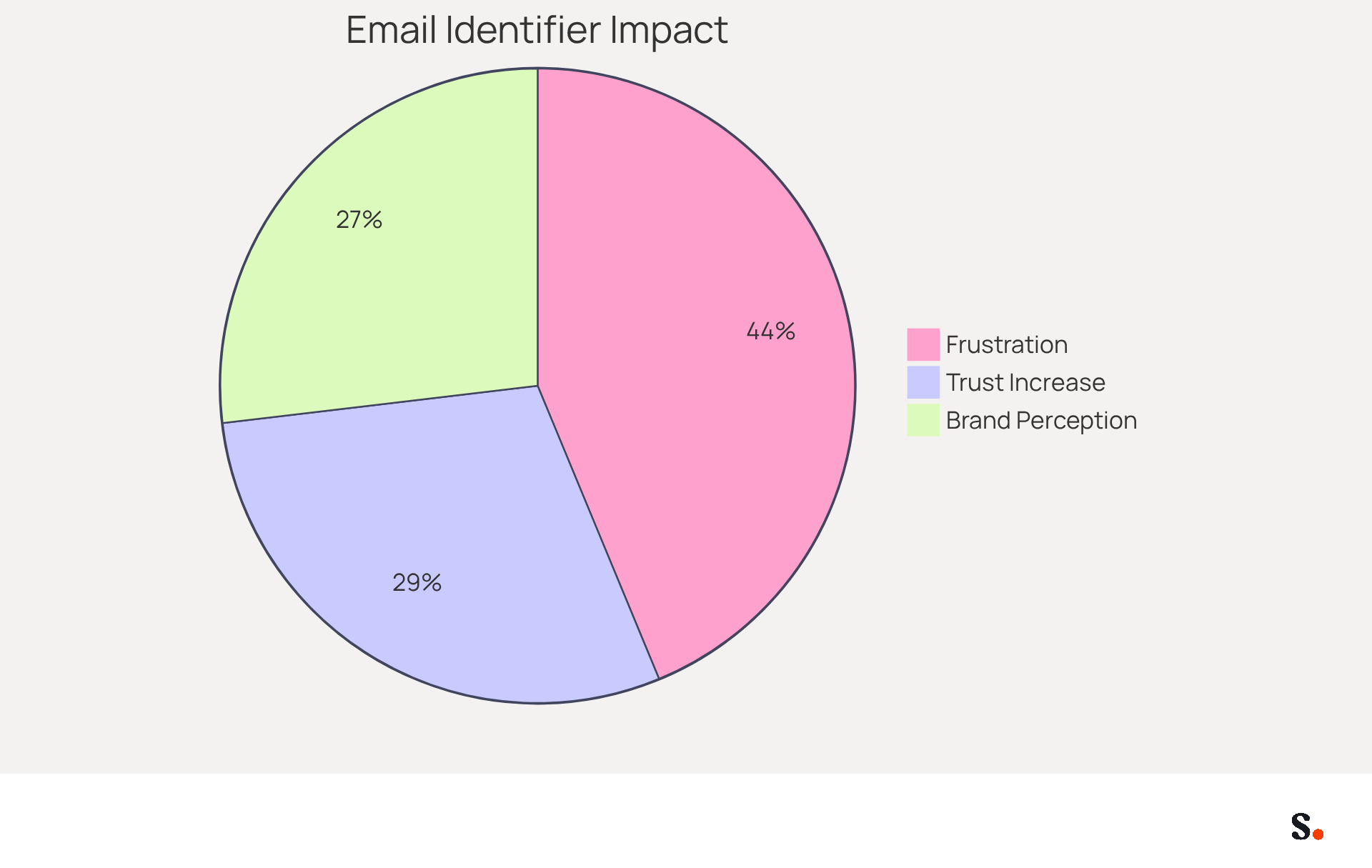
- 70% of consumers become frustrated when companies omit digital identifiers, underscoring their importance in maintaining professional standards.
- Messages with branded identifiers can boost consumer trust by 47%.
- Messages with branded identifiers can enhance favorable brand perception by 43%.
As digital communication evolves, organizations must prioritize the integration of effective email identifiers to maintain professionalism and trust. By utilizing Scribe's automated synchronization with platforms like Aircall and Google Workspace, companies can easily keep their email footers updated with any changes to employee information. This not only saves time but also guarantees brand consistency across all communications, reinforcing the organization's identity and professionalism.
Locate Your Outlook Signature: Step-by-Step Guide
To effectively manage your Outlook email footer in 2026, it is essential to know where is Outlook signature and follow these straightforward steps:
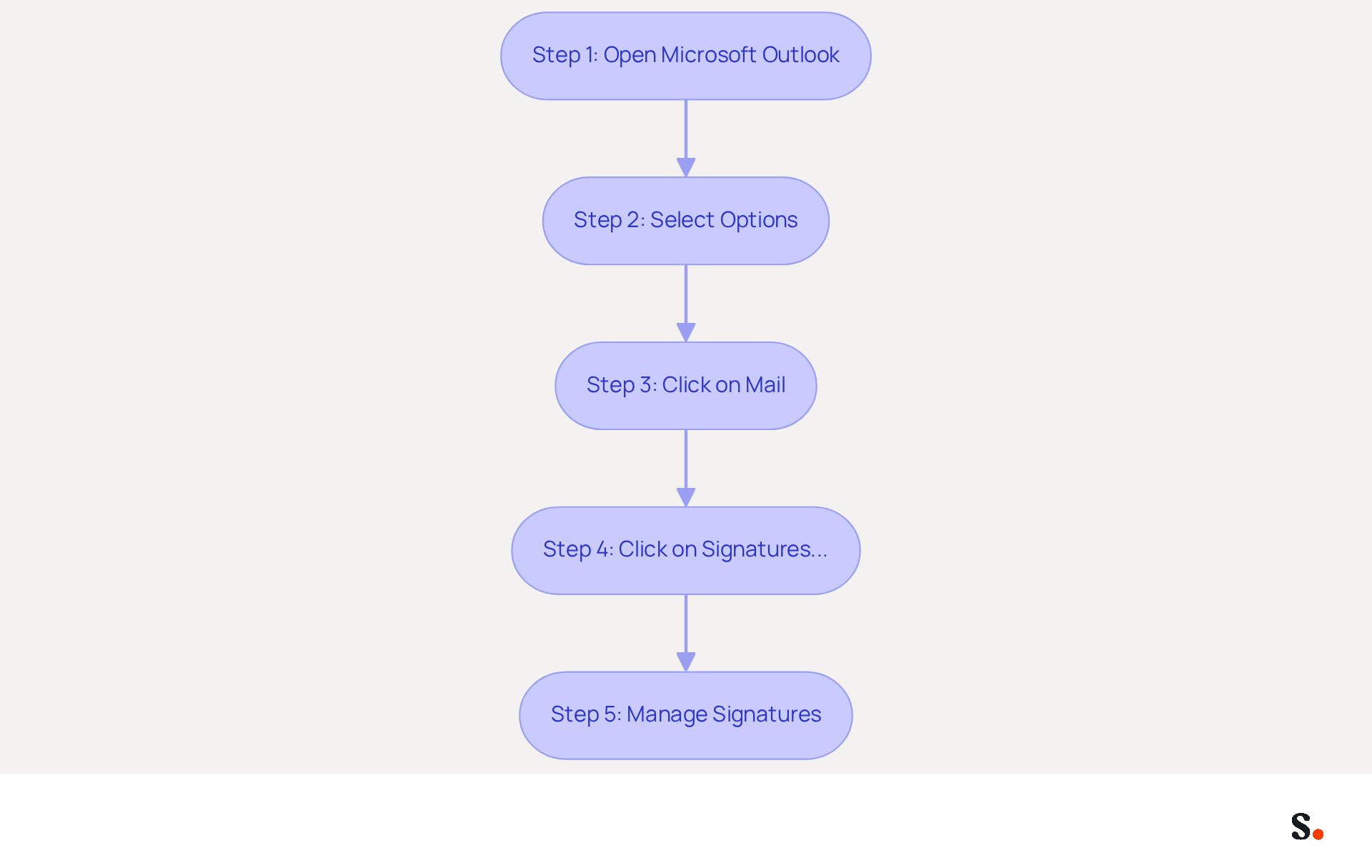
- Open Microsoft Outlook and click on 'File' in the top left corner.
- Select 'Options' from the menu.
- In the Outlook Options window, you may wonder where is the Outlook signature; click on 'Mail' in the left sidebar.
- To determine where is Outlook signature, click on the 'Signatures...' button.
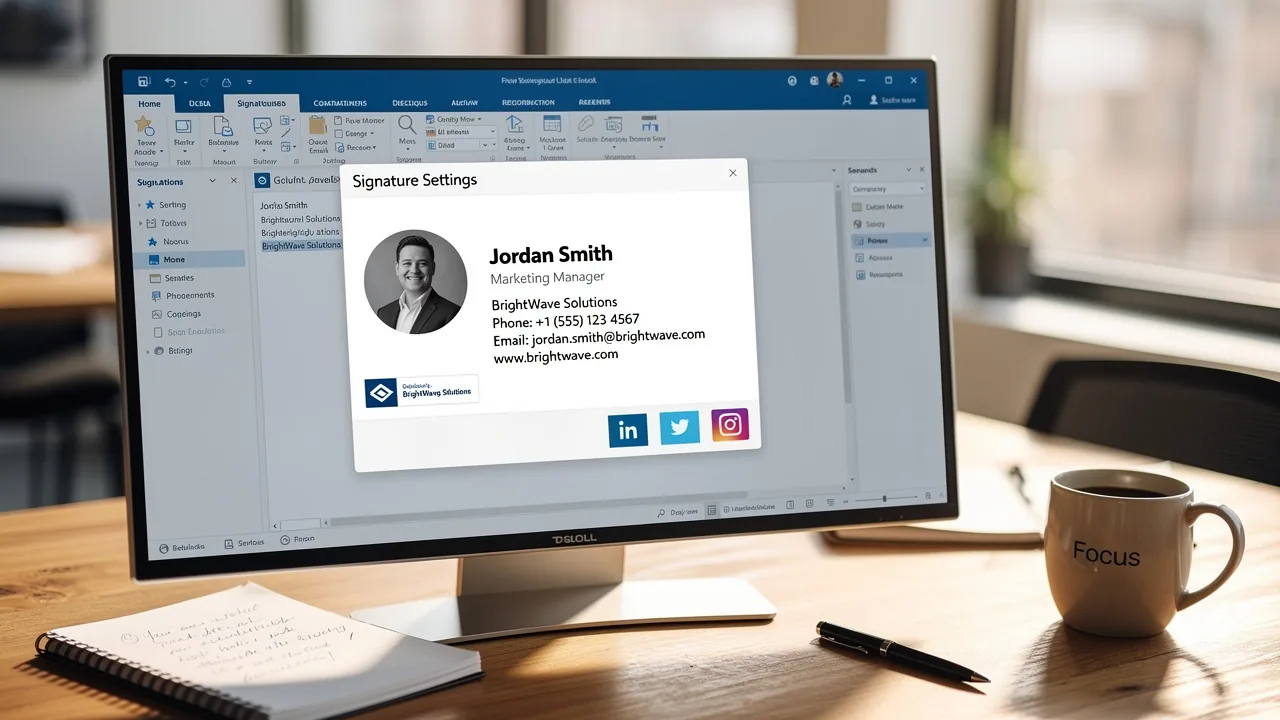
- In the Signatures and Stationery window, you can check where is Outlook signature along with a list of your current entries. Here, you can create a new sign-off, modify an existing one, or remove sign-offs you no longer require.
This procedure is vital. In fact, 89.9% of people use one primary digital format, which highlights the importance of maintaining a consistent image. Regular evaluations of digital identifiers ensure they stay current and relevant, which is essential for improving brand visibility and trust. Following these steps allows users to manage their digital identifiers effectively, keeping them aligned with current branding strategies and marketing efforts.
To enable one-click synchronization with Scribe, you must grant permission for Scribe to connect with your service provider, requiring Super Admin access. Furthermore, with Scribe's efficient synchronization, you can automatically sync your identifiers with Google Workspace, conserving time and ensuring that any updates in your directory are reflected in real-time. Scribe's SOC 2 Type II compliance ensures the protection of your data, making it a reliable option for managing digital identifiers. Additionally, 28.7% of businesses employ electronic identifiers mainly to improve branding and brand recognition, highlighting the marketing potential of such tools. By leveraging Scribe, businesses can enhance their branding efforts and ensure their digital identifiers remain relevant and impactful.
Explore Customization and Automation Options for Outlook Signatures
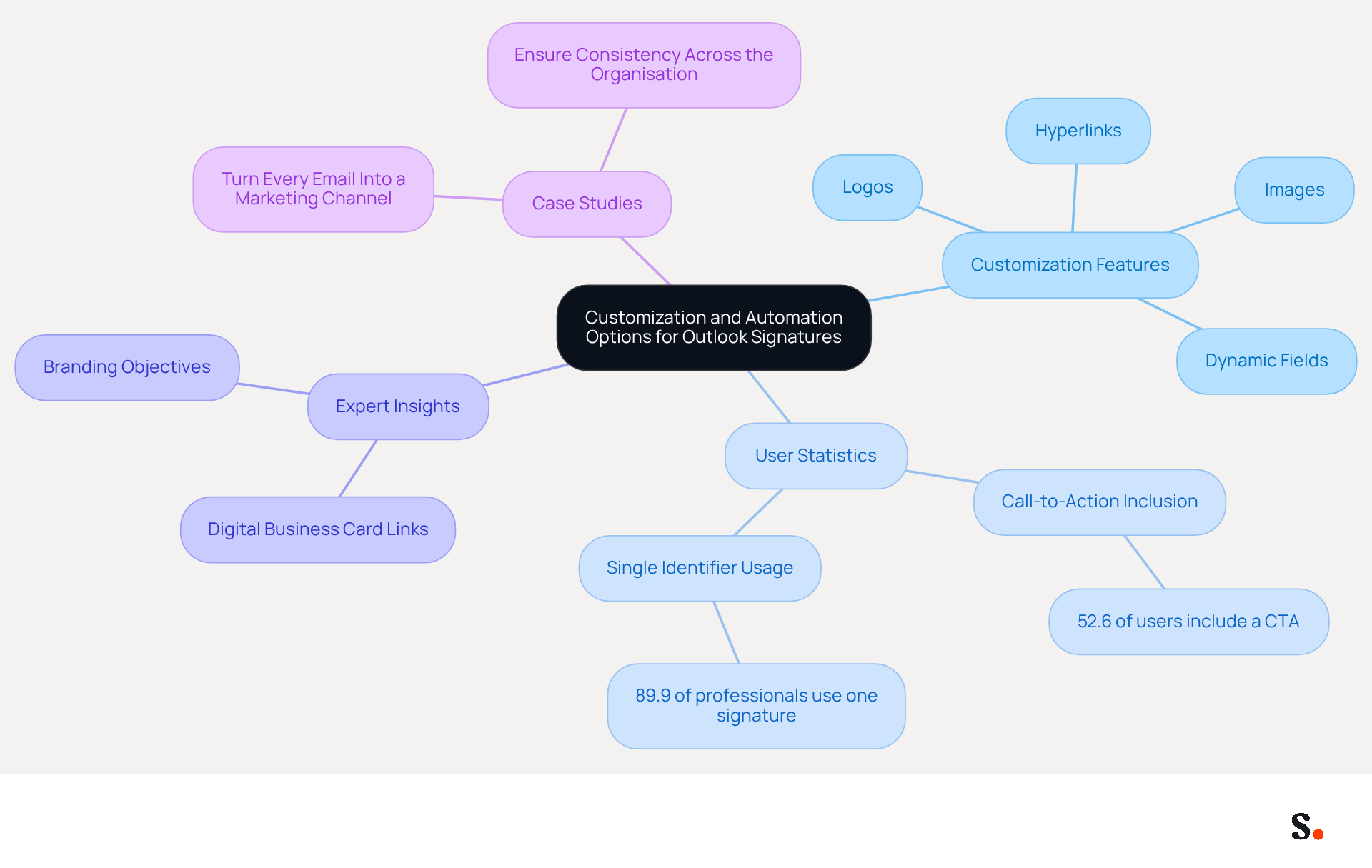
Outlook's customization capabilities empower users to create distinct and branded communication experiences. Users can easily incorporate images, logos, and hyperlinks to social media profiles, significantly enhancing the visual appeal of their email footers. Additionally, Outlook facilitates the automation of email identifiers, enabling users to assign different identifiers for new messages, replies, and forwards. This feature is especially beneficial for businesses that want to maintain a consistent brand image in all their communications.
By 2026, customization options will feature dynamic fields that update automatically with user attributes, keeping endorsements current and relevant. Notably, 52.6% of users include a call-to-action (CTA) in their identifiers, and 76% believe that branded communications build trust with the sender. Despite these advantages, a significant 89.9% of professionals still rely on a single digital identifier, indicating a missed opportunity for personalization.
Expert insights highlight the importance of personalizing digital communication headers for branding objectives. For instance, incorporating a digital business card link can enhance recipient engagement and confidence. Case studies demonstrate that organizations utilizing automated message footers can convert every correspondence into a promotional channel, ensuring consistent branding and communication at virtually no cost. By utilizing Scribe's automation capabilities, businesses can streamline the management of email signatures across teams, ensuring that all employees present a unified brand identity while maximizing marketing opportunities. Relying on a single identifier not only restricts personalization but also reduces opportunities for deeper engagement and stronger brand loyalty.
Conclusion
Recognizing the critical role of an Outlook signature is vital for professionals seeking to enhance their communication strategy. An Outlook signature not only provides vital contact information but also serves as a branding tool that reinforces an organization's identity. By mastering the location and customization of these signatures, professionals can ensure consistency and professionalism in their digital correspondence.
The article delves into the purpose and functionality of Outlook signatures, emphasizing their role in establishing credibility and trust. Key insights reveal that well-crafted signatures can significantly impact consumer perception and engagement, with statistics highlighting the frustration consumers feel when digital identifiers are absent. Furthermore, the step-by-step guide provided simplifies the process of locating and managing these signatures, ensuring that users can easily maintain their branding efforts.
In today's digital communication landscape, the significance of effective email signatures is increasingly critical. Organizations should utilize Scribe to automate and customize their email signatures, ensuring brand consistency and maximizing marketing potential. By implementing these strategies, businesses can turn each email into a strategic marketing opportunity that strengthens their brand presence.
Frequently Asked Questions
What is the purpose of an Outlook signature?
The purpose of an Outlook signature is to provide recipients with key contact details and to project a professional image for the organization.
How does an Outlook signature contribute to branding?
An Outlook signature helps standardize the information included in digital communications, ensuring consistency and enhancing branding efforts.
What promotional opportunities can be included in an Outlook signature?
An Outlook signature can include elements such as banners or calls to action that highlight company values or upcoming events.
What are the engagement rates for electronic identifiers in emails?
Recent insights suggest that engagement rates for electronic identifiers can reach 40%, which is considerably higher than conventional campaigns.
How can dynamic elements in an Outlook signature improve communication effectiveness?
Incorporating dynamic elements, such as personalized banners, can increase click rates by 22%, enhancing the overall effectiveness of communications.
What trend is emerging regarding the use of digital identifiers in communication strategies?
Companies are recognizing the importance of integrating digital identifiers into their communication strategies for 2026, transforming every email into a tool for lead generation and brand reinforcement.
List of Sources
- Define Outlook Signature: Purpose and Functionality
- Why Email Signatures Must Be In Your 2026 Marketing Plan | Rocketseed (https://rocketseed.com/blog/2026-marketing-plan-email-signatures)
- Email signature statistics: Why every business should optimize their email signatures — Stripo.email (https://stripo.email/blog/email-signature-statistics-why-every-business-should-optimize-their-email-signatures)
- The impact of email signatures on your branding (https://signitic.com/en/resources/the-impact-of-email-signatures-on-your-branding)
- Email Signature Trends in Numbers: Infographic [2026] (https://mailtrap.io/blog/email-signature-trends)
- Contextualize the Importance of Email Signatures in Professional Communication
- Research Recap: Branded Email Signatures Increase Company Recognition, Trust - Demand Gen Report (https://demandgenreport.com/industry-news/research-recap-branded-email-signatures-increase-company-recognition-trust/47252)
- Email Signature Trends 2026: Centralized Control & Automation | SIGNandGO posted on the topic | LinkedIn (https://linkedin.com/posts/signngo_email-signature-trends-to-watch-in-2026-activity-7401523471786217473-zAVL)
- Why Email Signatures Must Be In Your 2026 Marketing Plan | Rocketseed (https://rocketseed.com/blog/2026-marketing-plan-email-signatures)
- The impact of email signatures on your branding (https://signitic.com/en/resources/the-impact-of-email-signatures-on-your-branding)
- Locate Your Outlook Signature: Step-by-Step Guide
- Email signature statistics: Why every business should optimize their email signatures — Stripo.email (https://stripo.email/blog/email-signature-statistics-why-every-business-should-optimize-their-email-signatures)
- Outlook: Adding Email Signatures (https://td.usnh.edu/TDClient/60/Portal/KB/Article/4666/Outlook-Adding-Email-Signatures)
- Outlook 365 Signature Location: Find Your Email Signature - NEWOLDSTAMP (https://newoldstamp.com/blog/outlook-signature-location)
- Creating and managing signatures in Outlook (https://help.ohio.edu/TDClient/30/Portal/KB/Article/213/Creating-and-managing-signatures-in-Outlook)
- Email Signatures vanishing - New Outlook | Microsoft Community Hub (https://techcommunity.microsoft.com/discussions/outlookgeneral/email-signatures-vanishing---new-outlook/4418809)
- Explore Customization and Automation Options for Outlook Signatures
- How Automated Email Signatures in Outlook Can Help Businesses Spread Their Marketing Message - Target Integration (https://targetintegration.com/en_us/automated-email-signatures-outlook-can-help-marketing)
- 40+ Email Signature Statistics for 2026 (Data + Insights) (https://wavecnct.com/blogs/email-signature-statistics)
- Central and automatic email signatures for Office 365 (https://codetwo.com/email-signatures/central-and-automatic)
- Email Signature Statistics: A Closer Look at Email Signatures in 2026 (https://mysignature.io/blog/email-signature-statistics)
- What's new in new Outlook for Windows | Microsoft Support (https://support.microsoft.com/en-us/outlook/getstarted/what-s-new-in-new-outlook-for-windows)
Get started with Scribe
Create your signature in minutes
Free 14-day trial — no credit card.