What is the Best Size for Email Signature Images and Why It Matters
In a digital landscape where first impressions are often formed through screens, the size of email signature images can significantly impact professional
Sophie Grant
Email Signature Specialist, Scribe

On this page
- Introduction
- Define Email Signature Image Size: Key Dimensions and Importance
- Explore the Evolution of Email Signature Size Standards and Their Relevance
- Identify Best Practices for Optimal Email Signature Image Dimensions
- Address Common Display Issues and Challenges with Email Signature Sizes
- Conclusion
- Frequently Asked Questions
- List of Sources
Introduction
In a digital landscape where first impressions are often formed through screens, the size of email signature images can significantly impact professional communication. The right dimensions not only enhance the professional appearance of emails but also play a vital role in brand consistency and engagement rates. Given the varying standards and the rise of mobile access, what steps can organizations take to ensure their email signatures strike the right balance between visual appeal and functionality?
Define Email Signature Image Size: Key Dimensions and Importance
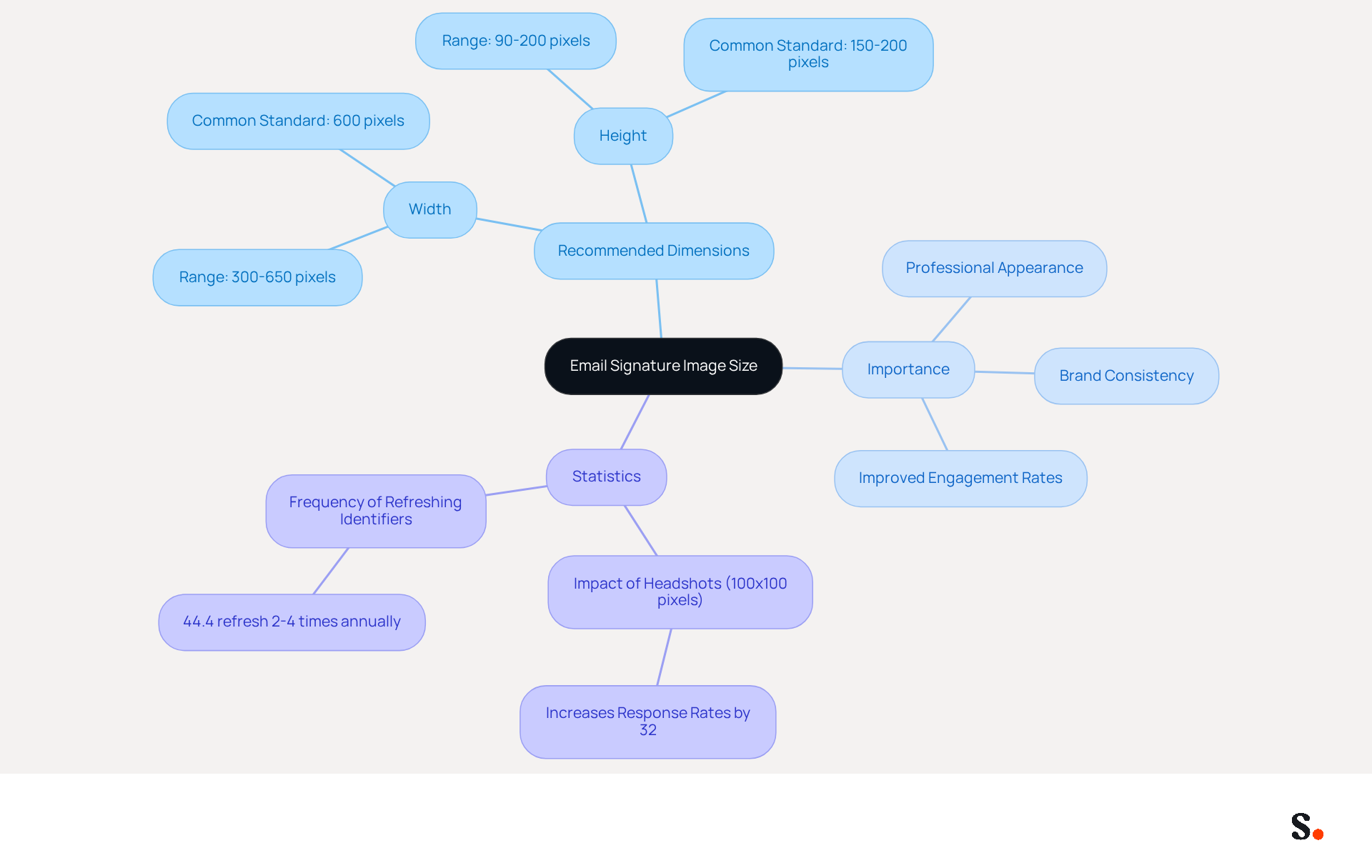
Ensuring the best size for email signature image graphics is vital for optimal display across diverse email clients and devices. The best size for email signature image is typically recommended to range from 300 to 650 pixels in width and 90 to 200 pixels in height, with a common standard suggesting a width of 600 pixels and a height between 150 to 200 pixels. Getting the sizing right prevents display issues and ensures your visuals are both visible and impactful.
Appropriately sized visuals not only enhance the professional look of communications but also contribute to brand consistency and improved engagement rates. For instance, using high-quality headshots sized at 100x100 pixels can increase response rates by 32%. Additionally, maintaining a total file size under 100KB is essential for quick loading times, particularly on mobile devices.
It's important to regularly check and update your digital identifiers to keep your images aligned with current branding and effective; in fact, 44.4% of users refresh their identifiers 2-4 times annually. Case studies have demonstrated that following these guidelines, such as the effect of professional headshots on response rates, can significantly improve the overall communication experience, leading to better engagement and conversion rates.
Explore the Evolution of Email Signature Size Standards and Their Relevance
The evolution of electronic communication standards has been driven by technological advancements and shifting user preferences. Initially, electronic correspondences lacked regulation, leading to a disordered variety of sizes and formats that often disrupted communication flow. As messaging clients advanced, the necessity for standardized dimensions became clear to ensure compatibility and professionalism.
According to the most widely accepted standards, the best size for email signature image is a maximum width of 650 pixels and a height between 90 and 150 pixels. These dimensions represent the best size for email signature image, as they accommodate both desktop and mobile viewing, ensuring that elements are displayed correctly across devices.
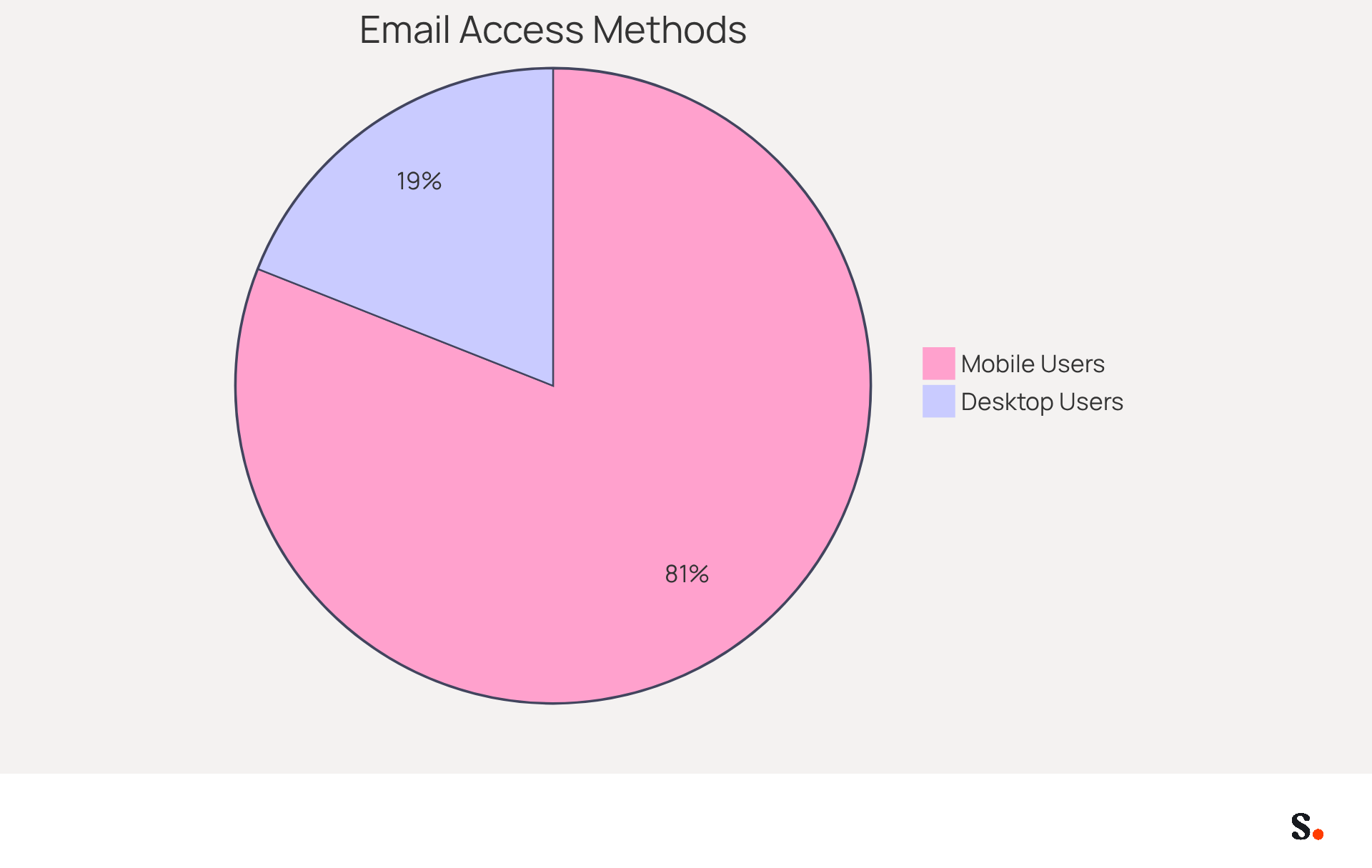
With 81% of users accessing emails on mobile, the push for mobile-friendly designs has further solidified these standards, highlighting why following these size guidelines is crucial for businesses aiming to maintain a professional image and enhance engagement.
Organizations that implement these best practices have reported enhanced brand recognition and an average click-through rate of 12% on branded banners, emphasizing the significance of adhering to established size guidelines. This automated management simplifies the process and ensures compliance with SOC 2 Type II standards for secure data handling, making it an ideal solution for marketing teams striving for efficiency and brand consistency.
Identify Best Practices for Optimal Email Signature Image Dimensions
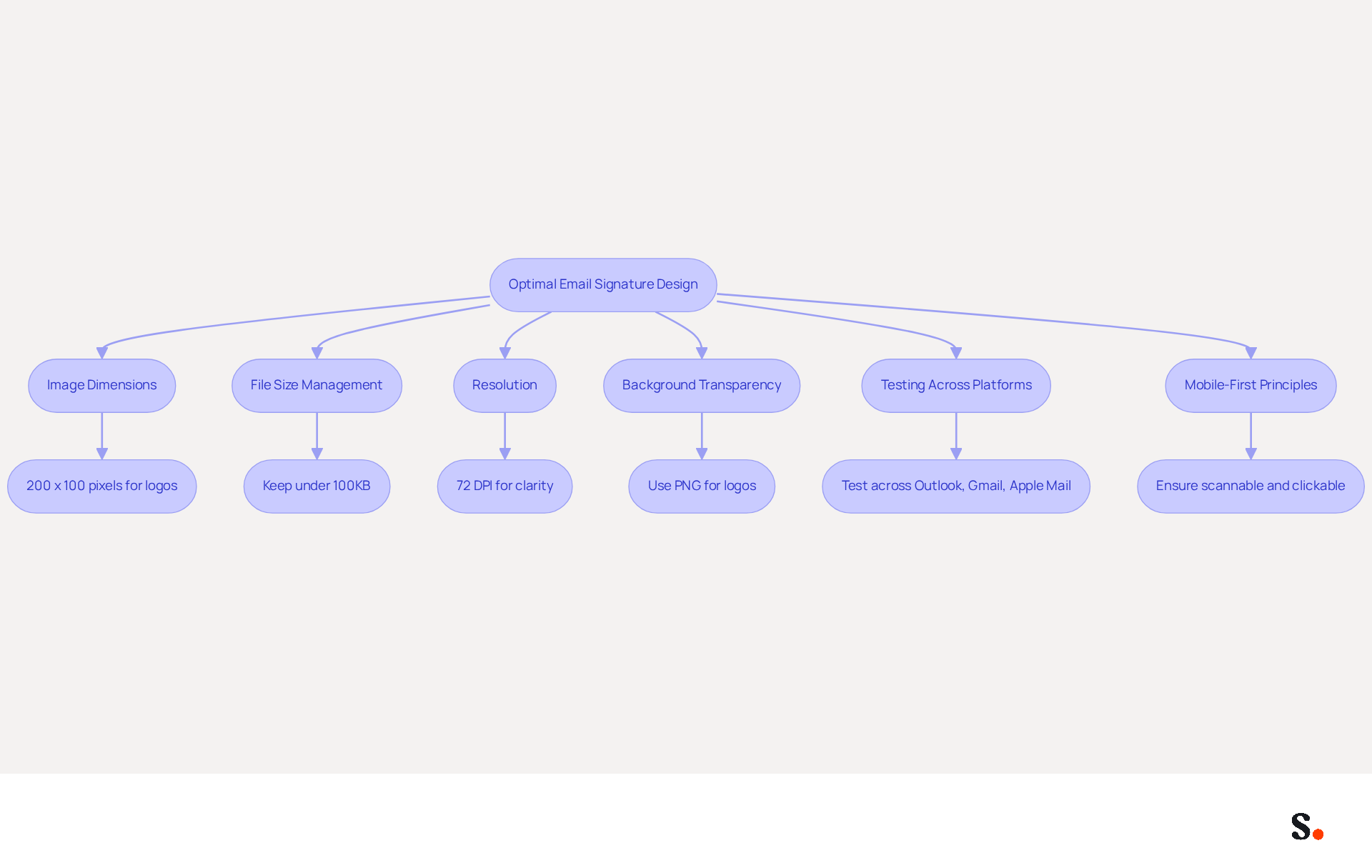
To ensure email signatures are both effective and professional, it is essential to follow the best size for email signature image. First, visuals must be adjusted according to their intended display dimensions; for instance, if a logo is meant to appear at 200 x 100 pixels, the file should be created at that exact measurement to avoid scaling issues. Managing file sizes effectively is essential to ensure emails are delivered without issues, with a total file size kept under 100KB for quick loading times. Studies show that visuals exceeding 15KB can be flagged as attachments in Google inboxes, potentially undermining the professional appearance of the signature.
Utilizing high-resolution visuals, ideally at least 72 DPI, guarantees clarity on high-definition displays. Incorporating a transparent background can enhance the visual appeal of logos and images, allowing for seamless integration with various background designs. Furthermore, the best size for email signature image is recommended to be 100 pixels wide and 100 pixels tall, which preserves a professional appearance without cluttering the design.
Testing the design across various messaging platforms is crucial to guarantee uniform appearance and functionality. For instance, a well-organized message footer can result in a 40% boost in engagement through strategic call-to-action placement. This demonstrates that optimizing contact details can significantly enhance engagement metrics, as organizations that refreshed their contact details to include registration links experienced a remarkable 180% rise in webinar signups.
As we move into 2026, effective design for digital footers must prioritize mobile-first principles, ensuring that they are scannable, clickable, and fast-loading across all platforms, especially since 60% of business correspondence is accessed on mobile devices. By integrating Scribe with Google Workspace, marketing managers can streamline management of digital footers, automatically syncing updates and saving time on manual adjustments. This capability not only enhances brand consistency but also transforms digital identifiers into powerful marketing tools, significantly improving their effectiveness.
Address Common Display Issues and Challenges with Email Signature Sizes
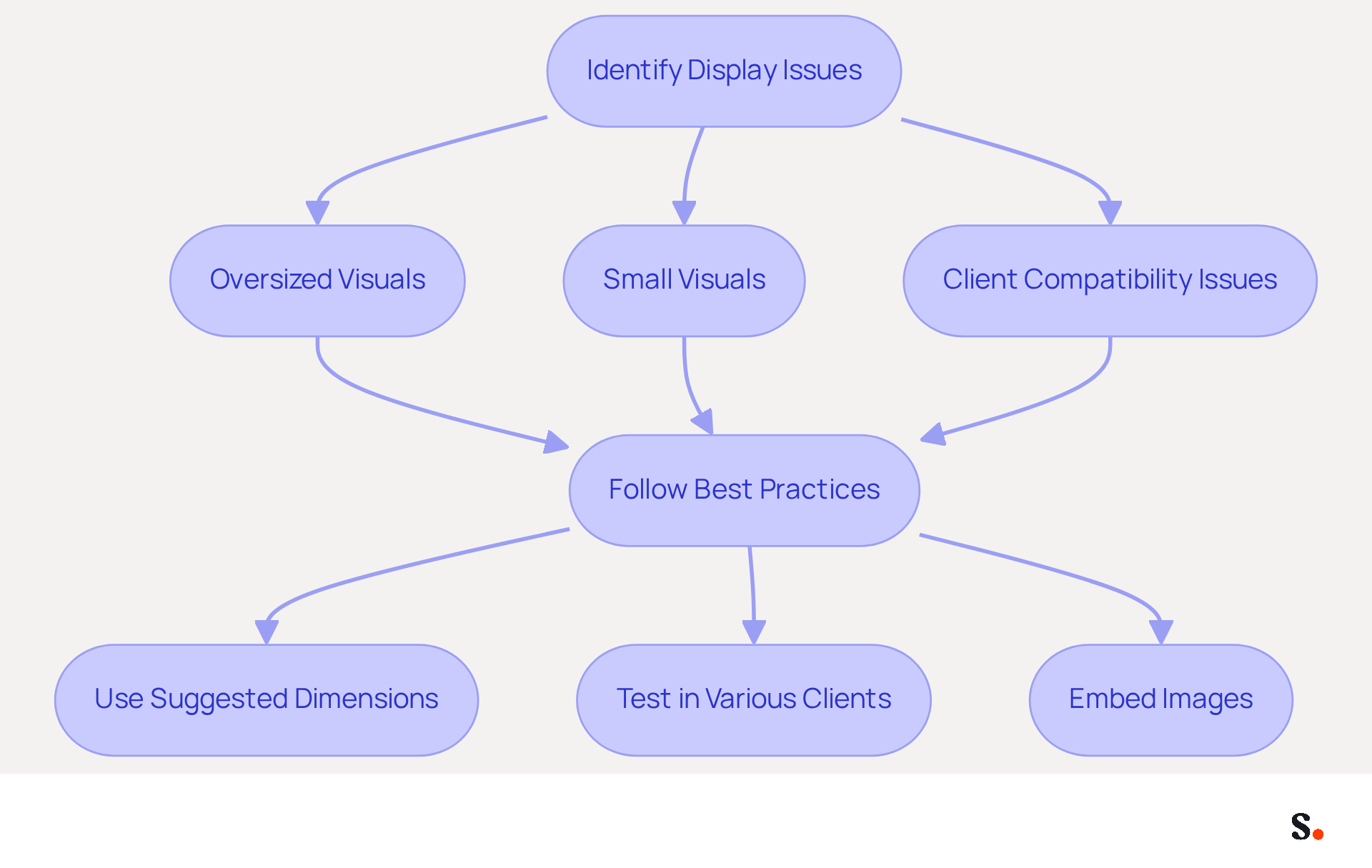
Display problems with email signatures often stem from various factors, including incorrect measurements and client compatibility issues. For instance, oversized visuals can lead to significant display issues, such as cropping or distortion, while visuals that are too small may appear pixelated or unclear. Additionally, different messaging clients impose varying limitations on visuals and formats, resulting in inconsistent displays.
To address these challenges, it is crucial to follow suggested dimensions and file formats, as well as to test identifiers in various messaging clients before finalizing them. An optimized graphic should have dimensions set without units and be one-third of the actual size for mobile optimization. Using tools that adjust picture sizes automatically based on the messaging client helps ensure the final output looks as intended across different platforms.
By understanding these common issues and following best practices, such as using visuals with a resolution of 72 DPI for optimal clarity and 96 DPI for older versions of Outlook, users can create signatures that are both visually appealing and functional. Additionally, embedding images rather than linking them is essential to avoid display issues caused by email client restrictions.
Conclusion
Correctly sizing email signature images is essential for a polished professional appearance and consistent branding across platforms. The recommended dimensions, typically between 300 to 650 pixels in width and 90 to 200 pixels in height, play a significant role in preventing display issues and ensuring that visuals are impactful. Following these guidelines helps organizations boost engagement and maintain a consistent brand identity.
Throughout the article, key insights highlight the importance of optimizing email signature images for both desktop and mobile viewing. Given that 81% of users access emails on mobile devices, following established size standards is essential for effective communication. Additionally, maintaining a file size under 100KB ensures quick loading times, further enhancing user experience. The case studies presented demonstrate that organizations implementing these best practices can expect to see a measurable increase in engagement metrics, including a notable 12% average click-through rate on branded banners.
In today's digital landscape, prioritizing the right email signature image size is not just a technical requirement but a strategic marketing move. By leveraging tools like Scribe, marketing teams can effortlessly manage and optimize their email signatures, ensuring brand consistency and measurable ROI. As businesses adapt, adopting these best practices boosts their professional image and drives engagement and conversions, leading to marketing success.
Frequently Asked Questions
What is the recommended size for email signature images?
The recommended size for email signature images typically ranges from 300 to 650 pixels in width and 90 to 200 pixels in height, with a common standard suggesting a width of 600 pixels and a height between 150 to 200 pixels.
Why is it important to use the correct size for email signature images?
Using the correct size for email signature images prevents display issues and ensures that visuals are both visible and impactful, enhancing the professional look of communications and contributing to brand consistency.
How can appropriately sized visuals affect engagement rates?
Appropriately sized visuals can improve engagement rates; for example, using high-quality headshots sized at 100x100 pixels can increase response rates by 32%.
What is the maximum file size recommended for email signature images?
It is essential to maintain a total file size under 100KB for quick loading times, especially on mobile devices.
How often should digital identifiers, such as email signature images, be updated?
It is important to regularly check and update digital identifiers to keep images aligned with current branding; in fact, 44.4% of users refresh their identifiers 2-4 times annually.
What impact can following email signature image guidelines have on communication?
Following email signature image guidelines can significantly improve the overall communication experience, leading to better engagement and conversion rates, as demonstrated by various case studies.
List of Sources
- Define Email Signature Image Size: Key Dimensions and Importance
- Email Signature Best Practices for 2026 (+ 15 Pro Examples) (https://wavecnct.com/blogs/email-signature-best-practices-2026)
- What is the best email signature size - Mail-Signatures.com (https://mail-signatures.com/articles/what-is-the-best-email-signature-size)
- What Size Should Email Signature Be? Key Insights for Marketers (https://scribe-mail.com/en-US/blog/what-size-should-email-signature-be-key-insights-for-marketers)
- What Is The Best Email Signature Size? | Rocketseed (https://rocketseed.com/resources/email-design-guidelines)
- Explore the Evolution of Email Signature Size Standards and Their Relevance
- The Evolution of Email Signatures | Rocketseed (https://rocketseed.com/blog/email-signature-evolution)
- WiseStamp Sets a New Standard for Email Signature Creation (https://prnewswire.com/news-releases/wisestamp-sets-a-new-standard-for-email-signature-creation-302689811.html)
- What Size Should Email Signature Be? Key Insights for Marketers (https://scribe-mail.com/en-US/blog/what-size-should-email-signature-be-key-insights-for-marketers)
- What Is The Best Email Signature Size? | Rocketseed (https://rocketseed.com/resources/email-design-guidelines)
- Email Signature Size and Layout Tips (https://linkedin.com/pulse/email-signature-size-layout-tips-bulksignature-nuy7f)
- Identify Best Practices for Optimal Email Signature Image Dimensions
- Email Signature Best Practices for 2026 (+ 15 Pro Examples) (https://wavecnct.com/blogs/email-signature-best-practices-2026)
- What Is The Best Email Signature Size? | Rocketseed (https://rocketseed.com/resources/email-design-guidelines)
- Optimize Email Signature Images for Performance (https://support.xink.io/support/solutions/articles/1000332447-optimize-email-signature-images-for-performance)
- Email Signature Size and Layout Tips (https://linkedin.com/pulse/email-signature-size-layout-tips-bulksignature-nuy7f)
- Best Practices for Optimizing Mail Signature Image Size in Marketing (https://scribe-mail.com/en-US/blog/best-practices-for-optimizing-mail-signature-image-size-in-marketing)
- Address Common Display Issues and Challenges with Email Signature Sizes
- 40+ Email Signature Statistics for 2026 (Data + Insights) (https://wavecnct.com/blogs/email-signature-statistics)
- How to solve problems with email signatures in Microsoft 365? (https://mail-signatures.com/articles/problems-email-signatures-office-365)
- Email Signature Troubleshooting - Problems & Solutions - Gimmio (https://blog.gimm.io/email-signature-troubleshooting)
- Issues with email signature formatting - Microsoft Q&A (https://learn.microsoft.com/en-us/answers/questions/4645357/issues-with-email-signature-formatting)
- Troubleshoot issues with Gmail signatures - Gmail Help (https://support.google.com/mail/answer/11468381?hl=en)
Get started with Scribe
See why teams switch to Scribe
Free 14-day trial — no credit card.