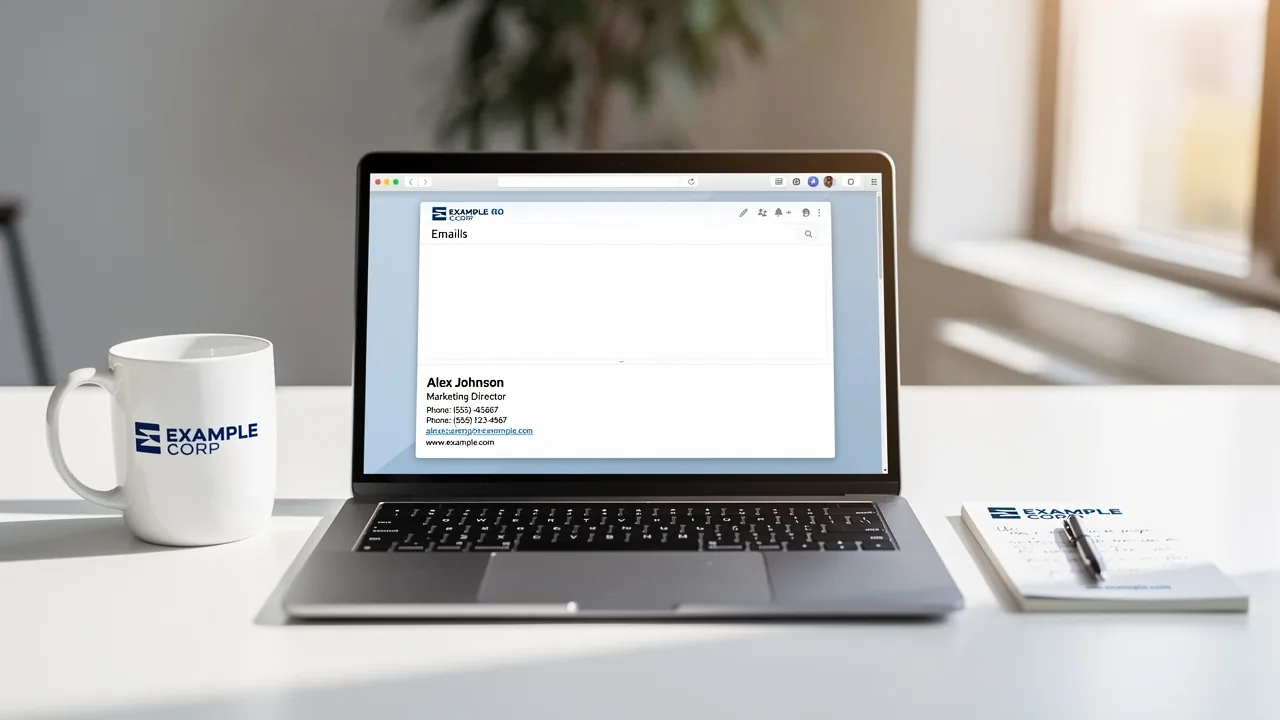
What Should an Email Signature Look Like for Maximum Impact?
An email signature is not merely a digital sign-off; it is a critical element of professional communication that shapes perceptions and drives engagement. As
Sophie Grant
Email Signature Specialist, Scribe

Introduction
An email signature is not merely a digital sign-off; it is a critical element of professional communication that shapes perceptions and drives engagement. As organizations increasingly recognize the importance of branding in every interaction, many struggle to create signatures that truly reflect their brand. Understanding the essential elements and best practices for crafting an effective email signature is vital.
However, with numerous design pitfalls and common mistakes, how can businesses ensure their email signatures convey professionalism while enhancing their brand identity? This article delves into what an impactful email signature should look like, offering insights and strategies to maximize its effectiveness in today's competitive landscape. Failing to do so can lead to missed opportunities for brand engagement.
By mastering the art of email signatures, businesses can transform routine communications into powerful branding opportunities.
Get started with Scribe
Manage signatures across your whole team
Free 14-day trial — no credit card.
Define Email Signature: Purpose and Importance
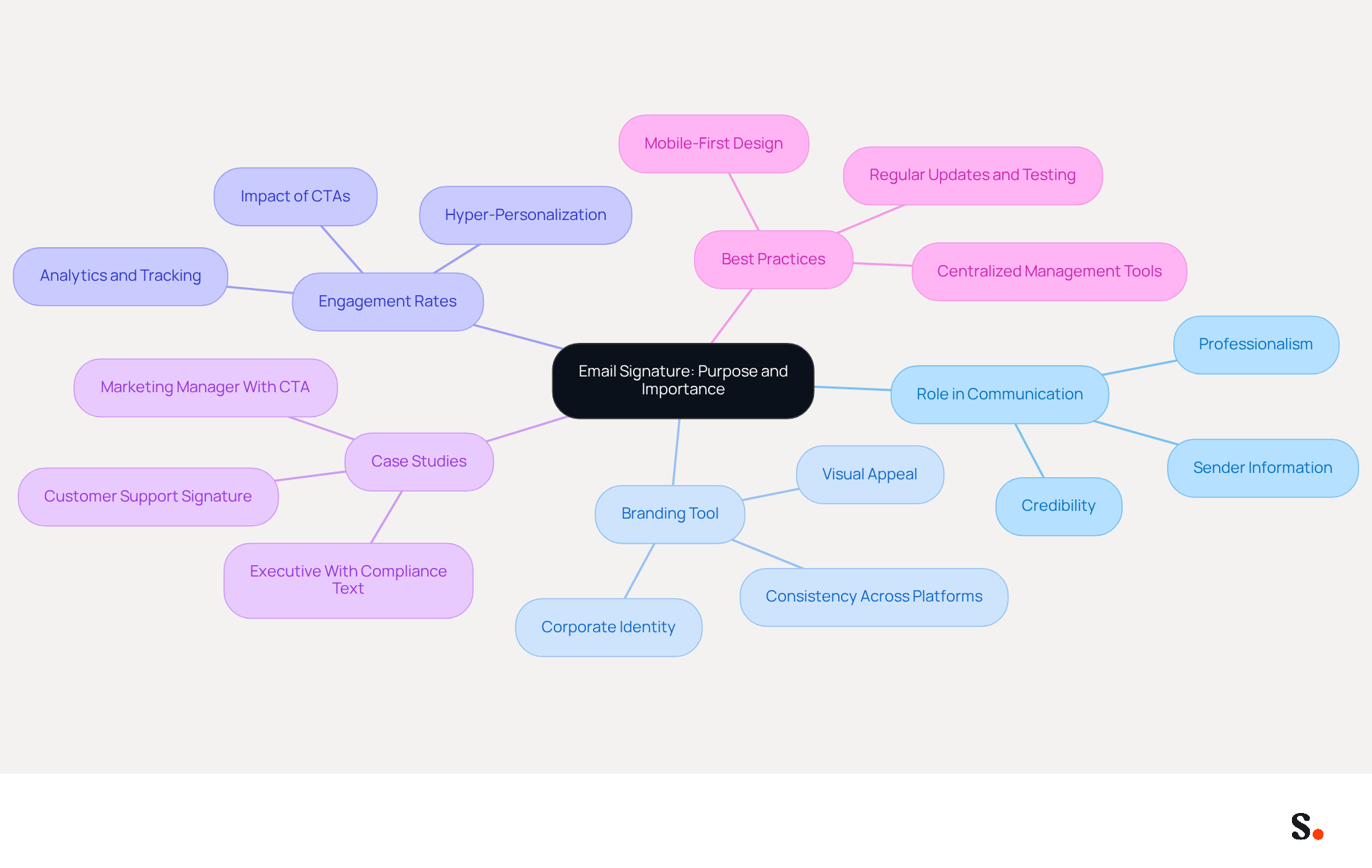
An electronic message footer is not just an afterthought; it plays a pivotal role in shaping business communication. Typically, it includes essential information such as the sender's name, job title, company name, and contact details. The main aim of an electronic message footer is to offer recipients a clear and polished representation of the sender, boosting credibility and aiding communication.
By 2026, electronic identifiers have evolved into powerful branding tools that enhance corporate identity and values with every message. A well-designed correspondence footer can greatly influence initial perceptions and ongoing connections, making it crucial for effective professional communication. Research indicates that well-optimized digital sign-offs featuring strategic calls-to-action can boost engagement rates by as much as 40% compared to generic alternatives.
Case studies demonstrate the significance of digital identifiers in different situations. For example, organizations implementing hyper-personalization in their communication formats have reported enhanced customer engagement by making interactions more relevant and personal. Furthermore, organizations employing centralized management tools for messaging branding, such as Scribe, have achieved 85% improved consistency across teams, highlighting the necessity for unified branding in all communications. This shift towards centralized management tools leads to a more cohesive brand image across all communications. With Scribe, every modification made in your Aircall configuration will automatically be reflected in your branding elements, ensuring that your identity remains consistent and current. Moreover, the smooth integration with Calendly enables automatic updates to your contact details, improving consistency and ensuring that your communications remain up-to-date.
As digital communication grows, many are recognizing how digital identifiers can serve as subtle yet effective marketing tools. They not only provide essential contact information but also serve as channels for driving traffic to websites, social media, and promotional content. In this environment, it is crucial to understand what an email signature should look like to ensure that communication identifiers are professional, visually appealing, and aligned with corporate standards, thereby maintaining a positive organizational image and fostering trust with recipients. In a competitive landscape, neglecting the power of digital identifiers could mean missing out on valuable connections and opportunities.
Identify Essential Components of an Effective Email Signature
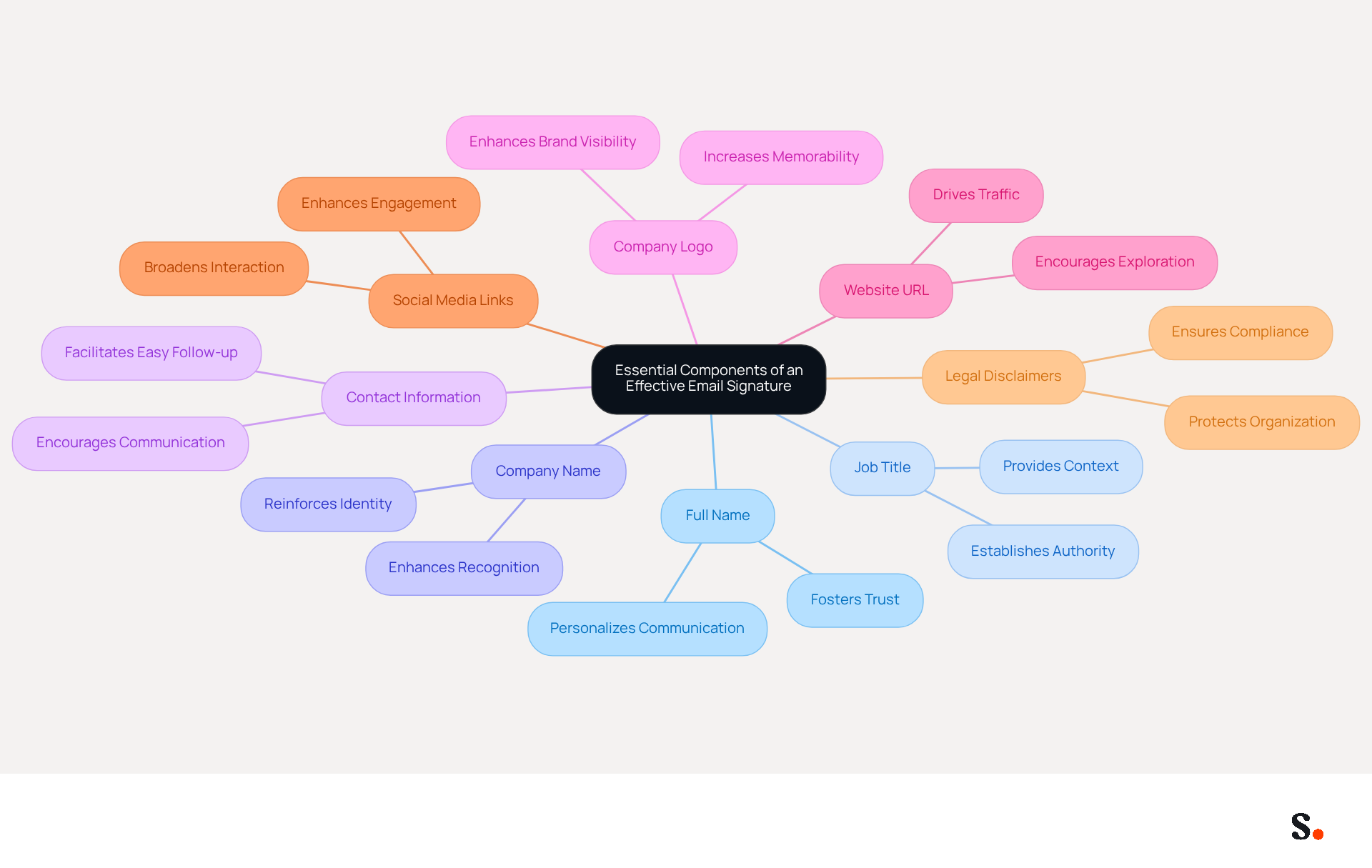
To convey professionalism and clarity, it is important to know what an email signature should look like, as it must include several key components. These components typically include:
- Full Name: Clearly stating the sender's name personalizes the communication and fosters trust.
- Job Title: Indicating the sender's position within the company establishes authority and context.
- Company Name: Including the organization’s name reinforces identity and recognition.
- Contact Information: Providing a direct phone number and email address facilitates easy follow-up and communication.
- Company Logo: Incorporating a logo enhances brand visibility and visual appeal, making the mark more memorable.
- Website URL: A link to the company website encourages recipients to explore more about the organization, driving traffic.
- Social Media Links: Optional links to social media profiles can enhance engagement and connectivity, allowing for broader interaction.
- Legal Disclaimers: Depending on the industry, including legal disclaimers may be necessary to comply with regulations and protect the organization.
Furthermore, failing to update electronic identifiers can lead to miscommunication and a lack of professionalism. Research indicates that 64-70% of people feel a professional branded mark boosts trust and credibility, underscoring the importance of a polished image. Moreover, with Scribe's automated synchronization features, any modifications made in Google Workspace are automatically reflected in digital identifiers, saving time and ensuring consistency in identity. This seamless integration with Aircall improves efficiency and ensures secure data management. By integrating these essential elements and following best practices, businesses can create message footers that convey vital information and illustrate what an email signature should look like, promoting their identity and enhancing engagement with every correspondence sent. Neglecting regular updates can damage credibility and erode client trust.
Explore Best Practices for Email Signature Design
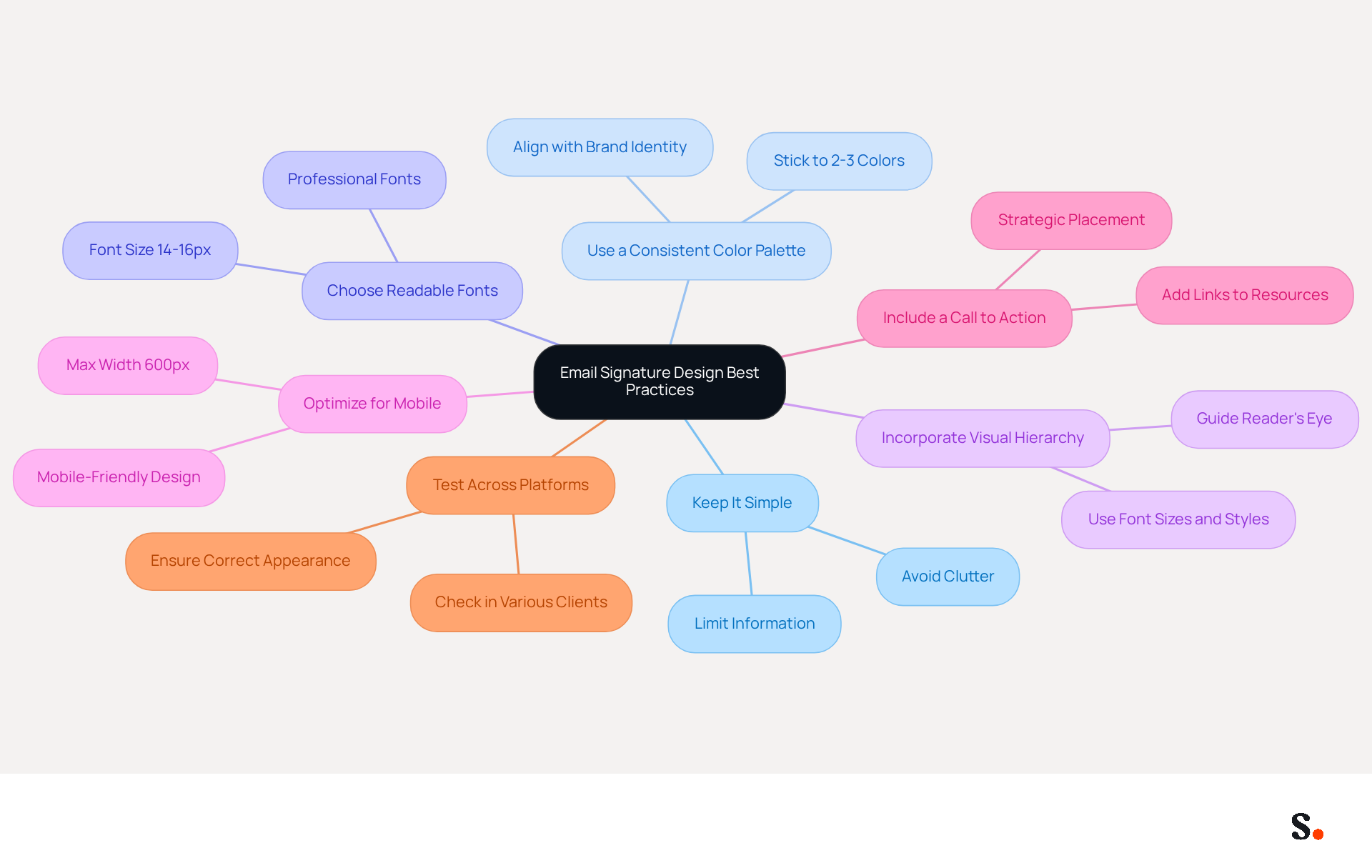
Creating an impactful email signature depends on knowing what should email signature look like according to established design best practices. Here are key recommendations:
- Keep It Simple: Limit the amount of information and design elements to avoid clutter. A clean layout not only improves readability but also reinforces a professional image.
- Use a Consistent Color Palette: Stick to two or three colors that align with your brand identity to maintain visual consistency and recognition.
- Choose Readable Fonts: Opt for professional fonts that are easy to read across various devices and messaging clients. Recommended sizes are 14-16px for body text to ensure clarity.
- Incorporate Visual Hierarchy: Utilize font sizes and styles to guide the reader’s eye to the most important information first, enhancing engagement.
- Optimize for Mobile: With the majority of business communications being accessed on mobile devices, ensuring your signature is mobile-friendly is crucial. A maximum width of 600px is advisable for mobile-friendliness.
- Include a Call to Action: If appropriate, add a call to action, such as a link to a recent blog post or a promotional offer. Well-placed CTAs can significantly boost engagement, with some achieving click rates as high as 40%.
- Test Across Platforms: Before finalizing, check the sign-off in various messaging clients to ensure it appears correctly everywhere. This step is essential as over 40% of examined endorsements contain critical errors.
By implementing these best practices, businesses can significantly enhance what should email signature look like to improve their communication effectiveness. Ultimately, these strategies can elevate your email signature from a simple sign-off to a powerful marketing tool.
Avoid Common Mistakes in Email Signature Creation
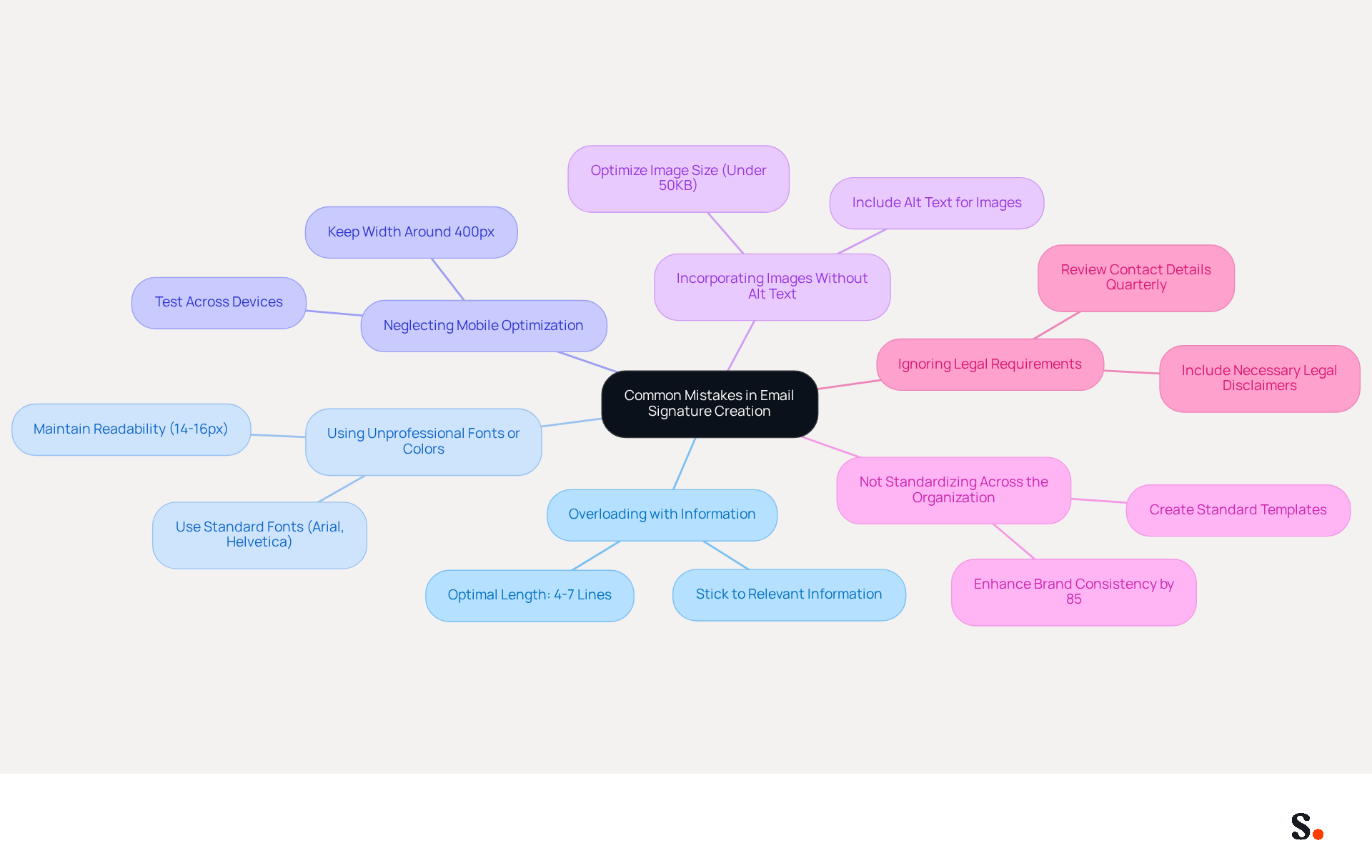
To maintain professionalism and brand integrity, it is essential to know what an email signature should look like in order to avoid common pitfalls when creating an electronic correspondence footer. Here are some pitfalls to watch out for:
- Overloading with Information: Including excessive details can overwhelm recipients. It’s essential to stick to the most relevant information, such as name, title, company, and one or two contact methods, to determine what should email signature look like. The optimal length for a message footer is 4-7 lines to avoid scrolling.
- Using Unprofessional Fonts or Colors: Overly decorative typefaces and clashing hues can detract from the professional appearance of an electronic correspondence. Sticking to standard, clean font families like Arial or Helvetica at 14-16px ensures readability across all devices.
- Neglecting Mobile Optimization: Since many messages are read on mobile devices, not optimizing for smaller screens can frustrate users and lead to disengagement. Keeping the signature width around 400px helps prevent layout issues on mobile devices.
- Incorporating Images Without Alt Text: Images can be blocked by messaging clients, which may lead to miscommunication. Always include alt text to convey the message even if the image doesn’t load. Additionally, using high-resolution images that are not optimized can slow down email loading and trigger spam filters; keeping image files under 50KB is advisable.
- Not Standardizing Across the Organization: Inconsistent markings within a company can confuse recipients and weaken identity, diluting brand trust. Creating a standard template for all employees can enhance brand consistency by up to 85%, ensuring that every email reflects what should email signature look like in terms of a professional image. This standardization can also result in notable enhancements in engagement, as shown by a 180% rise in webinar registrations when contact details were refreshed.
- Ignoring Legal Requirements: Depending on the industry, failing to include necessary legal disclaimers can lead to compliance issues. Consistently reviewing contact details for accuracy and updating them promptly when modifications arise is crucial to uphold credibility. It is recommended to conduct these reviews quarterly and to test links monthly to ensure they lead to the correct destinations.
By integrating Scribe's one-click synchronization with Google Workspace, businesses can save time and ensure that any changes in teammate information are automatically reflected in their communications. To enable this synchronization, you must grant Scribe permission to connect with your service provider, requiring Super Admin access. This feature not only streamlines the management process but also enhances branding consistency and compliance with security standards, as Scribe is SOC 2 Type II compliant. By addressing these common mistakes, businesses can significantly enhance their email signatures, fostering stronger connections with their audience.
Conclusion
Many organizations underestimate the power of an effective email signature, missing out on a key opportunity for professional communication. An effective email signature serves as a crucial element of professional communication, enhancing brand identity and building trust. Recognizing the key elements and best practices for impactful email signature design is essential. Throughout this discussion, we have highlighted components such as:
- Full name
- Job title
- Company name
- Contact information
as vital for establishing credibility. Additionally, we emphasized the importance of:
- Maintaining a clean design
- Optimizing for mobile
- Avoiding common pitfalls
Using tools like Scribe helps organizations manage email signatures more effectively, ensuring they stay consistent and compliant while boosting engagement rates. Ultimately, neglecting the design and management of email signatures can lead to missed opportunities. By prioritizing professionalism and clarity in digital identifiers, organizations can leverage these tools to create lasting impressions and drive meaningful connections. Embracing best practices in email signature design is essential for any business aiming to maximize its communication effectiveness and brand presence in a competitive landscape.
Frequently Asked Questions
What is the purpose of an email signature?
An email signature serves as an electronic message footer that provides essential information about the sender, such as their name, job title, company name, and contact details. Its main aim is to present a clear and polished representation of the sender, boosting credibility and aiding communication.
How have email signatures evolved by 2026?
By 2026, email signatures have evolved into powerful branding tools that enhance corporate identity and values with every message. A well-designed email signature can significantly influence initial perceptions and ongoing connections in professional communication.
What impact can well-optimized email signatures have on engagement rates?
Research indicates that well-optimized email signatures featuring strategic calls-to-action can boost engagement rates by as much as 40% compared to generic alternatives.
How can hyper-personalization in email signatures affect customer engagement?
Organizations implementing hyper-personalization in their email signatures have reported enhanced customer engagement by making interactions more relevant and personal.
What benefits do centralized management tools like Scribe provide for email signatures?
Centralized management tools like Scribe improve consistency across teams by 85%, ensuring unified branding in all communications. They also allow for automatic updates to branding elements, maintaining a consistent and current identity.
How does Scribe integrate with other tools to enhance email signature management?
Scribe integrates smoothly with tools like Calendly, enabling automatic updates to contact details, which improves consistency and ensures that communications remain up-to-date.
Why are digital identifiers important in today's communication landscape?
Digital identifiers, such as email signatures, serve as subtle yet effective marketing tools. They provide essential contact information and can drive traffic to websites, social media, and promotional content, making them crucial for maintaining a positive organizational image and fostering trust with recipients.
What should an effective email signature look like?
An effective email signature should be professional, visually appealing, and aligned with corporate standards to maintain a positive organizational image and foster trust with recipients.
List of Sources
- Define Email Signature: Purpose and Importance
- Top email signature trends for companies in 2026 (https://bybrand.io/blog/trends-email-signatures)
- Top 10+ best practices for email signatures design in 2026 (https://mysignature.io/blog/email-signature-best-practices)
- Why Email Signatures Must Be In Your 2026 Marketing Plan | Rocketseed (https://rocketseed.com/blog/what-are-the-biggest-email-trends-for-2026)
- Email Signature Design Trends in 2026: What Works and What to Drop (https://bulksignature.com/blog/email-signature-design-trends)
- Email Signature Best Practices for 2026 (+ 15 Pro Examples) (https://wavecnct.com/blogs/email-signature-best-practices-2026)
- Identify Essential Components of an Effective Email Signature
- The ultimate guide to email signatures in 2026 (https://signitic.com/en/resources/email-signature)
- Email Signature Best Practices for 2026 (+ 15 Pro Examples) (https://wavecnct.com/blogs/email-signature-best-practices-2026)
- 4 Best Practices for Your Company Email Signature Strategy (https://scribe-mail.com/en-US/blog/4-best-practices-for-your-company-email-signature-strategy)
- Best practices for business email signatures in 2026 (https://bybrand.io/blog/best-practices)
- How to Craft a Professional Email Signature in 2026? (https://sprout24.com/hub/how-to-craft-a-professional-email-signature)
- Explore Best Practices for Email Signature Design
- Email Signature Best Practices in 2026 | BrandaSign (https://brandasign.com/blog/email-signature-best-practices-2026)
- Email Design Trends and Best Practices in 2026 | Mailjet (https://mailjet.com/blog/email-best-practices/email-design-trends)
- Email Signature Best Practices for 2026 (+ 15 Pro Examples) (https://wavecnct.com/blogs/email-signature-best-practices-2026)
- Avoid Common Mistakes in Email Signature Creation
- Email Signature Best Practices for 2026 (+ 15 Pro Examples) (https://wavecnct.com/blogs/email-signature-best-practices-2026)
- 5 Common email signature mistakes (and how to avoid them) (https://adsigner.com/en/blog/5-common-email-signature-mistakes)
- 10 Email Signature Mistakes Hurting Your Brand (2026) | Signkit (https://beta.signkit.io/blog/email-signature-mistakes)
- 11 Common Email Signature Mistakes to Avoid (2026) (https://inboxsign.com/guides/common-email-signature-mistakes)
- 5 Most Popular Mistakes That You Make With Your Email Signature - NEWOLDSTAMP (https://newoldstamp.com/blog/5-most-popular-mistakes-that-you-make-with-you-email-signature)
Get started with Scribe
Manage signatures across your whole team
Free 14-day trial — no credit card.