Why Is My Gmail Signature Not Showing Up? Common Causes Explained
Technical glitches can undermine the professionalism of Gmail users, particularly when email signatures fail to display as intended. Recognizing the common
Sophie Grant
Email Signature Specialist, Scribe
On this page
Introduction
Technical glitches can undermine the professionalism of Gmail users, particularly when email signatures fail to display as intended. Recognizing the common causes of a missing signature is vital for upholding professionalism and brand consistency in email communication. Have you ever wondered what happens when your email signature doesn’t show up? This article explores:
- The technical issues that can cause signature visibility problems
- The consequences of an invisible signature
- Best practices to ensure consistent display of email identifiers, thereby enhancing communication effectiveness
Identify Common Technical Issues Affecting Gmail Signatures
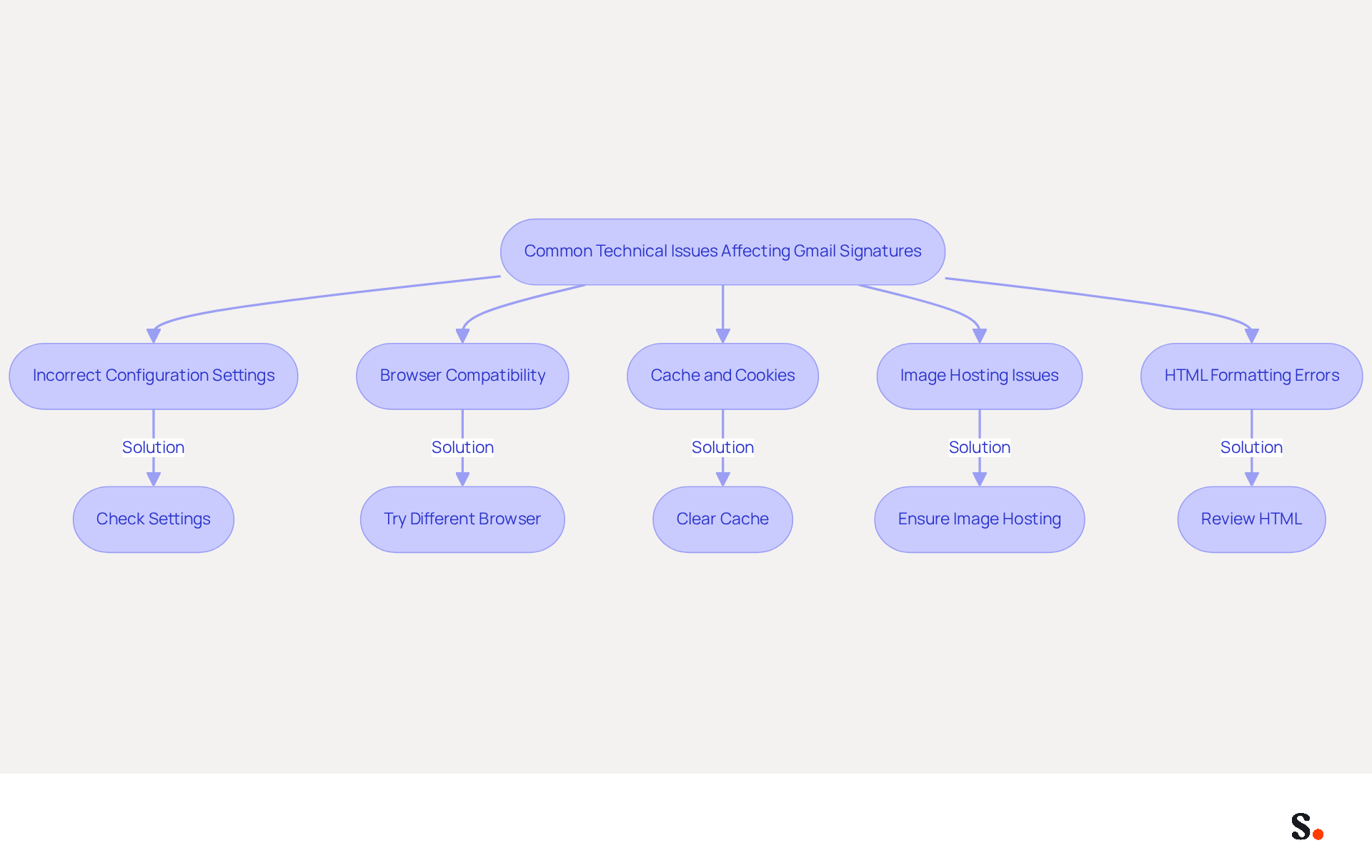
Technical difficulties often hinder effective communication on the platform, particularly regarding message identifiers. Key issues include:
- Incorrect Configuration Settings: Users can set up different identifiers for new messages and replies, but failing to do so correctly can lead to misunderstandings. The email service allows users to establish various identifiers, which can result in confusion if not set up properly.
- Browser Compatibility: Certain browsers may struggle to render electronic marks accurately, particularly those with intricate formatting or images.
- Cache and Cookies: An outdated cache or cookies can disrupt Gmail's ability to display personal identifiers, leading to them disappearing or appearing incorrectly. The browser cache can disrupt how your identifiers are displayed, particularly after recent updates.
- Image Hosting Issues: Images embedded in email footers must be hosted on publicly accessible servers; otherwise, they may fail to load in recipients' emails. The suggested image dimensions are 70-100 pixels in height by 300-400 pixels in width, with a maximum height of 100 pixels and a width of 1000 pixels.
- HTML Formatting Errors: Complex HTML can cause rendering issues, resulting in parts of the content being stripped out or displayed incorrectly. Additionally, users may find that their identifiers are hidden in sent messages, which can be viewed by scrolling to the bottom and clicking 'Show trimmed content.'
Addressing these common issues is essential for effectively troubleshooting why is my Gmail signature not showing up in Gmail email footers. For example, ensuring that the settings are correctly configured can prevent many of these issues from occurring. Furthermore, users should routinely clear their browser cache and ensure that images are hosted securely to maintain data integrity.
By proactively addressing these challenges, users can ensure their email communications remain clear and professional. Syncing your Google Workspace with Scribe can significantly improve how you manage your messaging identifiers. By automating the synchronization of your teammates' data, any changes made in Google Workspace-such as updates to job positions or group assignments-are automatically reflected in Scribe. This not only conserves time but also guarantees that your correspondence identifiers are always current, facilitating consistent branding and communication throughout your organization.
Examine Specific Reasons for Signature Visibility Problems
Gmail users often encounter issues with signature visibility due to several specific factors:
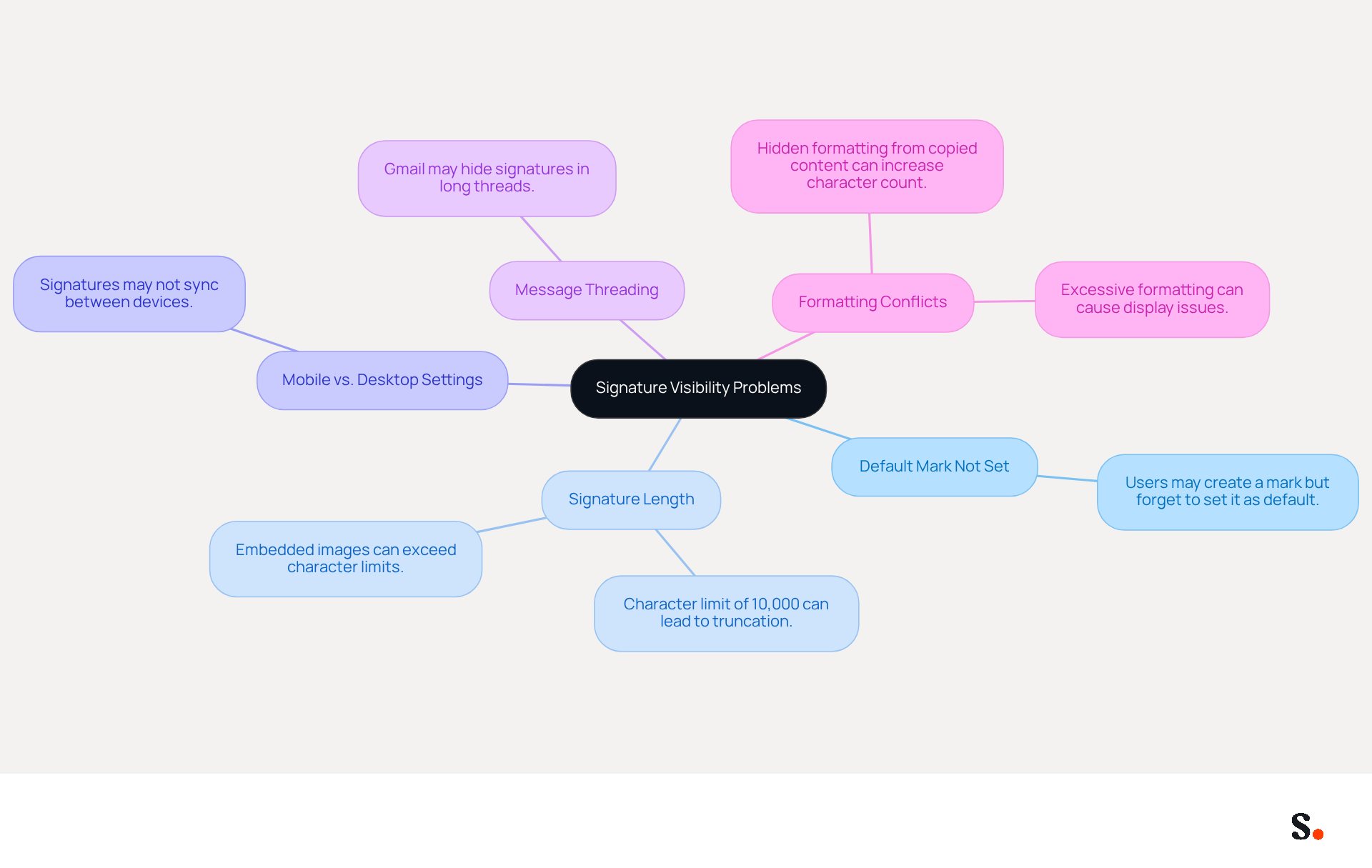
- Default Mark Not Set: Users may create a mark but neglect to set it as the default for new emails or replies, resulting in no mark appearing.
- Signature Length: The email platform imposes a character limit of 10,000 characters on personal identifiers. Exceeding the character limit can result in signatures not appearing, causing potential misunderstandings.
- Mobile vs. Desktop Settings: Signatures set up on the desktop version of the email service may not sync with the mobile application, leading to discrepancies in visibility across devices.
- Message Threading: In lengthy message threads, Gmail may conceal closing remarks to conserve space, which can mislead individuals who anticipate their closing remarks to show in every response.
- Formatting Conflicts: Using too much formatting, like bold or colored text, might cause display problems, especially if the recipient's email client can't handle those features.
By recognizing these specific reasons, users can understand why their Gmail signature is not showing up and take focused steps to address their visibility issues. Moreover, maintaining concise sign-offs within the character limit ensures they display reliably across various platforms.
Understand the Consequences of an Invisible Gmail Signature
Failing to display a Gmail signature can undermine a business's credibility and lead to significant repercussions:
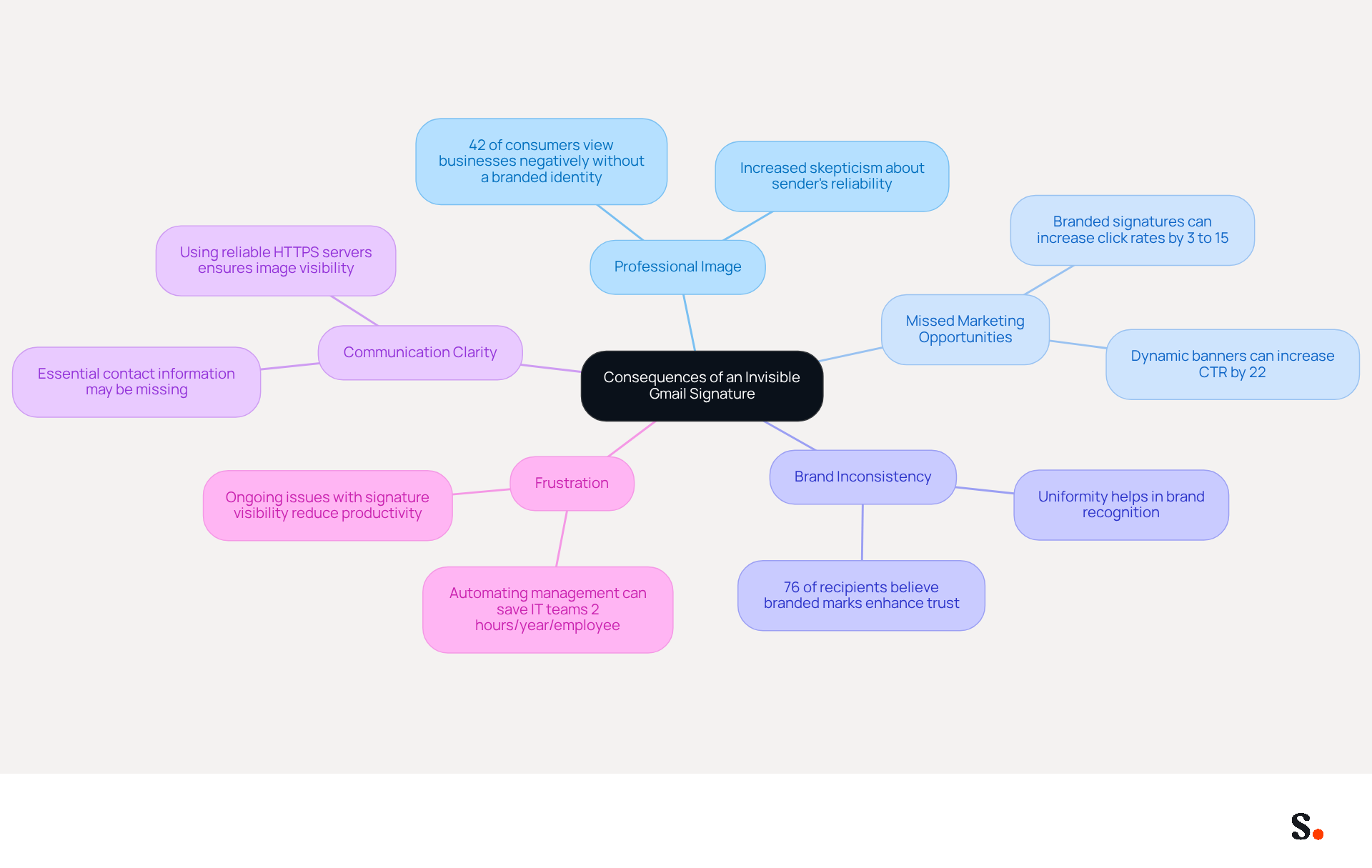
- Professional Image: This lack of professionalism can lead to skepticism about the sender's reliability. Research shows that 42% of consumers have a negative view of businesses without a branded identity. This skepticism can ultimately result in lost business opportunities.
- Missed Marketing Opportunities: Signatures often contain promotional elements, such as links to websites or social media. Without these, businesses miss potential engagement opportunities; studies show that branded email identifiers can increase click rates to websites by 3% to 15%. Scribe's automated synchronization with Aircall ensures that these promotional elements are consistently displayed, maximizing engagement opportunities.
- Brand Inconsistency: Varying representations among team members can dilute brand identity, making it harder for recipients to recognize and trust the brand. A study found that 76% of recipients believe branded marks enhance trust in the sender, highlighting the importance of uniformity. Scribe's solution enables organizations to maintain 100% brand consistency across all communications.
- Communication Clarity: Signatures provide essential contact information. Without them, recipients may struggle to find the necessary details to follow up, which can lead to lost opportunities and hinder effective communication. Using reliable HTTPS servers for public image URLs is key to making sure images show up correctly, which really helps with communication clarity.
- Frustration can occur when individuals experience ongoing problems with visibility of email identifiers, leading them to wonder why is my gmail signature not showing up, which results in reduced productivity and possible disengagement from email communications. Automating management with Scribe can save IT teams an average of two hours per year per employee, significantly reducing these frustrations and enhancing overall efficiency. Additionally, Scribe's SOC 2 Type II compliance ensures secure data handling, further enhancing confidence among users.
Acknowledging these outcomes highlights the significance of ensuring that email identifiers are visible and operating correctly. Ensuring that email signatures are consistently displayed is not just a matter of aesthetics; it is essential for maintaining trust and maximizing engagement.
Implement Best Practices for Consistent Signature Visibility
To maintain a professional image in email communications, it is crucial to address why my Gmail signature is not showing up. Users should adopt the following best practices:
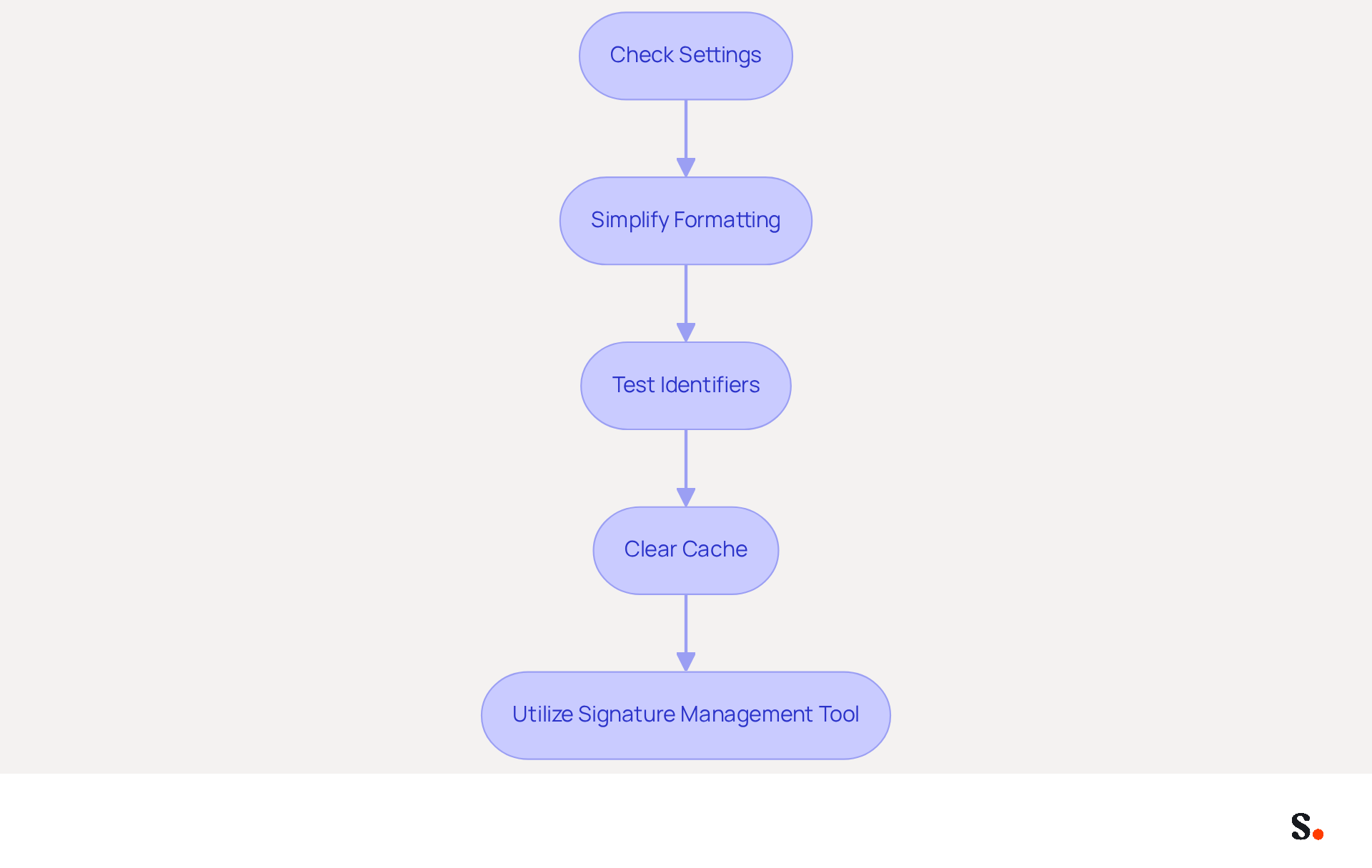
- Regularly Check Settings: Periodically verify that the correct email identifier is set as the default in Gmail settings, especially after updates or changes. This aids in preserving brand consistency and guarantees that the intended emblem is always displayed.
- Simplify Formatting: Use simple text formatting to avoid rendering issues. Restricting the use of images and intricate HTML ensures compatibility across various messaging clients, as excessive formatting can lead to elements not appearing correctly.
- Test Identifiers: Dispatch test messages to yourself and colleagues to verify that identifiers display correctly in various situations, including replies and forwards. This practice helps identify any potential issues before they affect external communications.
- Clear Cache Regularly: Clearing your cache can often fix those pesky visibility issues that pop up. This simple step can prevent outdated data from affecting display.
- Utilize a Signature Management Tool: Consider employing a professional management tool for personal identifiers, like Scribe, to automate and standardize the creation and updates of these identifiers throughout the organization. This approach not only enhances efficiency but also ensures that all employees maintain consistent branding in their email communications.
By following these best practices, users can significantly reduce the likelihood of encountering issues related to why is my Gmail signature not showing up, which ultimately enhances their professional image and communication effectiveness. Implementing these strategies not only safeguards your brand's integrity but also enhances the clarity and professionalism of your communications.
Conclusion
Ensuring a consistent Gmail signature is essential for upholding professionalism in communication, yet many face challenges that can undermine this goal. The visibility of signatures can be affected by various technical issues, including incorrect settings, browser compatibility, and formatting errors. By resolving these issues, organizations can not only improve communication but also strengthen their brand image in every email sent.
Key insights from the discussion highlight the importance of:
- Proper configuration
- The impact of mobile versus desktop settings
- The consequences of an invisible signature
By implementing best practices such as:
- Regularly checking settings
- Simplifying formatting
- Utilizing tools like Scribe for automated management
users can significantly mitigate the risk of encountering visibility issues. This proactive approach ensures that email signatures serve their intended purpose, promoting brand consistency and enhancing engagement opportunities.
Ultimately, prioritizing effective signature management can transform email communications into powerful tools for building trust and enhancing brand identity. By embracing these strategies, organizations can foster trust, improve clarity, and maximize the potential of their email communications.
Frequently Asked Questions
What are common technical issues affecting Gmail signatures?
Common technical issues include incorrect configuration settings, browser compatibility problems, outdated cache and cookies, image hosting issues, and HTML formatting errors.
How can incorrect configuration settings impact Gmail signatures?
Incorrect configuration settings can lead to misunderstandings, as users may set up different identifiers for new messages and replies, which can cause confusion if not done properly.
What role does browser compatibility play in Gmail signature issues?
Certain browsers may struggle to render electronic marks accurately, especially those with intricate formatting or images, which can affect how signatures appear.
How do cache and cookies affect Gmail signatures?
An outdated cache or cookies can disrupt Gmail's ability to display personal identifiers, leading to them disappearing or appearing incorrectly.
What are the requirements for images in Gmail signatures?
Images embedded in email footers must be hosted on publicly accessible servers, with suggested dimensions of 70-100 pixels in height by 300-400 pixels in width, and a maximum height of 100 pixels and width of 1000 pixels.
What issues can arise from HTML formatting in Gmail signatures?
Complex HTML can cause rendering issues, resulting in parts of the content being stripped out or displayed incorrectly, and identifiers may be hidden in sent messages.
How can users troubleshoot issues with their Gmail signatures?
Users can troubleshoot by ensuring settings are correctly configured, routinely clearing their browser cache, and ensuring images are hosted securely.
How can syncing Google Workspace with Scribe improve Gmail signature management?
Syncing Google Workspace with Scribe automates the synchronization of teammates' data, ensuring that any changes in Google Workspace are automatically reflected in Scribe, which helps maintain current correspondence identifiers and consistent branding.
List of Sources
- Identify Common Technical Issues Affecting Gmail Signatures
- Fix Your Missing Gmail Signature: 8 Troubleshooting Steps & Best Practices | Newoldstamp - NEWOLDSTAMP (https://newoldstamp.com/blog/gmail-signature-not-showing-up)
- Troubleshoot issues with Gmail signatures - Gmail Help (https://support.google.com/mail/answer/11468381?hl=en)
- Solving a Gmail signature problem (https://signitic.com/en/guides/solving-a-gmail-signature-problem)
- What To Do When Your Gmail Signature is Not Showing Up (https://appointlet.com/blog/gmail-signature-not-showing-up)
- Fixing Signature Issues in Gmail (https://teachers.tech/fixing-signature-issues-in-gmail)
- Examine Specific Reasons for Signature Visibility Problems
- Fix Your Missing Gmail Signature: 8 Troubleshooting Steps & Best Practices | Newoldstamp - NEWOLDSTAMP (https://newoldstamp.com/blog/gmail-signature-not-showing-up)
- Gmail Signature Too Long Error? Fix the 10,000 Character Limit Fast (https://exclaimer.com/email-signature-handbook/how-to-fix-the-gmail-signature-too-long-error)
- What To Do When Your Gmail Signature is Not Showing Up (https://appointlet.com/blog/gmail-signature-not-showing-up)
- Troubleshoot issues with Gmail signatures - Gmail Help (https://support.google.com/mail/answer/11468381?hl=en)
- Understand the Consequences of an Invisible Gmail Signature
- Solving a Gmail signature problem (https://signitic.com/en/guides/solving-a-gmail-signature-problem)
- 12 email signature marketing examples that drive clicks (2026) (https://signitic.com/en/resources/12-email-signature-marketing-examples-that-actually-drive-clicks)
- The Hidden Marketing Power of Email Signatures - Signite (https://signite.io/blog/the-hidden-marketing-power-of-email-signatures)
- The impact of email signatures on your branding (https://signitic.com/en/resources/the-impact-of-email-signatures-on-your-branding)
- 40+ Email Signature Statistics for 2026 (Data + Insights) (https://wavecnct.com/blogs/email-signature-statistics)
- Implement Best Practices for Consistent Signature Visibility
- Email signature statistics: Why every business should optimize their email signatures — Stripo.email (https://stripo.email/blog/email-signature-statistics-why-every-business-should-optimize-their-email-signatures)
- What To Do When Your Gmail Signature is Not Showing Up (https://appointlet.com/blog/gmail-signature-not-showing-up)
- Fix Your Missing Gmail Signature: 8 Troubleshooting Steps & Best Practices | Newoldstamp - NEWOLDSTAMP (https://newoldstamp.com/blog/gmail-signature-not-showing-up)
- signitic.com (https://signitic.com/en/resources/professional-signature-best-practices-the-guide-to-signing-your-corporate-emails)
- 40+ Email Signature Statistics for 2026 (Data + Insights) (https://wavecnct.com/blogs/email-signature-statistics)
Get started with Scribe
Create your signature in minutes
Free 14-day trial — no credit card.