4 Best Practices for an Effective Business Signature on Email
In today's digital landscape, a well-crafted email signature is essential for establishing professional credibility and enhancing brand visibility. An
Sophie Grant
Email Signature Specialist, Scribe
Introduction
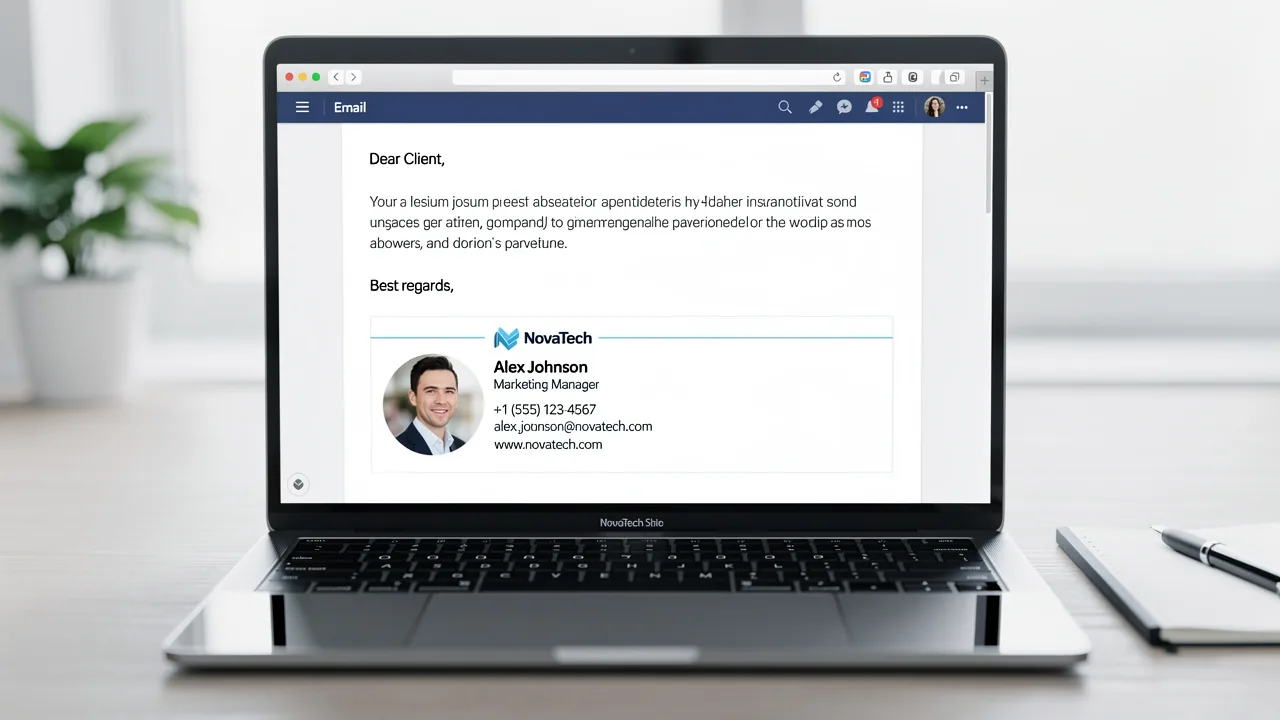
In today's digital landscape, a well-crafted email signature is essential for establishing professional credibility and enhancing brand visibility. An effective business email signature serves not only as a digital business card but also as a powerful branding tool that can enhance recognition and engagement. This inconsistency can lead to missed opportunities and diminished brand perception.
How can businesses ensure their email signatures not only reflect their brand identity but also drive engagement and conversions? By implementing best practices, businesses can turn their email signatures into tools for engagement and conversion.
This article explores four best practices that can significantly elevate your email signatures, transforming them into strategic assets that foster engagement and drive conversions.
Get started with Scribe
Manage signatures across your whole team
Free 14-day trial — no credit card.
Identify Essential Elements for Business Email Signatures
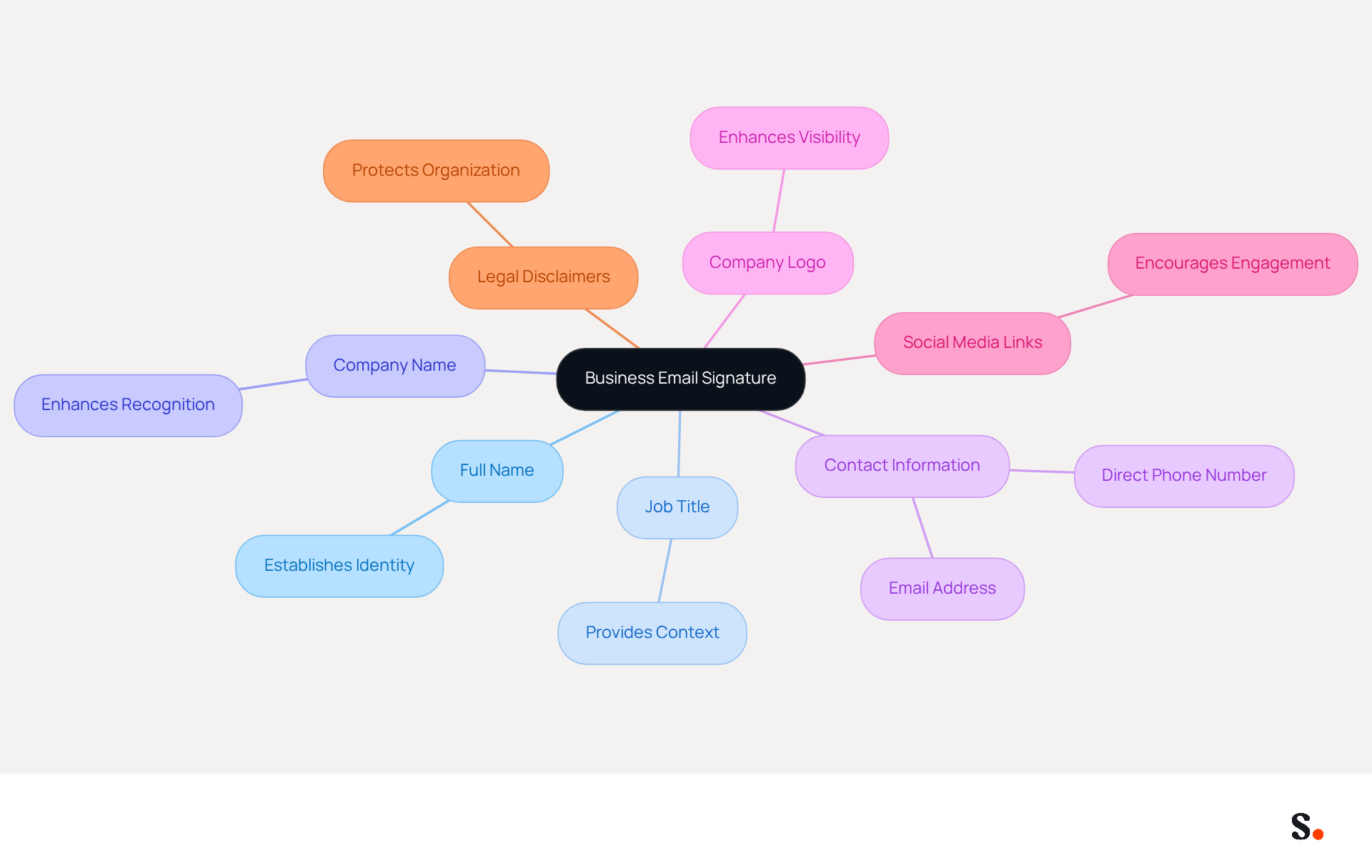
In a digital landscape where first impressions matter, having an example of business signature on email is essential for establishing your professional identity. To create an effective business email signature, include the following essential elements:
- Full Name: Clearly state your name to establish identity.
- Job Title: Indicate your position to provide context about your role.
- Company Name: Include your organization’s name to enhance recognition.
- Contact Information: Provide a direct phone number and email address for easy communication.
- Company Logo: Incorporate your logo to enhance visibility.
- Social Media Links: Add links to professional social media profiles to encourage further engagement.
- Legal Disclaimers: If necessary, include any required legal disclaimers to protect your organization.
Including these elements helps you craft an informative identity that reinforces your professional image, for instance, an example of business signature on email. With Scribe, any changes you make in your Aircall settings will automatically update your communication identifiers, ensuring that your identity remains consistent across all interactions. Scribe's automated management of digital signatures enables seamless updates, with all information synchronized directly from your business phone system, requiring no effort from your teammates. This seamless integration, combined with Scribe's SOC 2 Type II compliance, ensures that your data is handled securely while maintaining brand integrity. By leveraging Scribe's automated management, you ensure that your professional image is not just maintained but enhanced across all communications.
Optimize Email Signatures for Mobile Viewing
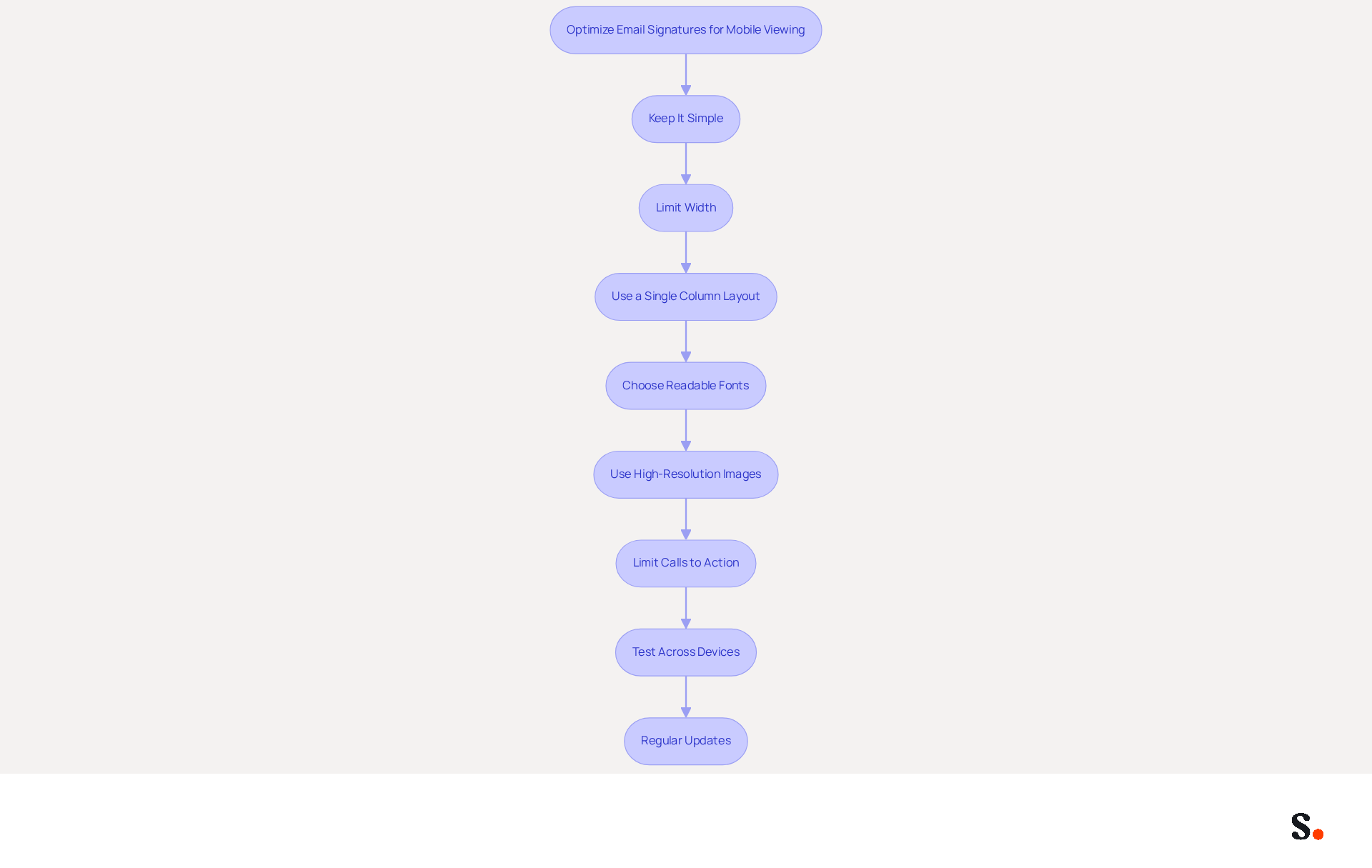
To ensure your email signature remains effective and professional, it is essential to follow best practices for mobile optimization:
- Keep It Simple: Utilize a clean design with minimal elements to avoid clutter, enhancing readability.
- Limit Width: Design your mark to be no wider than 400 pixels, preventing horizontal scrolling and ensuring it fits comfortably on mobile screens.
- Use a Single Column Layout: Stack elements vertically to improve readability on smaller devices, making it easier for recipients to digest information quickly.
- Choose Readable Fonts: Opt for legible fonts and appropriate sizes to ensure clarity, especially for users with visual impairments.
- Use High-Resolution Images: Ensure that images in your email footer have at least three times the resolution of the displayed size to maintain quality when scaled on mobile devices.
- Limit Calls to Action: Keep the number of CTAs to one or two to maintain clarity and effectiveness in your contact information.
- Test Across Devices: Regularly evaluate your mark on various mobile devices and messaging clients to ensure consistent appearance and functionality.
- Regular Updates: Revise your contact details regularly to reflect any changes in branding or information.
Syncing your Google Workspace with Scribe streamlines the management of your messaging identifiers. This integration saves time by automatically updating your teammates' information, ensuring that any changes in Google Workspace are reflected in Scribe without manual input. Implementing these strategies can significantly enhance user experience and ensure your mark remains effective across all devices. Given that 42% of messages are accessed via mobile devices, optimizing your contact information is crucial for maintaining professionalism and engagement. Neglecting these strategies could hinder your ability to connect effectively with your audience.
Incorporate Effective Call-to-Action Buttons
To maximize the effectiveness of your email signature, incorporating clear and compelling call-to-action (CTA) buttons is crucial:
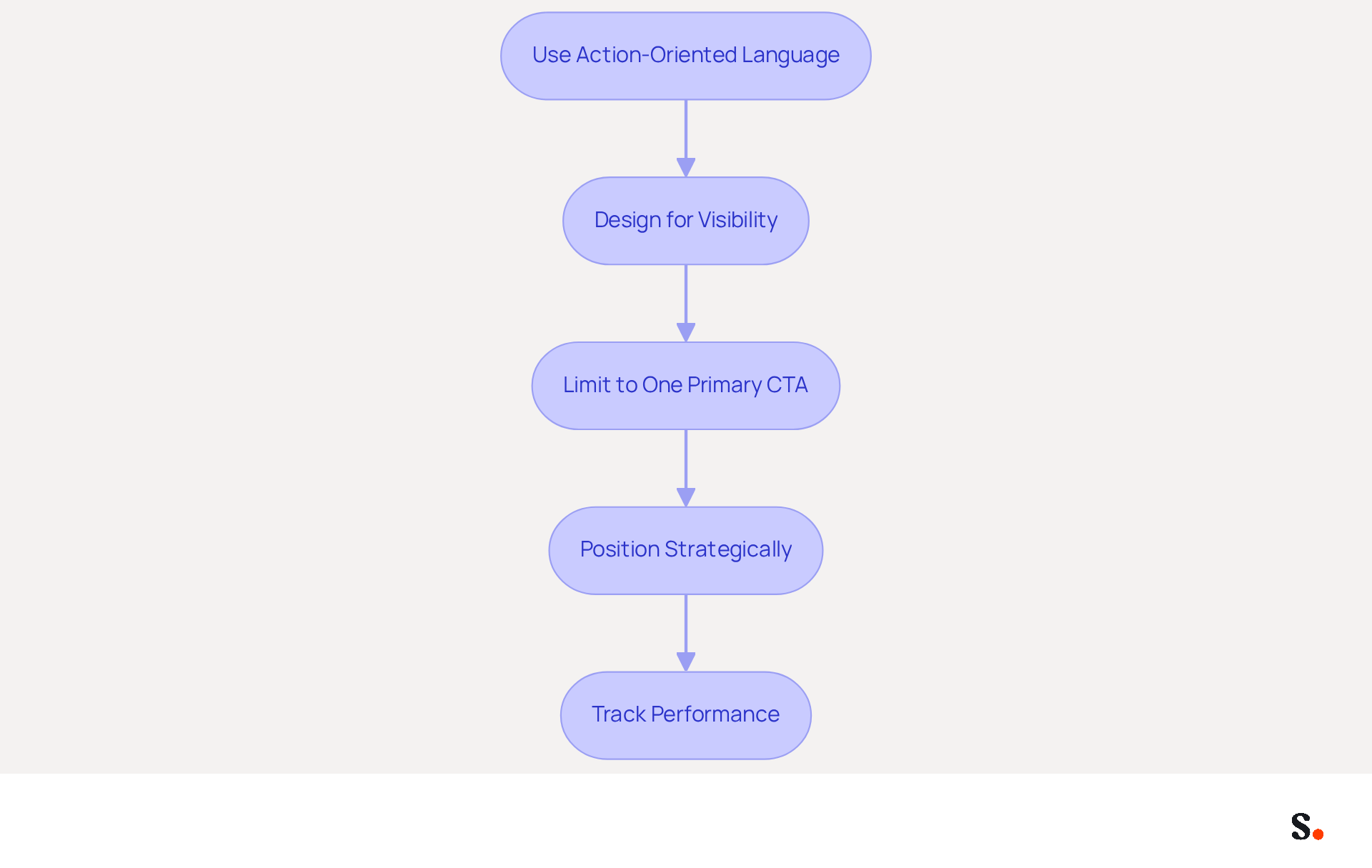
- Use Action-Oriented Language: Phrases such as 'Get Started', 'Learn More', or 'Sign Up Now' prompt immediate action and engagement from recipients. Studies indicate that action-oriented language really boosts click-through rates. Amotz Harari states, "Your distinctive CTA should entice readers to take an action that contributes to your business goals."
- Design for Visibility: Ensure your CTA button stands out by utilizing contrasting colors and an adequate size. A well-designed button can increase conversion rates by up to 28% compared to standard hyperlinks.
- Limit to One Primary CTA: Focusing on a single action helps avoid overwhelming the recipient, making it easier for them to understand the desired outcome. This approach has been shown to drive 40% more meeting bookings compared to multiple CTAs, as multiple CTAs can confuse recipients, leading to missed opportunities.
- Position Strategically: Place the CTA near the top of the signature for immediate visibility. This positioning is essential, as messages with a prominent CTA can boost clicks by 371% and sales by 1617%. Effective calls to action can reach a wide audience, especially with the average office worker sending out 40 business emails daily.
- Track Performance: Utilize analytics to monitor the effectiveness of your calls to action and make adjustments as necessary. Without tracking, you risk missing valuable insights that could enhance your engagement strategies. Be cautious of common pitfalls, such as using generic phrases or overcrowding your branding with multiple calls to action, which can dilute the impact of your message.
Incorporating effective CTAs not only enhances engagement but also significantly boosts your conversion rates.
Ensure Brand Consistency in Email Signatures
To ensure a cohesive brand identity, it is crucial to implement best practices in email signature management:
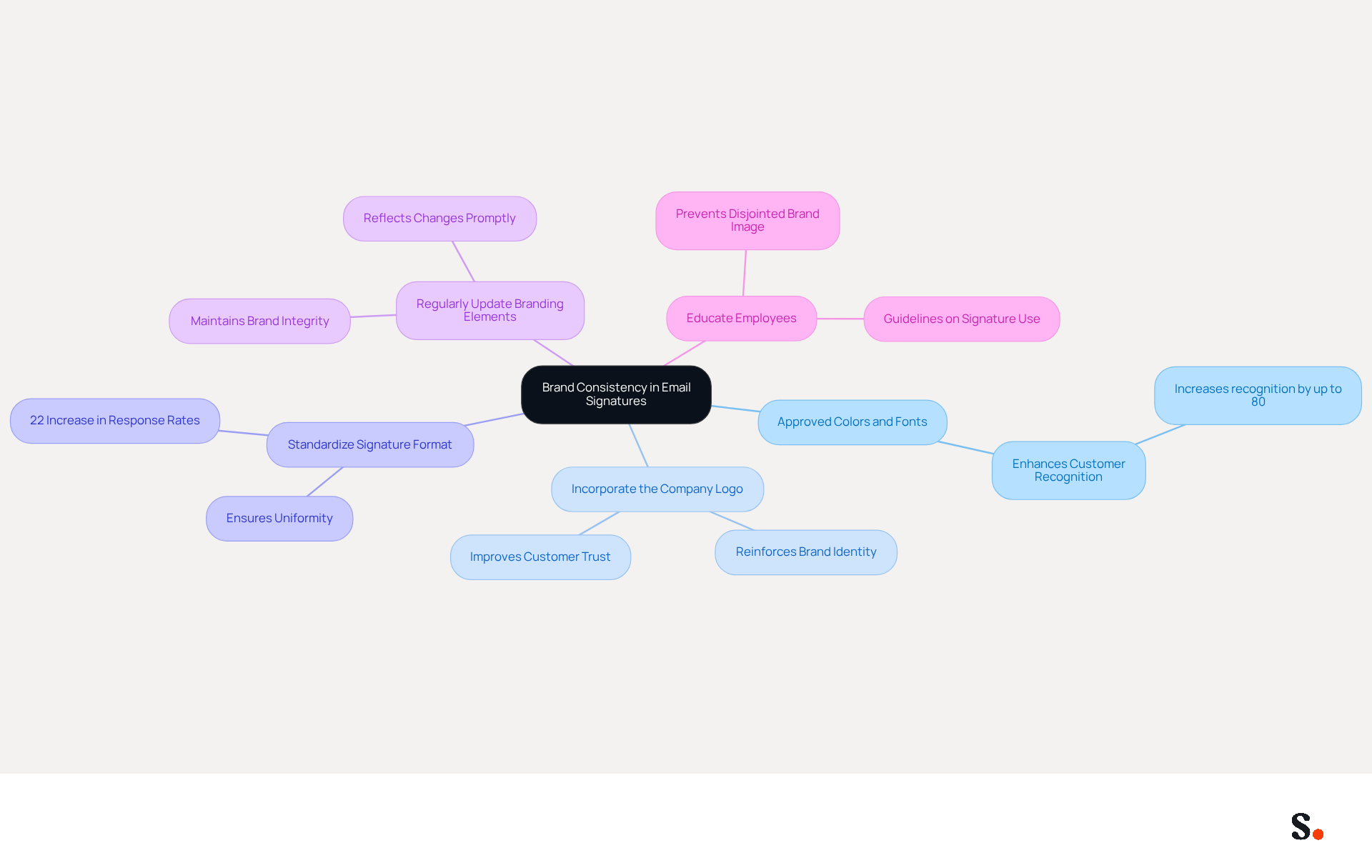
- Use Approved Colors and Fonts: Adhering to your organization's established color palette and typography is essential for creating a cohesive visual identity. Research indicates that consistent branding can enhance customer recognition significantly, with studies showing increases of up to 80%.
- Incorporate the Company Logo: Displaying your logo prominently reinforces identity. A well-managed strategy for digital correspondence can enhance brand trust and improve overall customer interactions.
- Standardize Signature Format: An example of a business signature on email is to standardize the signature format by developing a template that all employees use to ensure uniformity across the organization. Businesses that uphold consistent branding in their correspondence report a 22% increase in response rates.
- Regularly Update Branding Elements: Without regular evaluations, inconsistencies may go unnoticed, undermining brand integrity. Promptly reflecting any changes in branding across all identifiers is crucial.
- Educate Employees: Provide guidelines and training on the importance of consistency in signature lines. Failing to educate employees can lead to a disjointed brand image, ultimately affecting how customers perceive your organization.
By prioritizing these practices, organizations can avoid the pitfalls of inconsistent branding that may alienate customers.
Conclusion
A well-crafted business email signature is essential for effective communication, yet many organizations overlook its significance. By incorporating essential elements, optimizing for mobile, utilizing compelling call-to-action buttons, and ensuring brand consistency, organizations can address the challenges of balancing aesthetics with functionality in their email signatures. Scribe's automated management capabilities provide a solution to these challenges, allowing marketing teams to maintain control and ensure brand integrity effortlessly.
The article highlights key practices that contribute to a professional email signature. Essential elements such as full name, job title, and contact information establish credibility, while mobile optimization ensures accessibility across devices. Effective CTAs drive engagement and conversions, and maintaining brand consistency reinforces recognition and trust. Scribe not only ensures SOC 2 Type II compliance but also integrates seamlessly with platforms like Google Workspace, making management straightforward.
In a world where digital communication is paramount, the importance of a well-crafted email signature cannot be overstated. Organizations should prioritize these best practices to not only enhance their professional image but also to drive measurable marketing ROI. Investing in a strategic approach to email signatures can transform how organizations connect with their audience, ultimately enhancing their market presence.
Frequently Asked Questions
What are the essential elements to include in a business email signature?
The essential elements to include in a business email signature are your full name, job title, company name, contact information (direct phone number and email address), company logo, social media links, and any necessary legal disclaimers.
Why is it important to have a business email signature?
A business email signature is important for establishing your professional identity and making a positive first impression in a digital landscape.
How does Scribe help with managing business email signatures?
Scribe helps manage business email signatures by automatically updating communication identifiers based on changes made in Aircall settings, ensuring consistency across all interactions.
What benefits does Scribe offer for digital signature management?
Scribe offers seamless updates of digital signatures, synchronizing all information directly from your business phone system without requiring effort from teammates, while also ensuring data security through SOC 2 Type II compliance.
How can including social media links in an email signature be beneficial?
Including social media links in an email signature encourages further engagement and helps enhance your professional image by connecting recipients to your professional profiles.
List of Sources
- Identify Essential Elements for Business Email Signatures
- The impact of email signatures on your branding (https://signitic.com/en/resources/the-impact-of-email-signatures-on-your-branding)
- Best Practices for Example Email Signatures in Business Marketing (https://scribe-mail.com/en-US/blog/best-practices-for-example-email-signatures-in-business-marketing)
- What to Include in a Business Email Signature (https://rocketseed.com/blog/email-signature-what-to-include)
- Email Signature Best Practices for 2026 (+ 15 Pro Examples) (https://wavecnct.com/blogs/email-signature-best-practices-2026)
- Why Team Email Signatures Matter More Than You Think: The Hidden Impact on Brand Trust and Customer Experience (https://getmailbird.com/why-team-email-signatures-matter-brand-trust)
- Optimize Email Signatures for Mobile Viewing
- Email Signature Best Practices - NEWOLDSTAMP (https://newoldstamp.com/blog/email-signature-best-practices)
- How to Optimize Your Email Signature for Mobile Devices - Gimmio (https://blog.gimm.io/how-to-optimize-your-email-signature-for-mobile-devices)
- Optimizing Mobile Email Signatures: Best Practices for Seamless Communication | MySignature (https://mysignature.io/blog/optimizing-mobile-email-signatures)
- Best Mobile Email Signatures: Key Practices for Marketing Managers (https://scribe-mail.com/en-US/blog/best-mobile-email-signatures-key-practices-for-marketing-managers)
- Optimise Your Email Signature for Mobile Devices (https://globalbankingandfinance.com/why-optimising-brand-email-signatures-for-mobile-devices-is-essential-for-hybrid-working)
- Incorporate Effective Call-to-Action Buttons
- The Ultimate Guide to Email Signature Call-to-Action - NEWOLDSTAMP (https://newoldstamp.com/blog/the-ultimate-guide-to-email-signature-call-to-action)
- Why and how to add an effective CTA to your email signature? (https://signitic.com/en/resources/why-and-how-to-add-an-effective-cta-to-your-email-signature)
- Email Signature Best Practices for 2026 (+ 15 Pro Examples) (https://wavecnct.com/blogs/email-signature-best-practices-2026)
- Create Effective CTA Email Signatures (Examples & Templates) (https://wisestamp.com/examples/cta-email-signature)
- Create Email CTAs to Elevate Engagement | Mailchimp (https://mailchimp.com/resources/cta-email)
- Ensure Brand Consistency in Email Signatures
- The impact of email signatures on your branding (https://signitic.com/en/resources/the-impact-of-email-signatures-on-your-branding)
- Why Email Signatures Must Be In Your 2026 Marketing Plan | Rocketseed (https://rocketseed.com/blog/2026-marketing-plan-email-signatures)
- 4 Best Practices for Brand Consistency in Email Signatures (https://scribe-mail.com/en-US/blog/4-best-practices-for-brand-consistency-in-email-signatures)
- Email Signatures and Brand Consistency: A Guide for Small Businesses (https://designhill.com/design-blog/email-signature-brand-consistency-guide)
Get started with Scribe
Manage signatures across your whole team
Free 14-day trial — no credit card.