Master Microsoft Graph API Email Signature Management Strategies
While the Microsoft Graph API offers a robust framework for digital communication, its limitations in email signature management present significant challenges
Sophie Grant
Email Signature Specialist, Scribe

On this page
- Introduction
- Understand Microsoft Graph API for Email Signature Management
- Set Up Microsoft Graph API for Email Integration
- Implement Effective Email Signature Strategies with Microsoft Graph
- Troubleshoot Common Issues with Microsoft Graph API Email Signatures
- Conclusion
- Frequently Asked Questions
- List of Sources
Introduction
While the Microsoft Graph API offers a robust framework for digital communication, its limitations in email signature management present significant challenges for organizations. Let’s explore effective strategies for optimizing email signatures with the Microsoft Graph API, highlighting best practices that can enhance brand consistency and engagement. As organizations face the retirement of Exchange Web Services, they must navigate these challenges to ensure seamless and effective email communication.
Get started with Scribe
Manage signatures across your whole team
Free 14-day trial — no credit card.
Understand Microsoft Graph API for Email Signature Management
The Microsoft Graph API offers a unified endpoint for accessing various Microsoft services, but it does not adequately support the management of Microsoft Graph API email signatures. For managing mail configurations, it allows developers to interact with user mailboxes, handle contacts, and send messages programmatically. Comprehending the API's framework and functionalities is essential for implementing effective strategies for digital identification.
Key aspects of the Graph API include its capability to enable the incorporation of digital identifiers into automated workflows, thereby improving brand consistency and marketing effectiveness. This limitation creates significant hurdles for organizations that depend on the Microsoft Graph API email signature for automated signature management.
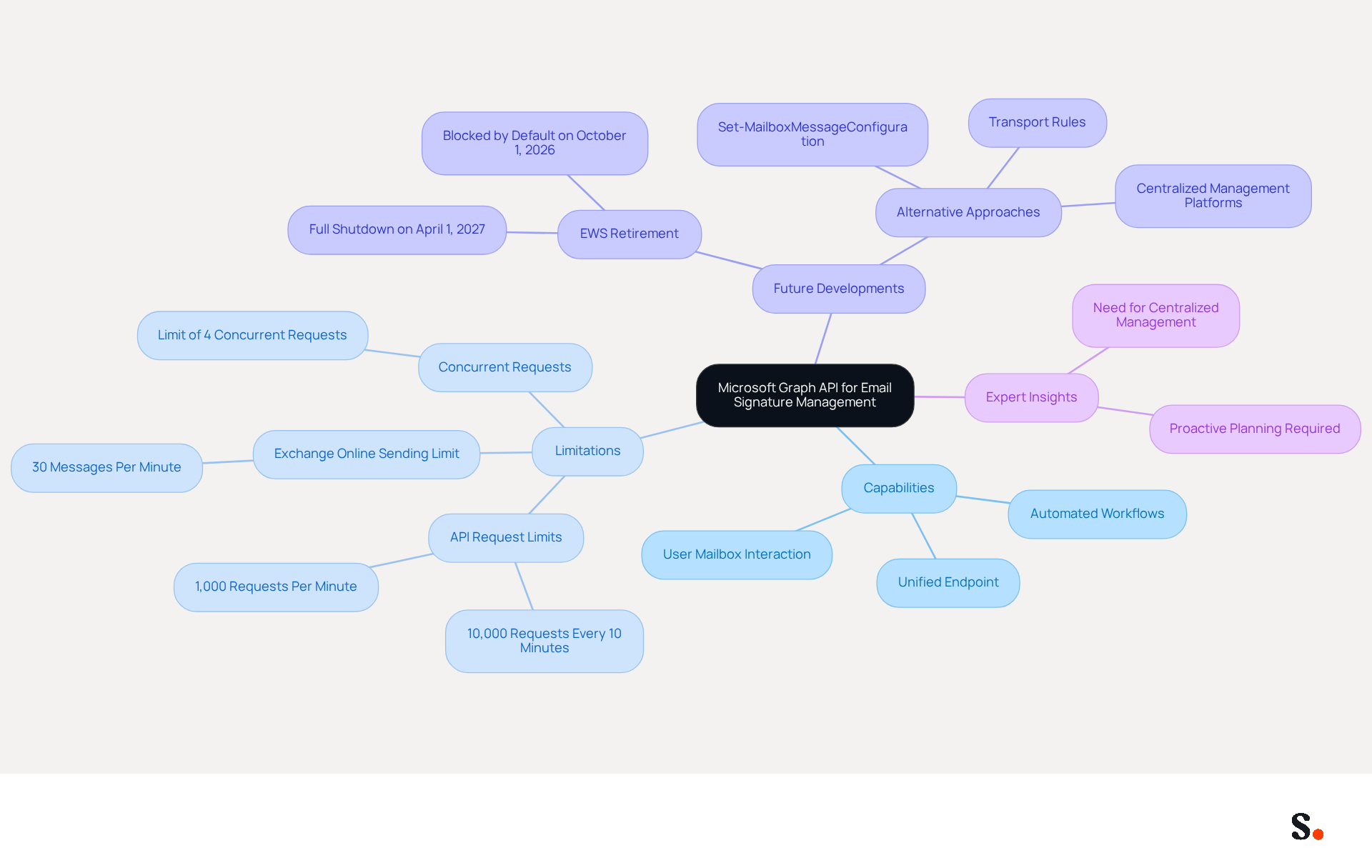
The Graph API can handle an impressive 10,000 API requests every 10 minutes, which breaks down to about 1,000 requests per minute. Despite this capacity, the Exchange Online sending limit restricts the number of messages sent to 30 per minute, creating a bottleneck for high-volume communication campaigns. Additionally, the API is limited to four concurrent requests, which can lead to throttling and delays if exceeded.
Recent developments emphasize the ongoing difficulties in managing identifiers with the Microsoft Graph API email signature. Starting October 1, 2026, the retirement of Exchange Web Services (EWS) will complicate how digital identifiers are managed, as scripts that depend on EWS will no longer have access. Organizations must adjust by investigating alternative approaches, such as utilizing Set-MailboxMessageConfiguration or transport rules, to maintain consistent communication identifiers across their teams.
Expert insights highlight the necessity for a dedicated platform to manage digital identifiers to address the shortcomings left by the Graph API's constraints. As highlighted by industry experts, the absence of a direct transition route for management capabilities requires proactive planning and the implementation of centralized solutions to ensure consistency in communications.
Organizations must innovate to navigate these limitations and uphold their brand integrity in communications.
Set Up Microsoft Graph API for Email Integration
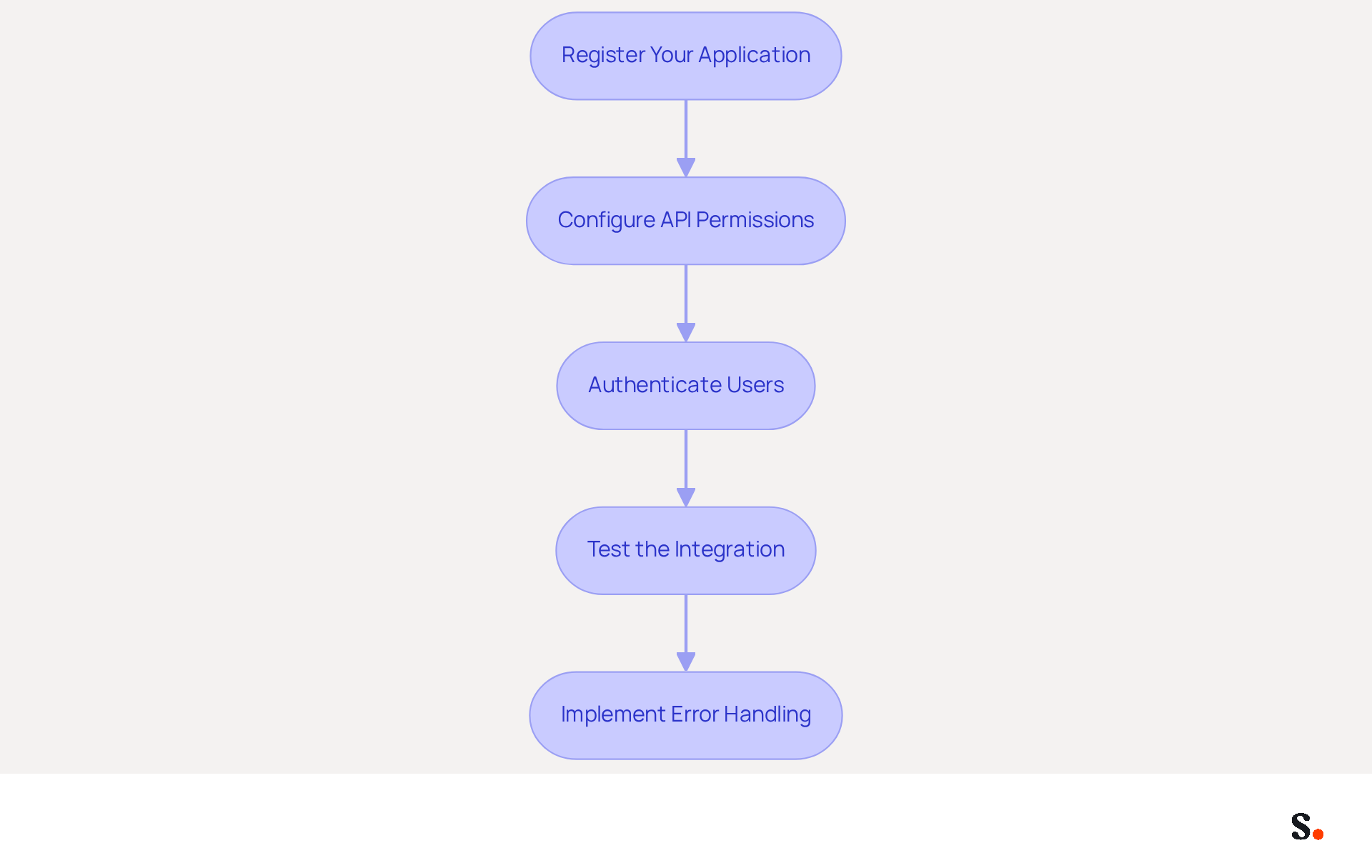
Integrating the Microsoft Graph API for email management presents both opportunities and challenges for organizations navigating the evolving digital landscape. To set up the Microsoft Graph API for email integration, follow these steps:
- Register Your Application: Navigate to the Azure portal and register your application to obtain essential credentials, including the Application ID and Client Secret.
- Configure API Permissions: Assign the necessary permissions for sending messages and accessing user data, typically including Mail.Send and User.Read permissions. Ensure you grant Scribe the required permissions to connect with your service provider, which may require admin consent for certain permissions.
- Authenticate Users: Implement OAuth 2.0 authentication to securely allow users to grant your application access to their accounts.
- Test the Integration: Utilize tools like Postman to test API calls, ensuring that you can send messages and access user data as expected.
- Implement Error Handling: Ensure your application can gracefully handle errors, such as token expiration or permission issues, to maintain a smooth user experience.
Implementing these steps enables organizations to seamlessly integrate the Microsoft Graph API email signature into their email systems, thereby enhancing the efficiency of email signature management. In 2026, as Basic Authentication is phased out, transitioning to Graph will be crucial for maintaining functionality. Statistics indicate that over 10,000 applications are already registered with Graph API, underscoring its growing adoption in the industry. Case studies illustrate successful integration through Graph, highlighting its effectiveness in improving communication strategies. As stated by the company, 'For anything new, you build on Graph,' emphasizing the significance of this transition. Additionally, integrating Scribe with Google Workspace allows for one-click synchronization, ensuring that any changes in your directory are automatically reflected in Scribe. This not only saves time but also enhances branding consistency across your organization, all while maintaining SOC 2 Type II compliance for data security. Without this transition, organizations risk falling behind in their communication strategies and operational efficiency.
Implement Effective Email Signature Strategies with Microsoft Graph
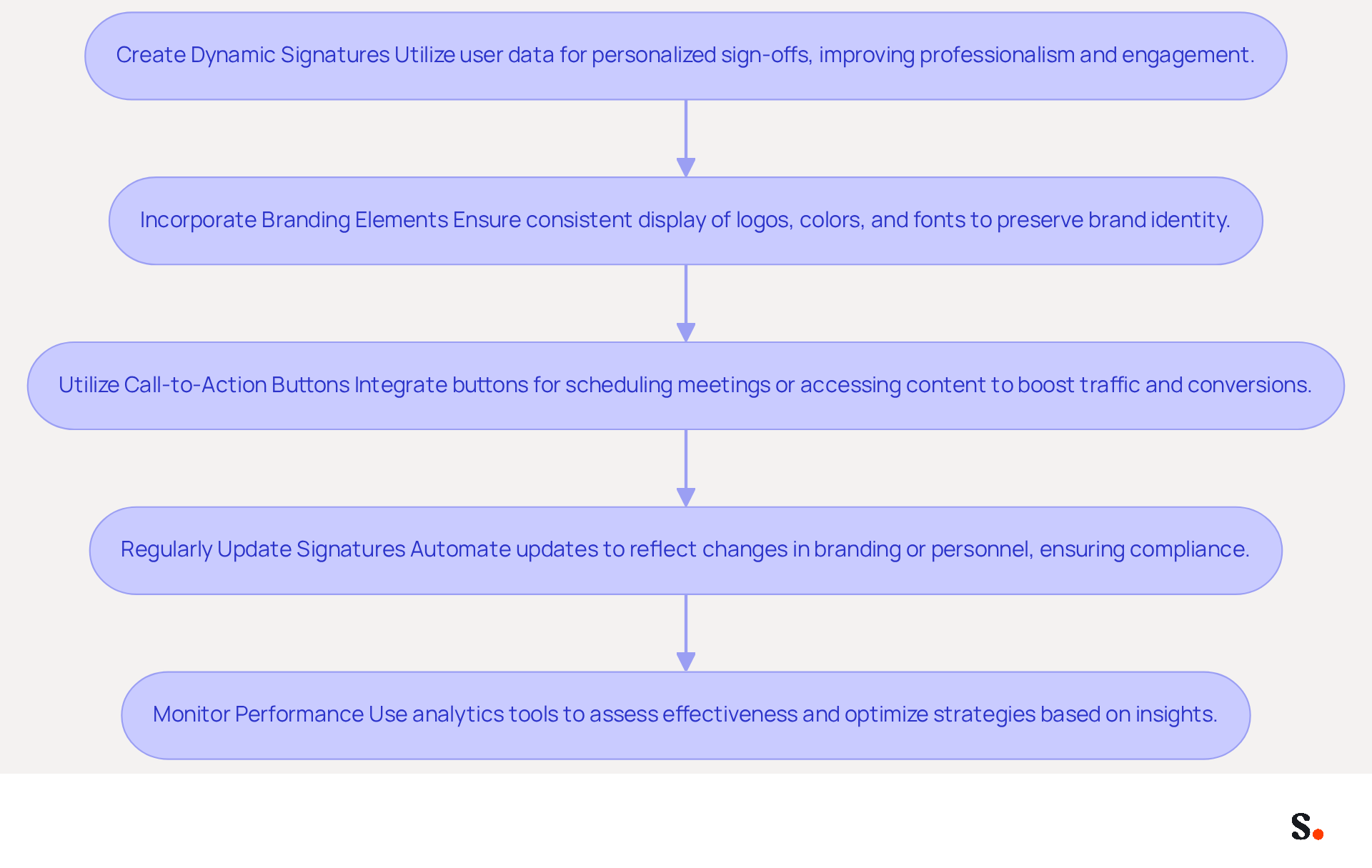
To maximize the effectiveness of email signatures using Microsoft Graph, organizations must adopt strategic best practices:
- Create Dynamic Signatures: Utilize user data from Microsoft Graph to design personalized sign-offs that include the user's name, title, and contact information. This method improves professionalism. It also increases engagement rates, as personalized sign-offs can result in a 22% higher response rate compared to generic ones.
- Incorporate Branding Elements: Ensure that all email footers consistently display company logos, colors, and fonts. This consistency is essential for preserving brand identity across all communications. Organizations employing branded digital identifiers have reported a 15% increase in website click-through rates.
- Utilize Call-to-Action Buttons: Integrate buttons for scheduling meetings or accessing promotional content directly within the email footer. This strategy can really boost traffic and improve conversion rates, with customized digital identifiers demonstrating a notable increase in engagement metrics.
- Regularly Update Signatures: Automate the updating process to reflect any changes in branding or personnel. Scheduled campaigns utilizing the Microsoft Graph API email signature can facilitate this, ensuring that identifiers remain current and compliant. This reduces the risk of outdated information leading to miscommunication and a lack of professionalism.
- Monitor Performance: Utilize analytics tools to assess the effectiveness of digital identifiers in driving engagement and conversions. Regularly reviewing performance data allows organizations to adjust their strategies, optimizing results based on insights gathered from recipient interactions.
By adopting these strategies, organizations can significantly improve their engagement metrics. Ultimately, these strategies can redefine how organizations leverage email signatures, transforming them into essential tools for engagement and brand enhancement.
Troubleshoot Common Issues with Microsoft Graph API Email Signatures
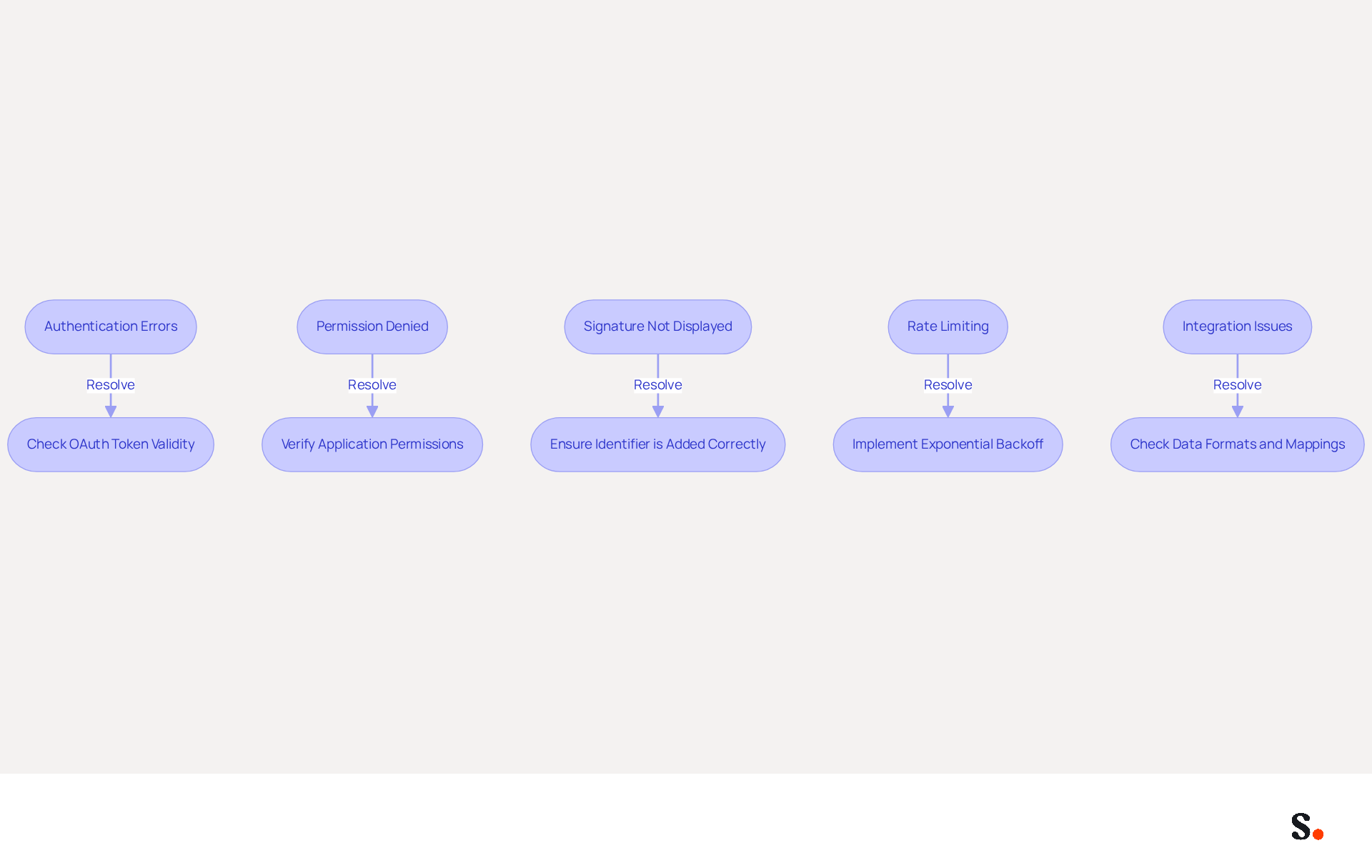
Organizations frequently encounter challenges when managing identifiers through the Graph API. Here are some troubleshooting tips:
- Authentication Errors: Ensure that OAuth tokens are valid and have not expired. Implement a refresh token mechanism to maintain user sessions effectively. As noted in the case study "403 Forbidden Error: Token Permission Mismatch," mismatched audience claims in access tokens can lead to authentication errors, so verifying that the token matches the API being called is crucial.
- Permission Denied: In case of a permission error, check that the application has the required permissions in the Azure portal and that user consent is in place. According to Graph, common authorization errors often generate a 403 error, which can be resolved by ensuring the correct permissions are requested.
- Signature Not Displayed: If signatures are not visible in sent messages, verify that the identifier is being added correctly in the API call. Logging API responses can aid in debugging this issue. Ensure the API call is structured properly to prevent common issues.
- Rate Limiting: Be mindful of Graph's rate limits. If these limits are exceeded, employ exponential backoff strategies to retry requests without overwhelming the system. Failing to manage rate limits can lead to service disruptions and hinder user experience.
- Integration Issues: When integrating with other systems, ensure that data formats are compatible and that any required mappings are correctly configured. This can help avoid common integration pitfalls that may lead to errors.
Tackling these common issues head-on can lead to a smoother experience in managing the Microsoft Graph API email signature.
Conclusion
Organizations often struggle with inconsistent email signatures that dilute brand identity. Mastering email signature management through the Microsoft Graph API is crucial for enhancing brand consistency and communication effectiveness. By effectively utilizing the Graph API, businesses can streamline their email signature processes and turn these signatures into impactful marketing tools.
Key insights from the article emphasize the importance of integrating the Microsoft Graph API effectively. Steps such as:
- Registering applications
- Configuring permissions
- Utilizing dynamic signatures
can significantly improve engagement rates and brand visibility. Additionally, addressing common issues like authentication errors and rate limiting ensures a smoother experience in managing email signatures, ultimately leading to more professional and impactful communications.
As organizations face the challenges of digital communication, innovative solutions like Scribe can help them achieve brand consistency and measurable marketing ROI. By prioritizing effective email signature management strategies, businesses can turn their email communications into powerful tools for engagement and connection.
Frequently Asked Questions
What is the Microsoft Graph API used for?
The Microsoft Graph API offers a unified endpoint for accessing various Microsoft services, allowing developers to interact with user mailboxes, handle contacts, and send messages programmatically.
What are the limitations of the Microsoft Graph API regarding email signature management?
The Microsoft Graph API does not adequately support the management of email signatures, creating significant hurdles for organizations that rely on it for automated signature management.
How many API requests can the Microsoft Graph API handle?
The Microsoft Graph API can handle up to 10,000 API requests every 10 minutes, which is approximately 1,000 requests per minute.
What is the sending limit for messages in Exchange Online?
The Exchange Online sending limit restricts the number of messages sent to 30 per minute.
What are the concurrency limits of the Microsoft Graph API?
The API is limited to four concurrent requests, which can lead to throttling and delays if exceeded.
What significant change is happening on October 1, 2026, regarding Exchange Web Services (EWS)?
The retirement of Exchange Web Services (EWS) will complicate the management of digital identifiers, as scripts that depend on EWS will no longer have access.
What alternatives should organizations consider for managing digital identifiers after EWS retirement?
Organizations should investigate alternative approaches such as utilizing Set-MailboxMessageConfiguration or transport rules to maintain consistent communication identifiers.
What do experts suggest for managing digital identifiers effectively?
Experts highlight the necessity for a dedicated platform to manage digital identifiers and recommend proactive planning and centralized solutions to ensure consistency in communications.
List of Sources
- Understand Microsoft Graph API for Email Signature Management
- MS Graph API - Use reports to show company email usage statistics - How to dismantle a Peakboard box (https://how-to-dismantle-a-peakboard-box.com/MS-Graph-API-Use-Report-to-show-companys-email-usage-statistics)
- What is the maximum number of emails that can be sent per minute using Microsoft Graph API - Microsoft Q&A (https://learn.microsoft.com/en-us/answers/questions/2258712/what-is-the-maximum-number-of-emails-that-can-be-s)
- User email signature management via Graph API - Microsoft Q&A (https://learn.microsoft.com/en-us/answers/questions/1093518/user-email-signature-management-via-graph-api)
- Microsoft 365 Email Signatures After Azure AD PowerShell (https://exclaimer.com/email-signature-handbook/microsoft-365-signatures-graph-api-migration)
- Set Up Microsoft Graph API for Email Integration
- Microsoft Graph reports API overview - Microsoft Graph (https://learn.microsoft.com/en-us/graph/reportroot-concept-overview)
- Microsoft Graph API Email: Send, Read & Sync (2026) – Unipile (https://unipile.com/microsoft-graph-api-email-integration-guide)
- btp-cap-multitenant-saas/docu/4-expert/send-emails-graph-api/README.md at main · SAP-archive/btp-cap-multitenant-saas (https://github.com/SAP-samples/btp-cap-multitenant-saas/blob/main/docu/4-expert/send-emails-graph-api/README.md)
- What's new in Microsoft Graph - Microsoft Graph (https://learn.microsoft.com/en-us/graph/whats-new-overview)
- Microsoft Outlook API for Email Integration in 2026 (https://tmcnet.com/topics/articles/2026/08/25/464059-microsoft-outlook-api-email-integration-2026.htm)
- Implement Effective Email Signature Strategies with Microsoft Graph
- The Best Way to Manage Email Signatures in Microsoft 365 | Rocketseed (https://rocketseed.com/blog/best-way-to-manage-email-signatures-in-microsoft-365)
- Email signature statistics: Why every business should optimize their email signatures — Stripo.email (https://stripo.email/blog/email-signature-statistics-why-every-business-should-optimize-their-email-signatures)
- Email Signature Best Practices for 2026 (+ 15 Pro Examples) (https://wavecnct.com/blogs/email-signature-best-practices-2026)
- 4 Best Practices for Automated Email Signature with Office 365 (https://scribe-mail.com/en-US/blog/4-best-practices-for-automated-email-signature-with-office-365)
- User email signature management via Graph API - Microsoft Q&A (https://learn.microsoft.com/en-us/answers/questions/1093518/user-email-signature-management-via-graph-api)
- Troubleshoot Common Issues with Microsoft Graph API Email Signatures
- Known issues with Microsoft Graph APIs - Microsoft Graph (https://learn.microsoft.com/en-us/graph/known-issues)
- 7 API failures and how to fix them (https://harness.io/blog/api-failure-7-causes-and-how-to-fix-them)
- Resolve Microsoft Graph authorization errors - Microsoft Graph (https://learn.microsoft.com/en-us/graph/resolve-auth-errors)
- Sad State of Microsoft Graph And Other Microsoft 365 APIs (https://office365itpros.com/2026/03/18/microsoft-graph-issues)
Get started with Scribe
Manage signatures across your whole team
Free 14-day trial — no credit card.