4 Best Practices for an Effective Education Teacher Email Signature
An effective email signature is essential for educators, serving as a key tool for communication and professionalism. By incorporating key elements like
Sophie Grant
Email Signature Specialist, Scribe
Introduction
An effective email signature is essential for educators, serving as a key tool for communication and professionalism. By incorporating key elements like contact information and school branding, teachers can create signatures that reflect their identity and build trust with their audience.
However, educators often struggle to meet compliance requirements while maintaining effective communication. Failure to navigate these complexities can lead to miscommunication and a lack of trust.
Balancing personalization with compliance is crucial for fostering trust and clarity in educational communications.
Get started with Scribe
Manage signatures across your whole team
Free 14-day trial — no credit card.
Identify Essential Elements for Teacher Email Signatures
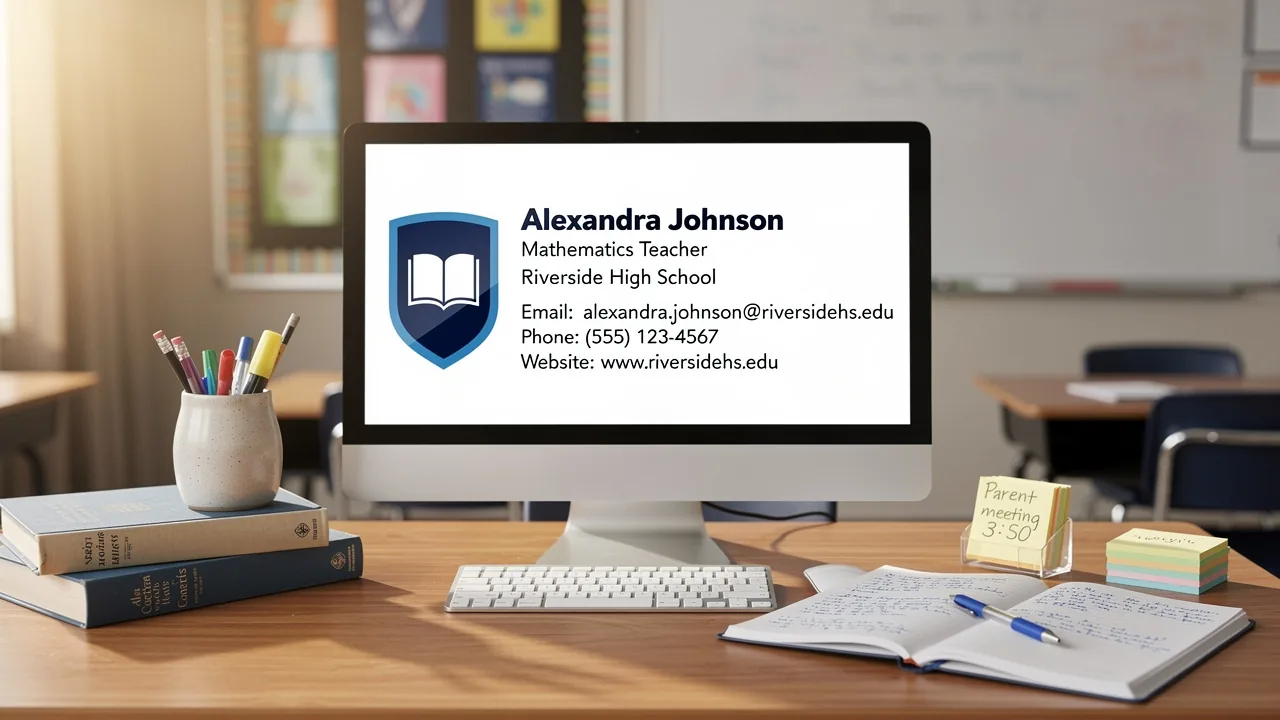
An effective education teacher email signature is crucial for teachers, as it acts as a professional introduction and a vital communication tool. A well-crafted email signature for teachers should include the following essential elements:
- Full Name: Clearly state your full name to establish identity and ensure recipients can easily recognize you.
- Job Title: Include your specific role (e.g., 5th Grade Teacher, Science Department Head) in your education teacher email signature to clarify your position and responsibilities within the school.
- School Name: Mention the name of your institution in your education teacher email signature to provide context and reinforce the connection to your educational environment.
- Contact Information: Include your phone number and contact address in your education teacher email signature to ensure easy interaction, facilitating prompt responses from parents and colleagues.
- Professional Credentials: If applicable, add any relevant degrees or certifications to your education teacher email signature to enhance credibility and showcase your qualifications.
- School Logo: Incorporating the school logo in your education teacher email signature can reinforce brand identity and professionalism, making your messages more recognizable.
Studies indicate that these elements boost professionalism and reduce confusion, aligning with district branding standards. An education teacher email signature should ideally be five to eight lines long for clarity. Furthermore, some districts mandate confidentiality or legal disclaimers in digital communications, especially in public schools, to ensure compliance and professionalism. Experts suggest reviewing digital identifiers at the beginning of each academic year to identify outdated information, ensuring that all details stay up-to-date and pertinent.
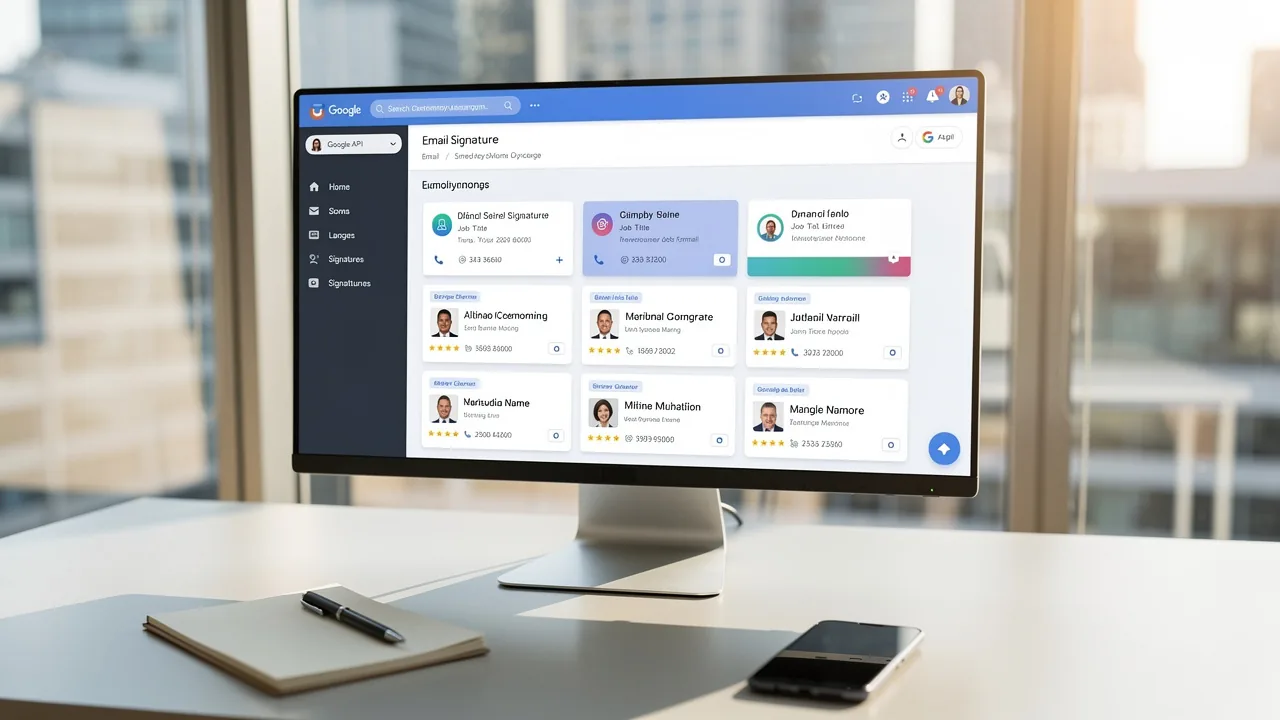
By syncing your Google Workspace with the application, you can save time and ensure that your email signatures are always up-to-date. This integration enables automatic updates, meaning any changes in your Google Workspace-such as moving teammates from one group to another or updating their information-will be reflected in the application without any manual input. Scribe is also compliant with security standards like SOC 2 Type II, GDPR, and CCPA, ensuring that your data is handled securely. Furthermore, including links to official school social media pages can enhance communication and engagement with parents and the community. By prioritizing these elements, teachers can significantly enhance their professional image and streamline communication with their community.

Design an Engaging and Professional Layout
Creating an engaging and professional email signature requires careful attention to design principles that enhance communication.
- Consistent Color Palette: Utilize a limited color palette that aligns with your school’s branding to maintain visual consistency. This approach not only reinforces brand identity but also enhances recognition among recipients.
- Readable Fonts: Choosing a clear font is crucial; 52% of professionals agree that a strong email identity builds trust. Opt for web-safe fonts that are easy to read, steering clear of overly decorative styles that may hinder legibility.
- Hierarchy of Information: Organize information effectively to guide the reader’s eye. Use bold text for your name and job title, ensuring these elements stand out. This design principle helps in establishing authority and clarity in communication.
- Limit Length: Keep the sign-off concise, ideally under six lines, to avoid overwhelming the recipient. Disorganized sign-offs can lead to missed opportunities for engagement, while well-organized sign-offs can greatly enhance interaction. This is significant because messages with branded sign-offs see a 22% increase in response rates.
- Mobile Optimization: Ensure the design is visually appealing on mobile devices, as a significant portion of messages are read on smartphones. With 41.6% of opens occurring on mobile, optimizing for this platform is essential.
Furthermore, integrating Scribe with Google Workspace can simplify your management of electronic signatures. Syncing your Google Workspace with Scribe not only saves you time but also keeps your teammates' data up to date effortlessly, allowing for seamless auto-filling of information related to sign-offs. Any modifications in your Google Workspace, such as updates to job roles or group assignments, will be reflected in the application without manual input, ensuring your contact details are always current. By leveraging these design principles and Scribe's capabilities, educators can significantly elevate their professional image and communication effectiveness through their education teacher email signature.

Incorporate Meaningful Quotes and Personal Touches
Incorporating personal touches in your education teacher email signature can enhance both engagement and professionalism. Here are some best practices to consider:
- Choose Relevant Quotes: Opt for quotes that align with your teaching philosophy or inspire your students. Aim for brevity and impact, as the optimal length for an email quote is between 10-20 words. As Brad Henry noted, 'A good teacher can inspire hope, ignite the imagination, and instill a love of learning.' This reflects the personal touch that educators can convey through their education teacher email signature.
- Personal Interests: Including a brief mention of hobbies or interests related to education, such as a favorite book or educational philosophy, can add a personal touch that resonates with recipients.
- Professional Tone: Ensure that any personal elements maintain a professional demeanor and are suitable for the educational context. This balance is essential, as 76-80% of marketers believe that a professional branded email footer enhances trust and credibility. In fact, 42% of consumers view businesses negatively when they receive emails without a branded closing, highlighting the importance of professionalism.
- Visual Elements: When using a quote, consider formatting it differently (e.g., italics) to distinguish it from the rest of the document, making it visually appealing and engaging. Furthermore, rotating your quote quarterly can keep your branding fresh and engaging for recipients.
These elements not only make your education teacher email signature more engaging but also showcase your personality while maintaining a professional tone. Statistics indicate that consistent branded digital identifiers can enhance response rates by 22%, making them a valuable resource for educators.

Ensure Compliance with Privacy and Institutional Standards
To maintain compliance with privacy standards, educators must navigate a complex landscape of regulations and institutional policies.
- Avoid Personal Information: Sensitive information such as student names, class rosters, or personal identifiers must not be included in your signature to protect student privacy and comply with regulations like FERPA and GDPR. As KCTCS highlights, teacher contact details must adhere to these regulations, forbidding the inclusion of identifiable student information. Failing to comply with these regulations can lead to serious legal repercussions.
- Institutional Guidelines: Familiarize yourself with your school’s email format policy, which may dictate specific layouts, required elements, and approved fonts. Many institutions, such as K-State, require standardized formats to maintain consistent branding across all communications, ensuring clarity and professionalism.
- Confidentiality Notices: Including a confidentiality notice at the end of your sign-off can serve as a reminder to recipients about the importance of privacy, reinforcing the commitment to data protection. With 70% of emails containing sensitive information, ensuring confidentiality is not just advisable; it is essential.
- Accessibility Considerations: Ensure that your signature is accessible to all recipients, including those using screen readers. This includes using readable font sizes and avoiding low-contrast color schemes to enhance clarity. Accessibility standards are crucial for effective interaction and compliance.
By adhering to these compliance guidelines, educators can effectively safeguard sensitive information while maintaining a professional communication presence, thereby fostering trust and professionalism in educational interactions. Utilizing Scribe's automated email signature management not only simplifies the process but also guarantees adherence to GDPR compliance, enabling effortless updates and synchronization with Google Workspace. Additionally, Scribe's SAML Single Sign-On integration enhances security by allowing seamless access through your identity provider, minimizing the risk of unauthorized access. The financial stakes are high; a data breach can cost institutions an average of $3.86 million, making compliance not just a legal obligation but a financial necessity.

Conclusion
For educators, an effective email signature is not just a formality; it is a crucial element of professional communication. By incorporating key elements such as full name, job title, school name, and contact information, teachers can enhance their professional image and streamline communication with parents and colleagues. Moreover, focusing on design principles that enhance readability and maintain brand consistency can significantly boost the effectiveness of these signatures.
The article highlights several best practices, including the importance of personal touches like meaningful quotes and hobbies, while also emphasizing compliance with privacy standards and institutional guidelines. Ensuring email signatures are visually appealing while strictly following regulations is vital for maintaining professionalism. By leveraging Scribe, educators can effortlessly maintain compliance while enhancing their professional image, ensuring their signatures remain up-to-date and compliant with security standards such as SOC 2 Type II, GDPR, and CCPA.
Ultimately, a well-designed email signature is more than just a digital sign-off; it is a powerful tool for engagement and communication in the educational landscape. Adopting these strategies not only elevates individual educators but also strengthens the overall integrity of the educational community.
Frequently Asked Questions
Why is an effective email signature important for teachers?
An effective email signature is crucial for teachers as it serves as a professional introduction and a vital communication tool, helping to establish identity and facilitate interaction.
What essential elements should be included in a teacher's email signature?
A teacher's email signature should include the following essential elements: full name, job title, school name, contact information, professional credentials, and school logo.
How does including a school logo in an email signature benefit teachers?
Incorporating the school logo in an email signature reinforces brand identity and professionalism, making messages more recognizable.
What is the recommended length for a teacher's email signature?
An education teacher email signature should ideally be five to eight lines long for clarity.
Are there any legal or confidentiality requirements for teacher email signatures?
Some districts mandate confidentiality or legal disclaimers in digital communications, especially in public schools, to ensure compliance and professionalism.
How can teachers keep their email signatures up-to-date?
Teachers can review their digital identifiers at the beginning of each academic year to identify outdated information and ensure all details are current.
What advantage does syncing Google Workspace with the email signature application provide?
Syncing Google Workspace with the application allows for automatic updates, meaning any changes in Google Workspace will be reflected in the email signature without manual input.
What security standards does Scribe comply with regarding data handling?
Scribe is compliant with security standards like SOC 2 Type II, GDPR, and CCPA, ensuring that user data is handled securely.
How can including links to official school social media pages in an email signature enhance communication?
Including links to official school social media pages can enhance communication and engagement with parents and the community.
List of Sources
- Identify Essential Elements for Teacher Email Signatures
- Teacher Email Signature Examples and Templates (https://exclaimer.com/email-signature-handbook/teacher-email-signature)
- Teacher Email Signature Ideas & Best Practices (https://rightinbox.com/blog/teacher-email-signature-ideas)
- Professional Teacher Email Signatures: Examples & Tips - NEWOLDSTAMP (https://newoldstamp.com/solutions/email-signature-for-teachers)
- Teacher Email Signatures: Professional Design, Compliance, and Setup in Mailbird (https://getmailbird.com/teacher-email-signature-examples-professional-setup)
- Teacher email signature: best examples @ mail-signatures.com (https://mail-signatures.com/articles/teacher-email-signature)
- Design an Engaging and Professional Layout
- Email signature statistics: Why every business should optimize their email signatures — Stripo.email (https://stripo.email/blog/email-signature-statistics-why-every-business-should-optimize-their-email-signatures)
- Email Signature Best Practices Guide With Examples - MailerLite (https://mailerlite.com/blog/email-signature-best-practices)
- Professional Teacher Email Signatures: Examples & Tips - NEWOLDSTAMP (https://newoldstamp.com/solutions/email-signature-for-teachers)
- Teacher email signature: best examples @ mail-signatures.com (https://mail-signatures.com/articles/teacher-email-signature)
- Email Signatures for Teachers - Gimmio (https://blog.gimm.io/email-signatures-for-teachers)
- Incorporate Meaningful Quotes and Personal Touches
- 40+ Email Signature Statistics for 2026 (Data + Insights) (https://wavecnct.com/blogs/email-signature-statistics)
- 100 Professional Email Signature Quotes: Best Ideas - NEWOLDSTAMP (https://newoldstamp.com/blog/email-signature-quotes)
- a musing on email signatures (https://patthomson.net/2024/05/13/a-musing-on-email-signatures)
- Keeping Great Teachers, With a Personal Touch - TNTP (https://tntp.org/blog/keeping-great-teachers-with-a-personal-touch)
- Email Signature Quotes for School Counselors, Psychologists, Social Workers, and Other Educators (https://wholechildcounseling.com/post/email-signature-quotes-for-school-counselors-psychologists-social-workers-and-other-educators?srsltid=AfmBOoq-iniI4ep1iqIuHLUtfFYPnWUzWUp4zKmDaEjTqzwAlMbTMY02)
- Ensure Compliance with Privacy and Institutional Standards
- Teacher Email Signatures: Professional Design, Compliance, and Setup in Mailbird (https://getmailbird.com/teacher-email-signature-examples-professional-setup)
- University Email Signature Standards (https://k-state.edu/communications-marketing/brand-style/resources/email-signature)
- 17 Data Security Stats on Protecting & Sharing Sensitive Data | Virtru (https://virtru.com/blog/email-security/statistics)
- Over 150 data privacy statistics companies need to know about in 2026 (https://usercentrics.com/guides/data-privacy/data-privacy-statistics)
- U.S. Department of Education Reminds Schools of Their Obligation to Comply with Parental Rights Law (https://ed.gov/about/news/press-release/us-department-of-education-reminds-schools-of-their-obligation-comply-parental-rights-law)
Get started with Scribe
Manage signatures across your whole team
Free 14-day trial — no credit card.