4 Best Practices for an Effective Email Signature with Address
Many organizations fail to recognize the potential impact of their email signatures, often viewing them as mere formalities. This essential component not only
Sophie Grant
Email Signature Specialist, Scribe

Introduction
Many organizations fail to recognize the potential impact of their email signatures, often viewing them as mere formalities. This essential component not only serves as a virtual business card but also acts as a strategic marketing tool that can enhance brand visibility and engagement.
How can organizations make their email signatures not only functional but also effective in showcasing professionalism and brand identity? By exploring best practices, organizations can identify key elements that transform email signatures into powerful marketing and communication assets.
Get started with Scribe
Manage signatures across your whole team
Free 14-day trial — no credit card.
Define Key Elements of a Professional Email Signature
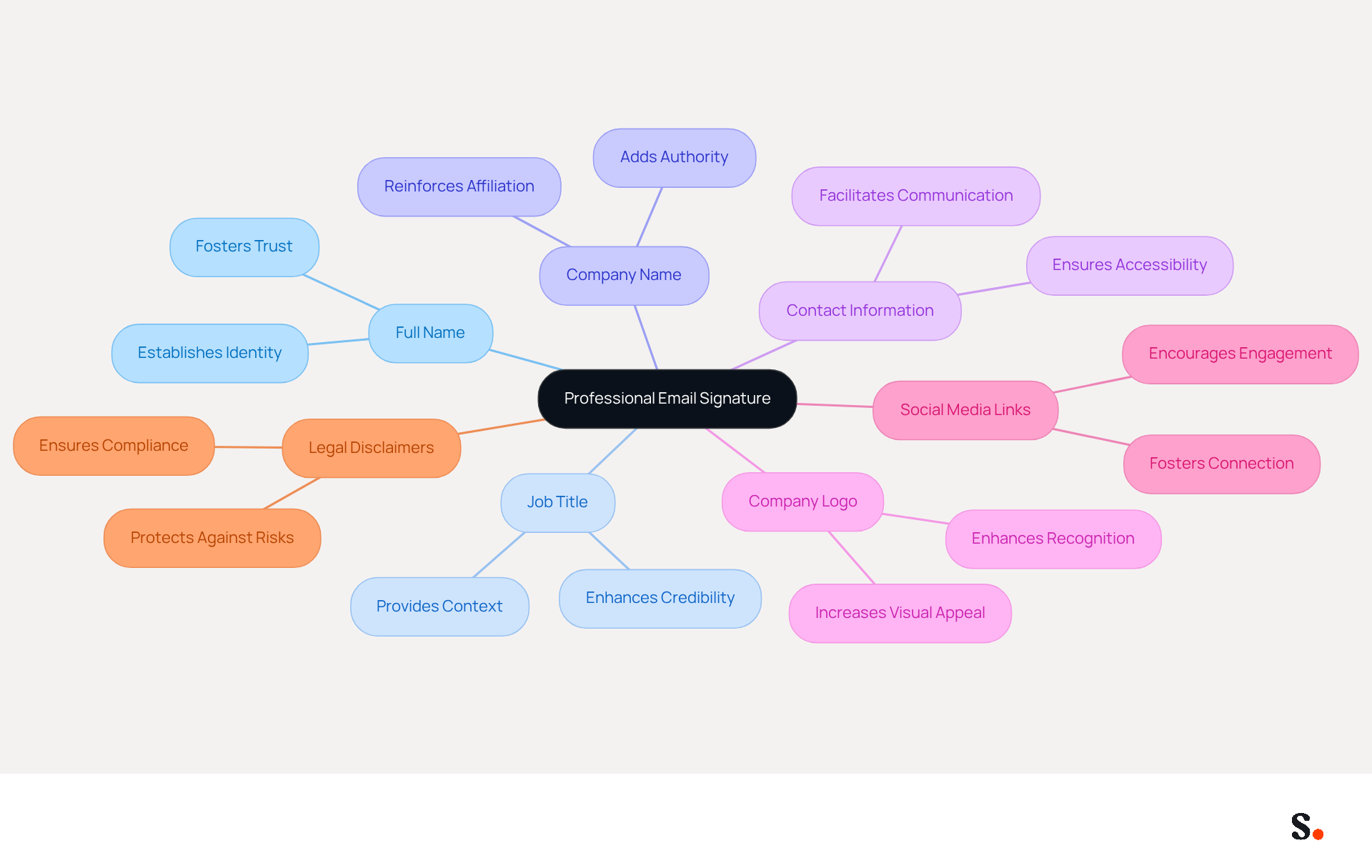
In an increasingly digital world, the importance of a professional email signature with address cannot be overstated. A professional email signature in 2026 should encompass the following key elements:
- Full Name: Clearly stating your name establishes your identity and fosters trust.
- Job Title: Including your position provides context about your role within the organization, enhancing credibility.
- Company Name: This reinforces your affiliation and adds to the authority of the endorsement.
- Contact Information: Providing a phone number and contact address facilitates easy communication, ensuring recipients can reach you without hassle.
- Company Logo: Incorporating a logo enhances recognition and visual appeal, making your mark stand out.
- Social Media Links: Adding links to professional social media profiles encourages further engagement and connection with recipients.
- Legal Disclaimers: Including relevant legal disclaimers is crucial for compliance, particularly in industries such as law and finance.
By including these elements, your email signature with address transforms into a powerful virtual business card, effectively facilitating interaction and reinforcing your brand's presence. Studies indicate that effective digital identifiers can increase engagement rates by as much as 40% when calls-to-action and branding are strategically placed. Moreover, endorsements that include essential contact information and legal disclaimers not only enhance professionalism but also protect against potential legal risks. Utilizing standard fonts such as Arial, Verdana, and Times New Roman guarantees clarity and professionalism in digital correspondence. Furthermore, with Scribe's automated synchronization of identifiers with Aircall, any modifications made in your Aircall settings will be automatically reflected in your Scribe identifiers, ensuring consistency across all communications. Ultimately, a well-crafted email signature with address is not just a formality; it is a strategic tool that can significantly impact your professional interactions.
Implement Brand-Consistent Design and Content
To effectively align your email signature with your brand identity, it is crucial to implement best practices that enhance recognition and professionalism:
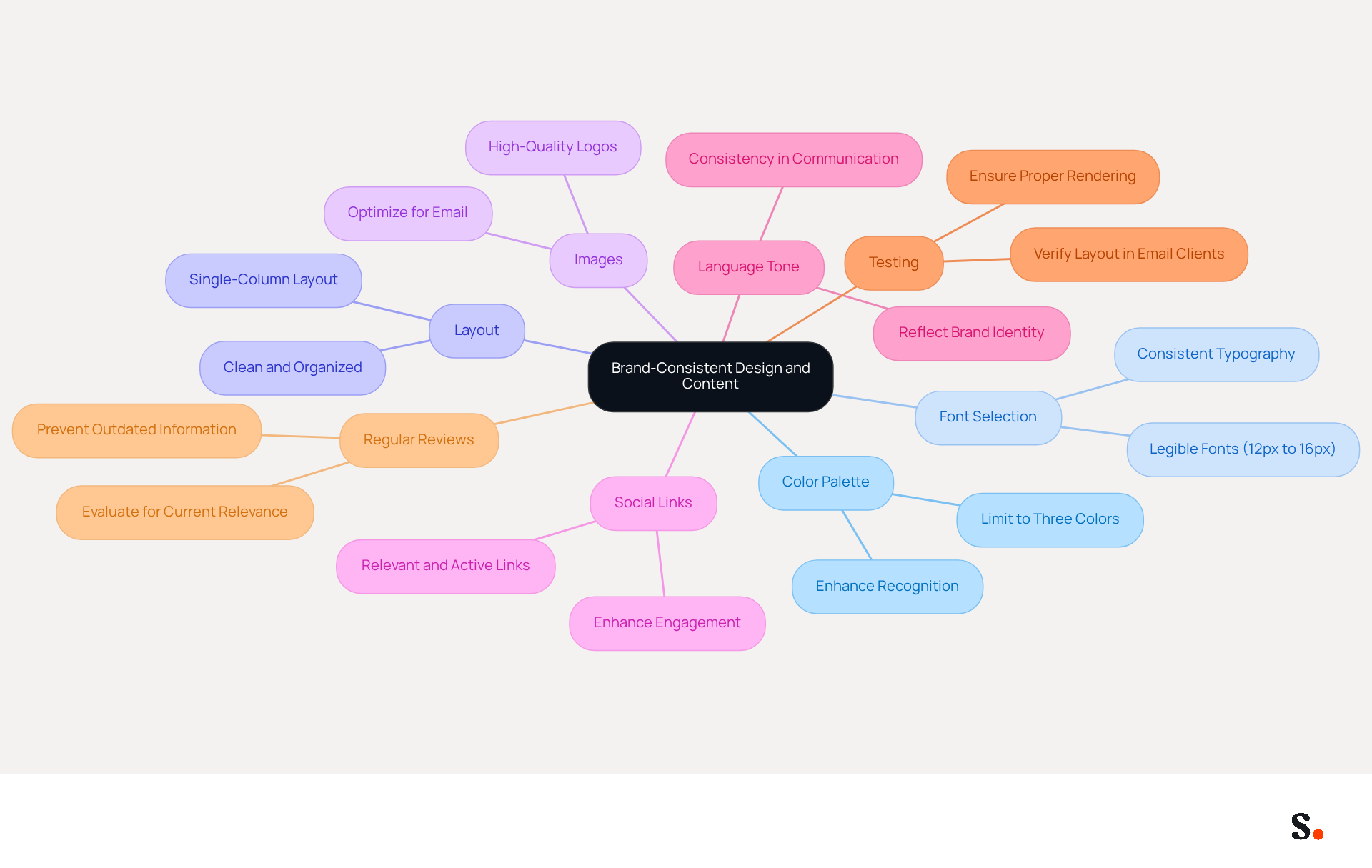
- Color Palette: Utilize a color scheme that reflects your identity, limiting yourself to a maximum of three colors to prevent visual clutter. This approach enhances recognition while maintaining a professional look.
- Font Selection: Choose fonts that are consistent with your brand’s typography. Opt for legible and professional fonts, as readability is crucial for effective communication. Recommended font sizes range from 12px to 16px to ensure clarity across various devices.
- Layout: Maintain a clean and organized layout. Effective use of spacing can separate different elements, making the mark easy to scan. A single-column layout enhances readability and minimizes distractions, making it a preferred choice for an email signature with address.
- Images: Incorporate high-quality images for logos and any other graphics. Ensure these images are optimized for email to avoid loading issues, as loading issues can disrupt the recipient's experience, making it essential to optimize images for email. A correctly displayed logo aids in identification without overwhelming the email footer.
- Social Links: Include relevant social media links in your email footer, ensuring they are active and serve a useful purpose. This can enhance engagement and provide recipients with additional ways to connect with your business.
- The language utilized in your identifier should reflect your identity’s tone, whether it’s formal, friendly, or casual. This consistency reinforces your brand identity and enhances the overall customer experience.
- Testing: Prior to deployment, verify your message layout in the actual messaging environment to ensure proper rendering across various email clients. This step is crucial to avoid issues later on.
- Regular Reviews: Conduct periodic evaluations of digital identifiers to ensure they remain current and effective, preventing outdated information from circulating.
By utilizing automated synchronization with Aircall, any changes in your configuration are instantly reflected in your documents. This not only enhances consistency but also builds trust with your audience. Moreover, Scribe's smooth integration with Calendly enables automatic updates to your identifiers, further enhancing consistency in your branding. Furthermore, Scribe complies with SOC 2 Type II, GDPR, and CCPA, ensuring that your management of digital identities is secure and trustworthy. By adhering to these guidelines, you not only present a polished image but also foster a stronger connection with your audience.
Leverage Email Signatures for Marketing and Engagement
To transform your email signature into a powerful marketing tool, it is crucial to implement effective strategies that drive engagement and conversions:
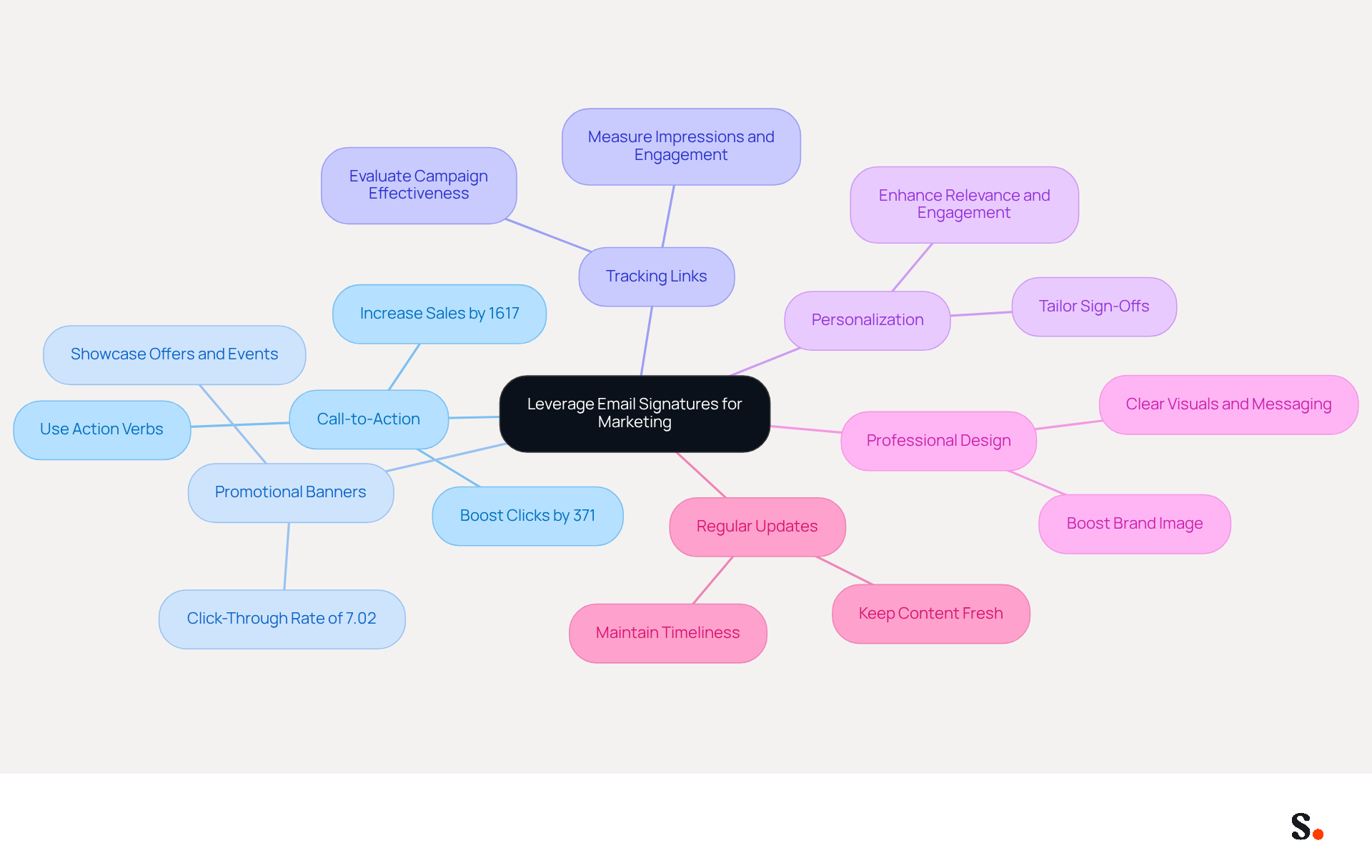
- Call-to-Action (CTA): Including a CTA in your emails can boost clicks by 371% and sales by 1617%, so it's vital to create CTAs that truly connect with your audience.
- Promotional Banners: Utilize visually appealing banners to showcase special offers, events, or new products. A case analysis showed that a promotional banner achieved a click-through rate of 7.02%, successfully attracting interest and encouraging interaction.
- Tracking Links: Implement tracking links to evaluate the effectiveness of your marketing campaigns. This data is crucial for refining future strategies and understanding how recipients interact with your content. Tracking impressions and engagement will help you measure the success of your campaigns.
- Personalization: Tailor your sign-off based on the recipient’s interests or previous interactions. Personalization can enhance engagement and make your communications more relevant, increasing the likelihood of conversion.
- Professional Design: A well-designed email footer boosts your brand image and makes your marketing efforts more effective. Ensure your email footer is professionally crafted, maintaining clear visuals and concise messaging.
- Regular Updates: Keep your key content fresh by regularly updating it with new promotions or information. This practice not only maintains interest but also ensures that your marketing messages remain timely and effective.
By adopting these strategies, you position your email signature with address as a vital component of your marketing efforts, ensuring it remains relevant in the competitive landscape of 2026.
Utilize Automation for Consistent Signature Management
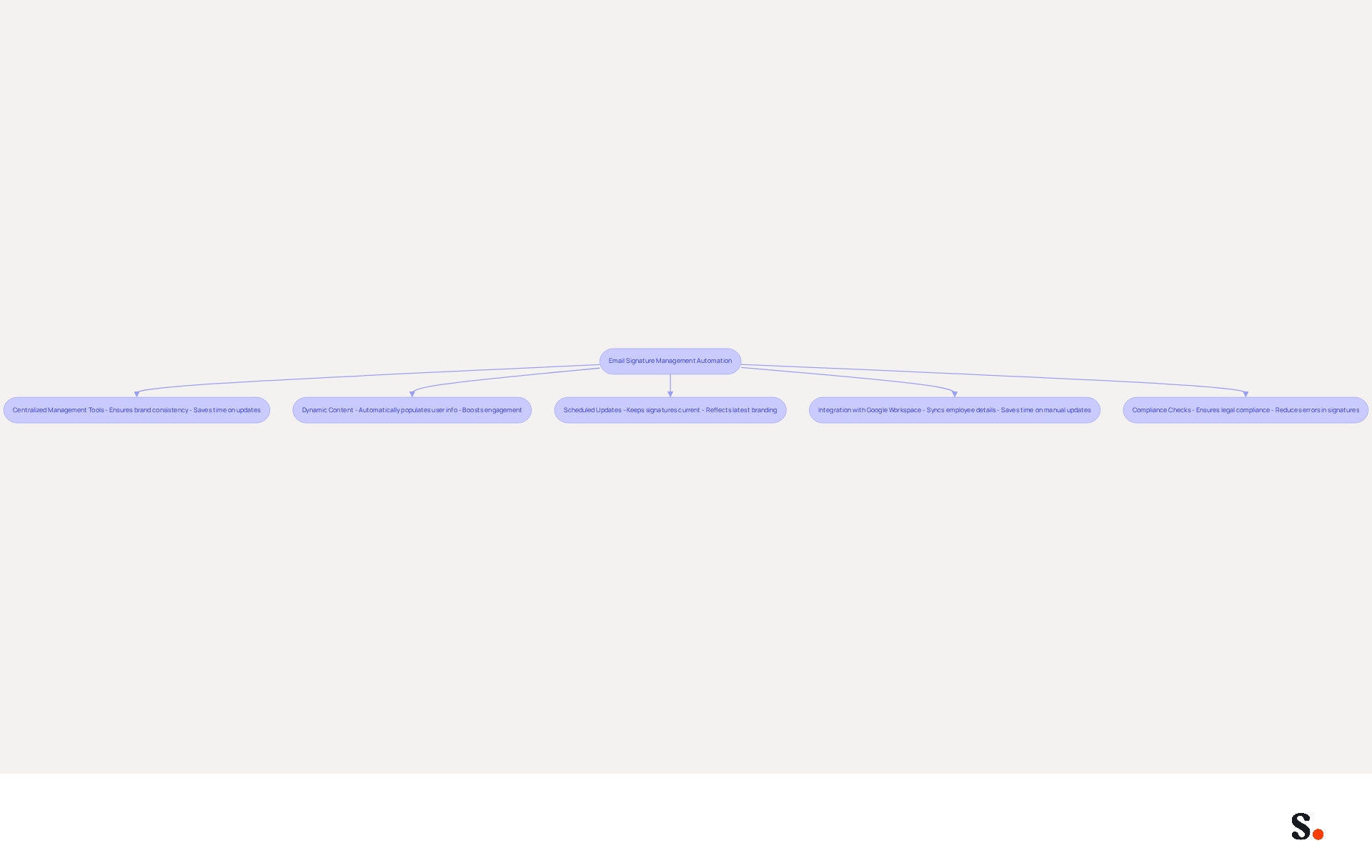
To enhance the efficiency of email signature management, organizations should consider implementing automation practices:
- Centralized Management Tools: Utilize platforms to manage signatures throughout your organization. This approach facilitates easy updates and ensures brand consistency in every email. Scribe's SOC 2 Type II certification guarantees that your data is handled securely, enhancing trust in your communications.
- Dynamic Content: Incorporate dynamic fields that automatically populate with user-specific information, such as names and titles. This approach boosts engagement by automatically filling in user-specific details, eliminating the need for manual updates. Regular updates can lead to significant increases in engagement, such as a 180% boost in webinar signups when registration links are included.
- Scheduled Updates: Establish a routine for regular updates to ensure that all endorsements reflect the latest branding and compliance requirements, keeping your communications current and professional. As organizations grow, the complexity of managing an email signature with address increases, leading to potential errors.
- Integration with Google Workspace: When you sync Google Workspace with Scribe, you can easily keep your email signatures up to date as employee details change. This integration not only saves time but also ensures that your branding remains consistent across all communications, as any changes in Google Workspace are reflected in the application without manual input. Organizations utilizing Scribe have reported an average click-through rate of 12% on banners, highlighting the tangible benefits of streamlined email signature management.
- Compliance Checks: Utilize automation to confirm that all approvals comply with legal and branding standards, reducing the likelihood of mistakes that could compromise your organization's integrity. Tools like Scribe have demonstrated effectiveness in standardizing communication formatting, which can greatly improve corporate image while ensuring compliance with GDPR and CCPA regulations.
By adopting these strategies, organizations can not only improve their branding but also streamline their operational processes.
Conclusion
A professional email signature is not just a formality; it is a crucial element that can influence perceptions and drive engagement. By incorporating essential elements such as your name, job title, company affiliation, and contact information, the signature facilitates easy communication and reinforces brand identity. The design and content of your signature play a crucial role in how recipients view your professionalism and the effectiveness of your communication.
Key practices for creating an effective email signature include:
- Maintaining brand consistency through color palettes and font choices
- Leveraging marketing strategies like call-to-action buttons and promotional banners
- Utilizing automation tools for seamless management
With features like automated synchronization and adherence to security standards such as SOC 2 Type II, GDPR, and CCPA, Scribe helps organizations manage their email signatures effectively while preserving brand integrity. The integration of dynamic content and regular updates further enhances engagement, making email signatures a powerful tool for marketing and communication.
In a competitive landscape, the importance of a well-crafted email signature cannot be overstated. Organizations are encouraged to adopt these best practices to not only present a polished image but also to leverage their email signatures as a strategic marketing asset. This approach can lead to increased brand visibility and engagement, ultimately translating into a stronger return on investment. Organizations that prioritize their email signatures will not only stand out but also create lasting impressions that drive business success.
Frequently Asked Questions
What are the key elements of a professional email signature in 2026?
The key elements include your full name, job title, company name, contact information, company logo, social media links, and legal disclaimers.
Why is it important to include a full name in an email signature?
Including your full name establishes your identity and fosters trust with the recipient.
How does a job title in an email signature enhance credibility?
A job title provides context about your role within the organization, which enhances your credibility.
What role does the company name play in an email signature?
The company name reinforces your affiliation and adds authority to your endorsement.
Why should contact information be included in an email signature?
Providing a phone number and contact address facilitates easy communication, ensuring recipients can reach you without hassle.
How does incorporating a company logo benefit an email signature?
A company logo enhances recognition and visual appeal, making your email signature stand out.
What is the purpose of adding social media links to an email signature?
Social media links encourage further engagement and connection with recipients.
Why are legal disclaimers important in an email signature?
Legal disclaimers are crucial for compliance, particularly in industries such as law and finance.
How can a well-crafted email signature impact professional interactions?
A well-crafted email signature acts as a strategic tool that can significantly impact professional interactions by facilitating communication and reinforcing your brand's presence.
What fonts are recommended for clarity and professionalism in email signatures?
Standard fonts such as Arial, Verdana, and Times New Roman are recommended for clarity and professionalism.
How does Scribe enhance the management of email signatures?
Scribe's automated synchronization with Aircall ensures that any modifications made in Aircall settings are automatically reflected in your Scribe identifiers, maintaining consistency across all communications.
List of Sources
- Define Key Elements of a Professional Email Signature
- Best practices for business email signatures in 2026 (https://bybrand.io/blog/best-practices)
- Email Signature Best Practices for 2026 (+ 15 Pro Examples) (https://wavecnct.com/blogs/email-signature-best-practices-2026)
- Best Email Signature Examples (2026) (https://signatureforemail.com/blog/view/best-email-signature-examples-2026)
- The Importance Of Email Signatures | Email Marketing Blog | Mail Blaze (https://mailblaze.com/thinking/email-signatures-in-email-marketing)
- "Email Signature Trends for 2026: What's In, What's Out" | Crossware posted on the topic | LinkedIn (https://linkedin.com/posts/crossware-ltd_new-year-new-trends-even-for-your-email-activity-7394554686046908416-vD_O)
- Implement Brand-Consistent Design and Content
- Email Signatures and Brand Consistency: A Guide for Small Businesses (https://designhill.com/design-blog/email-signature-brand-consistency-guide)
- 2026 Marketing Trends: Email Signatures as a Marketing Tool (https://bluechiptt.com/blog/5-marketing-trends-for-2026-and-how-your-email-signature-fits-in)
- Email Signature Trends 2026: What Designers Are Actually Using (https://markaplugin.com/blog/email-signature-trends-2026)
- 20 best email signature design examples for 2026 — Stripo.email (https://stripo.email/blog/10-best-email-signature-design-examples)
- Leverage Email Signatures for Marketing and Engagement
- The Ultimate Guide to Email Signature Call-to-Action - NEWOLDSTAMP (https://newoldstamp.com/blog/the-ultimate-guide-to-email-signature-call-to-action)
- Why and how to add an effective CTA to your email signature? (https://signitic.com/en/resources/why-and-how-to-add-an-effective-cta-to-your-email-signature)
- Why Email Signatures Must Be In Your 2026 Marketing Plan | Rocketseed (https://rocketseed.com/blog/2026-marketing-plan-email-signatures)
- Email Signature Trends 2026: Centralized Control & Automation | SIGNandGO posted on the topic | LinkedIn (https://linkedin.com/posts/signngo_email-signature-trends-to-watch-in-2026-activity-7401523471786217473-zAVL)
- Utilize Automation for Consistent Signature Management
- Company-Wide Email Signature Management | CloudM (https://cloudm.io/blog/optimize-your-process-with-company-wide-email-signature-management)
- Top Email Signature Management Software for Google Workspace (https://bignewsnetwork.com/news/278548159/top-email-signature-management-software-for-google-workspace)
- Best Email Signature Management Software: Top 12 Tools (2026)
- NEWOLDSTAMP (https://newoldstamp.com/blog/email-signature-software)
- 4 Best Practices for Effective Email Signature Automation (https://scribe-mail.com/en-US/blog/4-best-practices-for-effective-email-signature-automation)
- Email Signature Trends 2026: Centralized Control & Automation | SIGNandGO posted on the topic | LinkedIn (https://linkedin.com/posts/signngo_email-signature-trends-to-watch-in-2026-activity-7401523471786217473-zAVL)
Get started with Scribe
Manage signatures across your whole team
Free 14-day trial — no credit card.