4 Best Practices for Crafting Automatic Email Replies Templates
Crafting automatic email replies presents a unique challenge: how to balance efficiency with a personal touch in a fast-paced communication landscape. By
Sophie Grant
Email Signature Specialist, Scribe
Introduction
Crafting automatic email replies presents a unique challenge: how to balance efficiency with a personal touch in a fast-paced communication landscape. By implementing best practices, organizations can ensure their automated messages convey necessary information while maintaining a professional tone that reflects their brand values.
Let’s explore four best practices that can help you create effective automatic email reply templates, enhancing clarity, professionalism, and sender satisfaction:
- Personalize the message
- Keep it concise
- Provide clear next steps
- Use a friendly tone
Define Essential Components of Automatic Email Replies
To ensure effective automatic email replies, it is crucial to include specific components that enhance clarity and professionalism:
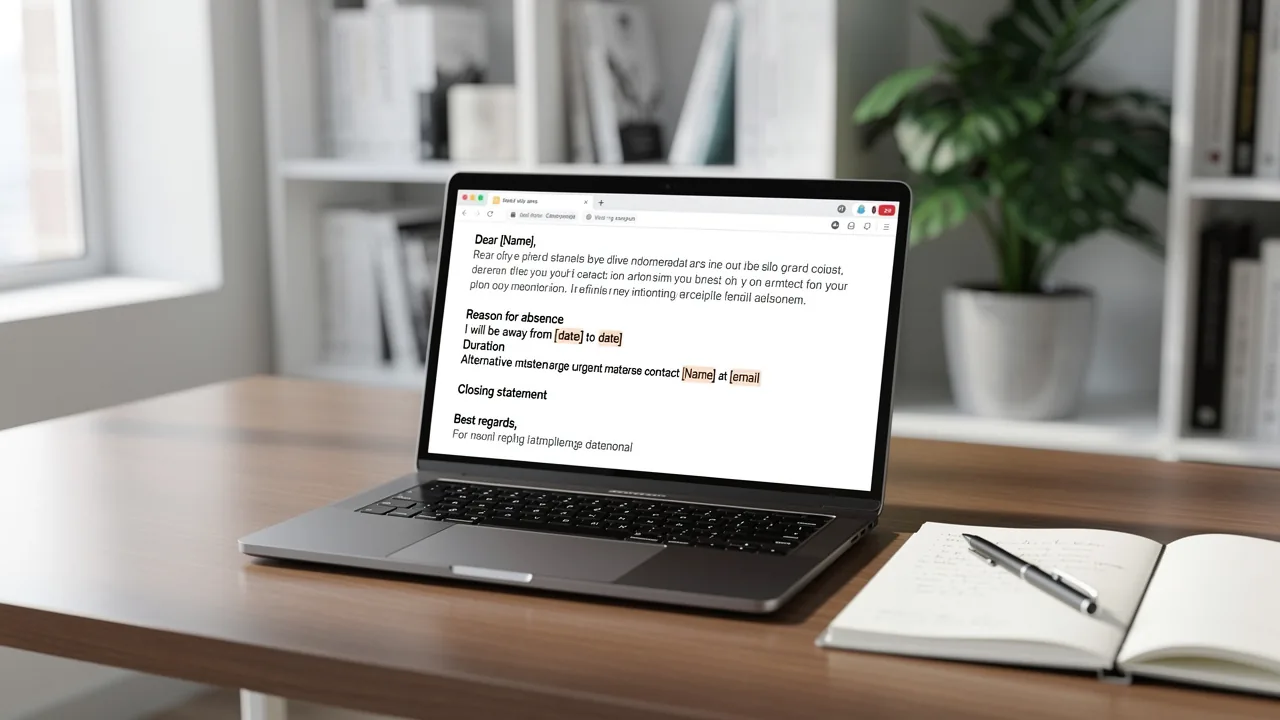
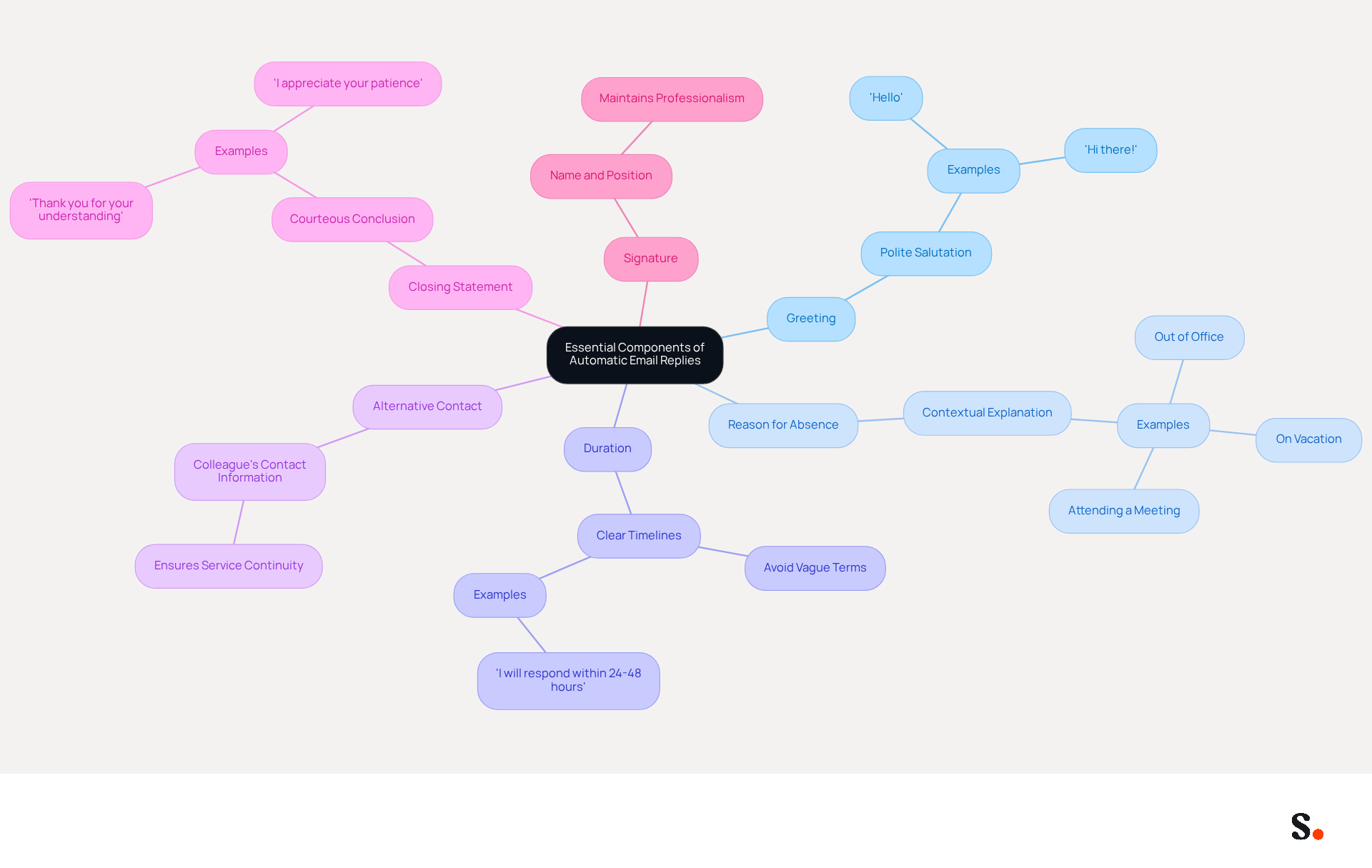
- Greeting: Start with a polite salutation to acknowledge the recipient, such as 'Hello' or 'Hi there!'. This sets a friendly tone for the communication.
- Reason for Absence: Briefly explain why you are unavailable, whether due to being out of the office, on vacation, or attending a meeting. Providing context aids in managing assumptions.
- Duration: Specify the time frame during which you will be unavailable. Avoid vague terms like 'soon'; instead, use clear timelines such as 'I will respond within 24-48 hours'. Setting clear guidelines is essential for effective communication, as it informs the communicator when they can anticipate a reply.
- Alternative Contact: If applicable, provide the contact information of a colleague who can assist in your absence, ensuring that urgent matters can still be handled promptly. This way, service continuity is maintained and immediate needs are addressed.
- Closing Statement: End with a courteous closing, such as 'Thank you for your understanding' or 'I appreciate your patience'. A polite conclusion reinforces professionalism.
- Signature: Include your name and position to maintain professionalism and provide context to the sender.
Including these components makes your automatic email replies template both informative and professional. Over-automation can create barriers in communication, leading to misunderstandings. By adhering to these guidelines, you can significantly improve communication outcomes during your absence.
Customize Templates for Specific Situations
Customizing automatic email replies is essential for effective communication in various scenarios:
-
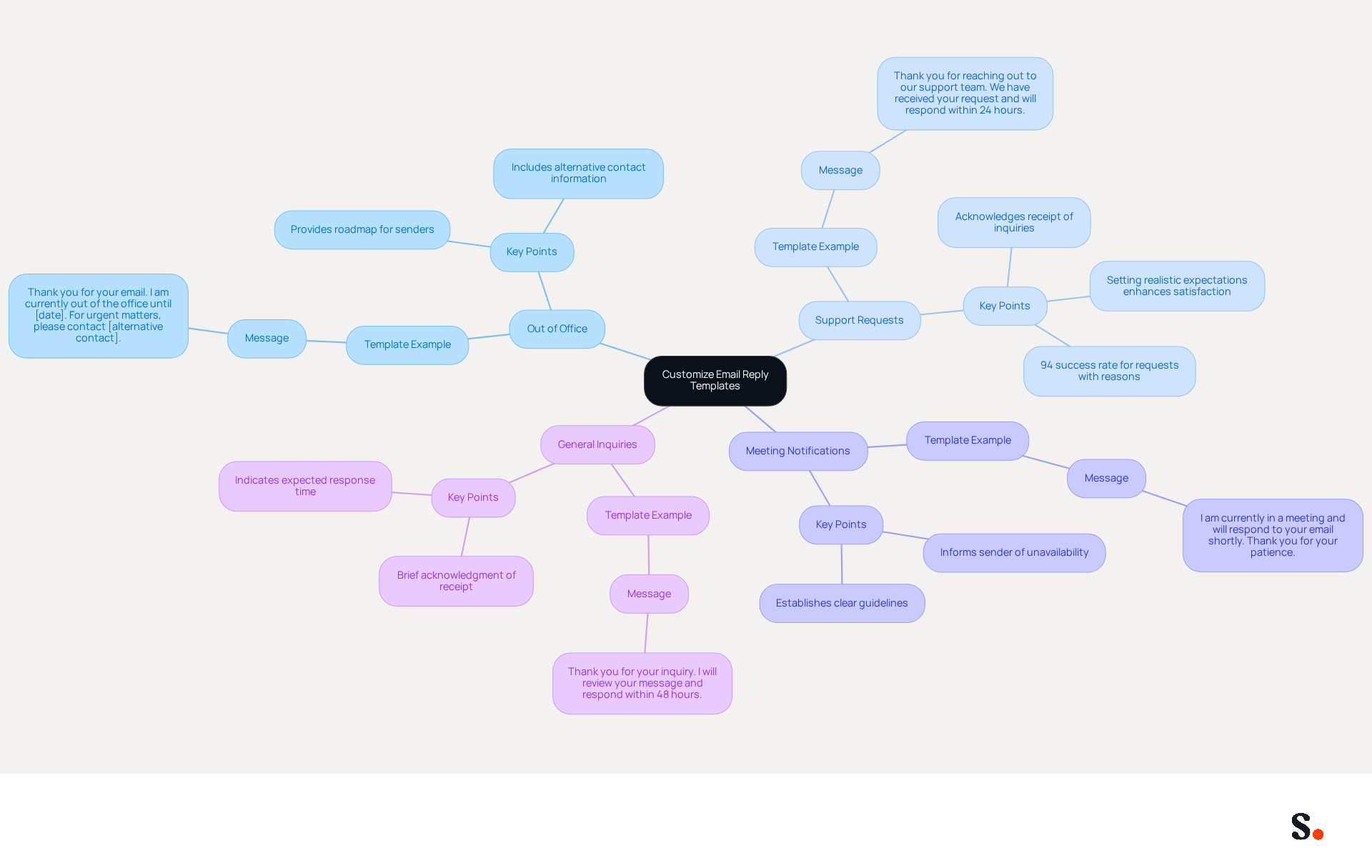
Out of Office: For vacations or extended absences, create a template that informs the individual contacting you of your unavailability and provides a return date. An extended leave auto-reply can serve as a roadmap for senders, ensuring business continuity.
'Thank you for your email. I am currently out of the office until [date]. For urgent matters, please contact [alternative contact].' -
Support Requests: Tailor your response to acknowledge receipt of customer support inquiries and provide an estimated response time. Setting realistic expectations is crucial, as timely acknowledgment can enhance customer satisfaction.
- Example: 'Thank you for reaching out to our support team. We have received your request and will respond within 24 hours.'
- Note: Requests that include a reason for cutting in line have a 94% success rate, emphasizing the importance of clear communication.
-
Meeting Notifications: When you are in meetings, inform the sender that you are currently unavailable but will respond as soon as possible. This upholds professionalism and establishes clear guidelines.
- Example: 'I am currently in a meeting and will respond to your email shortly. Thank you for your patience.'
-
General Inquiries: For general inquiries, provide a brief acknowledgment and indicate when they can anticipate a response. This helps manage sender expectations effectively.
- Example: 'Thank you for your inquiry. I will review your message and respond within 48 hours.'
By customizing your templates, you ensure that your automatic email replies template is relevant and appropriate for each situation, improving communication. Research shows that tailored responses can lead to higher customer satisfaction and a stronger brand image. Adding clear delegation in your out-of-office messages helps keep things running smoothly.
Maintain Professional Tone and Clarity
Crafting an automatic email replies template with professionalism is essential for maintaining clear communication.
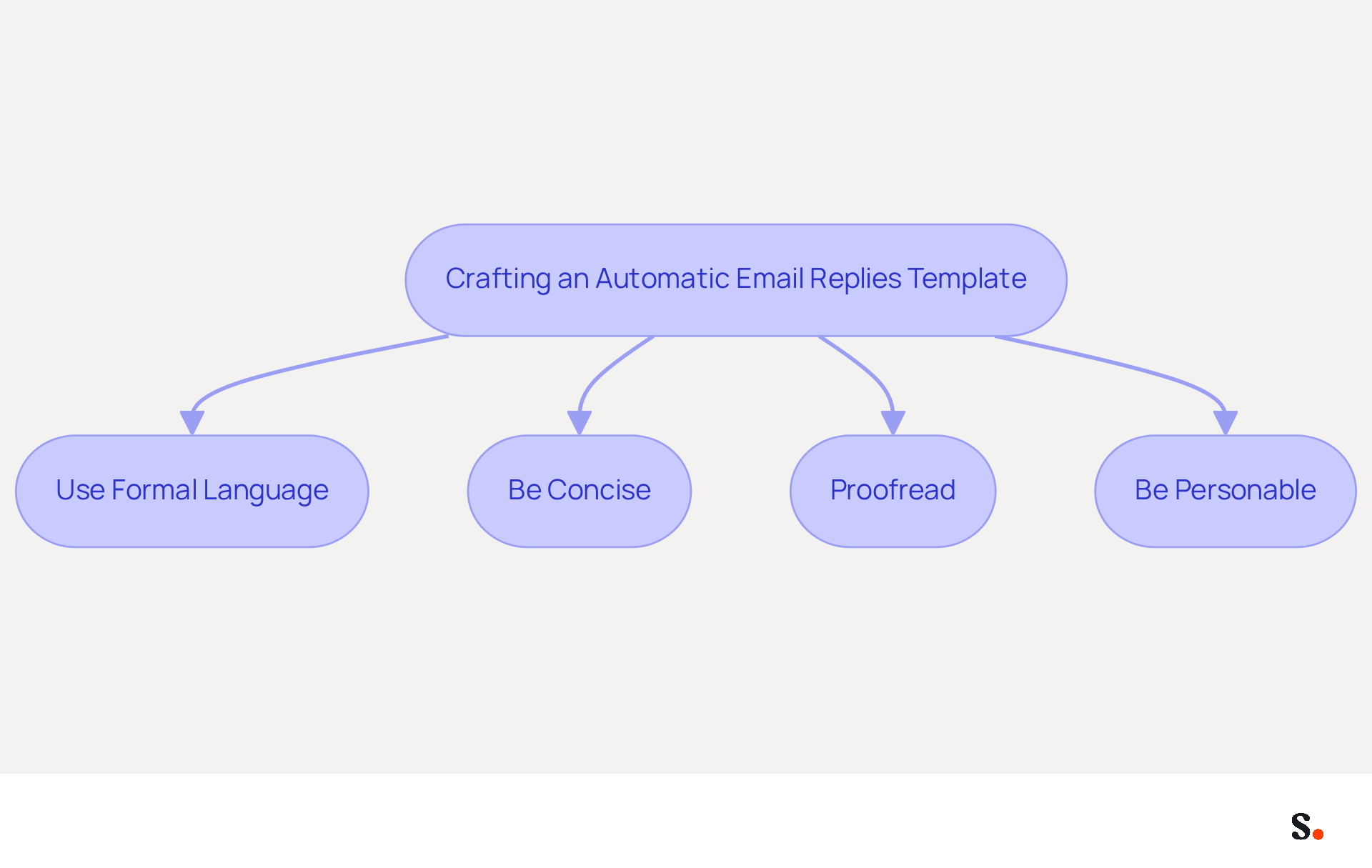
- Use Formal Language: Avoid slang and overly casual expressions. Opt for polite and respectful language that reflects professionalism. Beginning messages with a proper salutation is essential, particularly for new contacts. For example, replace 'Hey, I’m out of the office' with 'Hello, thank you for your message. I am currently out of the office.'
- Be Concise: Keep your messages brief and to the point. Recipients often only read the first line or two before deciding whether to keep or delete a message, so avoid unnecessary jargon or lengthy explanations that may confuse the reader. 'I will respond to your message within 48 hours' is clearer than 'I will try to get back to you as soon as I can.'
- Proofread: Always check for grammatical errors and typos before finalizing your template. Mistakes can undermine your professionalism and credibility. Careless mistakes in messages can diminish the chances that the correspondence will be taken seriously. Utilize tools like Grammarly to ensure your message is error-free.
- Be Personable: While maintaining professionalism, add a touch of warmth to your messages. This can be accomplished by thanking the sender for their message or expressing appreciation for their patience. For instance, 'Thank you for your understanding during my absence.'
By adhering to these guidelines, you can create an automatic email replies template that is both professional and clear, enhancing the overall communication experience. Effective communication etiquette is crucial, as it reflects on both the individual and their brand, emphasizing the need for clear, concise writing and proper punctuation. An automatic email replies template that is well-crafted not only sets expectations but also enhances professionalism, showing that a business is organized and thoughtful, even when key personnel are away. Additionally, avoiding excessive exclamation marks and emojis helps maintain a formal tone that is essential in professional communications. Ultimately, the quality of your automatic email replies template can significantly influence how others perceive your professionalism.
Include Alternative Contact Methods and Response Expectations
To maximize the effectiveness of automatic email replies, it is essential to provide clear communication pathways and set realistic expectations:
-
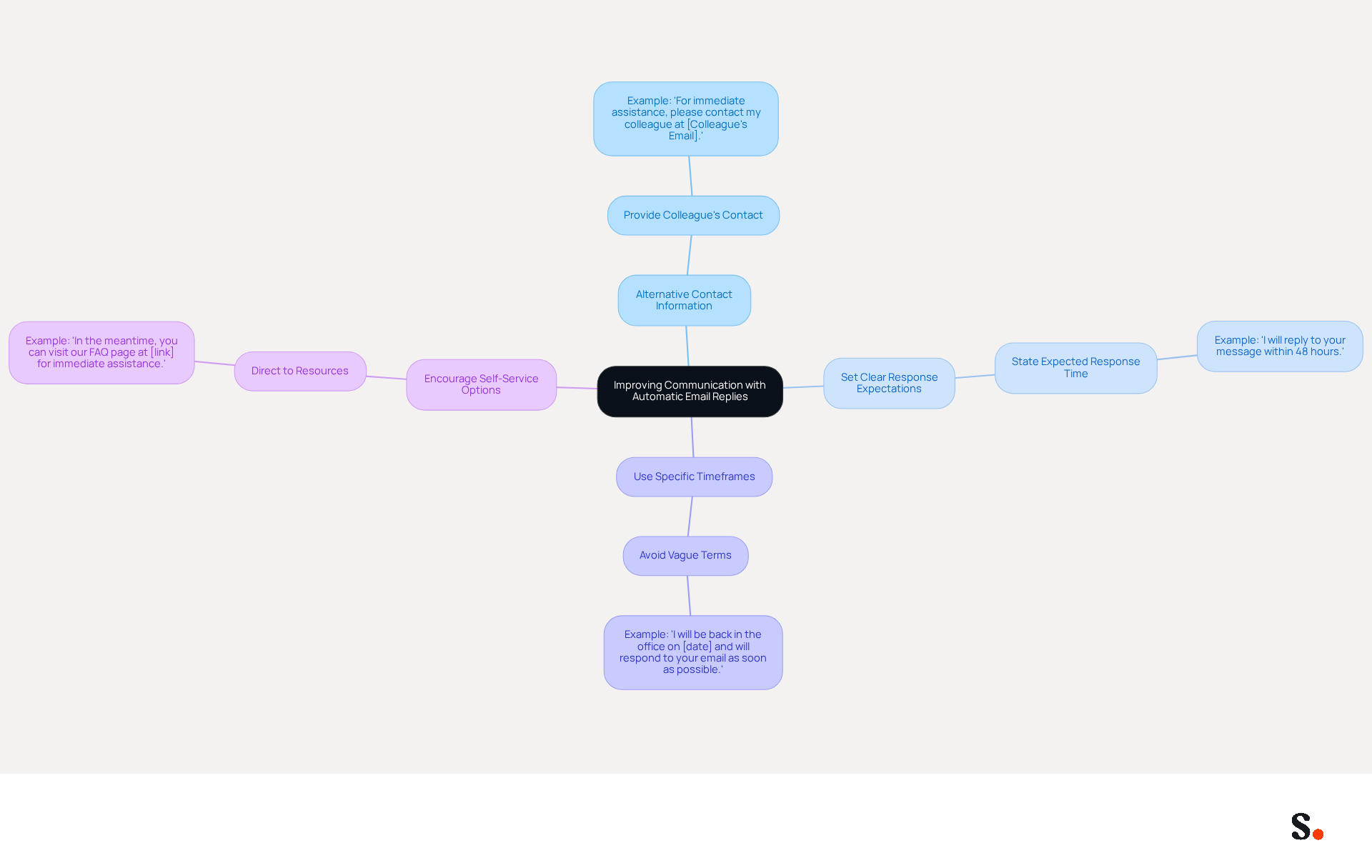
Alternative Contact Information: If you are unavailable, provide the contact details of a colleague who can assist in your absence. This ensures that urgent matters are addressed without delay.
- Example: 'For immediate assistance, please contact my colleague at [Colleague's Email].'
-
Set Clear Response Expectations: Clearly state when the sender can expect a response from you. This helps manage their expectations and reduces frustration.
- Example: 'I will reply to your message within 48 hours.'
-
Use Specific Timeframes: Avoid vague terms like 'soon' or 'shortly'. Instead, provide specific timeframes to give the individual a clear understanding of when they can expect a reply.
- Example: 'I will be back in the office on [date] and will respond to your email as soon as possible.'
-
Encourage Self-Service Options: If applicable, direct the individual to resources or FAQs that may address their inquiries without needing a direct response.
- Example: 'In the meantime, you can visit our FAQ page at [link] for immediate assistance.'
Using an automatic email replies template, along with alternative contact methods and clear response expectations, improves communication and reduces sender anxiety. An automatic email replies template that acknowledges receipt of inquiries reassures customers that their messages are noted and will be addressed soon. Many companies fail to respond to customer inquiries, leading to frustration and disengagement. By prioritizing timely responses, businesses can significantly boost customer loyalty and trust. By adopting these strategies, businesses can transform their communication approach and foster stronger relationships with their customers.
Conclusion
Inconsistent automatic email replies can undermine an organization's professionalism and clarity in communication. By incorporating key components such as a polite greeting, a clear reason for absence, and specific response timelines, organizations can ensure that their messages are both informative and respectful. Setting the right expectations not only helps the sender but also gives a positive impression of the brand.
The article highlights several best practices, including:
- Customizing templates for various scenarios
- Maintaining a professional tone
- Providing alternative contact methods
Each of these elements plays a crucial role in enhancing the overall communication experience. For instance, tailoring responses for out-of-office situations or customer support inquiries can significantly improve sender satisfaction and foster trust. Additionally, setting clear response expectations helps manage sender anxiety and reinforces the importance of timely communication.
In the end, how well automatic email replies are crafted can really shape how recipients view professionalism. By prioritizing these best practices, organizations can ensure their communication remains professional, even in the absence of key personnel. Embracing these guidelines not only enhances customer relationships but also contributes to a more organized and thoughtful business environment.
Frequently Asked Questions
What are the essential components of effective automatic email replies?
The essential components include a greeting, reason for absence, duration of unavailability, alternative contact information, a closing statement, and a signature.
Why is a greeting important in automatic email replies?
A greeting sets a friendly tone for the communication and acknowledges the recipient.
What should be included in the reason for absence?
The reason for absence should briefly explain why you are unavailable, such as being out of the office, on vacation, or attending a meeting.
How should the duration of unavailability be communicated?
The duration should specify a clear time frame, avoiding vague terms like 'soon', and instead using timelines such as 'I will respond within 24-48 hours'.
Why is it important to provide an alternative contact in automatic replies?
Providing an alternative contact ensures that urgent matters can still be handled promptly, maintaining service continuity during your absence.
What is the purpose of a closing statement in an automatic email reply?
A closing statement reinforces professionalism and expresses appreciation, such as 'Thank you for your understanding' or 'I appreciate your patience'.
Why should you include your name and position in the signature?
Including your name and position maintains professionalism and provides context to the sender regarding who they are communicating with.
List of Sources
- Define Essential Components of Automatic Email Replies
- How To Write An Out of Office Message (https://blog.mattiejames.com/how-to-write-an-out-of-office-message)
- 11 automated reply messages examples for your business (https://crisp.chat/en/blog/auto-reply-message)
- Automated Email Responses: Best Practices (https://intercom.com/learning-center/automated-email-response)
- 7 auto-reply email templates (with examples for every situation) · Missive Blog (https://missiveapp.com/blog/auto-reply-email-template)
- Customize Templates for Specific Situations
- 11 automated reply messages examples for your business (https://crisp.chat/en/blog/auto-reply-message)
- Out of Office Email Templates | LiveAgent - Help Desk Software & Live Chat (https://liveagent.com/templates/out-of-office-email-templates)
- 8 Perfect Automatic Reply Email Sample Templates for 2026 (https://rewritebar.com/articles/automatic-reply-email-sample)
- Scale your support with these auto-response sample messages | Pylon (https://usepylon.com/blog/auto-response-sample-messages)
- 7 auto-reply email templates (with examples for every situation) · Missive Blog (https://missiveapp.com/blog/auto-reply-email-template)
- Maintain Professional Tone and Clarity
- Automatic Replies: The Simple Tech Tweak Your Business Can’t Afford to Ignore - The Unite Group (https://theunitegroup.co.uk/2025/11/04/automatic-replies)
- Maintaining Professionalism in Email (https://linkedin.com/top-content/communication/email-etiquette-in-professional-settings/maintaining-professionalism-in-email)
- Email Etiquette: Dos and Don’ts of Professional Emails (https://businessnewsdaily.com/8262-email-etiquette-tips.html)
- 7 auto-reply email templates (with examples for every situation) · Missive Blog (https://missiveapp.com/blog/auto-reply-email-template)
- Include Alternative Contact Methods and Response Expectations
- Automatic Replies: The Simple Tech Tweak Your Business Can’t Afford to Ignore - The Unite Group (https://theunitegroup.co.uk/2025/11/04/automatic-replies)
- 8 Perfect Automatic Reply Email Sample Templates for 2026 (https://rewritebar.com/articles/automatic-reply-email-sample)
- Drowning in messages, email, Slack and more? How Executives Can Set Healthy Response Time Expectations — Dave Hill Jr. (https://davehilljr.com/blog/setting-response-time-expectations-for-communications-channels)
- Email response time statistics & how they help conversions (https://blog.superhuman.com/email-response-time-statistics)
Get started with Scribe
Build a professional email signature
Free 14-day trial — no credit card.