4 Best Practices for Crafting Effective Email Signature Templates
Crafting an effective email signature template presents a challenge for many organizations, as it requires balancing brand identity with recipient engagement
Sophie Grant
Email Signature Specialist, Scribe

Introduction
Crafting an effective email signature template presents a challenge for many organizations, as it requires balancing brand identity with recipient engagement. By implementing best practices, organizations can transform their signatures into powerful marketing tools that enhance professionalism and drive interaction. With numerous components to balance, crafting an effective email signature can be daunting for businesses. However, failing to implement best practices may result in missed opportunities for brand engagement and professionalism.
Let’s delve into four essential best practices that can help you create impactful email signature templates, ensuring brand consistency and maximizing engagement.
Identify Key Components of Effective Email Signatures
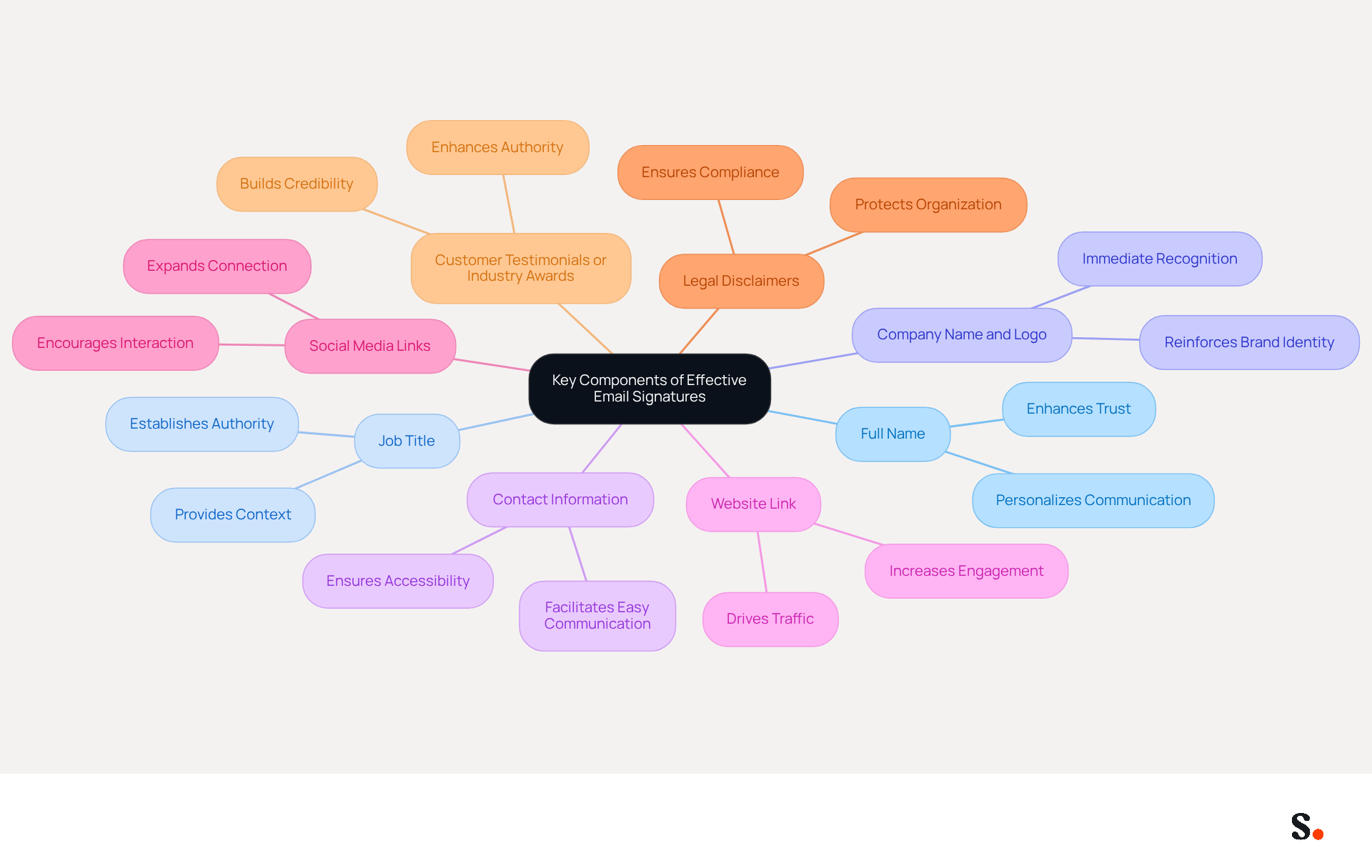
Crafting an effective email signature template is crucial for enhancing communication and establishing a professional brand presence. To achieve this, it is essential to include the following key components:
- Full Name: Clearly stating the sender's full name personalizes the communication, enhancing trust and engagement.
- Job Title: Including the sender's position establishes authority and context, making it easier for recipients to understand the sender's role.
- Company Name and Logo: This reinforces brand identity and provides immediate recognition, contributing to a professional appearance.
- Contact Information: Essential details such as phone number and email address facilitate easy communication, ensuring recipients can reach out without hassle.
- Website Link: Directing recipients to the company website can drive traffic and enhance engagement, with click rates increasing from 3% to 15% when signatures are consistent.
- Social Media Links: Including links to professional social media profiles can expand the connection beyond email, encouraging further interaction with the brand.
- Legal Disclaimers: Depending on the industry, including legal disclaimers may be necessary to comply with regulations, guaranteeing that the organization meets legal standards.
- Customer Testimonials or Industry Awards: Incorporating testimonials or awards can build credibility and enhance the authority of the endorsement.
When businesses include these components, they create an email signature template that not only looks professional but also acts as a powerful marketing tool. For instance, organizations that utilize branded electronic identifiers see a 22% rise in response rates, illustrating the impact of well-designed signatures on communication efficiency. Moreover, keeping message formats straightforward by including only necessary details is crucial, as it improves clarity and effectiveness. With 60% of business correspondence accessed on mobile devices, ensuring that sign-offs are optimized for mobile is vital for upholding professionalism and readability.
Additionally, with Scribe's automated synchronization of correspondence identifiers with Aircall, any modifications made in your Aircall setup will automatically reflect in your identifiers, maintaining brand consistency without requiring action from your teammates. This seamless integration not only saves time but also ensures that your messages are always current and compliant with security standards, as Scribe is SOC 2 Type II compliant, guaranteeing your data is secure.
Ensure Brand Consistency Across Email Signatures
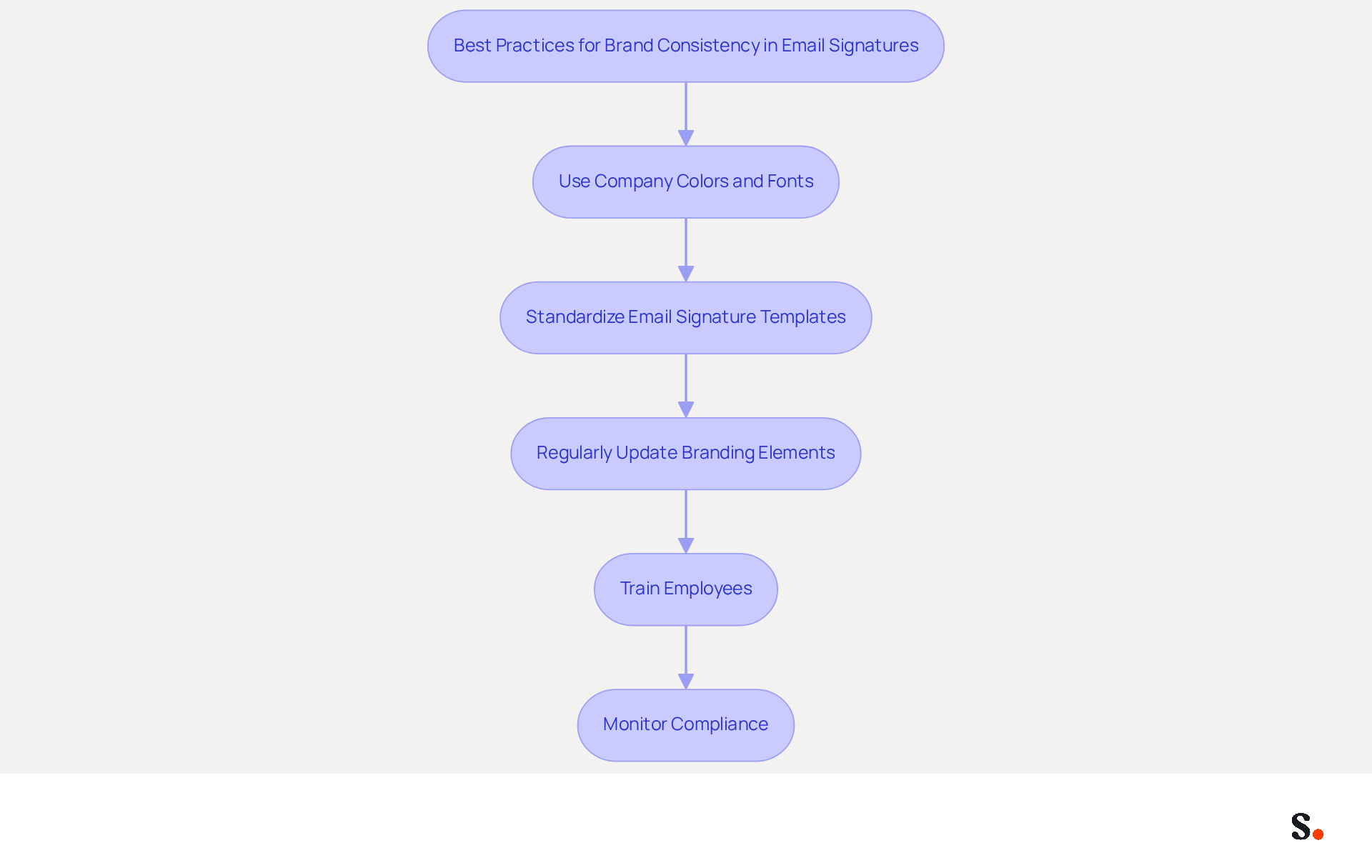
To effectively maintain brand consistency in email signatures, organizations must implement strategic best practices that align with their branding objectives:
- Use Company Colors and Fonts: Align signature design with the company’s branding guidelines to ensure visual consistency. Consistent branding can enhance customer trust by as much as 76%, making it crucial for organizations to reflect their identity in every communication.
- Standardize email signature templates: Create a set of approved email signature templates that all employees must use, ensuring uniformity across the organization. This approach not only enhances professionalism but also helps in maintaining a cohesive brand image, as 42% of consumers feel negatively toward businesses lacking branded elements.
- Regularly Update Branding Elements: As branding evolves, ensure that digital communication identifiers are refreshed to reflect any changes in logos, colors, or fonts. Regularly checking digital identifiers helps ensure they meet branding standards, especially since 44.4% of professionals update their contact information a few times each year.
- Train Employees: Provide training on the significance of brand consistency and how to implement it in their correspondence. This training can greatly improve engagement, as messages with professionally branded elements lead to increased confidence and favorable perceptions about the organization.
- Monitor Compliance: Regularly review employee initials to ensure adherence to branding guidelines, making adjustments as necessary. Inconsistent branding can lead to a 22% drop in response rates, highlighting the need for uniformity and centralized management tools.
By adopting these practices, organizations can reinforce their brand image and improve recognition in all communication, particularly through their email signature template. Ultimately, neglecting these practices can significantly hinder an organization's ability to connect with its audience and achieve desired communication outcomes.
Leverage Automation for Efficient Email Signature Management
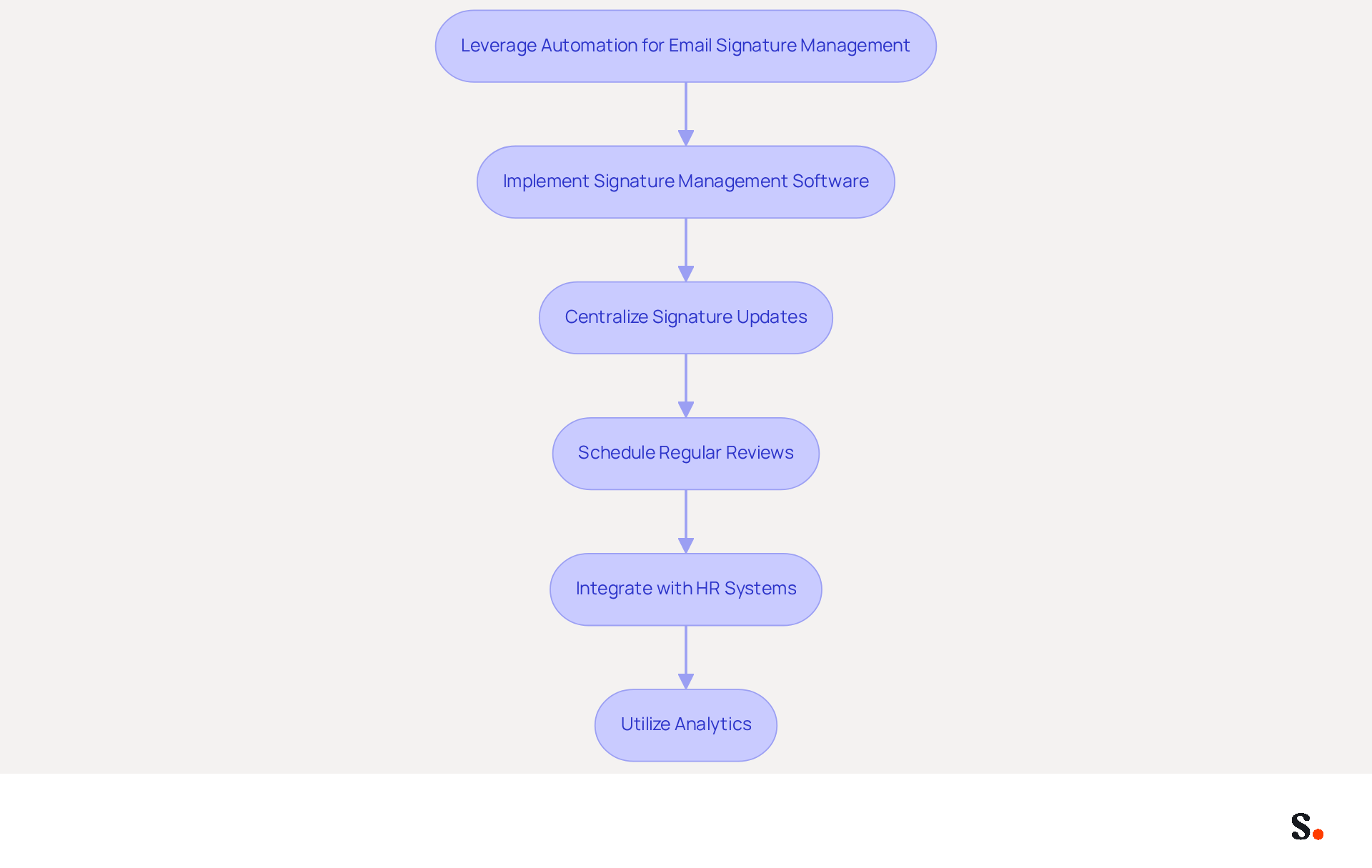
To maximize efficiency in email signature management, businesses must adopt strategic automation techniques:
- Implement Signature Management Software: Scribe allows marketing teams to independently manage their identifiers after the initial IT setup, streamlining the process and often achieving company-wide installation in less than a day.
- Centralize Signature Updates: Centralized management enables immediate updates to branding or contact information, eliminating the need for individual updates and reducing the risk of outdated information, which can lead to miscommunication. With Scribe, signing details are automatically filled and synchronized with your business phone system, ensuring that any modifications are instantly reflected without requiring action from team members.
- Schedule Regular Reviews: Automate reminders for periodic evaluations of email branding to ensure they remain current and compliant with guidelines. Studies show that regular reviews can improve brand consistency significantly, with some organizations reporting increases of up to 85%. Scribe's automated updates assist in preserving this consistency effortlessly.
- Integrate with HR Systems: Connect document management tools with HR systems to automatically update user credentials when employee information changes, streamlining the onboarding process and maintaining accuracy. The integration capabilities of the platform ensure that employee data is always current, facilitating efficient management.
- Utilize Analytics: Monitor engagement metrics related to electronic correspondence identifiers, such as click-through rates, to evaluate their effectiveness and make data-driven adjustments. Scribe has achieved an average click-through rate of 12% on its banners, indicating its effectiveness in improving marketing results. Furthermore, incorporating registration links in message footers can result in a 180% increase in webinar signups.
By implementing these automation techniques, businesses can optimize their management processes for digital signatures with an email signature template, ensuring uniformity and conserving valuable time. This method not only boosts brand visibility but also leads to better marketing results, as demonstrated by case studies indicating significant increases in engagement rates among organizations that effectively manage their digital branding. Ultimately, embracing these automation strategies can transform how organizations manage their digital branding, leading to measurable improvements in engagement and compliance. Moreover, Scribe's SOC 2 Type II compliance guarantees that your data is protected, fulfilling employee data management standards for secure communication automation.
Incorporate Call-to-Action Elements to Boost Engagement
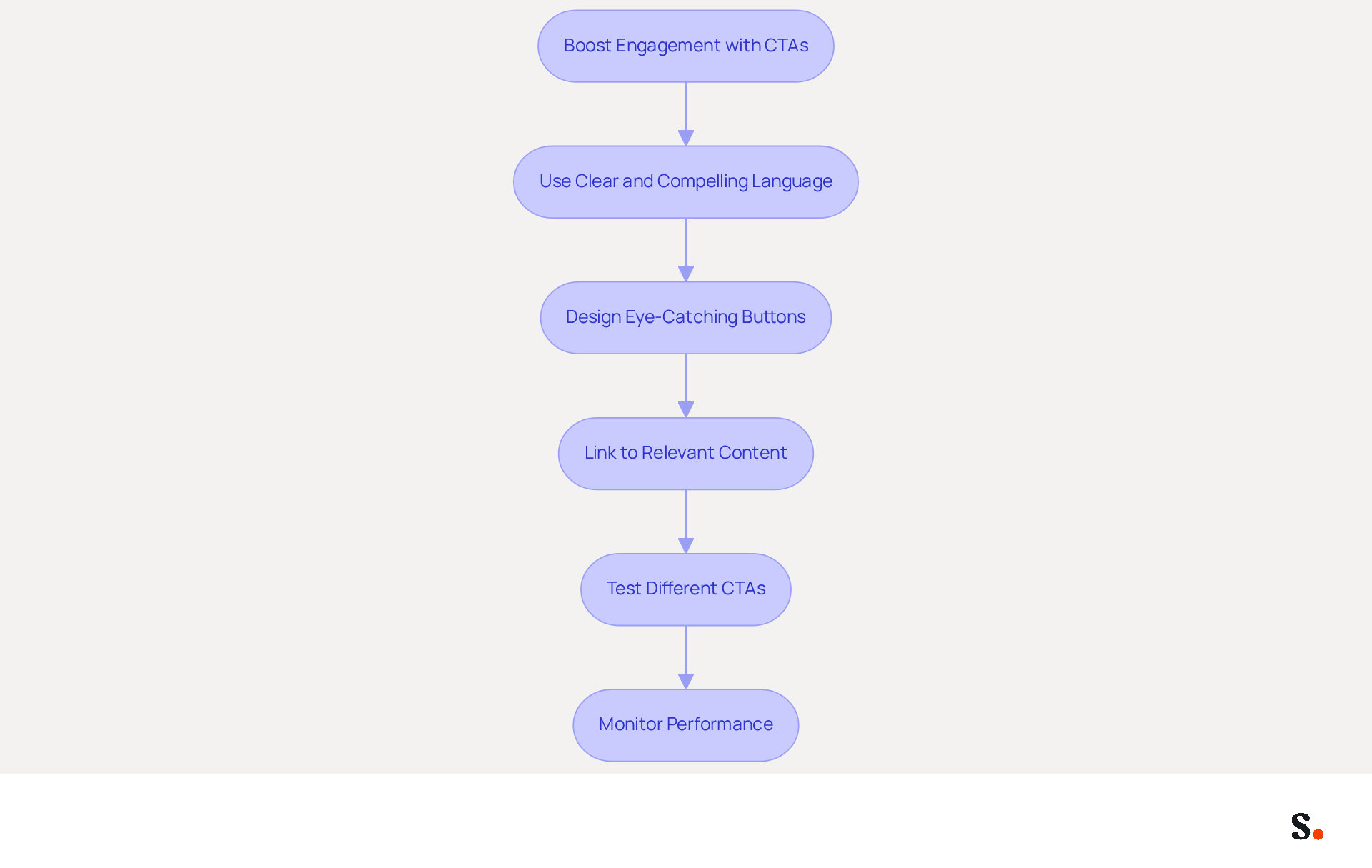
Incorporating effective call-to-action elements in email signatures is crucial for maximizing engagement.
- Use Clear and Compelling Language: Craft CTAs that are concise and encourage immediate action, such as 'Schedule a Meeting' or 'Download Our Brochure'. Studies show that clear CTAs can improve conversion rates by 40% compared to generic ones, making clarity essential.
- Design Eye-Catching Buttons: Utilize contrasting colors and bold fonts to make CTAs stand out within the email. Buttons can increase conversion rates by as much as 28% compared to hyperlinks, so ensure they are visually prominent.
- Link to Relevant Content: Ensure that CTAs direct recipients to valuable resources, such as landing pages, promotional offers, or informative articles. This improves user experience and effectively drives traffic.
- Test Different CTAs: Experiment with various CTAs to determine which ones yield the highest engagement rates, employing A/B testing methods. For instance, an inline CTA offering 'Book a demo' resulted in 20% of recipients taking action, showcasing the power of targeted messaging.
- Monitor Performance: Utilize analytics to assess the effectiveness of CTAs in correspondence, adjusting strategies based on performance data. Without regular analysis, businesses risk ineffective CTAs that fail to engage recipients. This leads to increased customer interaction and higher conversion rates.
By leveraging these strategies, businesses can transform their email signature template into a powerful tool for driving conversions. Additionally, with Scribe's automated synchronization with Aircall, any changes made in your Aircall configuration will be reflected in your email signatures, ensuring brand consistency across all communications.
Conclusion
Many organizations face challenges in ensuring their email signatures reflect their brand accurately. Crafting effective email signature templates enhances communication and establishes a strong brand presence. By focusing on key components such as contact information, brand consistency, and engaging call-to-action elements, organizations can transform their email signatures into powerful marketing tools. The integration of automation through platforms like Scribe further streamlines this process, allowing marketing teams to maintain control and ensure compliance with branding standards.
This article highlights several best practices, including:
- The importance of using company colors and fonts
- Standardizing templates
- Regularly updating branding elements
Leveraging automation not only saves time but also enhances brand visibility and engagement. With Scribe's capabilities, businesses can achieve a cohesive brand image while ensuring that their email signatures remain current and effective.
Failing to implement these strategies may lead to diminished brand recognition and engagement. Well-crafted email signatures serve as a reflection of an organization's professionalism and commitment to brand consistency. By implementing these best practices and utilizing tools like Scribe, organizations can maximize their email communication's impact, driving engagement and fostering stronger connections with their audience. Embracing these strategies will enhance brand recognition and contribute to measurable marketing success.
Frequently Asked Questions
What are the key components of an effective email signature?
The key components of an effective email signature include the sender's full name, job title, company name and logo, contact information, website link, social media links, legal disclaimers, and customer testimonials or industry awards.
Why is including a full name in an email signature important?
Including a full name personalizes the communication, enhancing trust and engagement with the recipient.
How does a job title in an email signature benefit communication?
A job title establishes authority and context, making it easier for recipients to understand the sender's role.
What role does a company name and logo play in an email signature?
The company name and logo reinforce brand identity and provide immediate recognition, contributing to a professional appearance.
Why is contact information essential in an email signature?
Contact information, such as phone number and email address, facilitates easy communication, ensuring recipients can reach out without hassle.
How can a website link in an email signature enhance engagement?
A website link can drive traffic to the company website, with click rates increasing from 3% to 15% when signatures are consistent.
What is the benefit of including social media links in an email signature?
Social media links expand the connection beyond email, encouraging further interaction with the brand.
Are legal disclaimers necessary in email signatures?
Yes, including legal disclaimers may be necessary depending on the industry to comply with regulations and ensure the organization meets legal standards.
How can customer testimonials or industry awards enhance an email signature?
Incorporating testimonials or awards can build credibility and enhance the authority of the endorsement.
What impact do well-designed email signatures have on communication efficiency?
Organizations that utilize branded electronic identifiers see a 22% rise in response rates, illustrating the positive impact of well-designed signatures.
Why is it important to optimize email signatures for mobile devices?
With 60% of business correspondence accessed on mobile devices, optimizing sign-offs for mobile is vital for maintaining professionalism and readability.
How does Scribe help maintain brand consistency in email signatures?
Scribe's automated synchronization with Aircall ensures that any modifications made in the Aircall setup automatically reflect in the email signatures, maintaining brand consistency without requiring action from teammates.
What security standards does Scribe comply with?
Scribe is SOC 2 Type II compliant, guaranteeing that data is secure.
List of Sources
- Identify Key Components of Effective Email Signatures
- All the Best Email Signature Practices for Marketing Success (https://scribe-mail.com/en-US/blog/all-the-best-email-signature-practices-for-marketing-success)
- Email Signature Best Practices for 2026 (+ 15 Pro Examples) (https://wavecnct.com/blogs/email-signature-best-practices-2026)
- The impact of email signatures on your branding (https://signitic.com/en/resources/the-impact-of-email-signatures-on-your-branding)
- The benefits of a branded email signature (https://bybrand.io/blog/branded-email-signature)
- Why Email Signatures Must Be In Your 2026 Marketing Plan | Rocketseed (https://rocketseed.com/blog/what-are-the-biggest-email-trends-for-2026)
- Ensure Brand Consistency Across Email Signatures
- Master Corporate Email Signature Management for Brand Consistency (https://scribe-mail.com/en-US/blog/master-corporate-email-signature-management-for-brand-consistency)
- 51 Impactful Branding Statistics (New 2026 Data) (https://wiserreview.com/blog/branding-statistics)
- 40+ Email Signature Statistics for 2026 (Data + Insights) (https://wavecnct.com/blogs/email-signature-statistics)
- Research Recap: Branded Email Signatures Increase Company Recognition, Trust - B2BMX INSIGHTS (https://demandgenreport.com/industry-news/research-recap-branded-email-signatures-increase-company-recognition-trust/47252)
- Why Email Signatures Must Be In Your 2026 Marketing Plan | Rocketseed (https://rocketseed.com/blog/2026-marketing-plan-email-signatures)
- Leverage Automation for Efficient Email Signature Management
- Automating Email Signatures: How IT Teams Streamline Processes & Reduce Risk (https://exclaimer.com/blog/streamlining-it-processes-automated-email-signatures)
- Why Email Signature Management Software is Essential for Marketing Success (https://scribe-mail.com/en-US/blog/why-email-signature-management-software-is-essential-for-marketing-success)
- Why you should be using an email signature manager (https://blinq.me/blog/why-you-should-be-using-an-email-signature-manager)
- 4 Best Practices for Effective Email Signature Automation (https://scribe-mail.com/en-US/blog/4-best-practices-for-effective-email-signature-automation)
- Email Signature Trends 2026: Centralized Control & Automation | SIGNandGO posted on the topic | LinkedIn (https://linkedin.com/posts/signngo_email-signature-trends-to-watch-in-2026-activity-7401523471786217473-zAVL)
- Incorporate Call-to-Action Elements to Boost Engagement
- Email Signature Best Practices for 2026 (+ 15 Pro Examples) (https://wavecnct.com/blogs/email-signature-best-practices-2026)
- 4 Best Practices for Classic Email Signatures That Drive Engagement (https://scribe-mail.com/en-US/blog/4-best-practices-for-classic-email-signatures-that-drive-engagement)
- The Ultimate Guide to Email Signature Call-to-Action - NEWOLDSTAMP (https://newoldstamp.com/blog/the-ultimate-guide-to-email-signature-call-to-action)
- Using Email Signatures as a Marketing Tool: Ideas for Generating Leads and Promoting Business (https://blog.ringostat.com/en/using-email-signatures-as-a-marketing-tool-ideas-for-generating-leads-and-promoting-business)
- Email call to action best practices: The complete guide [2026] — Stripo.email (https://stripo.email/blog/email-call-action-best-practices-examples)
Get started with Scribe
Build a professional email signature
Free 14-day trial — no credit card.