4 Best Practices for Using the Gmail Signature Editor Effectively
A professional email signature is essential for effective communication and significantly influences brand perception. By mastering the Gmail signature editor
Sophie Grant
Email Signature Specialist, Scribe
Introduction
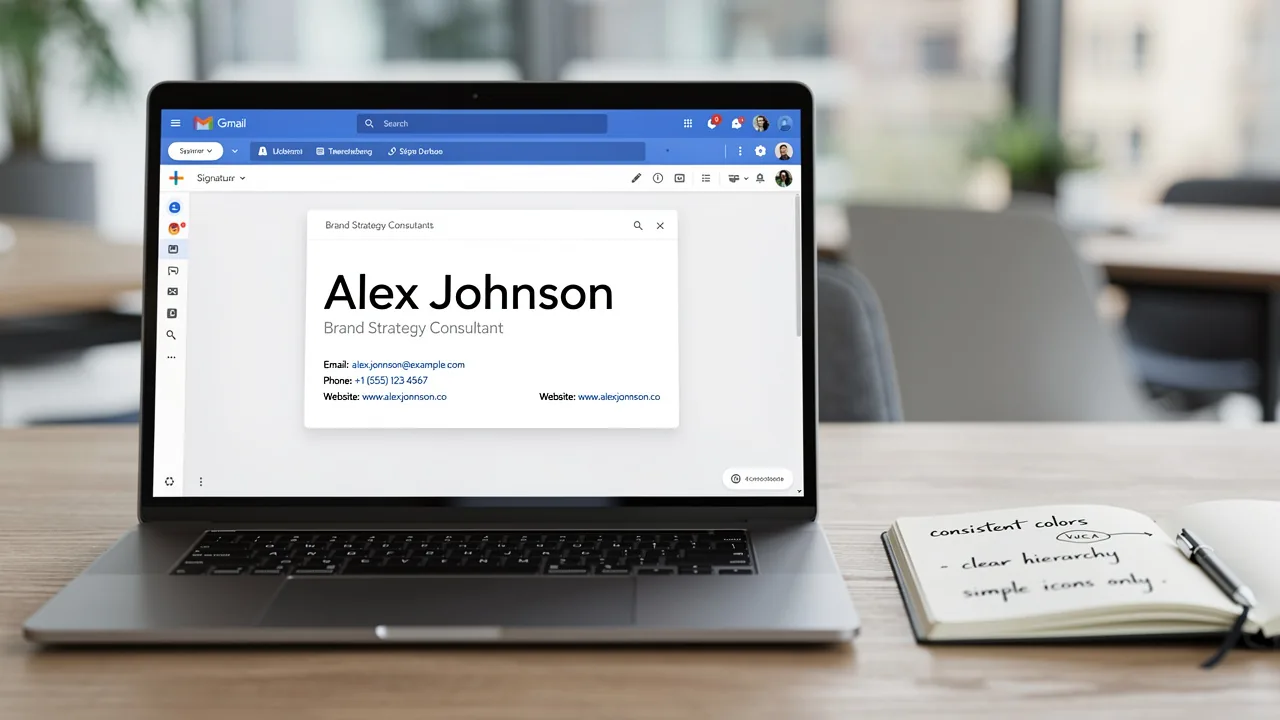
A professional email signature is essential for effective communication and significantly influences brand perception. By mastering the Gmail signature editor, individuals and organizations can enhance their digital identity, ensuring that every email sent reflects professionalism and clarity. However, many encounter challenges such as inconsistent formatting and unclear messaging that can undermine their efforts. Addressing these challenges is crucial for transforming your email signature into a compelling marketing asset.
Emphasize Simplicity in Signature Design
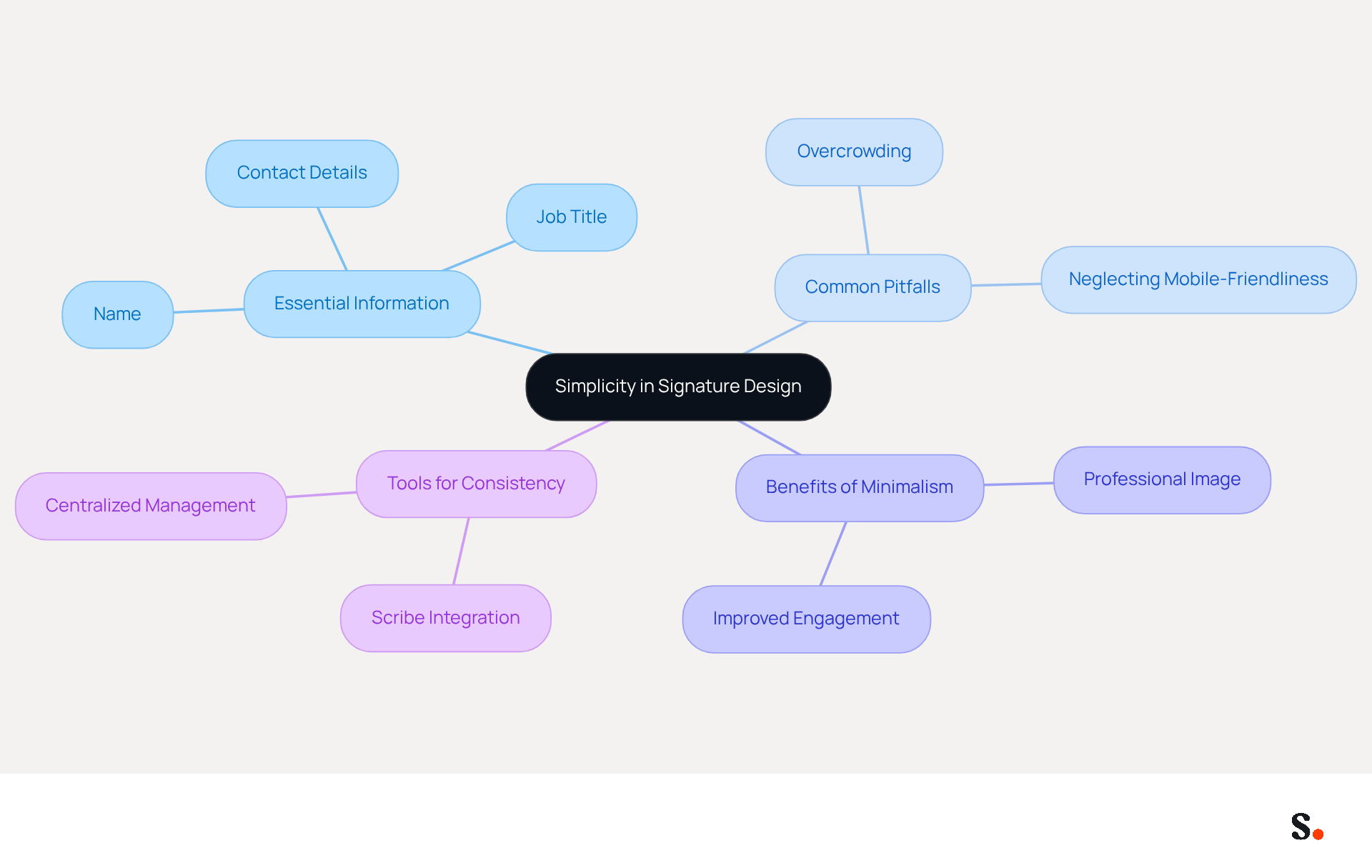
To create a professional Gmail footer, simplicity must be your guiding principle. A clean layout should include only essential information such as your name, job title, and contact details. Avoid excessive graphics or complex formatting that can distract from the message. An overly intricate design can overwhelm recipients and undermine your company's professionalism. Limiting your sign-off to 4-6 lines of text maintains clarity and ensures readability on both desktop and mobile devices. This approach enhances visual appeal and reinforces your brand identity effectively.
It's important to note that 42% of consumers view businesses without branded identifiers negatively, emphasizing the necessity for a unified and professional digital representation. Furthermore, a well-crafted identifier can result in a 22% boost in response rates, making simplicity a crucial element in effective communication.
With Scribe's integration with Aircall, any changes you make in your Aircall setup will automatically update your email identifiers, ensuring consistency in all your communications. Sophie Grant, an Email Signature Specialist, emphasizes, "A clean and uncluttered design is essential. Avoid excessive graphics or text that can distract from the main message." Organizations that have implemented standardized templates, such as those highlighted in case studies, report improved brand consistency and engagement. For example, a company that adopted a minimalist design saw a significant increase in customer interactions.
Common pitfalls to avoid include:
- Overcrowding your mark with unnecessary information
- Neglecting mobile-friendliness
Many businesses struggle with creating effective email signatures that balance professionalism and clarity. Ensuring your mark is optimized for mobile devices is essential, as a large portion of messages are accessed on smartphones. By concentrating on a minimalist design and utilizing Scribe's automated synchronization with Aircall, you can ensure that your email branding acts as a powerful marketing tool while upholding professionalism and clarity. By prioritizing clarity and professionalism, your email branding can significantly enhance your company's image and effectiveness.
Implement Step-by-Step Signature Setup in Gmail
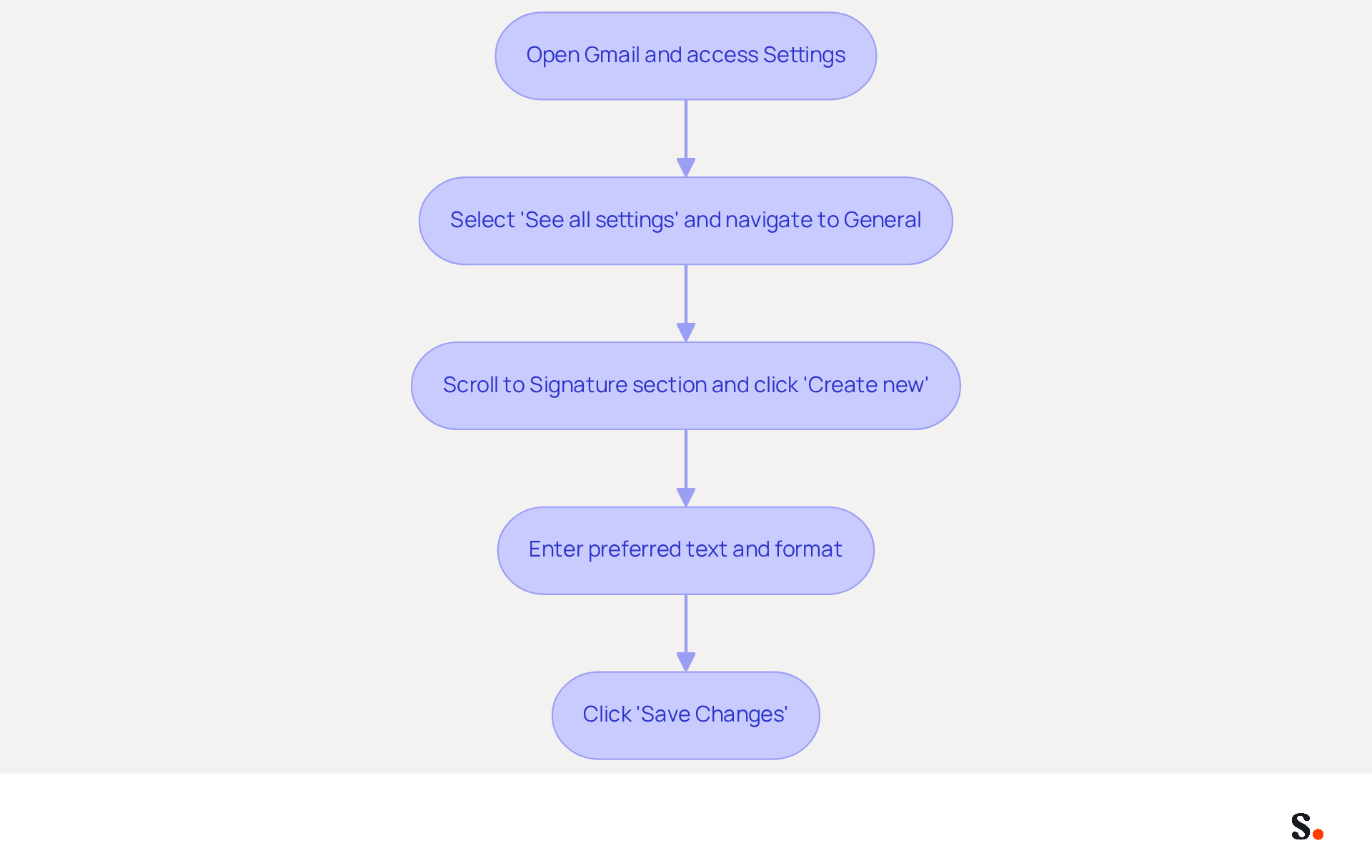
To configure your email identity in Gmail, follow these straightforward steps:
- Open Gmail and click on the gear icon in the top right corner to access Settings.
- Select 'See all settings' and navigate to the 'General' tab.
- In the Gmail signature editor, scroll down to the 'Signature' section and click 'Create new.'
- Enter your preferred text for the label, using the formatting options to tailor it to your identity.
- Click 'Save Changes' at the bottom of the page.
A well-designed email signature created with a Gmail signature editor is essential; 80% of professionals believe it enhances a company's brand identity. Branded messages can boost response rates by 22% and increase click-through rates to Scribe's websites by 15%. By syncing your Google Workspace with the application, you can save time and ensure that your signature remains current. To set up one-click synchronization, simply grant Scribe permission to connect with your mail provider; just remember, you need to be a Super Admin to do this. The tool automatically syncs teammate data from your email provider daily, enabling seamless updates without manual input. This means any changes in your Google Workspace, such as moving teammates or updating their information, will be reflected in Scribe, enhancing your professional image and maximizing your marketing opportunities. Remember to keep your sign-off concise and relevant. Neglecting your email signature could mean missing out on valuable connections and opportunities.
Incorporate Branding and Marketing Strategies
Your message footer should authentically reflect your identity and enhance engagement. Incorporate your company logo, utilize corporate colors, and include links to your website or social media profiles. A simple call-to-action (CTA) can boost engagement. For example, prompts like 'Check out our latest offerings!' drive traffic and interaction.
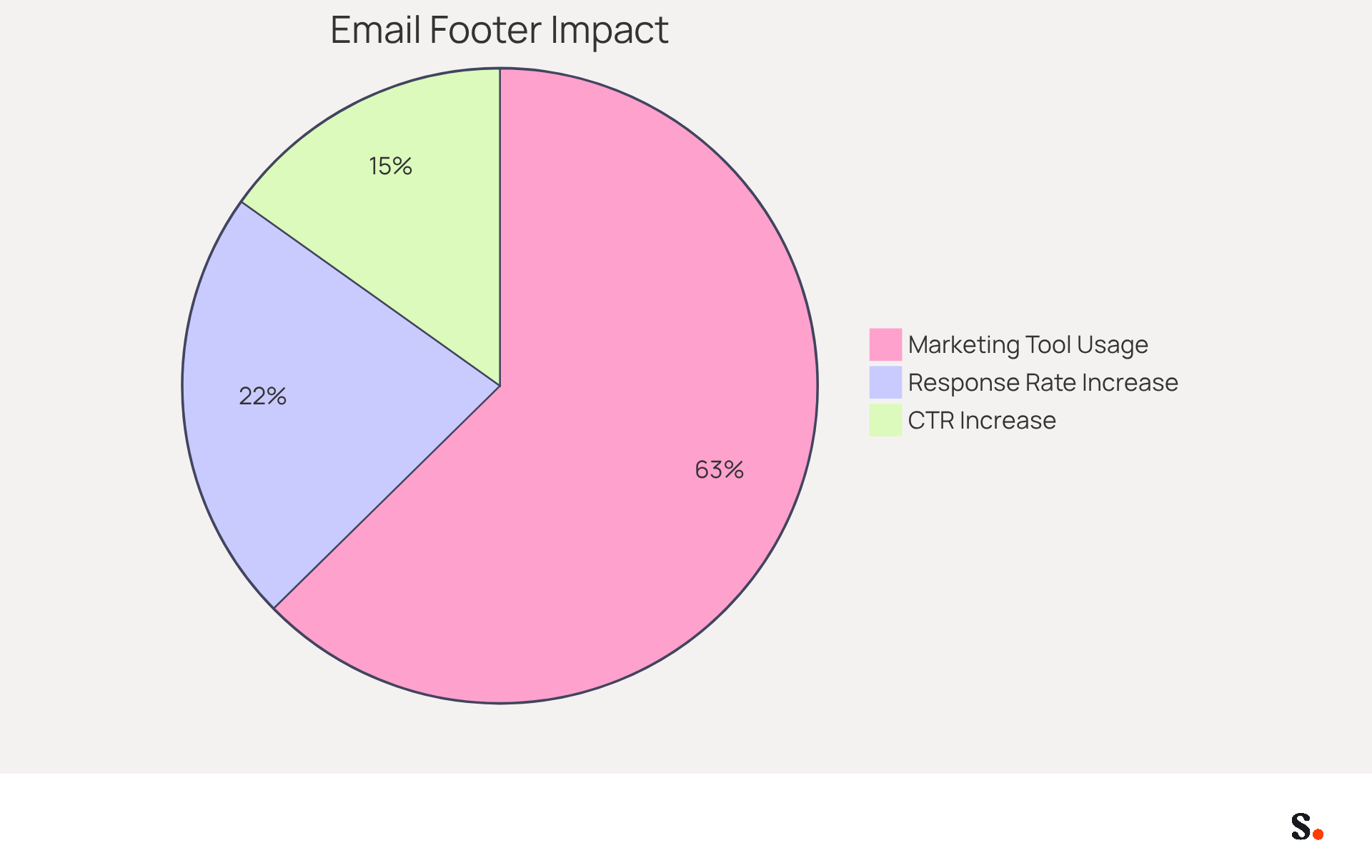
Companies that use branded messaging footers see a 15% increase in website click-through rates compared to those that do not, and communications featuring branded footers receive a 22% greater response rate than those without. Moreover, 76% of recipients believe that labeled endorsements increase trust in the sender, emphasizing the significance of a unified corporate image.
With Scribe, every modification made in your Aircall configuration will automatically be reflected in your correspondence identifiers, ensuring that your branding stays consistent across all communications. This automated synchronization not only saves time but also improves brand consistency, enabling your marketing team to manage digital identifiers independently after the initial IT setup.
Scribe's SOC 2 Type II compliance ensures that your data is handled securely, further establishing trust with your audience. Imagine a multinational corporation that standardized its electronic correspondence identifiers and saw a 25% increase in traffic to specific landing pages. This corresponds with the wider trend of companies employing email footers to enhance branding and awareness, as 62% of businesses utilize email footers as a marketing tool. By integrating your personal mark into your communications, you can significantly elevate brand recognition and drive conversions.
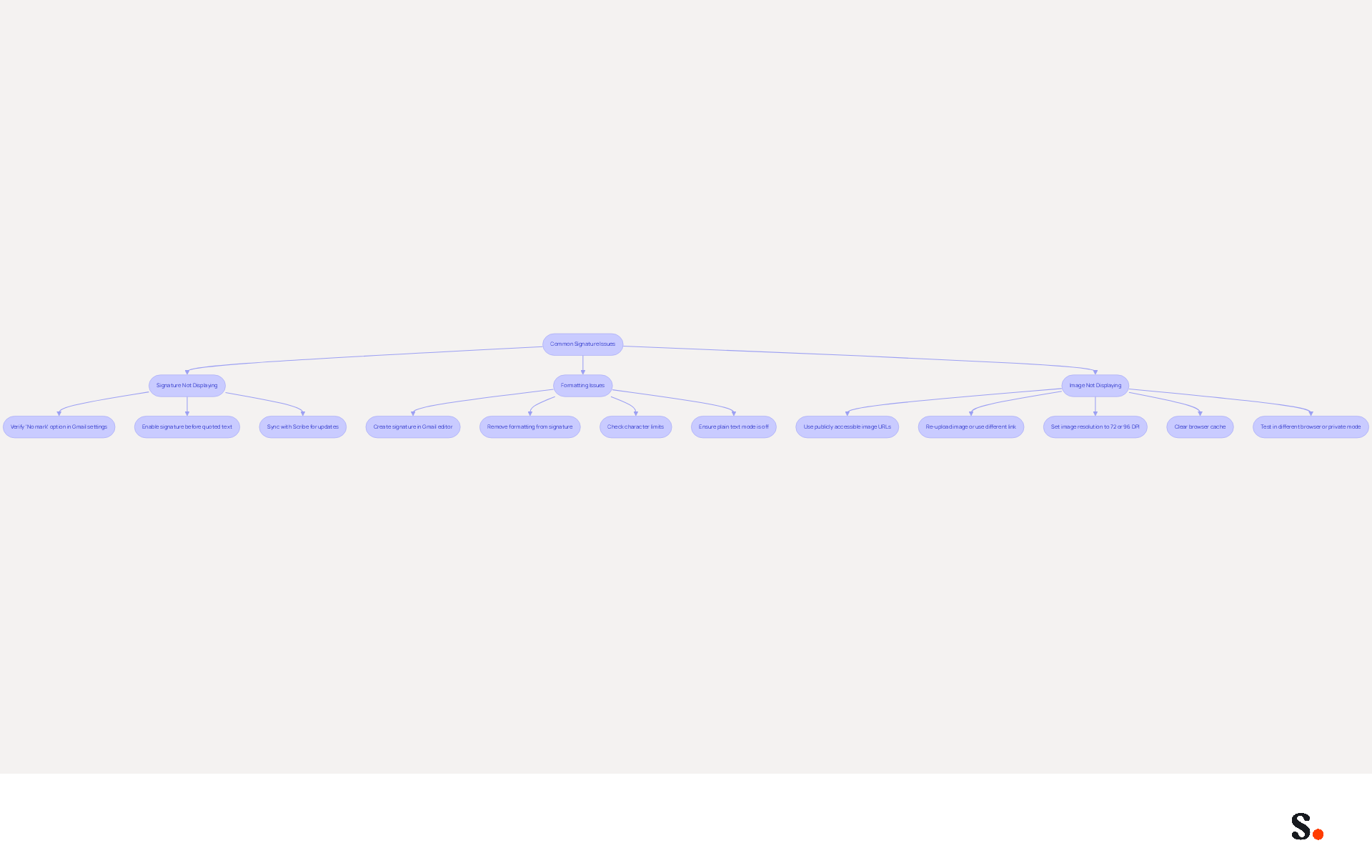
Troubleshoot Common Signature Issues
Even with a well-designed email signature, various issues can compromise its effectiveness. Here are some common problems and their solutions:
- Signature Not Displaying: If the signature remains absent, verify that the 'No mark' option is not selected in the 'Signature' section of Gmail settings. Gmail may also conceal signatures in replies to reduce clutter, so enable the option to insert your sign-off before quoted text. Furthermore, if you sync your Google Workspace with Scribe, any modifications made to your team’s information will automatically update in your identifiers, reducing the chances of discrepancies and saving you time.
- Formatting Issues: If your sign-off appears different when sent, it may be due to complex formatting. Copying from other sources can introduce unwanted styles. Instead, create your personal mark directly in the Gmail signature editor and remove any formatting by highlighting the mark and clicking 'Remove formatting'. Regularly check for common issues like character limits, as Gmail imposes a limit of around 10,000 characters for email footers. Additionally, ensure that plain text mode is not enabled, as this can remove formatting from your email footer. Utilizing the gmail signature editor ensures that your email signatures are consistently formatted and compliant with security standards.
- Image Not Displaying: Ensure that any images used in your email footer are hosted on a publicly accessible server with a reliable HTTPS URL. If the image is not loading, try re-uploading it or using a different image link. Blurry images can often be resolved by ensuring the image resolution is set to 72 DPI or 96 DPI for older Outlook versions. If problems continue, consider clearing your browser cache or testing the document in a different browser or in private browsing mode. Addressing these common challenges while leveraging Scribe’s capabilities can help you maintain a professional image.
By proactively addressing these challenges, you can significantly elevate your professional image in every correspondence.
Conclusion
Establishing a professional digital presence hinges on the effectiveness of your Gmail signature. By focusing on simplicity, organizations can ensure that their email signatures convey clarity and brand identity without overwhelming recipients. A well-designed signature enhances professionalism. It also acts as a powerful marketing tool that drives engagement and response rates.
Key practices discussed include:
- Maintaining a minimalist design
- Implementing a step-by-step setup process
- Incorporating branding elements
- Troubleshooting common issues
Emphasizing simplicity in design helps avoid clutter, while a structured setup process ensures that signatures are consistently applied across communications. Additionally, integrating branding strategies can significantly boost engagement, as evidenced by the positive impact on response rates and click-through rates. Addressing common signature issues proactively can further enhance the effectiveness of email communications.
Many organizations find it challenging to ensure their email signatures consistently reflect their brand identity. This inconsistency can lead to missed opportunities for engagement and brand recognition. Using tools like Scribe can make managing email signatures much easier, allowing marketing teams to maintain brand consistency effortlessly. By prioritizing these best practices, organizations can transform their email signatures into effective marketing assets that not only reflect their brand but also foster meaningful connections with their audience. By implementing these strategies, organizations can not only enhance their email communications but also significantly improve their marketing outcomes.
Frequently Asked Questions
What is the main principle to follow when designing a professional Gmail footer?
The main principle is to emphasize simplicity, including only essential information such as your name, job title, and contact details.
Why is simplicity important in email signature design?
Simplicity helps maintain clarity and readability, avoiding distractions from excessive graphics or complex formatting, which can undermine professionalism.
How many lines of text should a professional email signature ideally have?
A professional email signature should be limited to 4-6 lines of text to ensure clarity and readability on both desktop and mobile devices.
What impact does a well-crafted email identifier have on consumer perception?
42% of consumers view businesses without branded identifiers negatively, and a well-crafted identifier can result in a 22% boost in response rates.
How does Scribe enhance email signature consistency?
Scribe integrates with Aircall, allowing any changes made in your Aircall setup to automatically update your email identifiers, ensuring consistency in communications.
What common pitfalls should be avoided in email signature design?
Common pitfalls include overcrowding the signature with unnecessary information and neglecting mobile-friendliness.
What benefits have organizations seen from implementing standardized email signature templates?
Organizations that have implemented standardized templates report improved brand consistency and engagement, with some experiencing significant increases in customer interactions.
Why is mobile optimization important for email signatures?
Mobile optimization is essential because a large portion of messages are accessed on smartphones, and an optimized design ensures clarity and professionalism across devices.
List of Sources
- Emphasize Simplicity in Signature Design
- Best Practices Designing Email Signatures - Lynne Golodner (https://lynnegolodner.com/articles/best-practices-designing-email-signatures)
- Email Signature Best Practices Guide With Examples - MailerLite (https://mailerlite.com/blog/email-signature-best-practices)
- 4 Best Practices for Using an Email Signature Editor Effectively (https://scribe-mail.com/en-US/blog/4-best-practices-for-using-an-email-signature-editor-effectively)
- Email signature design guide: elements, layout & tips (https://exclaimer.com/email-signature-handbook/email-signature-design)
- Email Signature Best Practices - NEWOLDSTAMP (https://newoldstamp.com/blog/email-signature-best-practices)
- Implement Step-by-Step Signature Setup in Gmail
- 40+ Email Signature Statistics for 2026 (Data + Insights) (https://wavecnct.com/blogs/email-signature-statistics)
- How to Add Signature in Gmail: The Complete Setup Guide for 2026 | Qualtir Blog (https://qualtir.com/blog/gmail-signature-guide)
- Email signature statistics: Why every business should optimize their email signatures — Stripo.email (https://stripo.email/blog/email-signature-statistics-why-every-business-should-optimize-their-email-signatures)
- How to create custom Gmail signature (https://foxnews.com/tech/how-to-create-custom-gmail-signature.amp)
- Email Signature Statistics: A Closer Look at Email Signatures in 2026 (https://mysignature.io/blog/email-signature-statistics)
- Incorporate Branding and Marketing Strategies
- Using Email Signatures for Marketing | CloudM (https://cloudm.io/resources/blog/using-email-signatures-for-marketing-how-every-email-can-boost-your-brand)
- The impact of email signatures on your branding (https://signitic.com/en/resources/the-impact-of-email-signatures-on-your-branding)
- 10 ideas for marketing campaigns in email signatures (https://signitic.com/en/resources/10-ideas-for-marketing-campaigns-in-email-signatures)
- Email signature statistics: Why every business should optimize their email signatures — Stripo.email (https://stripo.email/blog/email-signature-statistics-why-every-business-should-optimize-their-email-signatures)
- Don't Underestimate the Marketing Power of Your Email Signature (https://marketingprofs.com/opinions/2015/29032/dont-underestimate-the-marketing-power-of-your-email-signature)
- Troubleshoot Common Signature Issues
- What To Do When Your Gmail Signature is Not Showing Up (https://appointlet.com/blog/gmail-signature-not-showing-up)
- Solving a Gmail signature problem (https://signitic.com/en/guides/solving-a-gmail-signature-problem)
- Fix Your Missing Gmail Signature: 8 Troubleshooting Steps & Best Practices | Newoldstamp - NEWOLDSTAMP (https://newoldstamp.com/blog/gmail-signature-not-showing-up)
- Email Signature Troubleshooting - Problems & Solutions - Gimmio (https://blog.gimm.io/email-signature-troubleshooting)
- Troubleshoot issues with Gmail signatures - Gmail Help (https://support.google.com/mail/answer/11468381?hl=en)
Get started with Scribe
Create your signature in minutes
Free 14-day trial — no credit card.