4 Best Practices to Manage Office 365 for Marketing Success
For marketing teams, effectively managing Office 365 is essential to achieving operational efficiency and ensuring brand consistency. By implementing best
Sophie Grant
Email Signature Specialist, Scribe
On this page
- Introduction
- Implement Multi-Factor Authentication for Enhanced Security
- Configure Company Branding in Office 365 for Consistent Messaging
- Manage External Sharing Settings to Protect Marketing Assets
- Automate Administrative Tasks to Boost Marketing Efficiency
- Conclusion
- Frequently Asked Questions
- List of Sources
Introduction
For marketing teams, effectively managing Office 365 is essential to achieving operational efficiency and ensuring brand consistency. By implementing best practices such as:
- Multi-factor authentication
- Consistent company branding
- Stringent external sharing settings
- Task automation
organizations can protect sensitive information while streamlining their marketing efforts. Many teams struggle to effectively utilize the myriad features of Office 365. How can they ensure they are leveraging this platform to its fullest while maintaining security and compliance? This article outlines four essential practices that will empower teams to leverage Office 365 as a powerful tool for marketing success.
Implement Multi-Factor Authentication for Enhanced Security
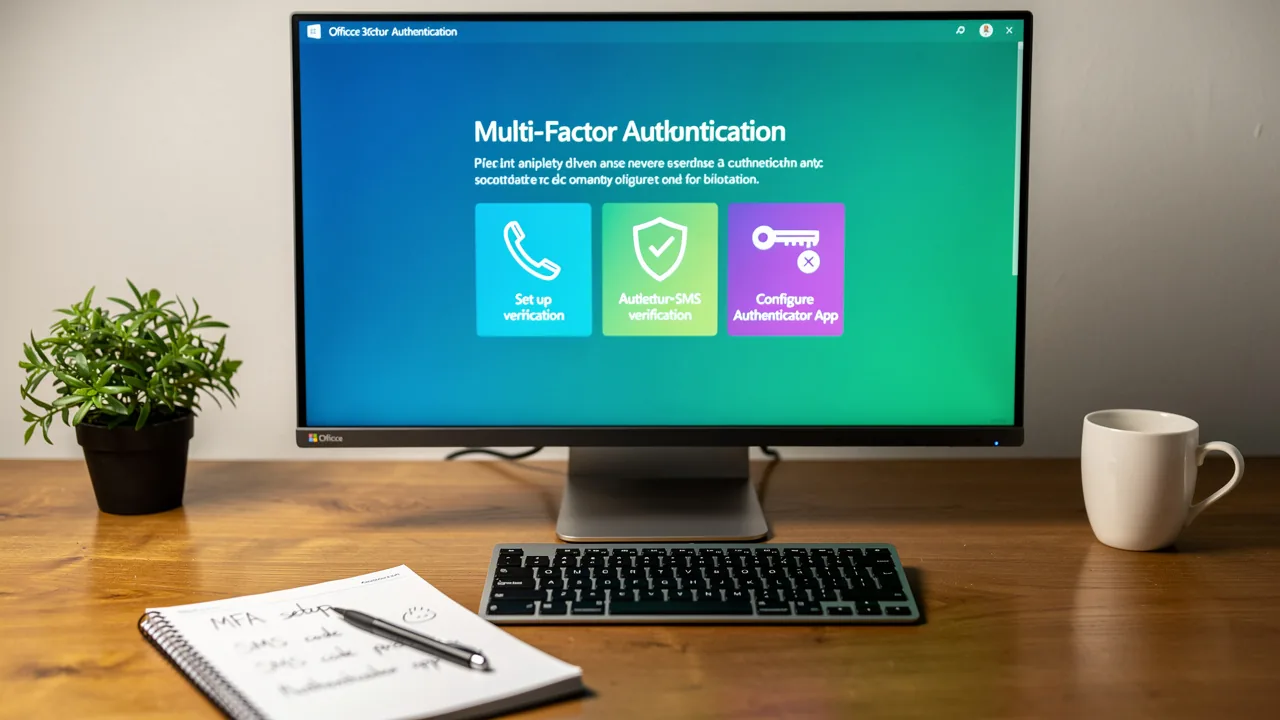
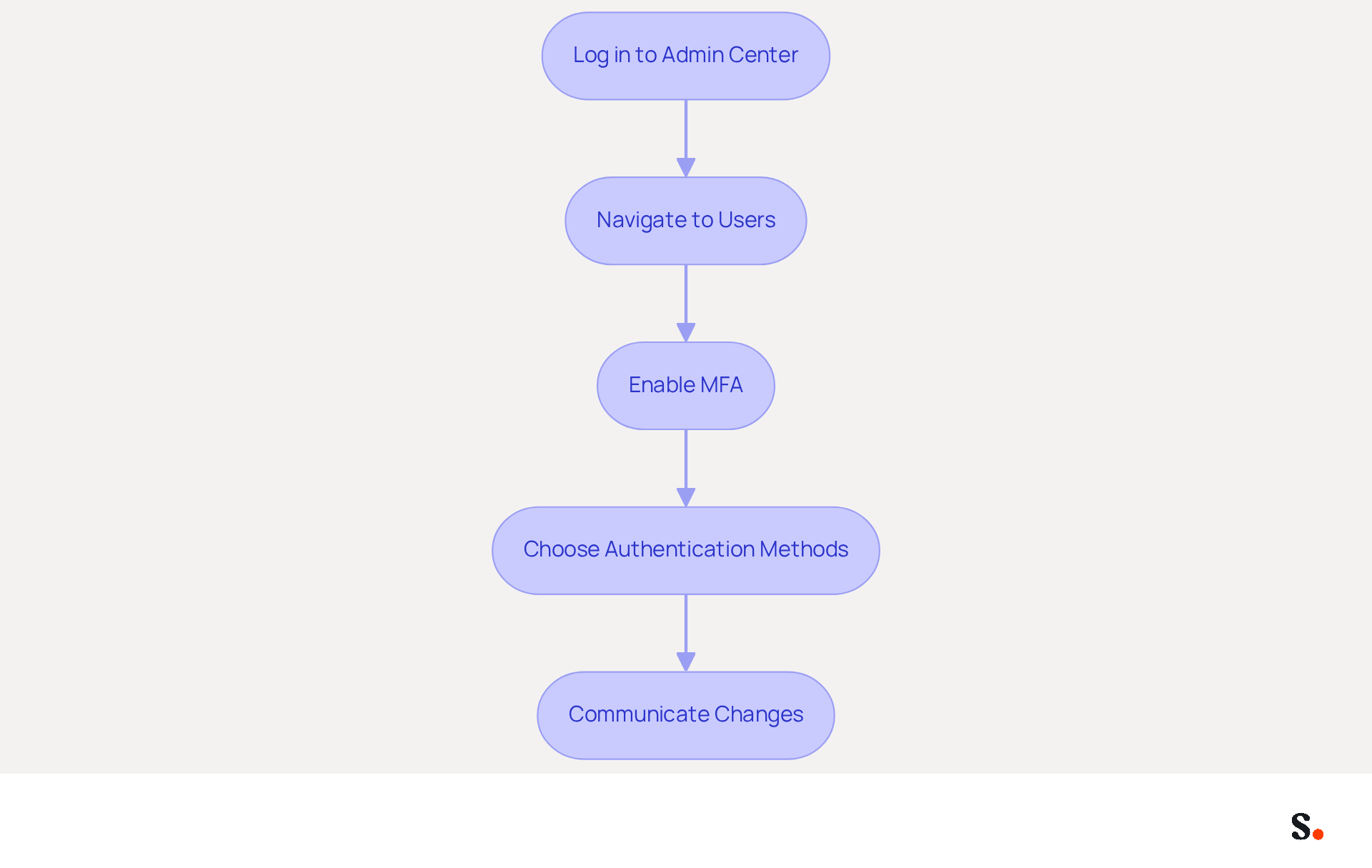
To safeguard sensitive information and maintain customer trust, it is essential to manage Office 365 by implementing multi-factor authentication (MFA). Follow these steps to ensure a secure setup:
- To manage Office 365, you need to log in to your Admin Center.
- Navigate to Users: Go to the 'Users' section and select 'Active users'.
- Enable MFA: Click on 'Multi-factor authentication' settings. You can enable MFA for all users or select specific users.
- Choose Authentication Methods: Decide on the authentication methods (e.g., SMS, authenticator app) that users will utilize.
- Communicate Changes: Inform your team about the new security measures and provide guidance on setting up MFA.
Implementing MFA can prevent over 99.2% of account compromise attacks, ensuring that your promotional information remains secure. This is particularly important for maintaining customer trust and protecting sensitive information.
Real-World Example: Companies that have adopted MFA have reported a significant decrease in security incidents, with 49% of breaches involving stolen credentials. By adopting MFA, organizations not only bolster their security but also empower their teams to prioritize strategic initiatives over risk management. For instance, organizations utilizing MFA have experienced a marked improvement in their cybersecurity defenses, significantly reducing the risk of breaches. Additionally, ensuring that MFA solutions are user-friendly can enhance adoption and minimize resistance among team members. Ultimately, the adoption of MFA not only fortifies security but also enables teams to operate with greater confidence and focus on their strategic goals.
Configure Company Branding in Office 365 for Consistent Messaging
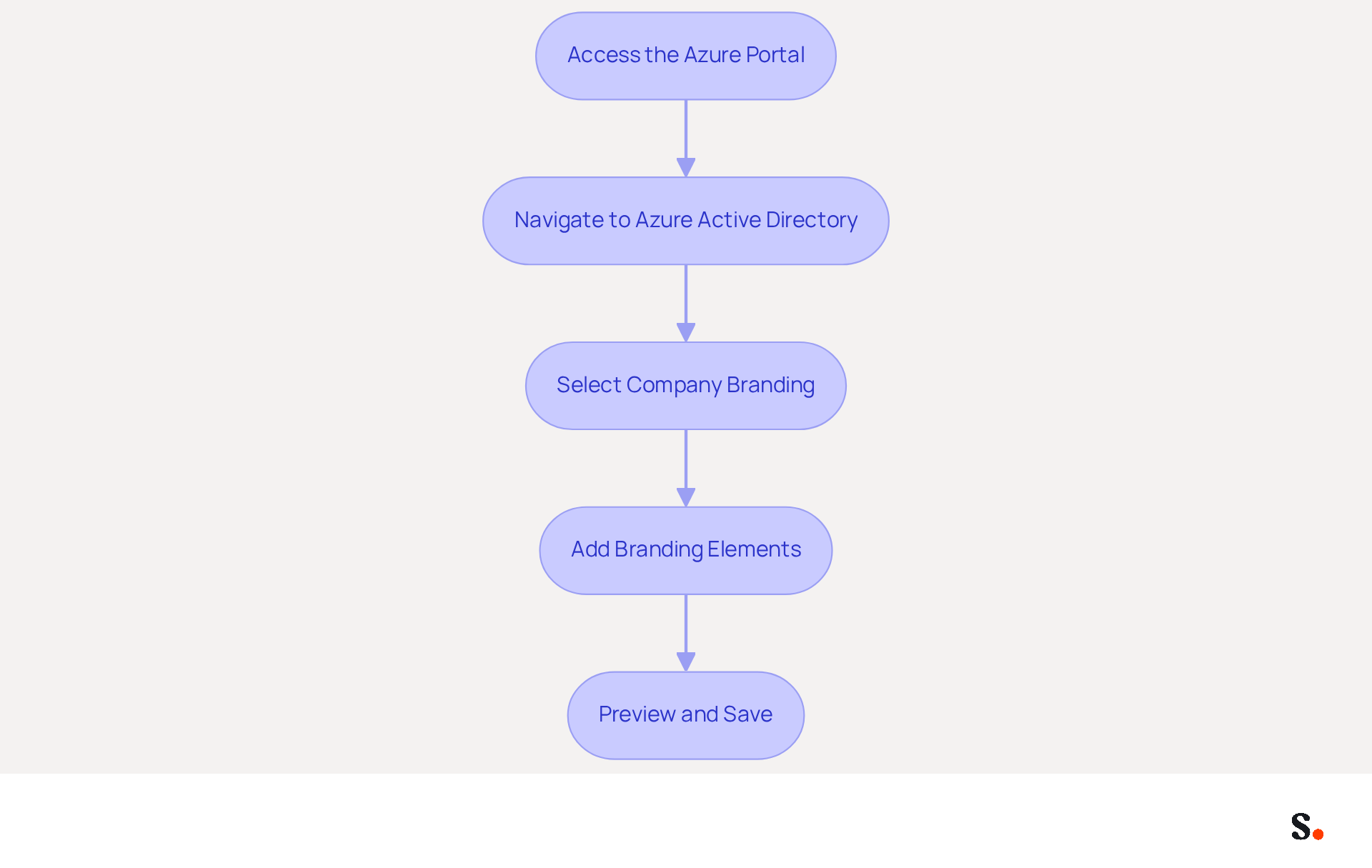
Establishing consistent branding to manage Office 365 is crucial for enhancing professionalism and building trust with your audience. To configure company branding in Office 365, follow these steps:
- Access the Azure Portal: Sign in to the Azure portal as a global administrator.
- Navigate to Azure Active Directory: Select 'Azure Active Directory' from the left-hand menu.
- Select Company Branding: Under 'Manage', click on 'Company branding'.
- Add Branding Elements: Upload your company logo, set the background color, and customize the sign-in page text.
- Preview and Save: Preview the branding changes and save them.
Benefits: Implementing consistent branding across all communications, including emails and documents, enhances professionalism and builds trust with your audience. Research indicates that brands with consistent presentation can achieve a revenue increase of 10% to 33%, highlighting the financial benefits of a cohesive brand strategy. Additionally, inconsistent branding can lead to lost revenue and diminished trust among customers, costing companies more than $6 million annually. By adopting a cohesive brand strategy, companies can enhance their market presence and drive revenue growth.
To set up one-click synchronization with Scribe, simply grant permission for it to connect with your email provider. Ensure you are a Super Admin of your email provider to provide these permissions. Once set up, any changes made in your Aircall configuration will automatically be reflected in your Scribe signatures. This approach not only streamlines your workflow but also reinforces brand consistency across all communications. Scribe's SOC 2 Type II compliance ensures that your data is handled securely, giving you peace of mind as you manage your branding efforts.
Real-World Example: Organizations that manage Office 365 with consistent branding report improved customer engagement and recognition, which leads to higher conversion rates. For instance, strong branding drives a 33% increase in conversion rates, demonstrating the significant impact of a well-executed branding strategy. Ultimately, a unified brand image not only fosters customer loyalty but also significantly impacts your bottom line.
Manage External Sharing Settings to Protect Marketing Assets
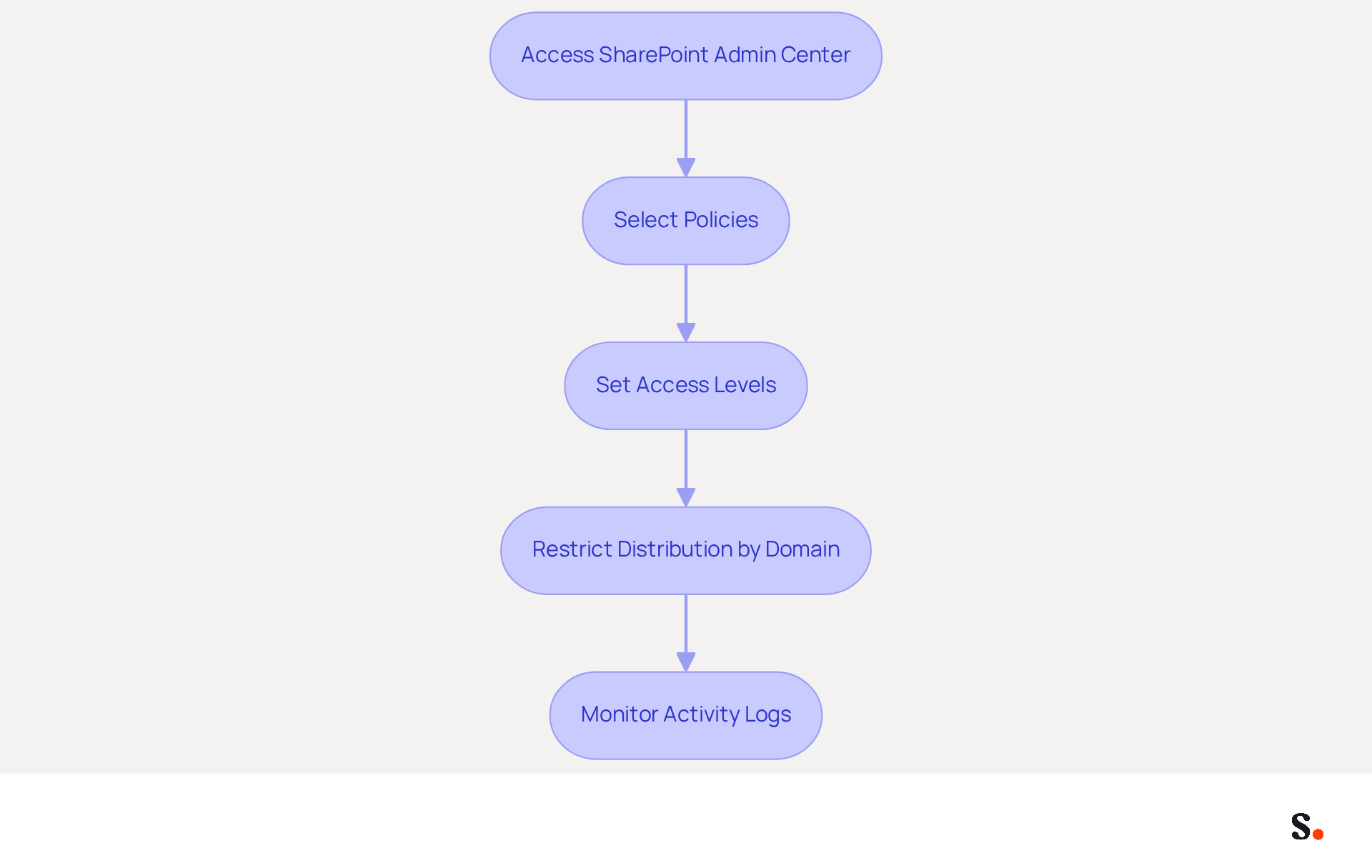
To effectively manage Office 365 and safeguard sensitive marketing materials, organizations must implement stringent external sharing settings.
- Access the SharePoint Admin Center: Begin by logging into the SharePoint Admin Center.
- Select Policies: Navigate to 'Policies' and then select 'Sharing'.
- Set Access Levels: Determine the appropriate access level, such as 'Only people in your organization' or 'New and existing guests'.
- Restrict Distribution by Domain: If necessary, limit distribution to specific domains to bolster security.
- Monitor Activity Logs: Regularly review activity logs to detect any unauthorized access attempts.
Benefits: Implementing stringent external access settings allows organizations to safeguard sensitive marketing materials, ensuring that only authorized individuals can access critical information. This proactive approach not only protects valuable assets but also improves adherence to protection regulations. Research indicates that organizations enforcing strict external distribution policies can lower breach risks by as much as 30%.
Real-World Example: Many companies that have adopted strict external distribution policies have seen a notable reduction in data breach incidents. For instance, organizations that regularly monitor activity and restrict access to sensitive content have reported a significant decrease in unauthorized access incidents, allowing their marketing teams to operate with greater confidence and security. As mentioned by Microsoft MVP Jasper Oosterveld, "To effectively safeguard your digital assets in your sites & teams, you need to have an understanding of the following features: Permissions, Guests & collaboration, Information Protection & Conditional Access, Data Loss Prevention, SharePoint Advanced Management." This aligns with best practices that emphasize the importance of a structured approach to external sharing, particularly in environments where sensitive information is frequently exchanged. This structured approach not only mitigates risks but also fosters a culture of security within the organization.
Automate Administrative Tasks to Boost Marketing Efficiency
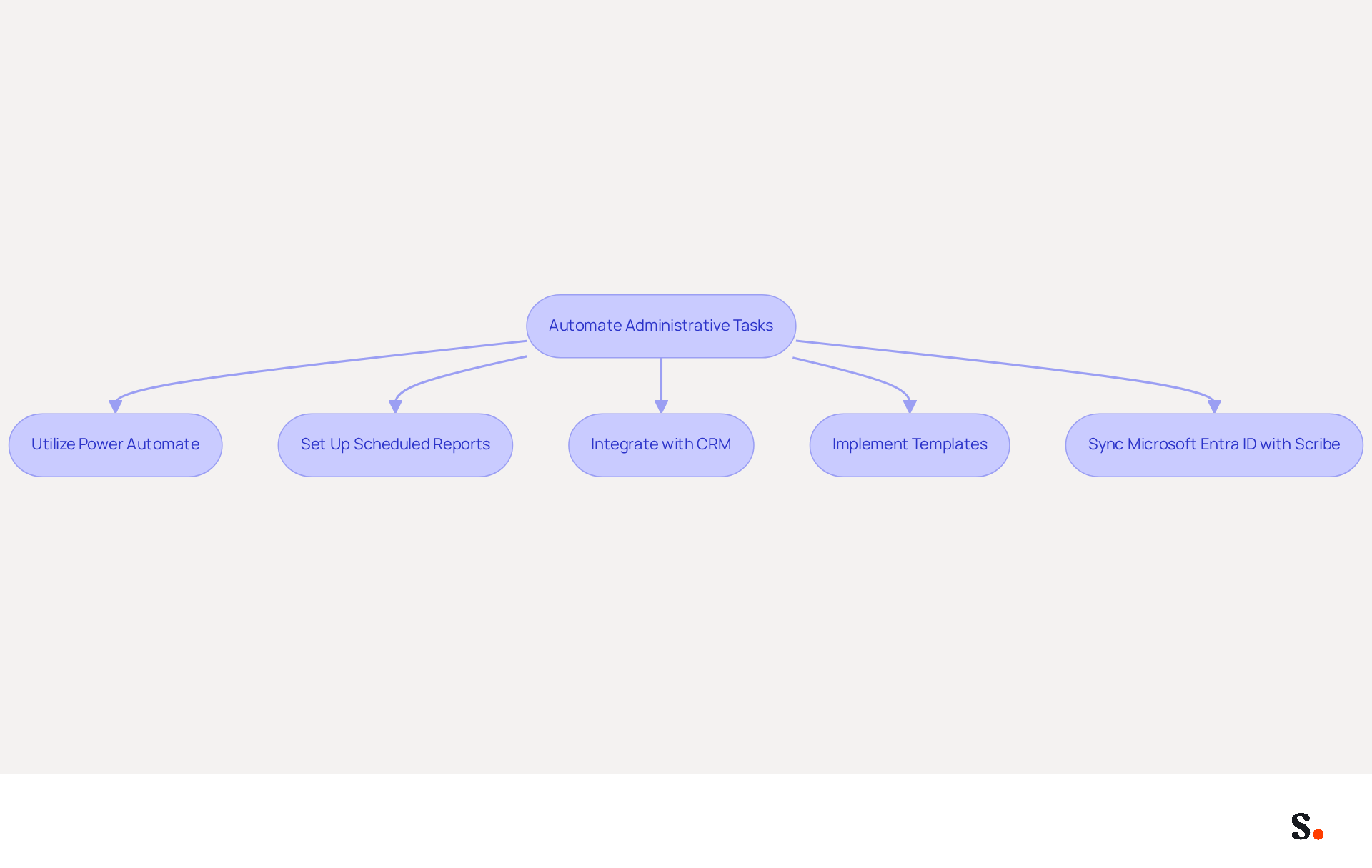
To enhance efficiency in Office 365, automating administrative tasks is essential:
- Utilize Power Automate: By cutting down on manual tasks, teams can dedicate more time to strategic initiatives. Create workflows to automate repetitive tasks such as information entry, email notifications, and report generation.
- Set Up Scheduled Reports: Use Power BI to schedule regular reports on performance metrics related to promotions. For example, teams can access performance metrics instantly, allowing them to make informed decisions quickly.
- To manage Office 365 effectively, integrate it with additional tools, such as CRM systems, to streamline information flow and reduce manual updates. This integration can lead to a more cohesive promotional strategy and improved data accuracy.
- Implement Templates: Use standardized templates for emails and documents to save time and ensure consistency across communications. This not only enhances brand integrity but also improves the efficiency of content creation.
- Sync Microsoft Entra ID with Scribe: This integration allows for automatic updates of your teammates' email signatures, saving time by eliminating the need for manual entry. Any changes in your Microsoft Entra ID, such as updates to job positions or group assignments, will be automatically reflected in Scribe, ensuring that your email signatures are always up-to-date.
Benefits: Automating these tasks can lead to increased productivity, allowing teams to allocate more time to strategy and creative work. By automating these tasks, teams can redirect their focus towards more impactful work. Organizations that have embraced automation in their marketing processes have reported significant improvements in efficiency, enabling them to launch campaigns faster and respond to market changes more effectively. Ultimately, embracing automation not only streamlines operations but also empowers teams to innovate and adapt swiftly.
Conclusion
In a competitive landscape, marketing teams face the challenge of balancing security and operational efficiency. Implementing best practices for managing Office 365 is essential for achieving success. By focusing on security, branding, external sharing, and automation, organizations can create a robust framework. Without a structured approach, marketing teams may struggle to balance security and efficiency, which can lead to vulnerabilities.
The article highlights four key strategies:
- The implementation of multi-factor authentication to safeguard accounts
- The configuration of company branding for cohesive messaging
- The management of external sharing settings to protect marketing assets
- The automation of administrative tasks to boost productivity
These practices work together to create a marketing environment that is both secure and efficient, allowing teams to focus on strategic initiatives rather than risk management.
Incorporating these best practices not only reduces risks but also enables marketing teams to work confidently and efficiently. As organizations leverage tools like Scribe for seamless email signature management and integration with Office 365, they can ensure brand consistency and measurable marketing ROI. Ultimately, neglecting these strategies could expose organizations to significant risks and inefficiencies.
Frequently Asked Questions
What is multi-factor authentication (MFA) and why is it important for Office 365?
Multi-factor authentication (MFA) is a security measure that requires users to provide multiple forms of verification to access their accounts. It is important for Office 365 as it helps safeguard sensitive information and maintain customer trust by preventing over 99.2% of account compromise attacks.
How do I enable MFA for Office 365?
To enable MFA for Office 365, log in to your Admin Center, navigate to the 'Users' section, select 'Active users', click on 'Multi-factor authentication' settings, and choose to enable MFA for all users or specific users.
What authentication methods can be used with MFA?
Users can utilize various authentication methods for MFA, including SMS and authenticator apps.
How should I communicate the changes regarding MFA to my team?
It is essential to inform your team about the new security measures and provide guidance on how to set up MFA to ensure a smooth transition.
What are the benefits of implementing MFA?
Implementing MFA can significantly reduce security incidents, as companies that have adopted it report a decrease in breaches involving stolen credentials. It enhances cybersecurity defenses and allows teams to focus on strategic initiatives rather than risk management.
How does user-friendliness of MFA solutions impact adoption?
Ensuring that MFA solutions are user-friendly can enhance adoption and minimize resistance among team members, making it easier for them to integrate the new security measures into their routines.
List of Sources
- Implement Multi-Factor Authentication for Enhanced Security
- Eight Benefits of Multi-Factor Authentication (MFA) (https://pingidentity.com/en/resources/blog/post/eight-benefits-mfa.html)
- 10 Multi-factor Authentication Trends To Adopt in 2026 | OLOID (https://oloid.com/blog/future-trends-in-multi-factor-authentication-what-to-expect)
- One simple action you can take to prevent 99.9 percent of attacks on your accounts (https://microsoft.com/en-us/security/blog/2019/08/20/one-simple-action-you-can-take-to-prevent-99-9-percent-of-account-attacks)
- 7 Reasons Why You Need MFA Security in 2026 (https://splashtop.com/blog/why-you-need-MFA-security)
- Multi-Factor Authentication 2026: Best MFA Solutions Ranked (https://seoinc.com/seo-blog/2-step-verification)
- Configure Company Branding in Office 365 for Consistent Messaging
- Microsoft 365 Company Branding - An Easy Way to Avoid Phishing Attacks - AdminDroid Blog (https://blog.admindroid.com/microsoft-365-company-branding-an-easy-way-to-avoid-phishing-attacks)
- Branding Statistics: Surprising Numbers and Why Branding Matters (https://brandedagency.com/blog/branding-by-the-numbers-surprising-stats-and-why-branding-is-the-secret-to-success)
- Brand Consistency Statistics (2026): 52+ Data Points on Revenue, Trust, and AI Visibility (https://omnibound.ai/blog/brand-consistency-statistics)
- Guide to your organization’s branding in Microsoft 365 (https://codetwo.com/admins-blog/microsoft-365-branding)
- Company Branding in Microsoft 365 (https://infiflex.com/company-branding-in-microsoft-365)
- Manage External Sharing Settings to Protect Marketing Assets
- External sharing in Microsoft 365 to change on July 1 - Information Technology Services (https://its.unc.edu/2025/06/30/external-sharing-microsoft-365)
- Protecting Your Digital Assets: Strategies for M365 Content Security (https://rencore.com/en/blog/protecting-digital-assets-strategies-m365-content-security)
- Manage sharing settings for SharePoint and OneDrive in Microsoft 365 - SharePoint in Microsoft 365 (https://learn.microsoft.com/en-us/sharepoint/turn-external-sharing-on-or-off)
- Microsoft 365 External Sharing: Maintaining Information Security (https://centricconsulting.com/blog/microsoft-365-external-sharing-maintaining-information-security_microsoft)
- Automate Administrative Tasks to Boost Marketing Efficiency
- What is Marketing Automation | Microsoft Dynamics 365 (https://microsoft.com/en-us/dynamics-365/topics/marketing/what-is-marketing-automation)
- Microsoft improves marketing operations efficiency with Microsoft Power Automate | Microsoft Customer Stories (https://microsoft.com/en/customers/story/1400140165865025082-microsoft-improves-marketing-operations-efficiency-with-power-automate)
- How to boost marketing efficiency with automation and AI (https://superoffice.com/blog/marketing-efficiency-automation-ai)
- Unlocking Efficiency: The Power of Marketing Automation (https://martechoutlook.com/news/unlocking-efficiency-the-power-of-marketing-automation-nid-4151.html)
- Driving Marketing Efficiency with Dynamics 365 Automation (https://cioreview.com/news/driving-marketing-efficiency-with-dynamics-365-automation-nid-41632-cid-119.html)
Get started with Scribe
Signatures for every role on your team
Free 14-day trial — no credit card.