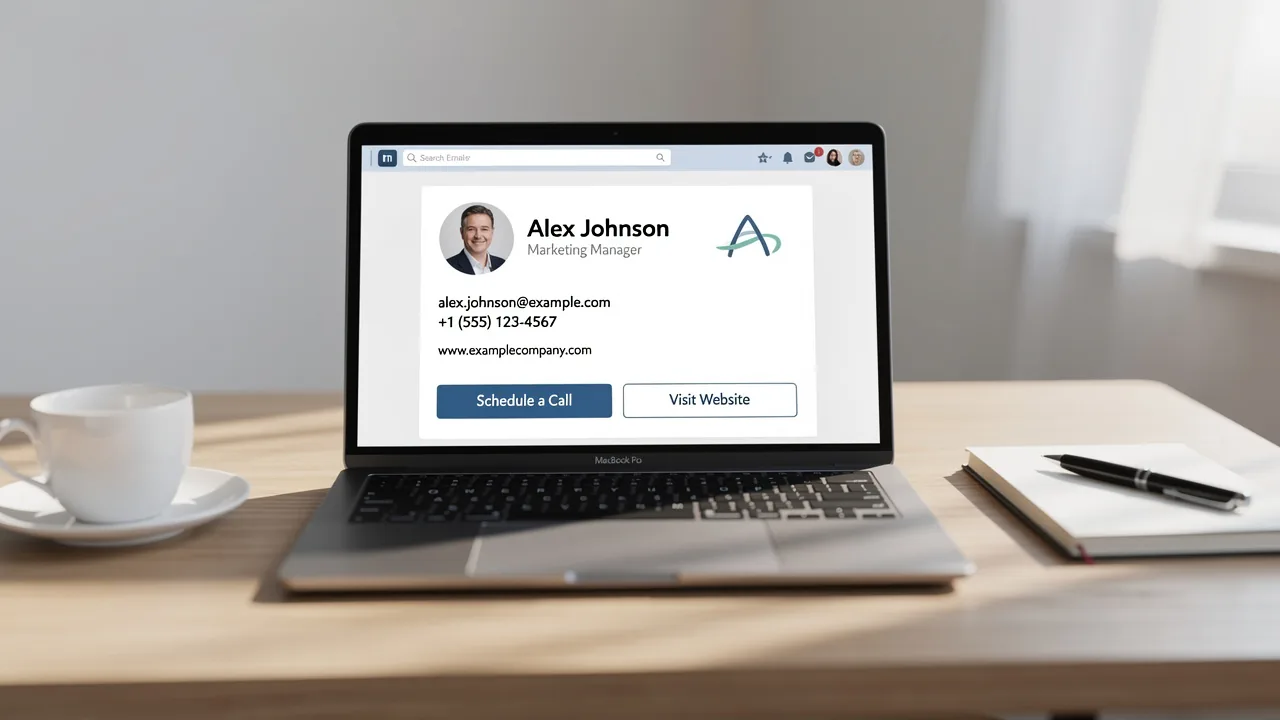
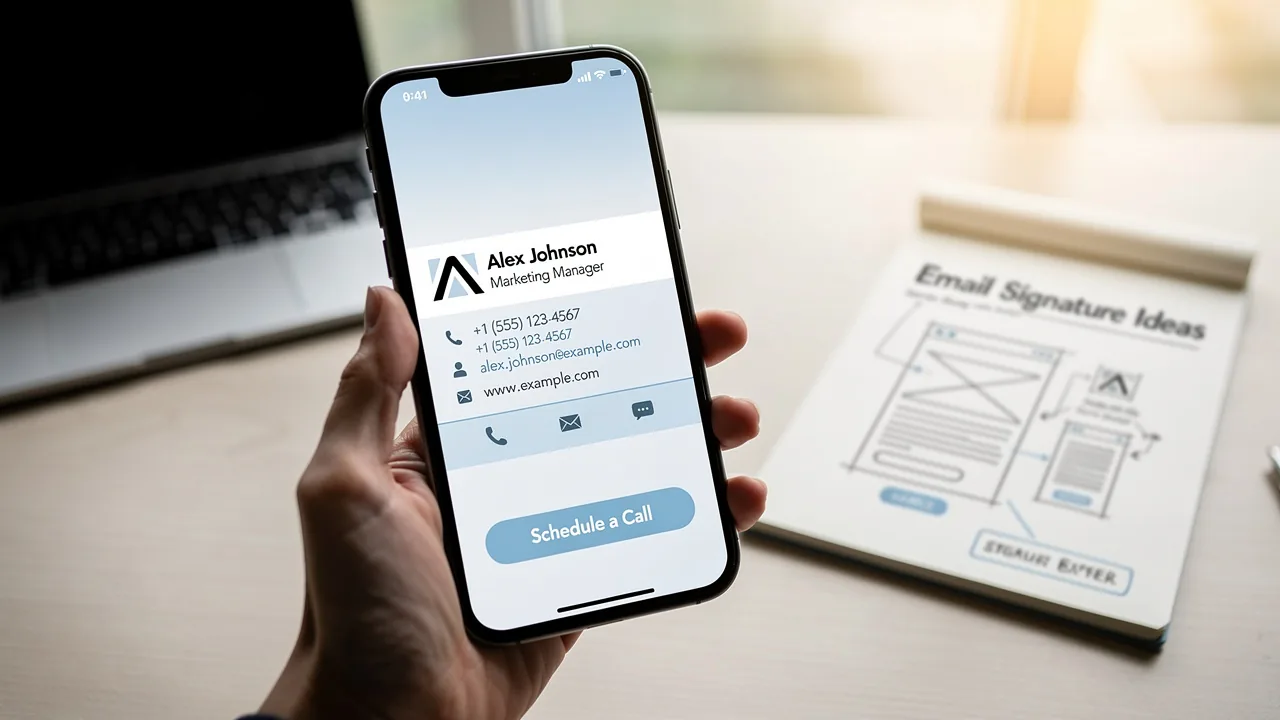
4 Masters Student Email Signature Examples for Professional Impact
Balancing academic demands with professional presentation is a common challenge for master's students. A polished email signature is essential for effective
Sophie Grant
Email Signature Specialist, Scribe

On this page
- Introduction
- Scribe: Automate Your Email Signature for Professional Consistency
- Include Essential Contact Information for Clarity and Professionalism
- Incorporate Personal Branding Elements to Stand Out
- Apply Effective Formatting and Design Principles for Visual Appeal
- Conclusion
- Frequently Asked Questions
- List of Sources
Introduction
Balancing academic demands with professional presentation is a common challenge for master's students. A polished email signature is essential for effective communication. In this article, we'll look at four effective email signature formats that boost professionalism and utilize Scribe's automation features for consistency and security.
Students often find it challenging to present themselves professionally while managing their academic responsibilities. However, a well-crafted email signature can elevate their professional image and streamline communication. Ultimately, a well-designed email signature can be a powerful tool in shaping a student's professional identity.
Scribe: Automate Your Email Signature for Professional Consistency
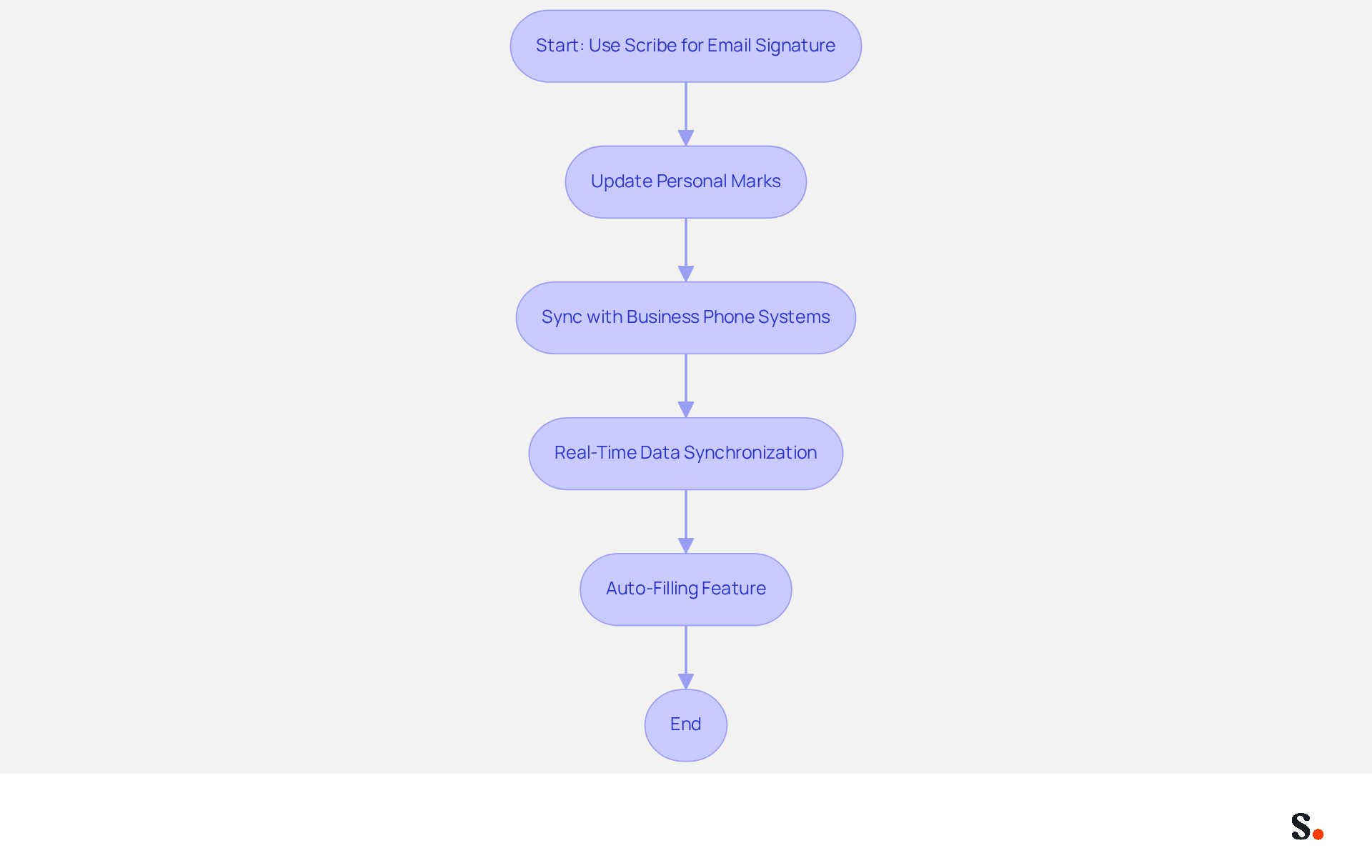
Master's students often face challenges in maintaining a professional image, which can be illustrated by a master's student email signature example. Using Scribe, they can automate their email endings, creating a master's student email signature example that ensures each email reflects a consistent and professional standard. This automation mitigates the risk of outdated endorsements that can undermine a student's professional image.
With Scribe, students can easily update their personal marks across all devices with just one click, ensuring that their contact information and branding are always current. Furthermore, Scribe's integration with business phone systems, such as Aircall, enables real-time synchronization of data, meaning any modifications made will automatically reflect in their digital identifiers. This efficient process saves time and meets SOC 2 Type II standards, giving students confidence in their data security.
Additionally, Scribe's auto-filling feature simplifies the process, allowing for quick updates without requiring action from the students, thus enhancing their efficiency and focus on academic and career pursuits.
Include Essential Contact Information for Clarity and Professionalism
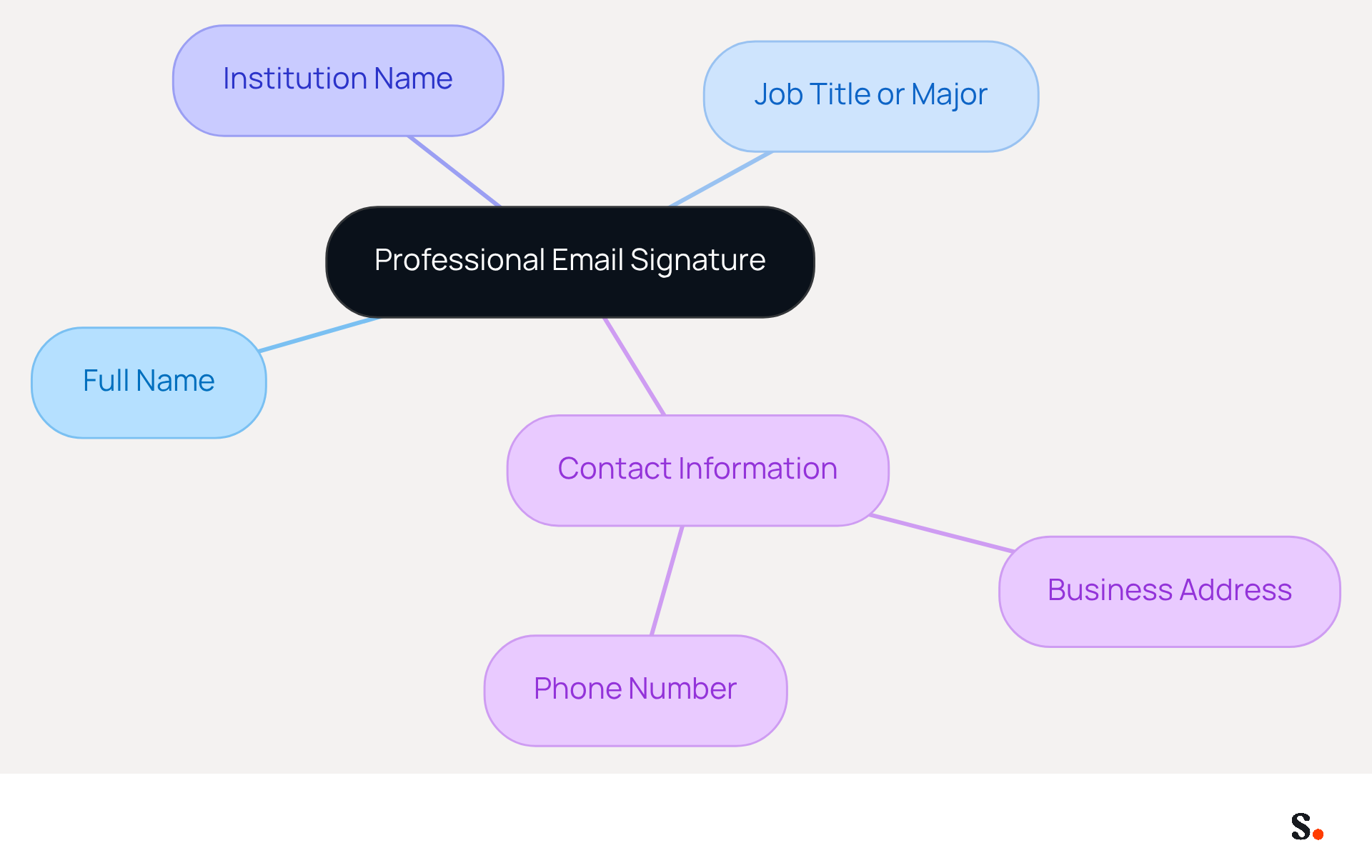
A professional email signature is essential for effective communication and establishing credibility. It should include key contact details to enhance clarity and professionalism:
- Full Name: Clearly state your full name to ensure recipients know who the message is from, establishing a personal connection.
- Job Title or Major: Indicate your current position or field of study to provide context, helping recipients understand your role.
- Institution Name: Include the name of your university or department to establish credibility and reinforce your career identity.
- Contact Information: Provide a single business address that aligns with your company domain and a phone number to enhance accessibility and facilitate communication.
Including key contact details in your email signature not only facilitates communication but also reinforces your professional identity. Studies indicate that having a professional contact address can significantly boost your chances of receiving timely responses. Moreover, a well-organized contact block can facilitate faster recognition of details, improving user experience and ensuring that crucial messages are not missed. Regular assessments of digital identifiers are crucial to uphold precision and relevance, as outdated contact information can lead to missed opportunities and delayed responses.
By integrating Scribe with Google Workspace, you can automate the management of these identifiers, ensuring that any updates to your teammates' information are reflected in real-time. By automating updates, you eliminate the risk of miscommunication and enhance your professional image. Furthermore, Scribe's SOC 2 Type II compliance guarantees that your data is managed securely, providing you with reassurance as you handle your work-related correspondence.
Incorporate Personal Branding Elements to Stand Out
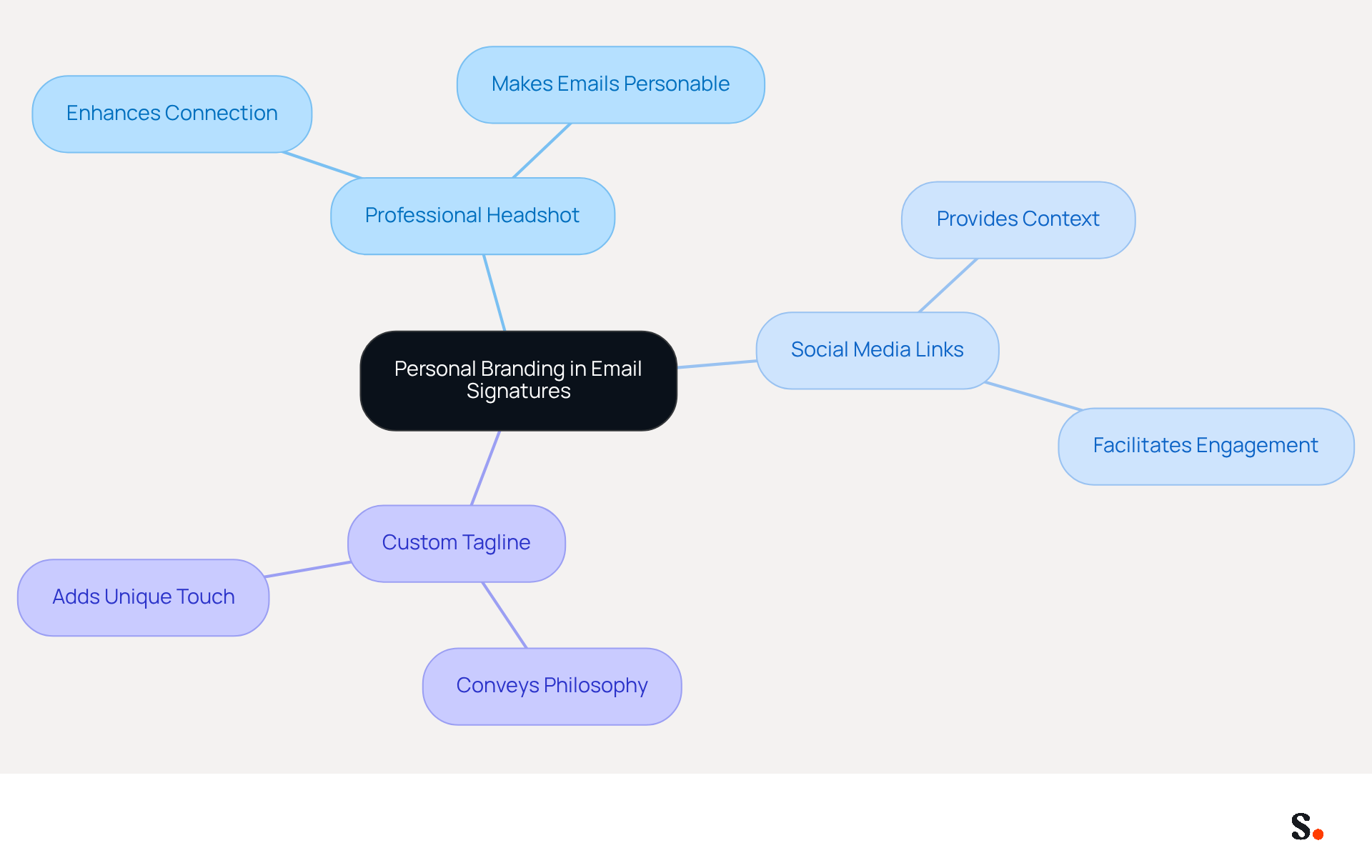
Incorporating personal branding elements into your email signature can significantly enhance your professional image. Consider including the following:
- Professional Headshot: A photo can make your emails more personable and relatable, enhancing the connection with your recipients.
- Social Media Links: Linking to profiles like LinkedIn provides additional context about your background and expertise, making it easier for recipients to engage with you.
- Custom Tagline: A brief tagline or quote that reflects your work philosophy can add a unique touch, effectively conveying your personal brand.
These elements enhance the visual appeal of your signature and improve its overall effectiveness. Research shows that 76% of recipients feel that branded endorsements boost trust in the sender, while 43% form a more positive view of brands with professional endorsements. Furthermore, electronic correspondences have an engagement rate of 40%, in contrast to only 3% for conventional campaigns. By incorporating personal branding into your email signature and optimizing it for mobile devices, you can create a lasting impression that resonates with your audience. Ultimately, a well-crafted email signature can transform your digital communication into a powerful branding tool.
Apply Effective Formatting and Design Principles for Visual Appeal
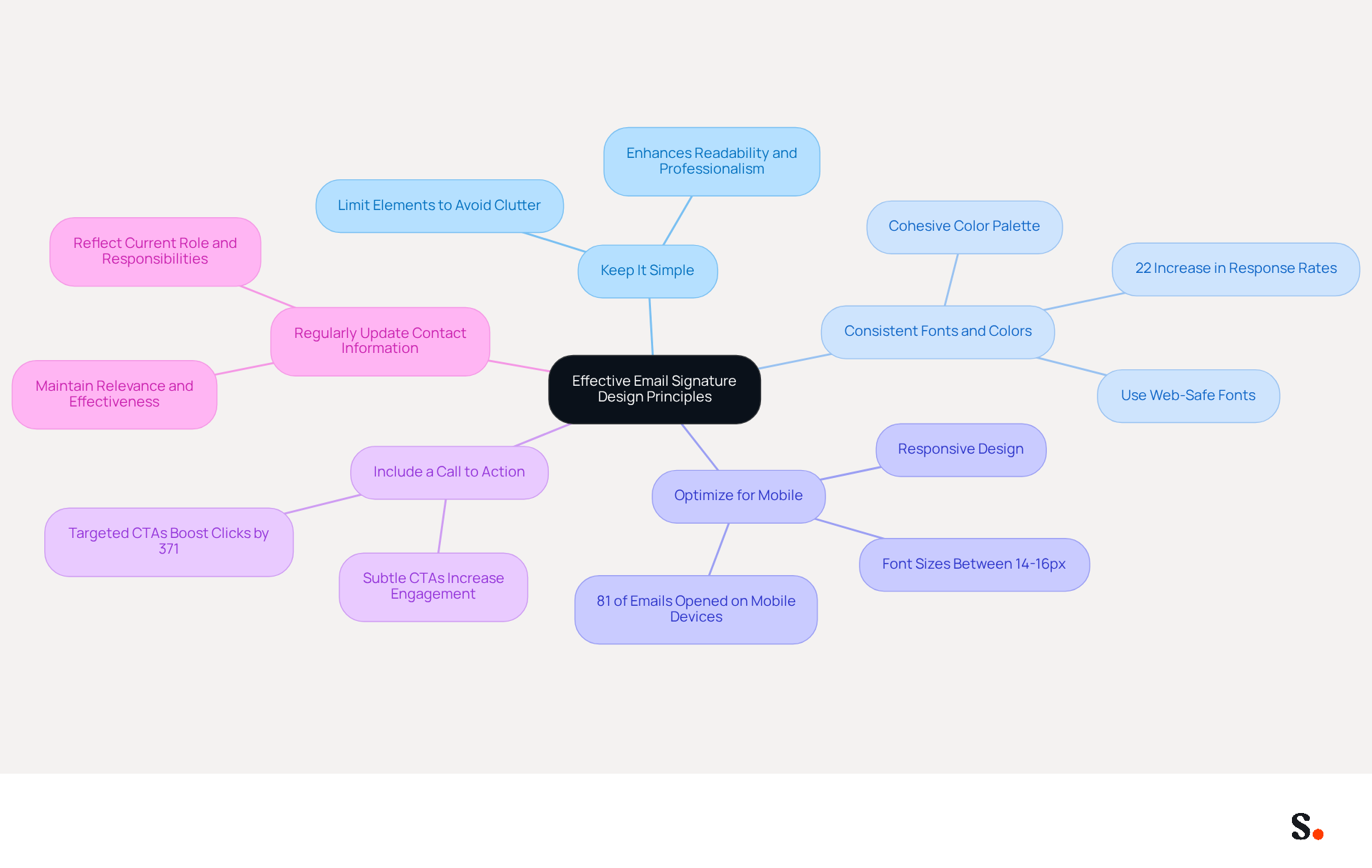
Creating an effective email signature requires attention to design principles that enhance professionalism and engagement.
- Keep It Simple: Limit the number of elements in your signature to avoid clutter. A clean design enhances readability and professionalism.
- Use Consistent Fonts and Colors: Stick to web-safe fonts and a cohesive color palette that aligns with your personal or institutional branding. Consistent branding can lead to a 22% increase in response rates.
- Optimize for Mobile: Many emails fail to engage recipients due to poor mobile formatting. With up to 81% of business correspondence opened on mobile devices, ensure your footer is responsive and avoids large images that may not display well. Use font sizes between 14-16px for readability on smaller screens.
- Include a Call to Action: If appropriate, add a subtle call to action, such as a link to your portfolio or a recent publication. Research shows that targeted CTAs can significantly increase engagement compared to generic ones, encouraging interaction without overwhelming the recipient.
- Regularly Update Your Contact Information: Regularly updating your contact information ensures your communications reflect your current role and responsibilities. This keeps your correspondence relevant and effective.
With Scribe, any changes you make in your Aircall settings will automatically update your communication identifiers, ensuring consistency across all your interactions. This integration, along with seamless updates from Calendly, enables a cohesive and polished presentation in your email communications.
By applying these principles, you can create a signature that not only looks professional but also enhances your communication and engagement with recipients. Ultimately, a well-crafted signature can transform your email communications into powerful tools for connection.
Conclusion
Master's students often overlook the impact of a professional email signature on their branding and communication. By utilizing effective email signatures, they can significantly enhance their professional image, serving as a vital tool for communication and branding. With Scribe, students can automate their email signatures, ensuring they are consistent, current, and aligned with their personal brand while meeting SOC 2 Type II security standards.
The article highlights essential components of a professional email signature, including key contact information, personal branding elements, and effective formatting principles. By incorporating these elements, students can create signatures that not only convey professionalism but also foster engagement and trust among recipients. The integration of Scribe with platforms like Google Workspace further streamlines this process, allowing for real-time updates and ensuring that students can focus on their academic and career goals without the hassle of manual adjustments.
In the end, a well-crafted email signature does more than just sign off an email; it serves as a strong branding tool that can make a memorable impact. By leveraging Scribe's capabilities, master's students can take control of their professional image, ensuring that every email they send contributes positively to their personal brand and enhances their communication effectiveness. Embracing these best practices will not only improve their visibility but also open doors to new opportunities in their academic and professional journeys.
Frequently Asked Questions
What is Scribe and how does it help master's students?
Scribe is a tool that automates email signatures for master's students, ensuring that each email reflects a consistent and professional standard.
Why is maintaining a professional email signature important for master's students?
A professional email signature helps uphold a student's professional image and mitigates the risk of using outdated endorsements that could undermine their credibility.
How does Scribe ensure that students' contact information is always current?
Scribe allows students to update their personal marks across all devices with just one click, ensuring their contact information and branding are always up to date.
What integration does Scribe offer to enhance its functionality?
Scribe integrates with business phone systems, such as Aircall, enabling real-time synchronization of data, so any modifications made will automatically reflect in their digital identifiers.
What standards does Scribe meet regarding data security?
Scribe meets SOC 2 Type II standards, providing students with confidence in the security of their data.
How does Scribe's auto-filling feature benefit students?
The auto-filling feature simplifies the process of updating email signatures, allowing for quick updates without requiring action from the students, thus enhancing their efficiency.
List of Sources
- Scribe: Automate Your Email Signature for Professional Consistency
- 40+ Email Signature Statistics for 2026 (Data + Insights) (https://wavecnct.com/blogs/email-signature-statistics)
- Email Signature Statistics: A Closer Look at Email Signatures in 2026 (https://mysignature.io/blog/email-signature-statistics)
- Email signature statistics: Why every business should optimize their email signatures — Stripo.email (https://stripo.email/blog/email-signature-statistics-why-every-business-should-optimize-their-email-signatures)
- Email Signature Trends in Numbers: Infographic [2026] (https://mailtrap.io/blog/email-signature-trends)
- WiseStamp Sets a New Standard for Email Signature Creation (https://prnewswire.com/news-releases/wisestamp-sets-a-new-standard-for-email-signature-creation-302689811.html)
- Include Essential Contact Information for Clarity and Professionalism
- The effectiveness of the email signature as a “point of contact” (https://signitic.com/en/resources/the-effectiveness-of-the-email-signature-as-a--point-of-contact)
- Email Signature Contact Details: 10 Best Practices (https://exclaimer.com/email-signature-handbook/email-signature-contact-details-top-10-dos-and-donts)
- Email signature statistics: Why every business should optimize their email signatures — Stripo.email (https://stripo.email/blog/email-signature-statistics-why-every-business-should-optimize-their-email-signatures)
- Email Signature Best Practices for 2026 (+ 15 Pro Examples) (https://wavecnct.com/blogs/email-signature-best-practices-2026)
- The Importance Of Email Signatures | Email Marketing Blog | Mail Blaze (https://mailblaze.com/thinking/email-signatures-in-email-marketing)
- Incorporate Personal Branding Elements to Stand Out
- The impact of email signatures on your branding (https://signitic.com/en/resources/the-impact-of-email-signatures-on-your-branding)
- Optimizing your personal branding (https://cen.acs.org/careers/career-tips/Optimizing-personal-branding/103/web/2025/05)
- Email signature branding: importance, tips & best practices (https://exclaimer.com/email-signature-handbook/email-signature-branding-importance)
- Email Signature Tips | Perfecting Your Personal Brand | CSU Global (https://csuglobal.edu/blog/keep-it-professional-nailing-down-perfect-email-signature)
- Apply Effective Formatting and Design Principles for Visual Appeal
- Email Signature Best Practices Guide With Examples - MailerLite (https://mailerlite.com/blog/email-signature-best-practices)
- 10 Essential Email Signature Marketing Principles | Rocketseed (https://rocketseed.com/blog/10-essential-email-signature-marketing-principles)
- 4 Best Practices for a Professional Looking Email Signature (https://scribe-mail.com/en-US/blog/4-best-practices-for-a-professional-looking-email-signature)
- Email signature design guide: elements, layout & tips (https://exclaimer.com/email-signature-handbook/email-signature-design)
- Best Practices Designing Email Signatures - Lynne Golodner (https://lynnegolodner.com/articles/best-practices-designing-email-signatures)
Get started with Scribe
Build a professional email signature
Free 14-day trial — no credit card.