4 Steps to Add a Small Instagram Icon for Your Email Signature
In a digital landscape where first impressions are crucial, the integration of an Instagram icon into an email signature presents both opportunities and
Sophie Grant
Email Signature Specialist, Scribe

Introduction
In a digital landscape where first impressions are crucial, the integration of an Instagram icon into an email signature presents both opportunities and challenges. This guide will walk you through the essential steps to seamlessly integrate this social media symbol, enhancing engagement and reinforcing brand consistency. Despite its apparent simplicity, integrating an Instagram icon can lead to unexpected technical issues. Addressing these challenges effectively can significantly enhance brand engagement and consistency.
Get started with Scribe
See why teams switch to Scribe
Free 14-day trial — no credit card.
Understand the Benefits of Adding an Instagram Icon
Many businesses overlook a simple yet effective strategy that can significantly enhance their brand's visibility and interaction. Incorporating a social media symbol into your email signature offers several key benefits:
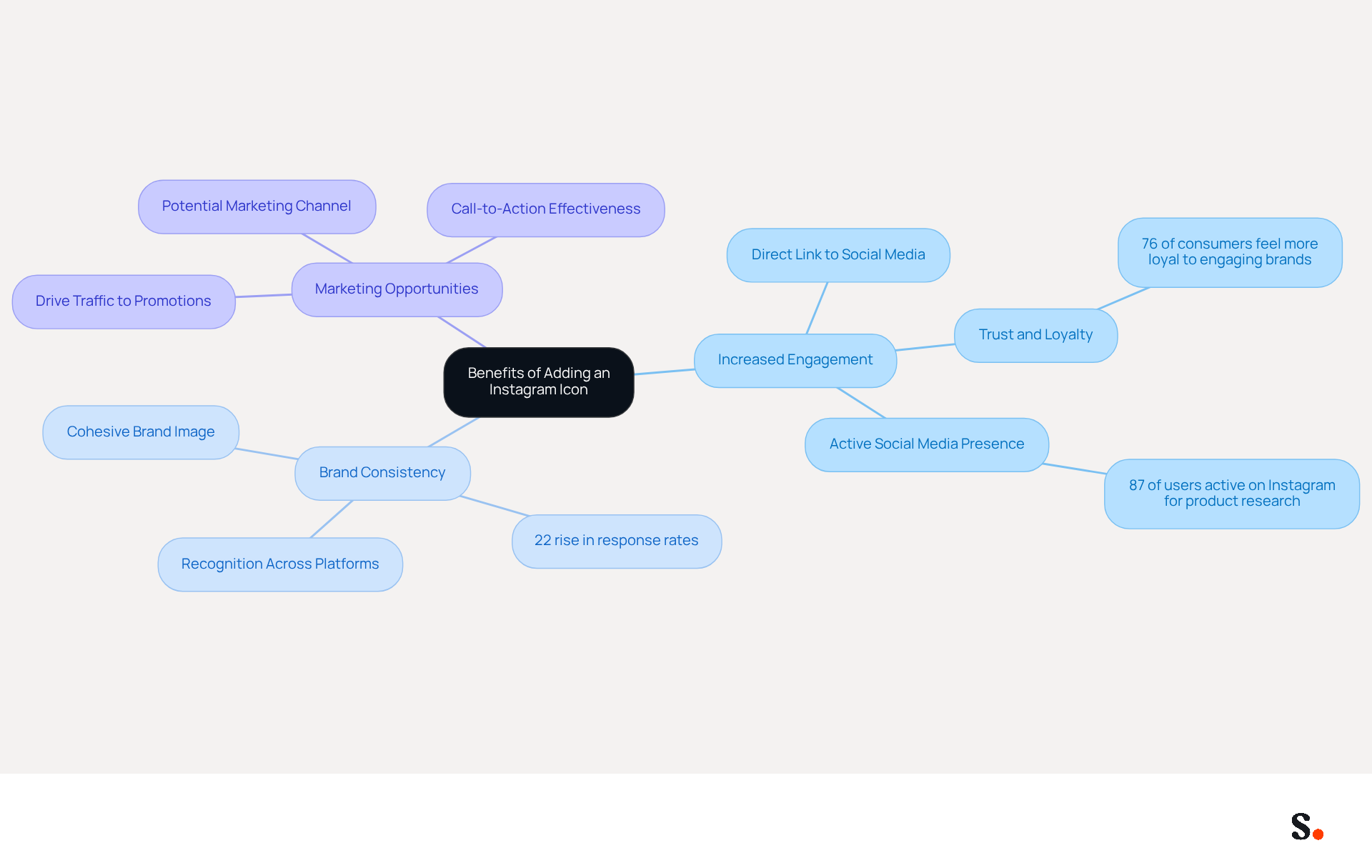
- Increased Engagement: Including an Instagram icon provides a direct link to your social media profile, encouraging recipients to connect with your brand on a platform where visual content thrives. Research shows that brands with active social media profiles are seen as more trustworthy, and 76% of consumers report feeling more loyal to brands that engage with them online (Sophie Grant, Email Signature Specialist).
- Brand Consistency: A social media icon helps maintain a cohesive brand image across all communication channels, reinforcing your brand identity. Consistent branding across platforms can lead to a 22% rise in response rates, making it essential for effective marketing (Sophie Grant, Email Signature Specialist).
- Marketing Opportunities: Every email sent becomes a potential marketing channel. By linking to your social media, you can drive traffic to your latest posts, promotions, or campaigns. Websites that employ social media symbols experience increased visitor engagement, which can lead to higher conversion rates. Adding a clear call-to-action in your emails can significantly boost your marketing efforts, encouraging recipients to engage with your latest content or promotions.
Including a small Instagram icon for email signature enhances your professional appearance by giving your digital presence a polished and modern look, which can significantly boost your credibility with clients and partners. This professional touch can foster trust and encourage ongoing communication, as consumers often evaluate a company's online presence before making purchasing decisions.
Recognizing these advantages is crucial, as many businesses fail to realize the impact of a social media symbol in their email signatures. Furthermore, it is essential to test message identifiers for compatibility across different communication clients and devices to guarantee a smooth experience for all recipients. Failing to incorporate these symbols may result in diminished brand visibility and engagement.
Add the Instagram Icon to Your Email Signature
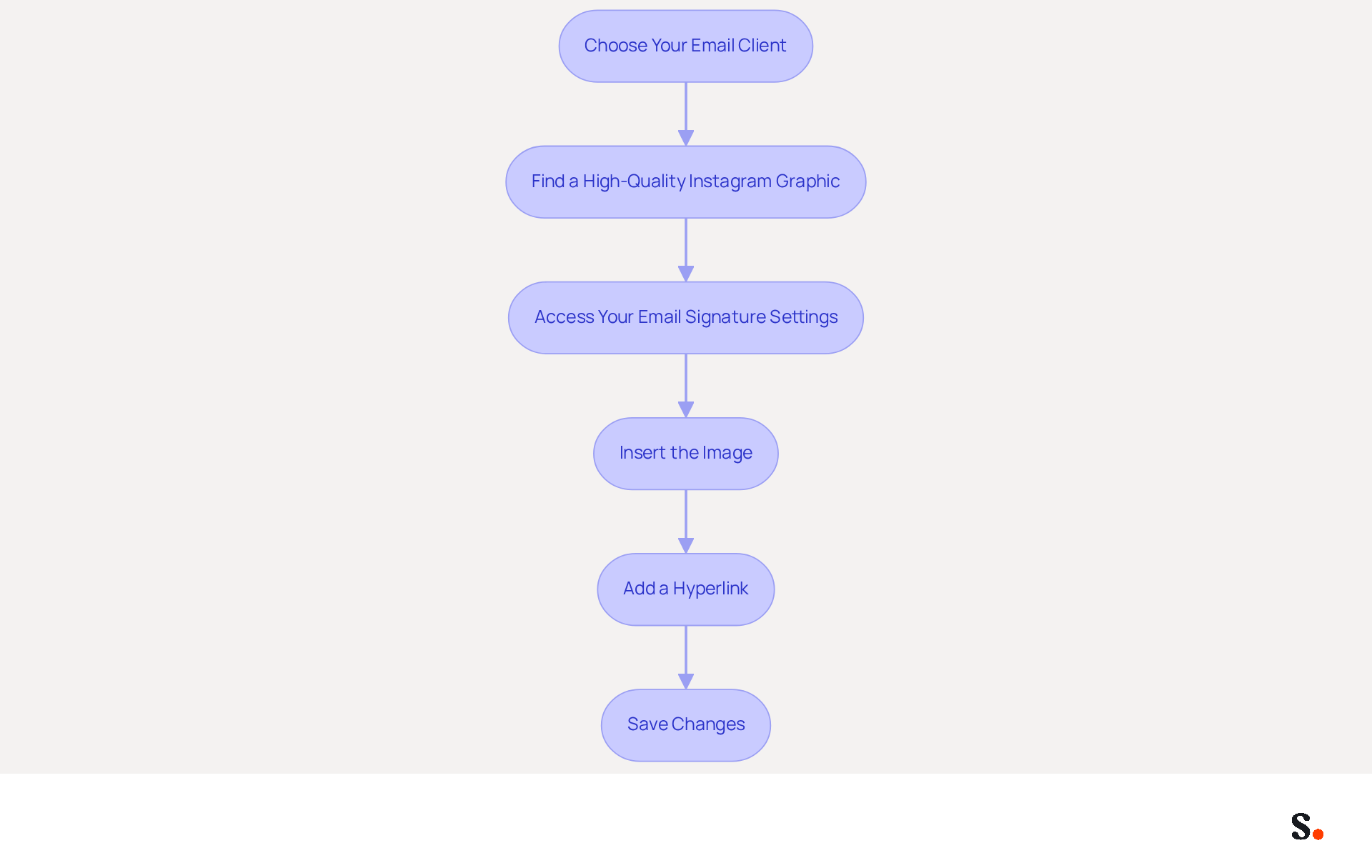
To effectively add an Instagram icon to your email signature, follow these streamlined steps:
-
Choose Your Email Client: Identify the email client you are using, such as Gmail, Outlook, or Apple Mail.
-
Find a High-Quality Instagram Graphic: Use resources like Flaticon or Canva to find a graphic that aligns with your brand's aesthetic. Ensure you use high-resolution PNG or SVG files to ensure clarity.
-
Access Your Email Signature Settings:
- Gmail: Navigate to Settings (gear icon) > See all settings > General tab > Signature section.
- Outlook: Click on New Email > Signature > Signatures.
- Apple Mail: Go to Preferences > Signatures.
-
Insert the Image: In the signature editor, click on the picture symbol to upload your Instagram graphic. Ensure the graphic is sized appropriately, ideally between 30-40 pixels for optimal display.
-
Add a Hyperlink: Highlight the symbol and select the hyperlink option. Enter your Instagram profile URL (e.g., https://www.instagram.com/yourusername) to make the graphic clickable.
-
Save Changes: After adding the graphic and hyperlink, save your modifications. Send a test message to confirm that the graphic displays correctly and the link operates as intended.
Incorporating a small Instagram icon for email signature not only enhances your email signature but also creates more opportunities for customer interaction and brand loyalty. Research shows that adding social media symbols can really boost your brand's presence across different platforms. By following these steps, you can effortlessly incorporate your social media symbol and utilize your communications for enhanced visibility.
Troubleshoot Common Issues with Instagram Icons
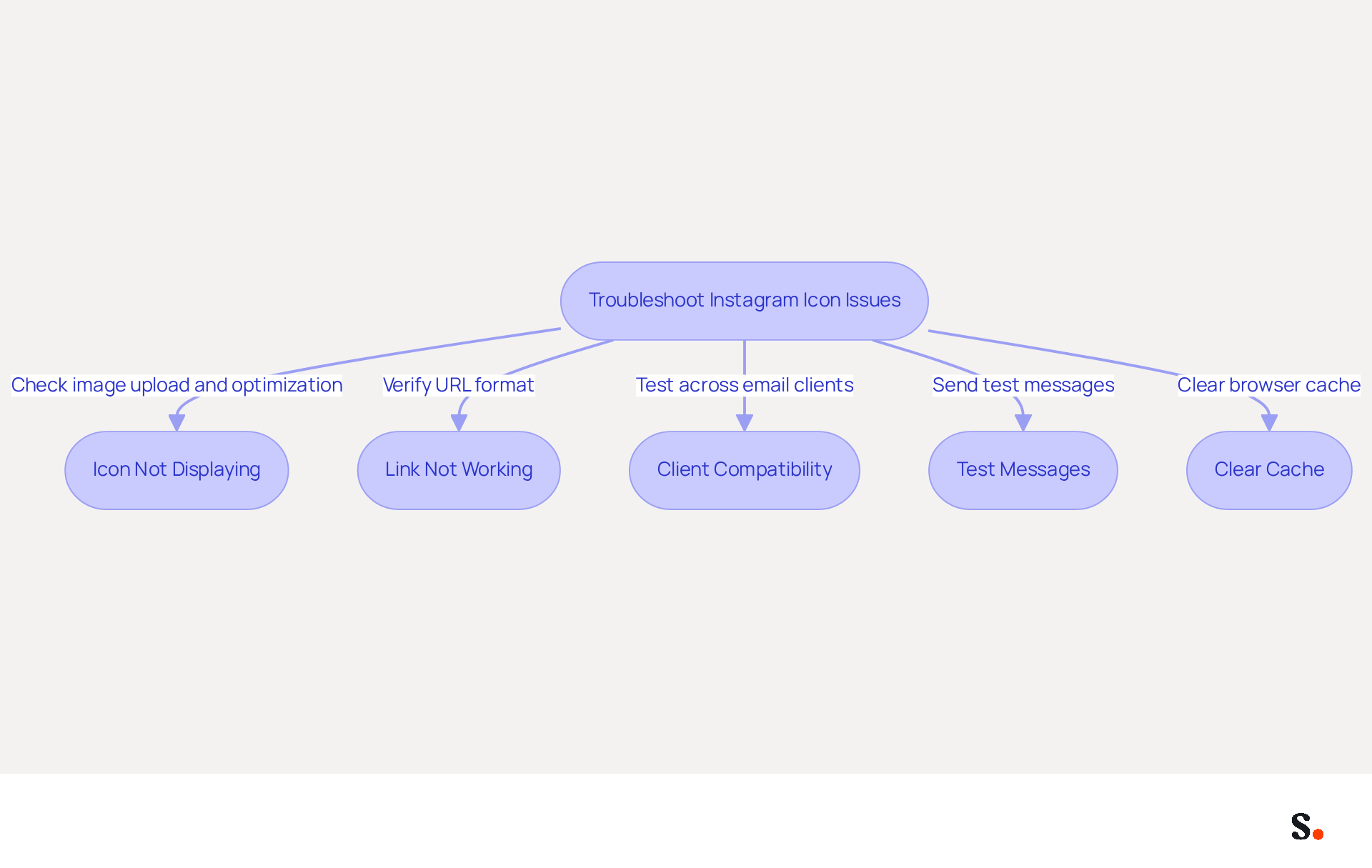
Incorporating a small Instagram icon for email signature into your email footer can present several challenges that require careful attention. Here are some troubleshooting tips to help you resolve them:
- Icon Not Displaying: Ensure the image is correctly uploaded and optimized for web use (72 DPI) to prevent display issues. Icons should be sized between 16-24 pixels for optimal visibility. Opt for PNG format to achieve better transparency and cleaner edges.
- Link Not Working: Verify that the URL for your Instagram profile is complete and correctly formatted (e.g., https://www.instagram.com/yourusername). A broken link can result in lost engagement chances, especially since 75.8% of digital correspondences include a small Instagram icon for email signature, highlighting their significance.
- Client Compatibility: Be aware that some clients may not support images in their identifiers. Some email clients may not display images, which can hinder your connection with your audience. In such cases, use a text link as an alternative to maintain connectivity. Testing message identifiers in various environments is crucial to ensure they display correctly across different clients.
- Test Messages: Always send test messages to yourself or a colleague to confirm that the icon displays correctly and that the link functions as intended. This step guarantees a professional appearance, as incorporating a small Instagram icon for email signature can significantly enhance your engagement metrics.
- Clear Cache: If changes do not appear, try clearing your browser's cache or refreshing the mail client. This can resolve issues related to outdated information being displayed. Additionally, keep the total footer size under 50 KB to avoid rendering issues.
By addressing these common issues, you can ensure your email footer effectively promotes your brand and engages your audience.
Maintain and Update Your Instagram Icon Regularly
To maximize the effectiveness of your Instagram icon, it is crucial to implement consistent maintenance practices:
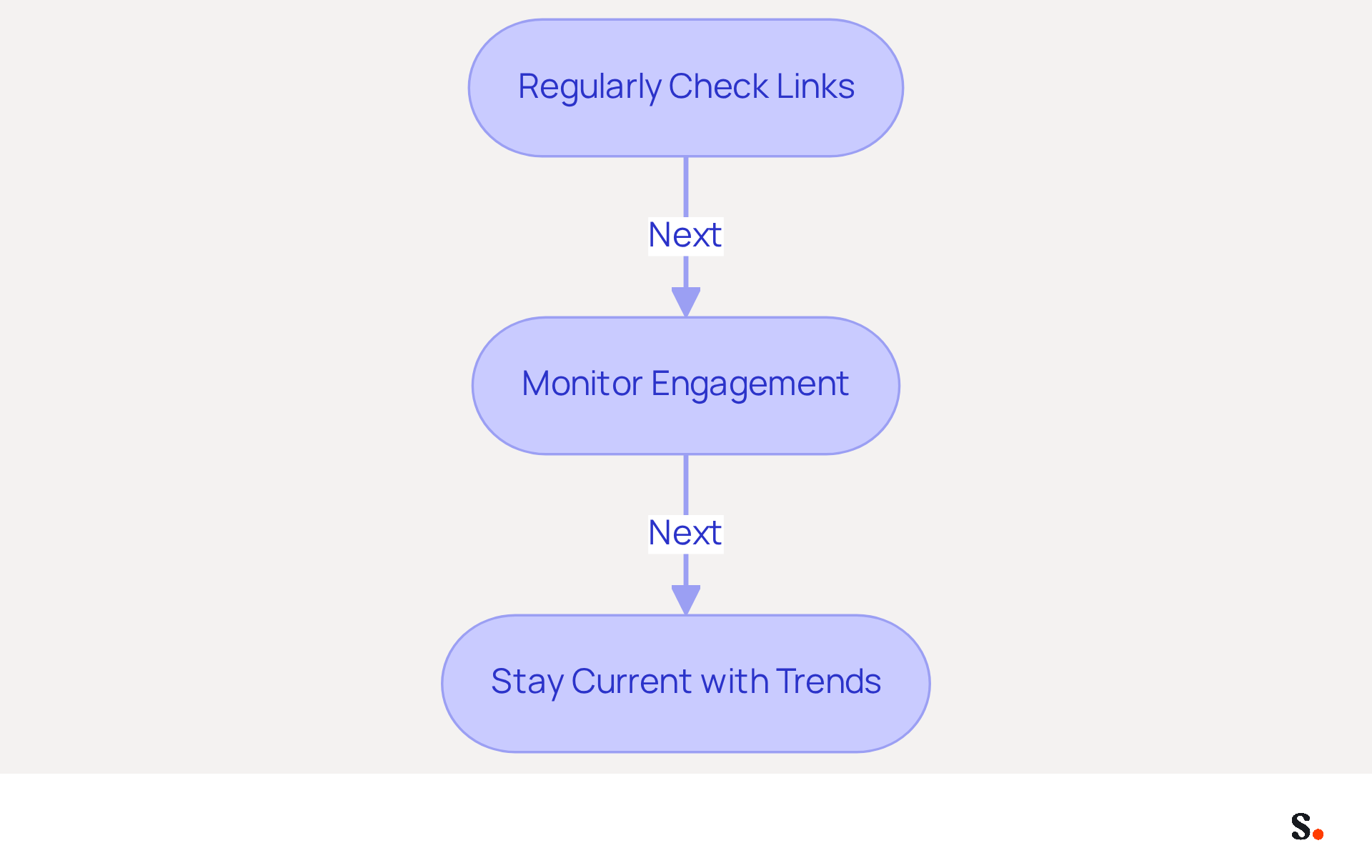
- Regularly Check Links: Periodically verify that the link to your Instagram profile is active and directs users to the correct page. Broken links can lead to lost opportunities for engagement, as 42% of consumers have a negative perception of businesses lacking branded identifiers (source: external data).
If you rebrand or modify your handle on the platform, make sure to update the graphic, including the small Instagram icon for email signature, and link in your email footer accordingly. Consistency is essential for upholding a professional appearance, as 69% of consumers think a uniform, professional mark is significant for businesses (source: external data). - Monitor Engagement: Keep track of how many clicks your Instagram symbol receives. This can help you assess its effectiveness and make adjustments if necessary. This demonstrates the significant benefits of integrating social media into your email strategy, as branded signatures can drive a 22% lift in response rates (source: external data).
- Stay Current with Trends: Social media trends can change rapidly. Consider updating your design or style to align with current trends and maintain visual appeal. Engaging with trends can enhance brand loyalty, as 76% of consumers feel more loyal to brands that actively respond to comments or direct messages (source: external data).
Regular updates not only enhance your brand's professionalism but also foster deeper connections with your audience.
Conclusion
Incorporating a small Instagram icon into an email signature is more than just a design choice; it’s a strategic necessity for modern businesses. By following the outlined steps, organizations can create a direct link to their social media presence, fostering trust and loyalty among recipients. This addition modernizes the email signature and turns each email into a marketing opportunity.
The article highlights several key benefits of adding an Instagram icon, including:
- Increased engagement
- Brand consistency
- Enhanced marketing capabilities
When the icon is visually appealing and properly linked, businesses can effectively drive traffic to their social media profiles through email communications. Yet, many businesses find it challenging to keep their social media icons current and relevant, and troubleshooting common issues is essential for maximizing effectiveness.
Ultimately, the integration of social media icons like Instagram in email signatures is not just a design choice; it is a vital component of a cohesive marketing strategy. Organizations are encouraged to embrace this practice to not only improve their professional image but also to cultivate deeper connections with their audience. By adopting this practice, businesses not only enhance their marketing efforts but also position themselves as forward-thinking in a digital-first world.
Frequently Asked Questions
What are the benefits of adding an Instagram icon to an email signature?
Adding an Instagram icon to an email signature can increase engagement by providing a direct link to your social media profile, enhance brand consistency, and create marketing opportunities by driving traffic to your latest posts and promotions.
How does including an Instagram icon affect brand engagement?
Including an Instagram icon encourages recipients to connect with your brand on a platform where visual content thrives, leading to increased trust and loyalty. Research indicates that 76% of consumers feel more loyal to brands that engage with them online.
What impact does brand consistency have on marketing?
Maintaining a cohesive brand image across all communication channels can lead to a 22% rise in response rates, making brand consistency essential for effective marketing.
How can an Instagram icon serve as a marketing opportunity?
Every email sent becomes a potential marketing channel. By linking to your social media, you can drive traffic to your latest posts, promotions, or campaigns, which can lead to higher visitor engagement and conversion rates.
What professional advantages does an Instagram icon provide?
Including a small Instagram icon enhances your professional appearance, giving your digital presence a polished and modern look, which can boost your credibility with clients and partners.
Why is it important to test message identifiers for compatibility?
Testing message identifiers for compatibility across different communication clients and devices ensures a smooth experience for all recipients, preventing diminished brand visibility and engagement.
What might happen if businesses fail to incorporate social media symbols in their email signatures?
Failing to incorporate social media symbols may result in diminished brand visibility and engagement, as many businesses overlook the impact these symbols can have.
List of Sources
- Understand the Benefits of Adding an Instagram Icon
- The marketing power of social media icons: Why every business needs them - Agility PR Solutions (https://agilitypr.com/pr-news/social-media-influencer-marketing/the-marketing-power-of-social-media-icons-why-every-business-needs-them)
- The 30-second guide to adding Instagram to your email signature | Signitic (https://signitic.com/en/resources/email-signature-instagram)
- Adding Social Media Icons to Your Email Communications (https://help.contactmonkey.com/hc/en-us/articles/360057546911-Adding-Social-Media-Icons-to-Your-Email-Communications)
- Best Practices for Social Media Icon Email Signature Integration (https://scribe-mail.com/en-US/blog/best-practices-for-social-media-icon-email-signature-integration)
- 40+ Email Signature Statistics for 2026 (Data + Insights) (https://wavecnct.com/blogs/email-signature-statistics)
- Add the Instagram Icon to Your Email Signature
- The 30-second guide to adding Instagram to your email signature | Signitic (https://signitic.com/en/resources/email-signature-instagram)
- Why You Should Add an Instagram Icon to Your Email Signature (And How to Do It Right) (https://linkedin.com/pulse/why-you-should-add-instagram-icon-your-email-signature-how-jswsf)
- Instagram Icon for Email Signature: Step-by-Step Guide to Adding It - NEWOLDSTAMP (https://newoldstamp.com/blog/instagram-icon-for-email-signature)
- Email Client Market Share: Trends & Statistics 2026 (https://litmus.com/email-client-market-share)
- 70+ Email Marketing Statistics for 2026: US & Global Data | Charle (https://charleagency.com/articles/email-marketing-statistics)
- Troubleshoot Common Issues with Instagram Icons
- 40+ Email Signature Statistics for 2026 (Data + Insights) (https://wavecnct.com/blogs/email-signature-statistics)
- Instagram Icon for Email Signature: Step-by-Step Guide to Adding It - NEWOLDSTAMP (https://newoldstamp.com/blog/instagram-icon-for-email-signature)
- Email Signature Troubleshooting - Problems & Solutions - Gimmio (https://blog.gimm.io/email-signature-troubleshooting)
- Professional Icons for Email Signature: A 2026 Guide (https://merge.email/blog/icons-for-email-signature)
- Maintain and Update Your Instagram Icon Regularly
- 40+ Email Signature Statistics for 2026 (Data + Insights) (https://wavecnct.com/blogs/email-signature-statistics)
- Best Practices for Social Media Icon Email Signature Integration (https://scribe-mail.com/en-US/blog/best-practices-for-social-media-icon-email-signature-integration)
- Did You Know Your Email Signature Could be a Security Weak Point? - Oklahoma Society of CPAs (https://oscpa.com/news/990e5e16-6ad4-4ff4-91bb-236c7634b1f6:did-you-know-your-email-signature-could-be-a-security-weak-point)
- How to add social media icons to your email signature and email footer — Stripo.email (https://stripo.email/blog/add-social-media-icons-email-signature)
- The impact of email signatures on your branding (https://signitic.com/en/resources/the-impact-of-email-signatures-on-your-branding)
Get started with Scribe
See why teams switch to Scribe
Free 14-day trial — no credit card.