4 Steps to Change Your Signature on Your Gmail Account
Many professionals struggle to maintain a consistent brand image in their email communications, particularly when it comes to email signatures. With over 1.8
Sophie Grant
Email Signature Specialist, Scribe
Introduction
Many professionals struggle to maintain a consistent brand image in their email communications, particularly when it comes to email signatures. With over 1.8 billion users on Gmail, the importance of a well-crafted signature cannot be overstated; it serves as a digital business card that reflects professionalism and brand identity. This article outlines the essential steps for changing a Gmail signature, ensuring that every email sent not only conveys the right message but also enhances brand recognition and engagement. A poorly managed email signature can lead to lost business opportunities and a diluted brand image.
Access Gmail Settings to Change Your Signature
To effectively manage your email signatures in Gmail, you may want to know how do I change my signature on my Gmail account by following these straightforward steps.
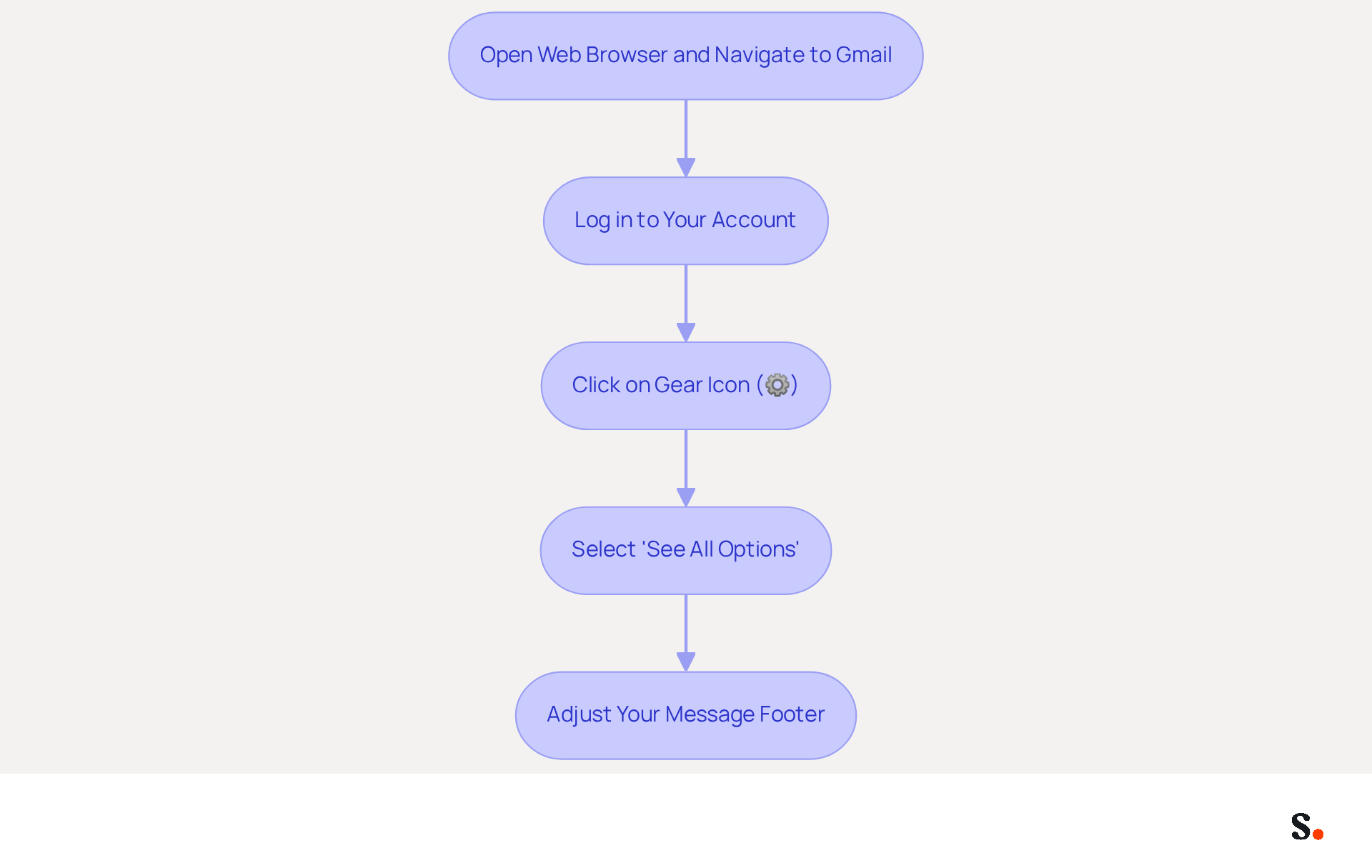
- Open your web browser and navigate to Gmail.
- Log in to your account if prompted.
- Click on the gear icon (⚙️) in the top right corner to access the configuration menu.
- From the dropdown, select 'See all options' to open the complete configuration page.
- Now, you can easily adjust your message footer in the settings area.
In 2026, Gmail boasts over 1.8 billion monthly active users, making it a critical platform for businesses. However, many businesses struggle to maintain consistency in their email signatures. Effective management of message footers is essential for brand consistency, ensuring every email reflects Scribe's identity. By utilizing tools like Scribe, businesses can automate and personalize their email signatures, transforming them into powerful marketing assets. This leads to increased brand recognition and potential customer engagement, ultimately driving lead generation.
Locate the Signature Section in Gmail Settings
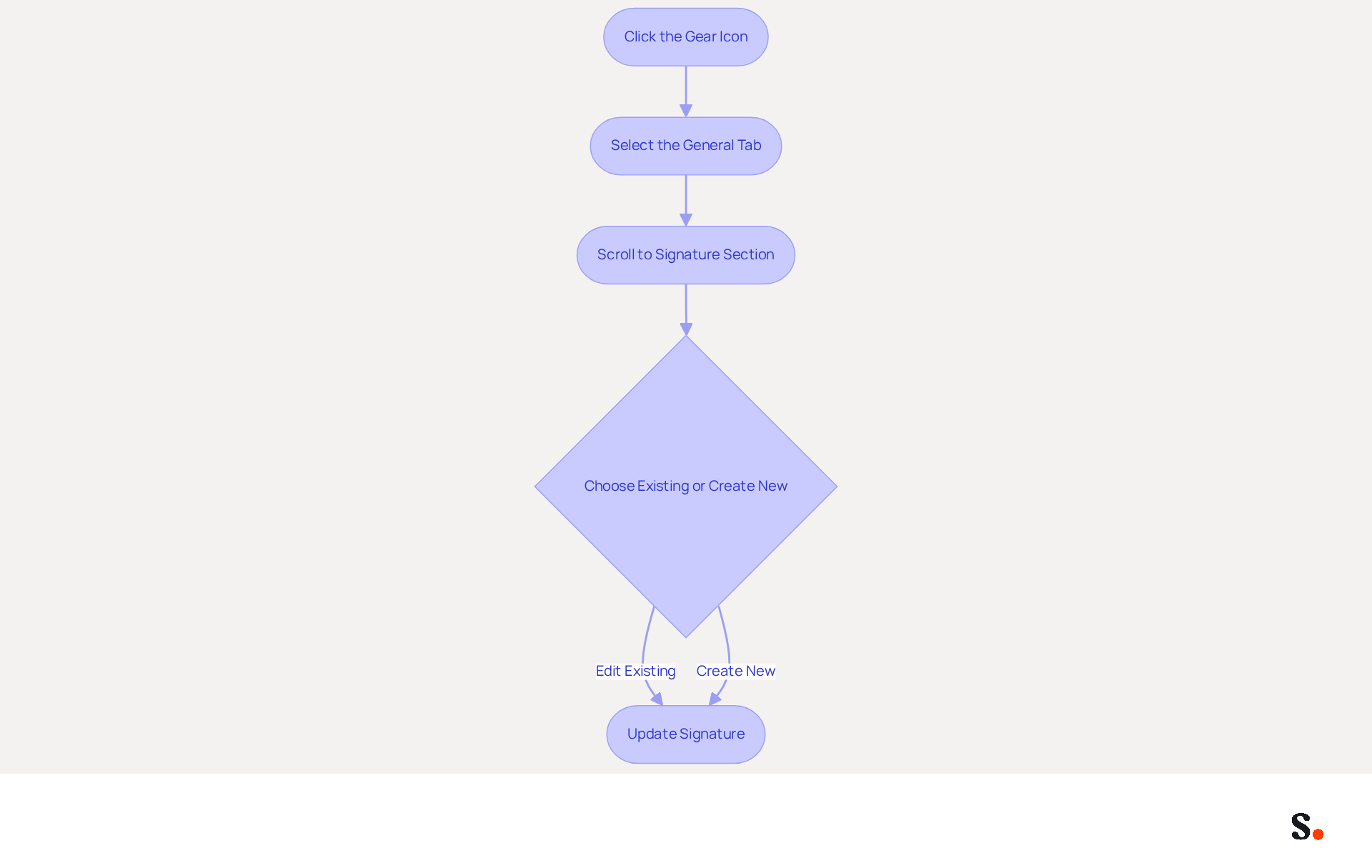
- Access the configuration menu by clicking the gear icon in the upper right corner of your Gmail account.
- Ensure you are on the 'General' tab within the settings.
- Scroll down until you reach the 'Signature' section to find out how do I change my signature on my gmail account.
- Here, you can either choose an existing mark to edit or click 'Create new' to start a fresh one, just like when you ask how do I change my signature on my gmail account.
Many users underestimate the impact of a well-crafted email footer on their branding efforts. A personalized footer is crucial for branding; 76% of participants believe it boosts trust in the sender. Indeed, 44.4% of users refresh their contact details 2-4 times annually, emphasizing the significance of maintaining this information up to date. Well-crafted email footers can boost engagement, leading to a 22% increase in response rates and a 15% rise in click-through rates to your website. By neglecting this aspect, you risk losing potential connections and opportunities that could enhance your brand's visibility.
Create or Edit Your Email Signature
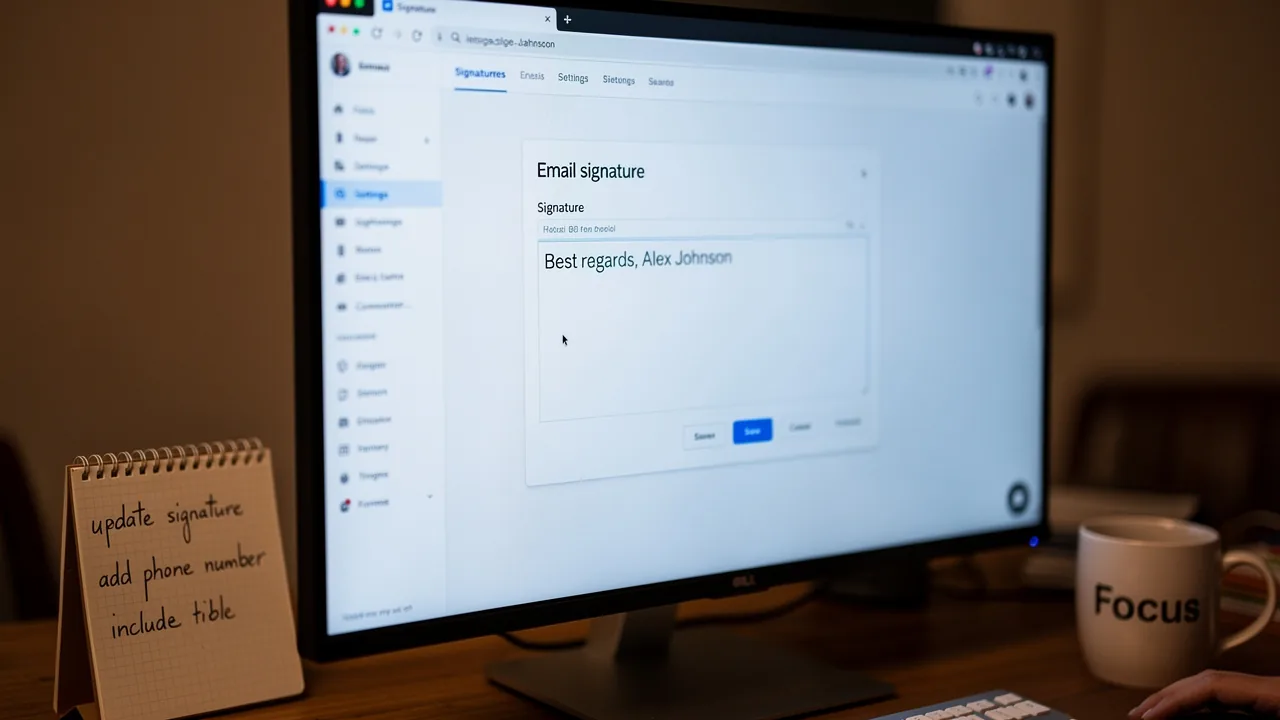
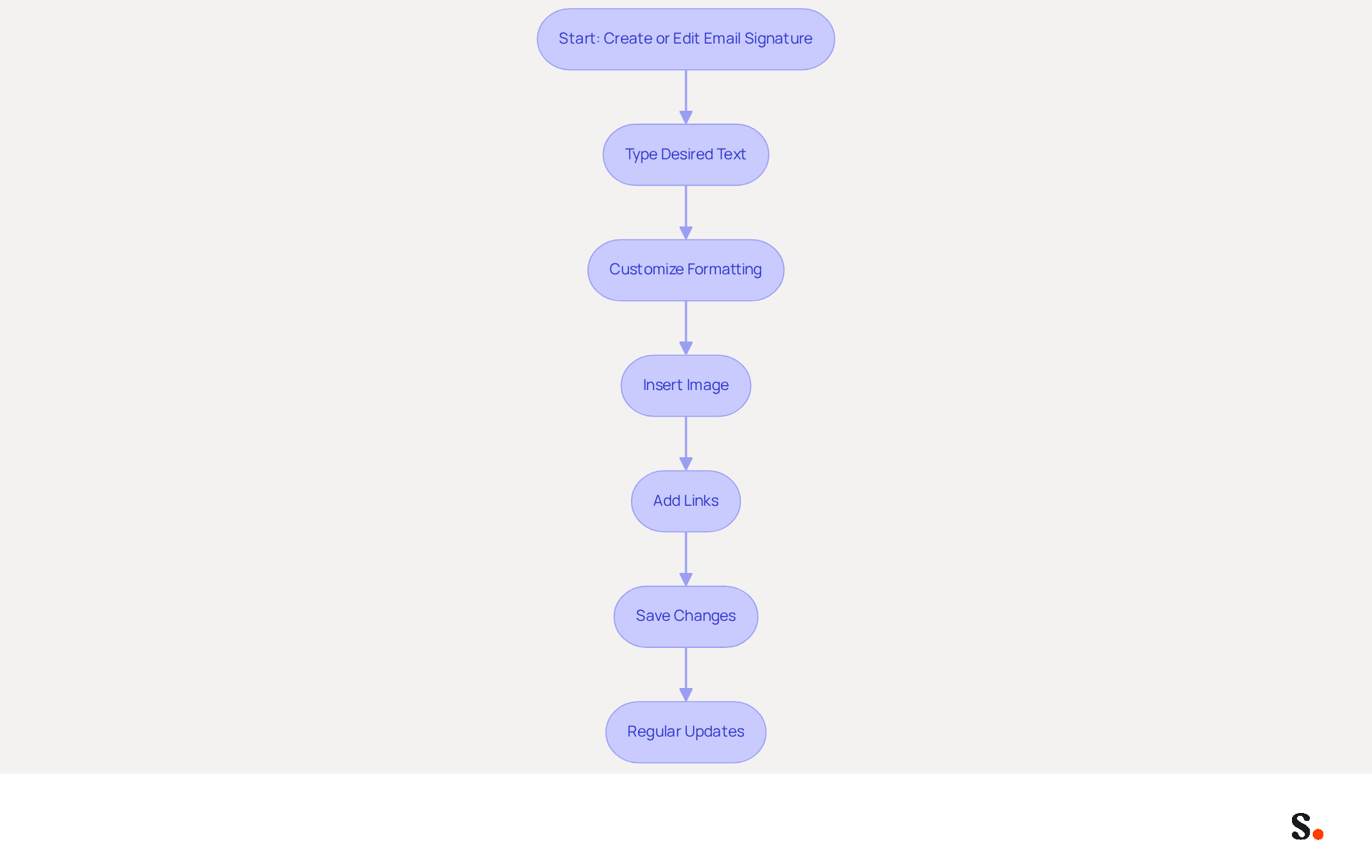
Creating an effective email signature is important for your brand's communication strategy, and you might be wondering how do I change my signature on my gmail account. In the signing section, type your desired text, and if you're wondering how do I change my signature on my gmail account, ensure it reflects your brand identity. Utilize the formatting options to customize the font, size, color, and style, maintaining consistency with your corporate branding.
To add images or logos, click on the 'Insert Image' icon and upload your desired image, as visuals can enhance engagement and brand recognition. If you want to include links (e.g., to your website or social media), highlight the text and click on the 'Link' icon to insert the URL, as including CTAs can drive a 22% increase in response rates.
Furthermore, 76-80% of marketers believe branded email footers enhance trust in the sender, making them a crucial element of your communication strategy. Once you are satisfied with your autograph, scroll down and click 'Save Changes' at the bottom of the settings page to understand how do I change my signature on my gmail account.
Regular updates to your email footer are essential; failing to do so can result in miscommunication and lost opportunities. Remember, 52% of users believe a strong digital footer will be essential for communicating with clients, emphasizing its significance in professional interactions. A 100-person team will generate 60,000-80,000 impressions per month through branded signatures, showcasing their extensive reach and impact.
To enable one-click synchronization with Scribe, ensure you have Super Admin permissions for your service provider. With the application, you can streamline this process through one-click synchronization, ensuring that all changes are automatically updated. With Scribe's SOC 2 Type II compliance, you can rest assured that your data is protected, allowing you to focus on enhancing your brand's visibility and trustworthiness.
Test Your New Signature for Accuracy
To maintain brand consistency in communications, it's essential to know how do I change my signature on my Gmail account.
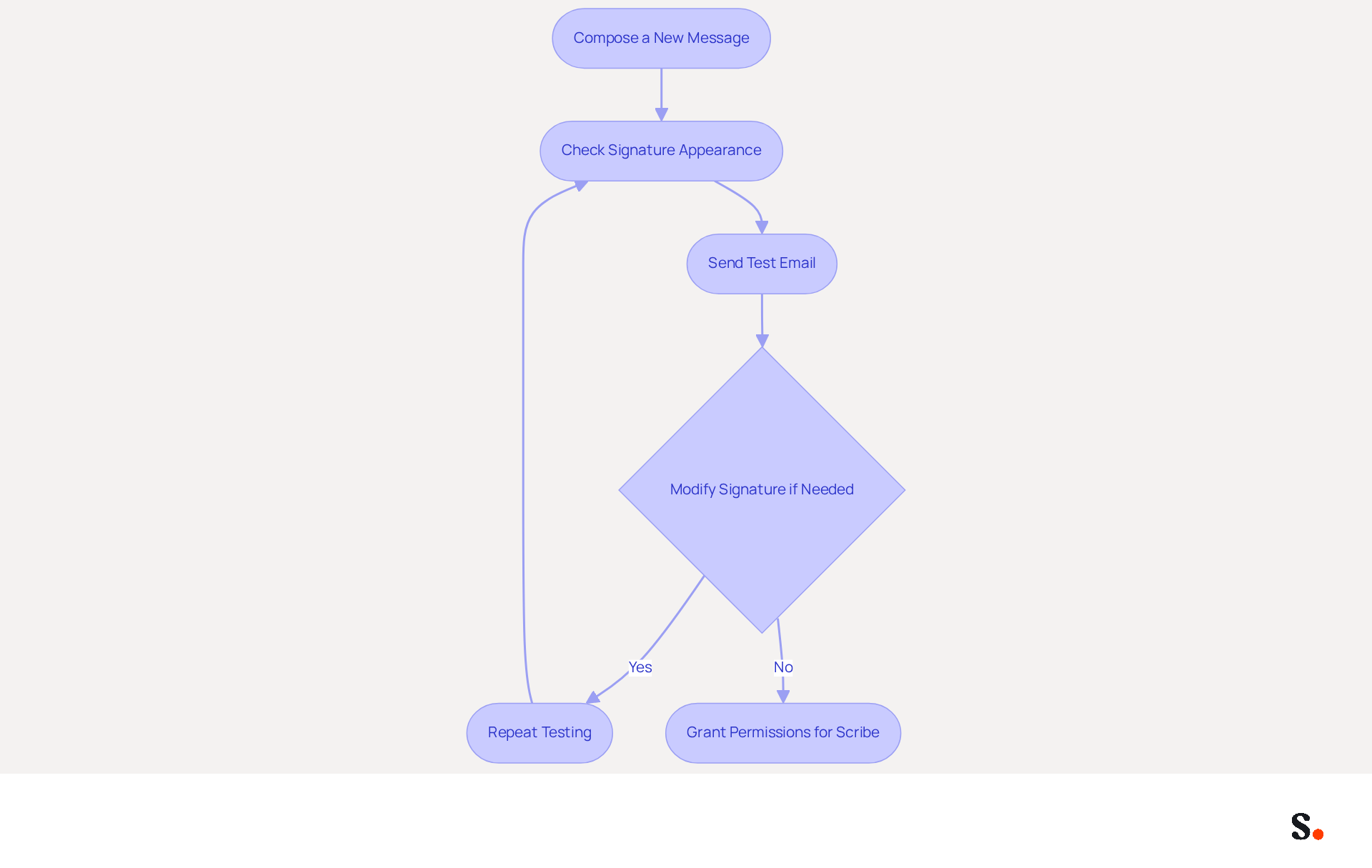
- Begin by composing a new message in Gmail by clicking on 'Compose.'
- Confirm that your new mark appears correctly at the bottom of the message body. When you sync your Google Workspace with Scribe, your identifier will automatically update based on your directory changes. This saves time and maintains brand consistency.
- Send a test email to yourself or a colleague to evaluate how the sign-off appears in the received email. With Scribe's automated updates, any modifications in your teammates' details will be effortlessly incorporated into your email footer.
- If modifications are needed, return to the settings to find out how do I change my signature on my Gmail account. This tool lets you auto-fill information, making your branding efforts easier.
- Repeat the testing process until you are satisfied with the appearance and functionality of your signature, knowing that the platform's SOC 2 Type II compliance ensures the safety of your data throughout this process.
To enable one-click synchronization, ensure you grant permission for Scribe to connect with your provider. You must be a Super Admin of your email provider to provide these permissions. You will have the option to select which teammates you want to sync with Scribe. With Scribe, you can streamline your email signature management, ensuring your brand is always represented accurately.
Conclusion
Navigating the process of changing your email signature in Gmail is crucial for maintaining brand consistency and enhancing professional communication. By following the outlined steps, users can easily navigate Gmail settings to create or update their signatures, ensuring that every email sent reflects their brand identity effectively.
The article detailed the process of accessing Gmail settings, locating the signature section, creating or editing the signature, and testing it for accuracy. Each step emphasizes the importance of a well-crafted email footer, which can significantly impact engagement and trust. Research shows that personalized signatures can lead to increased response rates and improved brand recognition, making it clear that investing time in this aspect of communication pays off.
Using tools like Scribe makes managing email signatures easier and more efficient for marketing teams. With Scribe's fast deployment, compliance with security standards, and ability to synchronize updates seamlessly, organizations can enhance their branding efforts while ensuring data protection. By adopting these practices, organizations not only elevate their email interactions but also strengthen their overall brand identity in the digital realm.
Frequently Asked Questions
How can I change my email signature in Gmail?
To change your email signature in Gmail, open your web browser and navigate to Gmail. Log in to your account, click on the gear icon (⚙️) in the top right corner, select 'See all options' from the dropdown, and then adjust your message footer in the settings area.
Why is managing email signatures important for businesses?
Managing email signatures is essential for brand consistency, ensuring that every email reflects Scribe's identity. Consistent email signatures help maintain a professional image and can enhance brand recognition.
How can tools like Scribe help with email signatures?
Tools like Scribe can automate and personalize email signatures, transforming them into powerful marketing assets. This can lead to increased brand recognition and potential customer engagement, ultimately driving lead generation.
How many monthly active users does Gmail have?
As of 2026, Gmail boasts over 1.8 billion monthly active users.
List of Sources
- Access Gmail Settings to Change Your Signature
- Gmail Statistics: How Many Users Gmail Has, and Which Numbers Are Real (Updated 2026) (https://emailanalytics.com/gmail-statistics)
- Gmail Statistics for 2026: Insights on Users and Trends (https://clean.email/blog/email-providers/gmail-statistics)
- Gmail Statistics 2026 – Visits Data & Market Share (https://demandsage.com/gmail-statistics)
- Gmail Statistics 2026 — Users, Market Share and the AI Defence Wall (https://sqmagazine.co.uk/gmail-statistics)
- Locate the Signature Section in Gmail Settings
- 14 Key Email Signature Statistics to Know in 2026 (https://mailmodo.com/guides/email-signature-statistics)
- Email signature statistics: Why every business should optimize their email signatures — Stripo.email (https://stripo.email/blog/email-signature-statistics-why-every-business-should-optimize-their-email-signatures)
- Email Signature Essentials: Key Statistics to Know for 2023 (https://blog.hubspot.com/marketing/email-signature-statistics)
- 40+ Email Signature Statistics for 2026 (Data + Insights) (https://wavecnct.com/blogs/email-signature-statistics)
- Email Signature Statistics: A Closer Look at Email Signatures in 2026 (https://mysignature.io/blog/email-signature-statistics)
- Create or Edit Your Email Signature
- 40+ Email Signature Statistics for 2026 (Data + Insights) (https://wavecnct.com/blogs/email-signature-statistics)
- Email Signature Statistics: A Closer Look at Email Signatures in 2026 (https://mysignature.io/blog/email-signature-statistics)
- Top 10+ best practices for email signatures design in 2026 (https://mysignature.io/blog/email-signature-best-practices)
- Why Email Signatures Must Be In Your 2026 Marketing Plan | Rocketseed (https://rocketseed.com/blog/what-are-the-biggest-email-trends-for-2026)
- Email Signature Trends 2026: Centralized Control & Automation | SIGNandGO posted on the topic | LinkedIn (https://linkedin.com/posts/signngo_email-signature-trends-to-watch-in-2026-activity-7401523471786217473-zAVL)
- Test Your New Signature for Accuracy
- The ultimate guide to email signatures in 2026 (https://signitic.com/en/resources/email-signature)
- Email Signature Best Practices for 2026 (+ 15 Pro Examples) (https://wavecnct.com/blogs/email-signature-best-practices-2026)
- Email Signature Design Trends in 2026: What Works and What to Drop (https://bulksignature.com/blog/email-signature-design-trends)
Get started with Scribe
Create your signature in minutes
Free 14-day trial — no credit card.