Optimize Your Email Signatures: Change Signature in Outlook Effectively
A professional email signature is not merely a digital sign-off; it is a critical component of branding that enhances recognition and builds trust. By
Sophie Grant
Email Signature Specialist, Scribe

Introduction
A professional email signature is not merely a digital sign-off; it is a critical component of branding that enhances recognition and builds trust. By optimizing email signatures in Outlook, organizations can ensure consistency and professionalism across all communications, ultimately reflecting their brand identity. Navigating the complexities of various platforms and ensuring compliance can be daunting for businesses. This article provides actionable insights for marketing teams to effectively manage their email signatures and enhance their brand presence.
Design Professional and On-Brand Email Signatures
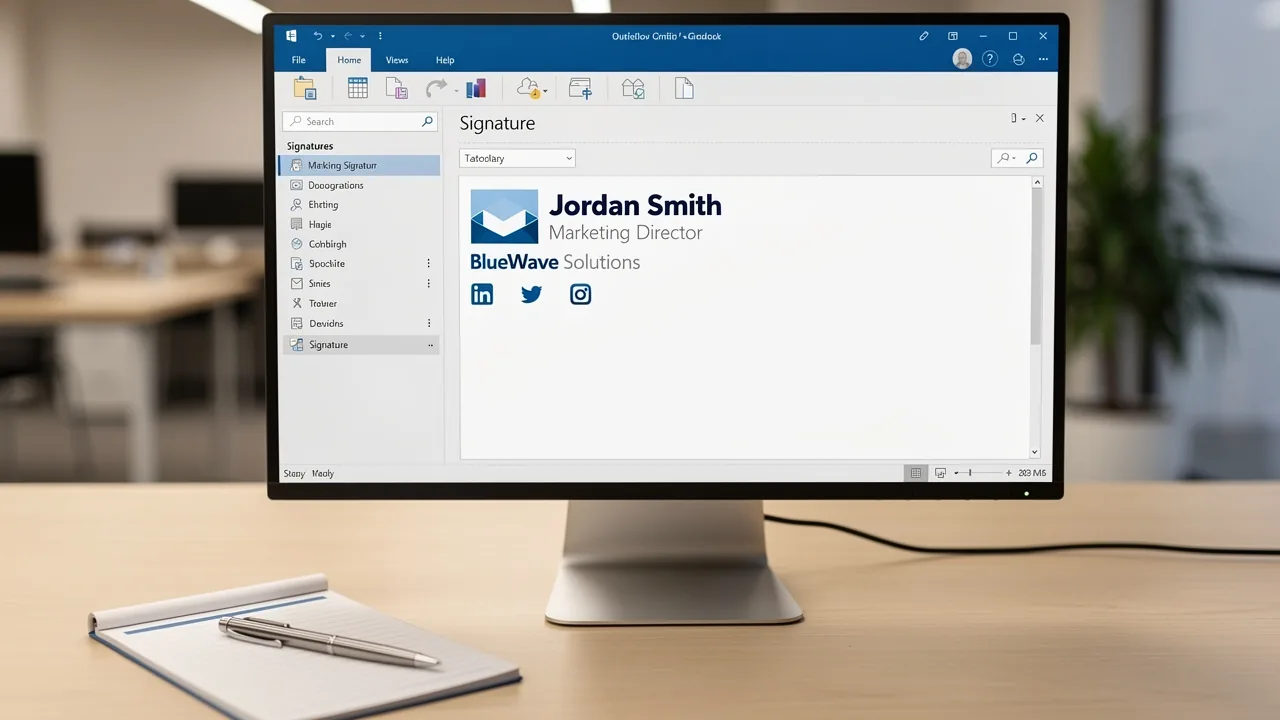
A well-crafted email signature is crucial for enhancing brand recognition and can serve as a changer signature mail outlook to improve communication effectiveness.
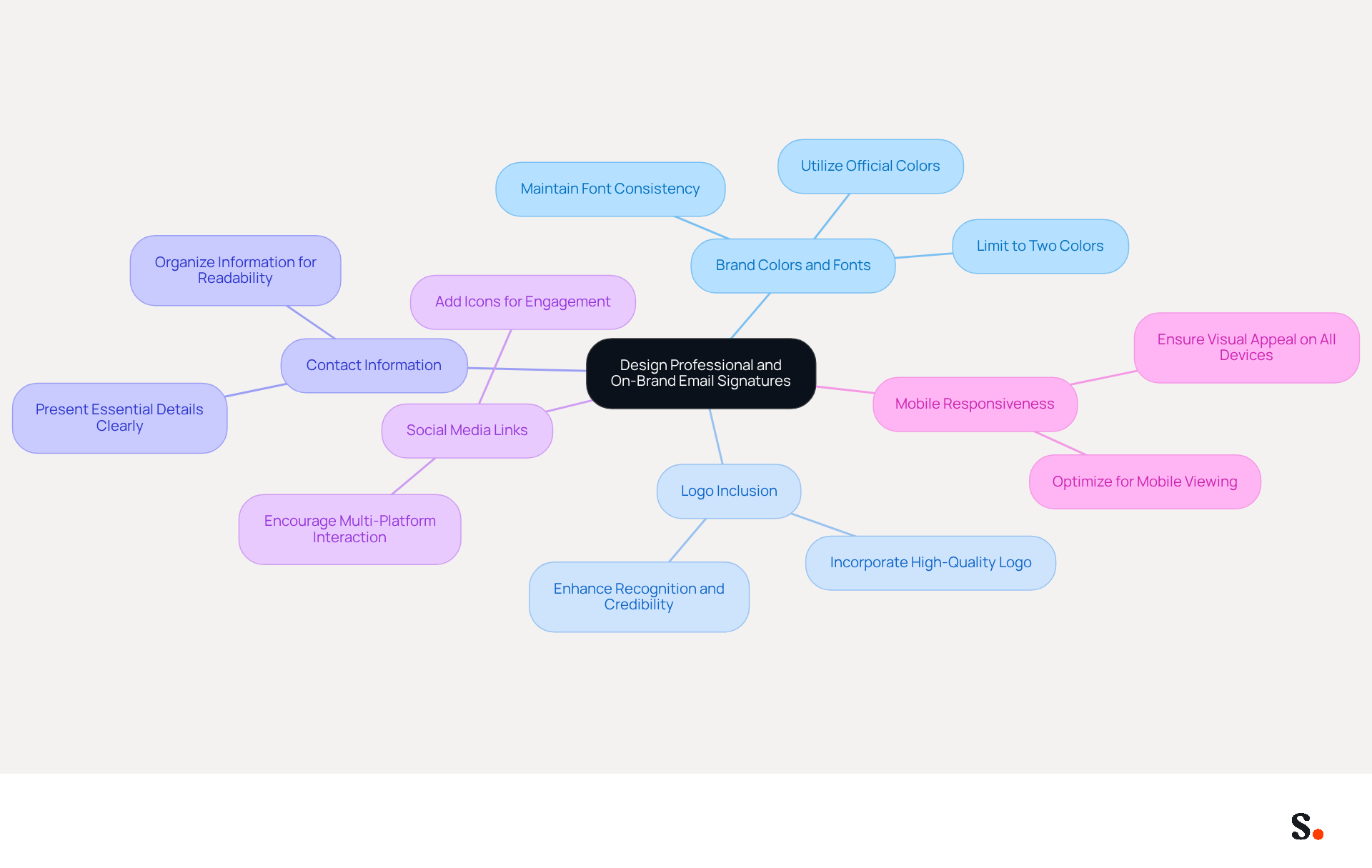
- Brand Colors and Fonts: Utilize your company's official colors and fonts to maintain consistency across all communications. This practice strengthens brand identity and assists individuals in easily recognizing your brand.
- Logo Inclusion: Incorporate a high-quality version of your company logo. A well-placed logo enhances recognition and establishes credibility, making your emails appear more professional.
- Contact Information: Clearly present essential details such as your name, job title, company name, and contact number. This information should be organized and easy to read, ensuring that users can quickly find the details they require.
- Social Media Links: Add icons that link to your company’s social media profiles. This encourages recipients to engage with your brand across multiple platforms, increasing overall visibility and interaction.
- Mobile Responsiveness: With 42% of emails opened on mobile devices, it's vital to ensure your signature looks good on all platforms. Creating designs that are visually appealing on both desktop and mobile devices is essential for upholding professionalism.
Ultimately, using a changer signature mail Outlook can significantly influence how your brand is perceived by recipients.
Implement Consistent Signature Changes Across Platforms
To achieve consistency in email signatures across various platforms, organizations must adopt strategic management practices:
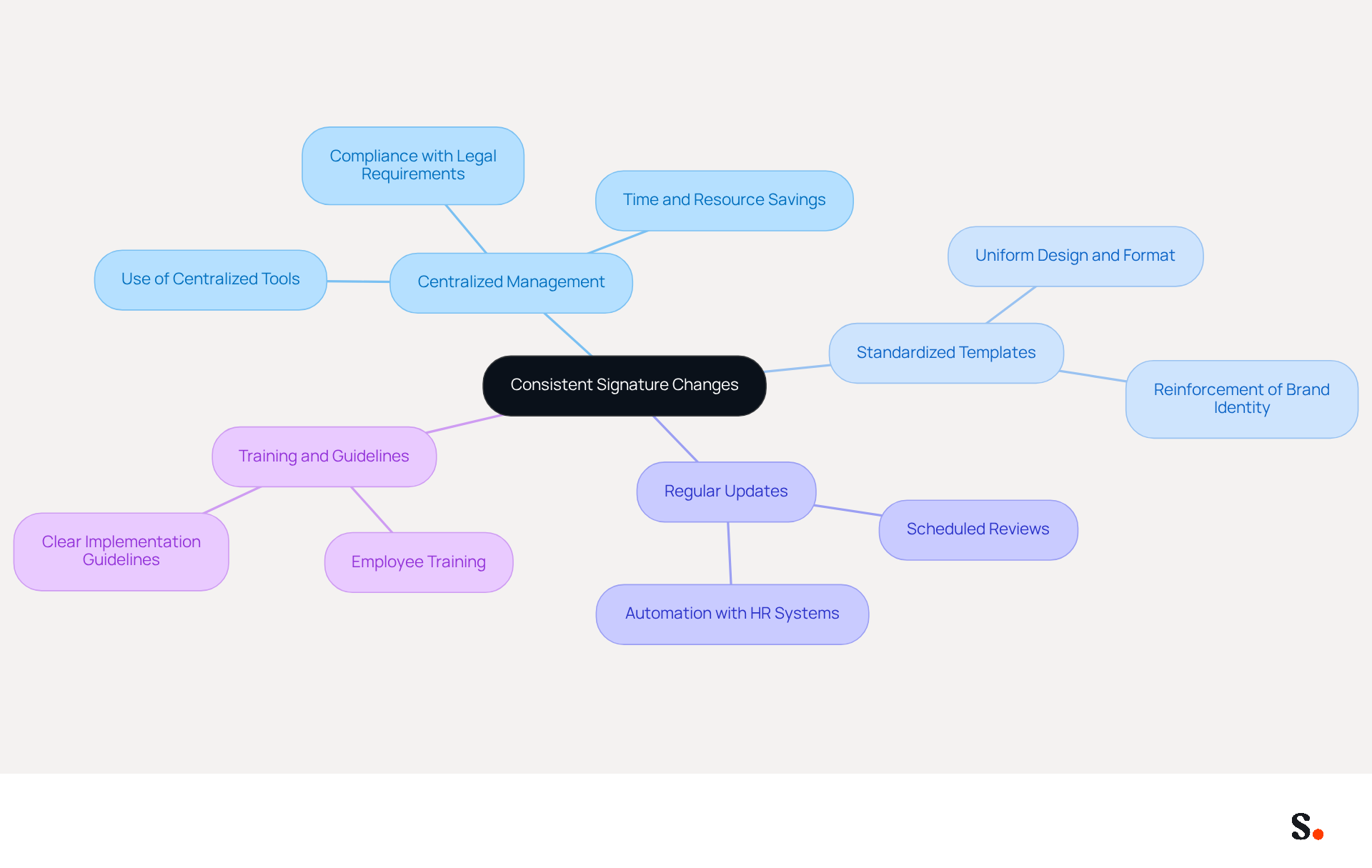
- Centralized Management: Implement a centralized tool for managing digital identifiers like Scribe to create and update them across all users and platforms simultaneously. This approach saves organizations significant time and resources, especially since managing approvals individually often leads to outdated information, creating inconsistencies that can undermine brand integrity.
- Standardized Templates: Develop standardized templates that can be easily applied to all employees. This guarantees that everyone utilizes the same design and format, reinforcing brand identity and professionalism in every message sent, especially when they need to change signature mail outlook.
- Regular Updates: Schedule regular reviews of email identifiers to ensure they are up-to-date with any changes in branding or personnel. Automating this process through tools that sync with HR systems can enhance efficiency and compliance, reducing the risk of litigation from outdated approvals.
- Training and Guidelines: Provide training for employees on how to implement and maintain their personal marks. Clear guidelines can help prevent deviations from the established format, ensuring that all communications reflect the organization’s branding accurately.
Ultimately, these practices not only strengthen brand identity but also enhance recipient engagement and trust.
Leverage Automation for Efficient Signature Management
Managing digital identifiers can be a complex task, especially without the right tools in place. Automation plays an essential role in enhancing the management of these identifiers. Here are some best practices to consider:
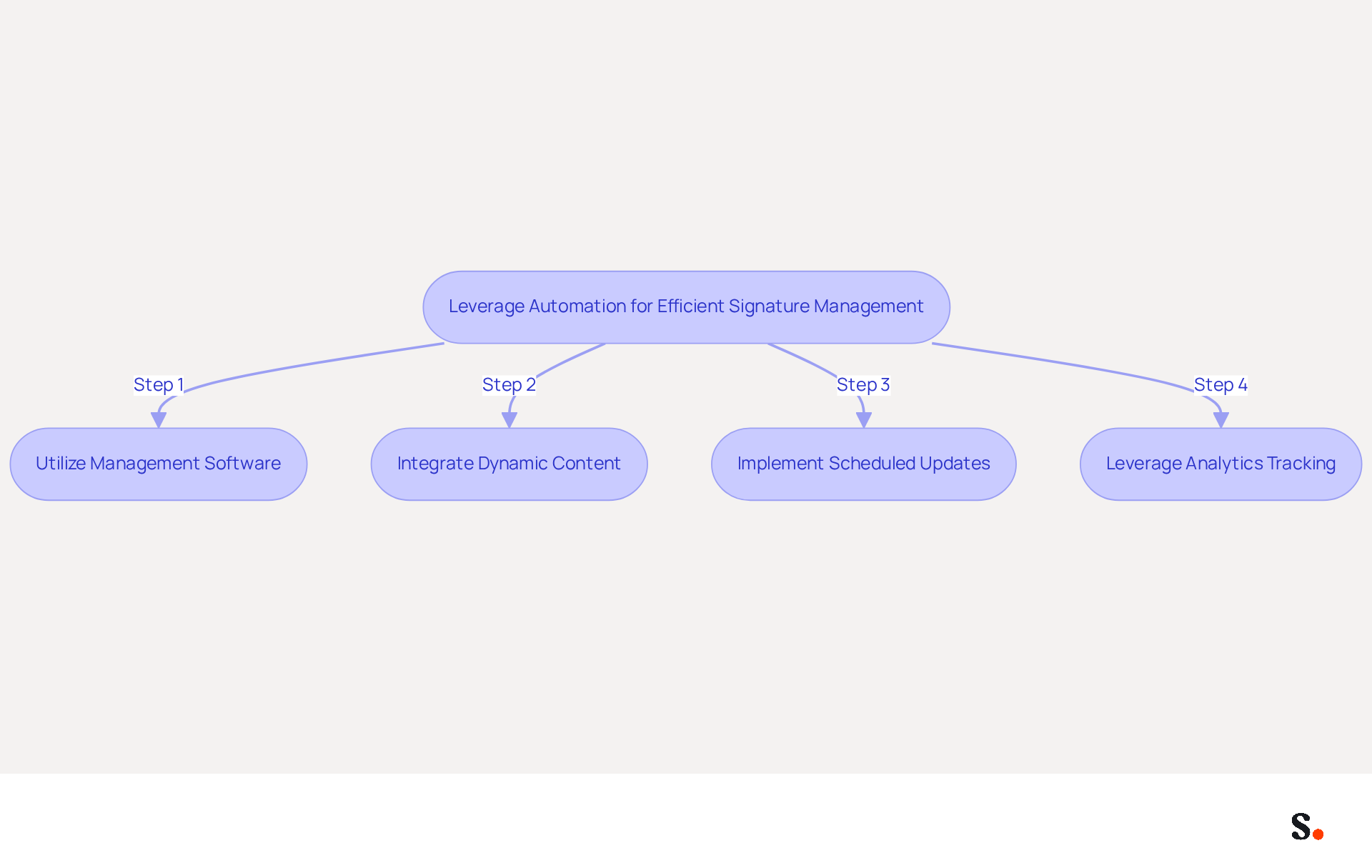
- Utilize Management Software: Adopt platforms like Scribe that facilitate automated updates and centralized management of email identifiers across your organization. This helps keep everything consistent and compliant, while also lightening the manual workload.
- Integrate Dynamic Content: Enhance your email endings with dynamic elements such as promotional banners or personalized messages that adapt based on the individual or specific campaigns. This approach not only engages recipients but also drives higher interaction rates.
- Implement Scheduled Updates: Establish a routine for automatic updates to identifiers, ensuring that any changes in branding or personnel are reflected in real-time. This minimizes the risk of outdated information and maintains a professional image.
- Leverage Analytics Tracking: Utilize analytics features to monitor the performance of your digital identifiers, including click-through rates on links or banners. This data is invaluable for assessing effectiveness and refining your marketing strategies.
This shift not only enhances operational efficiency but also strengthens brand presence in the market. Ultimately, embracing automation is not just a choice; it's a necessity for businesses aiming to thrive in a competitive landscape.
Incorporate Dynamic Content and Marketing Elements
To fully leverage the marketing potential of email signatures, businesses must adopt strategic enhancements:
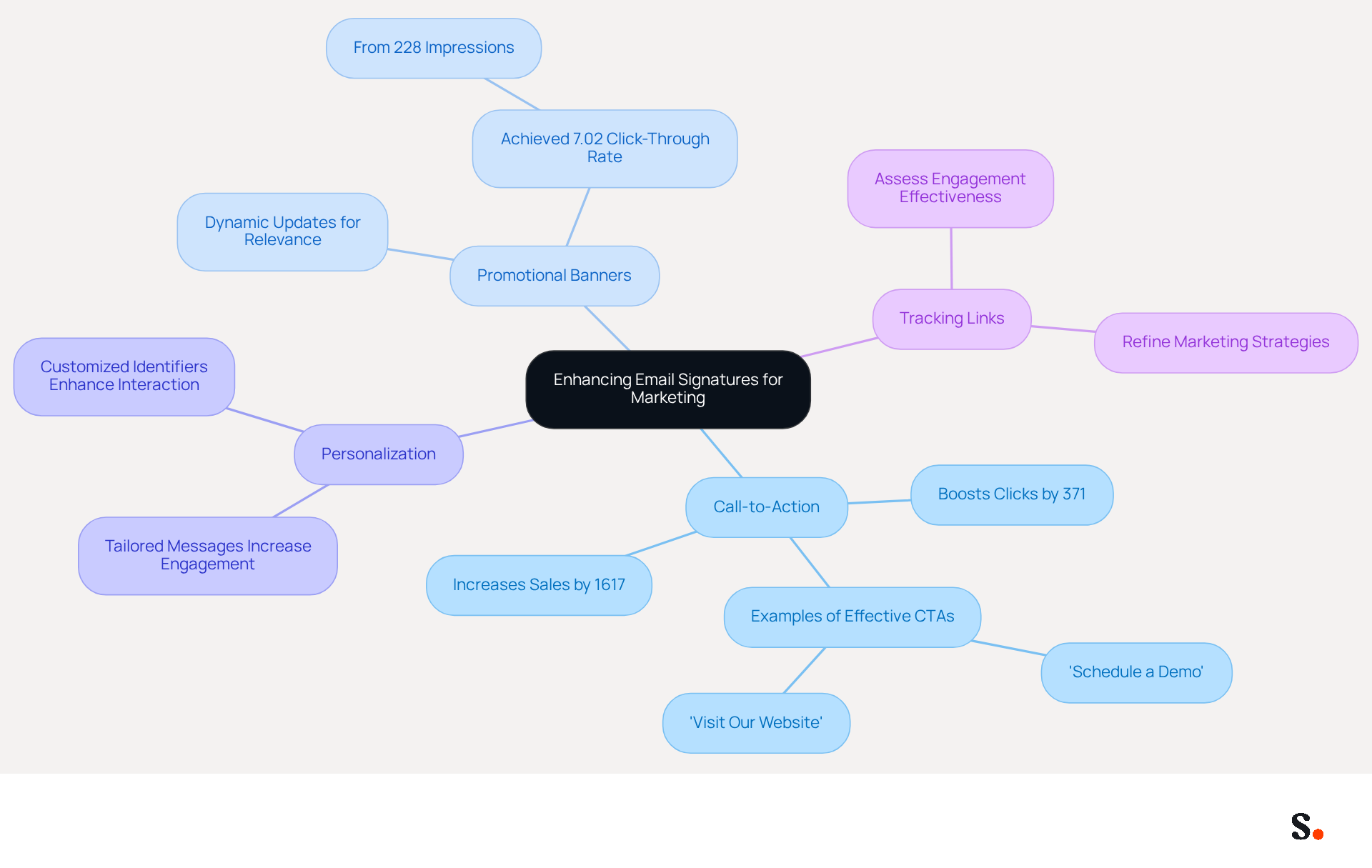
- Call-to-Action (CTA): Including a clear CTA in your email footer, such as 'Schedule a Demo' or 'Visit Our Website', can significantly encourage recipients to take action. Studies show that including a CTA in emails can boost clicks by 371% and sales by 1617%, underscoring its significance.
- Promotional Banners: Utilize dynamic banners that can be updated based on current promotions or campaigns. This approach keeps the identity fresh and relevant, enhancing engagement. For instance, a well-placed promotional banner achieved a click-through rate of 7.02% from 228 impressions, showing how impactful this strategy can be.
- Personalization: Tailoring messages to include individualized elements, such as the recipient's name or specific offers based on their interests, can significantly enhance engagement. Customized electronic identifiers have been demonstrated to result in increased interaction rates, making them a valuable asset in your marketing toolkit.
- Tracking Links: Incorporating tracking links in your email footers enables you to assess engagement and effectiveness. This data-driven approach allows businesses to refine their marketing strategies effectively, ensuring that your digital identifiers adapt to fulfill the requirements of your audience.
Incorporating these elements allows businesses to use a changer signature mail Outlook to turn their email signatures into effective marketing tools that engage audiences and boost visibility.
Conclusion
An optimized email signature serves as more than just a digital sign-off; it is a critical branding asset that enhances communication effectiveness. By focusing on design elements such as brand colors, logos, and mobile responsiveness, organizations can create professional signatures that not only reflect their brand identity but also engage recipients effectively. Implementing consistent signature changes across platforms through centralized management tools like Scribe ensures that every email sent reflects the same high standards, fostering trust and engagement.
Key strategies discussed include:
- The importance of standardized templates
- Regular updates
- Employee training to maintain brand consistency
Additionally, leveraging automation for efficient signature management allows organizations to keep their digital identifiers current and compliant while also reducing manual workloads. Incorporating dynamic content, such as promotional banners and personalized messages, transforms email signatures into effective marketing tools that drive engagement and measurable results.
In today's competitive market, overlooking the importance of a well-managed email signature can be a costly mistake. Organizations are encouraged to embrace these best practices and consider tools like Scribe to achieve 100% brand consistency and maximize marketing ROI. By adopting these strategies, businesses can transform their email communications into a powerful marketing channel that drives engagement and builds trust.
Frequently Asked Questions
Why is a well-crafted email signature important?
A well-crafted email signature enhances brand recognition and improves communication effectiveness.
How can brand colors and fonts impact email signatures?
Utilizing your company's official colors and fonts maintains consistency across communications, strengthens brand identity, and helps individuals easily recognize your brand.
What role does a logo play in an email signature?
Incorporating a high-quality version of your company logo enhances recognition, establishes credibility, and makes your emails appear more professional.
What essential details should be included in an email signature?
An email signature should clearly present your name, job title, company name, and contact number, organized in a way that is easy to read.
How can social media links benefit an email signature?
Adding icons that link to your company’s social media profiles encourages recipients to engage with your brand across multiple platforms, increasing overall visibility and interaction.
Why is mobile responsiveness important for email signatures?
With 42% of emails opened on mobile devices, ensuring your signature looks good on all platforms is essential for maintaining professionalism and visual appeal.
How can a changer signature mail Outlook influence brand perception?
Using a changer signature mail Outlook can significantly influence how your brand is perceived by recipients, enhancing professionalism and recognition.
List of Sources
- Design Professional and On-Brand Email Signatures
- Email Signature Best Practices - NEWOLDSTAMP (https://newoldstamp.com/blog/email-signature-best-practices)
- The impact of email signatures on your branding (https://signitic.com/en/resources/the-impact-of-email-signatures-on-your-branding)
- Why Email Signatures Must Be In Your 2026 Marketing Plan | Rocketseed (https://rocketseed.com/blog/what-are-the-biggest-email-trends-for-2026)
- 40+ Email Signature Statistics for 2026 (Data + Insights) (https://wavecnct.com/blogs/email-signature-statistics)
- "Email Signature Trends for 2026: What's In, What's Out" | Crossware posted on the topic | LinkedIn (https://linkedin.com/posts/crossware-ltd_new-year-new-trends-even-for-your-email-activity-7394554686046908416-vD_O)
- Implement Consistent Signature Changes Across Platforms
- 5 Benefits of Using Centrally Managed Email Signatures | Crossware365 (https://crossware365.com/blog/5-benefits-of-using-centrally-managed-email-signatures)
- Best Email Signature Management Software: Top 12 Tools (2026)
- NEWOLDSTAMP (https://newoldstamp.com/blog/email-signature-software)
- Company-Wide Email Signature Management | CloudM (https://cloudm.io/blog/optimize-your-process-with-company-wide-email-signature-management)
- Implement Centralized Email Signature Management in 6 Simple Steps (https://scribe-mail.com/en-US/blog/implement-centralized-email-signature-management-in-6-simple-steps)
- Sigsync (https://sigsync.com/kb/support-for-email-signature-on-all-devices.html)
- Leverage Automation for Efficient Signature Management
- 40+ Email Signature Statistics for 2026 (Data + Insights) (https://wavecnct.com/blogs/email-signature-statistics)
- What’s New With Email Signature in 2026? | Crossware365 (https://crossware365.com/blog/whats-new-with-email-signature-in-2026)
- WiseStamp Launches the Industry's First AI-Powered Email Signature Platform, Eliminating the Gap Between Brand Design and Instant Deployment (https://prnewswire.com/news-releases/wisestamp-launches-the-industrys-first-ai-powered-email-signature-platform-eliminating-the-gap-between-brand-design-and-instant-deployment-302774232.html)
- Automating Email Signatures: How IT Teams Streamline Processes & Reduce Risk (https://exclaimer.com/blog/streamlining-it-processes-automated-email-signatures)
- Master Automatic Email Signatures: Boost Branding and Efficiency (https://scribe-mail.com/en-US/blog/master-automatic-email-signatures-boost-branding-and-efficiency)
- Incorporate Dynamic Content and Marketing Elements
- The Ultimate Guide to Email Signature Call-to-Action - NEWOLDSTAMP (https://newoldstamp.com/blog/the-ultimate-guide-to-email-signature-call-to-action)
- 12 clever ways to use your email signature to support your marketing campaigns (https://blog.hubspot.com/blog/tabid/6307/bid/31054/10-clever-ways-your-email-signature-can-support-your-marketing.aspx)
- Why and how to add an effective CTA to your email signature? (https://signitic.com/en/resources/why-and-how-to-add-an-effective-cta-to-your-email-signature)
- Email Signature Marketing: A Guide to Drive Sales (https://smartrmail.com/blog/email-signature-marketing)
Get started with Scribe
Create your signature in minutes
Free 14-day trial — no credit card.