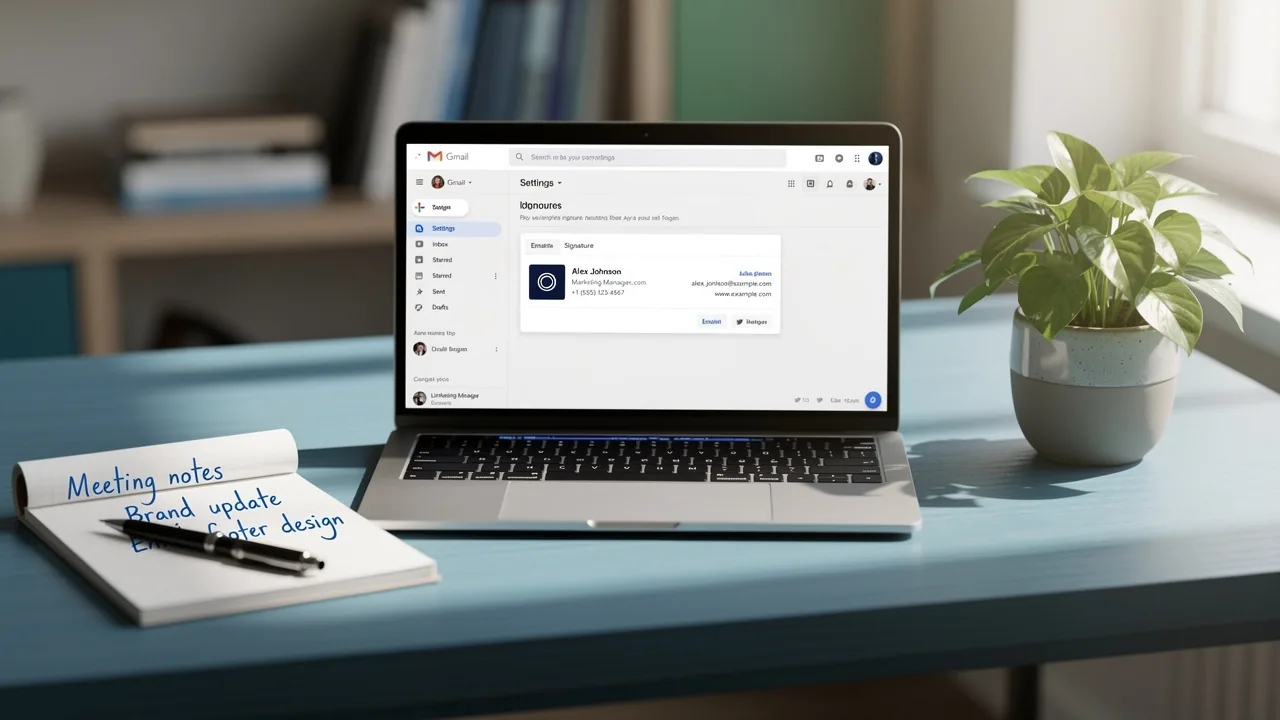
4 Steps to Changer sa Signature sur Outlook Effectively
In professional communication, a well-crafted email signature is essential for establishing a strong digital presence. It serves not only as a digital business
Sophie Grant
Email Signature Specialist, Scribe
Introduction
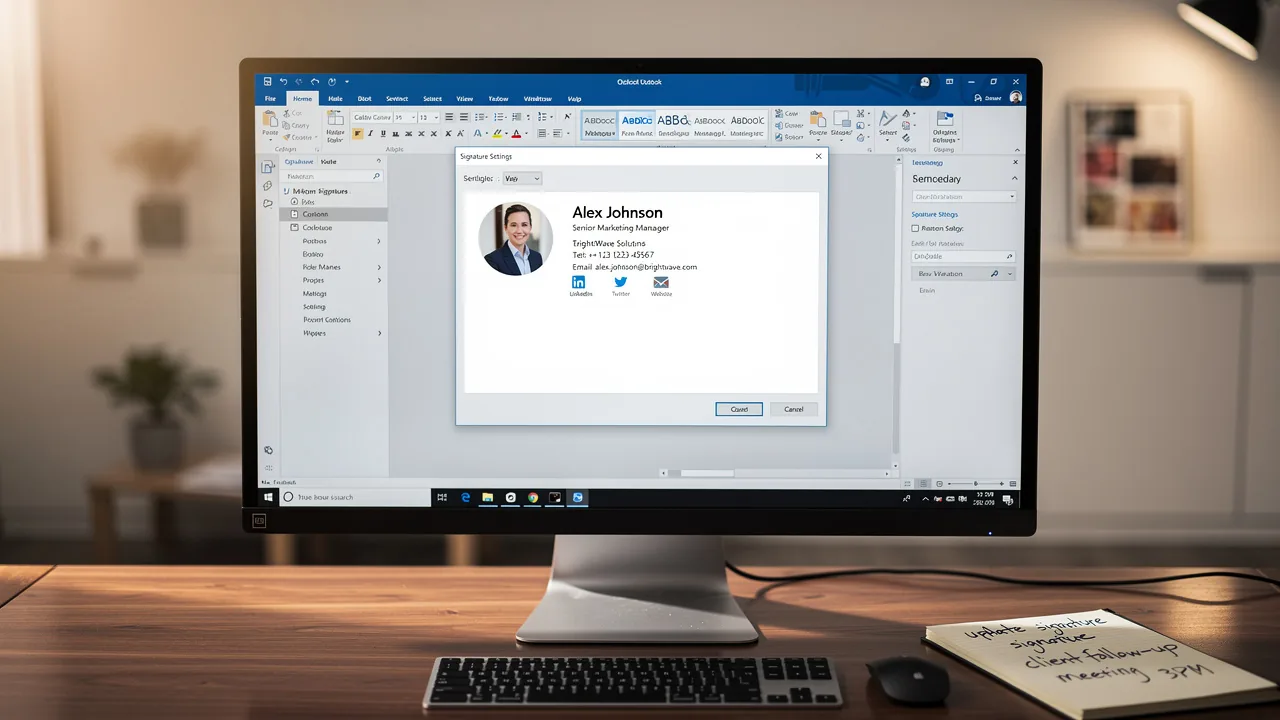
In professional communication, a well-crafted email signature is essential for establishing a strong digital presence. It serves not only as a digital business card but also as a powerful branding tool that can enhance engagement and convey essential information. This guide delves into the practical steps for effectively changing your email signature in Outlook, ensuring that your digital identity remains consistent and impactful. Navigating the myriad options in Outlook can be challenging, but with clear guidance, you can achieve a polished and professional email signature.
Understand Email Signatures in Outlook
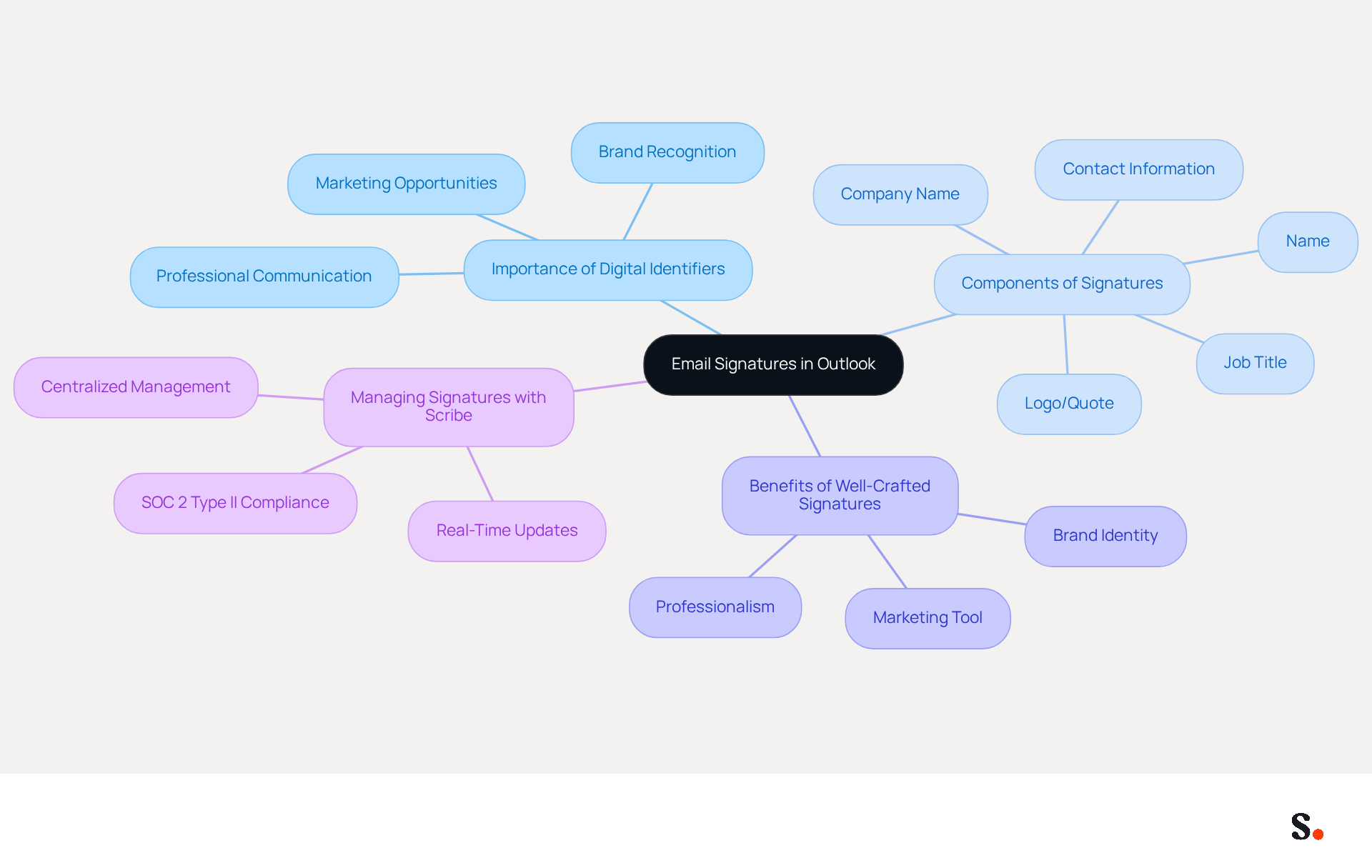
In today's digital landscape, maintaining professional communication through effective digital identifiers is essential. Outlook's digital business cards are automatically added to the end of your messages, typically including your name, job title, company name, contact information, and sometimes a logo or a personal touch like a quote. Grasping the importance of digital identifiers is crucial for upholding professionalism and consistency in your communications. A well-crafted sign-off provides your contact information, strengthens your brand identity, and can serve as a marketing tool by including links to your website or social media profiles.
With Scribe, managing digital signatures becomes even more effective. By syncing your Google Workspace or Microsoft Entra ID with the platform, you can automate updates to your identifiers, ensuring that any changes - such as job titles or contact information - are reflected in real-time without manual input. This streamlined one-click synchronization saves valuable time for marketing teams, allowing them to focus on strategic initiatives rather than administrative tasks. Furthermore, Scribe's SOC 2 Type II compliance guarantees secure data management, allowing you to enhance your branding with confidence through consistent digital identifiers. In Outlook, you can changer sa signature sur outlook for different accounts, ensuring your communication aligns with the context of each email.
Access Outlook Signature Settings
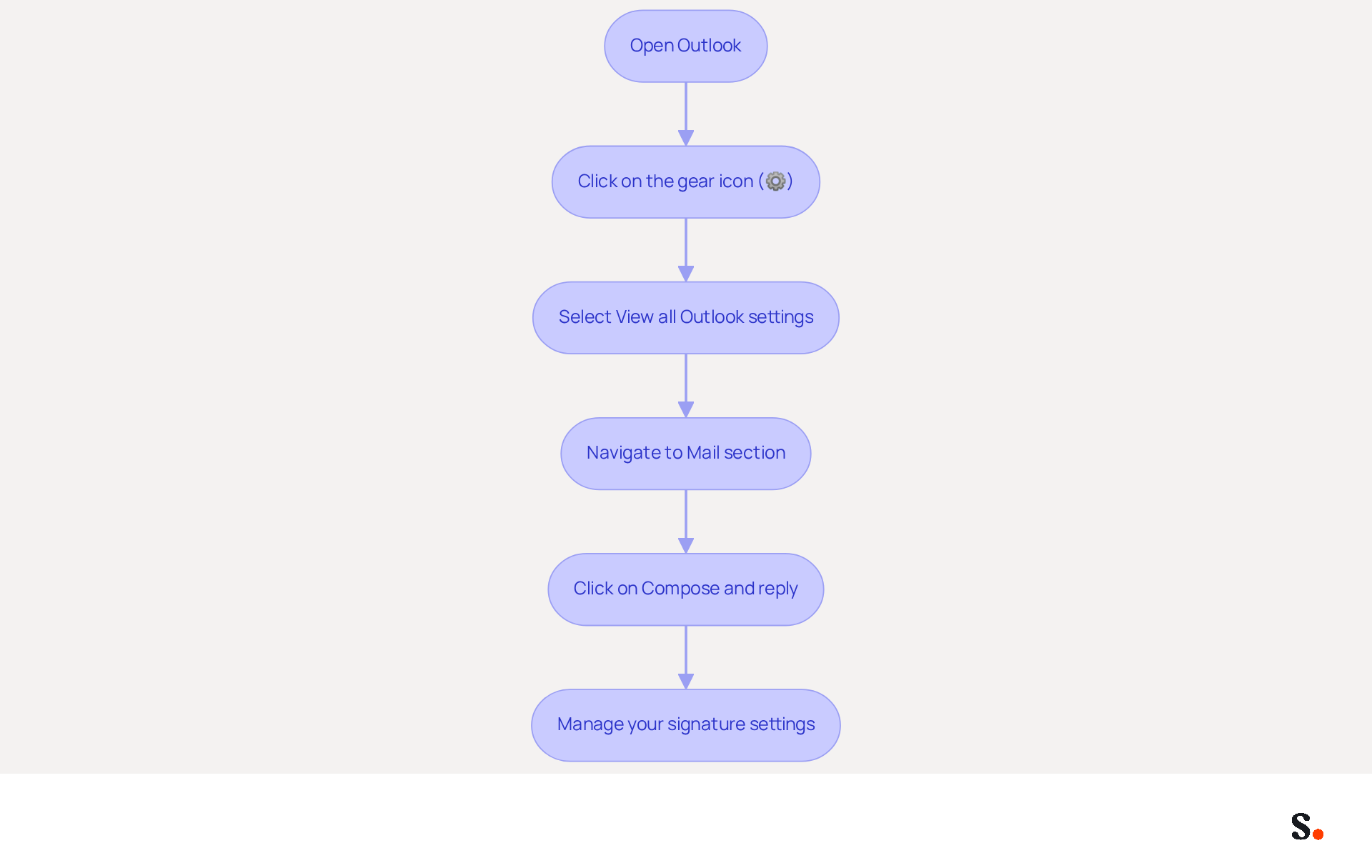
To effectively manage your email signatures in Outlook, follow these straightforward steps:
- Open Outlook and click on the gear icon (⚙️) located in the top-right corner of the window.
- In the settings menu, select 'View all Outlook settings.'
- Navigate to the 'Mail' section and then click on 'Compose and reply.'
- Here, you will find the 'Email section' where you can changer sa signature sur outlook or create your sign-offs. If you have several accounts configured, make sure you choose the correct one linked to the identifier you want to change.
This navigation leads you to the tools necessary for personalizing your digital correspondence, which is vital for maintaining brand consistency and enhancing engagement. Significantly, messages with branded identifiers achieve a 22% higher response rate, and organizations utilizing branded identifiers observe a 15% increase in website CTR, demonstrating the critical role of effective identifier management. Additionally, 52.6% of users include a call-to-action in their signatures, and it is recommended to add a LinkedIn link and a digital business card link for verification and saving details.
To enable one-click synchronization, you must grant permission for Scribe to connect with your service provider. Accessing these features requires Super Admin permissions, which may not be readily available to all users. By integrating the tool with your Google Workspace, you can enhance this process even further. Syncing your Google Workspace with the platform enables automatic updates of your teammates' information, ensuring that any changes-such as job positions or group assignments-are reflected in the application without manual input. Not only does this save time, but it also strengthens your branding efforts while ensuring compliance with security standards, thanks to Scribe's SOC 2 Type II certification. Moreover, it is essential to follow legal regulations in digital communications, as this can differ by location or sector. By adhering to these guidelines, you can enhance your brand's professionalism and ensure effective audience engagement.
Create or Edit Your Email Signature
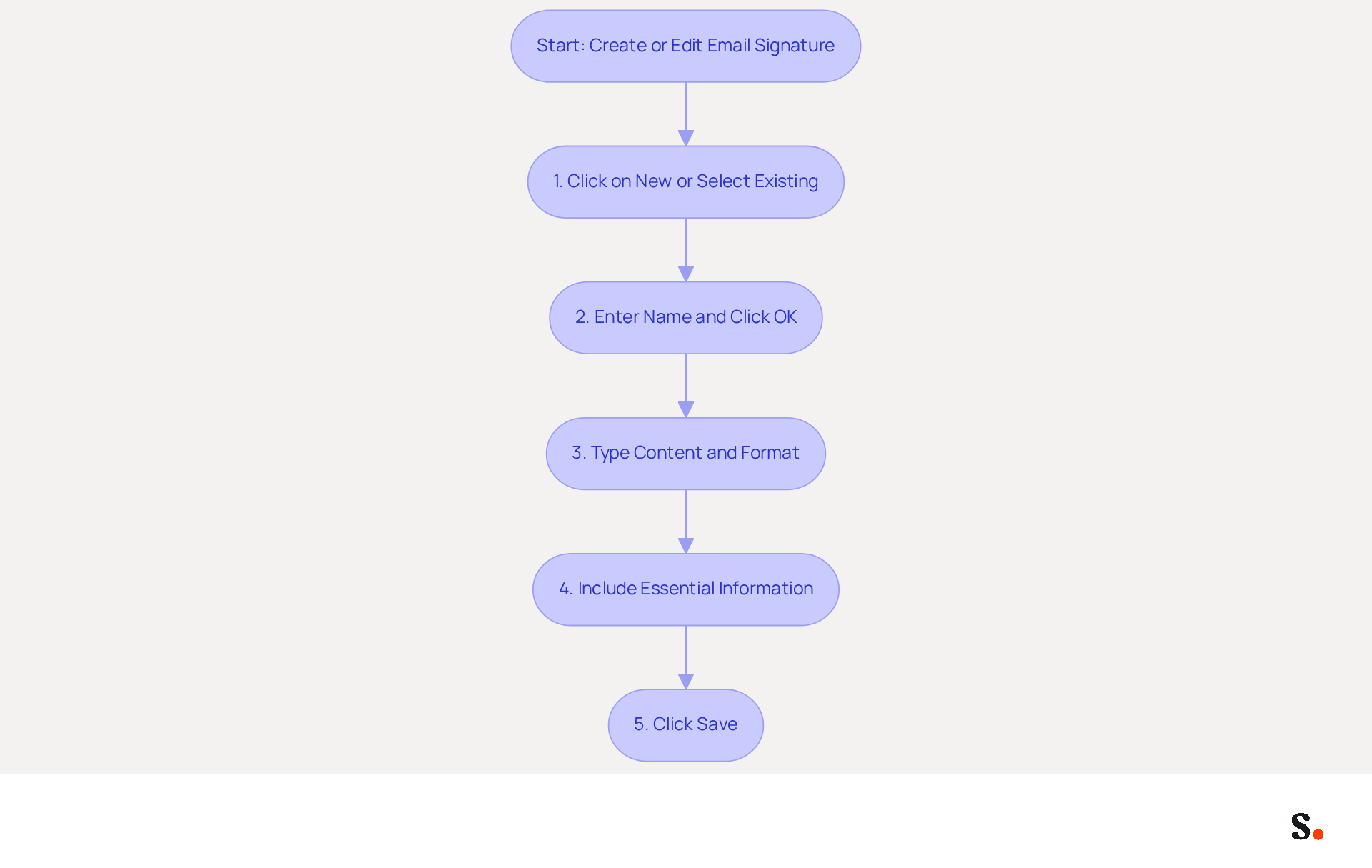
It is essential to changer sa signature sur Outlook to create a professional email signature for effective communication. To create or edit your email signature, follow these steps:
- In the 'Email signature' section, click on 'New' to create a new entry or select an existing one to changer sa signature sur Outlook.
- Enter a name for your mark in the pop-up window and click 'OK.'
- In the editing box, type your desired content. You can format the text using the available tools, such as changing the font, size, color, and adding links or images.
- Consider including essential information such as your name, job title, company name, phone number, and any relevant links to your website or social media. Including a high-quality headshot can enhance trust and engagement. Personalized sign-offs have been shown to increase response rates by up to 22%.
- Once you are satisfied with your mark, click 'Save' to changer sa signature sur Outlook. This step guarantees that your mark is professional and visually attractive, aligning with your identity.
Using templates can make this process easier and more efficient. A well-crafted contact block serves as a vital source of information and can effectively enhance your marketing efforts, significantly impacting your professional image and communication effectiveness.
Save and Apply Your New Signature
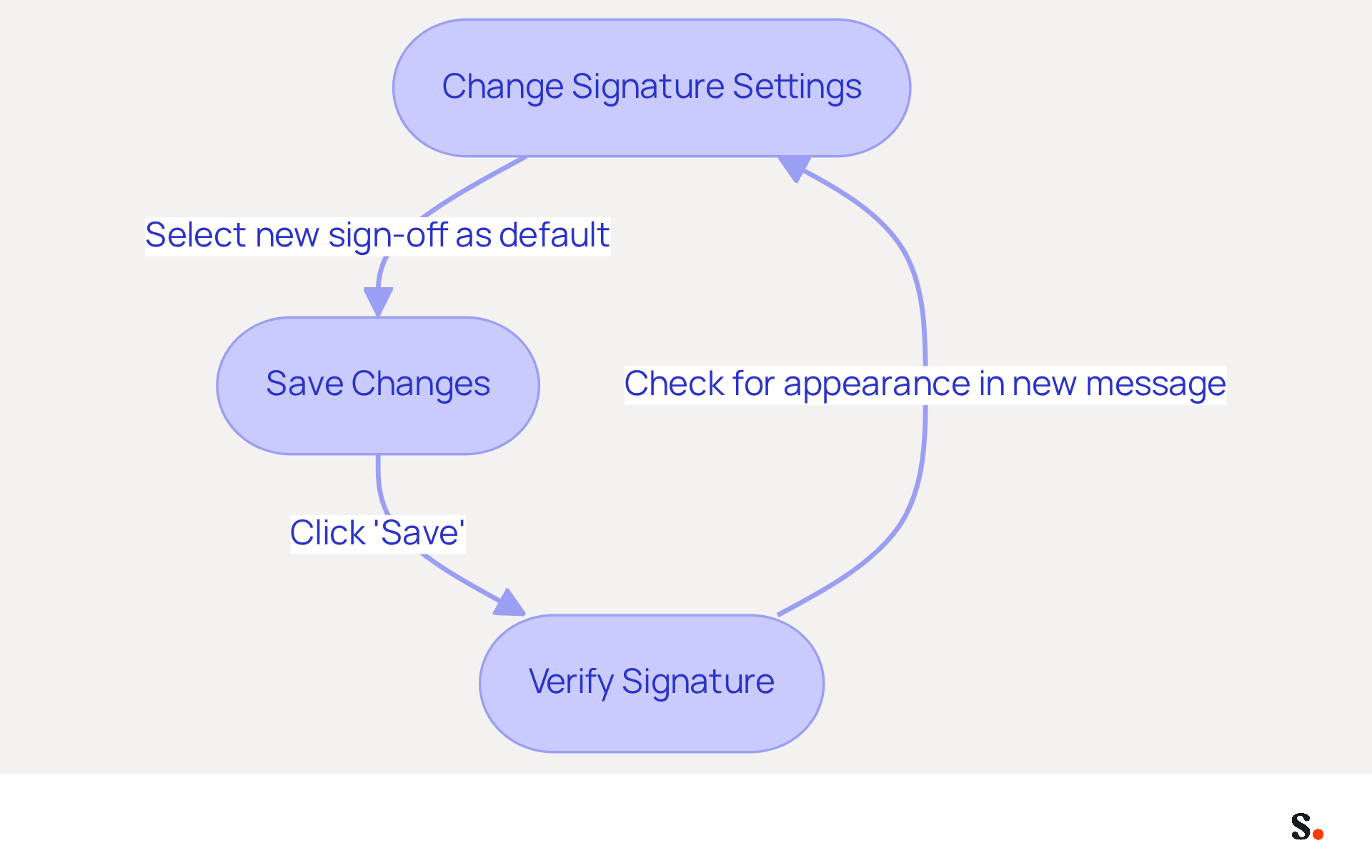
Ensuring your electronic correspondence identifier is correctly saved and applied is vital for maintaining a professional image. Follow these steps to ensure your signature is set up properly:
- In the settings for your sign-off, you can changer sa signature sur Outlook to select your new sign-off as the default for new messages and replies/forwards if preferred.
- Click 'Save' at the bottom of the settings panel to store your changes.
- To verify your new signature after you changer sa signature sur Outlook, compose a new message and check for its appearance. If your signature does not appear, it may indicate a misconfiguration that needs addressing.
Proper management of digital identifiers is crucial, as standardized formats enhance brand recognition and trust. Research indicates that a consistent format for your messages helps recipients identify authentic communications from your team, thereby reducing the risk of phishing attacks. Furthermore, case studies indicate that organizations that adopt effective management of their digital identifiers can greatly enhance their marketing results and customer interaction. By implementing these steps, you not only reinforce your brand identity but also enhance the professionalism of your communications.
Conclusion
Managing your email signature in Outlook is essential for maintaining a professional image and ensuring brand consistency. Following these steps enables users to manage their digital identifiers with precision and confidence, ensuring that every email sent reflects their professional identity and enhances engagement with recipients.
The article detailed the importance of email signatures, emphasizing how they serve as digital business cards that convey essential information and strengthen brand identity. Key insights included:
- The process of accessing signature settings
- Creating or editing signatures
- Ensuring they are saved and applied correctly
Additionally, the integration of Scribe allows for seamless updates and compliance with security standards, further enhancing the effectiveness of email signatures.
In the end, managing email signatures is crucial for effective professional communication. Organizations that prioritize consistent and well-crafted signatures can significantly improve their marketing performance and audience engagement. Embracing tools like Scribe not only simplifies this process but also ensures that branding remains cohesive and impactful across all communications. Taking the time to refine your email signatures can significantly enhance your communication strategy and strengthen your brand's impact.
Frequently Asked Questions
What is the purpose of email signatures in Outlook?
Email signatures in Outlook serve as digital business cards that provide essential information such as your name, job title, company name, contact information, and sometimes a logo or personal touch like a quote. They help maintain professionalism and consistency in communications.
How can a well-crafted email signature benefit my communication?
A well-crafted email signature provides your contact information, strengthens your brand identity, and can serve as a marketing tool by including links to your website or social media profiles.
How does Scribe enhance the management of digital signatures?
Scribe enhances the management of digital signatures by allowing users to sync their Google Workspace or Microsoft Entra ID with the platform, automating updates to digital identifiers in real-time without manual input.
What advantages does Scribe offer for marketing teams?
Scribe saves valuable time for marketing teams by streamlining the synchronization of digital signatures, allowing them to focus on strategic initiatives rather than administrative tasks.
What security measures does Scribe provide for data management?
Scribe is SOC 2 Type II compliant, which guarantees secure data management, allowing users to enhance their branding with confidence through consistent digital identifiers.
Can I change my email signature for different accounts in Outlook?
Yes, in Outlook, you can change your signature for different accounts, ensuring that your communication aligns with the context of each email.
List of Sources
- Understand Email Signatures in Outlook
- The impact of email signatures on your branding (https://signitic.com/en/resources/the-impact-of-email-signatures-on-your-branding)
- The Importance Of Email Signatures | Email Marketing Blog | Mail Blaze (https://mailblaze.com/thinking/email-signatures-in-email-marketing)
- Why Email Signatures Are So Important (https://findlight.net/salesacademy/why-email-signatures-are-so-important)
- 4 Best Practices for Your Outlook Signature Line in Marketing (https://scribe-mail.com/en-US/blog/4-best-practices-for-your-outlook-signature-line-in-marketing)
- Brands Turn To Email Signatures For Marketing: Study (https://mediapost.com/publications/article/350372/brands-turn-to-email-signatures-for-marketing-stu.html?edition=118089)
- Access Outlook Signature Settings
- Email signature statistics: Why every business should optimize their email signatures — Stripo.email (https://stripo.email/blog/email-signature-statistics-why-every-business-should-optimize-their-email-signatures)
- 40+ Email Signature Statistics for 2026 (Data + Insights) (https://wavecnct.com/blogs/email-signature-statistics)
- JAWS Power Tip: How To Create an Email Signature in the New Outlook Using JAWS (https://toptechtidbits.com/news-11-06-2025)
- The New Outlook for Windows: An IT Guide to Email Signatures (https://exclaimer.com/email-signature-handbook/new-outlook-windows-email-signatures)
- How Many Clicks Does an Email Signature Generate? A MySignature Study (https://mysignature.io/blog/email-signature-clicks-study)
- Create or Edit Your Email Signature
- 40+ Email Signature Statistics for 2026 (Data + Insights) (https://wavecnct.com/blogs/email-signature-statistics)
- How to create professional Outlook signature: step-by-step guide (https://email-templates.app/en/guides/create-professional-signature-outlook)
- Create an email signature in Outlook - Microsoft Support (https://support.microsoft.com/en-us/topic/create-an-email-signature-in-outlook-0f6ec33a-94dc-c87b-ad05-3bd04e89f51c)
- How to add and change an email signature in Outlook | Microsoft Support (https://support.microsoft.com/en-us/outlook/mail/how-to-add-and-change-an-email-signature-in-outlook)
- Email Signature Best Practices Guide With Examples - MailerLite (https://mailerlite.com/blog/email-signature-best-practices)
- Save and Apply Your New Signature
- The Quantifiable Marketing Value of Email Signatures (https://ama.org/2022/06/20/the-quantifiable-marketing-value-of-email-signatures)
- Did You Know Your Email Signature Could be a Security Weak Point? - Oklahoma Society of CPAs (https://oscpa.com/news/990e5e16-6ad4-4ff4-91bb-236c7634b1f6:did-you-know-your-email-signature-could-be-a-security-weak-point)
- Email signature statistics: Why every business should optimize their email signatures — Stripo.email (https://stripo.email/blog/email-signature-statistics-why-every-business-should-optimize-their-email-signatures)
- Email Signatures vanishing - New Outlook | Microsoft Community Hub (https://techcommunity.microsoft.com/discussions/outlookgeneral/email-signatures-vanishing---new-outlook/4418809)
- The Importance of Email Signatures - Ocreative (https://ocreative.com/importance-email-signatures)
Get started with Scribe
Create your signature in minutes
Free 14-day trial — no credit card.