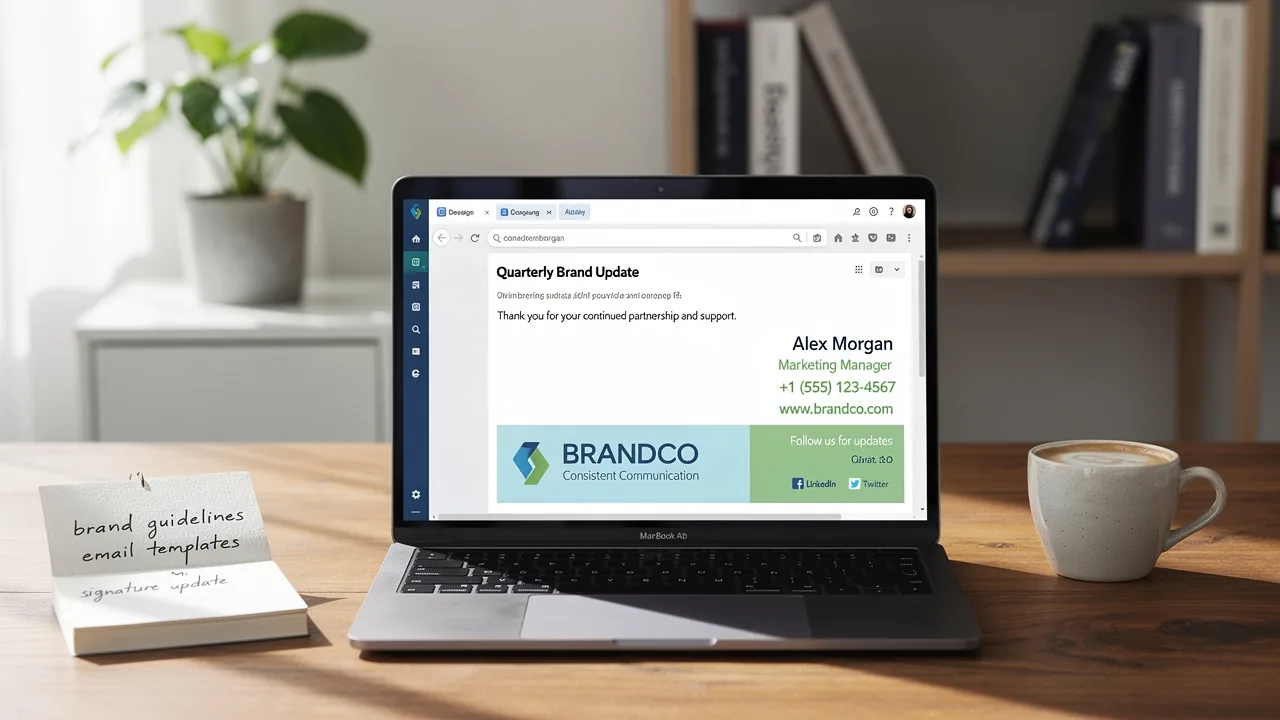
4 Steps to End an Email That Requires a Response Effectively
Crafting an effective email requires careful consideration of its conclusion, as this element plays a pivotal role in shaping the recipient's response. A
Sophie Grant
Email Signature Specialist, Scribe

Introduction
Crafting an effective email requires careful consideration of its conclusion, as this element plays a pivotal role in shaping the recipient's response. A well-structured closing line not only reinforces the message but also encourages engagement, making it essential for professional communication. Many professionals overlook the importance of a strong email conclusion, leading to missed opportunities for engagement.
Identifying the key elements that elevate a simple sign-off to a compelling call to action is essential. This guide explores four crucial steps to master the art of ending emails that require a response, ensuring clarity, professionalism, and a higher likelihood of engagement.
Mastering these techniques can transform your email communication, leading to increased engagement and more favorable responses.
Craft a Strong Closing Line
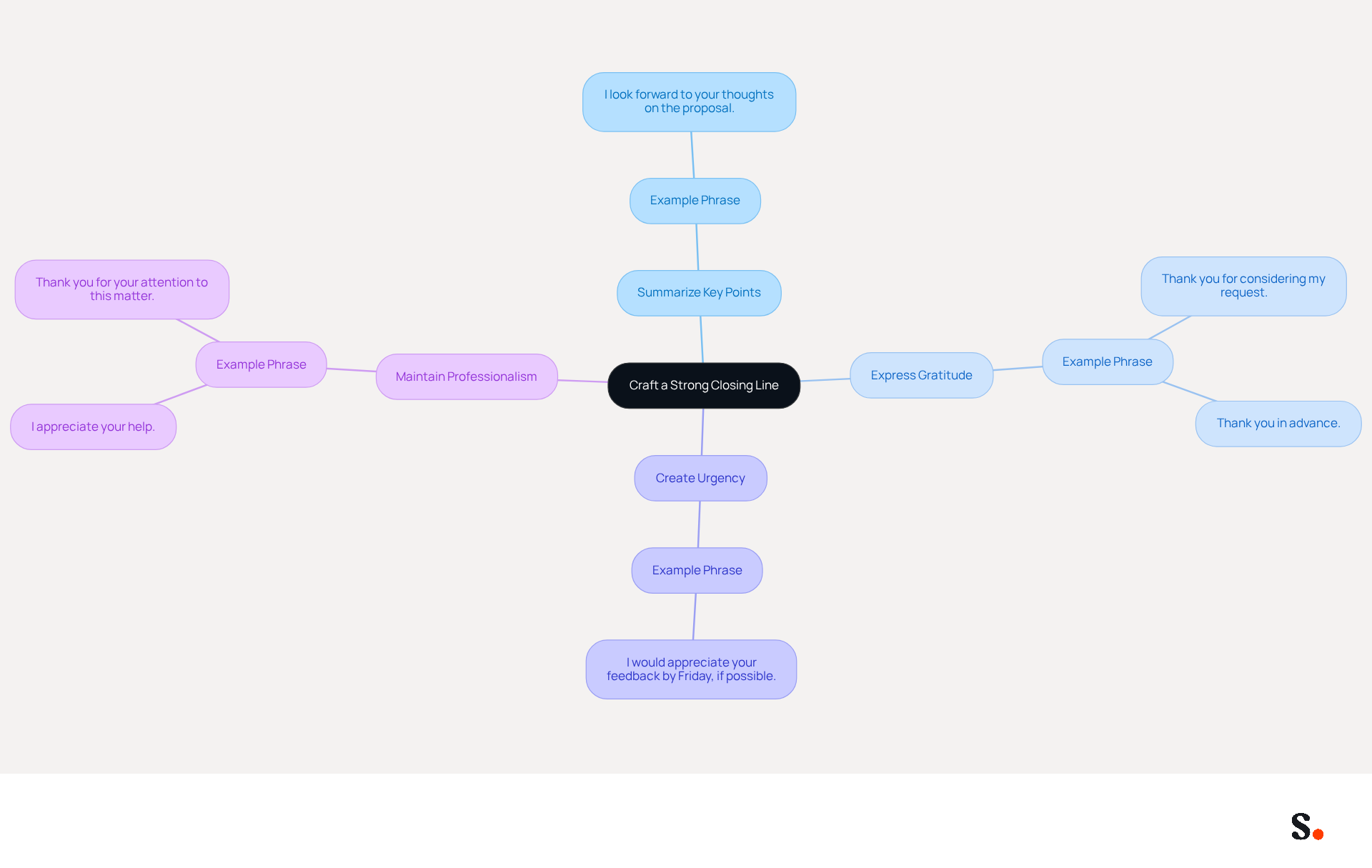
Understanding how to end an email that requires a response is crucial for crafting a strong closing line in effective professional communication. To achieve this, consider summarizing key points to reiterate the main purpose of your message. For instance, if you are requesting feedback, you might say, "I look forward to your thoughts on the proposal."
Expressing gratitude can significantly enhance goodwill; a simple, "Thank you for considering my request," can lead to more favorable responses, as emails that end with gratitude receive 1.3 times more replies than those that do not.
Additionally, if you need a response by a certain date, you should consider how to end an email that requires a response clearly. For example, "I would appreciate your feedback by Friday, if possible," creates a sense of urgency and clarity, prompting quicker responses.
Finally, maintaining a polite and professional tone fosters goodwill. Phrases like, "I appreciate your help," or, "Thank you for your attention to this matter," are effective in leaving a positive impression.
Knowing how to end an email that requires a response is essential, as a well-structured closing line not only encourages a reply but also reinforces your professionalism and attention to detail.
Choose an Appropriate Sign-Off
Understanding how to end an email that requires a response is crucial for effective communication. To choose an appropriate sign-off, consider the following:
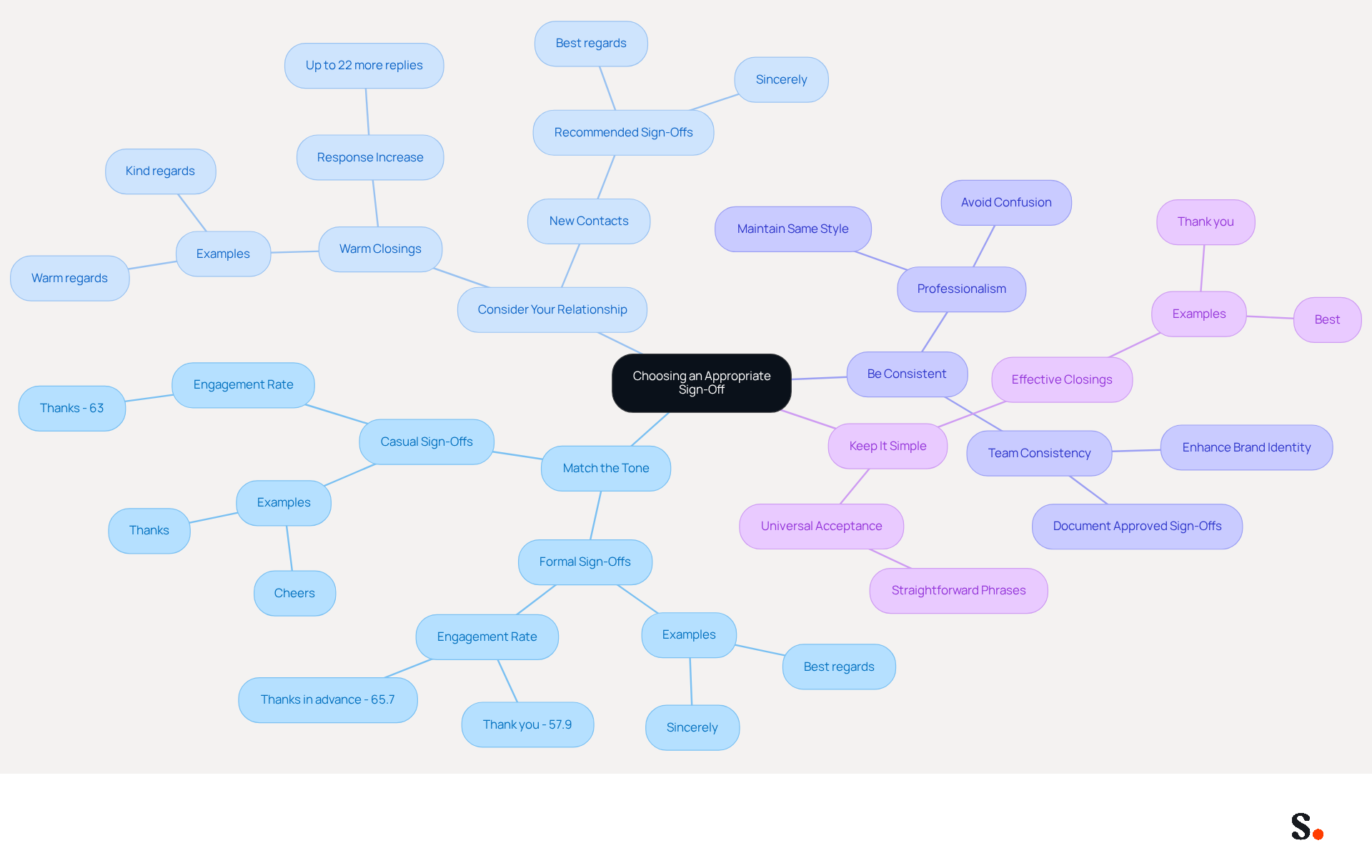
- Match the Tone: Align your closing with the message's tone. For formal correspondence, use sign-offs like 'Sincerely' or 'Best regards.' In contrast, for more casual communications, consider options like 'Thanks' or 'Cheers.' Research shows that gratitude-based sign-offs like 'Thank you' can boost engagement rates to 57.9%. Furthermore, messages without a closing average only a 43% engagement rate, emphasizing the importance of including a considerate conclusion.
- Consider Your Relationship: If you have a close connection with the individual, a warmer closing like 'Warm regards' may be suitable. For new contacts, it's best to stick to more formal options. Studies indicate that knowing how to end an email that requires a response with tailored closings can lead to up to 22% more replies, highlighting the importance of customizing your closing based on your relationship with the recipient.
- Be Consistent: Maintain the same closing style throughout your correspondence to uphold professionalism. Switching between casual and formal sign-offs in the same thread can create confusion and diminish your credibility. Consistency in sign-offs across a team can enhance brand identity and professionalism.
- Keep It Simple: A straightforward conclusion is often the most effective. Phrases like 'Thank you' or 'Best' are universally accepted and convey respect. Choosing the right sign-off reinforces your message and strengthens your professional image.
Add a Professional Email Signature
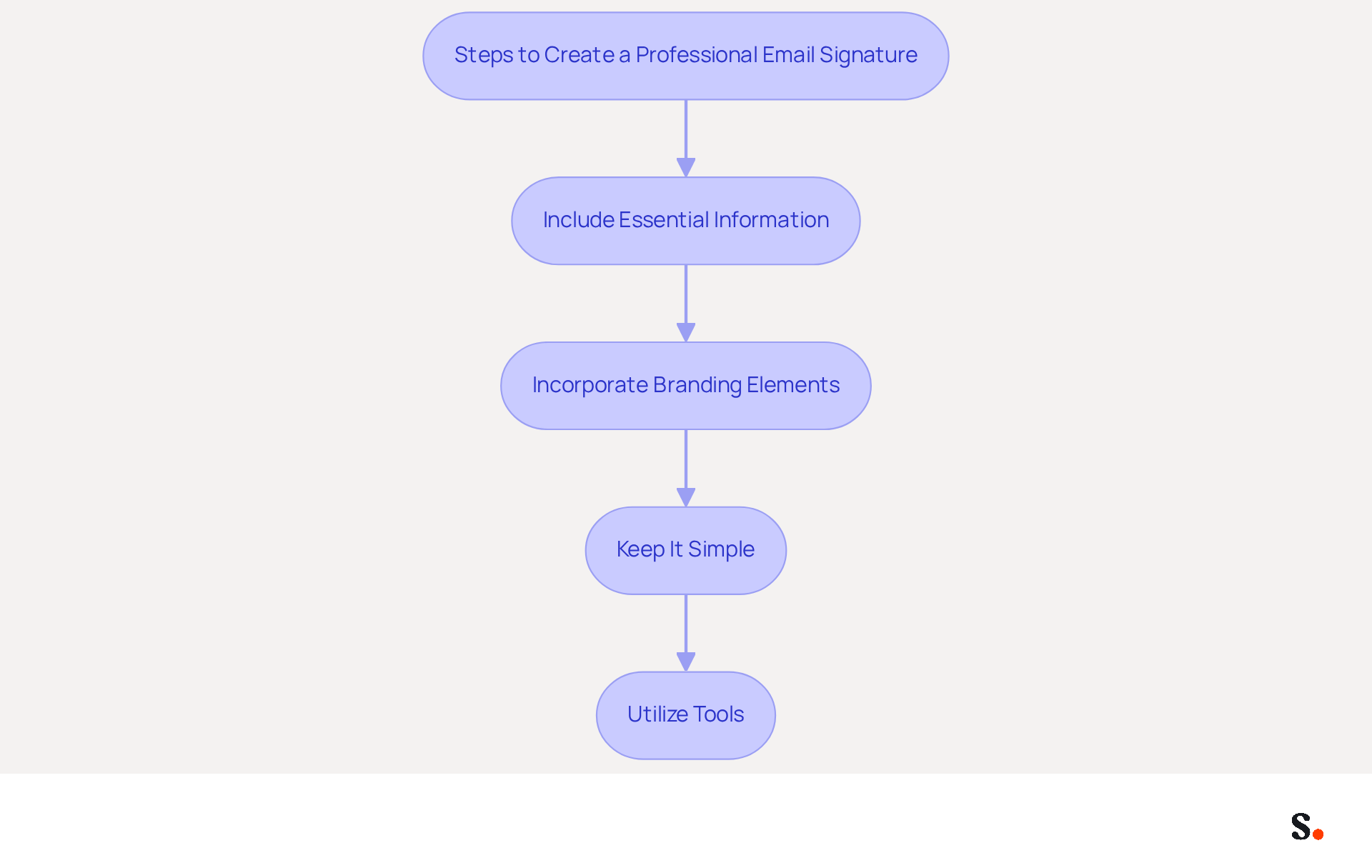
Creating a professional email signature is essential for effective communication and brand promotion. To achieve this, follow these steps:
- Include Essential Information: Ensure your identification includes your full name, job title, company name, and contact details, such as your phone number and email address. This basic information is crucial for individuals to reach you easily.
- Incorporate Branding Elements: Utilize your company logo and brand colors to create a cohesive look. Consistent branding in email footers can lead to a 22% increase in email response rates and significantly enhance brand recognition, as recipients are more likely to remember and trust a well-branded email.
- Keep It Simple: Avoid cluttering your sign-off with excessive information. Cluttered signatures can confuse recipients and dilute your message. Research indicates that 70% of consumers get frustrated when brands lack electronic identification, highlighting the importance of a professional appearance.
- Utilize Tools: Using Scribe automates the creation and management of your email signature, streamlining your branding efforts. With Scribe, every modification made in your Aircall configuration will automatically be reflected in your branding, ensuring consistency across your team. This platform saves time and lets Marketing handle digital branding independently after the initial IT setup, freeing IT teams to focus on more strategic projects. Automated document management can save an average of two hours per employee per year, making it a practical solution for businesses of all sizes. Moreover, Scribe's SOC 2 Type II compliance guarantees secure data management, providing you with reassurance as you handle your messaging branding.
By following these guidelines, you can create a professional signature that not only improves your communication but also acts as a powerful branding tool. A well-crafted signature can turn every email into a branding opportunity that leaves a lasting impression on your audience.
Incorporate a Clear Call-to-Action
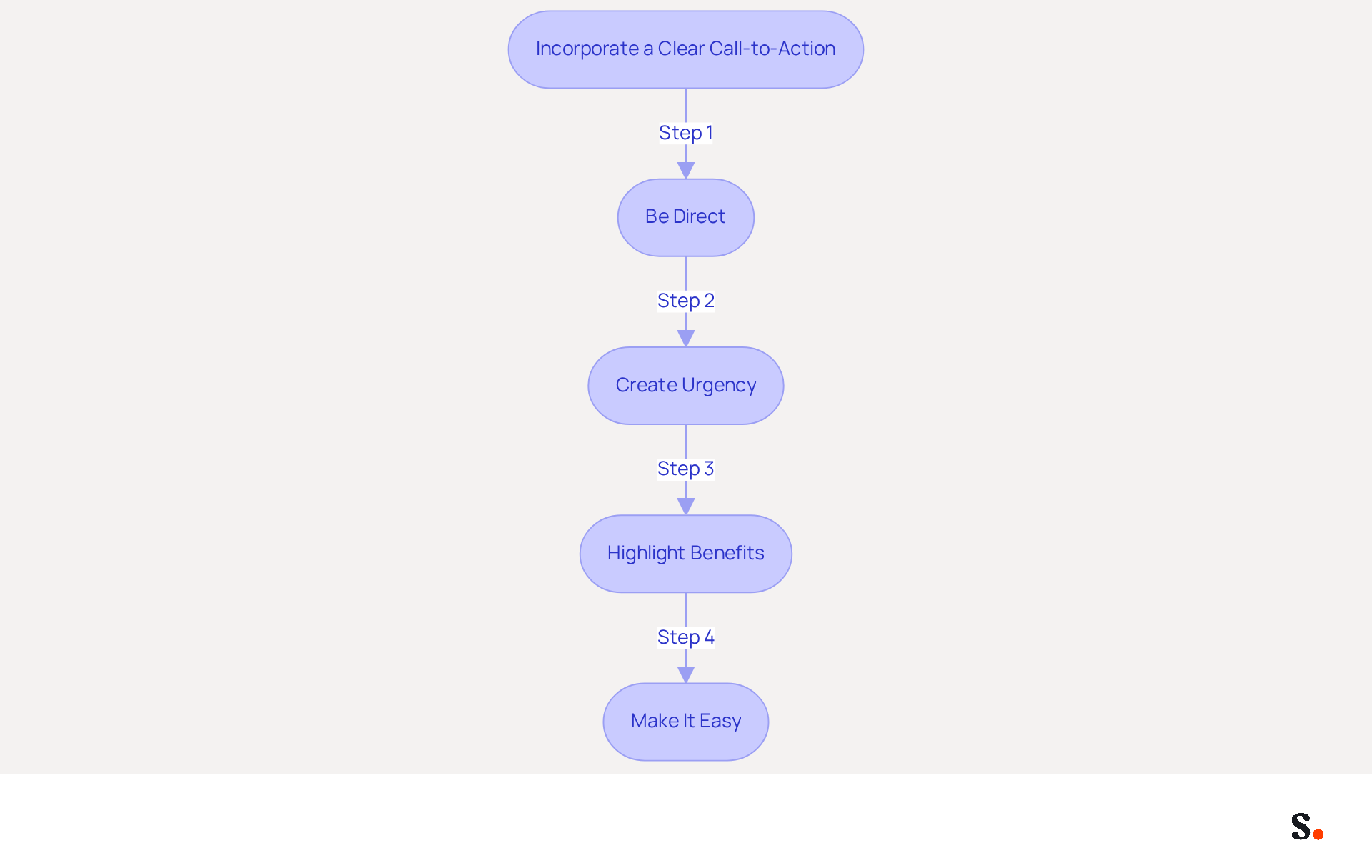
To maximize the effectiveness of your email communications, it's crucial to understand how to end an email that requires a response with a clear call-to-action.
- Be Direct: Use straightforward language that clearly communicates the desired action. For example, stating, 'Please confirm your attendance by replying to this email,' illustrates how to end an email that requires a response clearly and without ambiguity.
- Create Urgency: Instill a sense of urgency to prompt quicker responses. Using phrases like 'Respond by the end of the week' can encourage quicker responses, which is a key aspect of how to end an email that requires a response. Including the word "now" can further amplify this urgency, encouraging immediate action.
- Highlight Benefits: Clearly articulate what the individual stands to gain by taking action. For instance, confirming your attendance gives you exclusive access to our new product launch, emphasizing the value of their response.
- Make It Easy: Simplify the action you are requesting. Avoid complex instructions that could deter the recipient from responding. A clear and easy-to-follow request demonstrates how to end an email that requires a response, increasing the likelihood of a timely reply.
Incorporating these strategies can significantly enhance the effectiveness of your communications. According to WordStream, emails featuring a single call-to-action can boost clicks by 371% and sales by 1617%, highlighting the need for clarity in your messaging. Additionally, placing CTAs above the fold can improve visibility and engagement, ensuring that your audience responds as desired. By implementing these strategies, you can expect a marked improvement in response rates.
Conclusion
Many professionals struggle with crafting email closings that elicit timely responses, which can hinder effective communication. Crafting an effective email closing is essential for ensuring that your message resonates and prompts a response. By focusing on strong closing lines, appropriate sign-offs, professional email signatures, and clear calls-to-action, the likelihood of receiving timely replies increases significantly. Each element plays a vital role in reinforcing professionalism and clarity, ultimately enhancing communication effectiveness.
Key strategies discussed include:
- The importance of summarizing your message
- Expressing gratitude
- Creating urgency in your requests
Tailoring your sign-off to match the tone of your email and the relationship with the recipient can further improve engagement. Additionally, a well-designed email signature not only provides essential contact information but also serves as a branding opportunity that can leave a lasting impression.
Incorporating these techniques into email communications can transform how messages are received and responded to. By implementing these strategies, you can significantly enhance your communication effectiveness and response rates. Ultimately, mastering these strategies can lead to more productive interactions and timely responses, transforming your email communication.
Frequently Asked Questions
Why is it important to craft a strong closing line in emails?
A strong closing line is crucial for effective professional communication as it encourages a response and reinforces your professionalism and attention to detail.
What should be included in a closing line to summarize the email's purpose?
You should summarize key points to reiterate the main purpose of your message, such as saying, "I look forward to your thoughts on the proposal" when requesting feedback.
How does expressing gratitude in an email closing affect responses?
Expressing gratitude can enhance goodwill and lead to more favorable responses; emails that end with gratitude receive 1.3 times more replies than those that do not.
How can I create a sense of urgency in my email closing?
To create a sense of urgency, clearly state your need for a response by a certain date, such as, "I would appreciate your feedback by Friday, if possible."
What tone should I maintain in my email closing?
Maintaining a polite and professional tone is important; phrases like, "I appreciate your help," or, "Thank you for your attention to this matter," are effective in leaving a positive impression.
List of Sources
- Craft a Strong Closing Line
- How to End an Email Professionally (With Examples) (https://iconnect.isenberg.umass.edu/blog/2024/07/10/how-to-end-an-email-professionally-with-examples)
- How to End a Sales Email: Closing Lines That Work Best (https://linkedin.com/pulse/how-end-sales-email-closing-lines-work-best-cience)
- Writing Email Updates That Summarize Key Points (https://linkedin.com/top-content/writing/writing-clear-email-updates/writing-email-updates-that-summarize-key-points)
- Best Email Closing Lines for Closing Deals (https://callboxinc.com/email-marketing/best-email-closing-lines-for-closing-deals)
- Choose an Appropriate Sign-Off
- Is 'Best' a Good Way to End an Email? Compare Sign-Offs Here (https://scribe-mail.com/en-US/blog/is-best-a-good-way-to-end-an-email-compare-sign-offs-here)
- How to end an email: 70+ professional sign-offs & examples (https://blog.superhuman.com/how-to-end-an-email)
- 80+ Professional Email Sign-Offs for Every Situation, Role, and Industry (https://syncsignature.com/blog/email-sign-offs)
- 50 Best Email Sign-Offs to End an Email Properly in [year] (https://elementor.com/blog/best-email-sign-offs)
- How to Sign Off on an Email Correctly | Rocketseed (https://rocketseed.com/blog/correct-way-to-sign-off-emails)
- Add a Professional Email Signature
- The impact of email signatures on your branding (https://signitic.com/en/resources/the-impact-of-email-signatures-on-your-branding)
- Research Recap: Branded Email Signatures Increase Company Recognition, Trust - B2BMX INSIGHTS (https://demandgenreport.com/industry-news/research-recap-branded-email-signatures-increase-company-recognition-trust/47252)
- Why Are Email Signatures Key to Brand Awareness? | QuickMail (https://quickmail.com/role-of-email-signatures-in-brand-awareness)
- The benefits of a branded email signature (https://bybrand.io/blog/branded-email-signature)
- Using Email Signatures for Marketing | CloudM (https://cloudm.io/resources/blog/using-email-signatures-for-marketing-how-every-email-can-boost-your-brand)
- Incorporate a Clear Call-to-Action
- How to Craft an Effective Call to Action for Your Emails (https://schnepsmedia.com/insights/call-to-action-emails)
- 10 Tips to Optimize Your Email CTAs (https://campaignmonitor.com/resources/guides/10-tips-to-optimize-your-calls-to-action-in-email-2)
- 30+ Call-to-Action Statistics & Facts | Stats on Marketing CTAs (https://sixthcitymarketing.com/call-to-action-stats)
- A Strategic Guide to Calls-to-Action (CTAs) in Email Marketing: Best Practices for Success (https://litmus.com/blog/click-tap-and-touch-a-guide-to-cta-best-practices)
- 8 Tips to Write a Killer Call to Action - Denver Post Media (https://denverpostmedia.com/2024/10/14/8-tips-to-write-a-killer-call-to-action)
Get started with Scribe
Signatures for every role on your team
Free 14-day trial — no credit card.