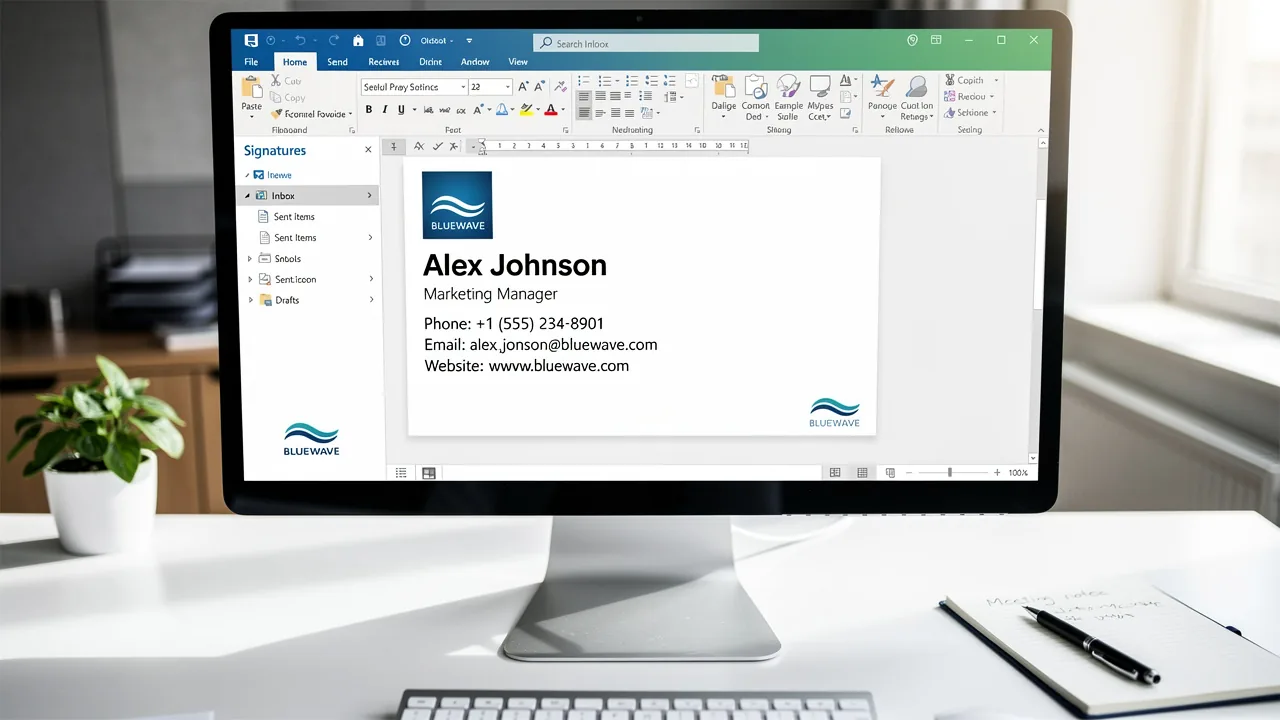
Create Email Signature AI: 5 Steps for Marketing Managers
Email signatures, often underestimated, possess significant potential for marketing managers seeking to enhance brand visibility and engagement. By turning
Sophie Grant
Email Signature Specialist, Scribe
On this page
- Introduction
- Understand the Importance of Email Signatures in Marketing
- Set Up Your Scribe Account and Choose a Template
- Customize Your Email Signature for Brand Consistency
- Integrate Scribe with Your Existing Tools for Seamless Management
- Monitor and Optimize Your Email Signatures for Maximum Impact
- Conclusion
- Frequently Asked Questions
- List of Sources
Introduction
Email signatures, often underestimated, possess significant potential for marketing managers seeking to enhance brand visibility and engagement. By turning these digital footers into effective marketing tools, organizations can not only reinforce their brand identity but also drive measurable results. Many marketing managers struggle to create email signatures that effectively represent their brand and meet strategic goals.
What strategies can marketing professionals employ to leverage email signatures for maximum impact and engagement?
Understand the Importance of Email Signatures in Marketing
Email footers, often underestimated, present a significant opportunity for marketing managers to elevate brand visibility and engagement. Here’s why they are essential:
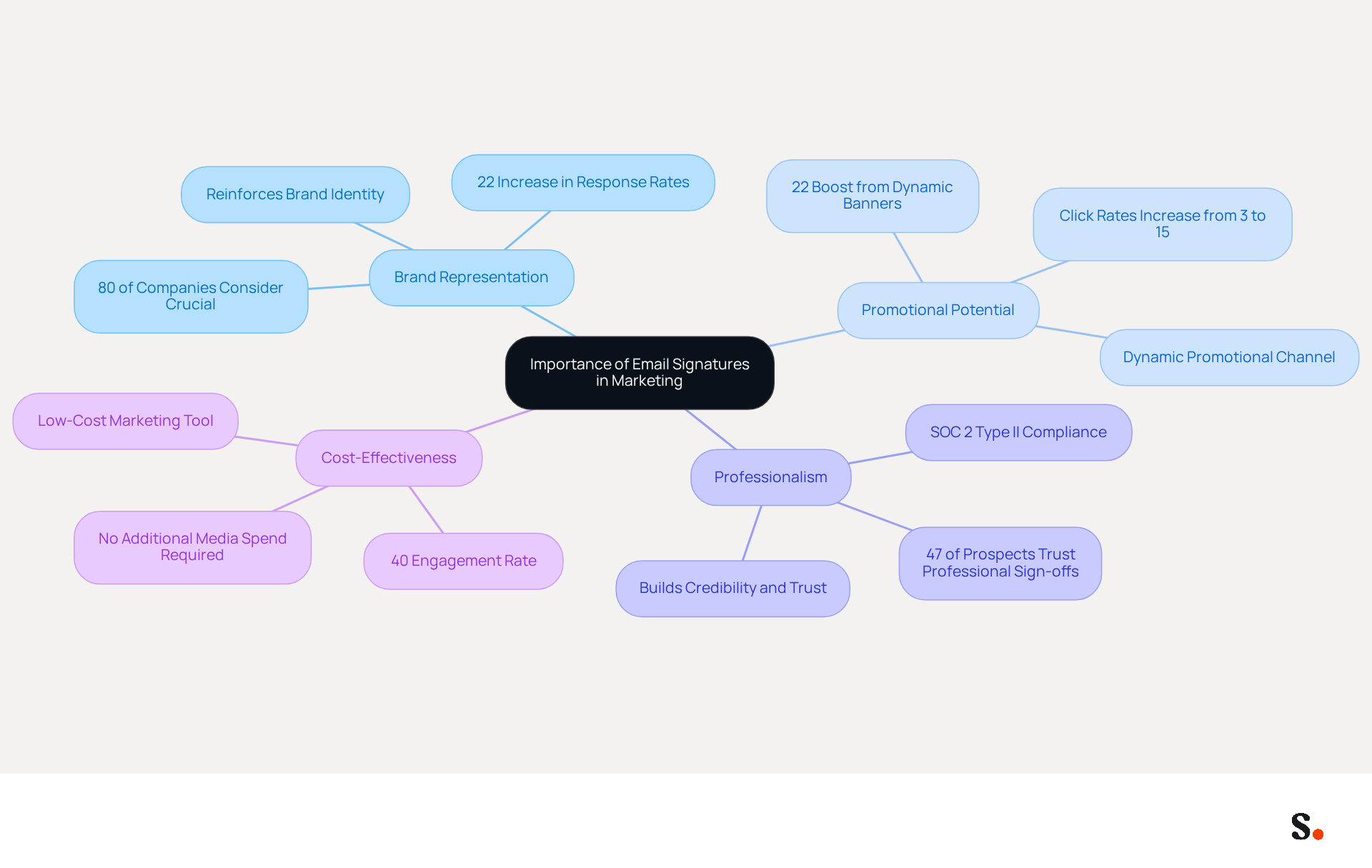
- Brand Representation: Each email sent is an opportunity to reinforce your brand identity. A well-designed mark incorporates your logo, brand colors, and fonts, ensuring consistency across all communications. This consistency can lead to a 22% increase in response rates, enhancing overall engagement. Indeed, 80% of companies consider branded email footers as crucial for their promotional strategies.
- Promotional Potential: Email footers can serve as a dynamic promotional channel, advertising new products, services, or campaigns. Incorporating a clear call-to-action (CTA) can boost traffic to your website or landing pages, with click rates rising from 3% to 15% when utilizing branded email endings. Additionally, dynamic banners in digital correspondences can boost click rates by an impressive 22%, further enhancing their marketing potential. With Scribe, automated synchronization of contact details with your business phone system, such as Aircall, ensures that any modifications made are instantly reflected, improving brand consistency across all communications. Furthermore, Scribe's 12% average click-through rate on banners emphasizes its effectiveness in driving engagement.
- Professionalism: When your email footers are consistent and professional, they build credibility and trust with your recipients. Research indicates that 47% of prospects believe that professional sign-offs enhance their trust, making them more inclined to engage with your content. Scribe's SOC 2 Type II compliance ensures that your data is protected, addressing any concerns regarding employee data management requirements for secure automation of identifiers.
- Cost-Effective: Unlike traditional advertising, message footers are a low-cost method to reach a wide audience, as they are included in every correspondence sent. This method saves on advertising costs and delivers measurable engagement, achieving an average engagement rate of 40%, compared to just 3% for traditional campaigns.
By understanding the importance of digital identifiers, marketing managers can adopt a strategic approach to their design and implementation, ultimately enhancing brand awareness and driving marketing outcomes. Ultimately, a strategic approach to email footers can transform how brands connect with their audience, leading to measurable marketing success.
Set Up Your Scribe Account and Choose a Template
To effectively utilize Scribe for your email signature management, follow these essential steps:
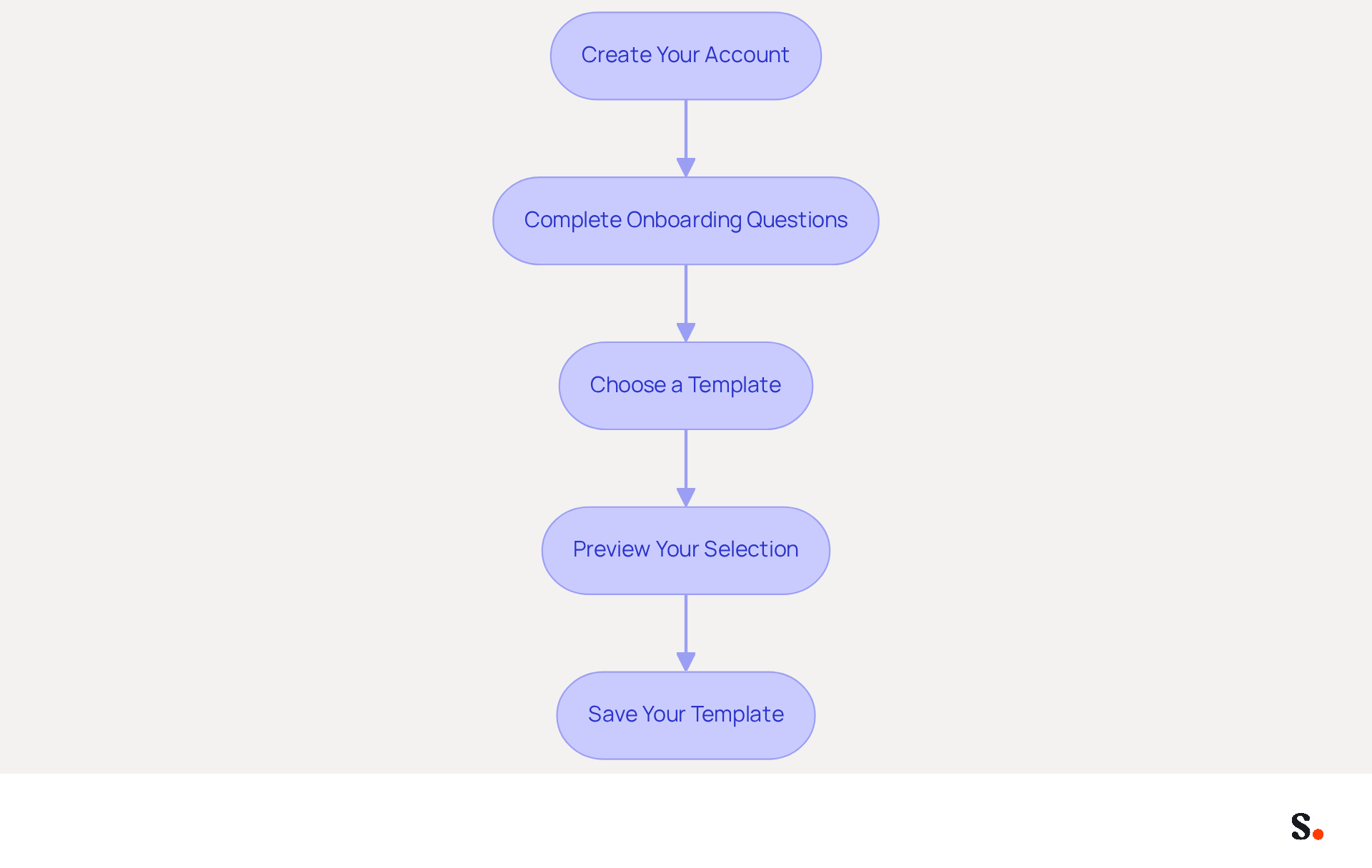
- Create Your Account: Register by using your work email address or opt for Google SSO for a streamlined process.
- Complete Onboarding Questions: After signing up, you’ll be prompted to answer a few onboarding questions. These help Scribe tailor the experience to your needs, ensuring a smooth setup process.
- Choose a Template: Once your account is set up, browse through the available templates for your correspondence. Look for designs that reflect your brand’s identity, considering elements like color schemes and layout. Research indicates that 69% of consumers consider it crucial for a company's credibility to create email signature AI that is consistent and professional.
- Preview Your Selection: Before finalizing your choice, preview how the template will appear in a message. Verify that the template aligns with your branding and is visually appealing; studies show that messages featuring branded logos achieve a 22% higher response rate.
- Save Your Template: After selecting a template, save it to your account. You can always go back to adjust it later as your branding develops, keeping your contact details fresh and relevant.
Furthermore, to improve your signature management, ensure you allow the application permission to connect with your provider for streamlined one-click synchronization. Accessing certain features requires administrative privileges, which may limit usability for some users. This feature allows for automated updates of teammate information, ensuring brand consistency across all communications. Scribe automatically syncs teammate data from your service provider daily at your local time, and its compliance with SOC 2 Type II and GDPR guarantees that your data remains secure throughout this process.
By implementing these strategies, you will significantly enhance your brand's visibility and professionalism in every communication.
Customize Your Email Signature for Brand Consistency
Personalizing your message footer is crucial for maintaining brand consistency and enhancing your professional image. Here’s how to do it effectively:
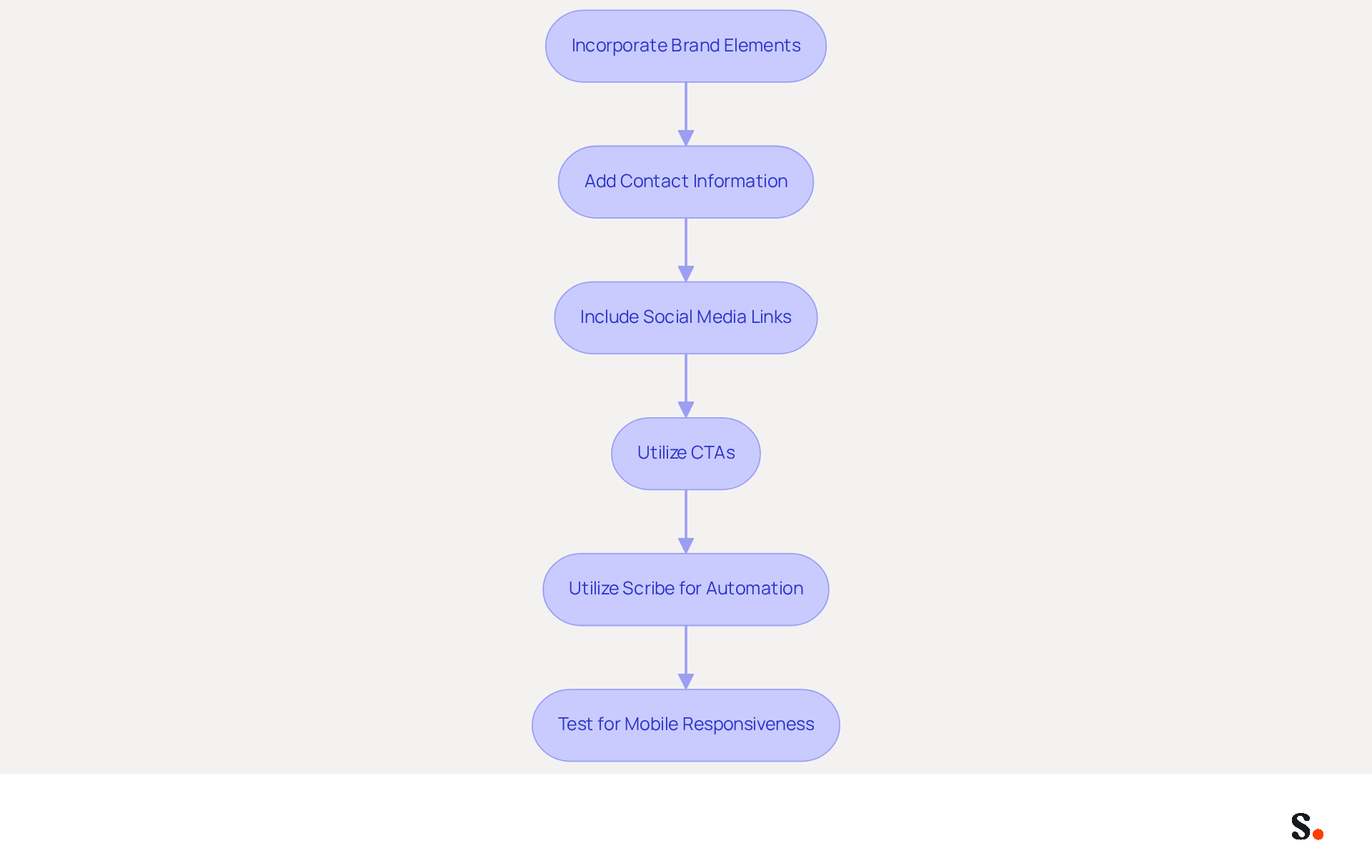
- Incorporate Brand Elements: Prominently display your logo and utilize your brand colors and fonts. This creates a cohesive look that aligns with your overall marketing materials, reinforcing brand identity.
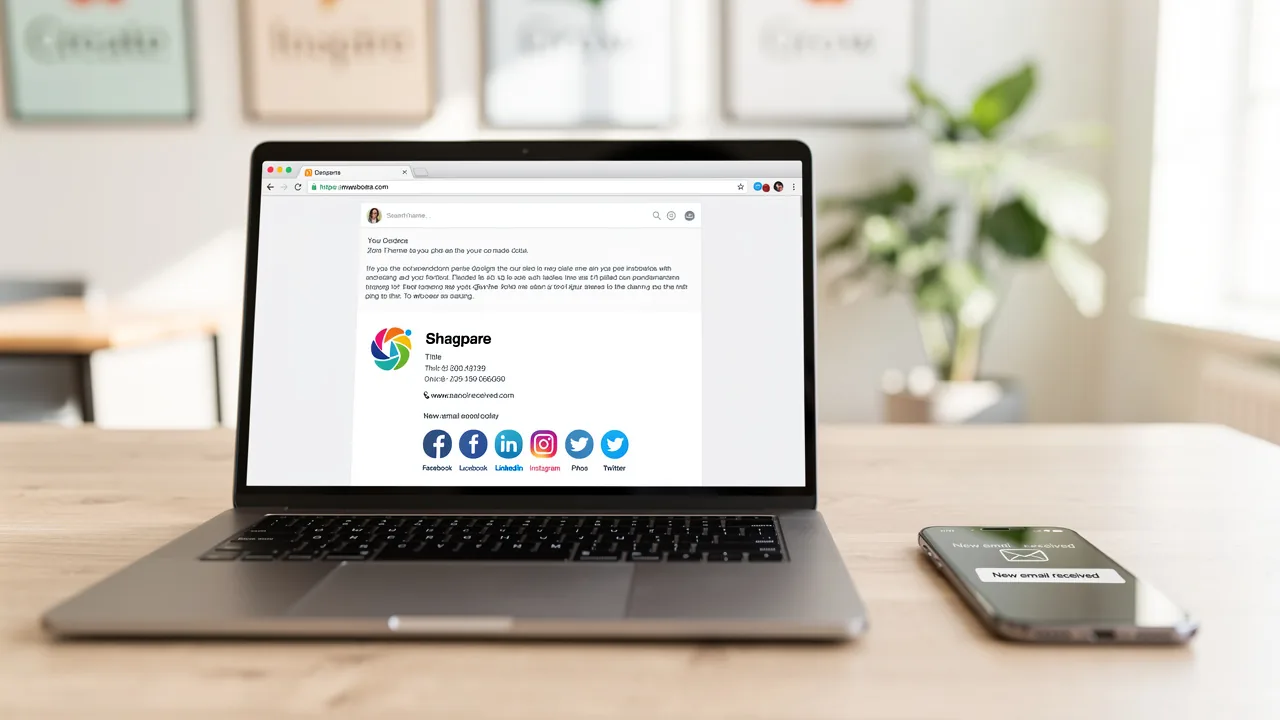
- Add Contact Information: Include essential details such as your name, title, company name, phone number, and website. Ensure this information is clear and easy to read, as 64% of consumers prefer contact details in their correspondence.
- Include Social Media Links: Integrate icons linking to your company’s social media profiles. This not only encourages recipients to engage with your brand across multiple platforms but also enhances brand visibility, as organizations that include social media links see increased audience engagement.
- Utilize CTAs: It is advisable to include a call-to-action, such as a link to your latest blog post or a promotional offer. Ensure it stands out visually without overpowering the mark. Dynamic banners have been shown to boost click rates by 22%, establishing them as a powerful tool for enhancing engagement.
- Utilize Scribe for Automation: Using this tool saves you time and keeps your email identifiers up to date. Scribe automatically syncs your teammates' identification information with your Business phone system and Google Workspace, reflecting any changes without manual input. This real-time synchronization not only streamlines the management process but also ensures compliance with SOC 2 Type II standards, keeping your data secure.
- Test for Mobile Responsiveness: Ensure that your email looks good on both desktop and mobile devices. With numerous recipients accessing messages on their phones, a mobile-friendly closing is crucial for upholding professionalism.
By personalizing your communication footer and utilizing Scribe's automated management features, you not only reinforce your brand identity but also enhance the professionalism of your interactions. Effective branding management can significantly elevate your marketing performance and response rates.
Integrate Scribe with Your Existing Tools for Seamless Management
To optimize your signature management, it is essential to integrate the tool with your existing systems. Here’s how to do it:
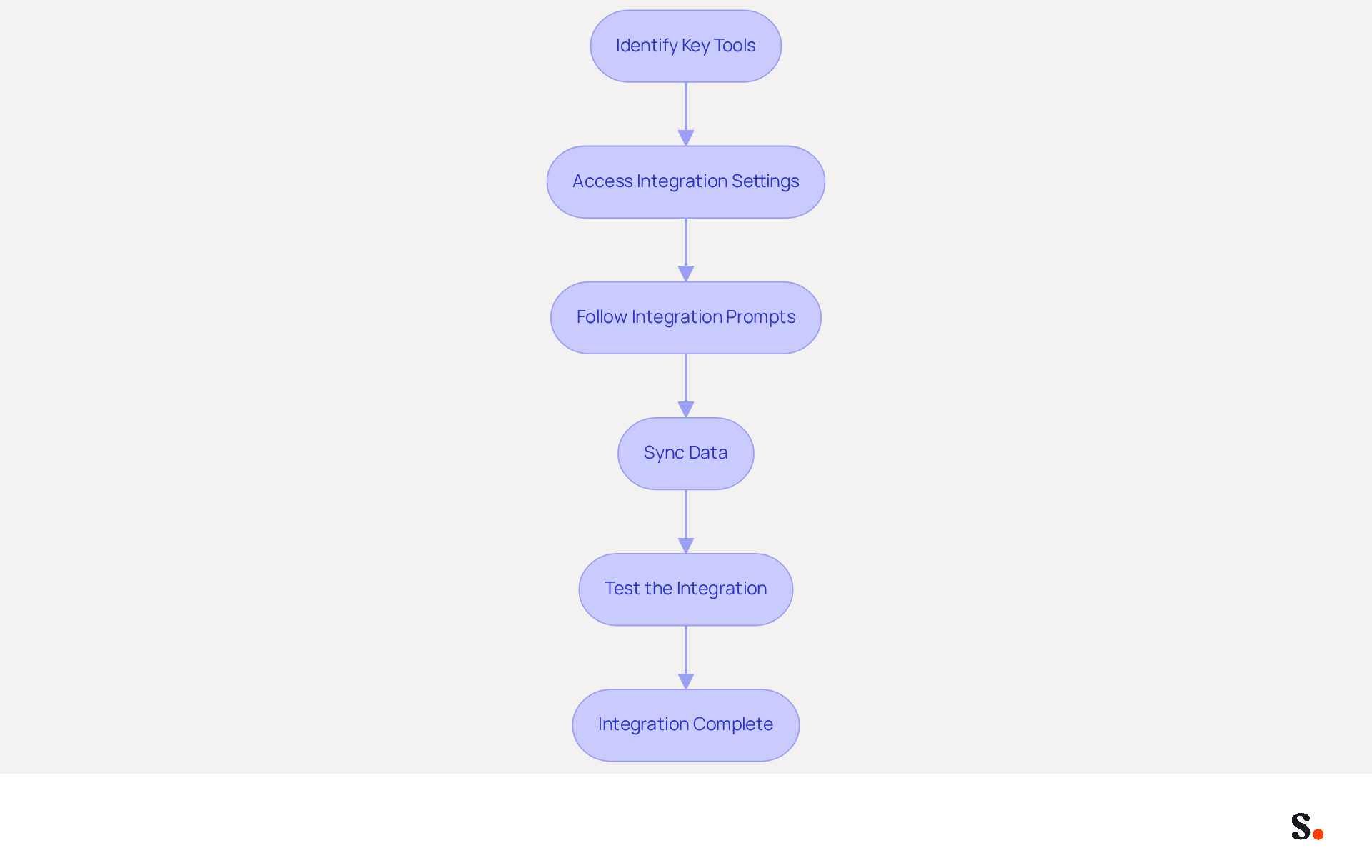
- Identify Key Tools: Determine which platforms your organization utilizes for email communication, such as Google Workspace, Microsoft 365, or Salesforce.
- Access Integration Settings: Log into your account and navigate to the integration settings. Here, you will find options to connect with various platforms.
- Follow Integration Prompts: Select the tools you wish to integrate and follow the prompts provided. This process may require granting permissions for the application to access your email accounts.
- Sync Data: Ensure that your HR and identity management systems are synchronized with the platform. This integration automatically updates identifiers when employee information changes, improving efficiency and ensuring compliance with GDPR and SOC 2 Type II. With the application, your teammates' identification details are consistently synchronized with your business phone system, requiring no effort from them, which simplifies the management process.
- Test the Integration: After completing the setup, send test messages to verify that the identifiers appear correctly across all platforms.
By integrating Scribe with your current tools, you simplify the management process, ensuring that your identifiers remain consistent and up-to-date. This not only converts them into powerful promotional assets but also aligns with emerging trends in digital communication management, such as AI-driven banner suggestions and real-time personalization. Industry insights reveal that campaigns leveraging branding can achieve a 7-15% click-through rate, underscoring the effectiveness of this integration. Ultimately, effective integration not only streamlines your processes but also enhances your overall marketing strategy.
Monitor and Optimize Your Email Signatures for Maximum Impact
To maximize the effectiveness of your email signatures, it is essential to implement a systematic approach to monitoring and optimization:
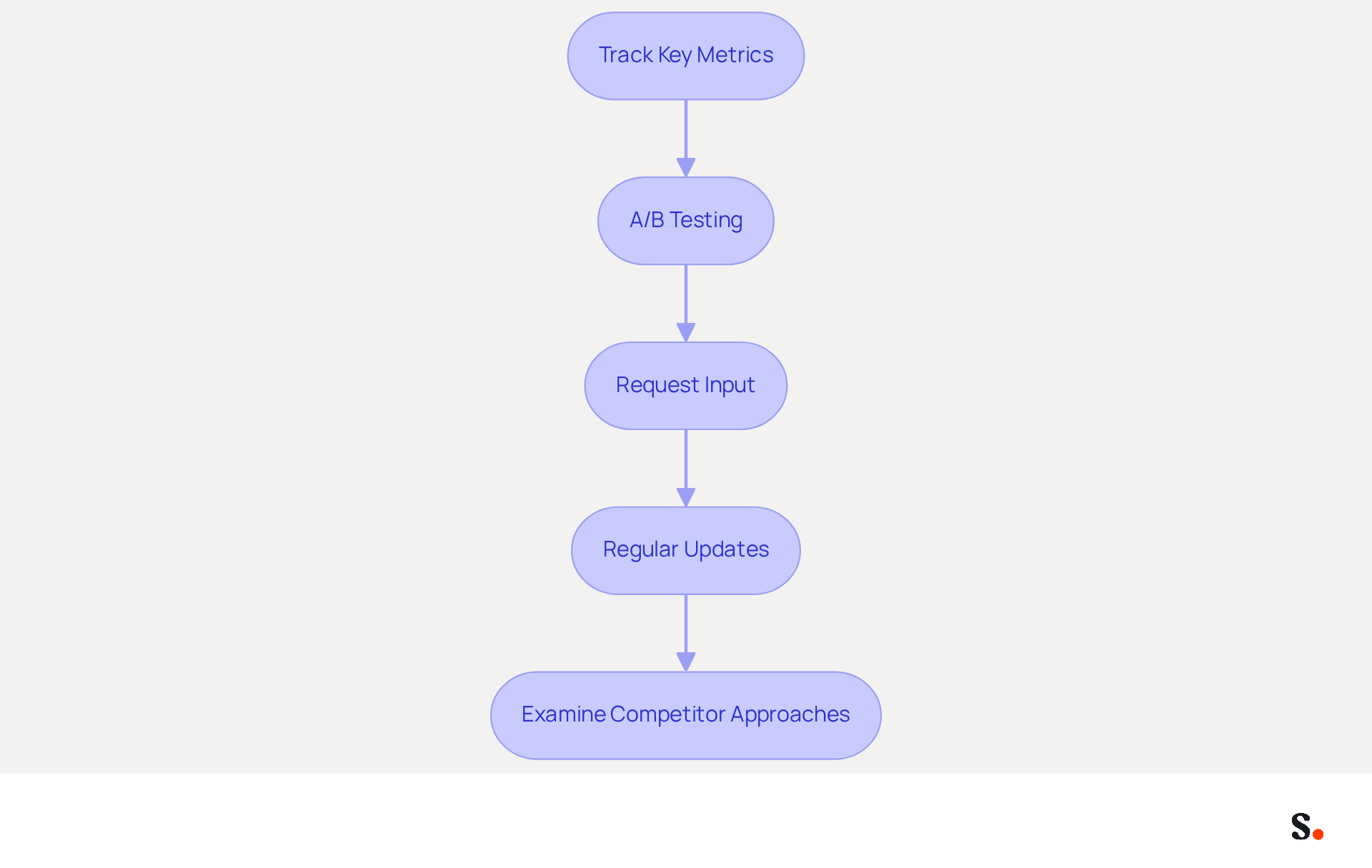
- Track Key Metrics: Utilize analytics tools to monitor essential metrics such as click-through rates (CTR) on links within your email footers. Research indicates that optimizing digital identifiers can boost engagement by as much as 12% when strategic calls-to-action (CTAs) are used, particularly with Scribe's features.
- A/B Testing: Experiment with different design styles and CTAs to determine which versions yield better engagement. A/B testing has been shown to result in notable improvements, with one SaaS company reporting a 20% increase in clicks and conversions after redesigning their CTA buttons.
- Request Input: Motivate team members and recipients to share their thoughts on the identifiers used in communications. Gathering feedback can reveal improvement areas that might otherwise go unnoticed, fostering a culture of continuous enhancement.
- Regular Updates: Schedule regular reviews of your email identifiers to ensure they remain relevant. With Scribe, any modifications made in your Google Workspace will automatically sync, saving you time and ensuring your identifiers reflect the latest information without manual input. Research indicates that refreshing digital identifiers 2 to 4 times a year keeps them aligned with promotional objectives.
- Examine Competitor Approaches: Monitor how rivals are utilizing digital footers for promotion. This can provide inspiration and highlight industry trends that you may want to adopt, ensuring your strategies remain competitive.
By prioritizing these strategies, you can create email signature ai that evolves into powerful tools driving engagement and supporting your marketing objectives.
Conclusion
Email signatures represent a critical marketing opportunity that can enhance brand visibility and engagement. Strategic design and management of email signatures allow marketing managers to turn every email into a chance for brand reinforcement and promotion. Many organizations overlook the potential of their email signatures, which can lead to missed marketing opportunities. Without proper management, email signatures may fail to contribute to brand visibility and engagement.
Throughout this guide, key strategies have been outlined, including:
- The importance of brand representation
- The potential for promotional messaging
- The necessity of maintaining professionalism
Steps for setting up a Scribe account, customizing signatures, integrating with existing tools, and monitoring performance metrics have been detailed to empower marketing managers in their efforts. The emphasis on Scribe's compliance with SOC 2 Type II and GDPR further underscores the importance of security in managing digital identifiers.
By leveraging email signatures effectively, organizations can unlock new avenues for marketing success and brand consistency. By adopting these best practices and leveraging Scribe's capabilities, organizations can ensure that their email communications not only convey professionalism but also serve as a dynamic channel for marketing initiatives.
Frequently Asked Questions
Why are email signatures important in marketing?
Email signatures are crucial for marketing as they reinforce brand identity, serve as promotional channels, enhance professionalism, and are cost-effective. A well-designed signature can lead to increased response rates and engagement.
How can email signatures enhance brand representation?
A well-designed email signature incorporates your logo, brand colors, and fonts, ensuring consistency across communications, which can lead to a 22% increase in response rates.
What promotional potential do email signatures have?
Email signatures can advertise new products, services, or campaigns, and incorporating a clear call-to-action can significantly boost website traffic. Click rates can rise from 3% to 15% with branded email endings.
How does Scribe improve email signature management?
Scribe automates the synchronization of contact details with your business phone system, ensuring that any modifications are instantly reflected, which improves brand consistency across communications.
What is the significance of professionalism in email signatures?
Consistent and professional email signatures build credibility and trust with recipients. Research shows that 47% of prospects believe professional sign-offs enhance trust, making them more likely to engage.
How cost-effective are email signatures compared to traditional advertising?
Email signatures are a low-cost method to reach a wide audience, included in every correspondence sent, achieving an average engagement rate of 40%, compared to just 3% for traditional campaigns.
What steps are involved in setting up a Scribe account?
To set up a Scribe account, register using your work email or Google SSO, complete onboarding questions, choose a template that reflects your brand, preview your selection, and save the template.
How can I ensure my email signature aligns with my branding?
When choosing a template, look for designs that reflect your brand’s identity, considering elements like color schemes and layout. Preview the template to verify its visual appeal and alignment with your branding.
What permissions are needed for Scribe to function effectively?
To improve signature management, allow Scribe permission to connect with your provider for streamlined synchronization. Some features may require administrative privileges, which could limit usability for certain users.
How does Scribe ensure data security during the synchronization process?
Scribe complies with SOC 2 Type II and GDPR, ensuring that your data remains secure during the automated updates of teammate information.
List of Sources
- Understand the Importance of Email Signatures in Marketing
- 2026 Marketing Trends: Email Signatures as a Marketing Tool (https://bluechiptt.com/blog/5-marketing-trends-for-2026-and-how-your-email-signature-fits-in)
- The impact of email signatures on your branding (https://signitic.com/en/resources/the-impact-of-email-signatures-on-your-branding)
- Research Recap: Branded Email Signatures Increase Company Recognition, Trust - B2BMX INSIGHTS (https://demandgenreport.com/industry-news/research-recap-branded-email-signatures-increase-company-recognition-trust/47252)
- 12 clever ways to use your email signature to support your marketing campaigns (https://blog.hubspot.com/blog/tabid/6307/bid/31054/10-clever-ways-your-email-signature-can-support-your-marketing.aspx)
- Why Email Signatures Must Be In Your 2026 Marketing Plan | Rocketseed (https://rocketseed.com/blog/2026-marketing-plan-email-signatures)
- Set Up Your Scribe Account and Choose a Template
- How to Manage Email Signature Centrally with Scribe: A Step-by-Step Guide (https://scribe-mail.com/en-US/blog/how-to-manage-email-signature-centrally-with-scribe-a-step-by-step-guide)
- Email signature statistics: Why every business should optimize their email signatures — Stripo.email (https://stripo.email/blog/email-signature-statistics-why-every-business-should-optimize-their-email-signatures)
- Create an Email Signature from a Template in 5 Easy Steps (https://scribe-mail.com/en-US/blog/create-an-email-signature-from-a-template-in-5-easy-steps)
- 40+ Email Signature Statistics for 2026 (Data + Insights) (https://wavecnct.com/blogs/email-signature-statistics)
- Email signature management for teams & AI agents (https://scribe-mail.com/en-US)
- Customize Your Email Signature for Brand Consistency
- Research Recap: Branded Email Signatures Increase Company Recognition, Trust - B2BMX INSIGHTS (https://demandgenreport.com/industry-news/research-recap-branded-email-signatures-increase-company-recognition-trust/47252)
- Email Signature Branding: Consistency and Impact | Crossware365 (https://crossware365.com/blog/mastering-email-signature-branding-market-presence)
- The impact of email signatures on your branding (https://signitic.com/en/resources/the-impact-of-email-signatures-on-your-branding)
- Master Your Outlook Signature Template for Brand Consistency (https://scribe-mail.com/en-US/blog/master-your-outlook-signature-template-for-brand-consistency)
- Integrate Scribe with Your Existing Tools for Seamless Management
- Use Google Workspace with Microsoft Office and Office 365 | Google Workspace Blog (https://workspace.google.com/blog/productivity-collaboration/new-ways-google-workspace-works-with-tools-you-already-use)
- The Enterprise Shift from Microsoft 365 to Google Workspace- Onix (https://onixnet.com/blog/detangling-from-microsoft-with-google-workspace)
- Office 365 & Google Workspace Together?— Evonence | Google Cloud Partner — Evonence (https://evonence.com/blog/can-office-365-and-g-suite-work-together)
- Top Software Integrations to Supercharge Your Email Signature Management (https://mysignature.io/blog/software-for-email-signature-management)
- Google Workspace vs Microsoft 365: Which Is Better in 2026? (https://managedsolution.com/blog/google-workspace-vs-microsoft-365)
- Monitor and Optimize Your Email Signatures for Maximum Impact
- Best Practices for a Standard Email Signature That Boosts Marketing ROI (https://scribe-mail.com/en-US/blog/best-practices-for-a-standard-email-signature-that-boosts-marketing-roi)
- The 5 key metrics to analyze your email signatures (https://signitic.com/en/resources/the-5-key-metrics-to-analyze-your-email-signatures)
- Retention Marketing with Email Signatures in 2026 | Rocketseed (https://rocketseed.com/blog/retention-marketing-with-email-signatures)
- Email Signature Analytics: Unlocking Potential for Business Growth (https://wisestamp.com/blog/email-signature-analytics)
- Email Signature A/B Testing: Methodology, UTM and GA4 Guide (https://signitic.com/en/resources/a-b-testing-your-email-signature-methodology-and-kpis)
Get started with Scribe
Signatures for every role on your team
Free 14-day trial — no credit card.