Best Email Footers for Sales Teams: Five Criteria for Choosing the Right Signature
Choose the best email footers for sales teams with five criteria for branding, meeting links, banners, consistency, and measurement.
Sophie Grant
Email Signature Specialist, Scribe

On this page
- What makes an email footer one of the best choices for sales outreach
- Identity: make the sender and brand immediately recognizable
- Action: give the recipient one useful next step
- Campaign relevance: choose between a meeting link and a banner
- Consistency: turn individual footers into a team standard
- Measurement: treat footer engagement as a marketing signal
- Adapt the same footer standard to each sales workflow
- Use a pre-launch review before rolling out the footer
- Decide when a managed approach fits the sales team
- Map the scorecard to Scribe’s stated capabilities
- Create the chosen sales footer when the criteria are met
- Sources
What makes an email footer one of the best choices for sales outreach
A sales-team email footer is a repeatable point of contact attached to every message, not merely a closing line. The footer should identify the sender, make the company recognizable, direct the recipient toward one useful action, and give your team a consistent standard for outreach.
A practical way to judge the footer is to score it across five dimensions:
- Identity: Can the recipient recognize the sender and company without searching through the message?
- Action: Does the footer offer a clear next step, such as booking a meeting or visiting a relevant page?
- Campaign relevance: Does the primary element support the purpose of the current outreach?
- Consistency: Can every sales representative use the same approved structure while retaining accurate personal details?
- Measurement: Can you distinguish a footer click from a meaningful downstream outcome?
A polished, clean, structured signature can also signal professionalism and attention to detail in sales conversations. Those qualities give you a useful starting point, but they do not make every footer suitable for every sales motion. A meeting-link footer and a campaign-banner footer solve different problems.
Use the five-part scorecard before you choose the design. It will help you separate visual polish from practical usefulness, and it will show where a footer needs a workflow test rather than a design change.
Identity: make the sender and brand immediately recognizable
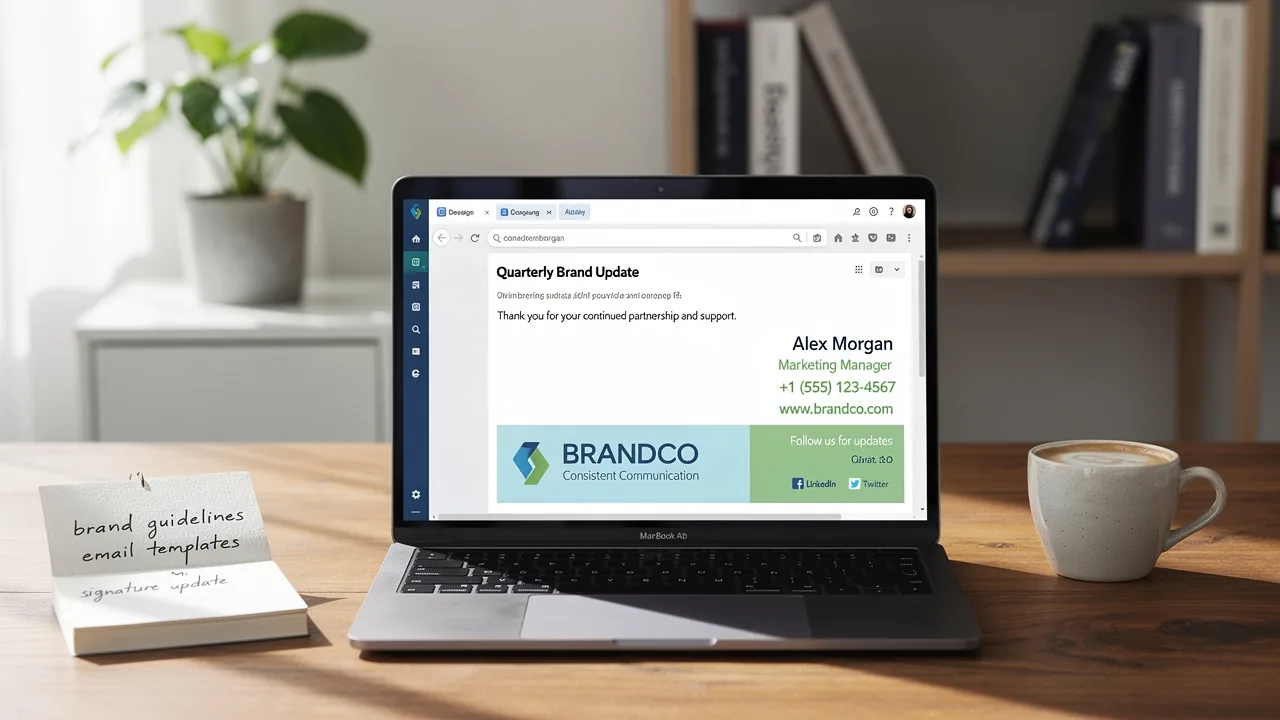
A recognizable sales footer should identify the person, the company, and the relationship you want to continue. The footer does not need to carry every possible detail. It needs a clear hierarchy that lets the recipient understand who sent the message and how to respond.
Build the identity layer around these elements:
- Sender: Use the representative’s name, role, and a direct contact route that matches the sales motion.
- Company: Include the company name and logo so the message reinforces the brand identity.
- Visual system: Use a specific, limited color palette rather than adding unrelated colors to each representative’s footer.
- Context: Add a short tagline when it clarifies what the company does or why the conversation matters.
- Connection paths: Include a website link or social-media icons only when those destinations serve a clear purpose.
Professional email-footer guidance recommends including the company name and logo, using a limited color palette, and adding a tagline, social links, or a website link as appropriate. A well-structured signature also puts key contact details in plain sight, which can make it easier for a recipient to reconnect after a meeting.
Keep the identity layer stable across representatives. Personal fields can change, but the company name, logo treatment, color choices, and basic order of information should not depend on who happens to send the message. That distinction gives sales representatives room to be accurate without turning every footer into a separate design project.
Action: give the recipient one useful next step
A useful sales footer gives the recipient one obvious next step that matches the conversation. The action should be easy to identify, easy to understand, and appropriate for the stage of the outreach.
A meeting-link footer is a direct pattern for conversations where scheduling is the intended next move. A book-a-meeting link can encourage the recipient to take the next step in a conversation, while clear contact details give the recipient another route to reconnect.
Use this structure when a meeting is the primary action:
- Representative name and role
- Company name and visual identity
- One short value or context line
- Meeting link with a plain label such as Book a meeting
- Direct contact details that remain accurate
A footer should not make the recipient decide between several equally prominent actions. If you include a meeting link, treat it as the primary call to action and keep secondary destinations visually quieter. A crowded footer can force the recipient to decode the hierarchy instead of taking the next step.
Match the action to the message. A first-touch email may need a lower-friction destination than a late-stage follow-up. A post-meeting message may benefit from a scheduling link, while a campaign announcement may need a banner that explains the offer before asking for a click. The footer should support the outreach objective rather than compete with the body of the email.
Review the link label as carefully as the URL. A label that names the action gives the recipient a reason to click; a generic label such as Click here leaves the purpose unclear. Test the destination from the same environments your sales representatives use, and remove any action that your team cannot maintain accurately.
Campaign relevance: choose between a meeting link and a banner
A campaign-relevant sales footer gives priority to the action that matches the outreach objective. A meeting link supports direct scheduling, while a banner can carry a broader message across many conversations. Email-signature banners can promote discounted services, sales, upcoming events, company values, or social proof such as client feedback and reviews.
Use the comparison below to select the primary footer pattern:
| Shared criterion | Meeting-link footer | Campaign-banner footer |
|---|---|---|
| Primary job | Move an interested recipient toward scheduling | Give recurring visibility to a campaign or message |
| Suitable content | A direct booking destination and concise prompt | An offer, event, value message, or approved social proof |
| Best fit | Outreach where the next conversation is the main objective | Outreach where awareness or campaign reach is the main objective |
| Review question | Does the link lead to the intended scheduling experience? | Does the banner explain the campaign without relying on the email body? |
| Measurement focus | Link clicks and the later outcome you can legitimately connect to them | Banner clicks and the campaign outcome you can legitimately connect to them |
| Boundary | Do not add several competing booking destinations | Do not use a banner that makes the footer heavier than the message |
A meeting link is usually the clearer choice when the sales representative wants to make scheduling simple. A banner is more suitable when the same campaign message should appear across a set of outreach messages. These are decision criteria, not promises of performance.
You can use both elements, but give them a visible hierarchy. For example, keep the meeting link in the identity and action layer, then place a shorter banner beneath it when the campaign deserves additional exposure. Avoid presenting two unrelated primary calls to action with equal visual weight. If the recipient cannot tell whether to book, read, register, or browse, the footer has failed the action test.
Change the campaign layer without changing the identity layer. That separation lets you update a time-bound banner while preserving the sender’s name, company details, and approved visual system.
Consistency: turn individual footers into a team standard
Define the standard at the field level rather than asking representatives to copy a visual example by hand. Your standard should specify:
- Which name, role, phone number, and email details appear
- Where the company name and logo sit in relation to the sender
- Which colors, font treatments, and spacing are approved
- Whether a meeting link is required, optional, or campaign-dependent
- Where banners appear and what content they may contain
- Which links are allowed in the footer
- How personal details are updated when a representative changes role or territory
A sales development representative and an account executive may need different role labels or scheduling destinations. The shared structure should make those differences deliberate instead of accidental.
Give your team a short exception policy. State which fields representatives may edit, which fields belong to the approved template, and who owns campaign changes. Without that boundary, a team can preserve the logo while changing the action, colors, or links from message to message.
Review several real outbound messages before approving the standard. Compare first-touch emails, follow-ups, post-meeting notes, and messages sent from each required workflow. The purpose is not to make every email identical; it is to find differences that affect identity, action, campaign relevance, or measurement.
Measurement: treat footer engagement as a marketing signal
A footer measurement plan should connect each approved action to a defined signal without treating every click as revenue. Measurement begins with a question: do you want to understand exposure, engagement, scheduling activity, or customer outcomes?
Use a small measurement vocabulary:
- Click: A recipient selected the meeting link, banner, or another tracked destination.
- Click rate: The proportion of delivered messages or measured sends that produced a click, if your reporting system can establish that denominator.
- Qualified action: The recipient completed the action your sales process recognizes, such as submitting a scheduling request.
- Customer outcome: A later business result that your approved measurement method can connect to the original footer interaction.
Keep those stages separate. A click shows engagement with the footer. It does not, by itself, show that a meeting occurred or that a customer was created. If you cannot connect the later outcome with a defined method, report the click as a click rather than assigning it a revenue value.
Treat the meeting link and banner as separate measurement objects when both appear in the same footer. Give each destination a distinct label or tracking convention so you can tell which element produced the interaction. Record the campaign, representative group, workflow, and time period alongside the result when those fields are available to your reporting process.
Do not describe a signature tool as pulling CRM fields or pushing footer clicks into a CRM unless you have a documented connection that performs that work. Scribe's tracking SDK can show which clicks became customers. A team can measure a destination click without claiming that the footer platform synchronizes sales data.
Adapt the same footer standard to each sales workflow
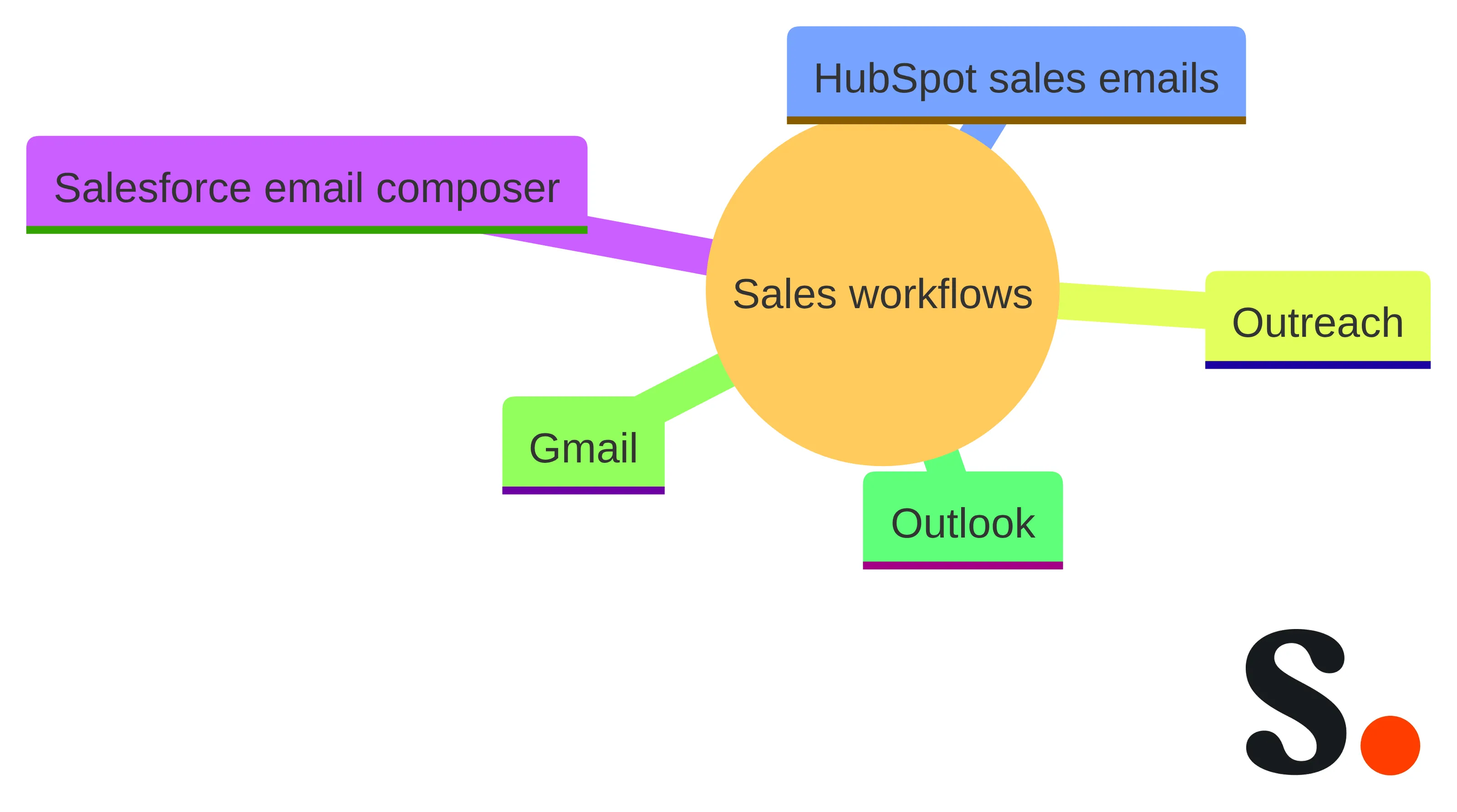
A sales-footer standard needs a workflow matrix because the same representative may send messages from several places. Name each path separately instead of assuming that a footer behaving correctly in one composer will behave the same way elsewhere.
Create a row for each required sending environment:
- Salesforce email composer: Check whether the approved footer is inserted, displayed, and linked as intended in the composer used by the sales team.
- HubSpot sales emails: Test the sales-email path separately from other HubSpot email types and record the installation or insertion method used for that path.
- Outreach: Check the representative’s sequence and one-to-one sending paths separately if both are in scope.
- Gmail: Test the account and browser combination used by the team, including any extension or add-in involved in the workflow.
- Outlook: Test the relevant desktop, web, or other approved sending path rather than treating Outlook as a single environment.
HubSpot documents a Chrome extension for Gmail or G Suite and an Office 365 add-in for Microsoft 365 email environments. HubSpot also documents central deployment or installation for multiple users for both options. Those details describe HubSpot’s documented installation choices; they do not establish how another footer solution behaves in Salesforce, Outreach, Gmail, Outlook, or a different HubSpot email type.
Keep HubSpot sales emails and HubSpot marketing emails as separate rows in your test plan. A result in one row does not establish behavior in the other. Record whether the footer appears in the draft, survives sending, renders correctly for the recipient, preserves the meeting link or banner, and produces the measurement signal you expect.
Use the same approved identity, action, campaign, consistency, and measurement criteria in every row. Change the implementation check for the workflow, not the standard that defines an acceptable footer.
Use a pre-launch review before rolling out the footer
A pre-launch footer review should give you a short record of what was checked, by whom, and in which sending workflow. Use the record to approve the design and expose unresolved boundaries before the footer enters regular outreach.
Run this review in order:
- Identity check: Confirm the sender’s name, role, contact details, company name, logo, colors, and any approved tagline.
- Action check: Open the meeting link or primary destination and compare the label with the page it reaches.
- Campaign check: Confirm that the banner supports the current campaign, event, offer, value message, or approved social proof. Banners can be used for promotions, sales, upcoming events, company values, and client feedback or reviews.
- Hierarchy check: Make sure the recipient can identify the primary action without choosing between several equally prominent links.
- Rendering check: Send a test message through every required workflow and inspect the received version, not only the draft.
- Consistency check: Compare the result with the team standard and test representative variations in name, role, and scheduling destination.
- Measurement check: Confirm that each tracked destination has a defined label, reporting location, and interpretation boundary.
- Ownership check: Name who approves identity changes, who updates campaign content, and who handles inaccurate personal details.
A pre-launch review is a practical control document, not a claim that the footer will produce a particular result. Keep the checklist short enough to use again when a banner changes, a new workflow enters scope, or a representative’s details change. Do not approve the footer because it looks correct in a design preview alone. Approve it when the identity, action, campaign, consistency, and measurement checks have a recorded result for every required path.
Decide when a managed approach fits the sales team
A managed sales-footer approach fits when your team needs repeatable control over identity, actions, campaigns, or measurement across more than one representative or sending workflow. The decision should follow the scorecard, not the appeal of adding another tool.
Use these branches to make the decision:
- Choose a lightweight manual process when the team has few representatives, the footer changes infrequently, and a named owner can review every update. Document the approved structure and run the workflow checks before sending.
- Choose a managed approach when representatives need the same approved identity, when campaign banners change, or when manual copying makes it difficult to maintain the intended standard. Define the fields that representatives may edit and assign an owner for shared content.
- Choose a measurement-capable approach when footer clicks or later outcomes are part of your marketing question. Define the event, denominator, attribution boundary, and reporting destination before you treat measurement as a requirement.
- Choose a workflow-specific rollout when sales representatives use Salesforce, HubSpot sales emails, Outreach, Gmail, or Outlook in different combinations. Test each required path and do not treat one successful environment as proof of coverage elsewhere.
- Pause the rollout when the primary action, personal fields, campaign owner, or measurement interpretation is still unclear. Resolve that decision before asking representatives to use the footer.
A managed approach should reduce decision friction for the sales team without hiding ownership. Your team still needs a person responsible for approved content, a rule for personal fields, and a review path for each workflow. The platform does not replace those decisions.
Scribe belongs in the comparison when your requirements center on branded sales signatures, a meeting link or campaign banner, and measurable footer activity. Judge the fit against the exact five dimensions. If identity and measurement matter but workflow coverage remains untested, treat the result as an open implementation question rather than a completed selection.
Map the scorecard to Scribe’s stated capabilities
Scribe addresses the identity dimension through branded email signatures. We offer email signatures that match your company’s visual identity.
Use that stated capability as the identity starting point, then apply your own field-level standard: sender details, company name, logo treatment, colors, role labels, approved links, and any meeting or campaign elements. Matching a visual identity addresses the design requirement; it does not decide which action should be primary or how each sales workflow should be tested.
Scribe also describes email signatures as a measurable revenue channel. We can transform email signatures into a measurable revenue channel. We show which clicks became customers through one tracking SDK.
Apply those statements to the measurement dimension with care. Define which footer destination was clicked, what later event qualifies as a customer outcome, and how your team will interpret the connection. The statement supports evaluating click-to-customer measurement; it does not justify treating every click as a customer or assuming that CRM fields are synchronized.
Scribe’s published example gives a concrete way to test the scale of a banner campaign without presenting the result as a guarantee. Our example models a 50-person team sending 21,000 emails per month as potentially generating 2,520 monthly clicks from email-signature banners at a 12% click-through rate.
Use that example as a planning model, not as a forecast for your team. Your own send volume, audience, campaign, destination, and reporting method determine whether the model is relevant. Keep the assumptions visible whenever you compare the model with an actual footer result.
Scribe’s stated capabilities map most directly to identity and measurement, while your team still needs to assess action, campaign relevance, consistency, and workflow behavior against the scorecard. Write down whether IT handles the initial technical setup and whether Marketing owns approved footer changes afterward. That ownership boundary should be explicit before rollout.
We offer a 14-day free trial without requiring a credit card. Use that stated trial condition only as part of your evaluation plan; the trial does not replace the pre-launch checks. Build the meeting-link or banner pattern, test the required sending paths, inspect the received messages, and decide whether the resulting process meets your sales team’s criteria.
Create the chosen sales footer when the criteria are met
Your sales-footer decision should end with a documented choice across identity, action, campaign relevance, consistency, and measurement. Select the primary action, define the approved fields, name the campaign owner, test every required sending workflow, and record how clicks or later outcomes will be interpreted.
A consistent signature can make sales interactions feel cohesive, while a clear meeting link can encourage the next step in a conversation. A banner can carry a campaign message across outreach, provided the message remains relevant and the destination is tested.
If the scorecard is complete and the workflow checks pass, use the selected footer as a defined sales asset rather than an informal block of text. Your sales operations and IT owners should decide the technical rollout path for your specific environment, and your marketing owner should keep campaign changes within the approved standard.
Get started with Scribe
Signatures for every role on your team
Free 14-day trial — no credit card.