Best Practices for a Master's Student Email Signature That Engages
In a competitive academic landscape, the email signature of a master's student can either enhance or undermine their professional image. We will explore
Sophie Grant
Email Signature Specialist, Scribe
Introduction
In a competitive academic landscape, the email signature of a master's student can either enhance or undermine their professional image. We will explore effective strategies for creating an email signature that showcases a student's academic identity while improving communication. Given the various components involved, what strategies can students employ to create a signature that is both distinctive and professional?
Get started with Scribe
See why teams switch to Scribe
Free 14-day trial — no credit card.
Identify Essential Components of Your Email Signature
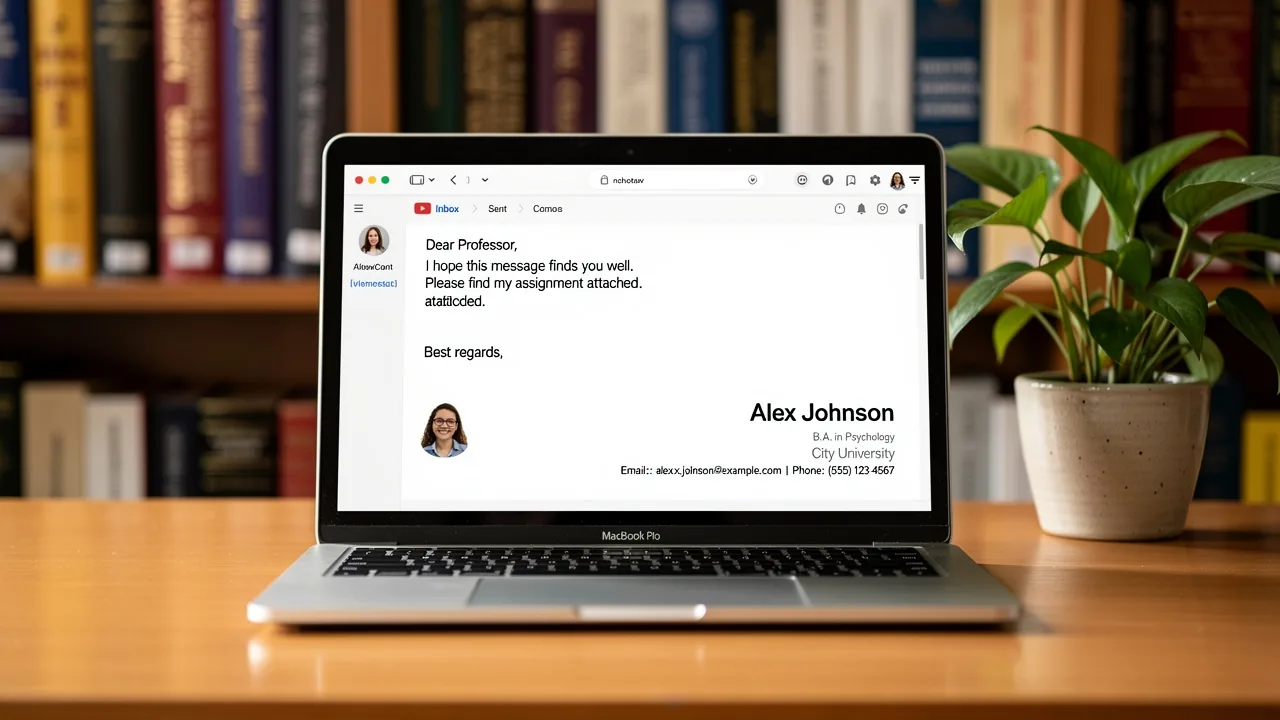
In today's competitive academic landscape, a master's student email signature is not just a formality; it is a vital tool for establishing credibility and professionalism. A well-structured email signature for master's students should include the following essential components:
- Full Name: Clearly state your full name to ensure recipients can easily identify you.
- Degree Program: Include your current degree program (e.g., Master of Science in Biology) to provide context about your academic focus.
- University Name: Mention the name of your university to establish your academic affiliation, which is crucial for credibility.
- Contact Information: Provide a suitable email address and, optionally, a phone number for direct communication, facilitating easier contact.
- LinkedIn Profile or Personal Website: If applicable, include a link to your LinkedIn profile or personal website to showcase your career background and achievements, enhancing your visibility.
- Pronouns: Consider adding your preferred pronouns to promote inclusivity and clarity in communication, reflecting a modern approach to professional interactions.
- Call-to-Action: Including a call-to-action can encourage further engagement, as studies show that 52.6% of users incorporate this element in their digital correspondences.
- College-Approved Template: Utilize a college-approved communication template to ensure consistency and professionalism across interactions.
These elements help you present yourself effectively in your master's student email signature, which makes it easier for others to recognize your academic and professional identity. A well-designed message footer can greatly improve your credibility, facilitating connections with others. Research shows that incorporating vital components such as contact details and institutional affiliation can enhance response rates by 22% and cultivate meaningful connections, making your communication footer a powerful asset in your interactions. However, be cautious not to overcrowd your mark with too many elements, as simplicity is key to effective communication.
Establish Your Brand and Professional Identity
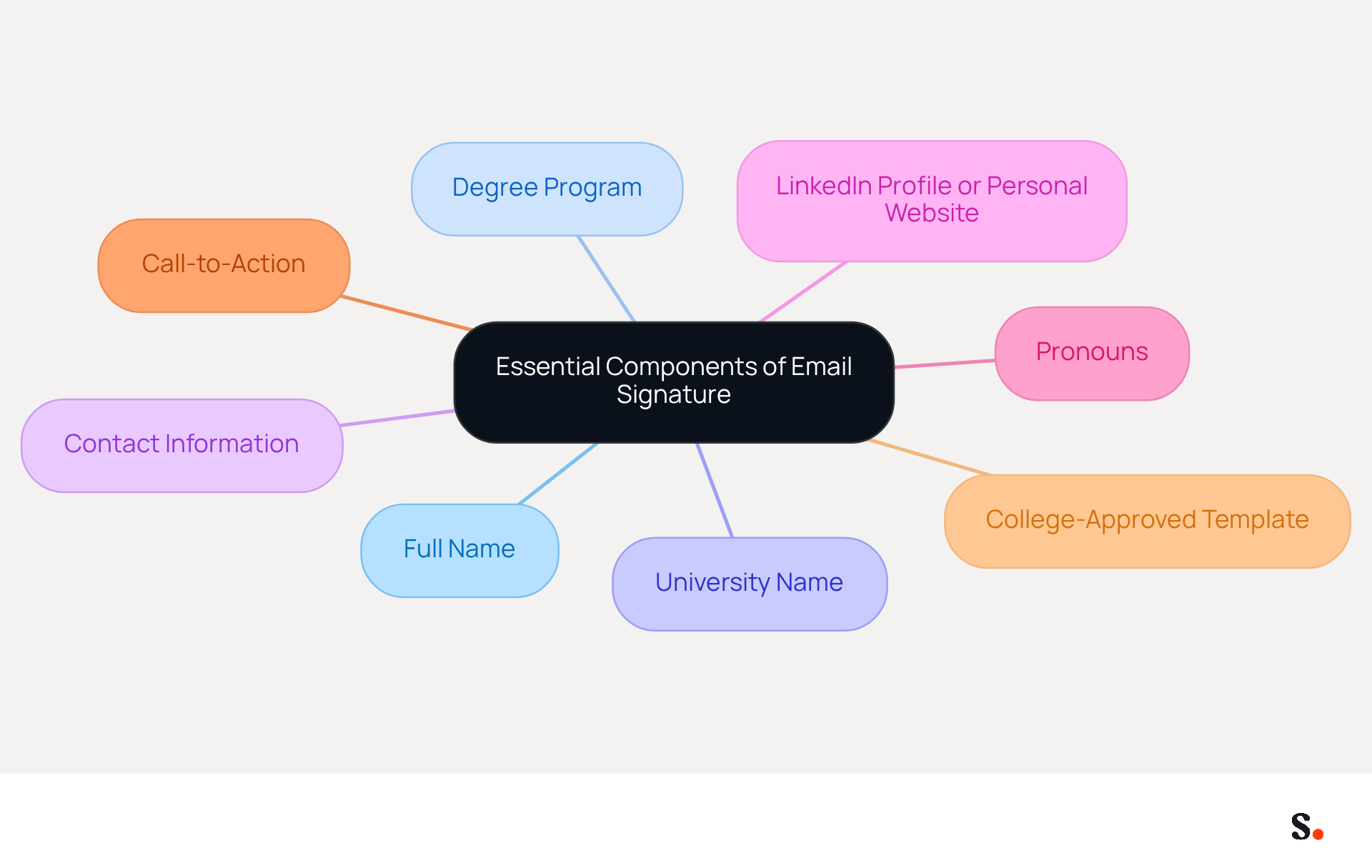
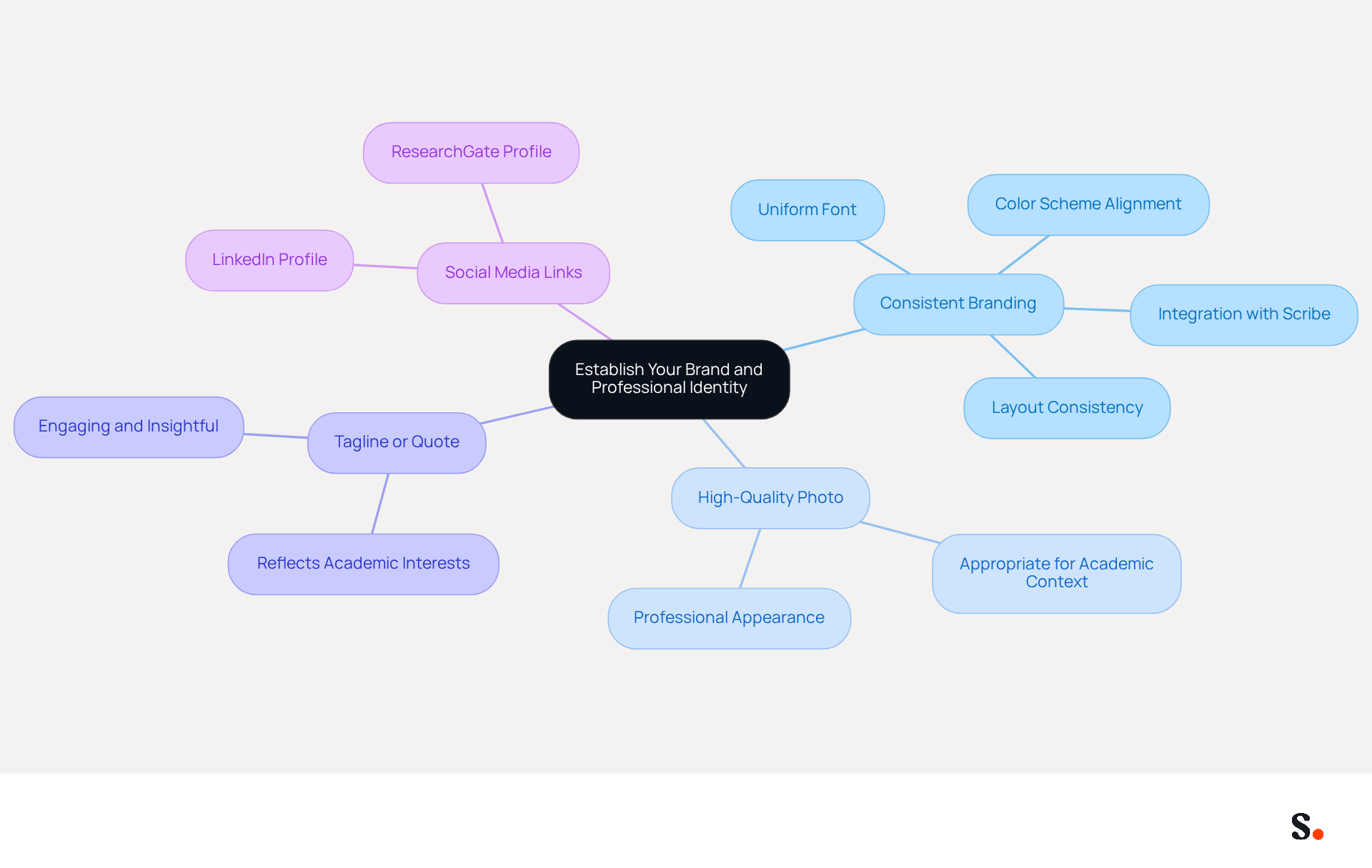
Creating a strong professional identity and brand presence is crucial when crafting an effective master's student email signature.
- Consistent Branding: Utilize a uniform font, color scheme, and layout that align with your personal or university branding. This consistency not only strengthens your identity but also makes your messages easily identifiable, enhancing your image in a business context. Scribe automates your email identifiers, keeping them up-to-date and aligned with your branding, and integrates smoothly with Aircall for real-time updates.
- Including a high-quality photo can really make your signature stand out and feel more personal. Ensure the photo is appropriate for both academic and business contexts, as it contributes to the perception of professionalism.
- Tagline or Quote: Incorporate a brief tagline or quote that reflects your academic interests or career philosophy. This element can provide insight into your personality and aspirations, making your signature more engaging.
- Social Media Links: If you are active on social media platforms such as LinkedIn or ResearchGate, include icons or links to these profiles. This enables recipients to explore your career network and contributions, further establishing your credibility.
However, many struggle to create a cohesive and professional master's student email signature that truly reflects their brand. A well-designed master's student email signature can greatly enhance your professional perception. Consistent digital identifiers have been shown to increase trust among recipients, with 47% stating that professional formats enhance their perception of the sender. Moreover, ensuring your message footer is mobile-friendly is essential, as the increasing trend of mobile usage requires optimization for various devices. With Scribe's automated synchronization capabilities, your digital identifiers will always reflect the latest updates from your business phone system, ensuring brand consistency and compliance with SOC 2 Type II standards. Ultimately, a well-crafted master's student email signature can make the difference between being remembered and being overlooked in a competitive professional landscape.
Optimize Your Signature for Engagement and Marketing
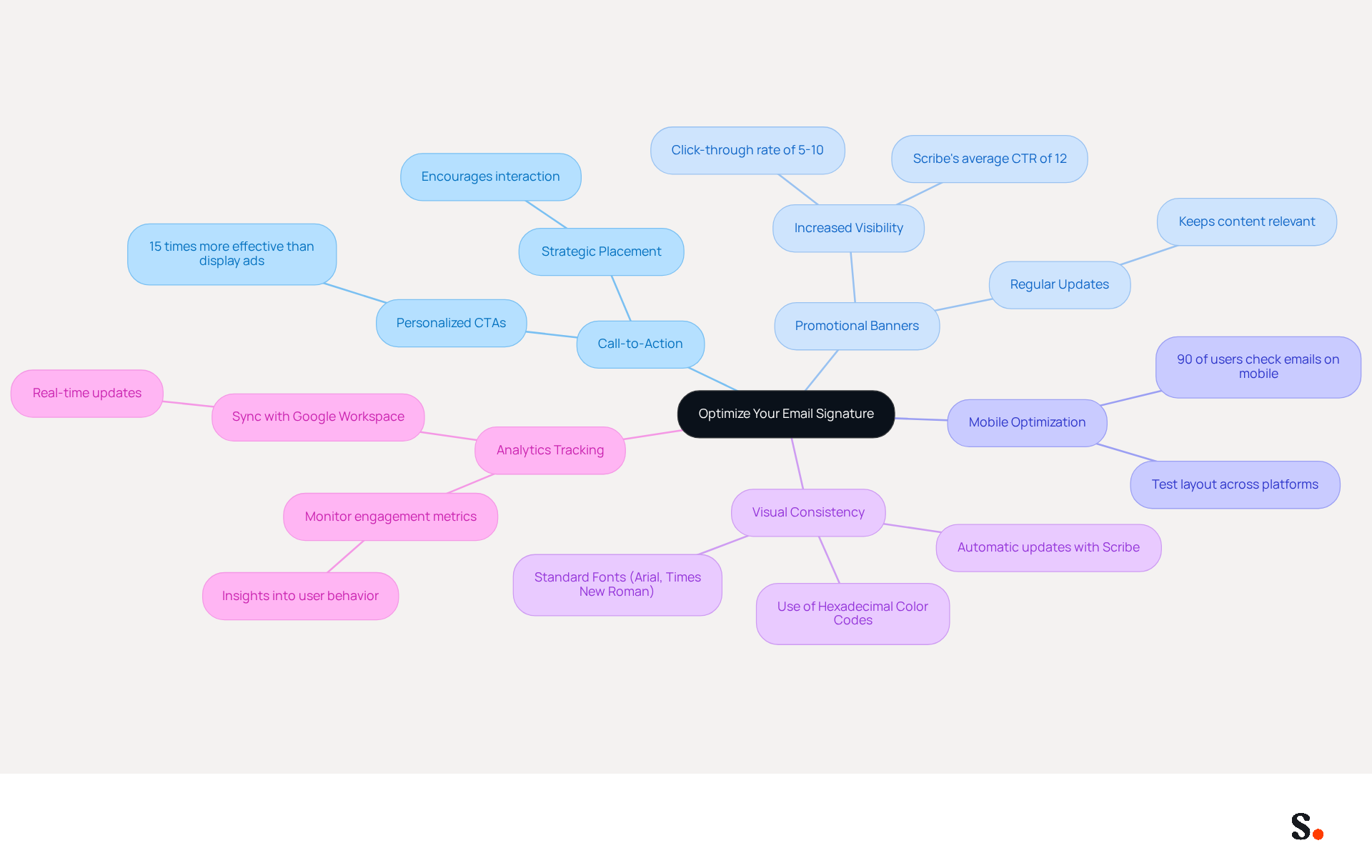
To maximize the impact of your email signature, it's essential to implement strategies that drive engagement and marketing effectiveness:
- Call-to-Action (CTA): Using phrases like 'Connect with me on LinkedIn' can greatly boost interaction, as personalized CTAs are 15 times more effective than traditional display ads, according to Mailbutler.
- Promotional Banners: Utilize a small banner to promote relevant projects, publications, or events. This effective marketing tool can significantly increase visibility and deliver real value to your contacts, as promotional banners can achieve a click-through rate of 5 to 10%, significantly higher than standard marketing messages. Scribe's average click-through rate on banners is 12%, showcasing its effectiveness in driving engagement.
- Mobile Optimization: Ensure your identifier is mobile-friendly, as over 90% of users check their inboxes daily on various devices. Without mobile optimization, you risk losing engagement from over 90% of users who check their inboxes daily on various devices. Test the layout to ensure it displays correctly across platforms, as a well-optimized design can enhance consumer interaction and loyalty.
- Visual Consistency: Maintain visual uniformity in your correspondence by using precise hexadecimal color codes and standard fonts like Arial or Times New Roman. This helps reinforce brand identity and ensures a professional appearance. With Scribe, any modifications made in your Google Workspace will automatically reflect in your communication details, ensuring brand consistency across all interactions.
- Analytics Tracking: Implement tools that enable you to monitor engagement metrics related to your message footer. Monitoring clicks on links can provide valuable insights into user behavior and campaign performance, helping you refine your approach based on what resonates with your audience. By syncing your Google Workspace with Scribe, you save time and ensure that any updates to your teammates' information are automatically reflected in their profiles, streamlining management and enhancing overall efficiency. Additionally, Scribe complies with SOC 2 Type II, GDPR, and CCPA, ensuring that your management of digital identities is secure and trustworthy.
Ultimately, a well-crafted master's student email signature can enhance your professional interactions and elevate your marketing efforts.
Design Your Signature for Clarity and Impact
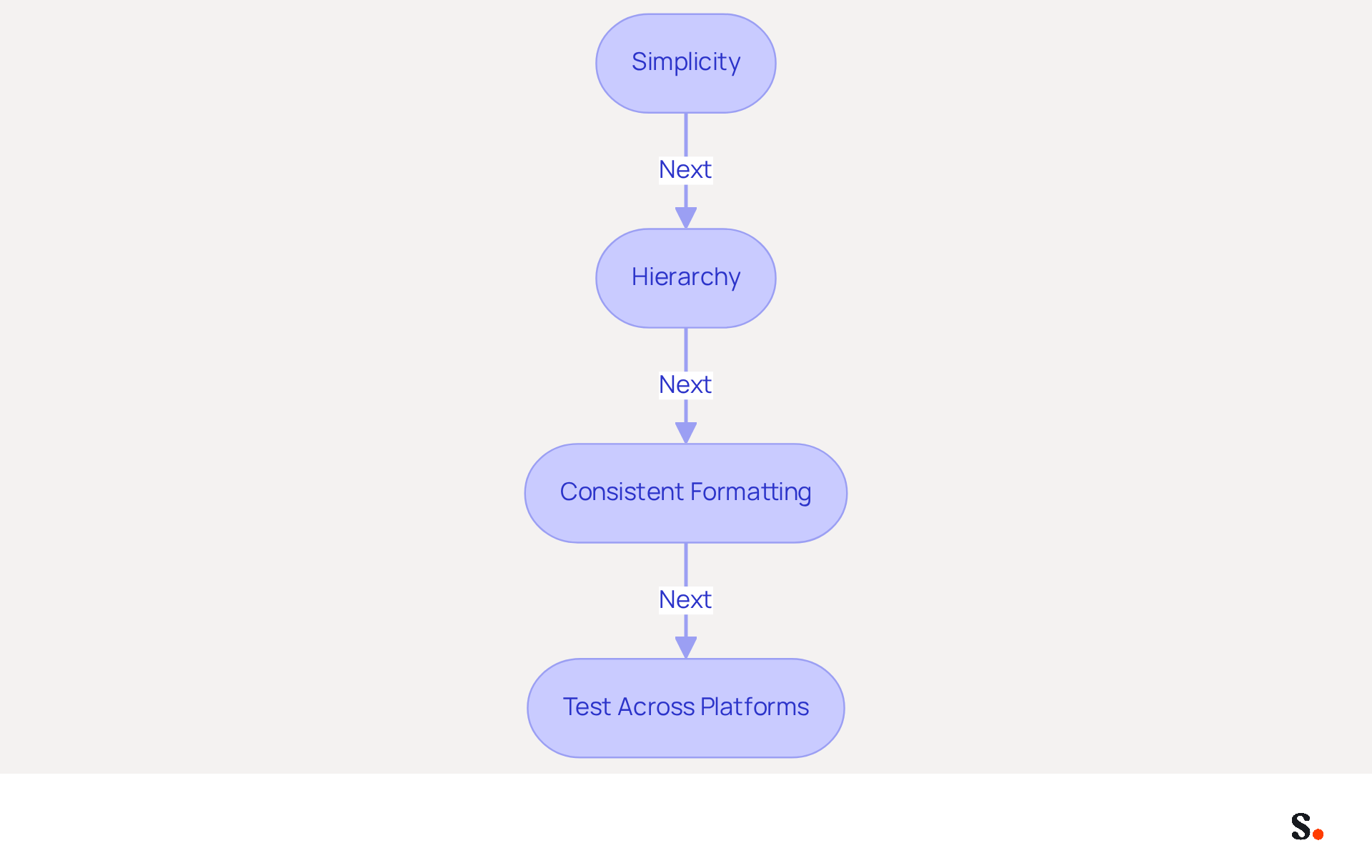
To create an email signature that effectively communicates your professionalism, follow these essential guidelines:
- Simplicity: Maintain a clean and uncluttered design. Avoid excessive colors, fonts, or images that may distract from essential information. A clean layout enhances readability, especially since the average office worker sends 30-40 business messages each day, resulting in many branded impressions monthly.
- Hierarchy: Establish a visual hierarchy using varying font sizes and styles. Your name should be the most prominent element, followed by your title and contact information. This structure enables recipients to swiftly recognize key details. Notably, 42% of users consider digital marketing one of the top three most effective channels.
- Consistent Formatting: Ensure uniform formatting across all components of your email footer. For instance, if you bold your name, apply the same style to your title. Consistency strengthens professionalism and trust, as 76% of users believe that a branded communication enhances sender credibility.
- Test Across Platforms: Verify how your mark appears across various messaging platforms (e.g., Gmail, Outlook) to ensure it displays correctly. Formatting issues can undermine your professional image, making it essential to test your signature across platforms, particularly since 42% of messages are accessed on mobile devices, requiring that sign-offs be brief, tappable, and adaptable.
When you focus on clarity and impact in your master's student email signature design, you’re not just creating a signature; you’re crafting a professional image that resonates with your recipients. A well-crafted signature not only enhances professionalism but also significantly increases engagement rates.
Conclusion
A well-crafted email signature is essential for master's students aiming to establish a professional identity and enhance communication. Incorporating key elements like your full name, degree program, university affiliation, and contact information helps students create a signature that conveys credibility and fosters connections. Branding and clarity play a crucial role in how recipients perceive your messages, as a well-structured signature can significantly impact engagement.
Throughout the article, key strategies for optimizing email signatures have been highlighted. These include:
- Maintaining consistent branding
- Utilizing effective call-to-actions
- Ensuring mobile optimization
Additionally, the significance of simplicity and clarity in design has been emphasized, as a clean and organized signature can enhance readability and professionalism. By leveraging tools like Scribe, students can automate updates and ensure compliance with security standards, addressing potential challenges in maintaining their email signatures and further solidifying their professional image.
Ultimately, creating an engaging email signature goes beyond looks; it’s a strategic move for personal branding and effective communication. By implementing the best practices outlined, master's students can elevate their professional presence and maximize engagement in their academic and career pursuits. Your email signature is not just a digital sign-off; it is a critical component of your professional identity that can influence your future opportunities.
Frequently Asked Questions
Why is an email signature important for master's students?
An email signature is vital for establishing credibility and professionalism in academic communications.
What essential components should be included in a master's student email signature?
A master's student email signature should include the following components: full name, degree program, university name, contact information, LinkedIn profile or personal website, preferred pronouns, a call-to-action, and a college-approved template.
How does including a degree program in the email signature help?
Including the degree program provides context about the student's academic focus, which can enhance credibility.
What role does the university name play in an email signature?
Mentioning the university name establishes academic affiliation, which is crucial for credibility in communications.
Why should contact information be included in the email signature?
Providing contact information, such as an email address and optionally a phone number, facilitates easier communication.
How can a LinkedIn profile or personal website enhance an email signature?
Including a link to a LinkedIn profile or personal website showcases the student's career background and achievements, enhancing visibility.
What is the significance of adding preferred pronouns in an email signature?
Adding preferred pronouns promotes inclusivity and clarity in communication, reflecting a modern approach to professional interactions.
What is a call-to-action, and why should it be included in an email signature?
A call-to-action encourages further engagement and is included by 52.6% of users in their digital correspondences, making it a useful element.
Why is it recommended to use a college-approved template for email signatures?
A college-approved template ensures consistency and professionalism across communications.
What should be avoided when designing an email signature?
It is important to avoid overcrowding the email signature with too many elements, as simplicity is key to effective communication.
List of Sources
- Identify Essential Components of Your Email Signature
- Email signatures for students in 2026: tips and real templates (https://mysignature.io/blog/why-do-students-need-personal-email-signatures)
- Creating the Perfect Email Signature for College Students (With Examples) (https://exclaimer.com/email-signature-handbook/email-signatures-for-students)
- How to Create a Professional College, Master’s, or Graduate Student Email Signature | Scribendi (https://scribendi.com/academy/articles/college_student_email_signature.en.html)
- Creating the Perfect Graduate Student Email Signature (https://flamingo.getmailbird.com/blog/creating-the-perfect-graduate-student-email-signature)
- Best Practices for a Proper Email Signature for Graduate Students (https://scribe-mail.com/en-US/blog/best-practices-for-a-proper-email-signature-for-graduate-students)
- Establish Your Brand and Professional Identity
- Email signature statistics and trends in 2024 (https://wisestamp.com/blog/email-signature-statistics)
- Why Professional Email Signatures Build Trust - Signite (https://signite.io/blog/why-professional-email-signatures-build-trust)
- The impact of email signatures on your branding (https://signitic.com/en/resources/the-impact-of-email-signatures-on-your-branding)
- Four Reasons to Have a Professional Email Signature - PEAKUP TEKNOLOJİ A.Ş. (https://peakup.org/blog/four-reasons-to-have-a-professional-email-signature)
- Optimize Your Signature for Engagement and Marketing
- 7 ways email signatures boost brand image (https://signitic.com/en/resources/7-ways-email-signatures-boost-brand-image)
- 4 Best Practices for Your Work Email Signature Strategy (https://scribe-mail.com/en-US/blog/4-best-practices-for-your-work-email-signature-strategy)
- Email Signatures Matter - Optimize Yours Today - Glint Advertising (https://glintadv.com/2022/04/12/email-signatures-matter-optimize-yours-today)
- Signature marketing: Triple your conversions with your signatures (https://mailbutler.io/blog/email/signature-marketing)
- Design Your Signature for Clarity and Impact
- 40+ Email Signature Statistics for 2026 (Data + Insights) (https://wavecnct.com/blogs/email-signature-statistics)
- Email Signature Statistics: A Closer Look at Email Signatures in 2026 (https://mysignature.io/blog/email-signature-statistics)
- Email signature statistics and trends in 2024 (https://wisestamp.com/blog/email-signature-statistics)
- Email signature statistics: Why every business should optimize their email signatures — Stripo.email (https://stripo.email/blog/email-signature-statistics-why-every-business-should-optimize-their-email-signatures)
Get started with Scribe
See why teams switch to Scribe
Free 14-day trial — no credit card.