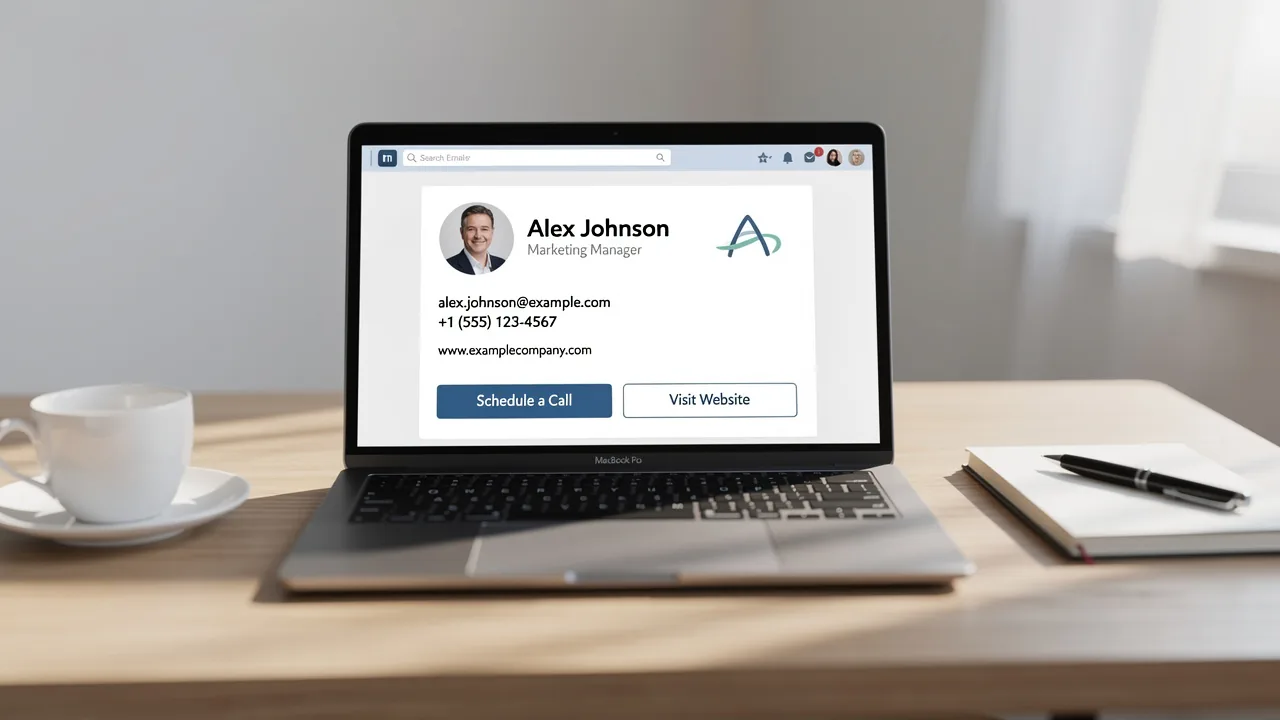
Best Practices for a Professional Email Signature Template in Outlook
A professional email signature is essential for effective brand representation in every communication. Adhering to best practices in design and implementation
Sophie Grant
Email Signature Specialist, Scribe

Introduction
A professional email signature is essential for effective brand representation in every communication. Adhering to best practices in design and implementation enhances brand visibility and ensures consistency in email interactions. Many organizations struggle to create email signatures that are both visually appealing and compliant with security standards.
How can businesses leverage email signatures as both a branding tool and a strategic marketing asset?
Establish Brand Consistency in Signature Design
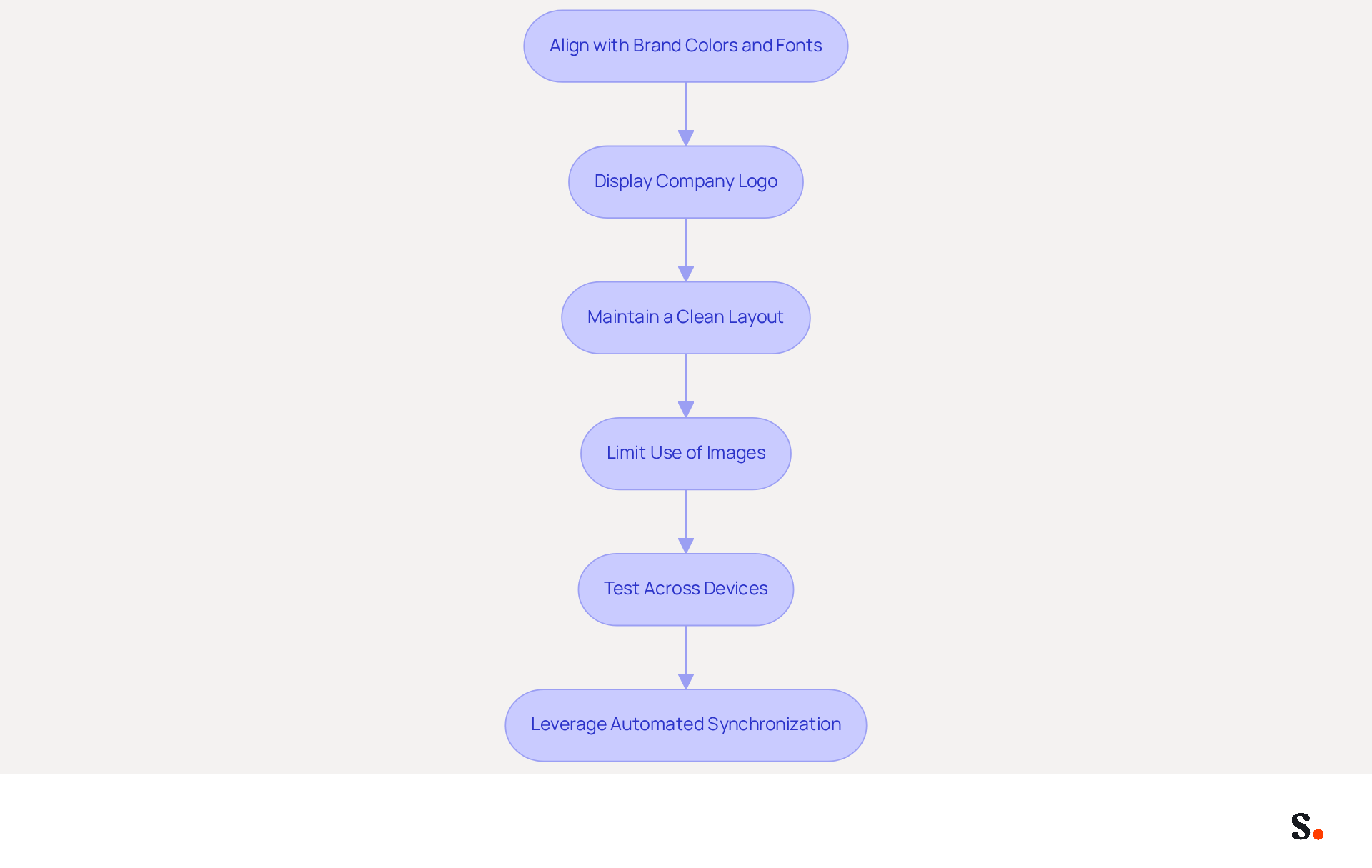
To ensure your email signature effectively represents your brand, it is essential to follow established design best practices:
- Aligning your email footer with your official colors and fonts enhances recognition and strengthens your brand identity. For instance, if Scribe's primary color is blue, it should be prominently displayed in your personal branding. Consistent use of company colors can elevate the professionalism score from 6.2/10 to 8.5/10, significantly impacting how recipients perceive your organization.
- Always display your company logo in the email footer. Position it strategically, either at the top or alongside your name, ensuring visibility without overwhelming the design. Keeping the logo's proportions intact and avoiding any changes is key to maintaining brand integrity, as it contributes to a cohesive brand image.
- Maintain a Clean Layout: A cluttered signature can detract from your message. Use a simple layout with clear sections for your name, title, and contact information. This layout makes your signature easy to read and visually appealing, contributing to a professional image. Remember, businesses that implement consistent branding see a 22% increase in response rates, making clarity crucial.
- Limit the Use of Images: While images can enhance branding, excessive use can slow down loading times and may not display correctly on all devices. Stick to one or two images, such as the logo and a professional headshot, if necessary, to maintain clarity and effectiveness. Avoiding clutter is key to ensuring your message is communicated effectively.
- Test Across Devices: Before finalizing your signature, test it across various devices and messaging clients to ensure it displays correctly everywhere. This step is essential for upholding a professional image in all communications, as 31% of users only refresh their contact details every few years, resulting in possible inconsistencies. Regular evaluations of digital correspondence identifiers are essential to maintain information up-to-date and pertinent.
- Leverage Automated Synchronization: With Scribe, any modifications made in your Aircall configuration will automatically be reflected in your correspondence identifiers. This seamless integration ensures that your identity remains consistent across all communications, enhancing your professional image and saving time on manual updates.
By following these guidelines, you can create a signature that not only appears professional but also enhances your brand's visibility in every message sent. Investing in consistent branding can yield measurable benefits, enhancing your communication effectiveness and brand perception.
Implement Effective Signature Templates in Outlook
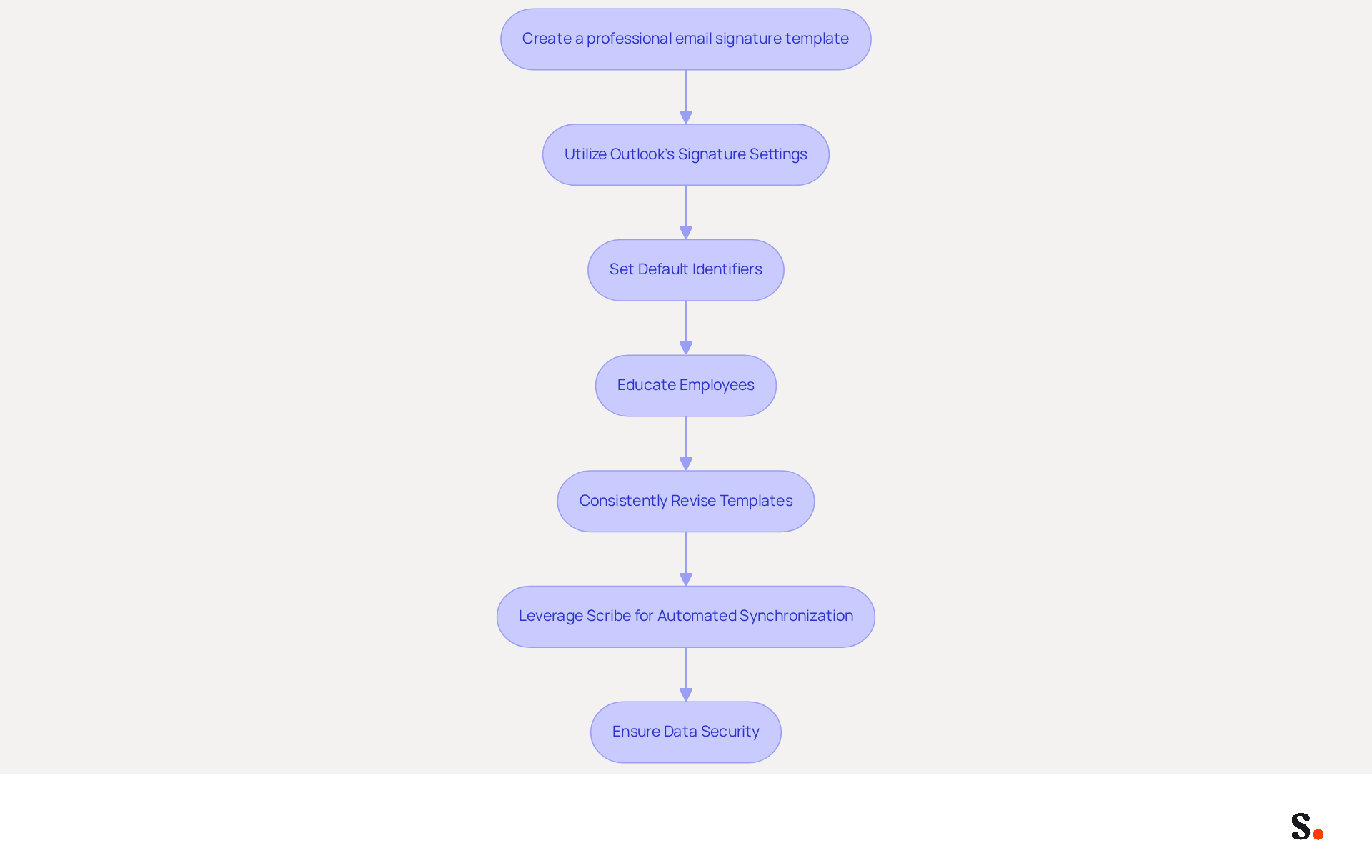
To implement effective signature templates in Outlook, consider the following steps:
- Create a professional email signature template outlook by starting with a standard email footer that includes all necessary elements such as name, title, company logo, and contact information. Use a clean and professional layout that aligns with your brand guidelines.
- Utilize Outlook's Signature Settings: Navigate to Outlook's settings by selecting 'File' > 'Options' > 'Mail' > 'Signatures'. Here, you can create a new signature and paste your template into the editor. Format it according to your design preferences using a professional email signature template outlook.
- Set Default Identifiers: Assign default identifiers for new messages and replies/forwards. This ensures that every email sent from your organization maintains a consistent look. You can do this in the same 'Signatures' settings area.
- Educate Employees: Provide training or resources for employees on how to access and use the template for signing. This can include step-by-step guides or video tutorials to simplify the process.
- Consistently Revise Templates: Arrange regular assessments of your templates to ensure they stay aligned with any branding modifications or changes in contact details. Regularly reviewing your templates keeps your communications professional and accurate.
- Leverage Scribe for Automated Synchronization: Integrating Scribe with your business phone system automates email signature synchronization. Any changes made in your connected source, such as Google Workspace or Aircall, will be automatically reflected in Scribe without requiring manual updates from your teammates. This not only saves time but also ensures consistency across all communications.
- Ensure Data Security: With Scribe's SOC 2 Type II compliance, you can be confident that your data is managed securely, fulfilling the necessary employee data management requirements for automated message management.
Implementing these steps is crucial for maintaining brand consistency and professionalism in communications. Neglecting to automate your email signature management could lead to inconsistencies that undermine your brand's professionalism.
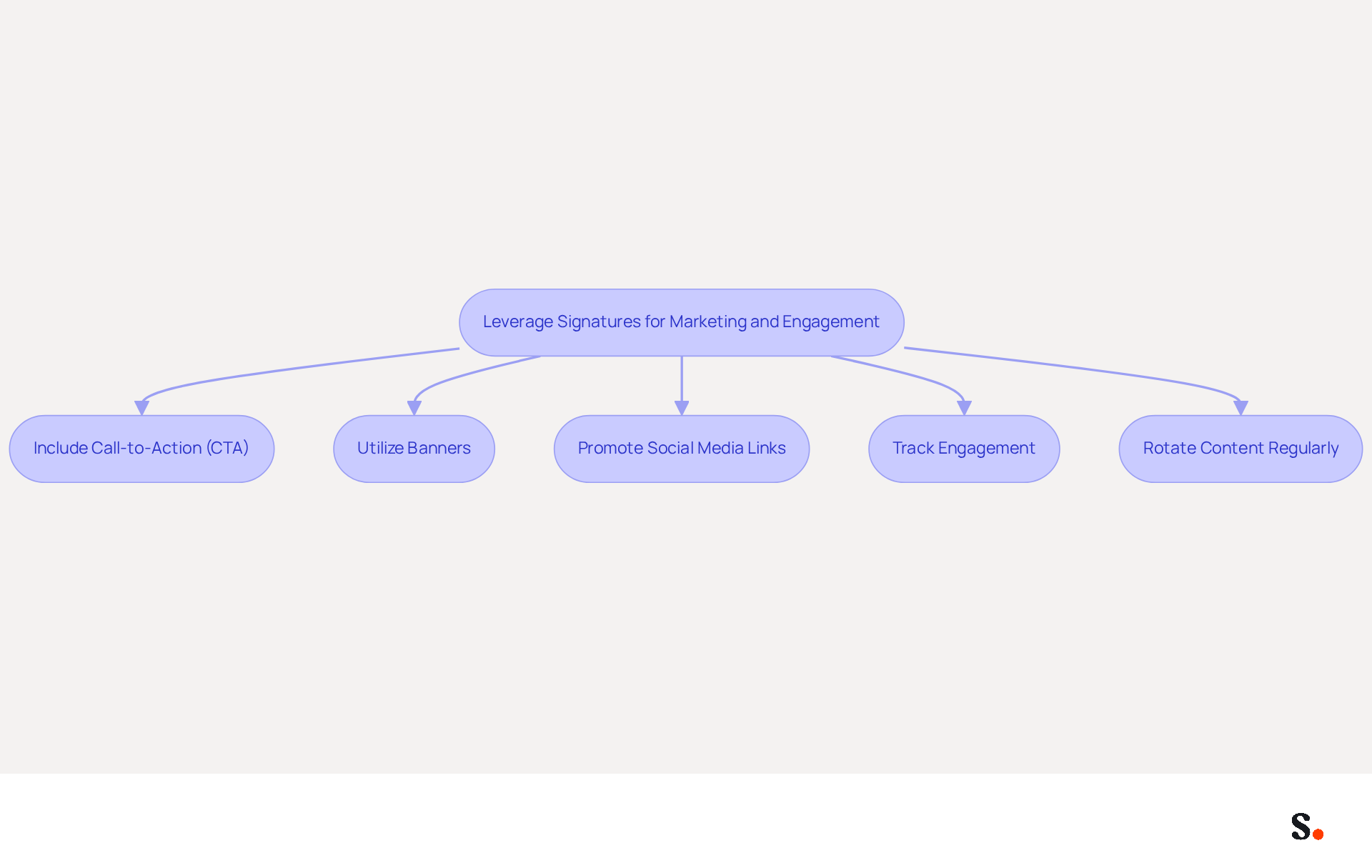
Leverage Signatures for Marketing and Engagement
To maximize the impact of email signatures in marketing, implementing strategic elements is essential:
- Include Call-to-Action (CTA): Integrate a clear CTA in your email footer, such as a link to a current promotion, newsletter signup, or product page. This encourages recipients to take action, enhancing engagement with your brand. Research indicates that messages featuring CTAs can reach click-through rates as high as 7%, which boosts engagement. Additionally, email branding marketing generates an average click-through rate of 4%, nearly double that of bulk email campaigns, demonstrating how effective this strategy can be.
- Utilize Banners: Incorporate visually appealing promotional banners within your email footer to highlight upcoming events, special offers, or new product launches. Make sure these banners match your company's style for a cohesive look. A case study showed that a promotional banner achieved a click-through rate of 7.02%, demonstrating the effectiveness of visual elements in driving user action. Consistent branding is essential, as 78% of survey participants rated it as one of the most significant functions for digital communication.
- Promote Social Media Links: Include icons linking to your company's social media profiles. This not only encourages recipients to follow your brand but also enhances your online presence, creating additional touchpoints for engagement.
- Track Engagement: Use tracking links in your CTAs to measure engagement and effectiveness. Analytics can provide insights into impressions, clicks, and conversions, allowing you to understand what resonates with your audience and adjust your strategies accordingly. Businesses employing message footer marketing report an average of 22% more clicks when effectively executed, highlighting the potential advantages of proper tracking and optimization.
- Rotate Content Regularly: Keep your Scribe footer fresh by periodically changing the content. This could involve changing the promotional banner or updating the CTA to reflect current campaigns. Consistent refreshes keep your audience engaged and informed, reinforcing the importance of maintaining a dynamic marketing presence. Furthermore, consider the potential for digital identifiers to serve internal marketing purposes, sharing HR updates and promoting company culture.
By strategically utilizing these elements, you can transform your email signatures into powerful marketing assets that significantly enhance engagement.
Automate Signature Management for Efficiency
To enhance operational efficiency, organizations should consider implementing a professional email signature template Outlook for automating their email signature management.
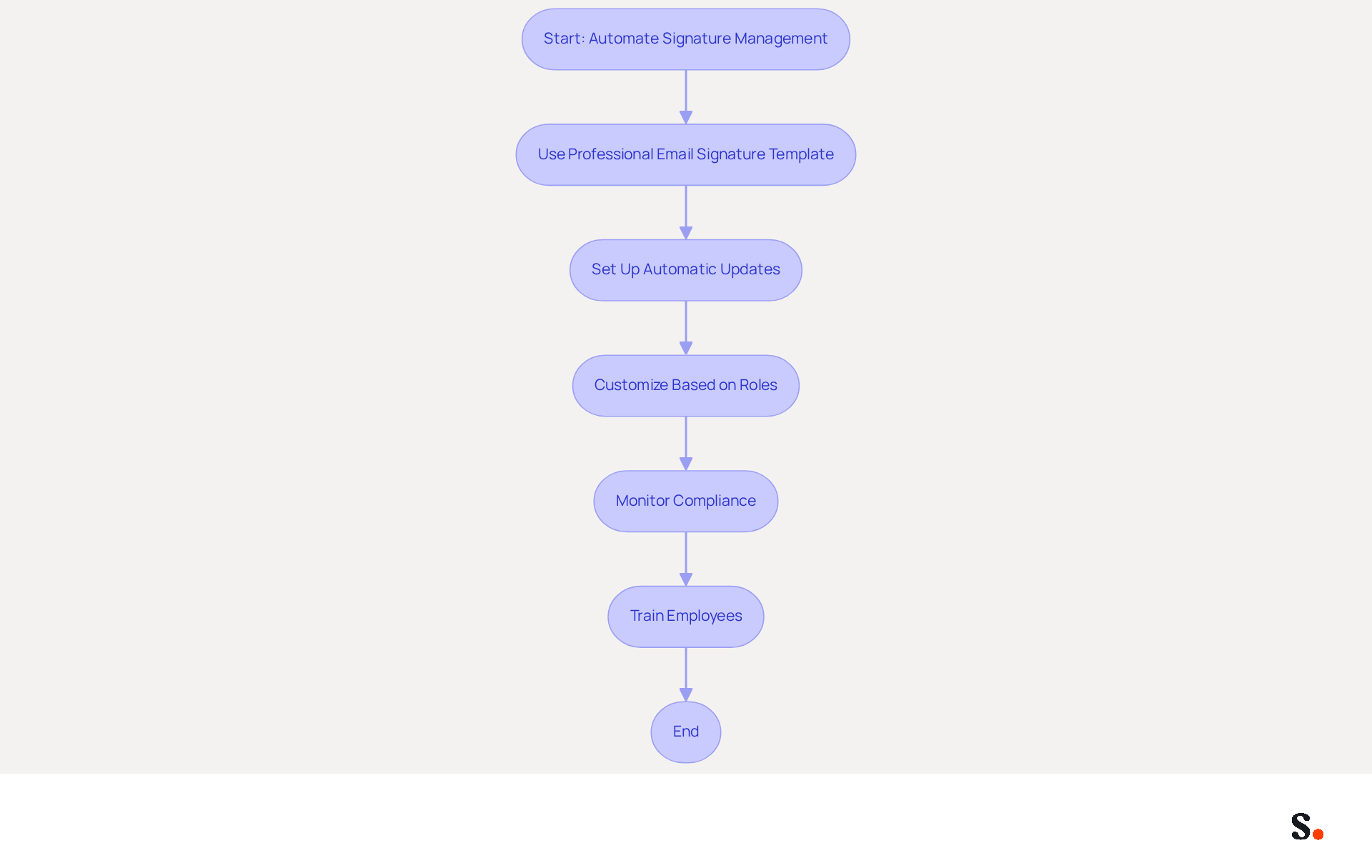
- To create a professional email, use a professional email signature template Outlook. Invest in a dedicated email management tool that integrates seamlessly with Outlook and allows you to use a professional email signature template Outlook. Centralized management guarantees that all employees use the most recent version of identifiers, similar to how a professional email signature template Outlook ensures consistency, greatly minimizing the risk of obsolete information without the necessity for manual revisions.
- To create a polished communication style, consider using a professional email signature template Outlook. Set Up Automatic Updates: Configure the software to automatically refresh identifiers across the organization whenever there are changes to branding or employee details, ensuring consistency with the professional email signature template Outlook. This practice not only maintains consistency but also minimizes the administrative burden associated with manual updates by utilizing a professional email signature template Outlook. Manual updates can lead to errors and inconsistencies, creating unnecessary challenges for organizations. As a result, organizations can focus on core activities rather than administrative tasks.
- A professional email signature template Outlook can enhance your email communication. Implement a professional email signature template Outlook by customizing identifiers based on employee roles or departments. Tailored messaging can enhance engagement while preserving brand consistency. For instance, sales teams may feature different calls-to-action compared to support teams, aligning with their specific objectives.
- A professional email signature template Outlook can enhance your email communication. Monitor Compliance: Regularly review and oversee the professional email signature template Outlook to ensure it adheres to branding guidelines. Automated tools often provide analytics that track usage and compliance, which can help organizations maintain a professional image through a professional email signature template Outlook.
- To create a polished communication style, consider using a professional email signature template Outlook. Train employees on automation tools by providing comprehensive training for effectively using the professional email signature template Outlook in the document management software. Ensuring that everyone understands the tool's benefits and functionalities leads to smoother implementation and maximizes its potential.
Automating document management helps organizations improve efficiency, ensure brand consistency, and reduce the administrative workload of manual updates. This method streamlines processes and enhances communication effectiveness, as evidenced by increased trust and response rates. Ultimately, embracing automation in the use of a professional email signature template Outlook can transform how organizations communicate and present their brand.
Conclusion
A professional email signature template in Outlook is essential for ensuring brand consistency and optimizing communication effectiveness. Adhering to best practices in design and implementation allows organizations to create email signatures that reflect their brand identity. These signatures can also serve as powerful marketing tools. The integration of automated solutions like Scribe further streamlines this process, enabling marketing teams to manage signatures independently while ensuring compliance and security.
Key insights from the article highlight the importance of:
- Aligning email signatures with brand colors and logos
- Maintaining a clean layout
- Leveraging automated synchronization for consistency
Additionally, incorporating strategic elements such as:
- Call-to-action links
- Promotional banners
can significantly boost engagement rates. With Scribe's capabilities, organizations can achieve a seamless signature management experience that enhances both professionalism and marketing effectiveness.
Investing in a well-designed email signature template goes beyond aesthetics; it represents a strategic initiative that can yield measurable improvements in brand perception and communication efficiency. By leveraging these strategies and tools, organizations can elevate their email signatures into powerful assets that enhance engagement and solidify their brand identity in every interaction.
Frequently Asked Questions
Why is brand consistency important in email signature design?
Brand consistency in email signature design enhances recognition and strengthens brand identity, significantly impacting how recipients perceive your organization.
How can I align my email signature with my brand?
You can align your email signature with your brand by using your official colors and fonts, prominently displaying your company logo, and maintaining a clean layout.
What impact does consistent use of company colors have?
Consistent use of company colors can elevate the professionalism score of your email signature from 6.2/10 to 8.5/10, improving how recipients perceive your organization.
Where should I place my company logo in the email signature?
The company logo should be positioned strategically, either at the top or alongside your name, ensuring visibility without overwhelming the design.
What layout should I use for my email signature?
Use a simple layout with clear sections for your name, title, and contact information to make your signature easy to read and visually appealing.
How many images should I include in my email signature?
Limit the use of images to one or two, such as the logo and a professional headshot, to maintain clarity and effectiveness while avoiding clutter.
Why is it important to test my email signature across devices?
Testing your email signature across various devices and messaging clients ensures it displays correctly everywhere, upholding a professional image in all communications.
How does Scribe help with email signature consistency?
With Scribe, any modifications made in your Aircall configuration will automatically be reflected in your correspondence identifiers, ensuring consistent identity across all communications.
What are the benefits of investing in consistent branding for email signatures?
Investing in consistent branding can yield measurable benefits, enhancing communication effectiveness and improving brand perception.
List of Sources
- Establish Brand Consistency in Signature Design
- The impact of email signatures on your branding (https://signitic.com/en/resources/the-impact-of-email-signatures-on-your-branding)
- Email Signatures and Brand Consistency: A Guide for Small Businesses (https://designhill.com/design-blog/email-signature-brand-consistency-guide)
- Why Are Email Signatures Key to Brand Awareness? | QuickMail (https://quickmail.com/role-of-email-signatures-in-brand-awareness)
- Top 10+ best practices for email signatures design in 2026 (https://mysignature.io/blog/email-signature-best-practices)
- Research Recap: Branded Email Signatures Increase Company Recognition, Trust - Demand Gen Report (https://demandgenreport.com/industry-news/research-recap-branded-email-signatures-increase-company-recognition-trust/47252)
- Implement Effective Signature Templates in Outlook
- Create an email signature from a template | Microsoft Support (https://support.microsoft.com/en-us/outlook/create-an-email-signature-from-a-template)
- How to Update Your Outlook Signature (2026) (https://getinboxzero.com/blog/post/how-to-update-signature-in-outlook)
- The New Outlook for Windows: An IT Guide to Email Signatures (https://exclaimer.com/email-signature-handbook/new-outlook-windows-email-signatures)
- How to add and change an email signature in Outlook | Microsoft Support (https://support.microsoft.com/en-us/outlook/mail/how-to-add-and-change-an-email-signature-in-outlook)
- Create an email signature in Outlook - Microsoft Support (https://support.microsoft.com/en-us/topic/create-an-email-signature-in-outlook-0f6ec33a-94dc-c87b-ad05-3bd04e89f51c)
- Leverage Signatures for Marketing and Engagement
- Why and how to add an effective CTA to your email signature? (https://signitic.com/en/resources/why-and-how-to-add-an-effective-cta-to-your-email-signature)
- Why Email Signatures Must Be In Your 2026 Marketing Plan | Rocketseed (https://rocketseed.com/blog/2026-marketing-plan-email-signatures)
- The Ultimate Guide to Email Signature Call-to-Action - NEWOLDSTAMP (https://newoldstamp.com/blog/the-ultimate-guide-to-email-signature-call-to-action)
- What is email signature marketing? Complete B2B definition (2026) (https://signitic.com/en/resources/what-is-email-signature-marketing-a-complete-definition-for-b2b-teams)
- Email Signature Trends 2026: Centralized Control & Automation | SIGNandGO posted on the topic | LinkedIn (https://linkedin.com/posts/signngo_email-signature-trends-to-watch-in-2026-activity-7401523471786217473-zAVL)
- Automate Signature Management for Efficiency
- Email signature statistics: Why every business should optimize their email signatures — Stripo.email (https://stripo.email/blog/email-signature-statistics-why-every-business-should-optimize-their-email-signatures)
- Company-Wide Email Signature Management | CloudM (https://cloudm.io/blog/optimize-your-process-with-company-wide-email-signature-management)
- 40+ Email Signature Statistics for 2026 (Data + Insights) (https://wavecnct.com/blogs/email-signature-statistics)
- Email Signature Trends 2026: Centralized Control & Automation | SIGNandGO posted on the topic | LinkedIn (https://linkedin.com/posts/signngo_email-signature-trends-to-watch-in-2026-activity-7401523471786217473-zAVL)
Get started with Scribe
Build a professional email signature
Free 14-day trial — no credit card.