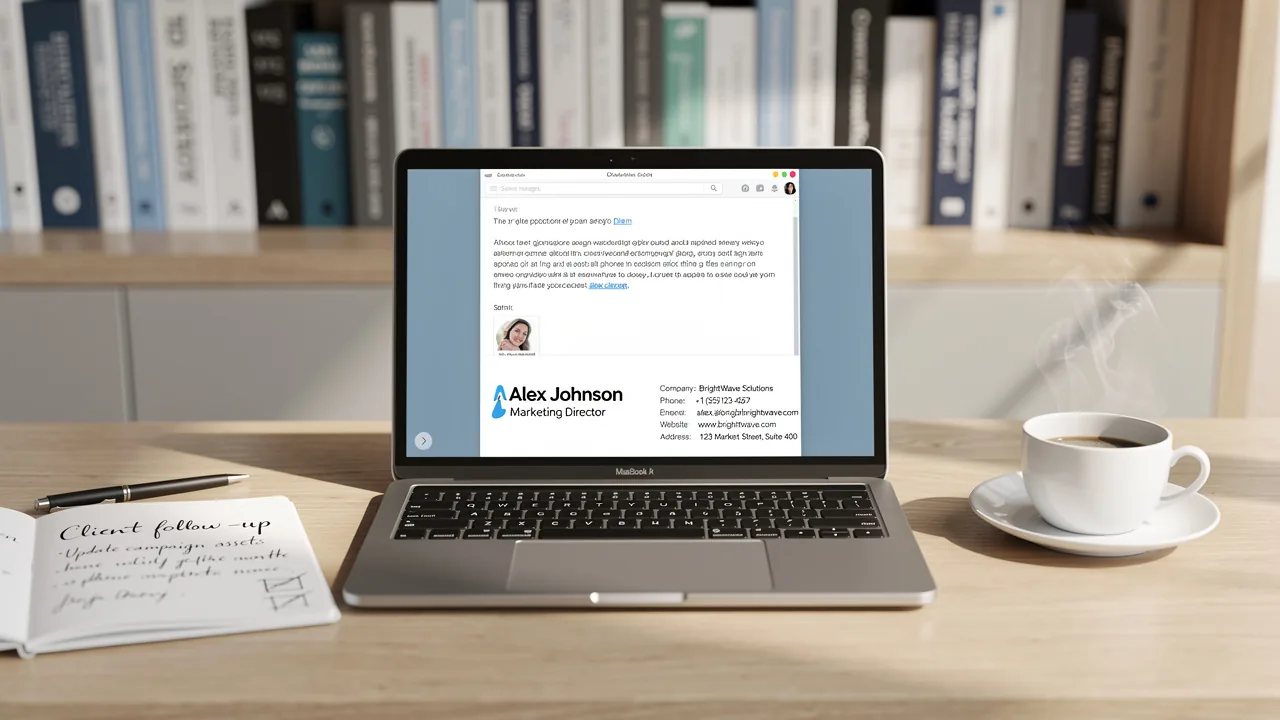
Best Practices for a Professional Formal Email Signature
Crafting a professional email signature is often overlooked, yet it plays a crucial role in shaping brand perception and communication effectiveness. By
Sophie Grant
Email Signature Specialist, Scribe

Introduction
Crafting a professional email signature is often overlooked, yet it plays a crucial role in shaping brand perception and communication effectiveness. By incorporating essential elements and adhering to best practices, organizations can enhance their credibility and ensure brand consistency across all communications. Despite the importance of email signatures, many organizations struggle to implement effective designs that resonate with their audience. This oversight can lead to missed opportunities for brand engagement and recognition.
What strategies can be employed to transform a simple email signature into a powerful marketing tool that reflects professionalism and drives measurable results?
Get started with Scribe
Manage signatures across your whole team
Free 14-day trial — no credit card.
Incorporate Essential Elements for Professionalism
A formal email signature is not just a formality; it is a critical component of effective communication. It should encompass the following essential elements:
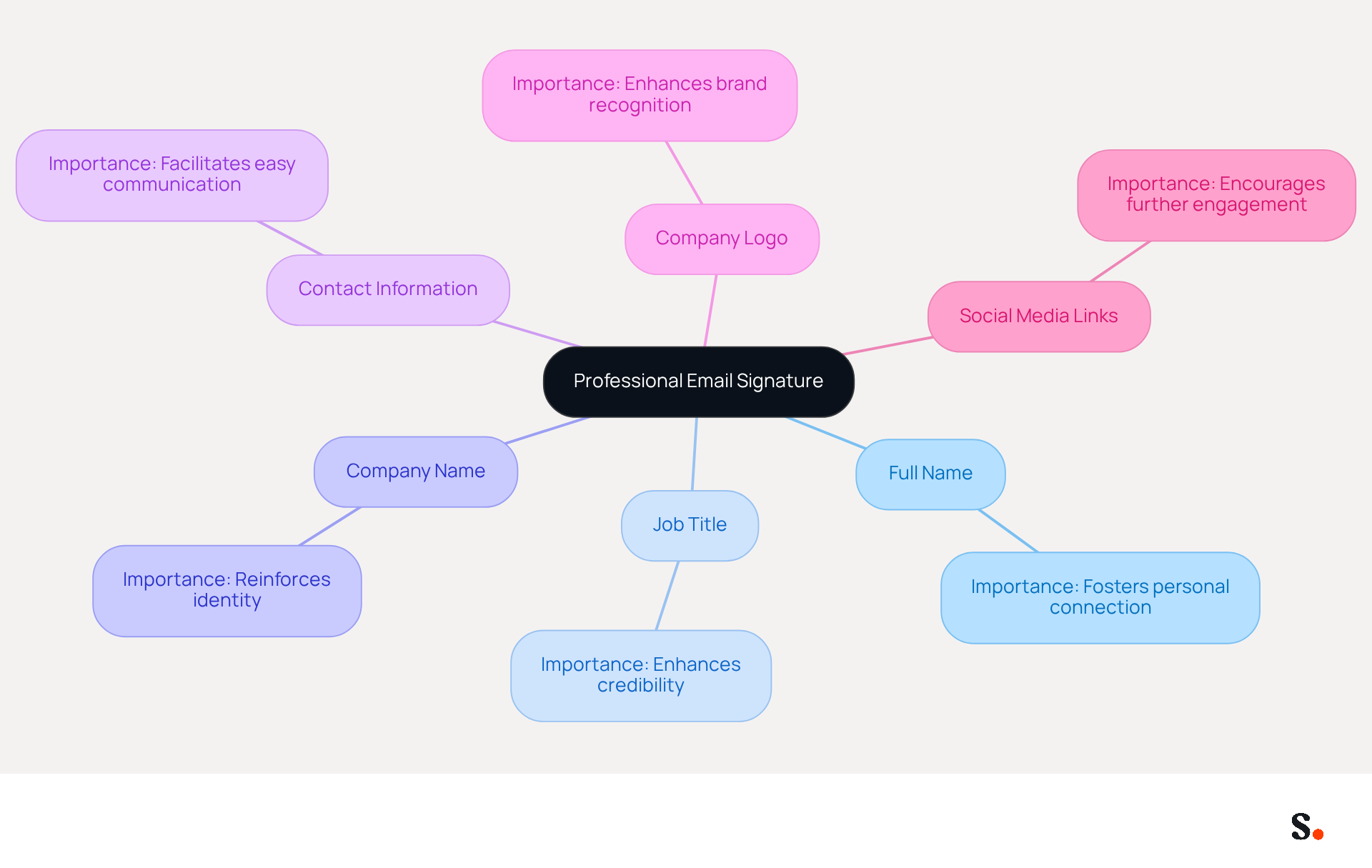
- Full Name: Clearly stating your full name ensures recipients know who the message is from, fostering a personal connection.
- Job Title: Including your current position provides context about your role within the organization, enhancing credibility.
- Company Name: Clearly mentioning your company name reinforces identity, which is crucial as 42% of consumers feel negatively toward businesses lacking a signature.
- Contact Information: Providing at least one method of contact, such as a phone number or email address, facilitates easy communication and accessibility.
- Company Logo: Including a logo enhances brand recognition and adds a professional touch, contributing to a polished appearance.
- Social Media Links: If applicable, including links to professional social media profiles encourages further engagement and connection.
When you include these elements, your formal email signature not only looks professional but also serves as a practical communication tool. Studies indicate that optimizing digital identifiers can boost engagement rates significantly. Moreover, companies that standardize email formats across their teams can enhance brand consistency by up to 85%, emphasizing the significance of a unified approach to email communications. By leveraging Scribe, organizations can ensure their email signatures not only reflect professionalism but also drive meaningful engagement.
Ensure Brand Consistency in Design and Messaging
To ensure brand consistency in your email signatures, implementing best practices is essential:
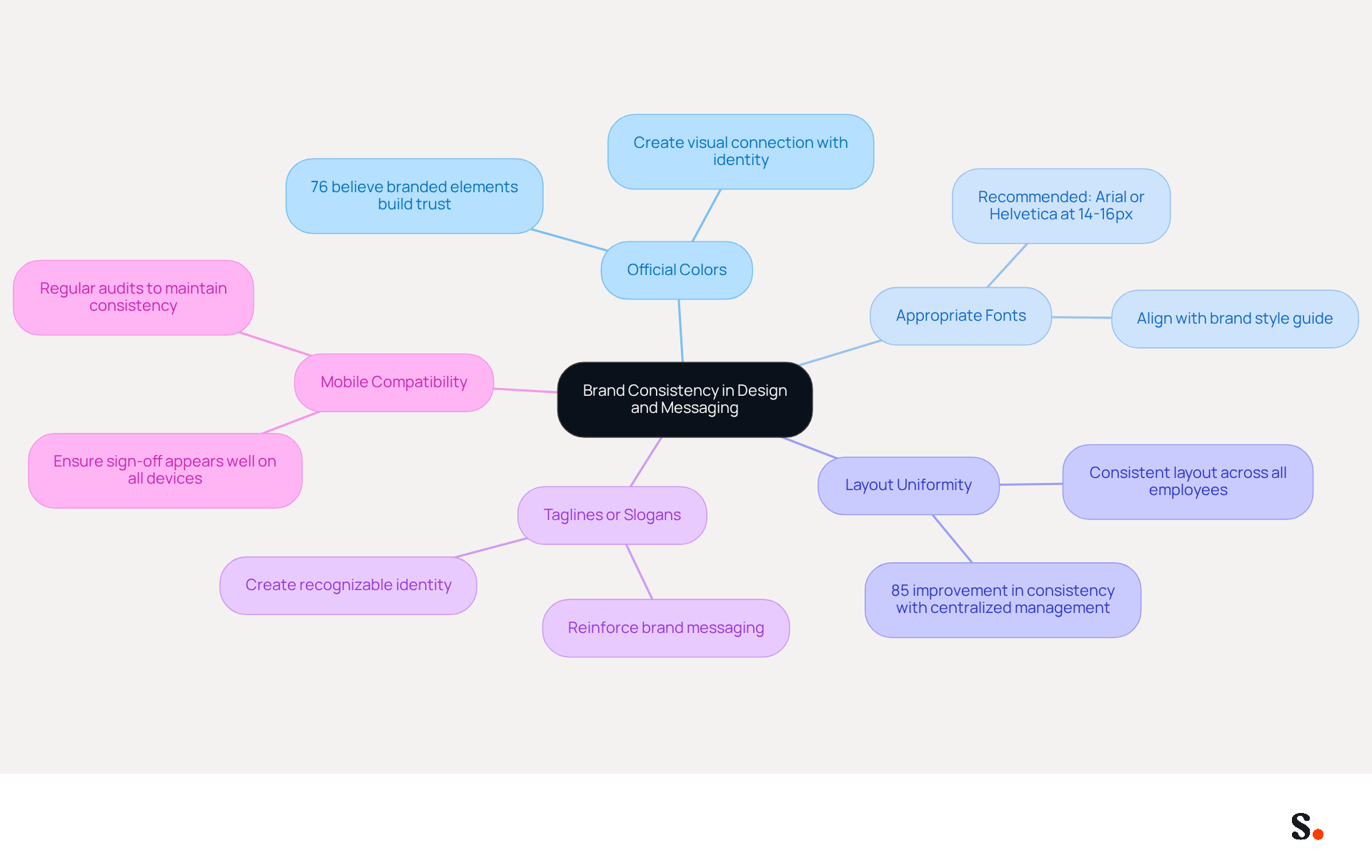
- Use Official Colors: Incorporate your company’s official colors in the signature design to create a visual connection with your identity. This practice is essential, as 76% of respondents believe that branded communication elements build trust in the sender.
- Select Appropriate Fonts: Choose fonts that align with your brand’s style guide to ensure readability and aesthetic appeal. Arial or Helvetica at 14-16px is recommended for consistent display across email clients.
- Maintain Layout Uniformity: Keep the layout of endorsements consistent across all employees to present a unified front. Centralized management solutions can improve consistency of identity by up to 85%. Scribe simplifies footer management by syncing teammate information from your business phone system, saving time and ensuring accuracy.
- Include Taglines or Slogans: If applicable, add a company tagline to reinforce brand messaging. This can help in creating a recognizable identity that resonates with recipients.
- Test for Mobile Compatibility: Ensure that the sign-off appears well on both desktop and mobile devices, as many recipients will view messages on their phones. Without regular audits, inconsistencies in formal email signatures can undermine brand trust.
By prioritizing these practices, organizations can significantly enhance their professional image and foster trust with their audience. Scribe's SOC 2 Type II compliance guarantees that your data is protected while you improve your messaging strategy. Organizations that emphasize well-crafted digital identifiers are boosting their credibility and strengthening their corporate identity, making this a vital element of contemporary business communication.
Utilize Call-to-Action Buttons and Personalized Banners
Incorporating call-to-action (CTA) buttons and personalized banners in your message signature can significantly enhance engagement, yet many brands fail to leverage these tools effectively. Here’s how to implement these elements effectively:
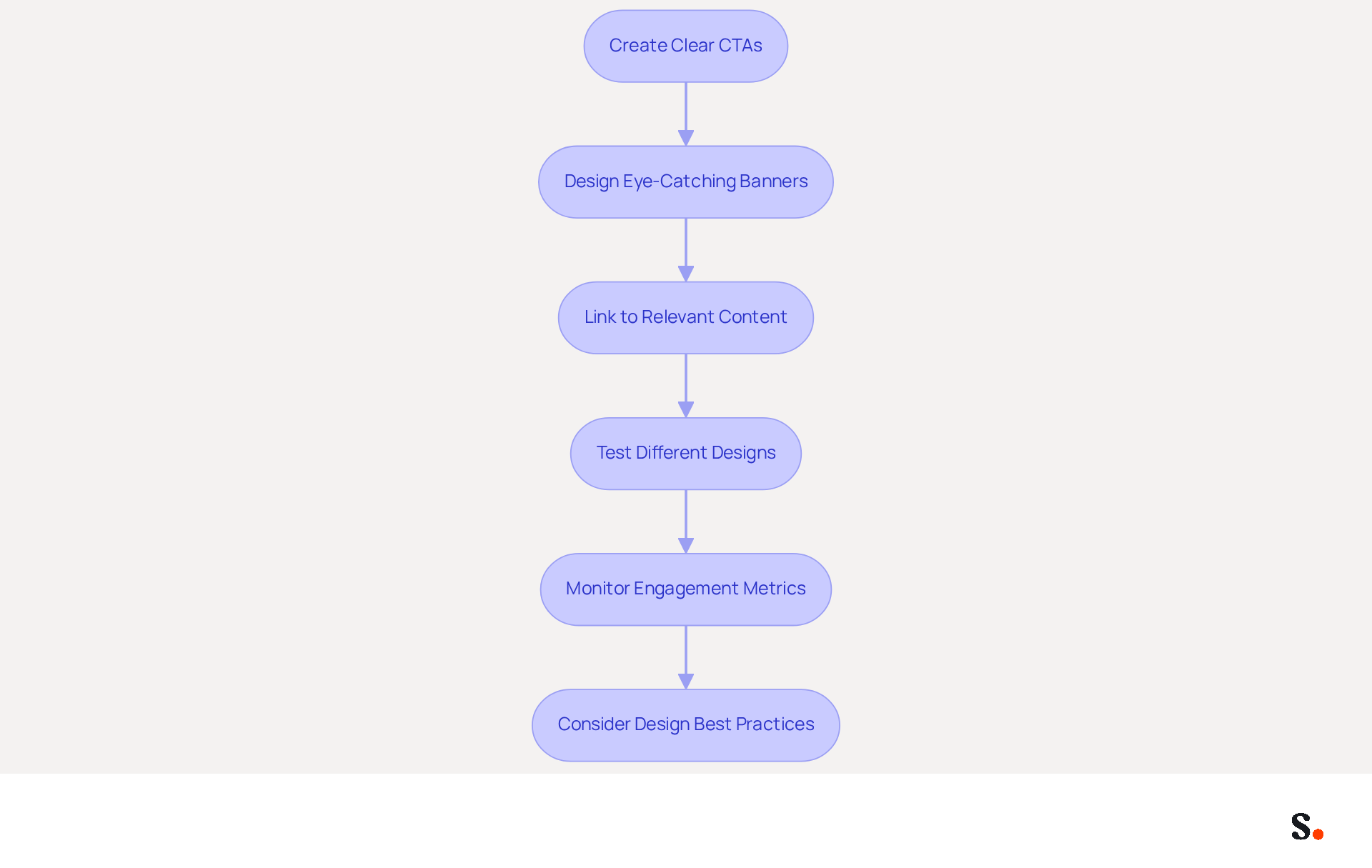
- Create Clear CTAs: Utilize action-oriented language in your CTAs, such as 'Schedule a Meeting' or 'Download Our Brochure,' to encourage recipients to take immediate action. Studies show that a well-placed CTA can boost clicks by 371% and sales by 1617%.
- Design Eye-Catching Banners: Craft visually appealing banners to promote upcoming events, new products, or special offers. Ensure these banners are relevant to your audience and align with your brand's messaging. However, many brands struggle to create banners that resonate with their audience. A promotional banner can achieve a click-through rate of 7.02%, showing how effective they can be at grabbing attention.
- Link to Relevant Content: Ensure that your CTAs link to pertinent landing pages or resources that provide value to the recipient. This not only enhances the user experience but also increases the likelihood of conversion. For instance, including links to case studies or reports can guide prospects through the sales cycle effectively.
- Test Different Designs: Experiment with various designs and placements of CTAs and banners to determine what resonates best with your audience. Continuous A/B testing is essential, as different strategies may yield varying results across different segments.
- Monitor Engagement Metrics: Utilize analytics to track the performance of your CTAs and banners. Metrics such as click-through rates (CTR) and conversion rates will provide insights into what strategies are most effective, allowing you to adjust your approach accordingly.
- Consider Design Best Practices: Use contrasting colors for your CTAs to ensure they stand out against the background, enhancing visibility. Avoid common pitfalls such as having too many CTAs or vague copy, which can dilute the effectiveness of your message.
By refining your approach to CTAs and banners, you can unlock new levels of engagement and drive substantial results.
Leverage Automation for Efficient Signature Management
Effective management of electronic correspondence identifiers hinges on the strategic use of automation tools. Here are some best practices:
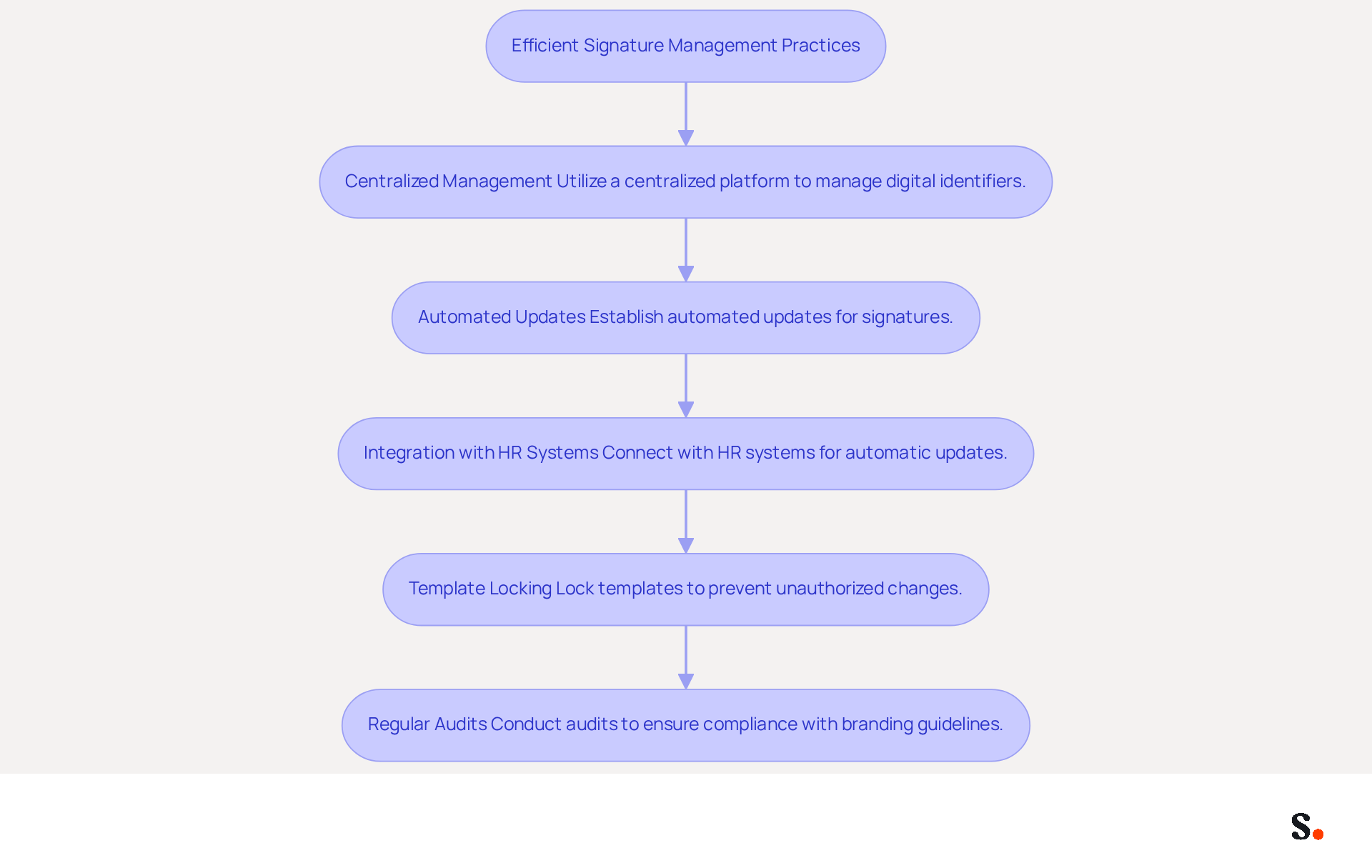
- Centralized Management: Utilize a centralized platform like Scribe to create and manage digital identifiers for all employees, ensuring brand consistency and compliance across the organization. Without centralized management, organizations risk inconsistent branding and a less professional image. This method streamlines management and enhances the professional image of every message sent by using a formal email signature.
- Automated Updates: Establish automated updates for signatures to reflect changes in branding, contact information, or legal disclaimers without manual intervention. This ensures that every message sent, along with the formal email signature, is up-to-date, preventing potential miscommunication and maintaining professionalism. By syncing with Google Workspace, any changes in your team’s information will be automatically reflected in Scribe, saving time and reducing errors.
- Integration with HR Systems: Connect your Scribe management tool with HR systems to automatically refresh identifiers when employees join or leave the organization. This synchronization minimizes errors and ensures that contact details are always accurate, which is crucial for maintaining professionalism in communications, particularly in a formal email signature.
- Template Locking: Lock templates to prevent unauthorized changes while allowing employees to customize certain fields, such as their job title. This balance of control ensures that branding guidelines are adhered to while still providing flexibility for individual personalization.
- Regular Audits: Conduct regular audits of signatures to ensure compliance with branding guidelines and to identify any discrepancies. This proactive approach helps maintain a consistent image and mitigates potential compliance issues by utilizing a formal email signature.
By leveraging automation, organizations can save time, reduce errors, and ensure a professional image in all communications, particularly through their formal email signature. Additionally, marketing managers can join Scribe's Affiliate Program to earn a 50% commission while promoting brand consistency, further enhancing their marketing efforts. This approach not only enhances communication efficiency but also positions your organization as a leader in professional correspondence.
Conclusion
An effective email signature is not merely a formality; it serves as a critical component of professional communication and brand identity. By incorporating essential elements such as your full name, job title, company name, and contact information, along with visual components like a company logo and social media links, the signature becomes a powerful extension of your professional identity. This underscores the need for organizations to focus on the design and uniformity of their email signatures, enhancing credibility and fostering a personal connection with recipients.
To maintain brand consistency, organizations should focus on:
- Using official colors and fonts
- Ensuring a uniform layout
- Incorporating taglines
These elements work together to create a cohesive brand image that resonates with recipients and builds trust. Additionally, utilizing call-to-action buttons and personalized banners can significantly boost engagement, driving recipients to take desired actions. Automation tools like Scribe streamline the management of email signatures, ensuring that updates are made efficiently and consistently across the organization, which is essential for maintaining professionalism.
In a world where digital communication is paramount, investing in a well-crafted email signature strategy is essential for any organization aiming to enhance its professional image and drive engagement. By leveraging tools like Scribe, businesses can ensure brand consistency, improve communication efficiency, and ultimately achieve measurable marketing ROI. Investing in a strategic email signature approach can redefine how organizations communicate and engage with their audience.
Frequently Asked Questions
What are the essential elements of a professional email signature?
A professional email signature should include your full name, job title, company name, contact information, company logo, and social media links if applicable.
Why is it important to include your full name in an email signature?
Including your full name ensures recipients know who the message is from, fostering a personal connection.
How does including a job title in an email signature enhance communication?
Including your job title provides context about your role within the organization, which enhances credibility.
What impact does mentioning the company name in an email signature have?
Clearly mentioning your company name reinforces identity, which is crucial as 42% of consumers feel negatively toward businesses lacking a signature.
Why should contact information be included in an email signature?
Providing at least one method of contact, such as a phone number or email address, facilitates easy communication and accessibility.
How does including a company logo in an email signature benefit communication?
Including a logo enhances brand recognition and adds a professional touch, contributing to a polished appearance.
What is the advantage of including social media links in an email signature?
Including links to professional social media profiles encourages further engagement and connection.
What are the benefits of standardizing email formats across teams?
Standardizing email formats can enhance brand consistency by up to 85%, emphasizing the significance of a unified approach to email communications.
How can Scribe help organizations with their email signatures?
By leveraging Scribe, organizations can ensure their email signatures reflect professionalism and drive meaningful engagement.
List of Sources
- Incorporate Essential Elements for Professionalism
- Email Signature Statistics: A Closer Look at Email Signatures in 2026 (https://mysignature.io/blog/email-signature-statistics)
- Professional Email Signature Examples and How to Write Them (https://bizibl.com/marketing/article/professional-email-signature-examples-and-how-write-them)
- 40+ Email Signature Statistics for 2026 (Data + Insights) (https://wavecnct.com/blogs/email-signature-statistics)
- Email signature statistics and trends in 2024 (https://wisestamp.com/blog/email-signature-statistics)
- What Should an Email Signature Look Like for Maximum Impact? (https://scribe-mail.com/en-US/blog/what-should-an-email-signature-look-like-for-maximum-impact)
- Ensure Brand Consistency in Design and Messaging
- Email Signature Best Practices for 2026 (+ 15 Pro Examples) (https://wavecnct.com/blogs/email-signature-best-practices-2026)
- Top email signature trends for companies in 2026 (https://bybrand.io/blog/trends-email-signatures)
- Why Email Signatures Must Be In Your 2026 Marketing Plan | Rocketseed (https://rocketseed.com/blog/2026-marketing-plan-email-signatures)
- 2026 Email Signature Trends for Companies | Bybrand posted on the topic | LinkedIn (https://linkedin.com/posts/bybrand_top-email-signature-trends-for-companies-activity-7458274214513483776-q9NB)
- Best Practices for Email Signatures for Companies to Boost Branding (https://scribe-mail.com/en-US/blog/best-practices-for-email-signatures-for-companies-to-boost-branding)
- Utilize Call-to-Action Buttons and Personalized Banners
- The Ultimate Guide to Email Signature Call-to-Action - NEWOLDSTAMP (https://newoldstamp.com/blog/the-ultimate-guide-to-email-signature-call-to-action)
- Why and how to add an effective CTA to your email signature? (https://signitic.com/en/resources/why-and-how-to-add-an-effective-cta-to-your-email-signature)
- Create Effective CTA Email Signatures (Examples & Templates) (https://wisestamp.com/examples/cta-email-signature)
- A Strategic Guide to Calls-to-Action (CTAs) in Email Marketing: Best Practices for Success (https://litmus.com/blog/click-tap-and-touch-a-guide-to-cta-best-practices)
- Email call to action best practices: The complete guide [2026] — Stripo.email (https://stripo.email/blog/email-call-action-best-practices-examples)
- Leverage Automation for Efficient Signature Management
- How to Automate Email Signature Updates | Exclaimer (https://exclaimer.com/email-signature-handbook/automate-email-signature-updates)
- Why Email Signatures Must Be In Your 2026 Marketing Plan | Rocketseed (https://rocketseed.com/blog/what-are-the-biggest-email-trends-for-2026)
- Keep Your Email Signatures Updated with gSignature (https://gsignature.com/blog-post/how-do-you-ensure-that-your-email-signatures-are-always-up-to-date-new-features-in-gsignature)
- Email Signature Trends 2026: Centralized Control & Automation | SIGNandGO posted on the topic | LinkedIn (https://linkedin.com/posts/signngo_email-signature-trends-to-watch-in-2026-activity-7401523471786217473-zAVL)
- How Automation Tools changing Email Marketing, Marketing Automation (https://convergehub.com/blog/how-marketing-automation-tool-changing-face-email-marketing)
Get started with Scribe
Manage signatures across your whole team
Free 14-day trial — no credit card.