Best Practices for Crafting an Effective Apple Mail Signature
Creating an email signature in Apple Mail is not merely a formality; it is a crucial component of a brand's identity. By aligning signatures with visual
Sophie Grant
Email Signature Specialist, Scribe
Introduction
Creating an email signature in Apple Mail is not merely a formality; it is a crucial component of a brand's identity. By aligning signatures with visual elements like logos and color schemes, organizations can enhance recognition and build trust with their audience. The key challenge is ensuring that the signature maintains professionalism while also showcasing creativity.
How can one ensure that their signature not only looks good but also serves as a powerful marketing tool? This article explores best practices for designing Apple Mail signatures that not only reflect brand identity but also engage recipients and enhance performance, turning a simple footer into a strategic asset.
Align Signatures with Brand Identity
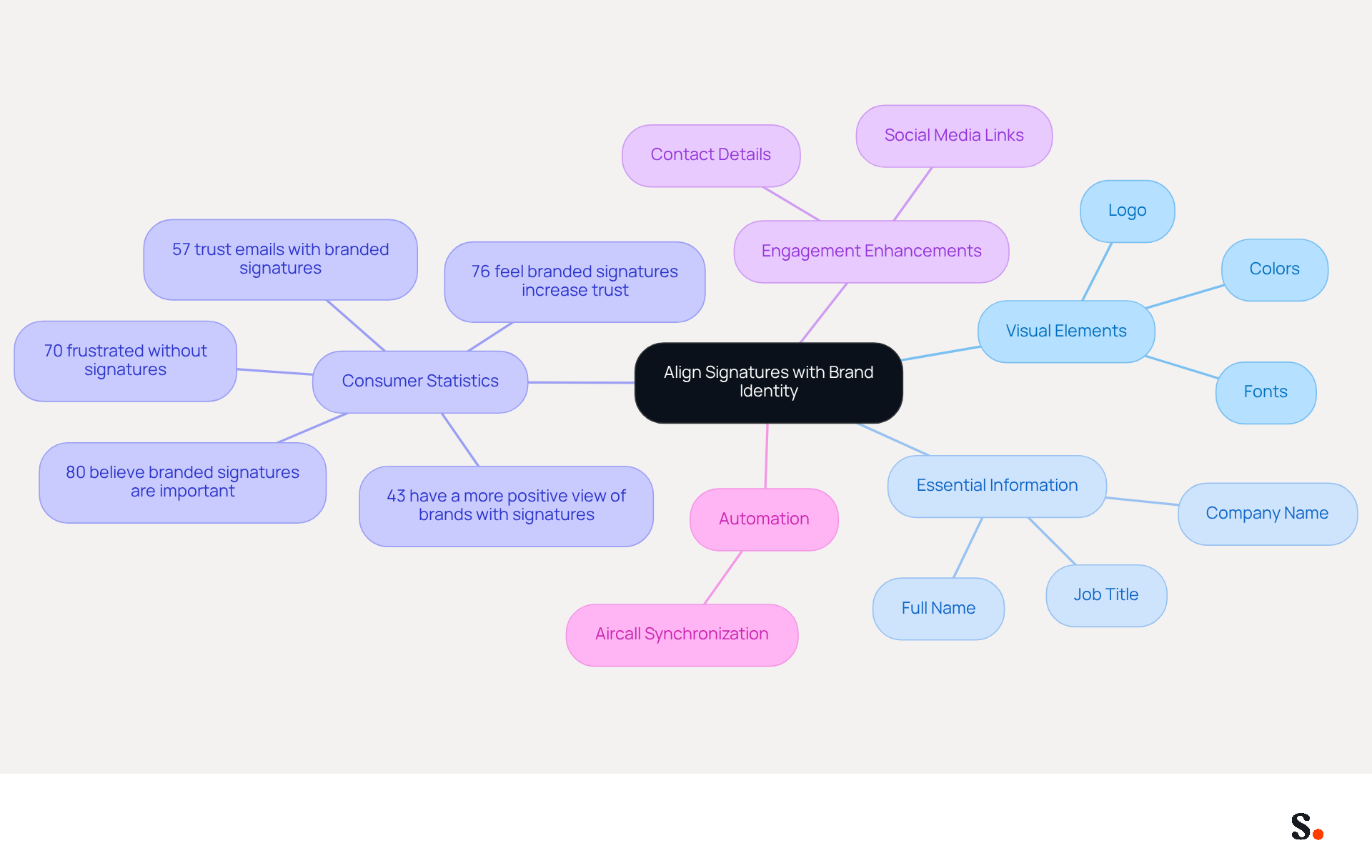
To create an effective apple mail signature, it is crucial to align with your brand identity. This involves incorporating your company logo, colors, and fonts that reflect your visual identity. For instance, if your organization employs a particular color scheme, it is essential to integrate these hues into your emblem to ensure consistency.
To ensure clarity and professionalism, essential elements such as your full name, job title, and company name should be included in your apple mail signature. A well-aligned mark enhances recognition and builds trust with your audience.
Scribe exemplifies effective branding through consistent use of logos and colors in their communication headers, which has proven to enhance engagement. Recent statistics show that:
- 80% of respondents believe a branded message footer is essential for a company's identity.
- 57% of consumers trust communications from businesses that utilize branded footers.
- 70% of consumers show annoyance when companies do not incorporate identifiers in messages, emphasizing the importance of having a personalized message identifier.
Incorporating social media links and contact details can further enhance engagement, as these elements provide recipients with easy access to connect with Scribe. Testing different approaches and tracking how recipients interact with promotional banners can significantly improve your digital identifiers.
Moreover, with Scribe's automated synchronization of identifiers with Aircall, any modifications made in your Aircall setup will be seamlessly reflected in your Scribe identifiers, ensuring improved consistency across all communications. Neglecting to design a cohesive email footer could lead to diminished brand trust and engagement.
Implement Effective Design and Structure
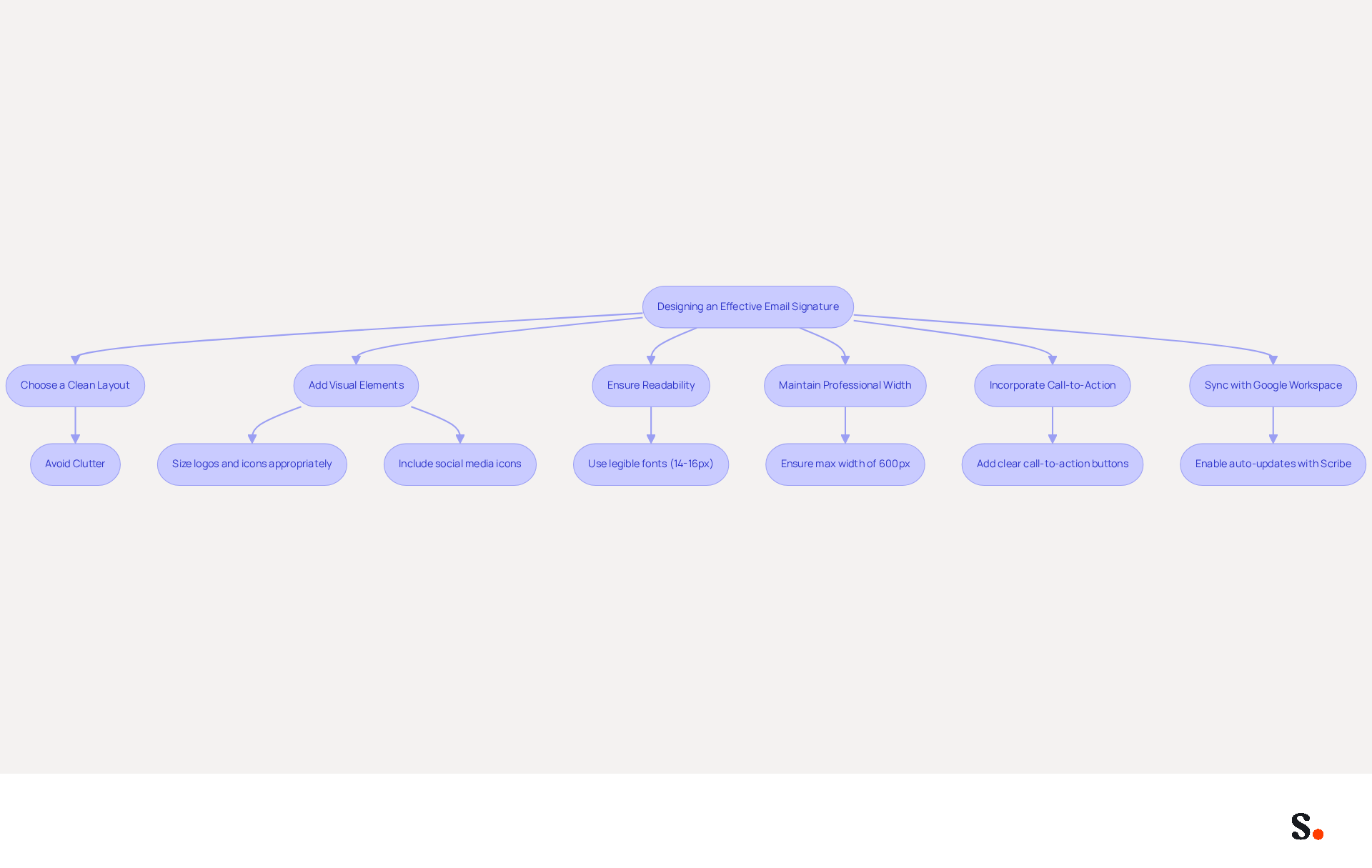
To maximize the effectiveness of your email communication, focus on creating a clear and simple Apple Mail signature. A clean layout is essential; avoid clutter to ensure that your name and contact information stand out prominently. Add visual elements such as your logo and social media icons, making sure they are sized appropriately to keep a professional look without distracting the recipient.
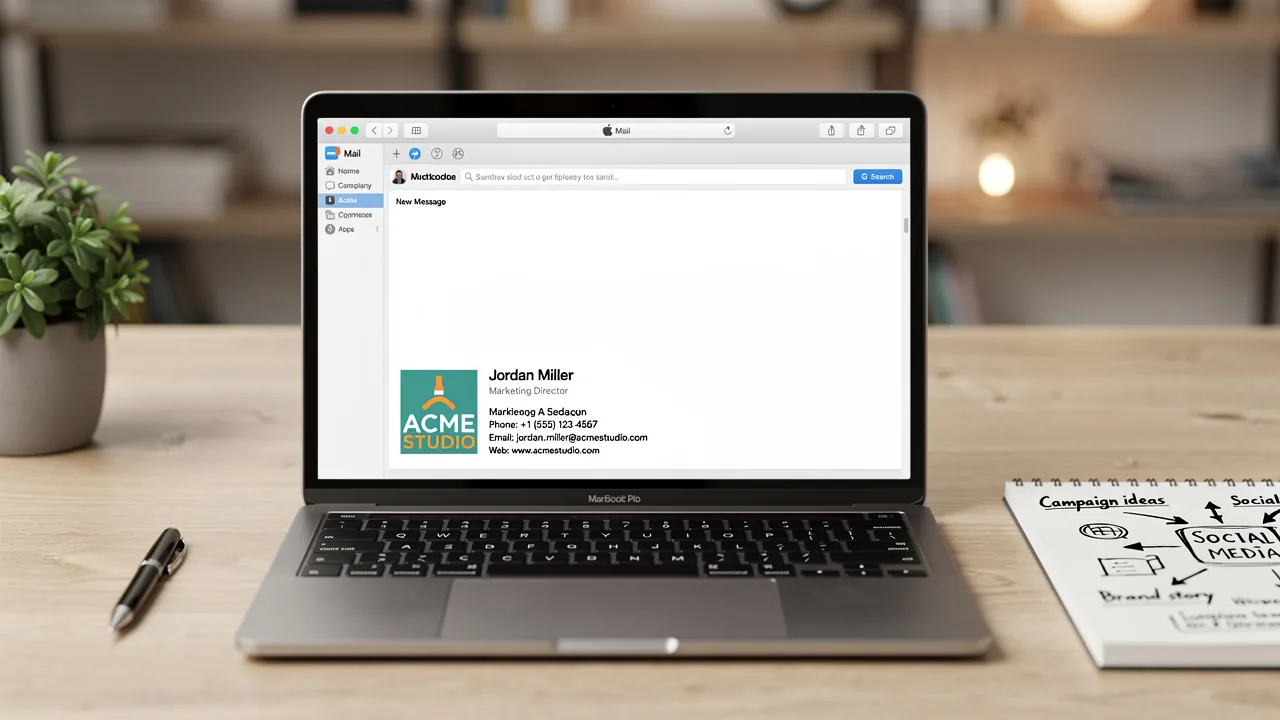
For example, a well-organized sign-off might display your logo on the left, followed by your name and title, and then your contact information. Use legible fonts, ideally between 14-16px for body text, to ensure readability across all devices. Ensuring your Apple Mail signature looks professional across different platforms can be challenging, but it's crucial for maintaining your brand image. Effective email footers should ideally not exceed 600px in width to ensure they display well on mobile devices.
Statistics indicate that designs with clear call-to-action buttons can drive engagement, with strategic placements yielding up to 40% higher click rates. Additionally, including a professional headshot can increase response rates by 32%. Regular updates to your personal identifier, ideally quarterly, ensure that it remains current and reflects any changes in your role or contact information.
By syncing your Google Workspace with Scribe, you not only save time but also keep your teammates' email footers up to date automatically. This seamless integration enhances consistency and supports SOC 2 Type II compliance for secure data handling. The attribute feature enables auto-filling of identification information, further streamlining the process. By following these best practices and utilizing Scribe's capabilities, you can transform your digital identifier into a powerful marketing tool that enhances brand consistency and drives engagement.
Test and Optimize Signature Functionality
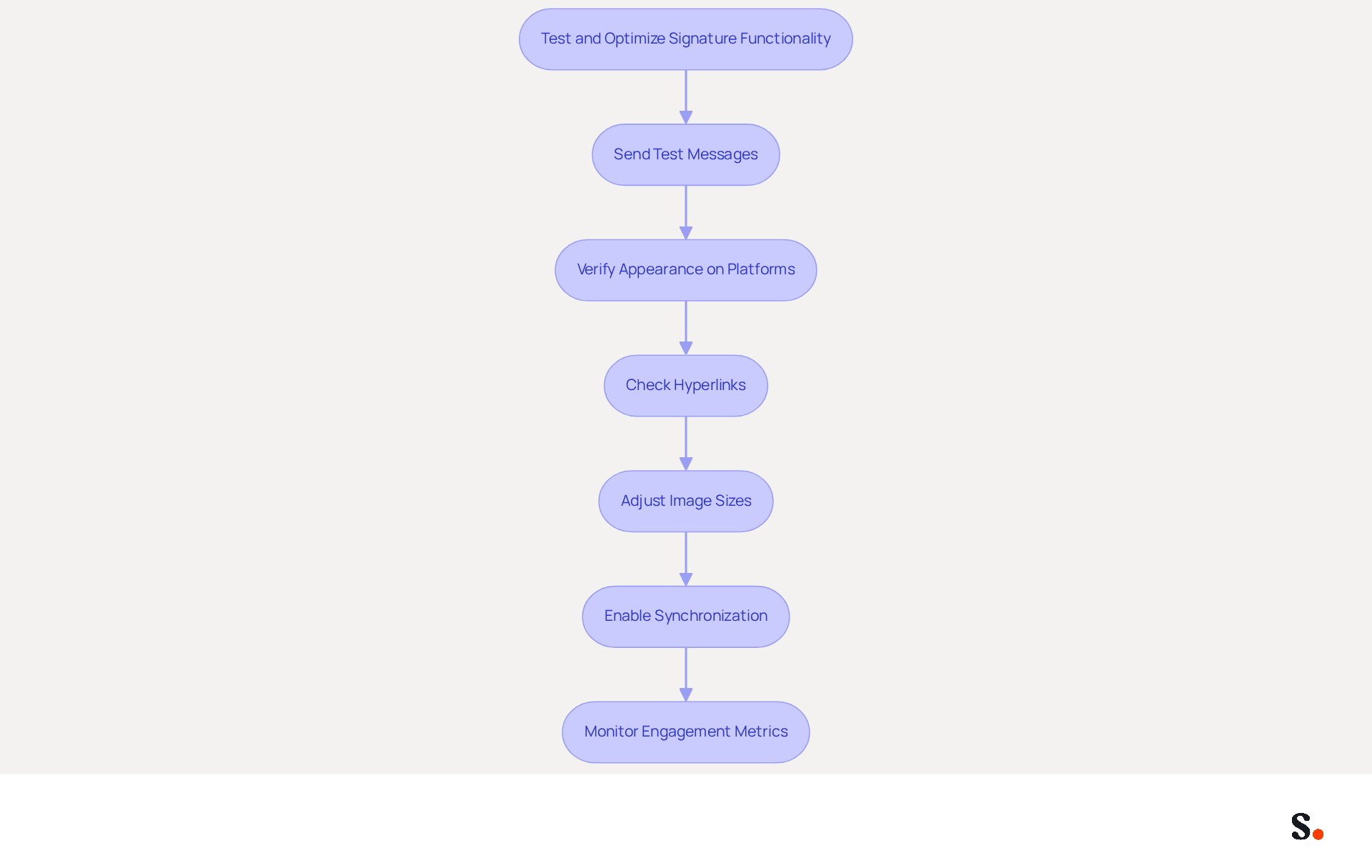
Ensuring your apple mail signature functions correctly is essential for maintaining a polished professional image. Start by sending test messages to yourself and coworkers, verifying how the sign-off appears on various platforms. Focus on the visibility of images, links, and overall formatting. It's crucial to verify that all hyperlinks are operational and lead to the correct destinations. Without proper adjustments, your emails may appear unprofessional, leading to potential miscommunication.
Furthermore, consider the loading speed of images; oversized files can impede loading times, potentially impacting user experience. If issues arise, adjust image sizes or formats to enhance performance. Regular updates and testing of your branding not only maintain its effectiveness but also ensure alignment with your marketing objectives.
Scribe makes this process easier with one-click synchronization, allowing your signatures to update automatically. This not only maintains brand consistency but also aligns with security standards, as evidenced by our SOC 2 Type II certification. To enable synchronization, you must grant permission for Scribe to connect with your provider, requiring Super Admin access.
Messages that include closing lines capture 58% more viewing time and grab attention 47% faster, underscoring the importance of a well-crafted closing. Moreover, case studies demonstrate that organizations employing consistent testing and optimization strategies, such as integrating digital identifiers with popular tools like Aircall and Calendly through Scribe, can significantly improve their brand visibility and customer engagement. By prioritizing these strategies, you can transform your email communications into powerful tools for engagement and brand loyalty.
Incorporate Marketing Elements for Engagement
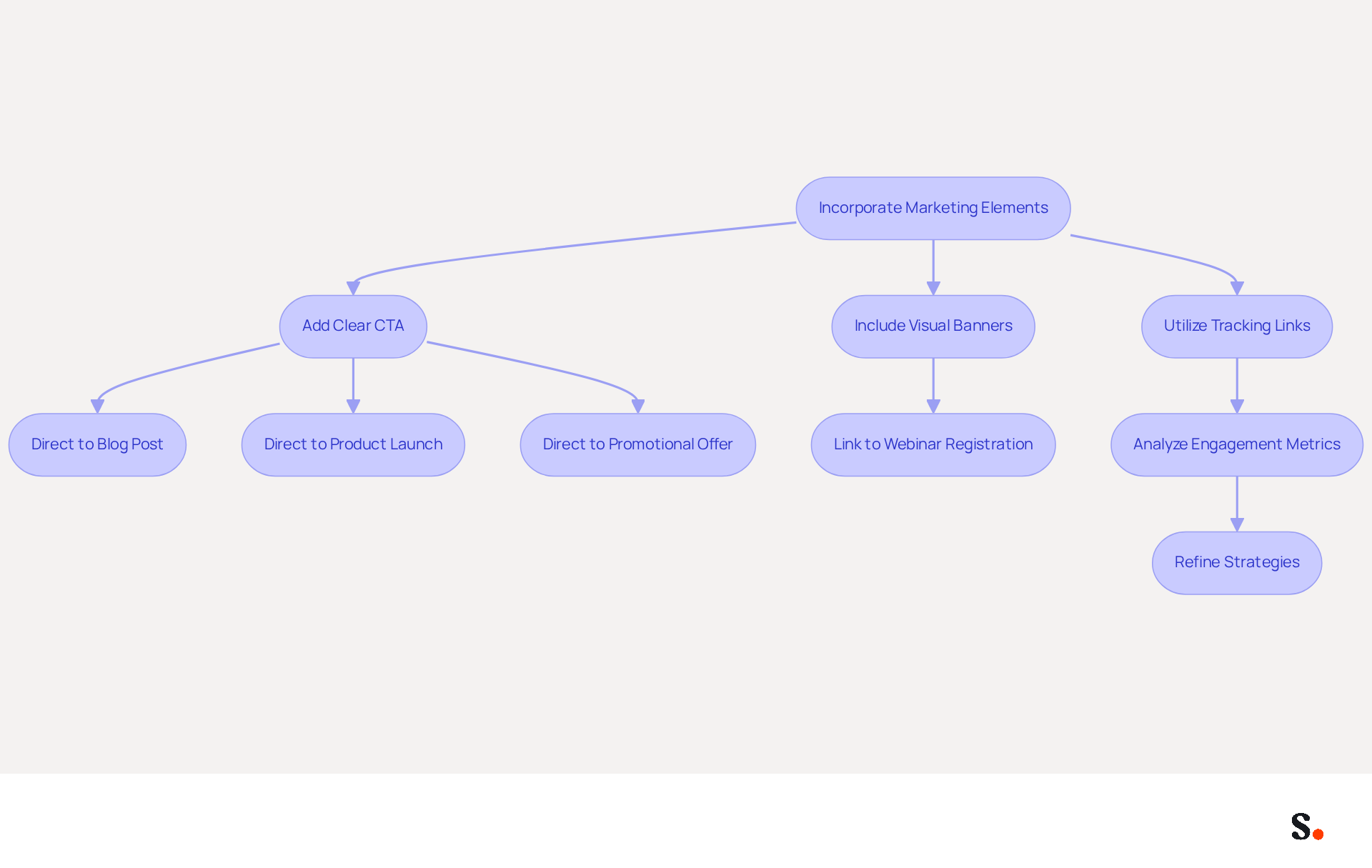
Incorporating effective marketing elements into your message footer is crucial for maximizing engagement. This can include a clear call-to-action (CTA) directing recipients to your latest blog post, product launch, or promotional offer. For instance, adding a visually distinct banner that highlights a current campaign or a link to a webinar registration page can significantly enhance visibility. Research indicates that including a CTA can increase clicks by 371% and sales by 1617%. This demonstrates the effectiveness of these elements.
Utilizing tracking links is also crucial for measuring the performance of these marketing components. By analyzing engagement metrics, you can refine your strategies based on real data. A marketing team that updated their communication identifiers captured 312 new CRM contacts within just 30 days, demonstrating the significant benefits of strategic management.
In 2026, as organizations increasingly regard digital identifiers as marketing tools, ensuring that these elements align with your overall design while remaining visually distinct will be vital. Treating your apple mail signature as a marketing asset allows you to engage your audience and drive traffic with every email.
Conclusion
An effective Apple Mail signature is not just a digital sign-off; it’s a strategic tool for brand reinforcement and communication enhancement. By aligning signatures with your brand's visual elements, such as logos and color schemes, organizations can foster recognition and trust among recipients. A well-structured signature conveys professionalism. It also acts as a powerful marketing tool that drives engagement and enhances communication effectiveness.
The insights presented emphasize the critical role of clarity in design, the necessity of testing functionality, and the incorporation of marketing elements. A clean layout, appropriate font sizes, and strategic placements of logos and social media links are crucial for creating a signature that stands out. Without careful attention to layout and design, signatures may fail to capture attention. Regular testing ensures that all components function correctly, while integrating marketing elements like calls-to-action can significantly boost engagement metrics.
Failing to treat your signature as a marketing asset can result in lost engagement and brand recognition. By implementing these best practices and leveraging tools like Scribe for seamless updates and compliance, businesses can enhance brand consistency and maximize the impact of every email sent. Neglecting to optimize your email signatures can lead to a significant loss in brand impact and engagement potential.
Frequently Asked Questions
Why is it important to align email signatures with brand identity?
Aligning email signatures with brand identity is crucial for incorporating your company logo, colors, and fonts, which reflect your visual identity and enhance recognition and trust with your audience.
What essential elements should be included in an Apple Mail signature?
An effective Apple Mail signature should include your full name, job title, and company name to ensure clarity and professionalism.
How does Scribe exemplify effective branding in their communications?
Scribe exemplifies effective branding by consistently using logos and colors in their communication headers, which enhances engagement with their audience.
What statistics highlight the importance of branded message footers?
Statistics show that 80% of respondents believe a branded message footer is essential for a company's identity, 57% trust communications from businesses with branded footers, and 70% feel annoyed when companies do not include identifiers in messages.
How can incorporating social media links and contact details enhance engagement?
Including social media links and contact details in your email signature provides recipients with easy access to connect with Scribe, thereby enhancing engagement.
What is the benefit of testing different approaches to email signatures?
Testing different approaches and tracking recipient interactions with promotional banners can significantly improve your digital identifiers and overall engagement.
How does Scribe ensure consistency across communications with Aircall?
Scribe's automated synchronization with Aircall ensures that any modifications made in the Aircall setup are seamlessly reflected in Scribe identifiers, maintaining consistency across all communications.
What are the consequences of neglecting to design a cohesive email footer?
Neglecting to design a cohesive email footer can lead to diminished brand trust and engagement among recipients.
List of Sources
- Align Signatures with Brand Identity
- The impact of email signatures on your branding (https://signitic.com/en/resources/the-impact-of-email-signatures-on-your-branding)
- Why Are Email Signatures Key to Brand Awareness? | QuickMail (https://quickmail.com/role-of-email-signatures-in-brand-awareness)
- Email Signature Branding: Consistency and Impact | Crossware365 (https://crossware365.com/blog/mastering-email-signature-branding-market-presence)
- Research Recap: Branded Email Signatures Increase Company Recognition, Trust - Demand Gen Report (https://demandgenreport.com/industry-news/research-recap-branded-email-signatures-increase-company-recognition-trust/47252)
- Why Email Signatures Must Be In Your 2026 Marketing Plan | Rocketseed (https://rocketseed.com/blog/what-are-the-biggest-email-trends-for-2026)
- Implement Effective Design and Structure
- Why Email Signatures Must Be In Your 2026 Marketing Plan | Rocketseed (https://rocketseed.com/blog/what-are-the-biggest-email-trends-for-2026)
- Email Signature Best Practices for 2026 (+ 15 Pro Examples) (https://wavecnct.com/blogs/email-signature-best-practices-2026)
- 20 best email signature design examples for 2026 — Stripo.email (https://stripo.email/blog/10-best-email-signature-design-examples)
- Email Signature Best Practices - NEWOLDSTAMP (https://newoldstamp.com/blog/email-signature-best-practices)
- "Email Signature Trends for 2026: What's In, What's Out" | Crossware posted on the topic | LinkedIn (https://linkedin.com/posts/crossware-ltd_new-year-new-trends-even-for-your-email-activity-7394554686046908416-vD_O)
- Test and Optimize Signature Functionality
- WiseStamp Sets a New Standard for Email Signature Creation (https://prnewswire.com/news-releases/wisestamp-sets-a-new-standard-for-email-signature-creation-302689811.html)
- A/B Testing for Email Signature Marketing | Signitic (https://signitic.com/en/resources/ab-testing-email-signature-marketing)
- The effectiveness of the email signature as a “point of contact” (https://signitic.com/en/resources/the-effectiveness-of-the-email-signature-as-a--point-of-contact)
- 4 Best Practices for Using Email Signature Software Effectively (https://scribe-mail.com/en-US/blog/4-best-practices-for-using-email-signature-software-effectively)
- Seeing Is Believing: Eye-Tracking Test Shows What Works In Email Signatures (https://mediapost.com/publications/article/416520/seeing-is-believing-eye-tracking-test-shows-what.html)
- Incorporate Marketing Elements for Engagement
- Why Email Signatures Must Be In Your 2026 Marketing Plan | Rocketseed (https://rocketseed.com/blog/what-are-the-biggest-email-trends-for-2026)
- 4 Best Practices for Your Outlook Signature Line in Marketing (https://scribe-mail.com/en-US/blog/4-best-practices-for-your-outlook-signature-line-in-marketing)
- Create Effective CTA Email Signatures (Examples & Templates) (https://wisestamp.com/examples/cta-email-signature)
- Why and how to add an effective CTA to your email signature? (https://signitic.com/en/resources/why-and-how-to-add-an-effective-cta-to-your-email-signature)
- The Ultimate Guide to Email Signature Call-to-Action - NEWOLDSTAMP (https://newoldstamp.com/blog/the-ultimate-guide-to-email-signature-call-to-action)
Get started with Scribe
Create your signature in minutes
Free 14-day trial — no credit card.